flat tire TESLA MODEL X 2017 Owner's Manual (UK)
[x] Cancel search | Manufacturer: TESLA, Model Year: 2017, Model line: MODEL X, Model: TESLA MODEL X 2017Pages: 202, PDF Size: 4.82 MB
Page 152 of 202

Maintaining Tire Pressures
If you are not towing a trailer, keep tires
inflated to the pressures shown on the Tire
and Loading Information label, even if it differsfrom the pressure printed on the tire itself. The
Tire and Loading Information label is located
on the center door pillar and is visible when
the driver
Page 153 of 202

Inspecting and Maintaining TiresRegularly inspect the tread and side walls for
any sign of distortion (bulges), cuts or wear.Warning: Do not drive Model X if a tire is
damaged, excessively worn, or inflated to
an incorrect pressure. Check tires
regularly for wear, and ensure there are
no cuts, bulges or exposure of the ply/
cord structure.
Tire Wear
Adequate tread depth is important for proper
tire performance. Tires with a tread depth less
than 3 mm are more likely to hydroplane in
wet conditions and should not be used. Tires
with a tread depth less than 4 mm do not
perform well in snow and slush and should not
be used when driving in winter conditions.
Model X is originally
fitted with tires that have
wear indicators molded into the tread pattern. When the tread has been worn down to 3 mm,
the indicators start to appear at the surface of
the tread pattern, producing the
effect of a
continuous band of rubber across the width of
the tire. For optimal performance and safety,
Tesla recommends replacing tires before the
wear indicators are visible.
Tire Rotation, Balance, and Wheel Alignment
Model X tires cannot be rotated, as tires are
asymmetrical and front tires are a
differentsize from rear tires.
Unbalanced wheels (sometimes noticeable as
vibration through the steering wheel)
affectvehicle handling and tire life. Even with regular
use, wheels can get out of balance. Therefore,
they should be balanced as required.
If tire wear is uneven (on one side of the tire
only) or becomes abnormally excessive, check
the alignment of wheels.
Note: When replacing only two tires, always
install the new tires on the rear.
Punctured Tires
A puncture eventually causes the tire to lose pressure, which is why it is important to check
tire pressures frequently. Permanently repair
or replace punctured or damaged tires as
soon as possible.
Your tubeless tires may not leak when
penetrated, provided the object remains in the tire. If, however, you feel a sudden vibration or
ride disturbance while driving, or you suspect a tire is damaged, immediately reduce yourspeed. Drive slowly, while avoiding heavy
braking or sharp steering and, when safe to do so, stop the vehicle. Arrange to have Model X
transported to a Tesla service center, or to a
nearby tire repair center.
Note: In some cases, you can temporarily
repair small tire punctures (under 6 mm) using an optional tire repair kit available from Tesla.
This allows you to slowly drive Model X to Tesla or to a nearby tire repair facility.Warning: Do not drive with a punctured
tire, even if the puncture has not causedthe tire to
deflate. A punctured tire candeflate suddenly at any time.
Flat Spots
If Model X is stationary for a long period in
high temperatures, tires can form
flat spots.
When Model X is driven, these flat spots cause
a vibration which gradually disappears as the
tires warm up and regain their original shape.
To minimize
flat spots during storage, inflatetires to the maximum pressure indicated on the tire wall. Then, before driving, release airto adjust tire pressure to the recommended
levels.
Improving Tire Mileage
To improve the mileage you get from your
tires, maintain tires at the recommended tire
pressures, observe speed limits and advisory
speeds, and avoid:
Page 156 of 202
TPMS Malfunction
Model X has also been equipped with a TPMS
malfunction indicator to indicate when the
system is not operating properly.The TPMS malfunction indicator is
combined with the tire pressure
indicator light. When the system
detects a malfunction, the indicator
flashes for approximately one minute
after Model X powers on, and then
remains continuously lit. This
sequence continues upon
subsequent vehicle start-ups as long
as the malfunction exists. When the
TPMS malfunction indicator is on, the
system might not be able to detect
or signal under- and
over-inflatedtires as intended.
TPMS malfunctions can occur for a variety of
reasons, including installing replacement or
alternate tires or wheels that prevent the
TPMS from functioning properly. Always check
the TPMS malfunction indicator light after replacing one or more tires or wheels on yourvehicle to ensure that the replacement tires or
wheels allow the TPMS to continue to function
properly.
Note: If a tire has been replaced or repaired
using a
different tire sealant than the one
available from Tesla, and a low tire pressure is
detected, it is possible that the tire sensor has
been damaged. Contact Tesla to have the fault repaired as soon as possible.
Tire Care and Maintenance
Maintenance155
Page 157 of 202

Tire Repair Kit
Your Model X has no spare tire. Depending on
the legislations that apply to the region in
which you purchased Model X, a tire repair kit
may or may not be included. If a tire repair kit
was not provided in Model X upon delivery,
you can purchase one from Tesla.
The tire repair kit consists of a compressor
and a canister of tire sealant (enough to repair
one tire). When injected into a tire, the sealant
can penetrate a small puncture up to 6 mm to form a temporary repair.
Note: For punctures larger than 6 mm, severe
tread damage, a damaged sidewall, ripped
tires or tires that have come
off the rim, call
Roadside Assistance.
Warning: The tire repair kit is a temporary
repair only. You must repair or replace a
damaged tire as soon as possible.Warning: Do not exceed 48 km/h when
driving with a tire that has been
temporarily repaired with sealant.Warning: Follow all directions and
warnings on the tire repair kit before
starting a repair.Caution: Do not drive on a deflated tire as
this can cause serious damage.Tire Sealant Canister
The tire sealant provided in the Tesla tire
repair kit is approved for use with Model X and is designed not to damage the TPMS (Tire
Pressure Monitoring System) sensors.
Therefore, you must replace it only with one of
the same type and capacity (see Replacing
the Sealant Canister on page 159). Tire
sealant canisters can be purchased from Tesla.
The tire sealant has an expiration date printed
on the outside of the canister. If the expiration
date has passed, the sealant might not work
as expected. Always replace an expired tire
sealant canister.Warning: Do not use any tire sealant
other than the one available from Tesla.
Doing so could cause tire pressure
sensors to malfunction.Warning: Always read and follow the
safety and handling instructions printed on the sealant canister.Warning: Keep tire sealant out of the
reach of children.Warning: Tire sealant can be harmful if it
contacts the eyes or if swallowed or
inhaled. If the sealant comes into contact with your eyes, immediately
flush with
water and seek medical attention if
irritation persists. If swallowed, do not
induce vomiting and seek medical assistance immediately. If inhaled, breathe
fresh air. Inhalation can cause drowsiness
and dizziness. If breathing is
affected,seek medical assistance immediately.
Temporary Tire Repair
156Model X Owner
Page 158 of 202

Inflating with Sealant and Air
If you have a Tesla tire repair kit, follow these
steps to temporarily repair a small tire
puncture (less than 6 mm).
1. Stop Model X in a safe place away from
traffic and ask passengers to wait in a safe
area.
2. Turn on the hazard warning
flashers to
alert other road users.
3. If possible, position the wheel with the puncture at the bottom.
4. Detach the power supply connector from the back of the compressor and plug it
into the 12V power socket located on the
front of center console.
5. Release the clear plastic hose from the tire
compressor.
6. Remove the red cap and screw the end of the hose onto the tire
Page 159 of 202

Inflating with Air Only
If you have a Tesla tire repair kit, follow these
steps to
inflate a tire with air:
1. Detach the power supply connector from the rear of the compressor and plug it into
the 12V power socket located in Model X
on the front of center console.
2. Release the black air hose from the compressor.
3. Attach the air hose to the valve and press the lever down to secure it in place.
4. Ensure the compressor is lying on a level
surface with the pressure gauge facing tothe side where you can read it.
5. To add air, turn on the compressor and
inflate until the desired pressure is
reached.
6. To release air, turn
off the compressor,
then press and hold the red button until
the desired pressure is reached.
Note: For your convenience, the tire repair kit
includes a selection of adapters that allow you to
inflate other items. These adapters are
located in a compartment on the back of the
compressor.
Caution: To avoid overheating, do not use
the compressor continuously for more
than eight minutes. Allow the compressor
to cool for 15 minutes between uses.Caution: The compressor runs slowly
when overheated from excessive use. Turn
it
off and allow it to cool.Temporary Tire Repair
158Model X Owner
Page 180 of 202

1Tire category. P indicates that the tire is for passenger vehicles.2Tire width. This 3-digit number is the width (in millimeters) of the tire from sidewall
edge to sidewall edge.3Aspect ratio. This 2-digit number is the sidewall height as a percentage of the tread
width. So, if the tread width is 205 mm, and the aspect ratio is 50, the sidewall height is 102 mm.4Tire construction. R indicates that the tire is of Radial ply construction.5Wheel diameter. This 2-digit number is the diameter of the wheel rim in inches.6Load index. This 2 or 3-digit number is the weight each tire can support. This number is
not always shown.7Speed rating. When stated, indicates the maximum speed (in mph) at which the tire can be used for extended periods. Q=99 mph (160 km/h), R=106 mph (170 km/h), S=112 mph (180 km/h), T=118 mph (190 km/h), U=124 mph (200 km/h), H=130 mph(210 km/h), V=149 mph (240 km/h), W=168 mph (270 km/h), Y=186 mph (300 km/h).8Tire composition and materials. The number of plies in both the tread area and thesidewall area indicates how many layers of rubber coated material make up the structure of the tire. Information is also provided on the type of materials used.9Maximum tire load. The maximum load which can be carried by the tire.10Maximum permissible inflation pressure. This pressure should not be used for normal
driving.11U.S. DOT Tire Identification Number (TIN). Begins with the letters DOT and indicates
that the tire meets all federal standards. The next 2 digits/letters represent the plant
code where it was manufactured, and the last 4 digits represent the week and year of
manufacture. For example, the number 1712 is used to represent the 17th week of 2012. The other numbers are marketing codes used at the manufacturer
Page 184 of 202
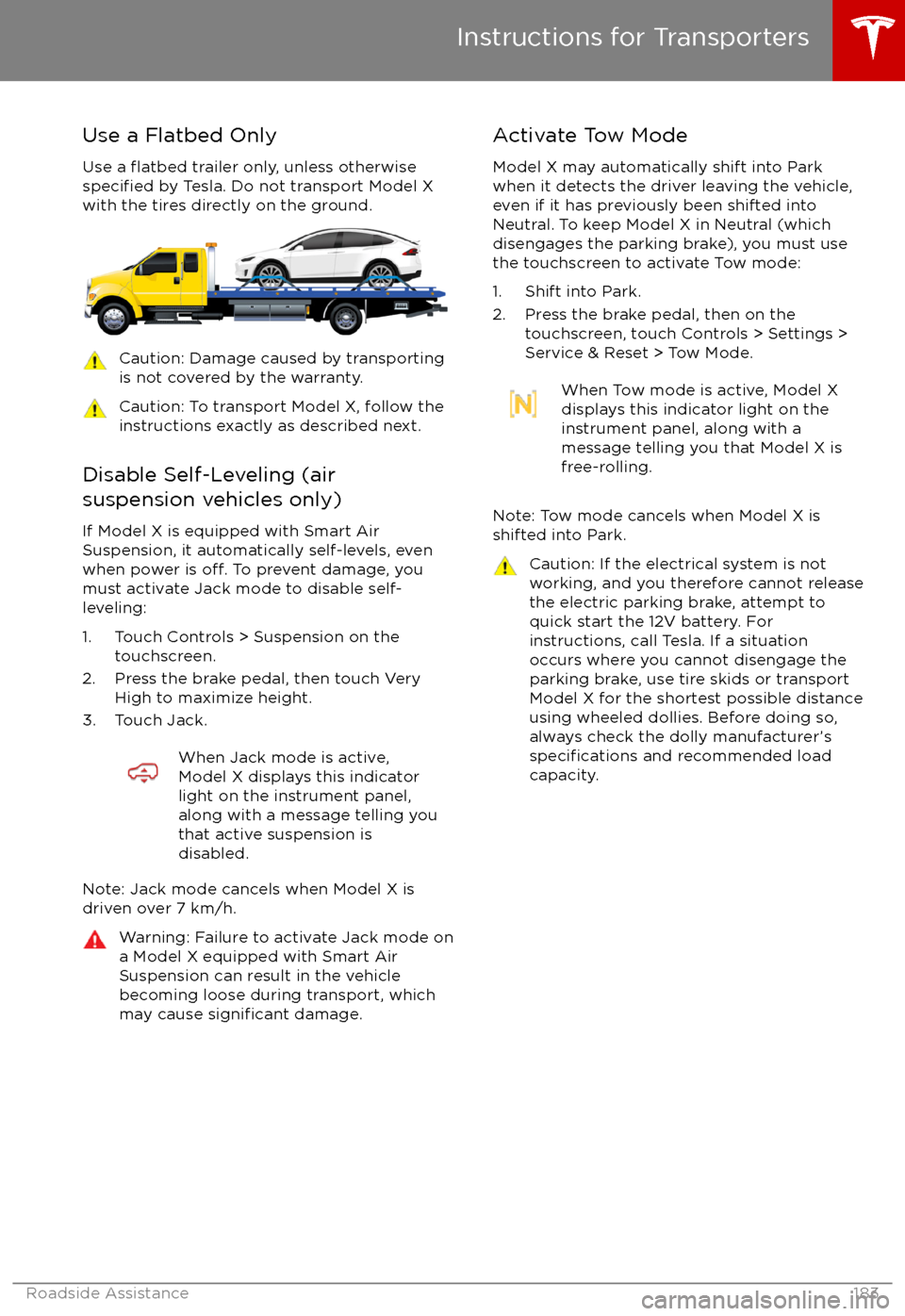
Use a Flatbed OnlyUse a
flatbed trailer only, unless otherwisespecified by Tesla. Do not transport Model X
with the tires directly on the ground.
Caution: Damage caused by transporting is not covered by the warranty.Caution: To transport Model X, follow the
instructions exactly as described next.
Disable Self-Leveling (air
suspension vehicles only)
If Model X is equipped with Smart Air
Suspension, it automatically self-levels, even
when power is
off. To prevent damage, you
must activate Jack mode to disable self-
leveling:
1. Touch Controls > Suspension on the touchscreen.
2. Press the brake pedal, then touch Very High to maximize height.
3. Touch Jack.
When Jack mode is active,
Model X displays this indicator
light on the instrument panel,
along with a message telling you
that active suspension is
disabled.
Note: Jack mode cancels when Model X is
driven over 7 km/h.
Warning: Failure to activate Jack mode on
a Model X equipped with Smart Air
Suspension can result in the vehicle
becoming loose during transport, which
may cause
significant damage.
Activate Tow Mode
Model X may automatically shift into Park
when it detects the driver leaving the vehicle,
even if it has previously been shifted into Neutral. To keep Model X in Neutral (which
disengages the parking brake), you must use
the touchscreen to activate Tow mode:
1. Shift into Park.
2. Press the brake pedal, then on the touchscreen, touch Controls > Settings >
Service & Reset > Tow Mode.When Tow mode is active, Model X
displays this indicator light on the
instrument panel, along with a
message telling you that Model X is
free-rolling.
Note: Tow mode cancels when Model X is
shifted into Park.
Caution: If the electrical system is not
working, and you therefore cannot release
the electric parking brake, attempt to
quick start the 12V battery. For
instructions, call Tesla. If a situation
occurs where you cannot disengage the
parking brake, use tire skids or transport Model X for the shortest possible distance
using wheeled dollies. Before doing so,
always check the dolly manufacturer
Page 196 of 202

delivery mileage 187devicesBluetooth, playing audio files 125
connecting 126
playing audio
files from 125
dimensions 172
display brightness 111
dome (map) lights 53
door labels 169
Door Unlock Mode 9
doors 4
doors, opening 4
Drive gear 47
drive-away locking 9
driverprofiles 40
seat adjustment 18driver assistanceAuto Lane Change 88
Autopark 90
Autosteer 85
blind spot warning 95
collision avoidance assist 97
forward collision warning 97
overtake acceleration 79
overview 77
settings for 111
side collision avoidance 95
side collision warning 95
staying inside lane markings 95
Traffic-Aware Cruise Control 79
drivingseating position 18
starting 46
tips to maximize range 67
E
electric parking brake 60
emergency
flashers 57
energygained from regenerative braking 60
range information 48
energy & charging setting 111
Energy app 67
energy saving mode 67
Erase & Reset 114
event data recording 187
exteriorcar cover 162
cleaning 160
dimensions 172
lights 53
overview 3
polishing, touch up, & repair 162F
factory defaults, restoring 114
factory reset 114
fan speed, interior 116
favorite destinations 132
Favorites 129
Favorites (Media Player) 124
FCC
certifications 189
features, downloading new 140
ferries, avoiding 131
firmware (software) updates 140flash drives, playing audio files from 125flashers, warning 57flat tire repair 156floor mats 162
fluidsreplacement intervals 150
reservoirs, checking 164
fog lights 53
forward collision warning 97
front passenger detection 37
front trunk 14
G
garage doors, opening 137
gates, opening 137
GAWR 170
gears 47
glove box 16
Gross Axle Weight Rating 170
Gross Vehicle Weight Rating 170
ground clearance 172, 173
GVWR 170
H
hazard warning
flashers 57
head restraints 21
headlightsadaptive 56
after exit 56
high beams 56
heated wipers 58
heating 115
height adjustments (suspension)auto-raising 120
automatic and manual settings 121
disabling (Jack mode) 121
high beam headlights 56
high voltageBattery specifications 176
components 142
safety 150
hills, stopping on 64
Home location 132
Index
Index195
Page 199 of 202

temperature (continued)heated steering wheel 44
outside 48
third row seats, folding and raising 20
tie-down straps 184
tilt detection 136
Tire and Loading Information label 170
tire noise 154
Tire Pressure Monitoring SystemFCC certification 189
overview of 154
tire pressures, checking 151
tire pressures, when towing 71
tire repair kitinflating with air only 158inflating with sealant 157
replacing the sealant canister 159tiresall-season 153
balancing 152
chains 154
inspecting and maintaining 152
pressures, how to check 151
replacing 153
replacing a tire sensor 154
rotation 152
specification 177
summer 153
tire markings 178
tire sealant 156
winter 153
toll system transponders, attaching 167
tolls, avoiding 131
torque
specifications 174
touch up body 162
touchscreenclean mode 161
cleaning 161
Controls 107
overview 102
Settings 111
software updates 140
Tow mode 183
towing 183
towing a trailer 71
towing eye, locating 184
towing instructions 183
Towing Label 169
Towing Mode 71
TPMSFCC certification 189
overview of 154
traction control 61
trademarks 185, 186
Traffic-Aware Cruise Control 79Traffic-Based Routing 131
trailer, towing 71
transmission
specifications 174
transponders, attaching 167
transporting 183
trip chart
67
trip meter 66
trip overview 131
trip planner 131
trunk, front 14trunk, rearchild protection lock 9
disabling interior handle 9
TuneIn radio 124
turn signals 57
Typical range 111
U ultrasonic sensors 77
Unlock on Park 4
unlockingtrunk, front 14
trunk, rear 12
unlocking and locking doors 4
unlocking when key doesn