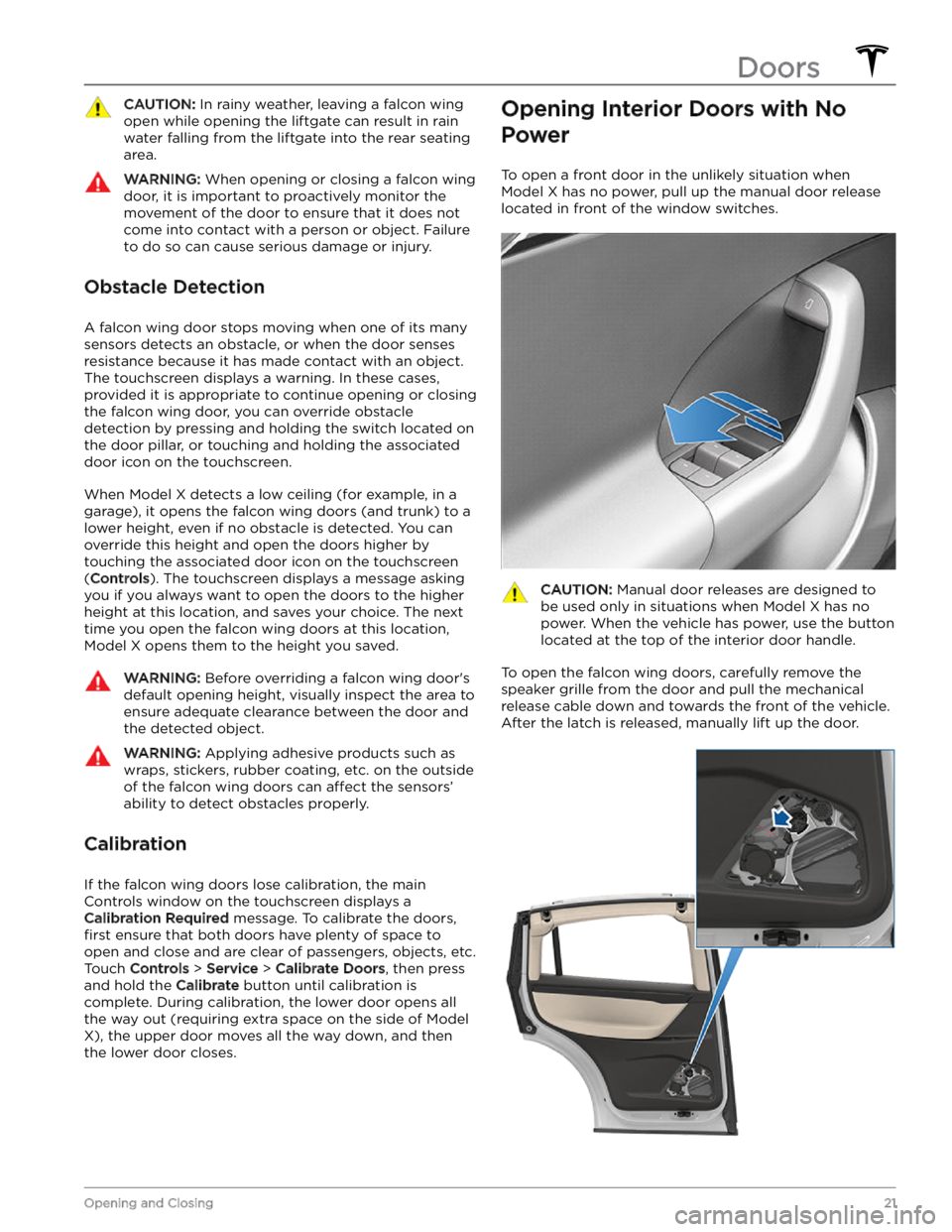
WARNING: Before opening or closing a falcon
wing door, it is important to check that the area
around the door is free of obstacles (people and
objects). Although the doors have many sensors, it
can not detect all objects at all times, particularly
when moving. At any given moment, there may be
areas near the door that are not in the detection
zone. Therefore, when opening or closing a falcon
wing door, you and your passengers must stand
away from the door as it is moving, while
proactively monitoring the door
CAUTION: In rainy weather, leaving a falcon wing
open while opening the liftgate can result in rain
water falling from the liftgate into the rear seating
area.
WARNING: When opening or closing a falcon wing
door, it is important to proactively monitor the
movement of the door to ensure that it does not
come into contact with a person or object. Failure
to do so can cause serious damage or injury.
Obstacle Detection
A falcon wing door stops moving when one of its many
sensors detects an obstacle, or when the door senses resistance because it has made contact with an object. The touchscreen displays a warning. In these cases, provided it is appropriate to continue opening or closing the falcon wing door, you can override obstacle
detection by pressing and holding the switch located on the door pillar, or touching and holding the associated door icon on the touchscreen.
When Model X detects a low ceiling (for example, in a garage), it opens the falcon wing doors (and trunk) to a lower height, even if no obstacle is detected. You can override this height and open the doors higher by
touching the associated door icon on the touchscreen (
Controls). The touchscreen displays a message asking
you if you always want to open the doors to the higher height at this location, and saves your choice. The next time you open the falcon wing doors at this location, Model X opens them to the height you saved.
WARNING: Before overriding a falcon wing door