sim TESLA MODEL Y 2020 Owner´s Manual
[x] Cancel search | Manufacturer: TESLA, Model Year: 2020, Model line: MODEL Y, Model: TESLA MODEL Y 2020Pages: 232, PDF Size: 7.68 MB
Page 12 of 232

3. Rear trunk - Double-click to open the rear trunk. Hold down for one to two seconds to open the
charge port door.
Once inside, power up Model Y by pressing the brake
pedal within two minutes of pressing the unlock button
on the key fob (see
Starting and Powering Off on page
49). If you wait longer than two minutes, you must
press the unlock button again, or place the key fob near
the card reader located behind the cup holders on the center console. When your key fob is detected, the two
minute authentication period restarts.
When approaching or leaving Model Y carrying the key
fob, you do not need to point the key fob at
Model Y as
you press a button, but you must be within operating range.
Radio equipment on a similar frequency can affect the
key. If this happens, move the key at least
one foot
(30 cm) away from other electronic devices (phone,
laptop, etc.).
If the key fob does not work (for example, its battery is dead), you can touch its
flat side against the card
reader on the driver
Page 68 of 232

When Model Y is stopped, Vehicle Hold can continue to
apply the brakes even after you remove your foot from
the brake pedal. When driving on a hill or on a
flat
surface, brake as you normally would. After coming to a
complete stop, simply press the brake pedal again (until
the
touchscreen displays the Vehicle Hold indicator
light) to enable Vehicle Hold. You can then release the
brake pedal and remain stopped, even on a hill.
This indicator displays on the
touchscreen whenever Vehicle Hold is
actively braking
Model Y.
To disengage Vehicle Hold, press the accelerator pedal or press and release the brake pedal.
NOTE: Shifting into Neutral also disengages Vehicle
Hold.
NOTE: After actively braking Model Y for approximately
ten minutes,
Model Y shifts into Park and Vehicle Hold
cancels.
Model Y also shifts into Park if it detects that
the driver has left the vehicle.
NOTE: When Stopping Mode is set to Hold (see
Stopping Mode on page 61), Vehicle Hold engages
automatically whenever
Model Y stops while in a driving
gear. There is no need to press the brake to engage it.
Vehicle Hold
66MODEL Y OWNER
Page 71 of 232
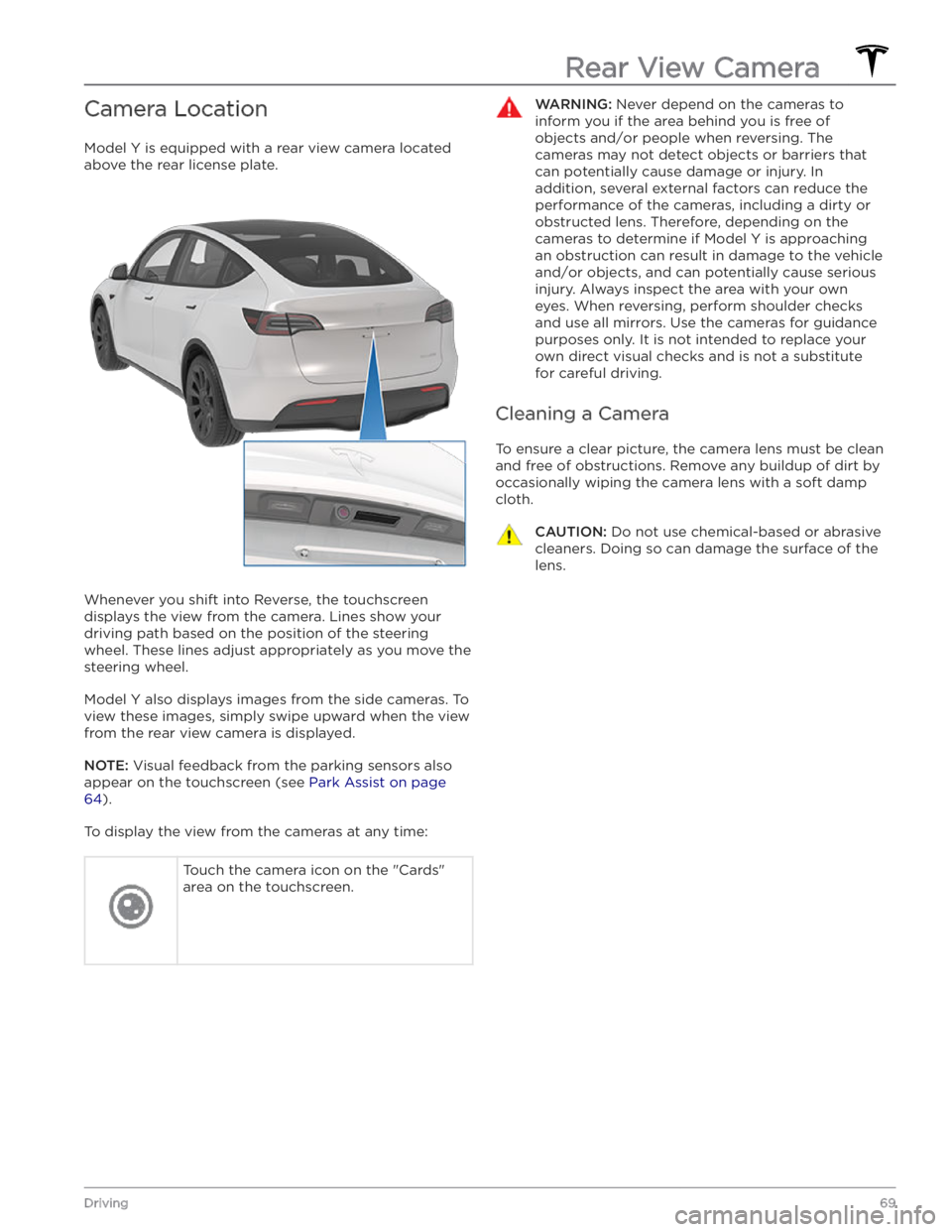
Camera Location
Model Y is equipped with a rear view camera located
above the rear license plate.
Whenever you shift into Reverse, the touchscreen displays the view from the camera. Lines show your
driving path based on the position of the steering wheel. These lines adjust appropriately as you move the
steering wheel.
Model Y also displays images from the side cameras. To
view these images, simply swipe
upward when the view
from the rear view camera is displayed.
NOTE: Visual feedback from the parking sensors also
appear on the
touchscreen (see Park Assist on page
64).
To display the view from the cameras at any time:
Touch the camera icon on the "Cards"
area on the touchscreen.WARNING: Never depend on the cameras to
inform you if the area behind you is free of
objects and/or people when reversing. The
cameras may not detect objects or barriers that
can potentially cause damage or injury. In
addition, several external factors can reduce the
performance of the cameras, including a dirty or
obstructed lens. Therefore, depending on the
cameras to determine if Model Y is approaching
an obstruction can result in damage to the vehicle
and/or objects, and can potentially cause serious
injury. Always inspect the area with your own
eyes. When reversing, perform shoulder checks
and use all mirrors. Use the cameras for guidance
purposes only. It is not intended to replace your
own direct visual checks and is not a substitute
for careful driving.
Cleaning a Camera
To ensure a clear picture, the camera lens must be clean
and free of obstructions. Remove any buildup of dirt by
occasionally wiping the camera lens with a soft damp cloth.
CAUTION: Do not use chemical-based or abrasive
cleaners. Doing so can damage the surface of the
lens.
Rear View Camera
69Driving
Page 105 of 232
NOTE: Depending on market region, vehicle
configuration, options purchased, and software version,
your vehicle may not be equipped with Autopark.
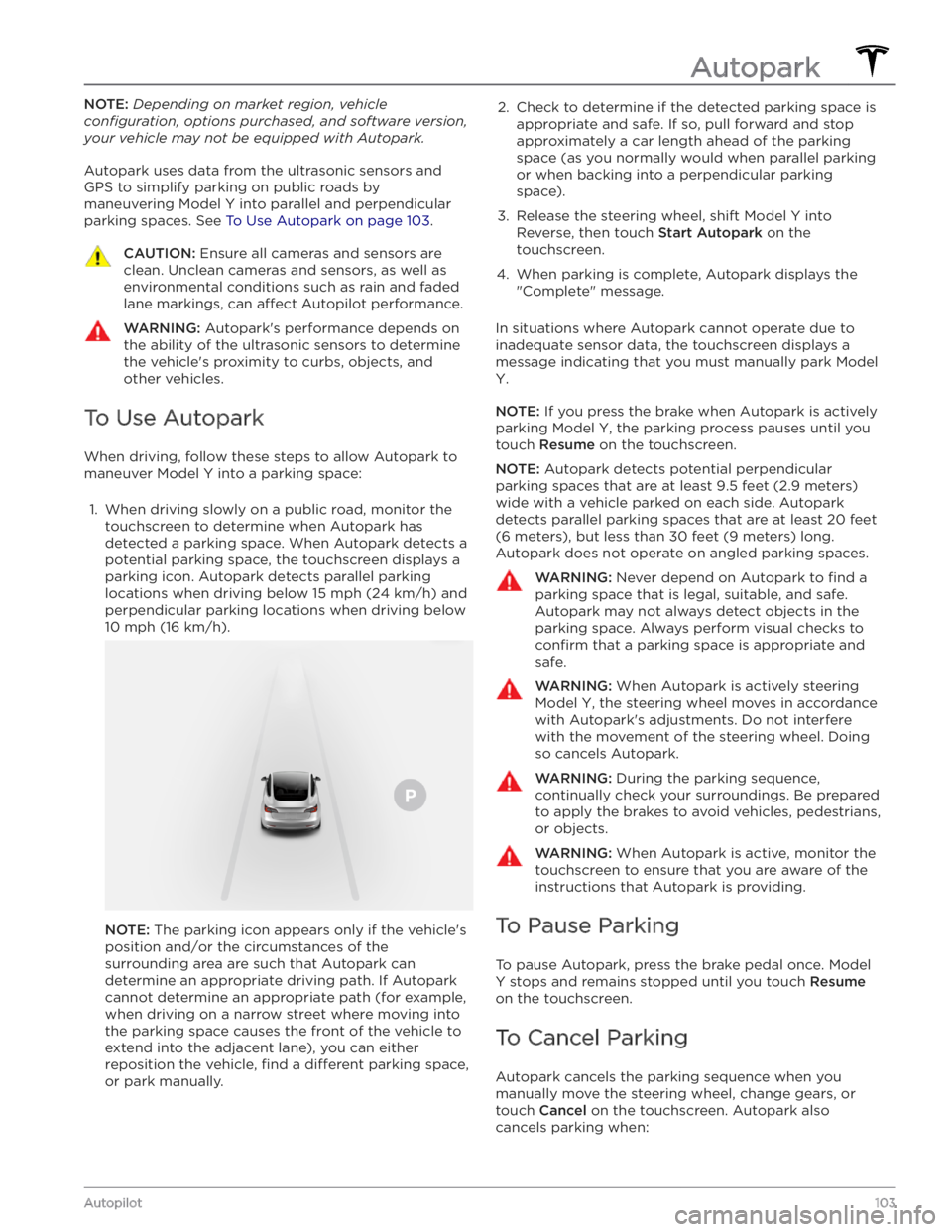
Autopark uses data from the ultrasonic sensors and GPS to simplify parking on public roads by maneuvering
Model Y into parallel and perpendicular
parking spaces. See
To Use Autopark on page 103.
CAUTION: Ensure all cameras and sensors are
clean. Unclean cameras and sensors, as well as
environmental conditions such as rain and faded
lane markings, can affect Autopilot performance.
WARNING: Autopark
Page 129 of 232
Operating Seat Heaters
To control the front seat heaters for the driver and
passenger, touch the corresponding control on the main climate control area at the bottom of the touchscreen.
To control the rear seat heaters (if equipped) or access
duplicate controls for the front seat heaters, touch the
fan icon, then touch the seat heater icon followed by
the seat for which you want to adjust heating. Seat
heaters operate at three setting levels from 3 (highest)
to 1 (lowest). When operating, the associated seat icon
displays twisting lines that turn red to indicate the setting level. You can touch
All Off to turn off all seat
heaters simultaneously.
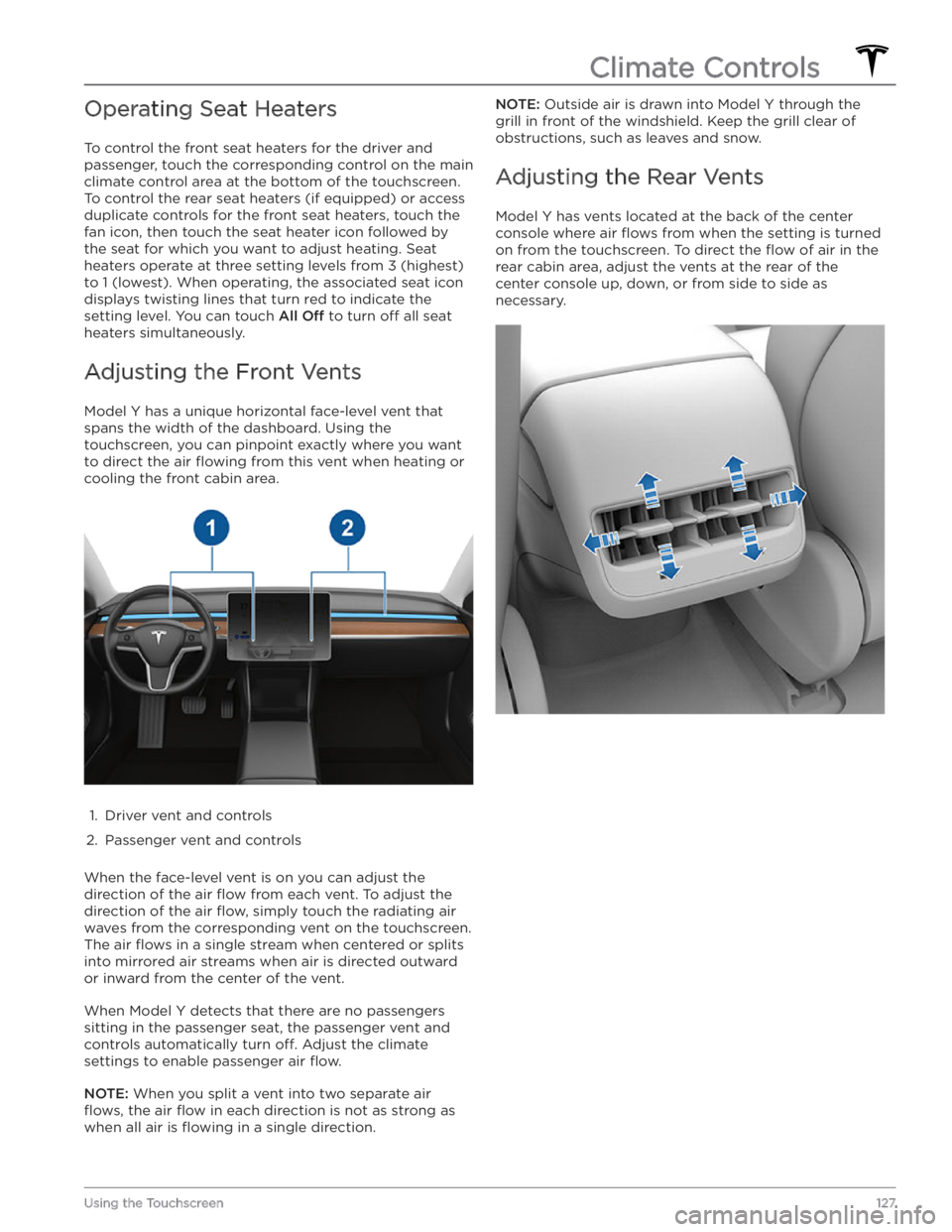
Adjusting the Front Vents
Model Y has a unique horizontal face-level vent that
spans the width of the dashboard. Using the
touchscreen, you can pinpoint exactly where you want to direct the air
flowing from this vent when heating or
cooling the front cabin area.
1.
Driver vent and controls
2.
Passenger vent and controls
When the face-level vent is on you can adjust the direction of the air
flow from each vent. To adjust the
direction of the air
flow, simply touch the radiating air
waves from the corresponding vent on the touchscreen.
The air
flows in a single stream when centered or splits
into mirrored air streams when air is directed outward or inward from the center of the vent.
When Model Y detects that there are no passengers
sitting in the passenger seat, the passenger vent and controls automatically turn
off. Adjust the climate
settings to enable passenger air
flow.
NOTE: When you split a vent into two separate air
flows, the air flow in each direction is not as strong as
when all air is
flowing in a single direction.
NOTE: Outside air is drawn into Model Y through the
grill in front of the windshield. Keep the grill clear of
obstructions, such as leaves and snow.
Adjusting the Rear Vents
Model Y has vents located at the back of the center
console where air
flows from when the setting is turned
on from the touchscreen. To direct the
flow of air in the
rear cabin area, adjust the vents at the rear of the center console up, down, or from side to side as necessary.
Climate Controls
127Using the Touchscreen
Page 136 of 232

To delete a Recent or Favorite destination, touch and hold it down
briefly, then touch the X that appears.
The top of the navigation list also provides shortcuts for
Home and Work locations. Touch Set Home or Set
Work to set an address to either of these locations.
After entering the address, touch
SAVE AS HOME or
SAVE AS WORK. Then simply touch these shortcuts
whenever you want to navigate home or to work.
To change the location associated with Home or Work, press and hold the shortcut icon and enter the new desired address in the "Set Your Home Address"
window. Then, touch
SAVE AS HOME or SAVE AS
WORK to save the new address.
To delete a saved Home or Work address, press and hold the shortcut icon, and then touch
CLEAR HOME or
CLEAR WORK.
NOTE: Based on your usage patterns, you may be
prompted to save a location as Home or Work.
NOTE: Once a Home or Work location is saved, Model Y
may prompt you to navigate to your Work location in
the mornings and to your Home location in the
evenings and tell you how long it will take to arrive based on current
tra
Page 161 of 232

4. Pull the charge cable from the charge port.CAUTION: Use the release cable only in situations
where you can not release the charge cable using
the usual methods. Continuous use can damage
the release cable or charging equipment.
WARNING: Do not perform this procedure when
your vehicle is charging, or if any orange high
voltage conductors are exposed. Failure to follow
these instructions can result in electric shock and
serious injury or damage to the vehicle. If you have
any uncertainty as to how to safely perform this
procedure, contact your nearest Service Center.
WARNING: Do not pull the release cable while
simultaneously attempting to remove the charge
cable from the charge port. Always pull the release
cable before attempting to remove the charge
cable. Failure to follow these instructions can
result in electric shock and serious injury.
Charge Port Light
Page 219 of 232
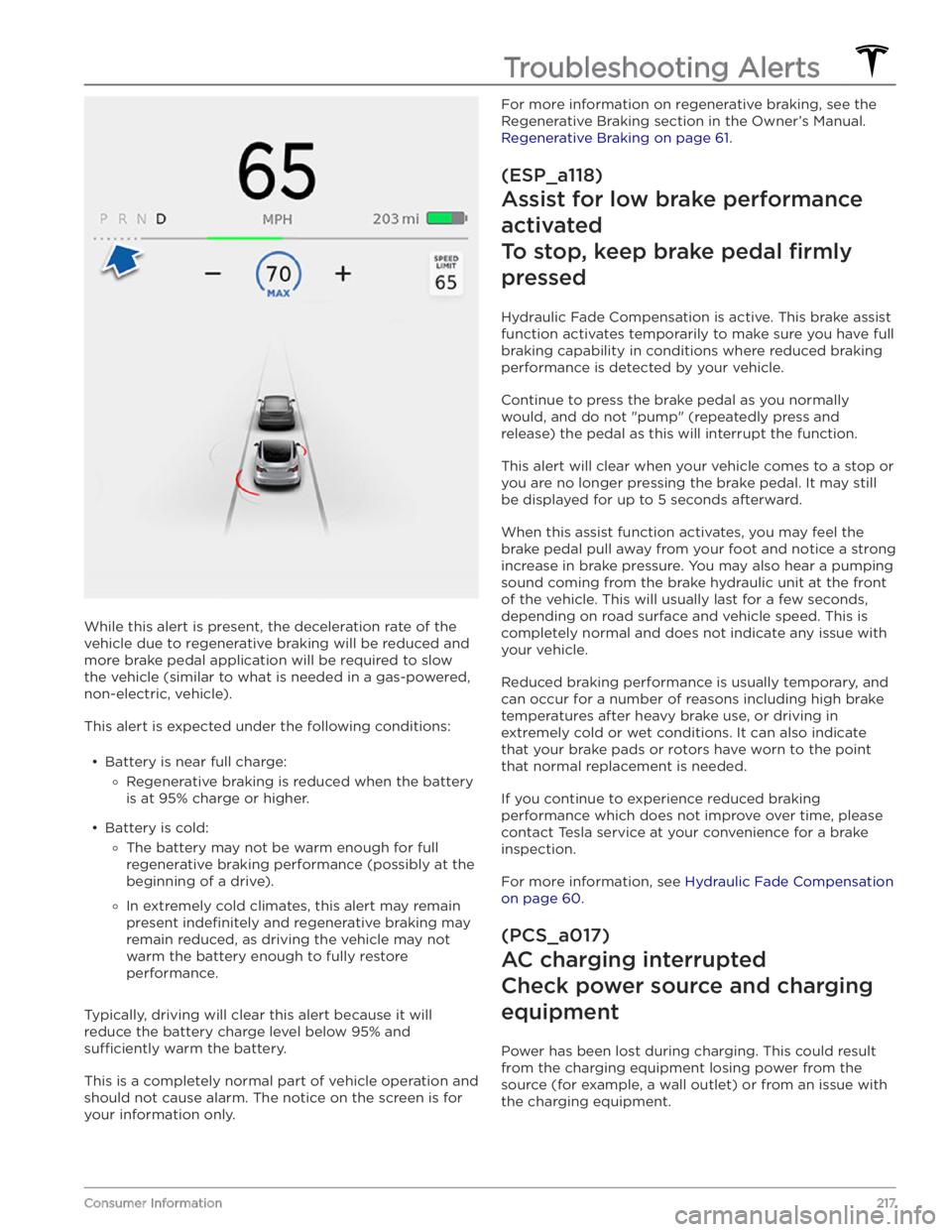
While this alert is present, the deceleration rate of the
vehicle due to regenerative braking will be reduced and more brake pedal application will be required to slow the vehicle (similar to what is needed in a gas-powered,
non-electric, vehicle).
This alert is expected under the following conditions: