brake TESLA MODEL Y 2022 Owner´s Manual
[x] Cancel search | Manufacturer: TESLA, Model Year: 2022, Model line: MODEL Y, Model: TESLA MODEL Y 2022Pages: 250, PDF Size: 8.4 MB
Page 68 of 250
When Model Y is stopped, Vehicle Hold can continue to
apply the brakes even after you remove your foot from
the brake pedal. When driving on a hill or on a
flat
surface, brake as you normally would. After coming to a
complete stop, simply press the brake pedal again (until
the
touchscreen displays the Vehicle Hold indicator
light) to enable Vehicle Hold. You can then release the
brake pedal and remain stopped, even on a hill.
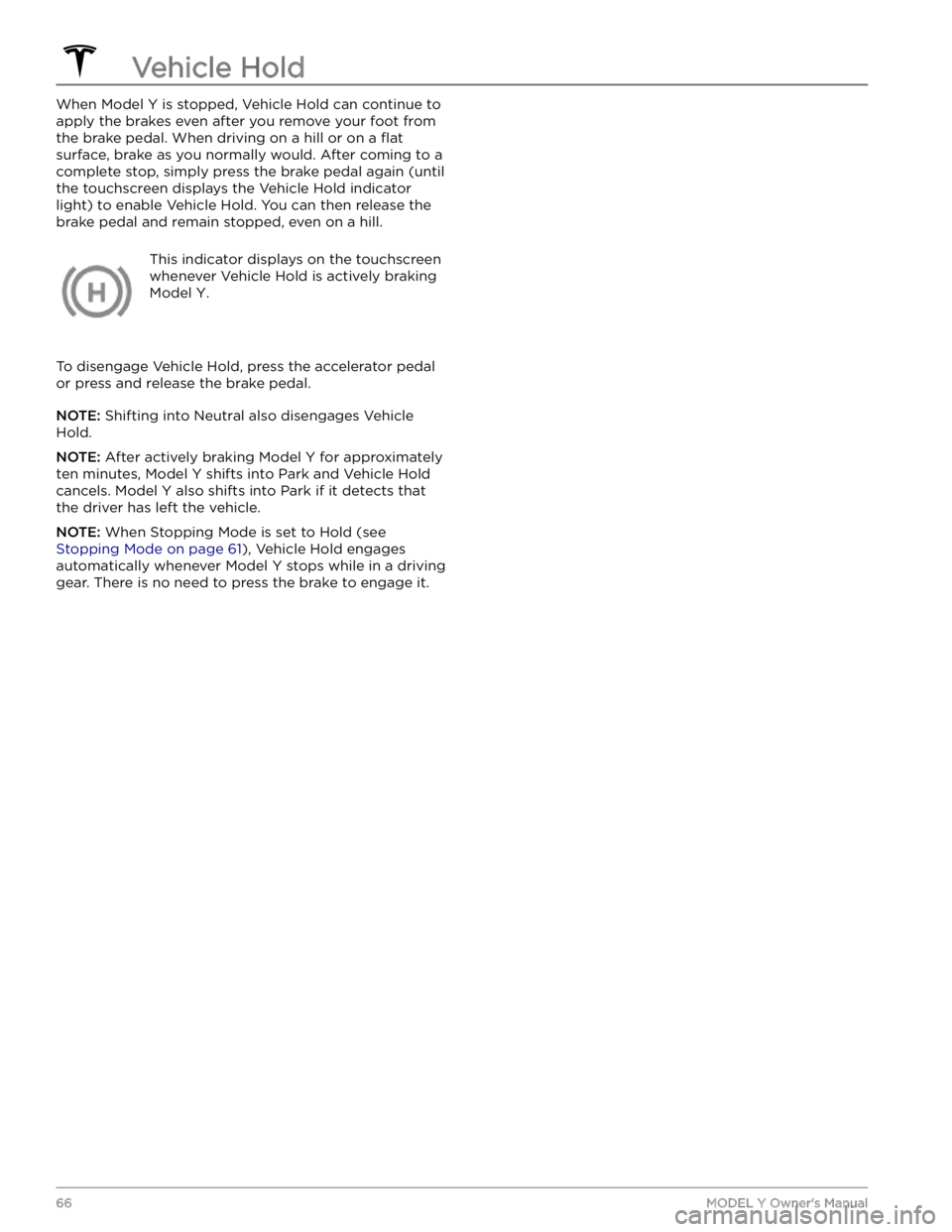
This indicator displays on the touchscreen
whenever Vehicle Hold is actively braking
Model Y.
To disengage Vehicle Hold, press the accelerator pedal or press and release the brake pedal.
NOTE: Shifting into Neutral also disengages Vehicle
Hold.
NOTE: After actively braking Model Y for approximately
ten minutes,
Model Y shifts into Park and Vehicle Hold
cancels.
Model Y also shifts into Park if it detects that
the driver has left the vehicle.
NOTE: When Stopping Mode is set to Hold (see
Stopping Mode on page 61), Vehicle Hold engages
automatically whenever
Model Y stops while in a driving
gear. There is no need to press the brake to engage it.
Vehicle Hold
66MODEL Y Owner
Page 77 of 250
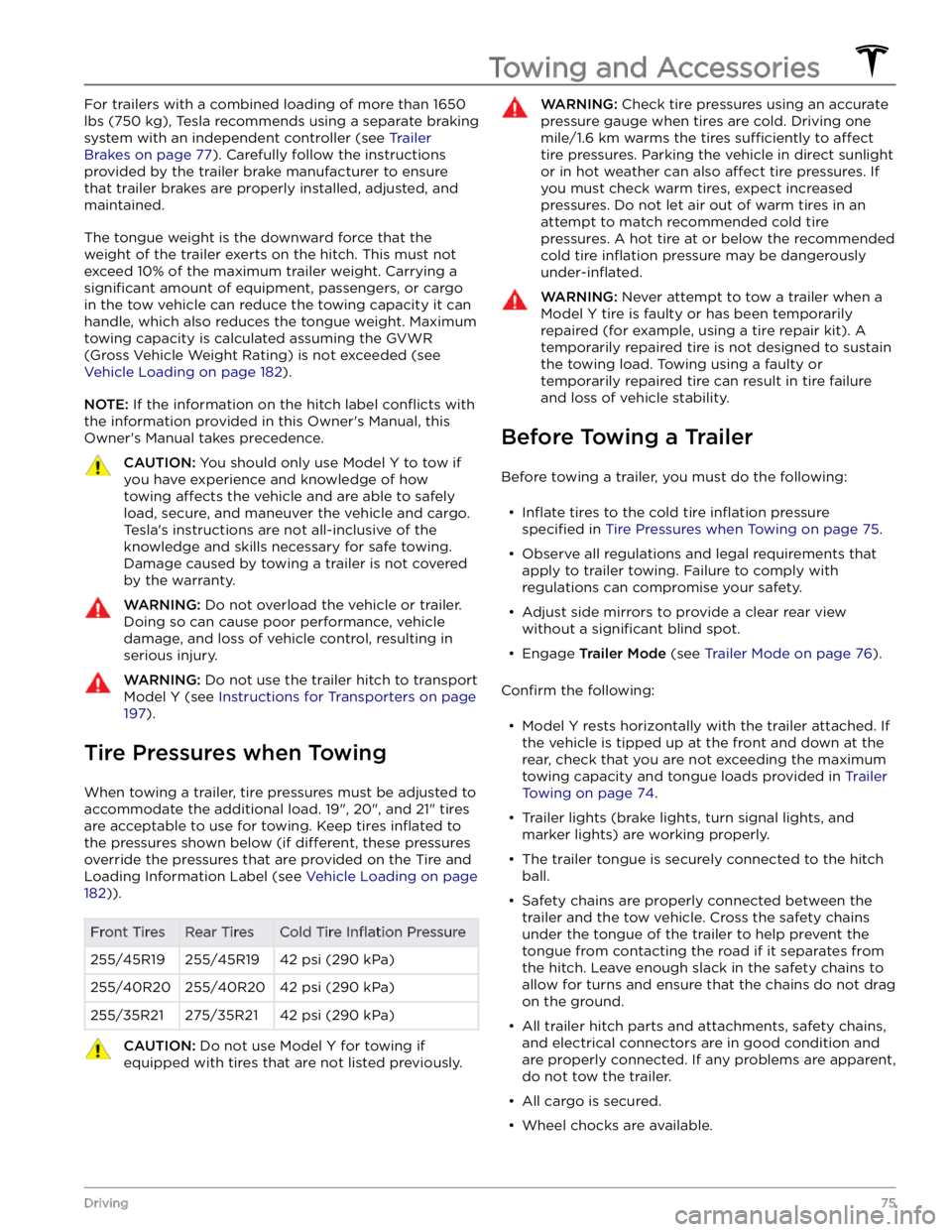
For trailers with a combined loading of more than 1650
lbs (750 kg), Tesla recommends using a separate braking
system with an independent controller (see
Trailer
Brakes on page 77). Carefully follow the instructions
provided by the trailer brake manufacturer to ensure that trailer brakes are properly installed, adjusted, and maintained.
The tongue weight is the downward force that the weight of the trailer exerts on the hitch. This must not exceed 10% of the maximum trailer weight. Carrying a
significant amount of equipment, passengers, or cargo
in the tow vehicle can reduce the towing capacity it can handle, which also reduces the tongue weight. Maximum towing capacity is calculated assuming the
GVWR
(Gross Vehicle Weight Rating) is not exceeded (see
Vehicle Loading on page 182).
NOTE: If the information on the hitch label conflicts with
the information provided in this Owner
Page 79 of 250
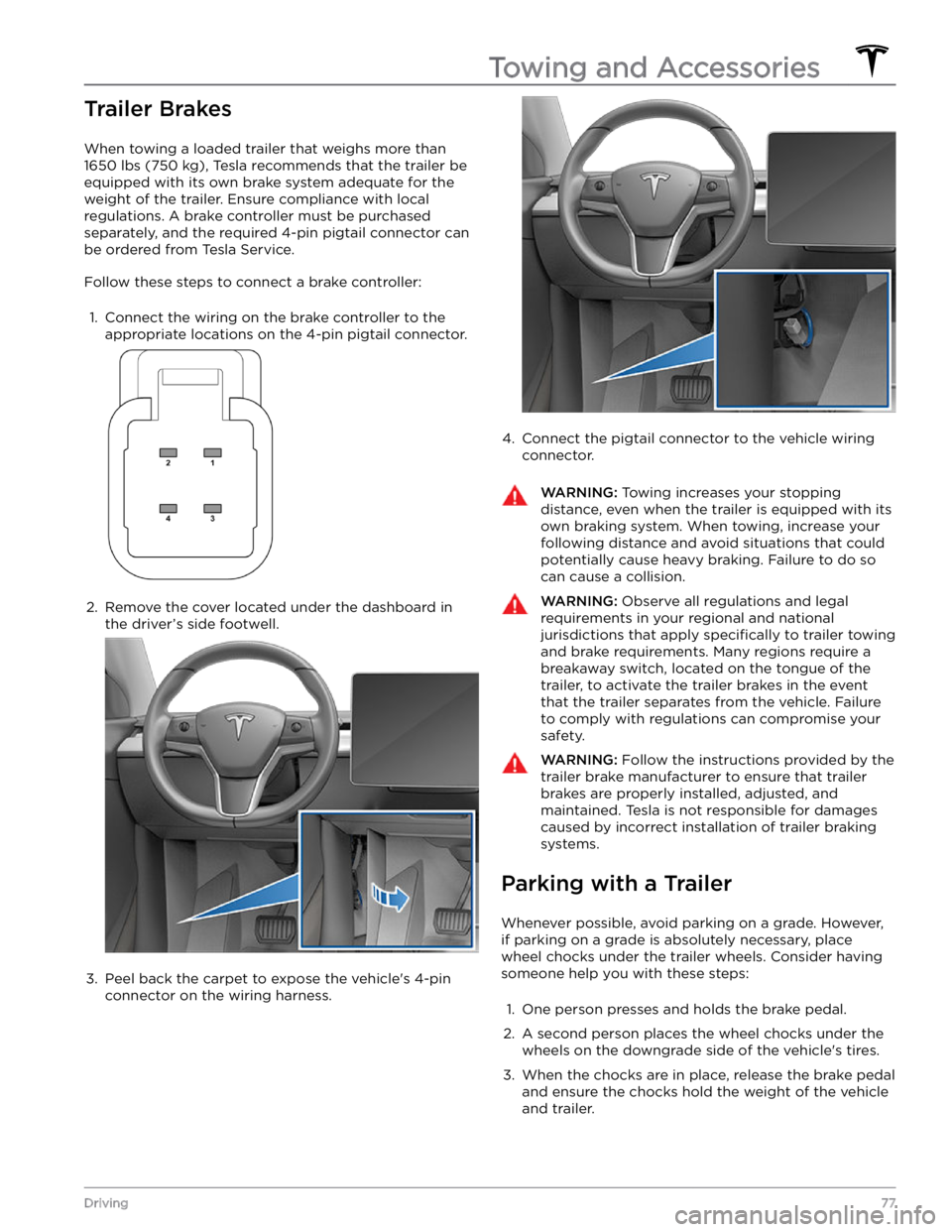
Trailer Brakes
When towing a loaded trailer that weighs more than
1650 lbs (750 kg), Tesla recommends that the trailer be
equipped with its own brake system adequate for the weight of the trailer. Ensure compliance with local regulations. A brake controller must be purchased separately, and the required 4-pin pigtail connector can be ordered from Tesla Service.
Follow these steps to connect a brake controller:
1.
Connect the wiring on the brake controller to the
appropriate locations on the 4-pin pigtail connector.
2.
Remove the cover located under the dashboard in the driver
Page 80 of 250
NOTE: When testing chocks, ensure that Vehicle Hold
(see
Vehicle Hold on page 66) is not engaged. If
Vehicle Hold is braking
Model Y, the Vehicle Hold
indicator light displays on the touchscreen. To
disengage Vehicle Hold, press and release the brake
pedal.
4.
Place the vehicle in Park.
WARNING: If parking on a grade is necessary,
always ensure that all trailer wheels have been
securely chocked. Failure to do so can result in
serious damage or injury.
Trailer Sway Mitigation
When trailer sway is detected, the electronic stability control system attempts to apply the appropriate amount of braking to minimize trailer sway. The touchscreen
briefly displays the traction control system
indicator. Pressing the brake pedal when the system is actively braking to mitigate trailer sway does not cancel this automatic braking.
Attaching and Removing the Ball
Mount
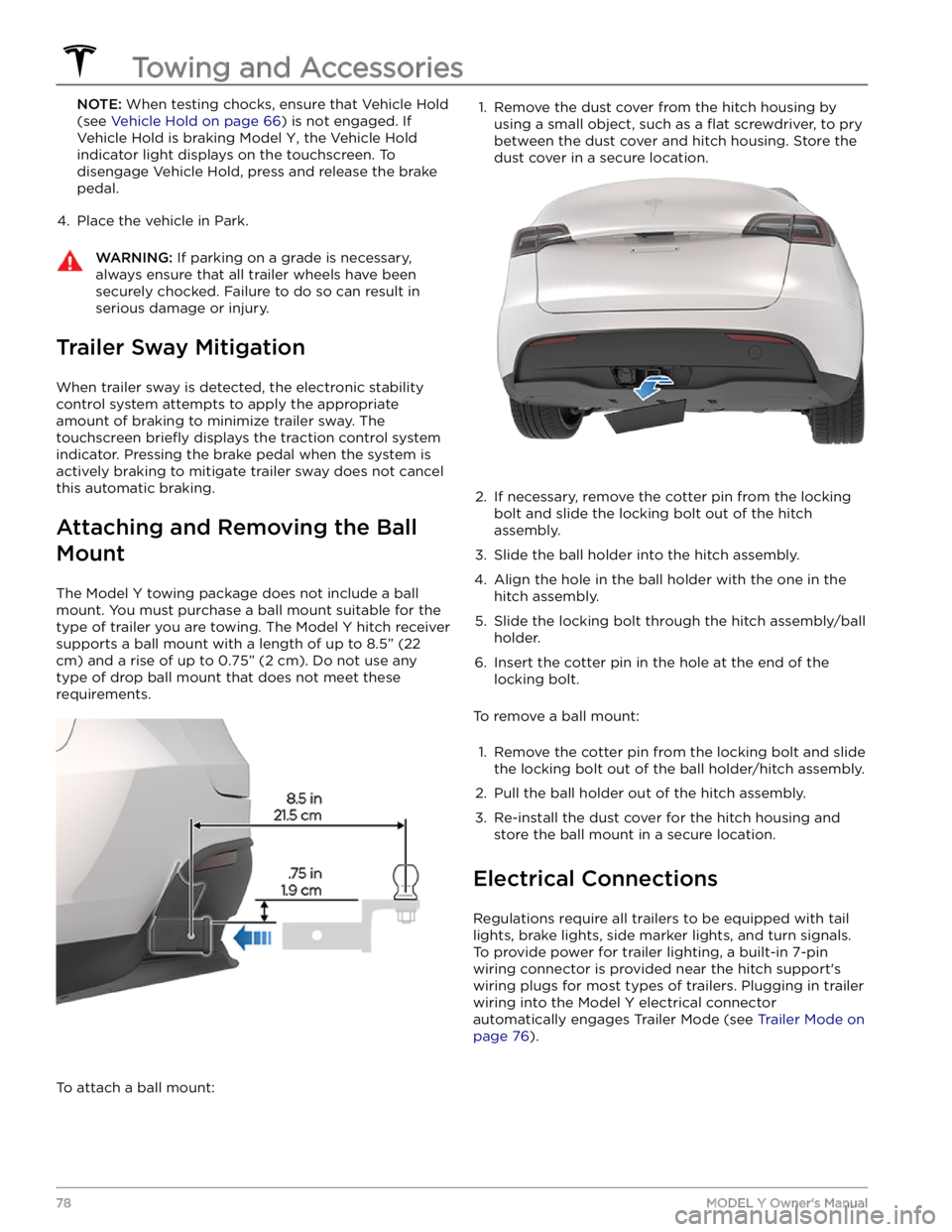
The Model Y towing package does not include a ball
mount. You must purchase a ball mount suitable for the type of trailer you are towing. The
Model Y hitch receiver
supports a ball mount with a length of up to
8.5” (22
cm) and a rise of up to 0.75” (2 cm). Do not use any
type of drop ball mount that does not meet these requirements.
To attach a ball mount:
1. Remove the dust cover from the hitch housing by
using a small object, such as a
flat screwdriver, to pry
between the dust cover and hitch housing. Store the dust cover in a secure location.
2.
If necessary, remove the cotter pin from the locking
bolt and slide the locking bolt out of the hitch assembly.
3.
Slide the ball holder into the hitch assembly.
4.
Align the hole in the ball holder with the one in the hitch assembly.
5.
Slide the locking bolt through the hitch assembly/ball holder.
6.
Insert the cotter pin in the hole at the end of the
locking bolt.
To remove a ball mount:
1.
Remove the cotter pin from the locking bolt and slide
the locking bolt out of the ball holder/hitch assembly.
2.
Pull the ball holder out of the hitch assembly.
3.
Re-install the dust cover for the hitch housing and store the ball mount in a secure location.
Electrical Connections
Regulations require all trailers to be equipped with tail lights, brake lights, side marker lights, and turn signals.
To provide power for trailer lighting, a built-in 7-pin wiring connector is provided near the hitch support
Page 81 of 250
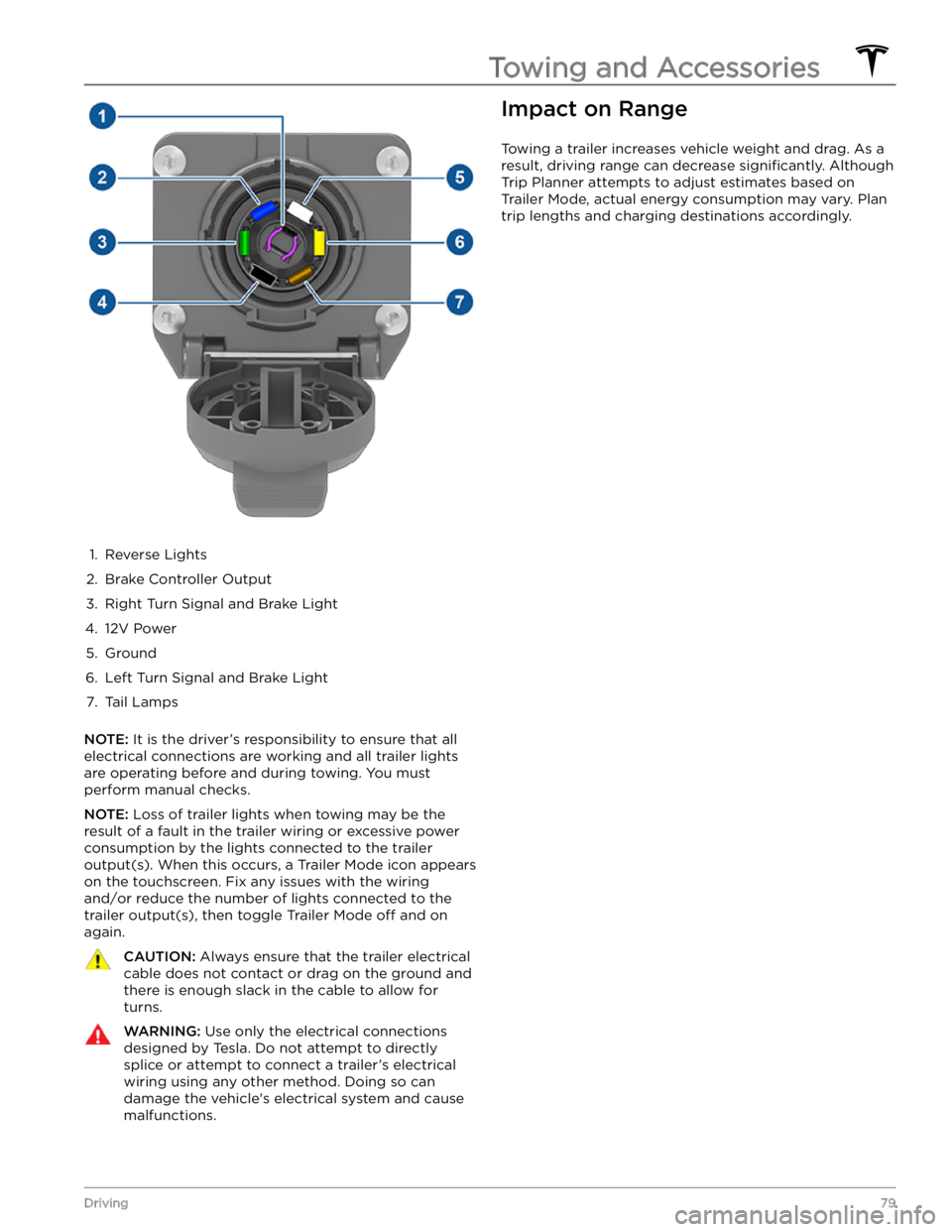
1.
Reverse Lights
2.
Brake Controller Output
3.
Right Turn Signal and Brake Light
4.
12V Power
5.
Ground
6.
Left Turn Signal and Brake Light
7.
Tail Lamps
NOTE: It is the driver
Page 89 of 250
3. To cancel Traffic-Aware Cruise Control, push the drive
stalk up once or press the brake pedal. See
Canceling
and Resuming on page 89 for more information.
Changing the Cruising Speed
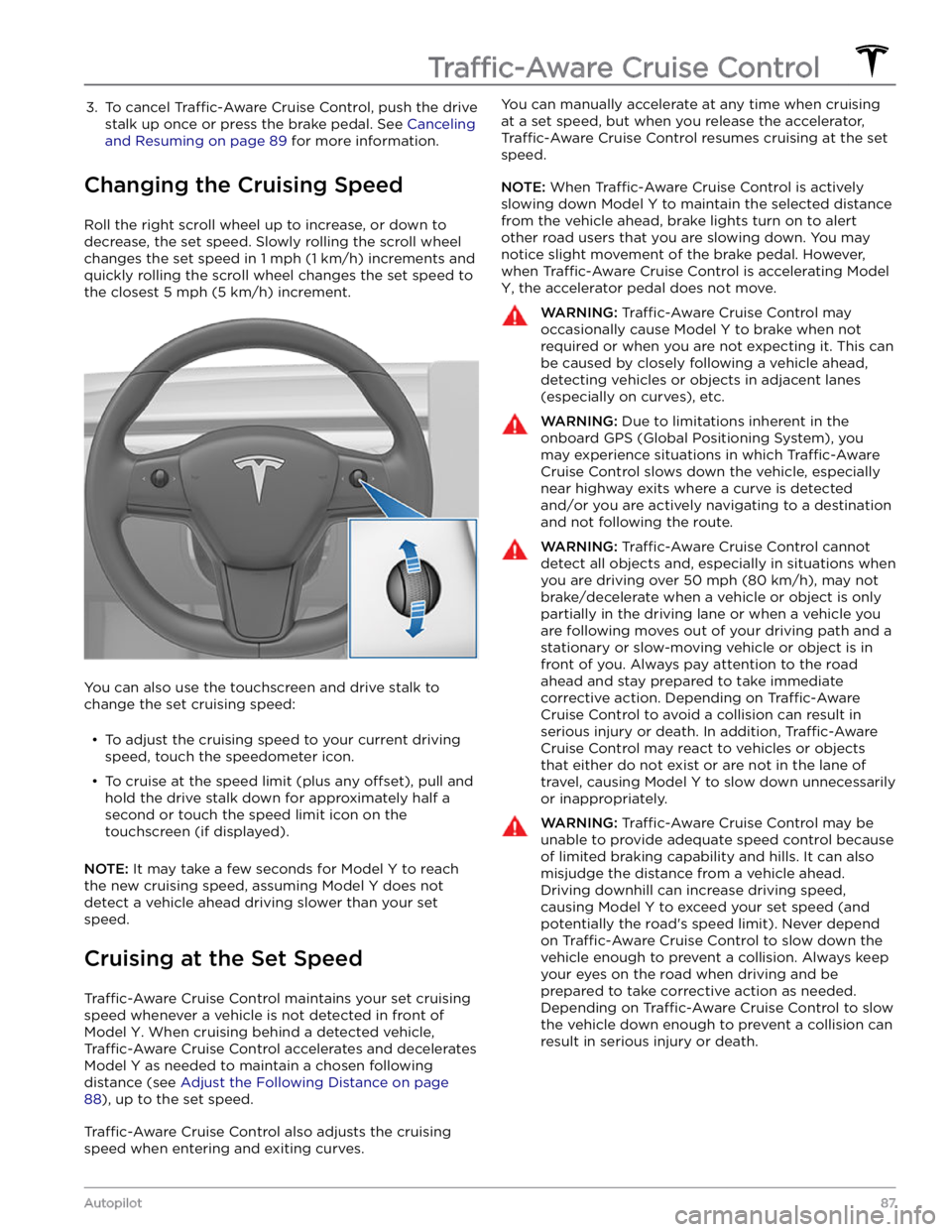
Roll the right scroll wheel up to increase, or down to decrease, the set speed. Slowly rolling the scroll wheel changes the set speed in
1 mph (1 km/h) increments and
quickly rolling the scroll wheel changes the set speed to
the closest
5 mph (5 km/h) increment.
You can also use the touchscreen and drive stalk to change the set cruising speed:
Page 96 of 250
When using Auto Lane Change, it is important to monitor its performance by watching the driving path in front of you and the surrounding area. Stay prepared to take over steering at any time. As you are crossing over into the adjacent lane, the
touchscreen displays the
location in the lane that
Model Y is moving into.
In situations where Auto Lane Change is unable to operate at optimal performance, or cannot operate due to inadequate data, the
touchscreen displays a series of
warnings. Therefore, when using Auto Lane Change,
always pay attention to the
touchscreen and be
prepared to manually steer
Model Y.
Stop Light and Stop Sign Warning
NOTE: Depending on market region, vehicle
configuration, options purchased, and software version,
your vehicle may not be equipped with Stop Light and
Stop Sign Warning, or the feature may not operate
exactly as described.
While Autosteer is in use, Model Y displays a warning on
the
touchscreen and sounds a chime if it detects that
you are likely to run through a red stop light or stop sign. If this happens,
TAKE IMMEDIATE CORRECTIVE
ACTION!
The visual and audible warnings cancel after a few seconds, or when you press the brake pedal, whichever
comes
first.
Stop Light and Stop Sign Warning provides warnings
only. It makes no attempt to slow down or stop
Model Y
at red traffic lights, stop signs, road markings, etc. If your
vehicle is equipped with Traffic Light and Stop Sign
Control, you can enable this feature to automatically
stop Model Y at traffic lights and stop signs (see Traffic
Light and Stop Sign Control on page 99).
NOTE: Touch Controls > Autopilot > Full Self-Driving
Visualization Preview (if equipped) to display more
details about the roadway and its surroundings, such as road markings, stop lights, objects (such as trash cans
and poles), etc.
CAUTION: Stop Light and Stop Sign Warning
requires the vehicle
Page 120 of 250
WARNING: Forward Collision Warning may
provide a warning in situations where the
likelihood of collision may not exist. Stay alert and
always pay attention to the area in front of Model
Y so you can anticipate whether any action is
required.
Forward Collision Warning operates only when driving between approximately
3 mph (5 km/h) and 90 mph
(150 km/h).
WARNING: Forward Collision Warning does not
provide a warning when the driver is already
applying the brake.
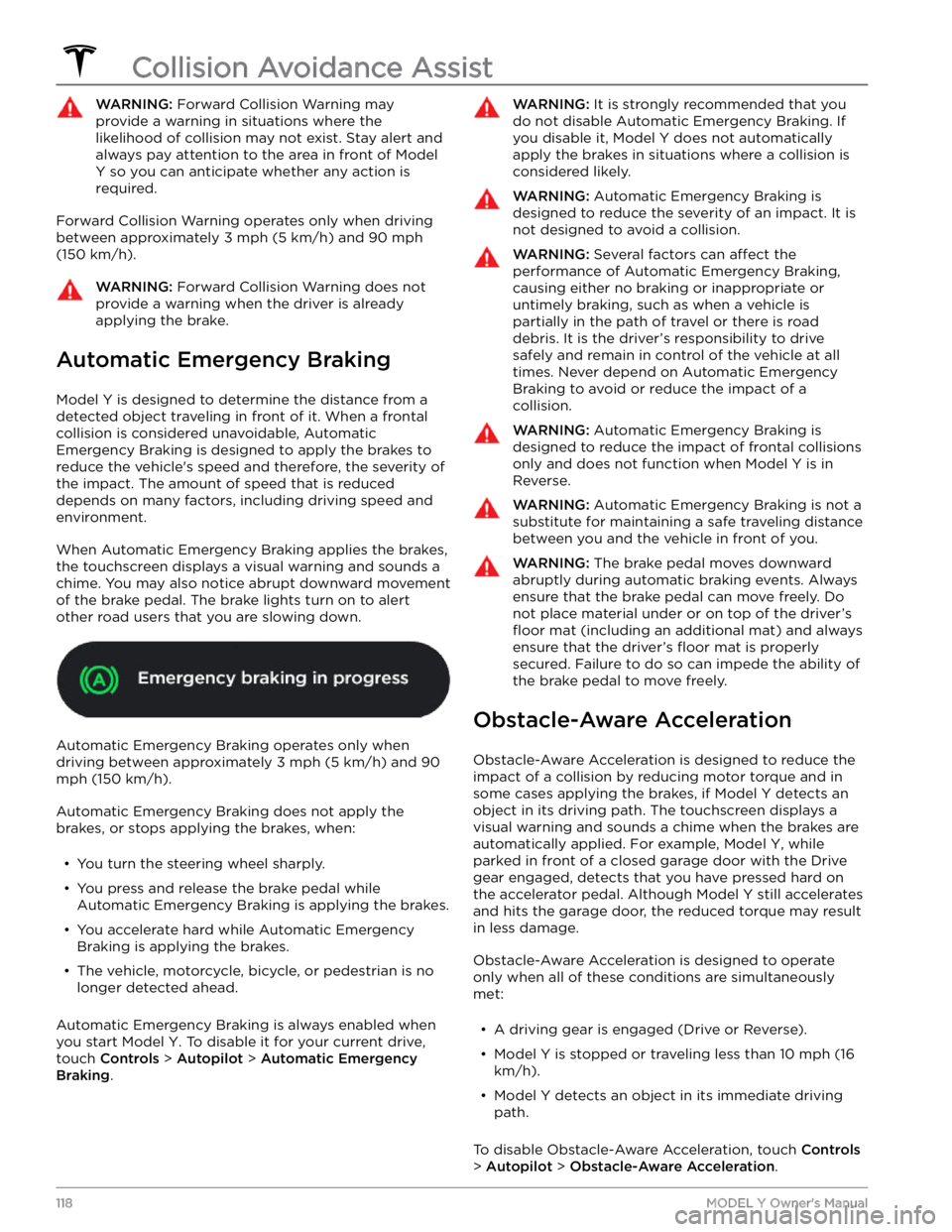
Automatic Emergency Braking
Model Y is designed to determine the distance from a
detected object traveling in front of it. When a frontal collision is considered unavoidable, Automatic Emergency Braking is designed to apply the brakes to
reduce the vehicle
Page 126 of 250
NOTE: When Chill is selected, Chill displays on the
touchscreen above the driving speed.
Steering Mode: Adjust the amount of effort required to
turn the steering wheel.
Sport feels more responsive
whereas
Comfort feels easier to drive and park (see
Adjusting Steering Effort on page 47).
Stopping Mode: Choose how you want Model Y to
behave once regenerative braking has reduced the driving speed to a very low speed, a driving gear is still
engaged, and both the accelerator and brake pedals are
released. See
Stopping Mode on page 61. You can adjust
this setting only when
Model Y is in Park.
Slip Start: Turn Slip Start ON to disable traction control
and allow wheels to spin to make it easier to dislodge the vehicle when stuck in mud, snow, ice, etc. (see
Traction Control on page 63).
Off-Road Assist: Turn Off-Road Assist ON to disable
traction control and allow wheels to spin when driving
off-road (see Traction Control on page 63).
Trailer Mode (available only if equipped with a tow
package): Must always be active when towing a trailer.
Some Autopilot features and rear sensor functionality may not be available. See
Trailer Mode on page 76).
Autopilot
Autopilot features that provide a safer and more
convenient driving experience. Some Autopilot features
are not controlled through
Controls. See About
Autopilot on page 83 for more information.
NOTE: Depending on market region, vehicle
configuration, options purchased, and software version,
your vehicle may not be equipped with all Autopilot
features, or a feature may not operate exactly as
described.
Page 167 of 250
*If the vehicle is used for towing, the brake fluid should
be replaced every 2 years regardless of the health check.
NOTE: Any damage caused by opening the Battery
coolant reservoir is excluded from the warranty.
High Voltage Safety
Your Model Y has been designed and built with safety as
a priority. However, be aware of these precautions to protect yourself from the risk of injury inherent in all high-voltage systems: