radio TOYOTA 4RUNNER 1998 User Guide
[x] Cancel search | Manufacturer: TOYOTA, Model Year: 1998, Model line: 4RUNNER, Model: TOYOTA 4RUNNER 1998Pages: 350, PDF Size: 2.25 MB
Page 176 of 350

4RUNNER (1998)
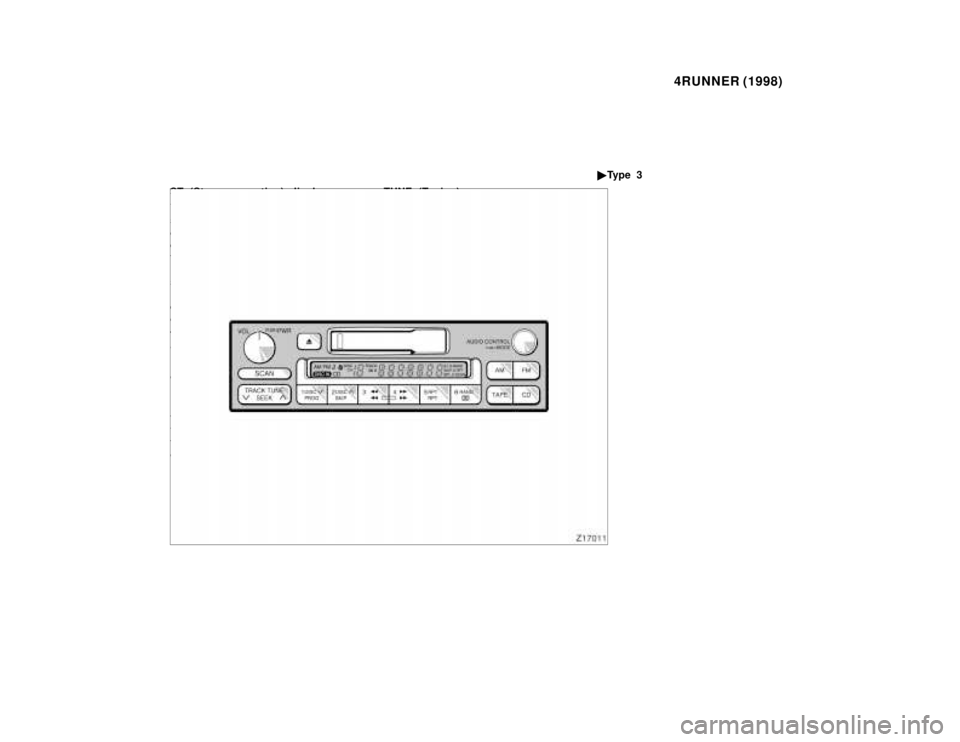
Details of specific buttons, controls,
and features are described in the al-
phabetical listing that follows. 1 2 3 4 5 6 (Preset buttons)
These buttons are used to preset and
tune in radio stations.
To preset a station to a button: Tune
in the desired station (see ºTUNEº
button). Push and hold down the but-
ton until you hear a beep
'this will
set the station to the button. The but-
ton number will appear on the display.
To tune in to a preset station: Push
the button for the station you want.
The button number and station fre-
quency will appear on the display.
These systems can store one AM and
two FM stations for each button (The
display will show ºAMº, ºFM1º or
ºFM2º when you push ºAM´FMº).
(Eject button)
Push this button to eject a compact
disc.
After you turn the ignition to ºLOCKº,
you will be able to eject a disc but
you will not be able to reinsert it.
Page 177 of 350

4RUNNER (1998)
(Reverse/Fast forward but-
tons)
If you want to fast forward or reverse
through a compact disc track, push
and hold in the fast forward or re-
verse button. When you release the
button, the compact disc player will
resume playing. AM
FM
Push ºAM
F Mº to switch between the
AM and FM bands. ºAMº, ºFM1º or
ºFM2º will appear on the display.
These systems allow you to set
twelve FM stations, two for each but-
ton.
If the audio system is off, you can
turn on the radio by pushing
ºAM
F Mº. Also, push ºAMFMº to
switch from compact disc operation to
radio operation. AUDIO CONTROL / MODE
Manual tone adjustment functionÐ
This knob is used to adjust the tone
manually.
For low- pitch tone adjustment, push
ºAUDIO CONTROL / MODEº
repeatedly until ºBASº appears on the
display. Then turn the knob to suit
your preference.
The display will show the range from
ºBAS -5º to ºBAS 5º.
With middle- pitch toneÐ
For middle- pitch tone adjustment,
push ºAUDIO CONTROL / MODEº re-
peatedly until ºMIdº appears on the
display. Then turn the knob to suit
your preference.
The display will show the range
from ºMId -5º to ºMId 5º.
For high- pitch tone adjustment, push
ºAUDIO CONTROL / MODEº
repeatedly until ºTREº appears on the
display. Then turn the knob to suit
your preference.
The display will show the range from
ºTRE -5º to ºTRE 5º.Sound balance adjustment func-
tionÐ
This knob is also to adjust the sound
balance between the front and rear,
and the right and left speakers.
For front/rear adjustment, push ºAU-
DIO CONTROL / MODEº repeatedly
until ºFAdº appears on the display.
Then turn the knob to adjust the front/
rear balance.
The display will show the range from
ºFAd F7º to ºFAd R7º.
For left/right adjustment, push ºAUDIO
CONTROL / MODEº repeatedly until
ºBALº appears on the display. Then
turn the knob to adjust the left/right
balance.
The display will show the range from
ºBAL L7º to ºBAL R7º.
Page 178 of 350

4RUNNER (1998)
CD (Compact Disc)
Push ºCDº to switch from radio opera-
tion to compact disc operation. If the
audio system is off, you can turn on
the compact disc player by pushing
ºCDº. In both cases, a disc must al-
ready be loaded in the player.
When the audio is set into compact
disc operation, the display shows the
track or, track and disc number cur-
rently being played. Each time you
push ºCDº, the system changes be-
tween built- in single disc player and
automatic changer.
Your audio system shows six different
display if the player malfunctions.
If ºWAITº appears on the display, it
indicates inside the player unit may
be too hot due to the very high ambi-
ent temperature. Remove the disc or
magazine from the player and allow
the player to cool down.
If ºErr 1º appears on the display, it
indicates the disc is dirty, damaged,
or it was inserted up- side down.
Clean the disc or insert it correctly. If ºErr 2º appears on the display,
it
indicates no disc is loaded inside the
magazine, insert a disc.
If ºErr 3º or ºErr 4º on the display,
it indicates there is a trouble inside
the system. Eject the disc or maga-
zine. Set the disc or magazine again.
If ºOPEnº appears on the display, it
indicates the compact disc auto
changer lid is open. Close the com-
pact disc auto changer lid.
If the malfunction is not recovered,
take your vehicle to your Toyota deal-
er.
DISC !~
Compact disc auto changer onlyÐ
By using this button, you can select
a disc you wish to listen to.
Push the either side of the button until
the number of the disc you want to
listen to appears on the display.
PWR/VOL (Power/Volume)
Push ºPWR/VOLº to turn the audio
system on and off. Turn ºPWR/VOLº
to adjust the volume. RAND (Random)
There are two random featuresÐyou
can either listen to the tracks on all
the compact discs in the magazine in
random order, or only listen to the
tracks on a specific compact disc in
random order.
Random playing for the tracks on a
disc: Quickly push and release
ºRANDº. ºRANDº will appear on the
display and the disc you are listening
to in random order. If you hear a
beep, you held the button too long,
and the player will play all the tracks
in the magazine in random order. To
turn off the random feature, push the
ºRANDº a second time.
Compact disc auto changer onlyÐ
Random playing for all the tracks in
the magazine:
Push and hold ºRANDº until you hear
a beep. ºD´RANDº will appear on the
display and the player will perform all
the tracks on all the discs in the mag-
azine in random order. To turn off the
random feature, push ºRANDº a sec-
ond time.
Page 179 of 350

4RUNNER (1998)
RPT (Repeat)
There are two repeat featuresÐyou
can either replay a disc track or a
whole compact disc.
Repeating a track:
Quickly push and release ºRPTº while
the track is playing. ºRPTº will appear
on the display. If you hear a beep,
you held the button too long, and the
player will repeat the whole disc.
When the track ends, it will automati-
cally be replayed. This process will be
continued until you push the button
again to turn off the repeat feature.
Compact disc auto changer onlyÐ
Repeating a disc:
Push and hold ºRPTº until you hear a
beep. ºD´RPTº will appear on the dis-
play. The player will repeat all the
tracks on the disc you are listening
to. When the disc ends, the player
will automatically go back to the top
track of the disc and replay. This pro-
cess will be continued until you push
the button again to turn off the repeat
feature. SCAN
Radio
You can either scan all the frequen-
cies on a band or scan only the pre-
set stations for that band.
To scan all the frequencies:
Quickly push and release ºSCANº. If
you hear a beep, you held the button
too long, and the radio will scan the
preset stations. The radio will find the
next station up the station band, stay
there for a few seconds, and then
scan again. To select a station, push
ºSCANº a second time.
To scan the preset stations:
Push and hold ºSCANº until you hear
a beep. The radio will tune in the next
preset station up the band, stay there
for a few seconds, and then move to
the next preset station. To select a
station, push ºSCANº a second time.
Compact disc player
There are two scan featuresÐyou can
either scan the tracks on a specific
disc or scan the first tracks of all the
discs in the magazine.
Scanning for the tracks on a disc:
Quickly push and release ºSCANº.
ºSCANº will appear on the display and
the player will scan all the tracks on
the disc you are listening to. If you
hear a beep, you held the button too
long, and the player will scan the first
tracks of all the discs in the maga-
zine. To select a track, push the
ºSCANº a second time. If the player
scanned all the tracks on the disc, it
will stop scanning.
Compact disc auto changer onlyÐ
Scanning for the first tracks of all the
discs in the magazine:
Push and hold ºSCANº until you hear
a beep. ºD´SCANº will appear on the
display and the player will perform the
first track of the next disc. To select
a disc, push the ºSCANº a second
time. If the player has scanned all the
discs, it will stop sc
anning.
Page 180 of 350
4RUNNER (1998)
ST (Stereo reception) display
Your radio automatically changes to
stereo reception when a stereo broad-
cast is received. ºSTº appears on the
display. If the signal becomes weak,
the radio reduces the amount of chan-
nel separation to prevent the weak
signal from creating noise. If the sig-
nal becomes extremely weak, the ra-
dio switches from stereo to mono re-
ception.
TRACK (Track up/down button):
Compact disc player
By using this button, you can skip up
or down to a different track.
Push either side of the track button
until the number of the track you want
to listen to appears on the display. If
you want to return the beginning of
the current track, push the down side
of the button one time, quickly. TUNE (Tuning)
Tuning
Your Toyota has an electronic tuning
radio (ETR). Push and release the º
~º
(up) or º !º (down) side of ºTUNEº to
step up or down the station band. (If
you hear a beep, you held the button
too long and the radio will go into the
seek mode.)
Seeking
In the seek mode, the radio finds and
plays the next station up or down the
station band.
To seek a station, push and hold the º ~ º or º !º side of ºTUNEº until you
hear a beep. Do this again to find
another station.
Ty p e 3
Page 181 of 350

4RUNNER (1998)
Details of specific buttons, controls,
and features are described in the al-
phabetical listing that follows. 1 2 3 4 5 6 (Preset buttons)
These buttons are used to preset and
tune in radio stations.
To preset a station to a button: Tune
in the desired station (see ºTUNEº or
ºSEEKº button). Push and hold down
the button until you hear a beep
'this
will set the station to the button. The
button number will appear on the dis-
play.
To tune in to a preset station: Push
the button for the station you want.
The button number and station fre-
quency will appear on the display.
These systems can store one AM and
two FM stations for each button (The
display will show ºAMº, ºFM1º or
ºFM2º when you push ºAMº or ºFMº).
(Eject button)
Push this button to eject a cassette.
After you turn the ignition to ºLOCKº,
you will be able to eject a cassette
but you will not be able to reinsert it.
Page 182 of 350

4RUNNER (1998)
(Reverse/Fast forward but-
tons)
Cassette Player
Push the fast forward button to fast
forward a cassette tape. ºFFº will ap-
pear on the display. Push the reverse
button to rewind a tape. ºREWº will
appear on the display.
To stop the tape while it is fast for-
warding, push the fast forward button
or ºTAPEº; to stop the tape while it is
rewinding, push the reverse button or
ºTAPEº.
If a tape side rewinds completely, the
cassette player will stop and then play
that same side. If a tape fast forwards
completely, the cassette player will
play the other side of the tape, using
the auto- reverse feature.
Compact Disc Player
If you want to fast forward or reverse
through a compact disc track, push
and hold in the fast forward or re-
verse button. When you release the
button, the compact disc player will
resume playing. AM
Push ºAMº to switch the AM band.
ºAMº will appear on the display.
If the audio system is off, you can
turn on the radio by pushing ºAMº.
Also, push ºAMº to switch from cas-
sette or compact disc operation to ra-
dio operation.
AUDIO CONTROL / MODE
Manual tone adjustment functionÐ
This knob is used to adjust the tone
manually.
For low- pitch tone adjustment, push
ºAUDIO CONTROL / MODEº
repeatedly until ºBASº appears on the
display. Then turn the knob to suit
your preference.
The display will show the range from
ºBAS -5º to ºBAS 5º.
For middle- pitch tone adjustment,
push ºAUDIO CONTROL / MODEº re-
peatedly until ºMIdº appears on the
display. Then turn the knob to suit
your preference.
The display will show the range
from ºMId -5º to ºMId 5º.For high- pitch tone adjustment, push
ºAUDIO CONTROL / MODEº
repeatedly until ºTREº appears on the
display. Then turn the knob to suit
your preference.
The display will show the range from
ºTRE -5º to ºTRE 5º.
Sound balance adjustment func-
tionÐ
This knob is also to adjust the sound
balance between the front and rear,
and the right and left speakers.
For front/rear adjustment, push ºAU-
DIO CONTROL / MODEº repeatedly
until ºFAdº appears on the display.
Then turn the knob to adjust the front/
rear balance.
The display will show the range from
ºFAd F7º to ºFAd R7º.
For left/right adjustment, push ºAUDIO
CONTROL / MODEº repeatedly until
ºBALº appears on the display. Then
turn the knob to adjust the left/right
balance.
The display will show the range from
ºBAL L7º to ºBAL R7º.
Page 183 of 350

4RUNNER (1998)
CD (Compact Disc)
Push ºCDº to switch from radio or
cassette operation to compact disc op-
eration. If the audio system is off, you
can turn on the compact disc player
by pushing ºCDº. In both cases, a
disc must already be loaded in the
player.
When the audio is set into compact
disc operation, the display shows the
track or, track and disc number cur-
rently being played. Each time you
push ºCDº, the system changes be-
tween single disc player and automat-
ic changer.
Your audio system shows six different
display if the player malfunctions.
If ºWAITº appears on the display, it
indicates inside the player unit may
be too hot due to the very high ambi-
ent temperature. Remove the disc or
magazine from the player and allow
the player to cool down.
If ºErr 1º appears on the display, it
indicates the disc is dirty, damaged,
or it was inserted up- side down.
Clean the disc or insert it correctly. If ºErr 2º appears on the display,
it
indicates no disc is loaded inside the
magazine, insert a disc.
If ºErr 3º or ºErr 4º on the display,
it indicates there is a trouble inside
the system. Eject the disc or maga-
zine. Set the disc or magazine again.
If ºOPEnº appears on the display, it
indicates the compact disc auto
changer lid is open. Close the com-
pact disc auto changer lid.
If the malfunction is not recovered,
take your vehicle to your Toyota deal-
er.
DISC !~
Compact disc auto changer onlyÐ
By using this button, you can select
a disc you wish to listen to.
Push the either side of the button until
the number of the disc you want to
listen to appears on the display. Dolby
B NR *
If you are listening to a tape that was
recorded with Dolby B Noise Reduc-
tion, push the button marked with the
double- D symbol. The double- D sym-
bol will appear on the display. Push
the button again to turn off Dolby B
NR.
The Dolby NR mode reduces tape
noise by about 10 dB. For best sound
reproduction, play your tapes with this
button on or off according to the mode
used for recording the tape. * : Dolby noise reduction manufactured under license
from Dolby Laboratories Licensing Corporation.
ºDOLBYº and the double D symbol
are trademarks
of Dolby Laboratories Licensing Corporation. FM
Push ºFMº to switch the FM band.
ºFM1º or ºFM2º will appear on the
display. This system allow you to set
twelve FM stations, two for each but-
ton.
If the audio system is off, you can
turn on the radio by pushing ºFMº.
Also, push ºFMº to switch from cas-
sette or compact disc operation to ra-
dio operation.
Page 185 of 350

4RUNNER (1998)
Compact disc auto changer onlyÐ
Repeating a disc:
Push and hold ºRPTº until you hear a
beep. ºD´RPTº will appear on the dis-
play. The player will repeat all the
tracks on the disc you are listening
to. When the disc ends, the player
will automatically go back to the top
track of the disc and replay. This pro-
cess will be continued until you push
the button again to turn off the repeat
feature. SCAN
Radio
You can either scan all the frequen-
cies on a band or scan only the pre-
set stations for that band.
To scan all the frequencies:
Quickly push and release ºSCANº. If
you hear a beep, you held the button
too long, and the radio will scan the
preset stations. The radio will find the
next station up the station band, stay
there for a few seconds, and then
scan again. To select a station, push
ºSCANº a second time. To scan the preset stations:
Push and hold ºSCANº until you hear
a beep. The radio will tune in the next
preset station up the band, stay there
for a few seconds, and then move to
the next preset station. To select a
station, push ºSCANº a second time.
Compact disc player
There are two scan featuresÐyou can
either scan the tracks on a specific
disc or scan the first tracks of all the
discs in the magazine.
Scanning for the tracks on a disc:
Quickly push and release ºSCANº.
ºSCANº will appear on the display and
the player will scan all the tracks on
the disc you are listening to. If you
hear a beep, you held the button too
long, and the player will scan the first
tracks of all the discs in the maga-
zine. To select a track, push the
ºSCANº a second time. If the player
scanned all the tracks on the disc, it
will stop scanning.
Compact disc auto changer onlyÐ
Scanning for the first tracks of all the
discs in the magazine:
Push and hold ºSCANº until you hear
a beep. ºD´SCANº will appear on the
display and the player will perform the
first track of the next disc. To select
a disc, push the ºSCANº a second
time. If the player has scanned all the
discs, it will stop sc
anning.
SEEK (Seeking)
Radio
In the seek mode, the radio finds and
plays the next station up or down the
station band.
To seek a station, push and hold the º ~ º or º !º side of ºSEEKº until you
hear a beep. Do this again to find
another station.
Page 186 of 350

4RUNNER (1998)
Cassette Player
By using this button, you can skip up
or down to a different track.
You can skip up to nine tracks at a
time.
Push the up or down side of the but-
ton. ºFF 1º or ºREW 1º will appear on
the display.
Next, push either side of the track
button until the number on the display
reaches the number of tracks you
want to skip. If you push the button
ten times, the skip feature will be
turned off.
When counting the number of tracks
you want to rewind, remember to
count the current track as well. For
example, if you want to rewind to a
song that is two before the song you
are listening to, push on the down
side of the button until ºREW 3º ap-
pears on the display.
If you have pushed the track button
more than you wanted to, push the
other side of the button. The track
number will be reduced. The track number you select is not
valid if it is higher than the number
of tracks remaining on the current
cassette side.
After the beginning of the tape is
reached, the player will automati-
cally start playing the same side.
After the end of the tape is
reached, the player will automati-
cally reverse sides and start play-
ing the other side.
There must be at least 3 seconds of
blank space between tracks for the
track button to work correctly. In addi-
tion, the feature may not work well
with some spoken word, live, or clas-
sical recordings.
SKIP
The skip feature allows you to fast
forward past long stretches of blank
tape. This is especially useful at the
end of cassettes.
Push ºSKIPº. ºSKIPº will appear on
the display. The cassette player will
keep track of how much blank space
it plays. Any time it has played about
10 seconds of blank tape, it will auto-
matically fast forward to the next track
and begin to play.
Push the button a second time to turn
off the skip feature. ST (Stereo reception) display
Your radio automatically changes to
stereo reception when a stereo broad-
cast is received. ºSTº appears on the
display. If the signal becomes weak,
the radio reduces the amount of chan-
nel separation to prevent the weak
signal from creating noise. If the sig-
nal becomes extremely weak, the ra-
dio switches from stereo to mono re-
ception.
TA P E
Push ºTAPEº to switch from radio or
compact disc operation to cassette op-
eration. If the audio system is off, you
can turn on the cassette player by
pushing ºTAPEº. In both cases, a cas-
sette must already be loaded in the
player.
TRACK (Track up/down button):
Compact disc player
By using this button, you can skip up
or down to a different track.
Push either side of the track button
until the number of the track you want
to listen to appears on the display. If
you want to return the beginning of
the current track, push the down side
of the button one time, quickly.