reset TOYOTA 4RUNNER 2010 N280 / 5.G Owners Manual
[x] Cancel search | Manufacturer: TOYOTA, Model Year: 2010, Model line: 4RUNNER, Model: TOYOTA 4RUNNER 2010 N280 / 5.GPages: 665, PDF Size: 11.96 MB
Page 184 of 665
184 2-2. Instrument cluster
4RUNNER_U
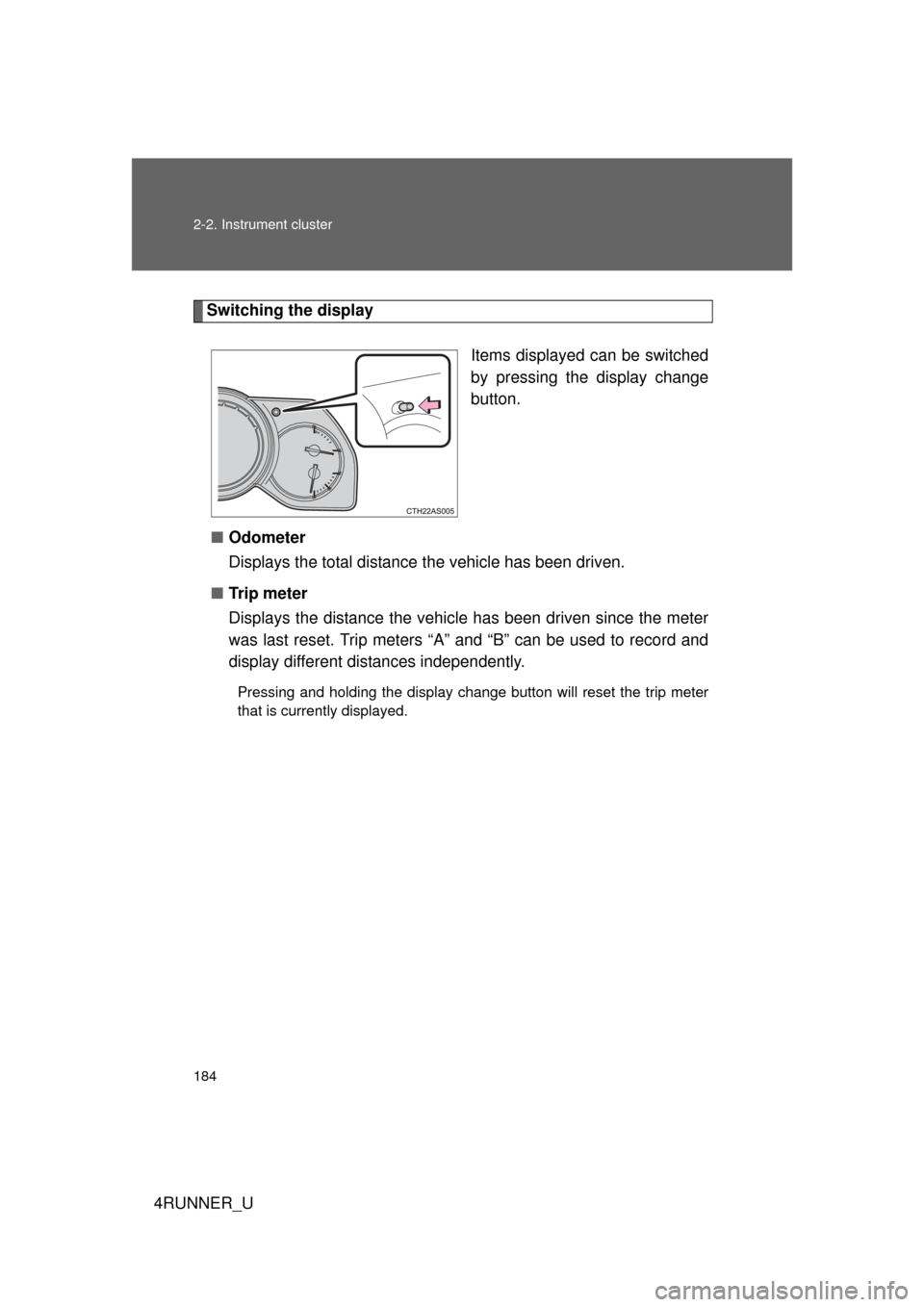
Switching the displayItems displayed can be switched
by pressing the display change
button.
■ Odometer
Displays the total distance the vehicle has been driven.
■ Tr i p m e t e r
Displays the distance the vehicl e has been driven since the meter
was last reset. Trip meters “A” and “B” can be used to record and
display different distances independently.
Pressing and holding the display change button will reset the trip meter
that is currently displayed.
Page 185 of 665
185
2-2. Instrument cluster
2
When driving
4RUNNER_U
■
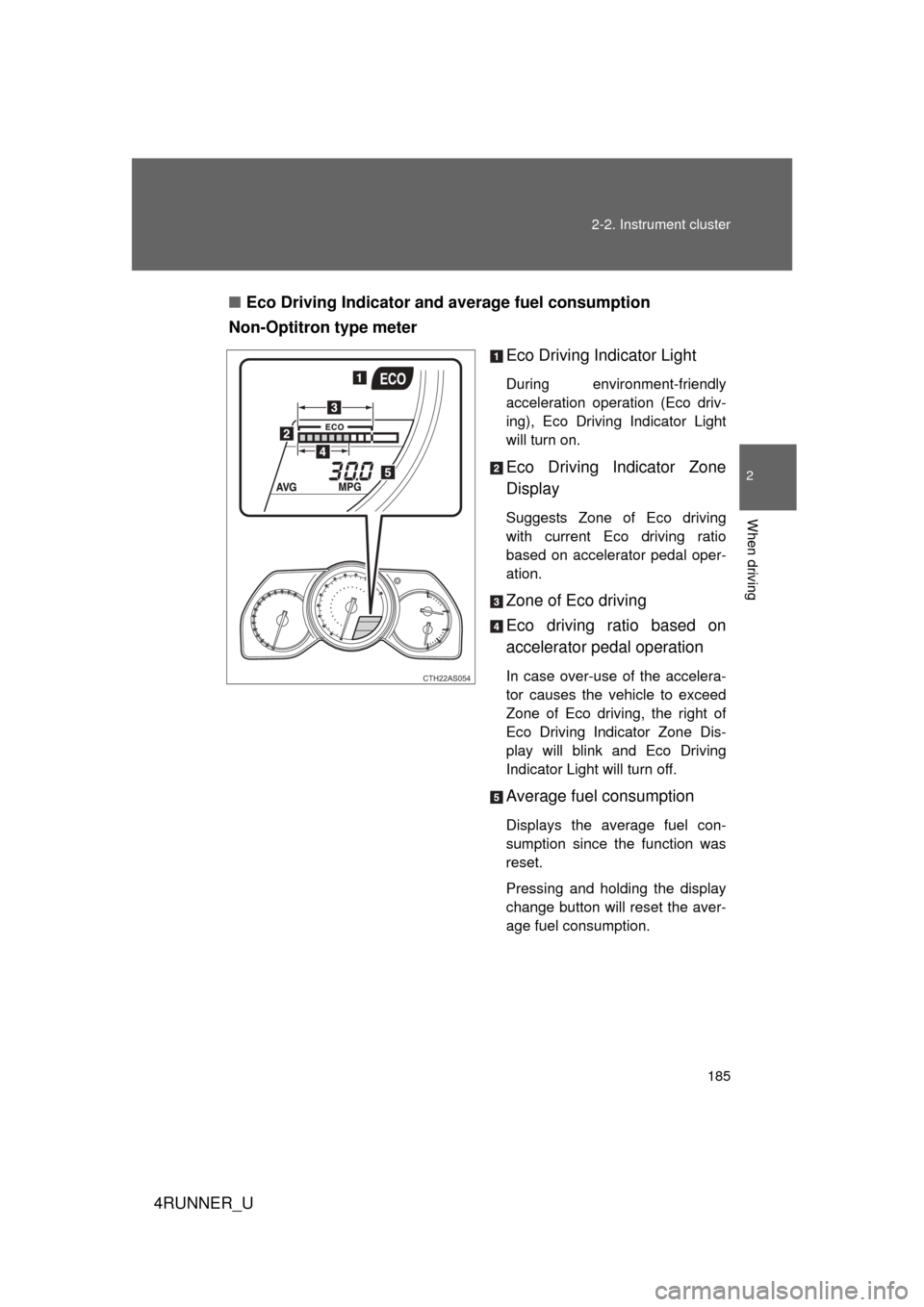
Eco Driving Indicator and average fuel consumption
Non-Optitron type meter
Eco Driving Indicator Light
During environment-friendly
acceleration operation (Eco driv-
ing), Eco Driving Indicator Light
will turn on.
Eco Driving Indicator Zone
Display
Suggests Zone of Eco driving
with current Eco driving ratio
based on accelerator pedal oper-
ation.
Zone of Eco driving
Eco driving ratio based on
accelerator pedal operation
In case over-use of the accelera-
tor causes the vehicle to exceed
Zone of Eco driving, the right of
Eco Driving Indicator Zone Dis-
play will blink and Eco Driving
Indicator Light will turn off.
Average fuel consumption
Displays the average fuel con-
sumption since the function was
reset.
Pressing and holding the display
change button will reset the aver-
age fuel consumption.
CTH22AS054
Page 186 of 665
186 2-2. Instrument cluster
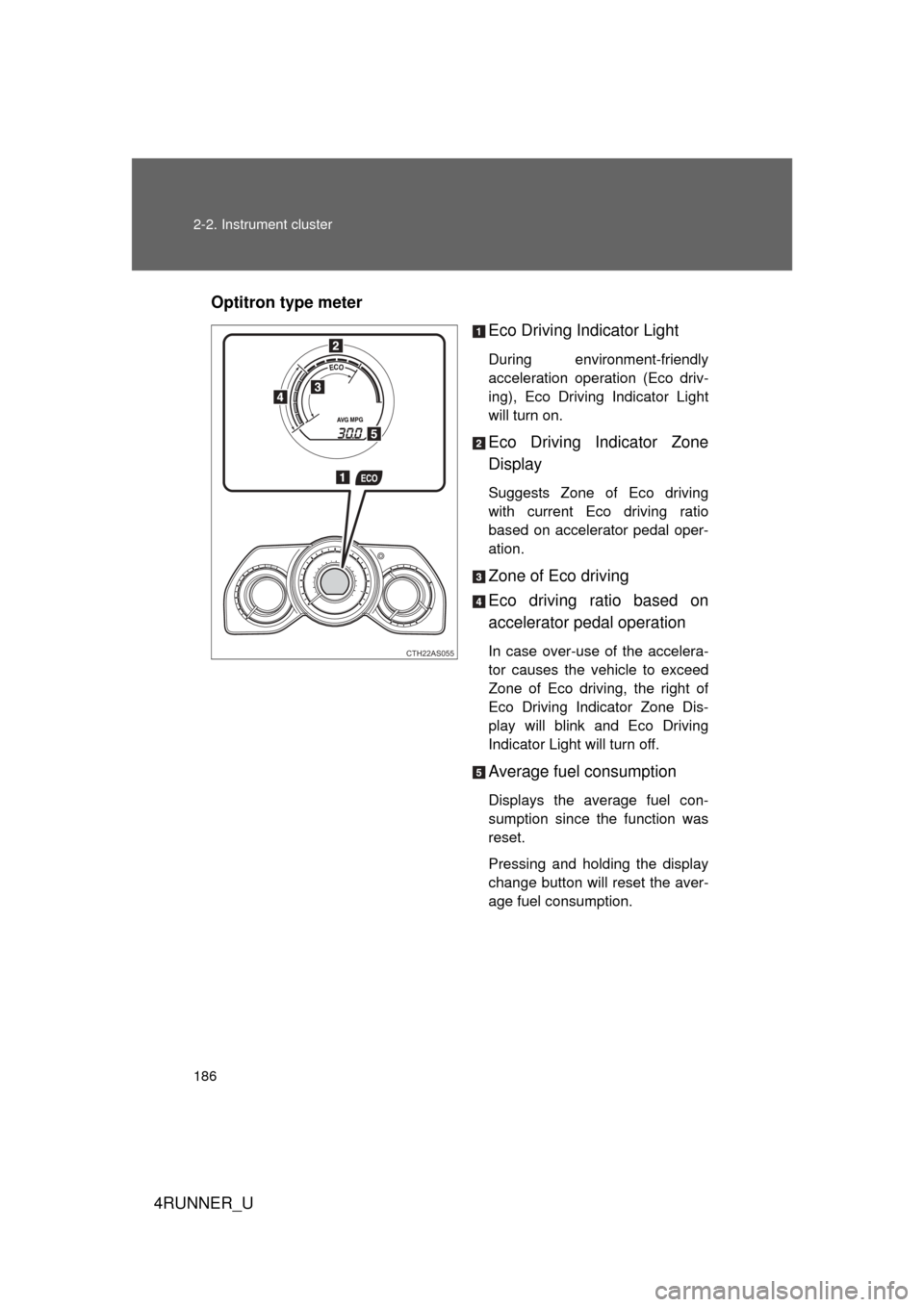
4RUNNER_UOptitron type meter
Eco Driving Indicator Light
During environment-friendly
acceleration operation (Eco driv-
ing), Eco Driving Indicator Light
will turn on.
Eco Driving Indicator Zone
Display
Suggests Zone of Eco driving
with current Eco driving ratio
based on accelerator pedal oper-
ation.
Zone of Eco driving
Eco driving ratio based on
accelerator pedal operation
In case over-use of the accelera-
tor causes the vehicle to exceed
Zone of Eco driving, the right of
Eco Driving Indicator Zone Dis-
play will blink and Eco Driving
Indicator Light will turn off.
Average fuel consumption
Displays the average fuel con-
sumption since the function was
reset.
Pressing and holding the display
change button will reset the aver-
age fuel consumption.
CTH22AS055
Page 188 of 665
188 2-2. Instrument cluster
4RUNNER_U
■The meters and display illuminate when (Optitron type meter)
Vehicles without a smart key system:
The engine switch is in the “ON” position.
Vehicles with a smart key system:
The “ENGINE START STOP” switch is in IGNITION ON mode.
■ Eco Driving Indicator operates when
The vehicle is being driven with the shift lever in D.
■ When the average fuel consumption is reset
The average fuel consumption displayed on the accessory meter and “Past
Record” screen of the navigation system (if equipped) will be reset at the
same time.
■ The brightness of the instrument panel lights (Optitron type meter)
When the headlight switch is turned to on, the brightness will be reduced
slightly unless the control dial is turned fully upward.
NOTICE
■ To prevent damage to the engine and its components
● Do not let the indicator needle of the tachometer enter the red zone, which
indicates the maximum engine speed.
● The engine may be overheating if the engine coolant temperature gauge is
in the red zone (H). In this case, immediately stop the vehicle in a safe
place, and check the engine after it has cooled completely. ( P. 603)
■ While driving (Optitron type meter)
When the voltmeter indicates more than 19 V or less than 9 V, the battery
may be malfunctioning. Have your vehicle checked at your Toyota dealer.
Page 195 of 665
195
2-2. Instrument cluster
2
When driving
4RUNNER_U
Trip information
Items displayed can be switched by pressing the “MODE/ ” button.
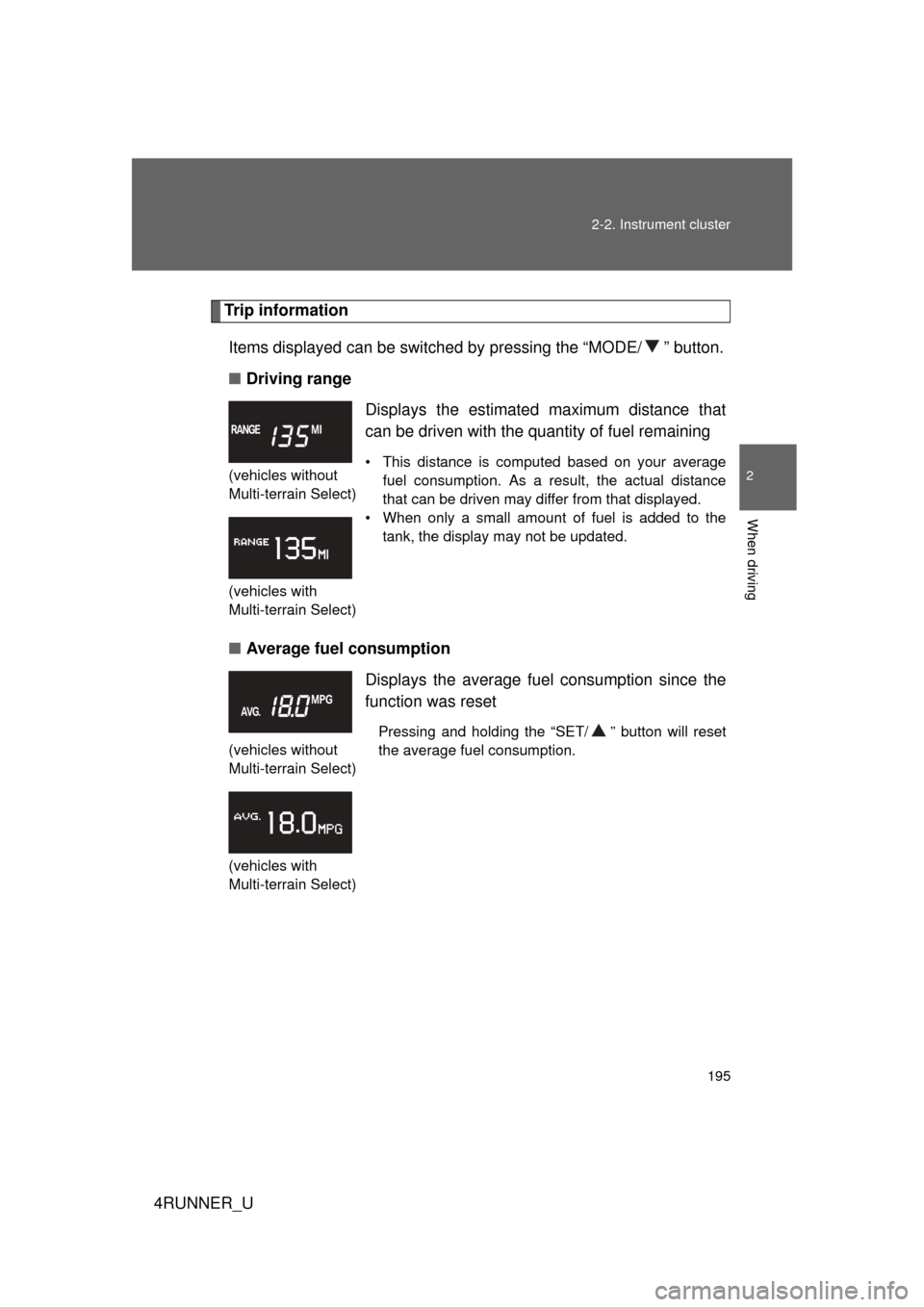
■ Driving range
■ Average fuel consumption
(vehicles without
Multi-terrain Select)
(vehicles with
Multi-terrain Select)
Displays the estimated maximum distance that
can be driven with the quantity of fuel remaining
• This distance is computed based on your average
fuel consumption. As a result, the actual distance
that can be driven may differ from that displayed.
• When only a small amount of fuel is added to the tank, the display may not be updated.
(vehicles without
Multi-terrain Select)
(vehicles with
Multi-terrain Select)
Displays the average fuel consumption since the
function was reset
Pressing and holding the “SET/ ” button will reset
the average fuel consumption.
Page 197 of 665
197
2-2. Instrument cluster
2
When driving
4RUNNER_U
■
When the average fuel consumption is reset
The average fuel consumption display ed on the instrument cluster and “Past
Record” screen of the navigation system (if equipped) will be reset at the
same time.
■ Adjusting the brightness of the accessory meter
● If left idle for approximately 6 seconds or more while adjusting, the dis-
play will revert to the trip information display.
● When the parking lights are on, the brightness of the accessory meter
can be adjusted only with the instrument panel light control.
● If the “MODE/ ” button is pressed and held when the accessory meter
light control is displayed, the display will switch to compass calibration.
(P. 450)
■ Liquid crystal display
Small spots or light spots may appear on the display. This phenomenon is
characteristic of liquid crystal displays, and there is no problem with continu-
ing to use the display.
NOTICE
■The accessory meter at low temperatures
Allow the interior of the vehicle to warm up before using the liquid crystal dis-
play. At extremely low temperatures, the display monitor may respond
slowly, and display changes may be delayed.
Page 211 of 665
211
2-4. Using other
driving systems
2
When driving
4RUNNER_U
■Cruise control can be set when
● The shift lever is in D or “3” (standard type), or in D, or “4” or “5” range of
S has been selected (multi-mode type).
● Vehicle speed is above 25 mph (40 km/h).
■ Accelerating
The vehicle can be accelerated normally. After acceleration, the set speed
resumes.
■ Automatic cruise control cancelation
Cruise control will stop maintaining the vehicle speed in any of the following
situations:
● Actual vehicle speed falls more than 10 mph (16 km/h) below the preset
vehicle speed.
At this time, the memorized set speed is not retained.
● Actual vehicle speed is below 25 mph (40 km/h).
● VSC is activated.
■ If the cruise control indicator light flashes
Press the “ON-OFF” button once to deactivate the system, and then press
the button again to reactivate the system.
If the cruise control speed cannot be set or if the cruise control cancels
immediately after being activated, there may be a malfunction in the cruise
control system. Have the vehicle inspected by your Toyota dealer.
Page 317 of 665
317
3-2. Using the audio system
3
Interior features
4RUNNER_U
Using the radio
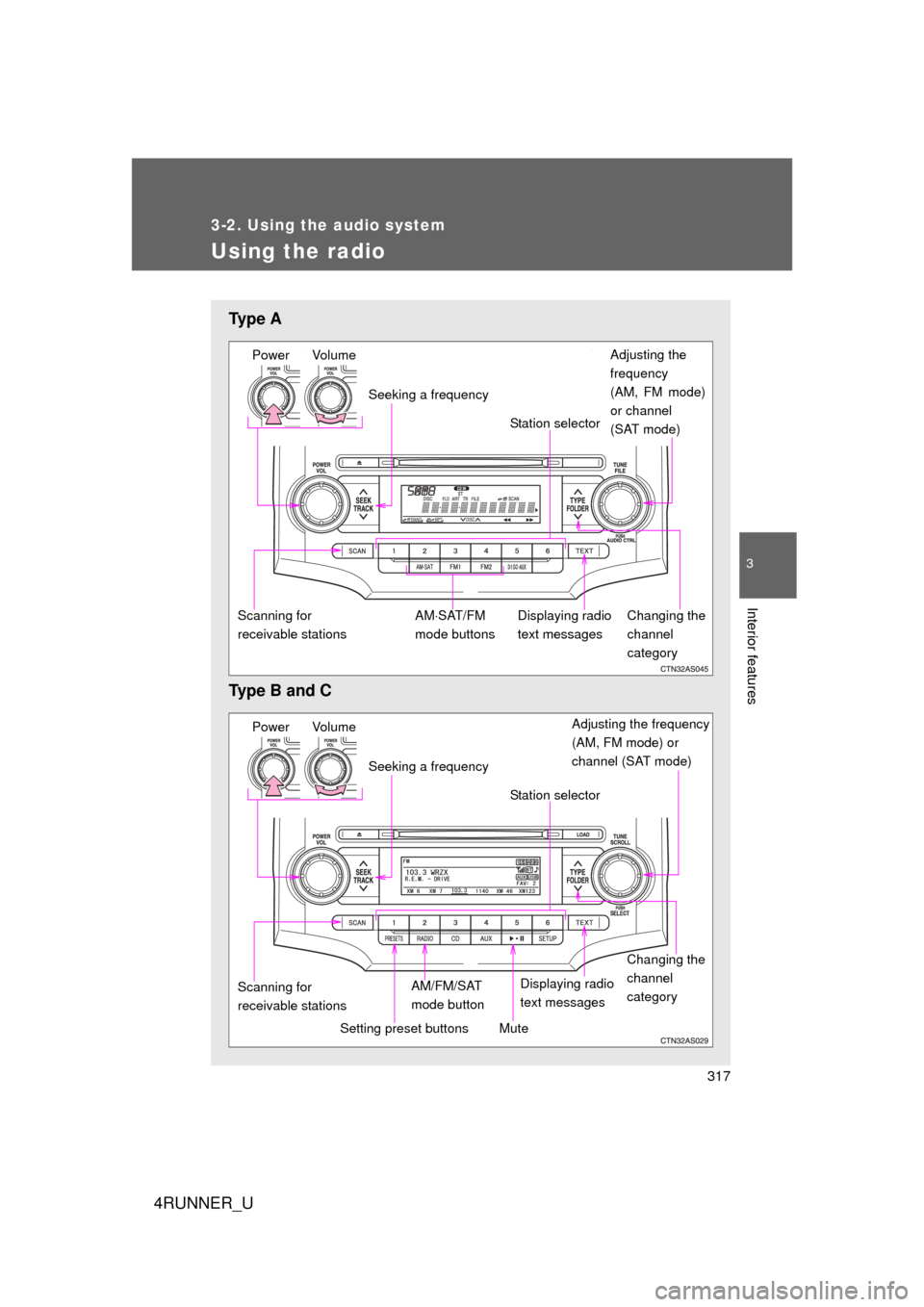
Ty p e A
Type B and C
Power VolumeAdjusting the
frequency
(AM, FM mode)
or channel
(SAT mode)
Seeking a frequency
Displaying radio
text messages
AMSAT/FM
mode buttons
Scanning for
receivable stations Station selector
Changing the
channel
category
Power Volume Adjusting the frequency
(AM, FM mode) or
channel (SAT mode)
Seeking a frequency
Displaying radio
text messages
AM/FM/SAT
mode button
Scanning for
receivable stations Station selector
Setting preset buttons
Changing the
channel
category
Mute
Page 318 of 665
318 3-2. Using the audio system
4RUNNER_U
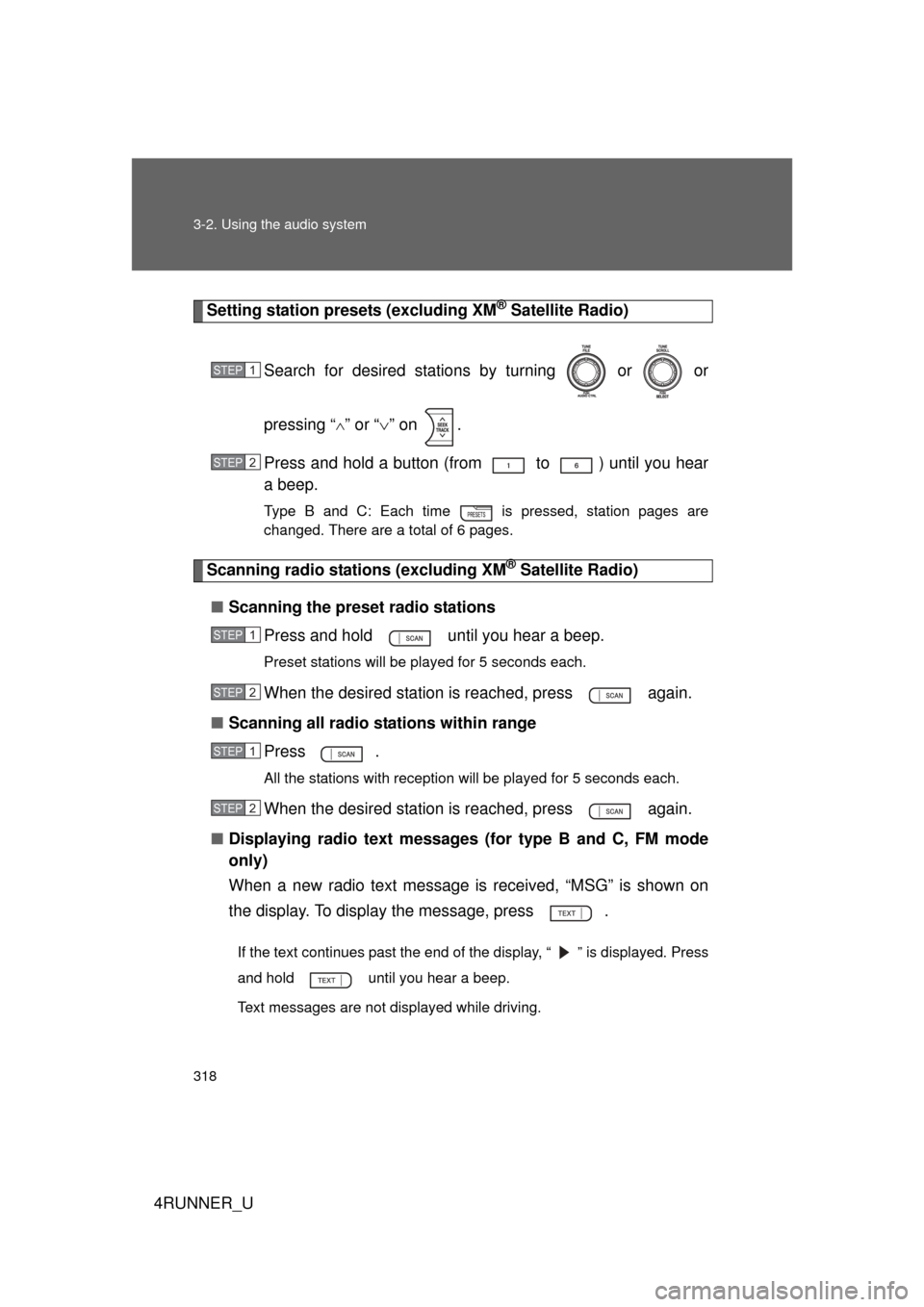
Setting station presets (excluding XM® Satellite Radio)
Search for desired stations by turning or or
pressing “
” or “ ” on .
Press and hold a button (from to ) until you hear
a beep.
Type B and C: Each time is pressed, station pages are
changed. There are a total of 6 pages.
Scanning radio stations (excluding XM® Satellite Radio)
■ Scanning the preset radio stations
Press and hold until you hear a beep.
Preset stations will be played for 5 seconds each.
When the desired station is reached, press again.
■ Scanning all radio stations within range
Press
.
All the stations with reception will be played for 5 seconds each.
When the desired station is reached, press again.
■ Displaying radio text messages (for type B and C, FM mode
only)
When a new radio text message is received, “MSG” is shown on
the display. To display the message, press .
If the text continues past the end of the display, “ ” is displayed. Press
and hold until you hear a beep.
Text messages are not displayed while driving.
STEP 1
STEP 2
STEP 1
STEP 2
STEP 1
STEP 2
Page 319 of 665
319
3-2. Using the audio system
3
Interior features
4RUNNER_U
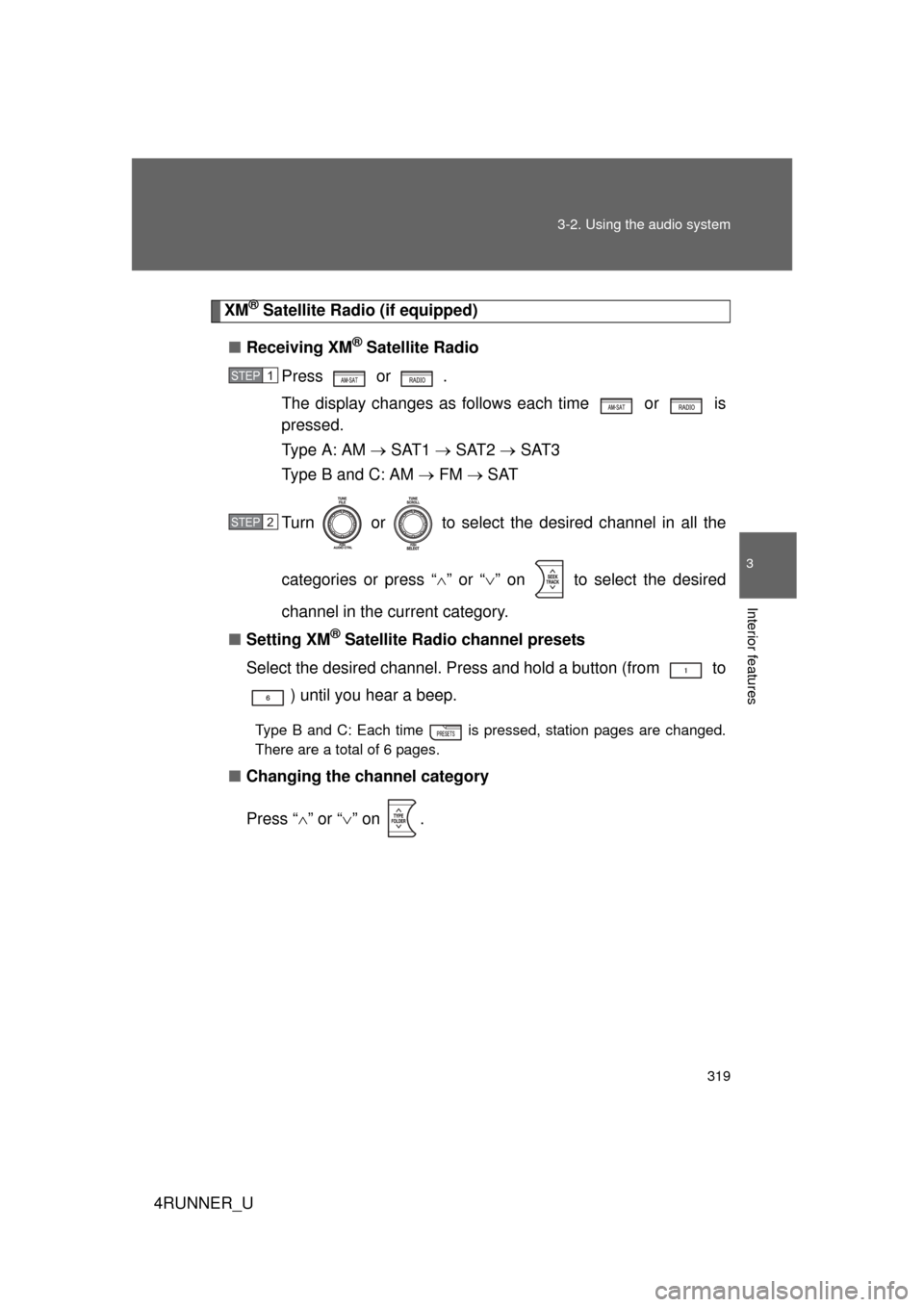
XM® Satellite Radio (if equipped)
■ Receiving XM
® Satellite Radio
Press or
.
The display changes as follows each time or is
pressed.
Type A: AM SAT1 SAT2 SAT3
Type B and C: AM FM SAT
Turn or to select the desired channel in all the
categories or press “ ” or “ ” on to select the desired
channel in the current category.
■ Setting XM
® Satellite Radio channel presets
Select the desired channel. Press and hold a button (from to ) until you hear a beep.
Type B and C: Each time is pressed, station pages are changed.
There are a total of 6 pages.
■ Changing the channel category
Press “ ” or “ ” on .
STEP 1
STEP 2