display TOYOTA 4RUNNER 2011 N280 / 5.G Owner's Manual
[x] Cancel search | Manufacturer: TOYOTA, Model Year: 2011, Model line: 4RUNNER, Model: TOYOTA 4RUNNER 2011 N280 / 5.GPages: 680, PDF Size: 12.58 MB
Page 302 of 680
302
3-1. Using the air conditioning system and defogger
4RUNNER_U
Automatic air conditioning system
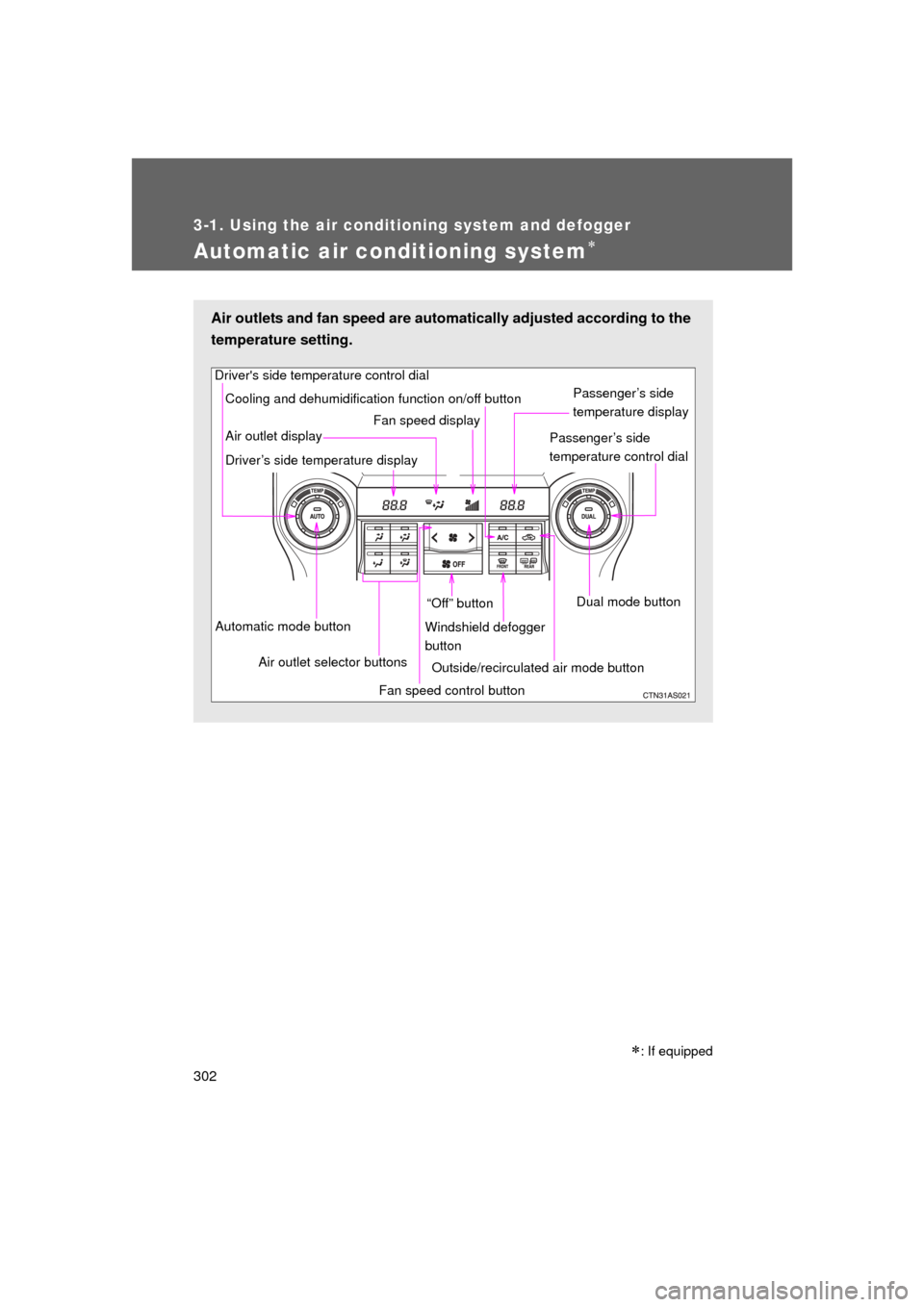
Air outlets and fan speed are automatically adjusted according to the
temperature setting.
Driver's side temperature control dial
Air outlet display
Driver’s side temperature display Fan speed display
Passenger’s side
temperature display
Passenger’s side
temperature control dial
Automatic mode button Air outlet selector buttons “Off” button
Cooling and dehumidification function on/off button
Fan speed control buttonWindshield defogger
button
Outside/recirculated air mode button Dual mode button
: If equipped
Page 304 of 680
304 3-1. Using the air conditioning system and defogger
4RUNNER_U
Adjusting the settings manually
■ Basic setting
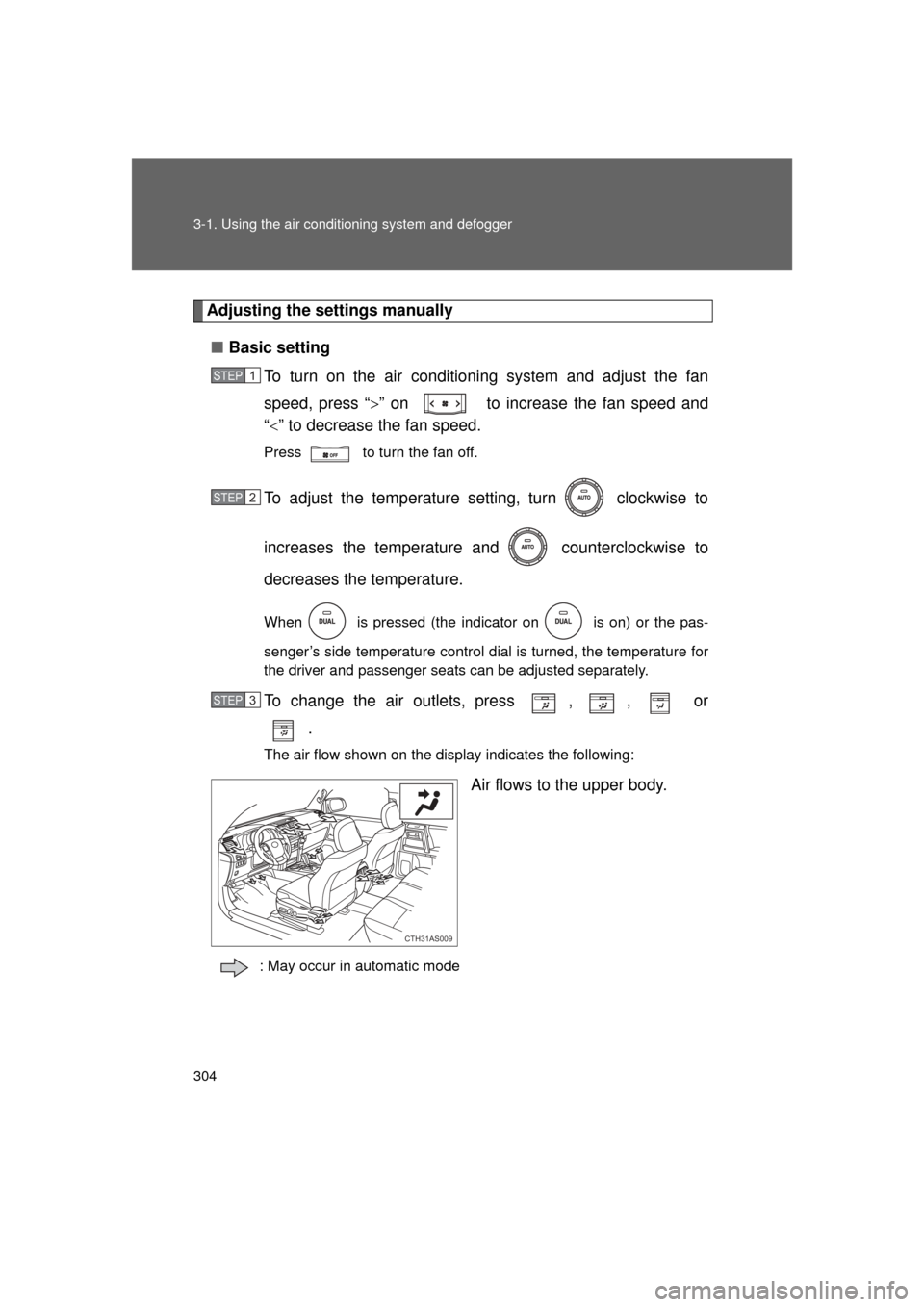
To turn on the air conditioning system and adjust the fan
speed, press “ ” on to increase the fan speed and
“ ” to decrease the fan speed.
Press to turn the fan off.
To adjust the temperature setting, turn clockwise to
increases the temperature and counterclockwise to
decreases the temperature.
When is pressed (the indicator on is on) or the pas-
senger’s side temperature control dial is turned, the temperature for
the driver and passenger seats can be adjusted separately.
To change the air outlets, press , , or .
The air flow shown on the display indicates the following:
Air flows to the upper body.
: May occur in automatic mode
STEP 1
STEP 2
STEP 3
CTH31AS009
Page 317 of 680
317
3-2. Using the audio system
3
Interior features
4RUNNER_U
Using the radio
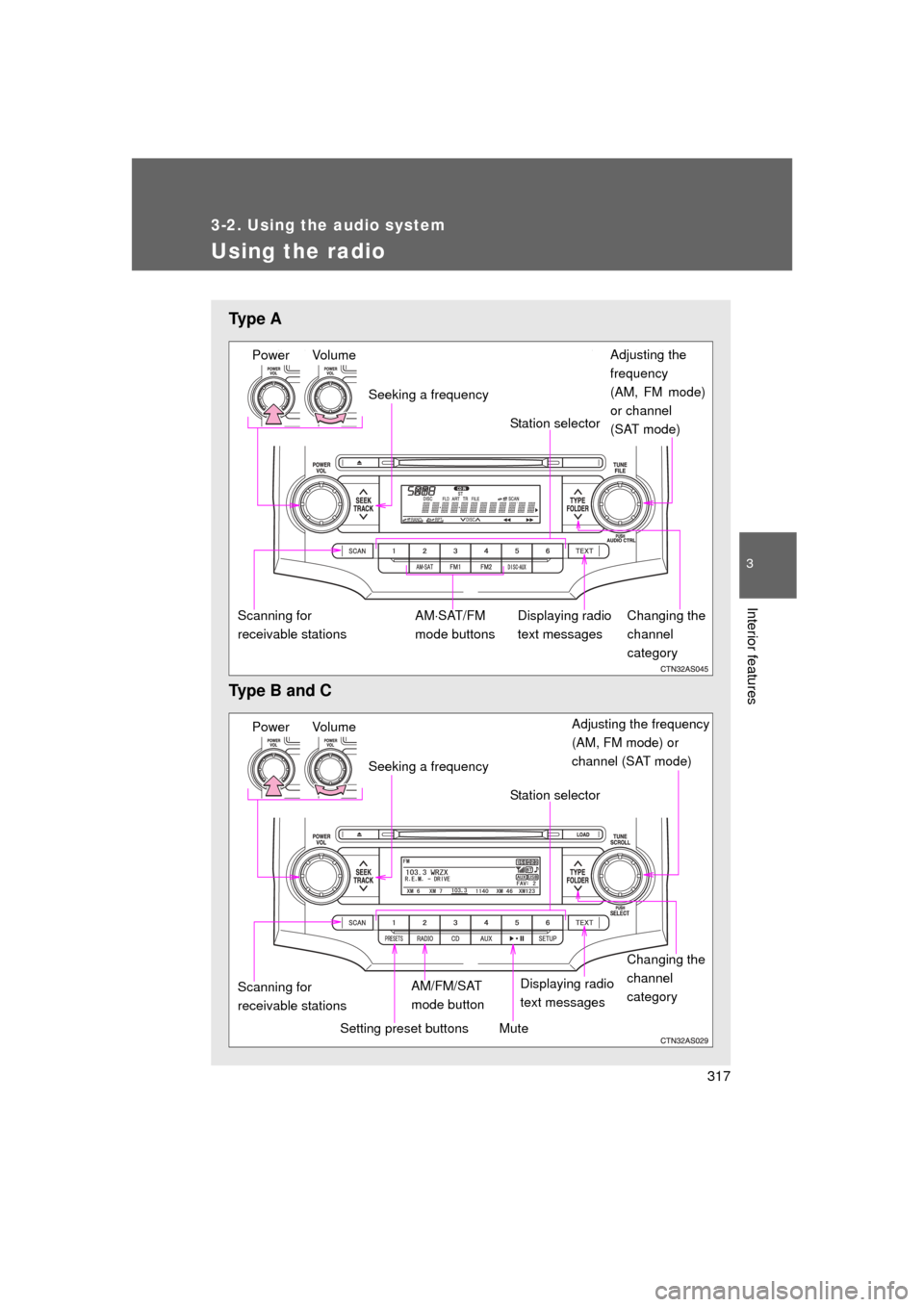
Ty p e A
Type B and C
Power VolumeAdjusting the
frequency
(AM, FM mode)
or channel
(SAT mode)
Seeking a frequency
Displaying radio
text messages
AMSAT/FM
mode buttons
Scanning for
receivable stations Station selector
Changing the
channel
category
Power Volume Adjusting the frequency
(AM, FM mode) or
channel (SAT mode)
Seeking a frequency
Displaying radio
text messages
AM/FM/SAT
mode button
Scanning for
receivable stations Station selector
Setting preset buttons
Changing the
channel
category
Mute
Page 318 of 680
318 3-2. Using the audio system
4RUNNER_U
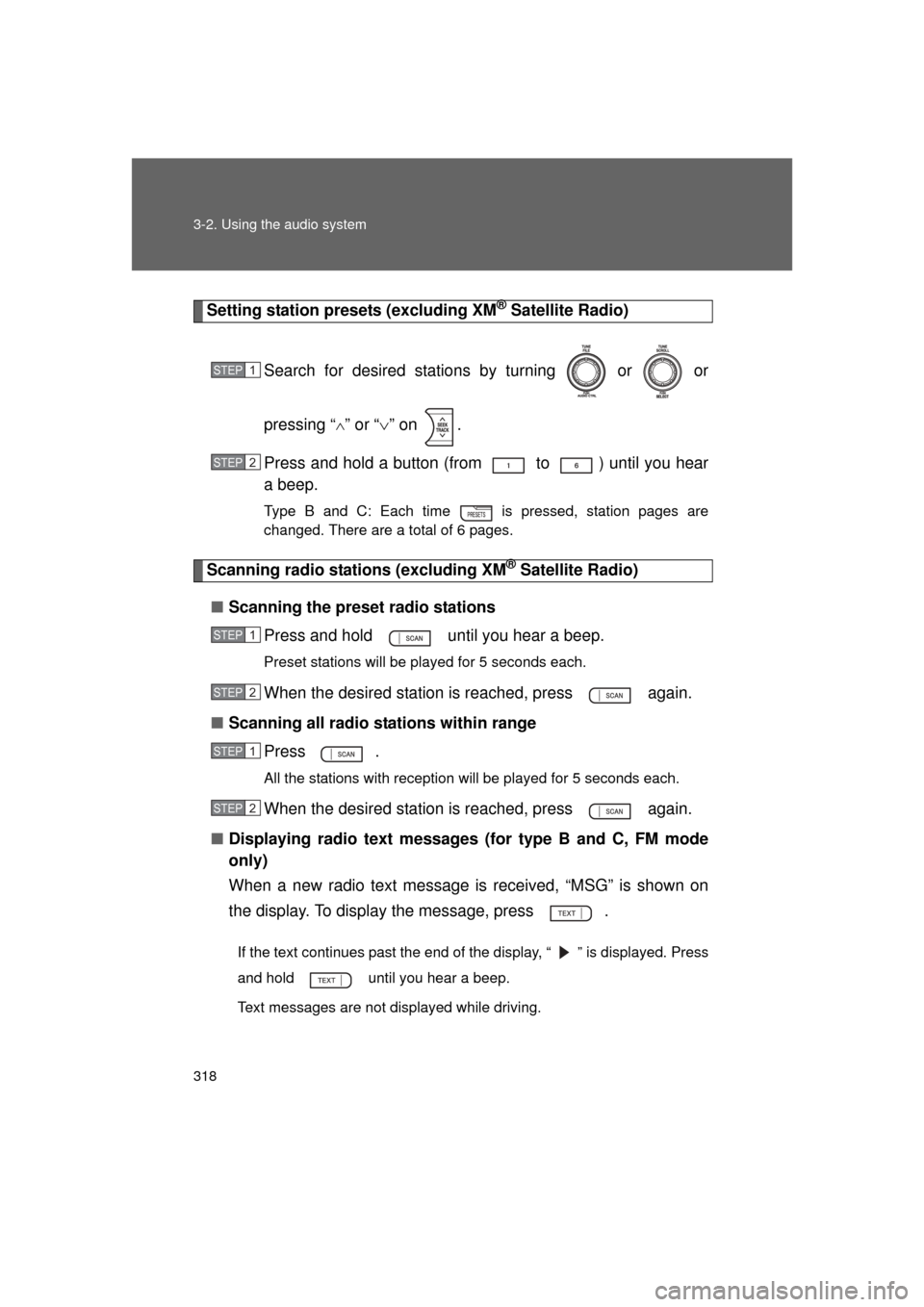
Setting station presets (excluding XM® Satellite Radio)
Search for desired stations by turning or or
pressing “
” or “ ” on .
Press and hold a button (from to ) until you hear
a beep.
Type B and C: Each time is pressed, station pages are
changed. There are a total of 6 pages.
Scanning radio stations (excluding XM® Satellite Radio)
■ Scanning the preset radio stations
Press and hold until you hear a beep.
Preset stations will be played for 5 seconds each.
When the desired station is reached, press again.
■ Scanning all radio stations within range
Press
.
All the stations with reception will be played for 5 seconds each.
When the desired station is reached, press again.
■ Displaying radio text messages (for type B and C, FM mode
only)
When a new radio text message is received, “MSG” is shown on
the display. To display the message, press .
If the text continues past the end of the display, “ ” is displayed. Press
and hold until you hear a beep.
Text messages are not displayed while driving.
STEP 1
STEP 2
STEP 1
STEP 2
STEP 1
STEP 2
Page 319 of 680
319
3-2. Using the audio system
3
Interior features
4RUNNER_U
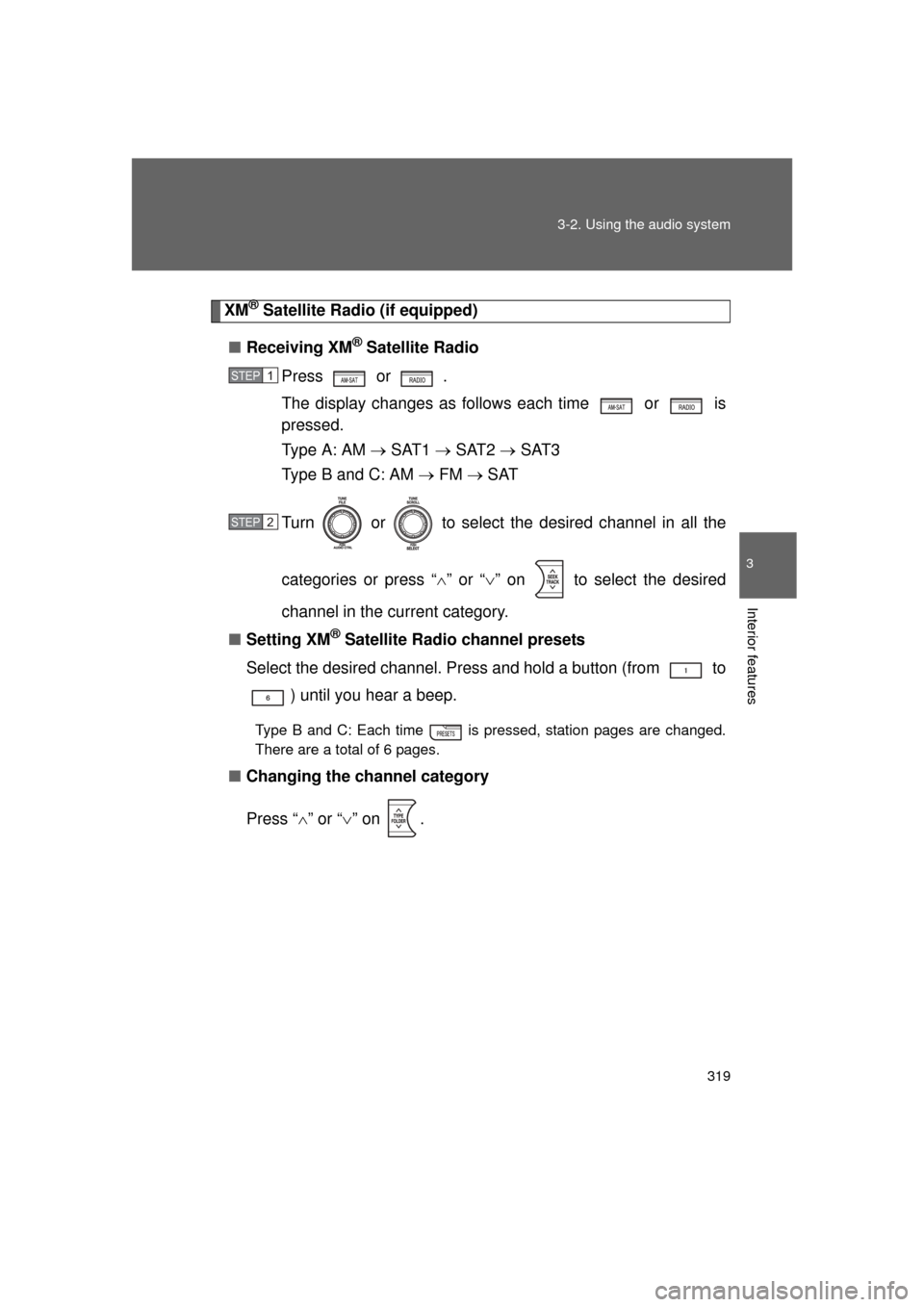
XM® Satellite Radio (if equipped)
■ Receiving XM
® Satellite Radio
Press or
.
The display changes as follows each time or is
pressed.
Type A: AM SAT1 SAT2 SAT3
Type B and C: AM FM SAT
Turn or to select the desired channel in all the
categories or press “ ” or “ ” on to select the desired
channel in the current category.
■ Setting XM
® Satellite Radio channel presets
Select the desired channel. Press and hold a button (from to ) until you hear a beep.
Type B and C: Each time is pressed, station pages are changed.
There are a total of 6 pages.
■ Changing the channel category
Press “ ” or “ ” on .
STEP 1
STEP 2
Page 320 of 680
320 3-2. Using the audio system
4RUNNER_U■
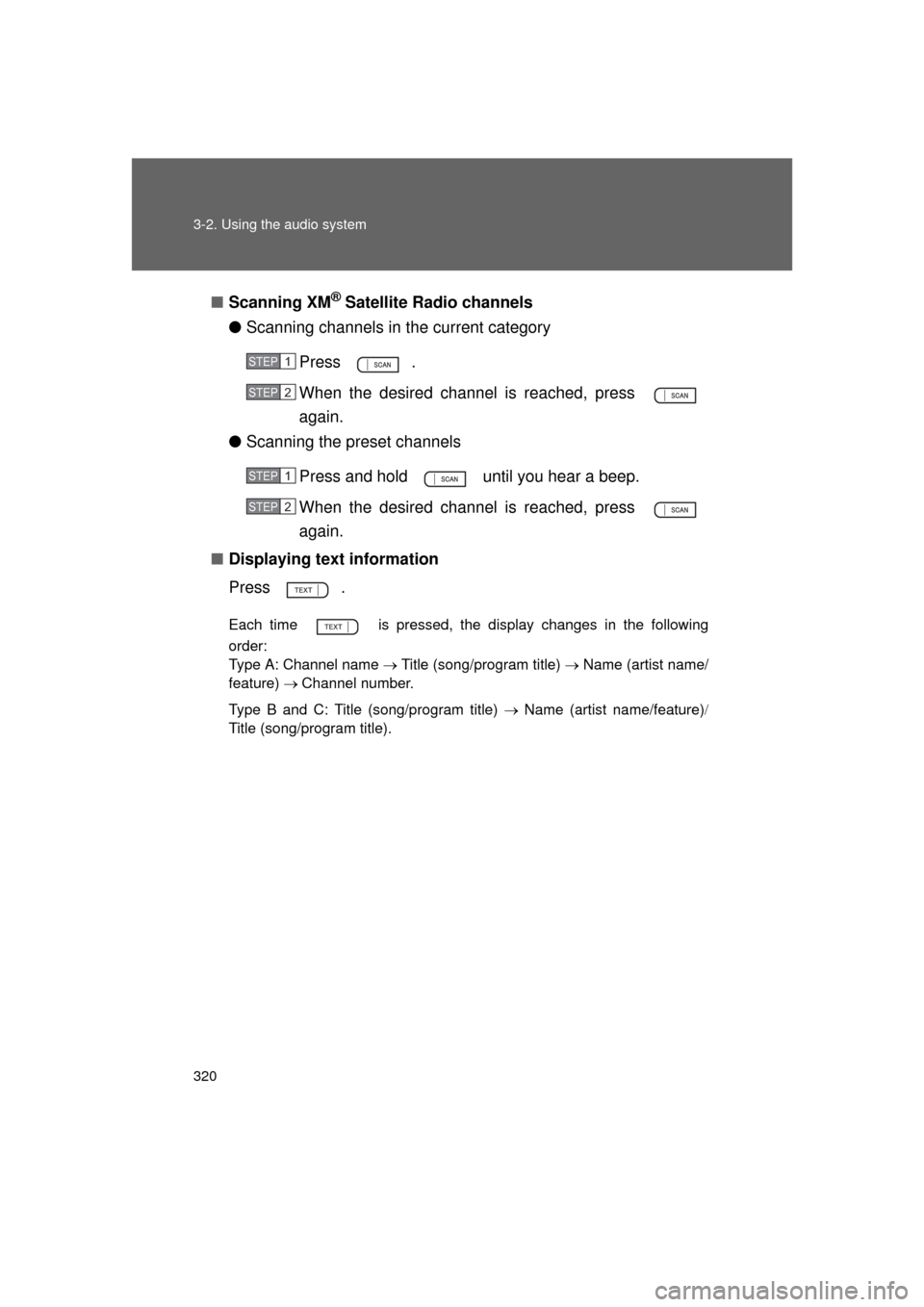
Scanning XM
® Satellite Radio channels
● Scanning channels in the current category
Press .
When the desired channel is reached, press
again.
● Scanning the preset channels
Press and hold until you hear a beep.
When the desired channel is reached, press
again.
■ Displaying text information
Press .
Each time is pressed, the display changes in the following
order:
Type A: Channel name Title (song/program title) Name (artist name/
feature) Channel number.
Type B and C: Title (song/program title) Name (artist name/feature)
Title (song/program title).
STEP 1
STEP 2
STEP 1
STEP 2
Page 324 of 680
324
3-2. Using the audio system
4RUNNER_U
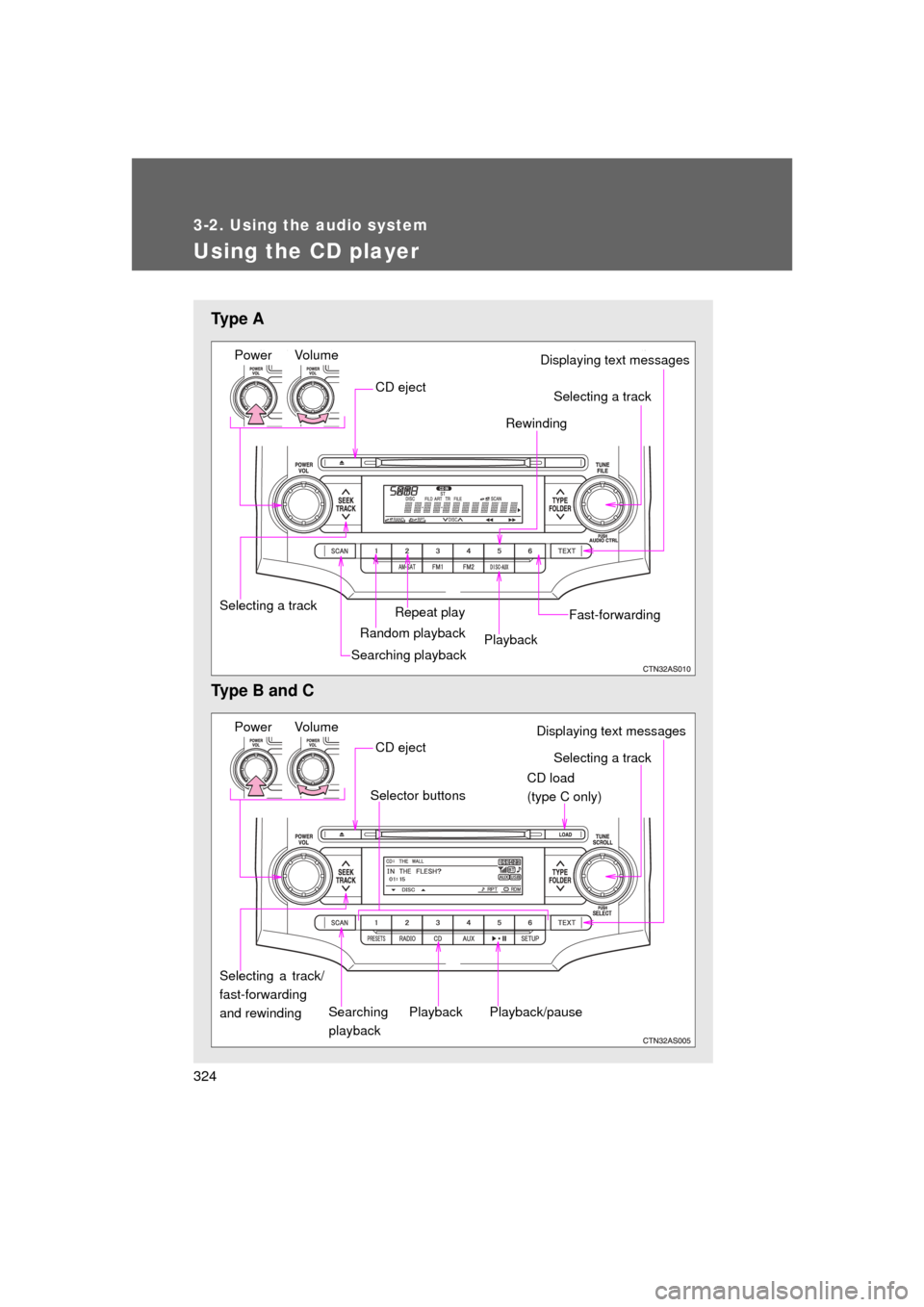
Using the CD player
Ty p e A
Type B and C
Power VolumeDisplaying text messages
CD eject
Repeat play
Selecting a track Rewinding
Random playback
Searching playbackPlayback Fast-forwarding
Selecting a track
Power Volume
CD load
(type C only)
Searching
playback
CD eject
Selecting a track/
fast-forwarding
and rewinding
Displaying text messages
Selector buttons
Playback
Playback/pause
Selecting a track
Page 326 of 680
326 3-2. Using the audio system
4RUNNER_U
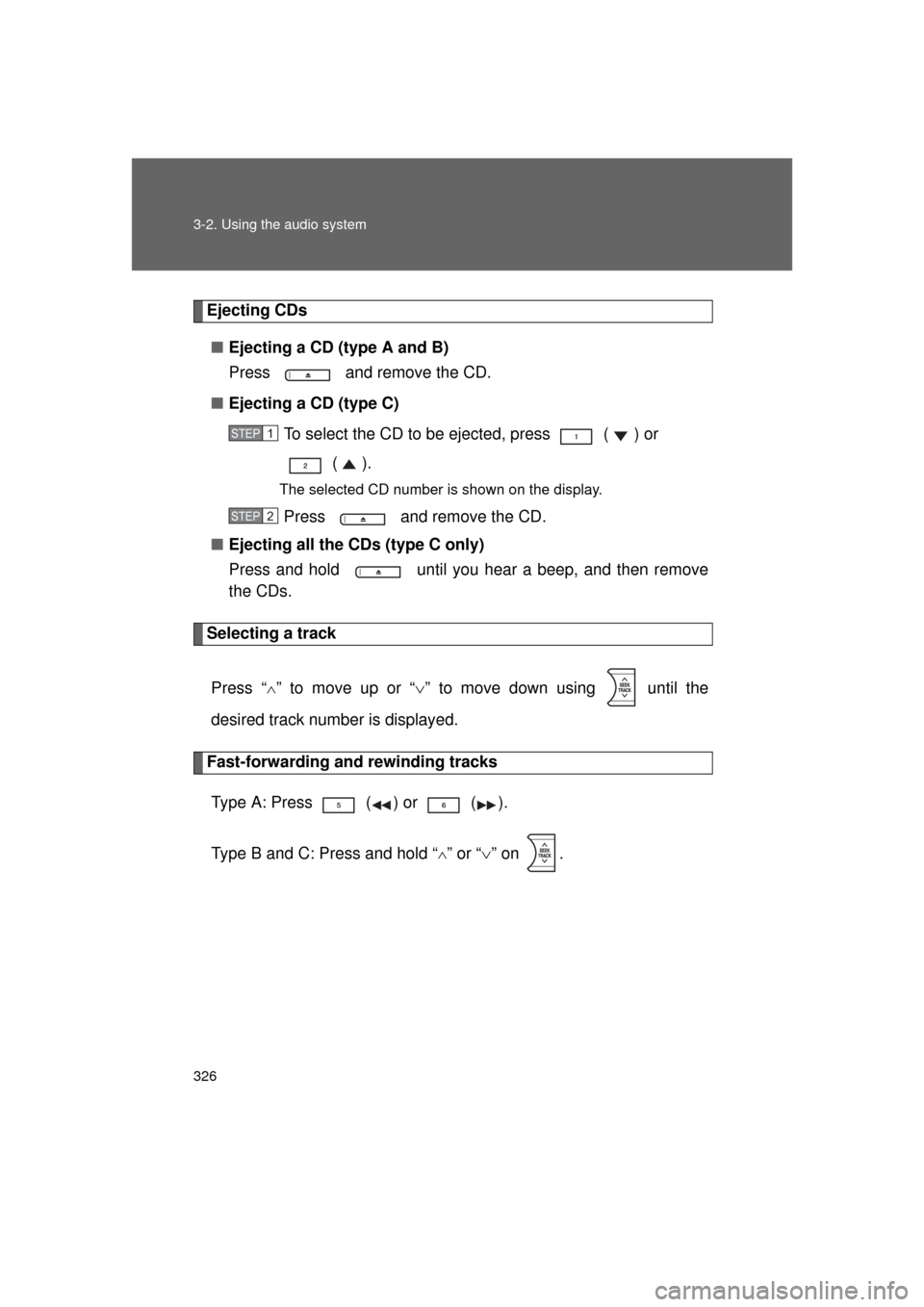
Ejecting CDs■ Ejecting a CD (type A and B)
Press and remove the CD.
■ Ejecting a CD (type C)
To select the CD to be ejected, press ( ) or ().
The selected CD number is shown on the display.
Press and remove the CD.
■ Ejecting all the CDs (type C only)
Press and hold until you hear a beep, and then remove
the CDs.
Selecting a track
Press “
” to move up or “ ” to move down using until the
desired track number is displayed.
Fast-forwarding and rewinding tracks
Type A: Press ( ) or ( ).
Type B and C: Press and hold “
” or “ ” on .
STEP 1
STEP 2
Page 329 of 680
329
3-2. Using the audio system
3
Interior features
4RUNNER_U
Switching the display
Press .
Each time is pressed, the display changes in the following
order:
Type A: Track no./Elapsed time CD title Track name.
Type B and C: Track title Track name/Artist name Track name/
Elapsed time.
■ Display (type A only)
Up to 12 characters can be displayed at a time.
If there are 13 characters or more, pressing and holding for 1 sec-
ond or more will display the remaining characters.
A maximum of 24 characters can be displayed.
If is pressed for 1 second or more again or has not been pressed
for 6 seconds or more, the display will return to the first 12 characters.
Depending on the contents recorded, the characters may not be displayed
properly or may not be displayed at all.
Page 333 of 680
333
3-2. Using the audio system
3
Interior features
4RUNNER_U
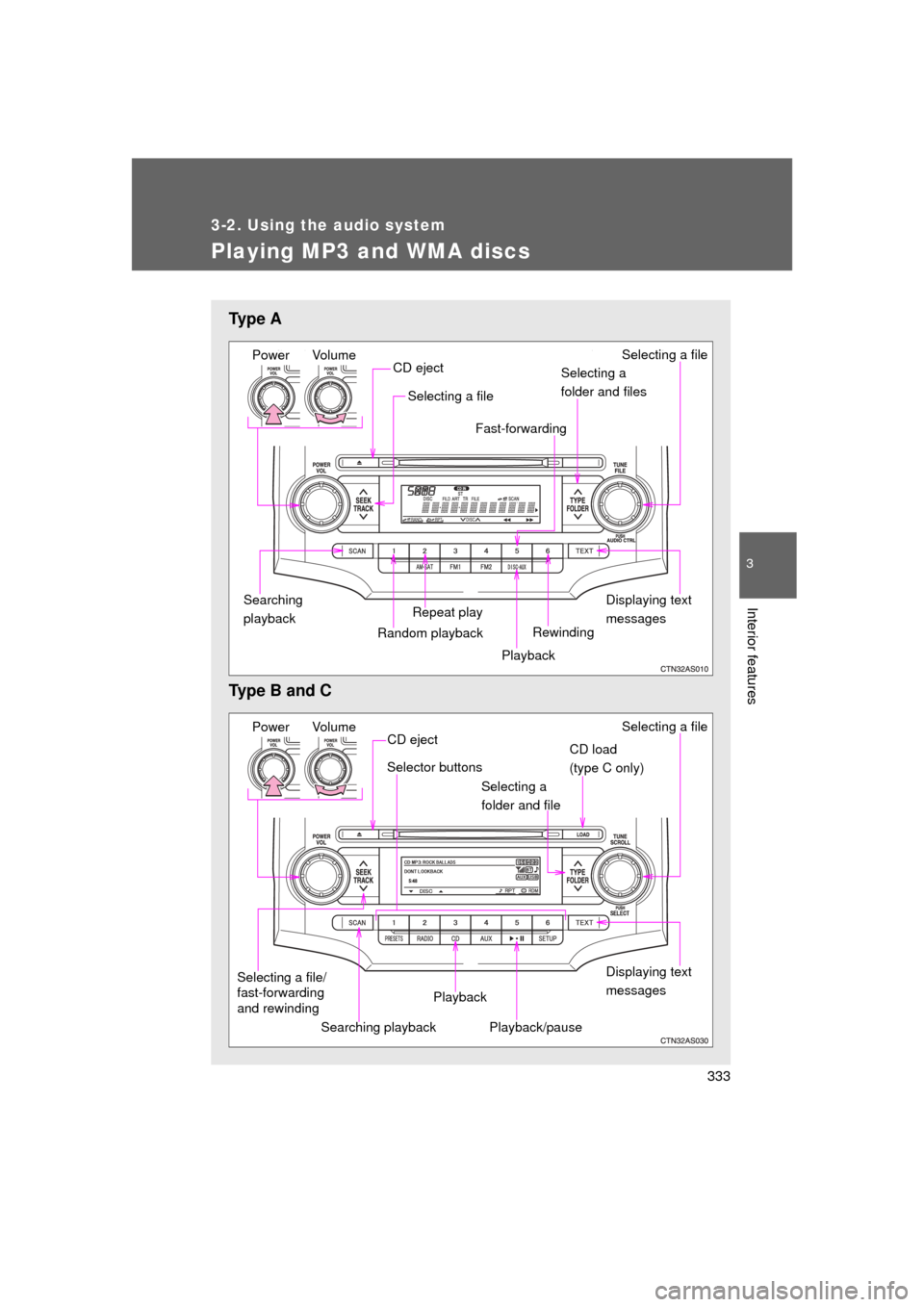
Playing MP3 and WMA discs
Ty p e A
Type B and C
Power VolumeDisplaying text
messages
CD eject
Repeat play
Selecting a file
Selecting a
folder and files
Random playbackSearching
playback
Playback
Selecting a file
Rewinding
Fast-forwarding
Power Volume
Displaying text
messages
CD eject
Playback
Playback/pause Selecting a file
CD load
(type C only)
Selector buttons
Selecting a
folder and file
Searching playback
Selecting a file/
fast-forwarding
and rewinding