fuel TOYOTA 4RUNNER 2012 N280 / 5.G User Guide
[x] Cancel search | Manufacturer: TOYOTA, Model Year: 2012, Model line: 4RUNNER, Model: TOYOTA 4RUNNER 2012 N280 / 5.GPages: 700, PDF Size: 10.76 MB
Page 112 of 700

112 1-5. Refueling
4RUNNER_U
NOTICE
■Refueling
Do not spill fuel during refueling.
Doing so may damage the vehicle, such as causing the emission control
system to operate abnormally or damaging fuel system components or the
vehicle's painted surface.
Page 162 of 700
162 2-1. Driving procedures
4RUNNER_U
■Operating your vehicle in a foreign country
Comply with the relevant vehicle registration laws and confirm the availability
of the correct fuel. ( P. 636)
CAUTION
■When starting the vehicle
Always keep your foot on the brake pedal while stopped with the engine run-
ning. This prevents the vehicle from creeping.
■ When driving the vehicle
● Do not drive if you are unfamiliar with the location of the brake and accel-
erator pedals to avoid depressing the wrong pedal.
• Accidentally depressing the accelerator pedal instead of the brake
pedal will result in sudden acceleration that may lead to an accident
that could result in death or serious injury.
• When backing up, you may twist your body around, leading to a diffi-
culty in operating the pedals. Make sure to operate the pedals properly.
• Make sure to keep a correct driving posture even when moving the vehicle only slightly. This allows you to depress the brake and acceler-
ator pedals properly.
• Depress the brake pedal using your right foot. Depressing the brake pedal using your left foot may delay response in an emergency, result-
ing in an accident.
● Do not drive the vehicle over or st op the vehicle near flammable materials.
The exhaust system and exhaust gases can be extremely hot. These hot
parts may cause a fire if there is any flammable material nearby.
● Do not let the vehicle roll backward while the shift lever is in a driving posi-
tion, or roll forward while the shift lever is in R.
Doing so may cause the engine to stall or lead to poor brake and steering
performance, resulting in an accident or damage to the vehicle.
● If the smell of exhaust is noticed inside the vehicle, open the windows and
check that the back door is closed. Large amounts of exhaust in the vehi-
cle can cause driver drowsiness and an accident, resulting in death or a
serious health hazard. Have the vehicle inspected by your Toyota dealer
immediately.
Page 180 of 700
180 2-1. Driving procedures
4RUNNER_U
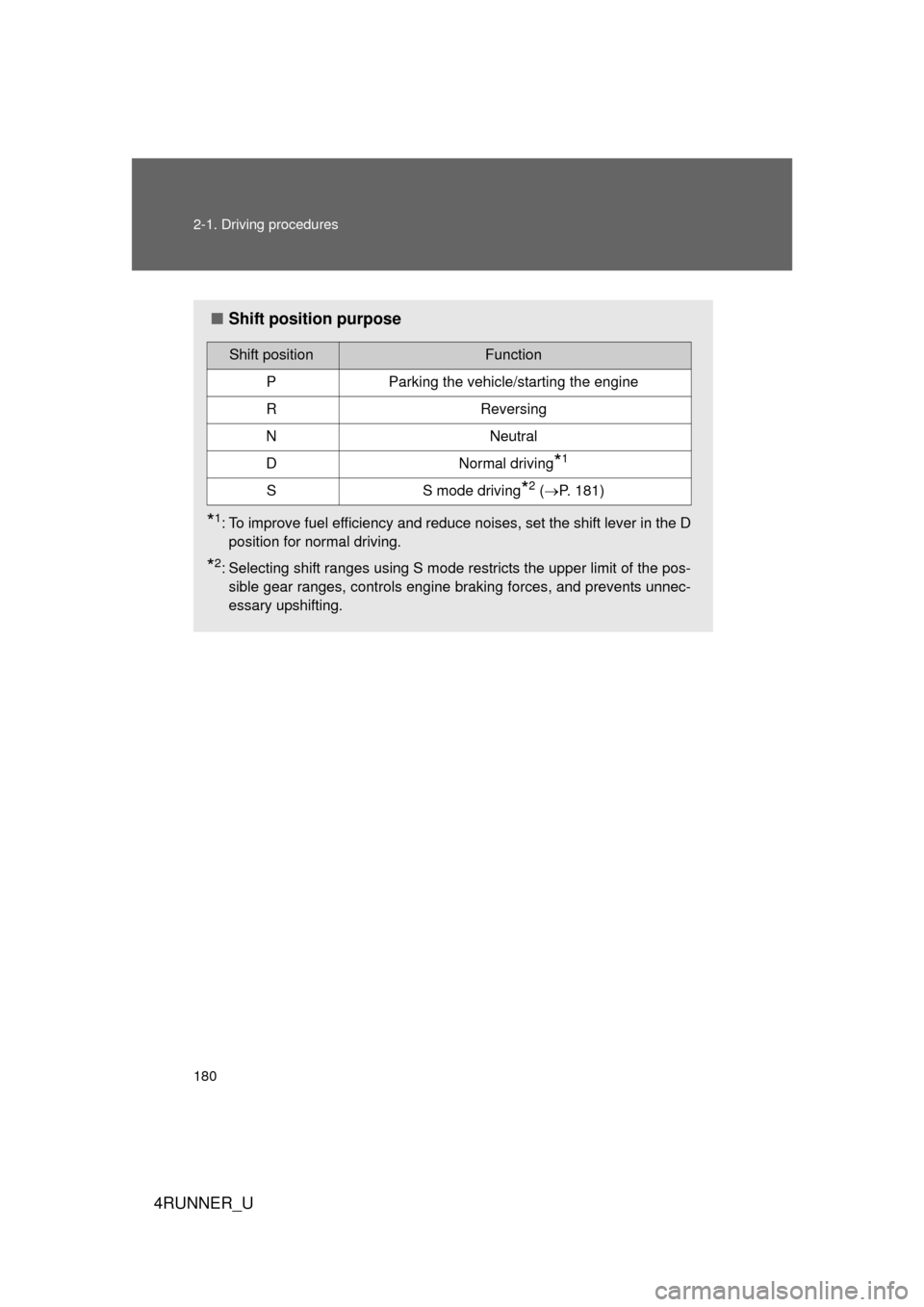
■Shift position purpose
*1: To improve fuel efficiency and reduce noises, set the shift lever in the D
position for normal driving.
*2: Selecting shift ranges using S mode restricts the upper limit of the pos-sible gear ranges, controls engine braking forces, and prevents unnec-
essary upshifting.
Shift positionFunction
PParking the vehicle/starting the engine
RReversing
NNeutral
DNormal driving*1
SS mode driving*2 ( P. 181)
Page 187 of 700
187
2-2. Instrument cluster
2
When driving
4RUNNER_U
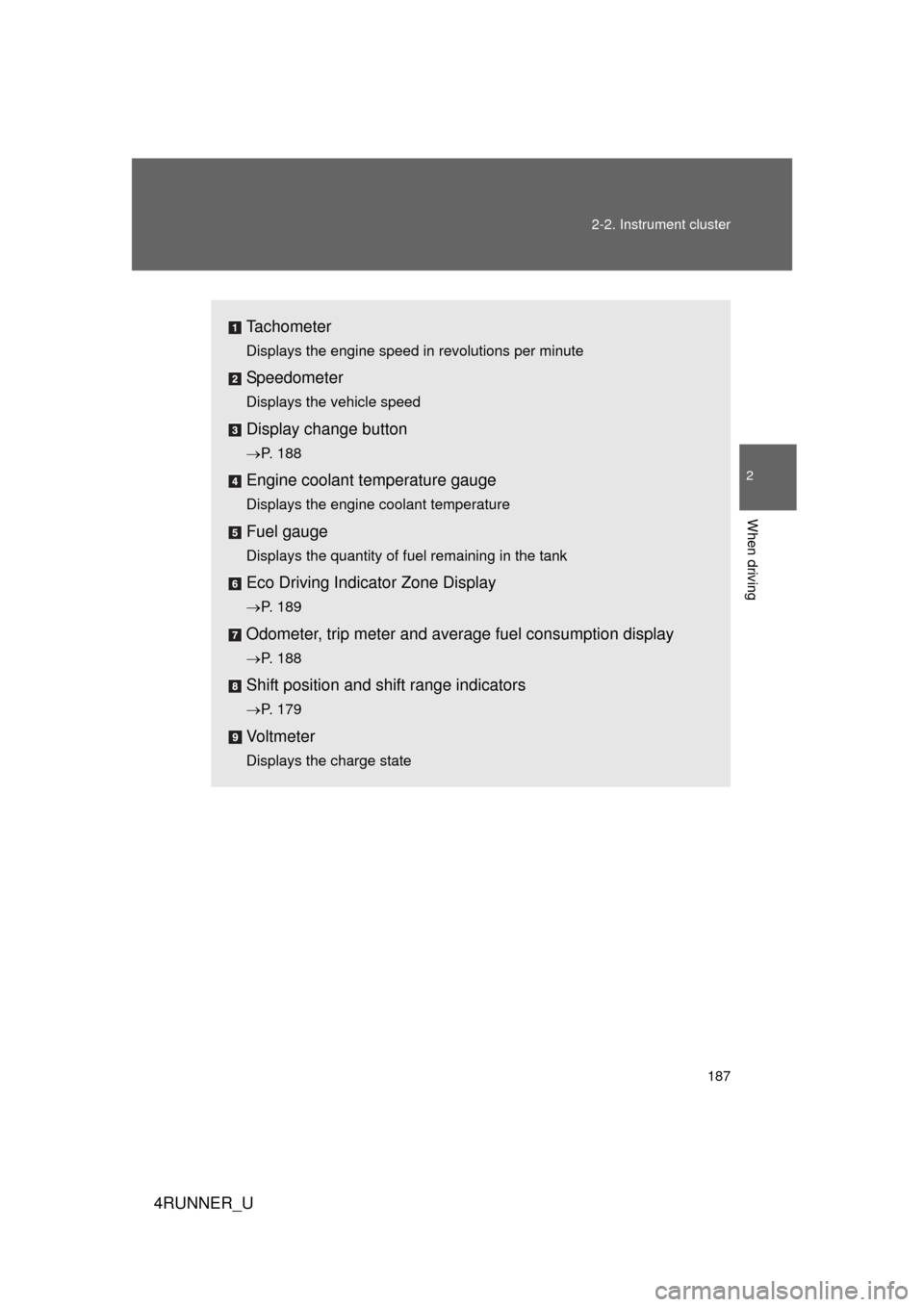
Tachometer
Displays the engine speed in revolutions per minute
Speedometer
Displays the vehicle speed
Display change button
P. 188
Engine coolant temperature gauge
Displays the engine coolant temperature
Fuel gauge
Displays the quantity of fuel remaining in the tank
Eco Driving Indicator Zone Display
P. 189
Odometer, trip meter and average fuel consumption display
P. 188
Shift position and shift range indicators
P. 179
Vo l t m e t e r
Displays the charge state
Page 189 of 700
189
2-2. Instrument cluster
2
When driving
4RUNNER_U
■
Eco Driving Indicator and average fuel consumption
Non-Optitron type meter
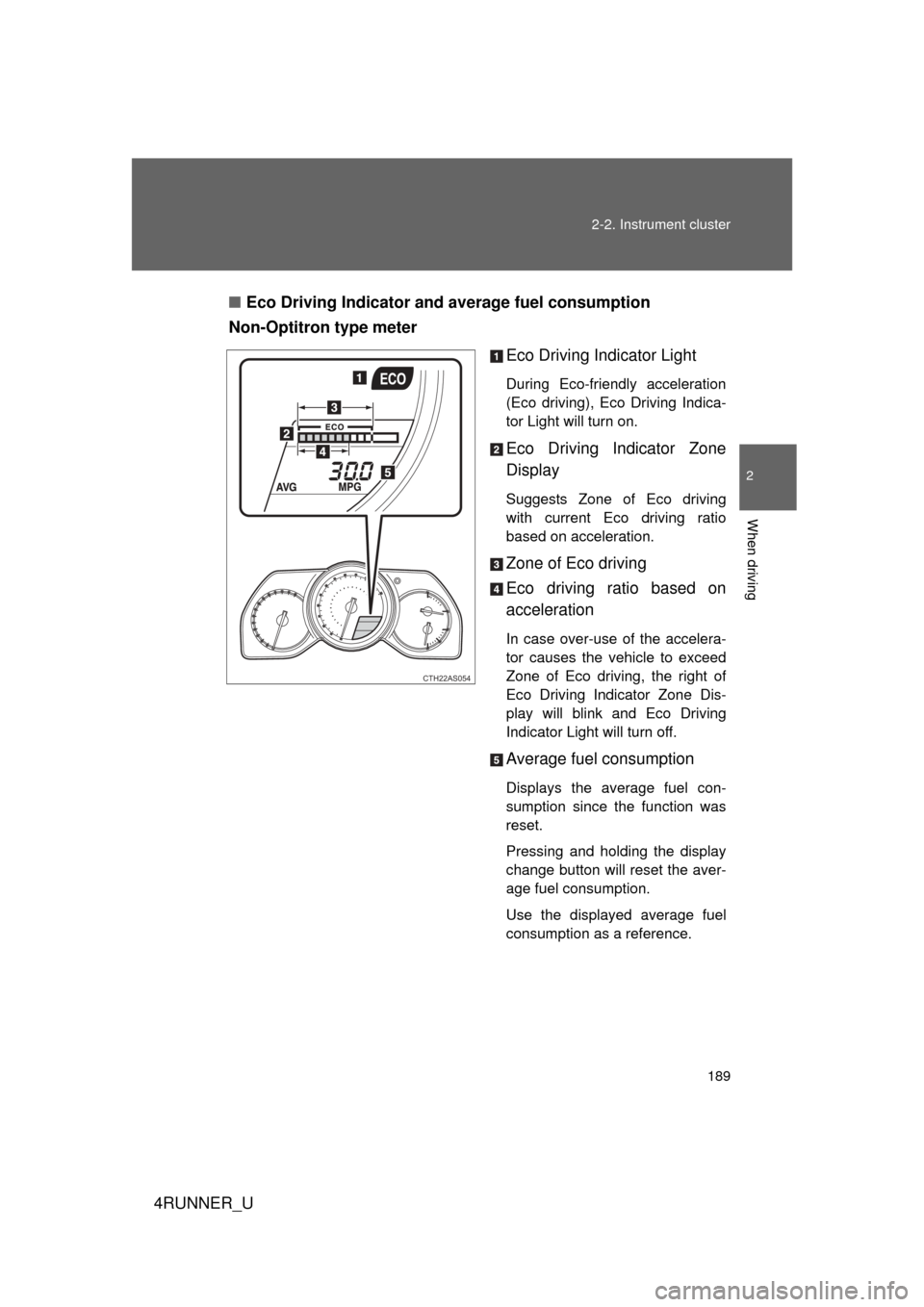
Eco Driving Indicator Light
During Eco-friendly acceleration
(Eco driving), Eco Driving Indica-
tor Light will turn on.
Eco Driving Indicator Zone
Display
Suggests Zone of Eco driving
with current Eco driving ratio
based on acceleration.
Zone of Eco driving
Eco driving ratio based on
acceleration
In case over-use of the accelera-
tor causes the vehicle to exceed
Zone of Eco driving, the right of
Eco Driving Indicator Zone Dis-
play will blink and Eco Driving
Indicator Light will turn off.
Average fuel consumption
Displays the average fuel con-
sumption since the function was
reset.
Pressing and holding the display
change button will reset the aver-
age fuel consumption.
Use the displayed average fuel
consumption as a reference.
CTH22AS054
Page 190 of 700
190 2-2. Instrument cluster
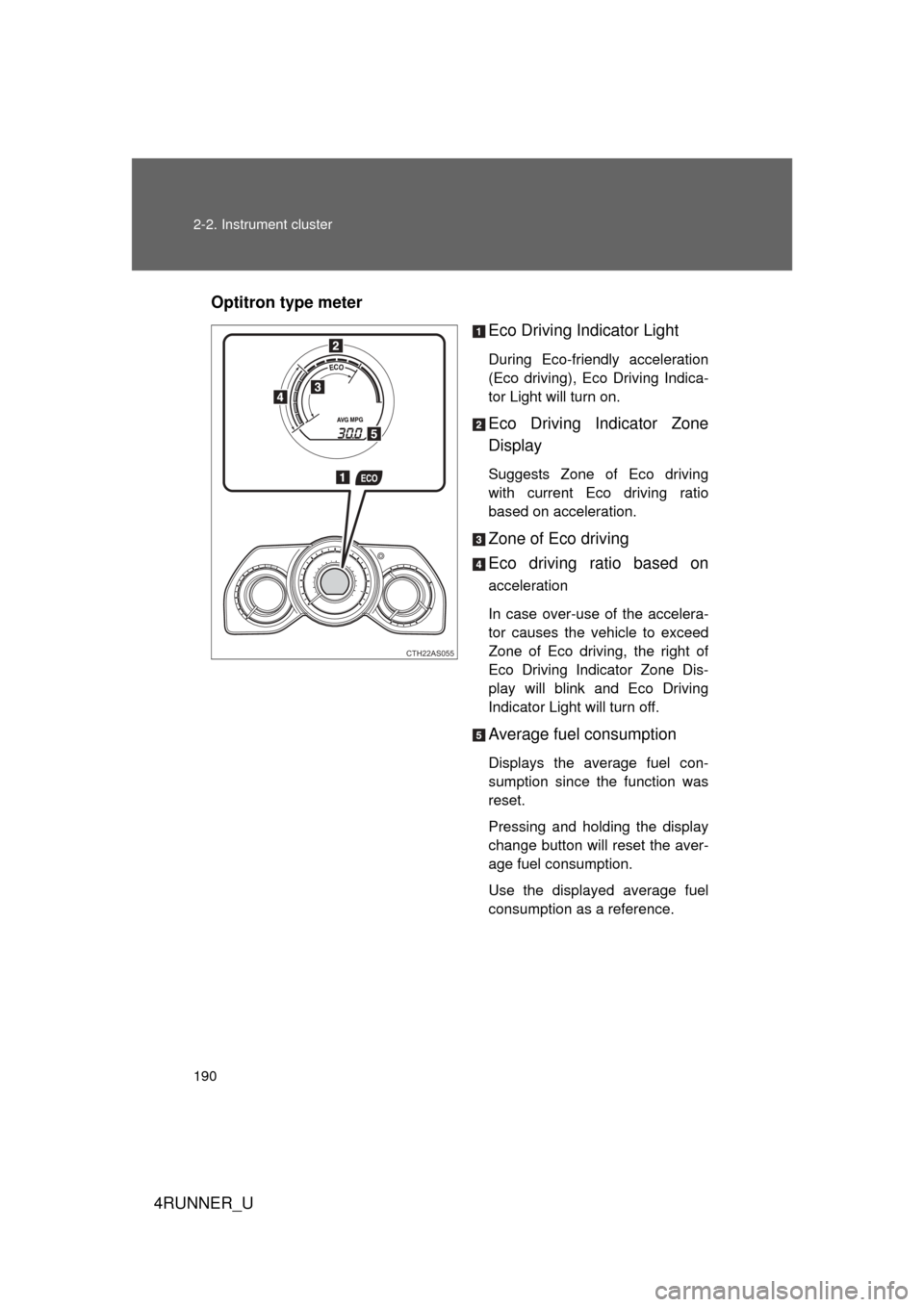
4RUNNER_UOptitron type meter
Eco Driving Indicator Light
During Eco-friendly acceleration
(Eco driving), Eco Driving Indica-
tor Light will turn on.
Eco Driving Indicator Zone
Display
Suggests Zone of Eco driving
with current Eco driving ratio
based on acceleration.
Zone of Eco driving
Eco driving ratio based on
acceleration
In case over-use of the accelera-
tor causes the vehicle to exceed
Zone of Eco driving, the right of
Eco Driving Indicator Zone Dis-
play will blink and Eco Driving
Indicator Light will turn off.
Average fuel consumption
Displays the average fuel con-
sumption since the function was
reset.
Pressing and holding the display
change button will reset the aver-
age fuel consumption.
Use the displayed average fuel
consumption as a reference.
CTH22AS055
Page 192 of 700

192 2-2. Instrument cluster
4RUNNER_U
■The meters and display illuminate when (Optitron type meter)
Vehicles without a smart key system:
The engine switch is in the “ON” position.
Vehicles with a smart key system:
The “ENGINE START STOP” switch is in IGNITION ON mode.
■ Eco Driving Indicator Light will not operate in the following conditions
● The shift lever is anything other than D.
● The vehicle speed is approximately 80 mph (130 km/h) or higher.
■ When the average fuel consumption is reset
The average fuel consumption displayed on the accessory meter and “Past
Record” screen of the Display Audio system (if equipped) or the navigation
system (if equipped) will be reset at the same time.
■ The brightness of the instrument panel lights (Optitron type meter)
When the headlight switch is turned to on, the brightness will be reduced
slightly unless the control dial is turned fully upward.
NOTICE
■ To prevent damage to the engine and its components
● Do not let the indicator needle of the tachometer enter the red zone, which
indicates the maximum engine speed.
● The engine may be overheating if the engine coolant temperature gauge is
in the red zone (H). In this case, immediately stop the vehicle in a safe
place, and check the engine after it has cooled completely. ( P. 627)
■ While driving (Optitron type meter)
When the voltmeter indicates more than 19 V or less than 9 V, the battery
may be malfunctioning. Have your vehicle checked at your Toyota dealer.
Page 199 of 700
199
2-2. Instrument cluster
2
When driving
4RUNNER_U
Accessor y meter
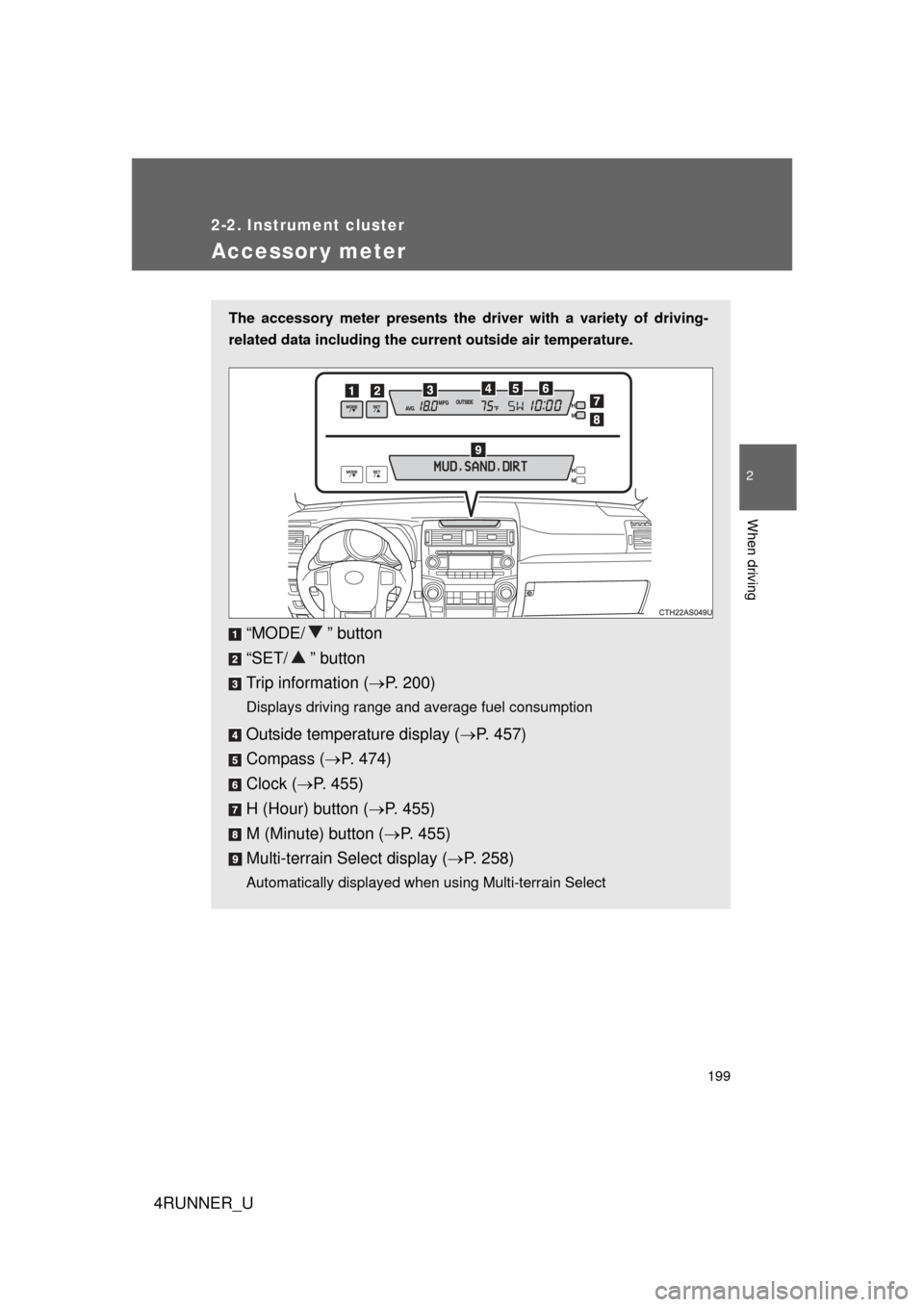
The accessory meter presents the driver with a variety of driving-
related data including the current outside air temperature.
“MODE/ ” button
“SET/ ” button
Trip information (P. 200)
Displays driving range and average fuel consumption
Outside temperature display ( P. 457)
Compass ( P. 474)
Clock ( P. 455)
H (Hour) button ( P. 455)
M (Minute) button ( P. 455)
Multi-terrain Select display ( P. 258)
Automatically displayed when using Multi-terrain Select
Page 200 of 700
200 2-2. Instrument cluster
4RUNNER_U
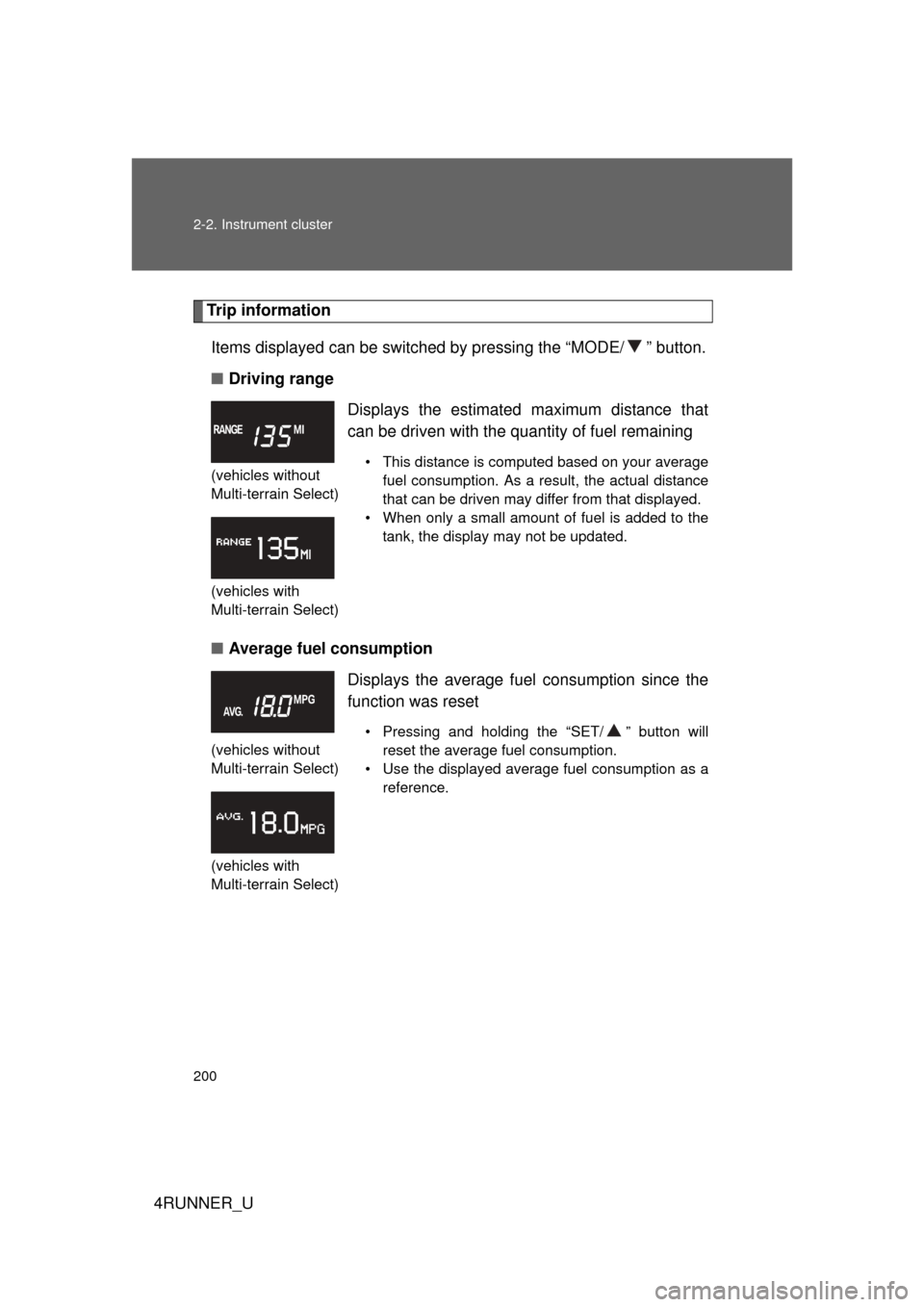
Trip informationItems displayed can be switched by pressing the “MODE/ ” button.
■ Driving range
■ Average fuel consumption
(vehicles without
Multi-terrain Select)
(vehicles with
Multi-terrain Select)
Displays the estimated maximum distance that
can be driven with the quantity of fuel remaining
• This distance is computed based on your average
fuel consumption. As a result, the actual distance
that can be driven may differ from that displayed.
• When only a small amount of fuel is added to the tank, the display may not be updated.
(vehicles without
Multi-terrain Select)
(vehicles with
Multi-terrain Select)
Displays the average fuel consumption since the
function was reset
• Pressing and holding the “SET/ ” button will reset the average fuel consumption.
• Use the displayed average fuel consumption as a reference.
Page 202 of 700

202 2-2. Instrument cluster
4RUNNER_U
■When the average fuel consumption is reset
The average fuel consumption displayed on the instrument cluster and “Past
Record” screen of the Display Audio system (if equipped) or the navigation
system (if equipped) will be reset at the same time.
■ Adjusting the brightness of the accessory meter
● If left idle for approximately 6 seconds or more while adjusting, the dis-
play will revert to the trip information display.
● When the parking lights are on, the brightness of the accessory meter
can be adjusted only with the instrument panel light control.
● If the “MODE/ ” button is pressed and held when the accessory meter
light control is displayed, the display will switch to compass calibration.
(P. 474)
■ Liquid crystal display
Small spots or light spots may appear on the display. This phenomenon is
characteristic of liquid crystal displays, and there is no problem with continu-
ing to use the display.
NOTICE
■The accessory meter at low temperatures
Allow the interior of the vehicle to warm up before using the liquid crystal dis-
play. At extremely low temperatures, the display monitor may respond
slowly, and display changes may be delayed.