ignition TOYOTA 4RUNNER 2012 N280 / 5.G User Guide
[x] Cancel search | Manufacturer: TOYOTA, Model Year: 2012, Model line: 4RUNNER, Model: TOYOTA 4RUNNER 2012 N280 / 5.GPages: 700, PDF Size: 10.76 MB
Page 106 of 700

106 1-4. Opening and closing the windows and moon roof
4RUNNER_U
■The moon roof can be operated when
Vehicles without a smart key system
The engine switch is in the “ON” position.
Vehicles with a smart key system
The “ENGINE START STOP” switch is in IGNITION ON mode.
■ Operating the moon roof af ter turning the engine off
Vehicles without a smart key system
The moon roof can be operated for approximately 45 seconds even after the
engine switch is turned to the “ACC” or “LOCK” position. It cannot, however,
be operated once either front door is opened.
Vehicles with a smart key system
The moon roof can be operated for approximately 45 seconds even after the
“ENGINE START STOP” switch is turned to ACCESSORY mode or turned
off. It cannot, however, be operated once either front door is opened.
■ Jam protection function
If an object is detected between the moon roof and the frame while the moon
roof is closing or tilting down, travel is stopped and the moon roof opens
slightly.
■ To reduce moon roof wind noise
When the moon roof is opened automatically, it will stop slightly before the
fully open position. Driving with the moon roof in this position can help
reduce wind noise.
■ Sunshade
The sunshade can be opened and closed manually. However, the sunshade
will open automatically when the moon roof is opened.
Page 111 of 700
111
1-5. Refueling
1
Before driving
4RUNNER_U
CAUTION
■
When refueling the vehicle
Observe the following precautions while refueling the vehicle. Failure to do
so may result in death or serious injury.
● After exiting the vehicle and before opening the fuel door, touch an
unpainted metal surface to discharge any st atic electricity. It is important to
discharge static electricity before refueling because sparks resulting from
static electricity can cause fuel vapors to ignite while refueling.
● Always hold the grips on the fuel tank cap and turn it slowly to remove it.
A whooshing sound may be heard when the fuel tank cap is loosened.
Wait until the sound cannot be heard before fully removing the cap. In hot
weather, pressurized fuel may spray out the filler neck and cause injury.
● Do not allow anyone that has not discharged static electricity from their
body to come close to an open fuel tank.
● Do not inhale vaporized fuel.
Fuel contains substances that are harmful if inhaled.
● Do not smoke while refueling the vehicle.
Doing so may cause the fuel to ignite and cause a fire.
● Do not return to the vehicle or touch any person or object that is statically
charged.
This may cause static electricity to build up, resulting in a possible ignition
hazard.
■ When refueling
Securely insert the fuel nozzle into the fuel filler neck. If fuel is added with
the nozzle slightly lifted away from the fuel filler neck, the automatic shut off
function may not operate, resulting in fuel overflowing from the tank.
■ When replacing the fuel cap
Do not use anything but a genuine Toyota fuel tank cap designed for your
vehicle. Doing so may cause a fire or other incident which may result in
death or serious injury.
Page 113 of 700
113
1
Before driving
4RUNNER_U
1-6. Theft deterrent system
Engine immobilizer system
The vehicle’s keys have built-in transponder chips that prevent the
engine from starting if a key has not been previously registered in
the vehicle’s on-board computer.
Never leave the keys inside the vehicle when you leave the vehicle.
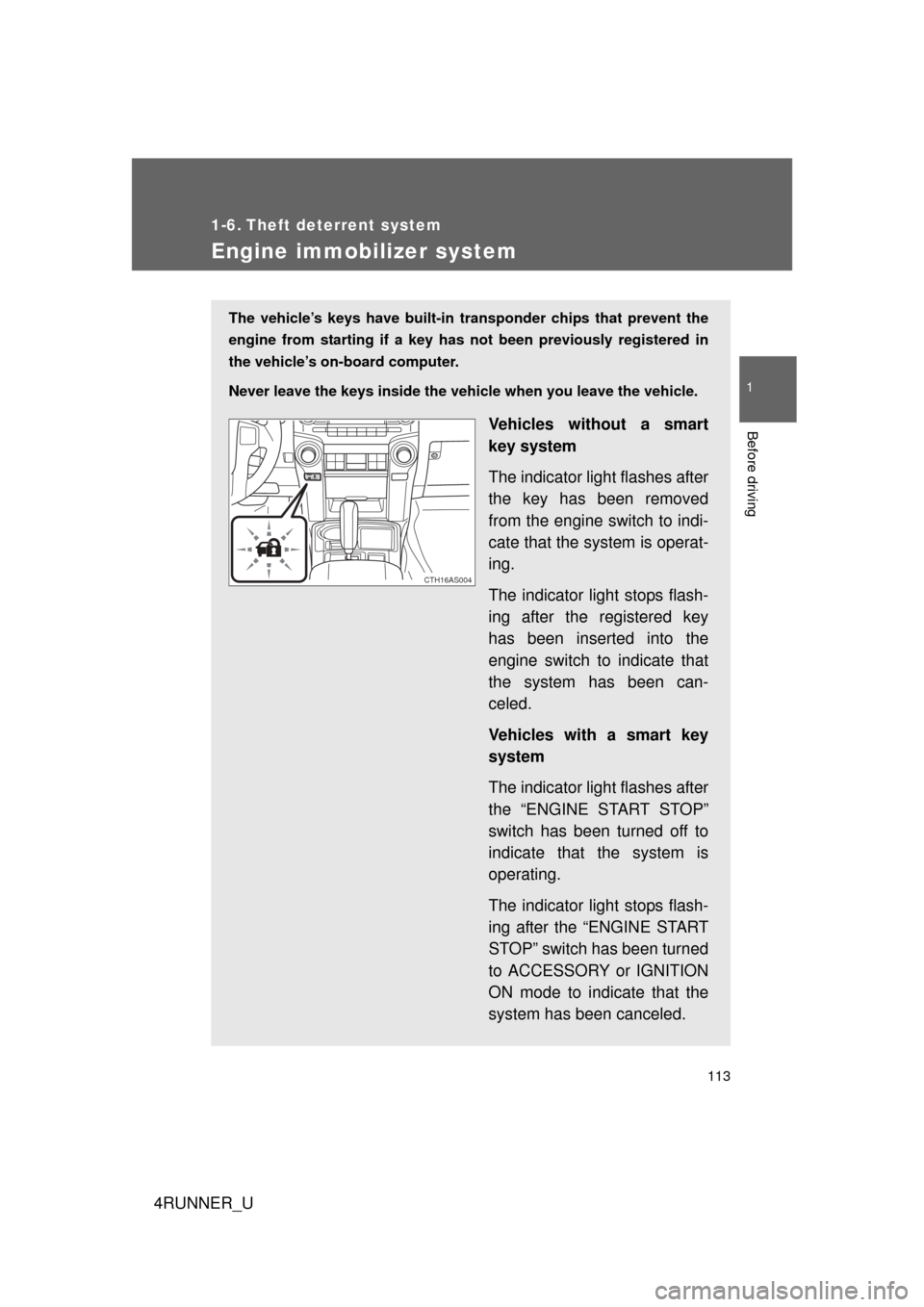
Vehicles without a smart
key system
The indicator light flashes after
the key has been removed
from the engine switch to indi-
cate that the system is operat-
ing.
The indicator light stops flash-
ing after the registered key
has been inserted into the
engine switch to indicate that
the system has been can-
celed.
Vehicles with a smart key
system
The indicator light flashes after
the “ENGINE START STOP”
switch has been turned off to
indicate that the system is
operating.
The indicator light stops flash-
ing after the “ENGINE START
STOP” switch has been turned
to ACCESSORY or IGNITION
ON mode to indicate that the
system has been canceled.
CTH16AS004
Page 134 of 700
134 1-7. Safety information
4RUNNER_U
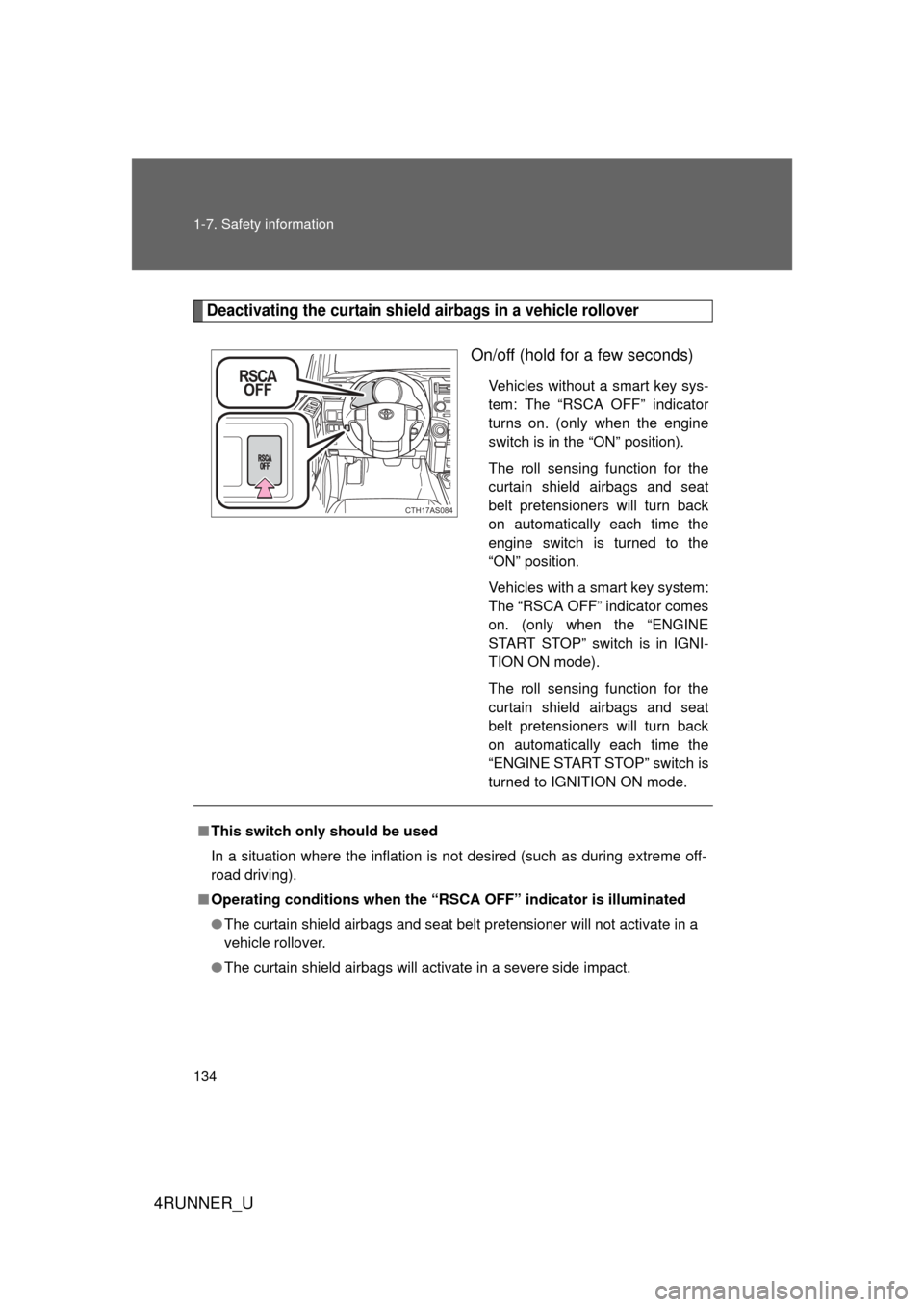
Deactivating the curtain shield airbags in a vehicle rollover
On/off (hold for a few seconds)
Vehicles without a smart key sys-
tem: The “RSCA OFF” indicator
turns on. (only when the engine
switch is in the “ON” position).
The roll sensing function for the
curtain shield airbags and seat
belt pretensioners will turn back
on automatically each time the
engine switch is turned to the
“ON” position.
Vehicles with a smart key system:
The “RSCA OFF” indicator comes
on. (only when the “ENGINE
START STOP” switch is in IGNI-
TION ON mode).
The roll sensing function for the
curtain shield airbags and seat
belt pretensioners will turn back
on automatically each time the
“ENGINE START STOP” switch is
turned to IGNITION ON mode.
CTH17AS084
■This switch only should be used
In a situation where the inflation is not desired (such as during extreme off-
road driving).
■ Operating conditions when the “RSC A OFF” indicator is illuminated
● The curtain shield airbags and seat belt pretensioner will not activate in a
vehicle rollover.
● The curtain shield airbags will activate in a severe side impact.
Page 159 of 700
When driving2
159
4RUNNER_U
2-1. Driving proceduresDriving the vehicle............ 160
Engine (ignition) switch (vehicles without a
smart key system).......... 170
Engine (ignition) switch (vehicles with a
smart key system).......... 173
Automatic transmission .... 179
Turn signal lever .............. 183
Parking brake ................... 184
Horn ................................. 185
2-2. Instrument cluster Gauges and meters ......... 186
Indicators and warning lights .............................. 193
Accessory meter .............. 199
2-3. Operating the lights and wipers
Headlight switch ............... 203
Fog light switch ................ 209
Windshield wipers and washer ........................... 211
Rear window wiper and washer ........................... 214 2-4. Using other driving
systems
Cruise control ................... 217
Intuitive parking assist...... 221
Rear view monitor system ........................... 226
Four-wheel drive system (part-time 4WD
models) .......................... 236
Four-wheel drive system (full-time 4WD
models) .......................... 239
Active traction control system ........................... 243
AUTO LSD system........... 245
Rear differential lock system ........................... 248
Downhill assist control system ........................... 251
Crawl Control ................... 254
Multi-terrain Select ........... 258
Driving assist systems ..... 266
2-5. Driving information Off-road precautions ........ 275
Cargo and luggage .......... 280
Vehicle load limits ............ 286
Winter driving tips ............ 288
Trailer towing ................... 293
Dinghy towing .................. 311
Page 170 of 700
170
2-1. Driving procedures
4RUNNER_U
Engine (ignition) switch (vehicles without a smar t key system)
■Starting the engine
Check that the parking brake is set.
Check that the shift lever is set in P.
Firmly depress the brake pedal.
Turn the engine switch to the “START” position to start the
engine.
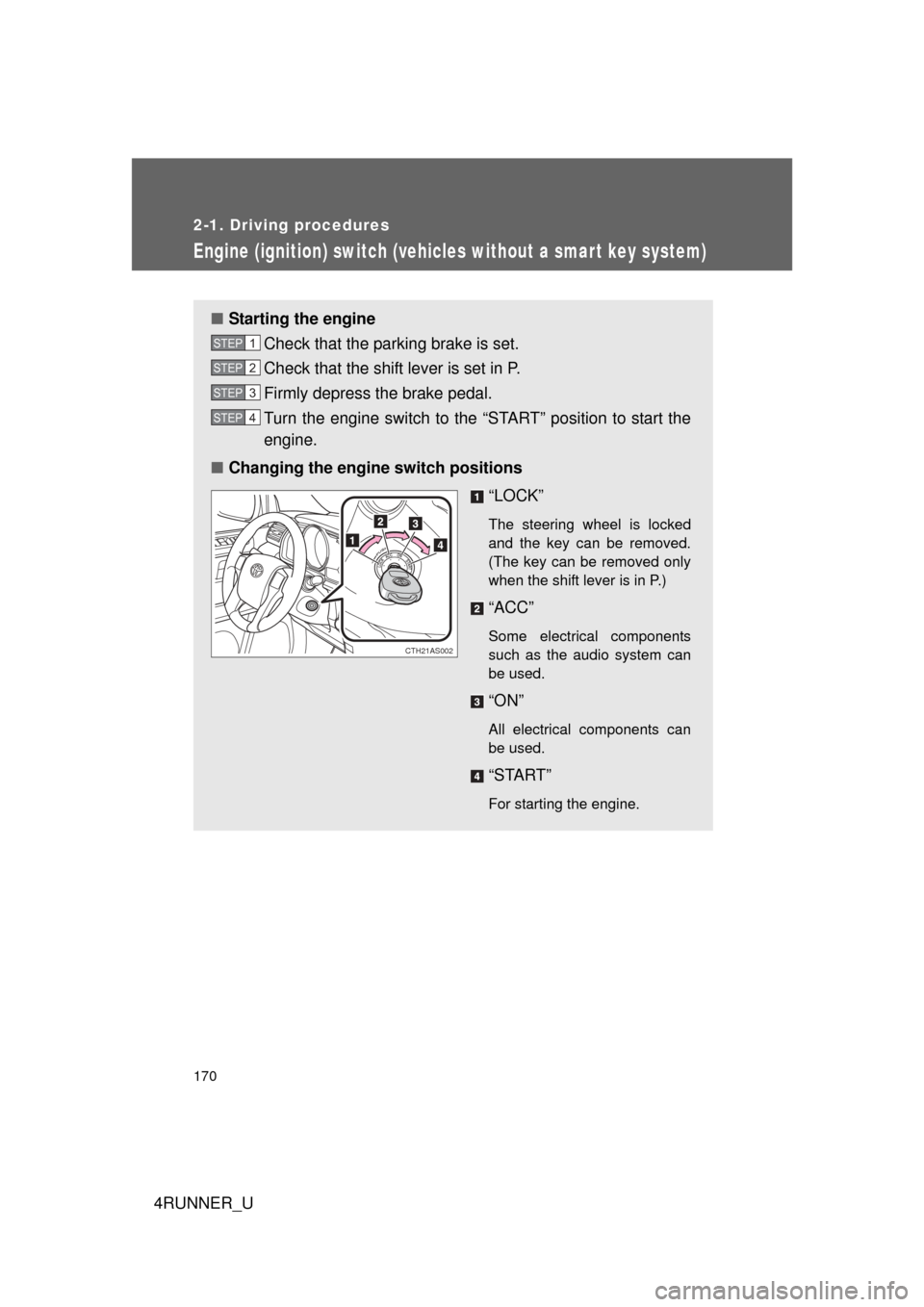
■ Changing the engine switch positions
“LOCK”
The steering wheel is locked
and the key can be removed.
(The key can be removed only
when the shift lever is in P.)
“ACC”
Some electrical components
such as the audio system can
be used.
“ON”
All electrical components can
be used.
“START”
For starting the engine.
STEP 1
STEP 2
STEP 3
STEP 4
CTH21AS002
Page 173 of 700
173
2-1. Driving procedures
2
When driving
4RUNNER_U
Engine (ignition) switch (vehicles with a smart key system)
Performing the following operations when carrying the electronic
key on your person starts the en gine or changes “ENGINE START
STOP” switch modes.
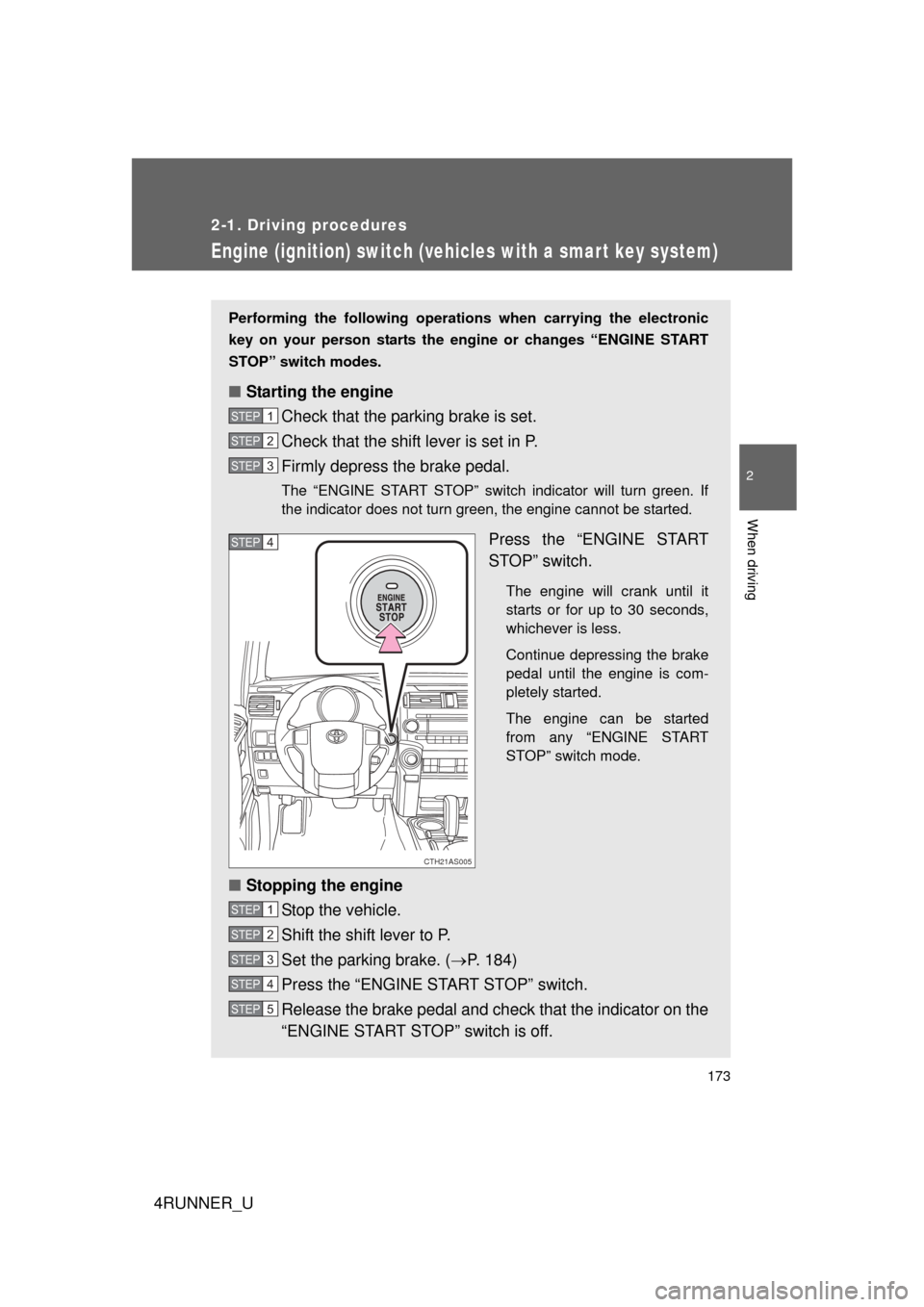
■ Starting the engine
Check that the parking brake is set.
Check that the shift lever is set in P.
Firmly depress the brake pedal.
The “ENGINE START STOP” switch indicator will turn green. If
the indicator does not turn green, the engine cannot be started.
Press the “ENGINE START
STOP” switch.
The engine will crank until it
starts or for up to 30 seconds,
whichever is less.
Continue depressing the brake
pedal until the engine is com-
pletely started.
The engine can be started
from any “ENGINE START
STOP” switch mode.
■Stopping the engine
Stop the vehicle.
Shift the shift lever to P.
Set the parking brake. ( P. 184)
Press the “ENGINE START STOP” switch.
Release the brake pedal and check that the indicator on the
“ENGINE START STOP” switch is off.
STEP 1
STEP 2
STEP 3
CTH21AS005
STEP 4
STEP 1
STEP 2
STEP 3
STEP 4
STEP 5
Page 174 of 700
174 2-1. Driving procedures
4RUNNER_U
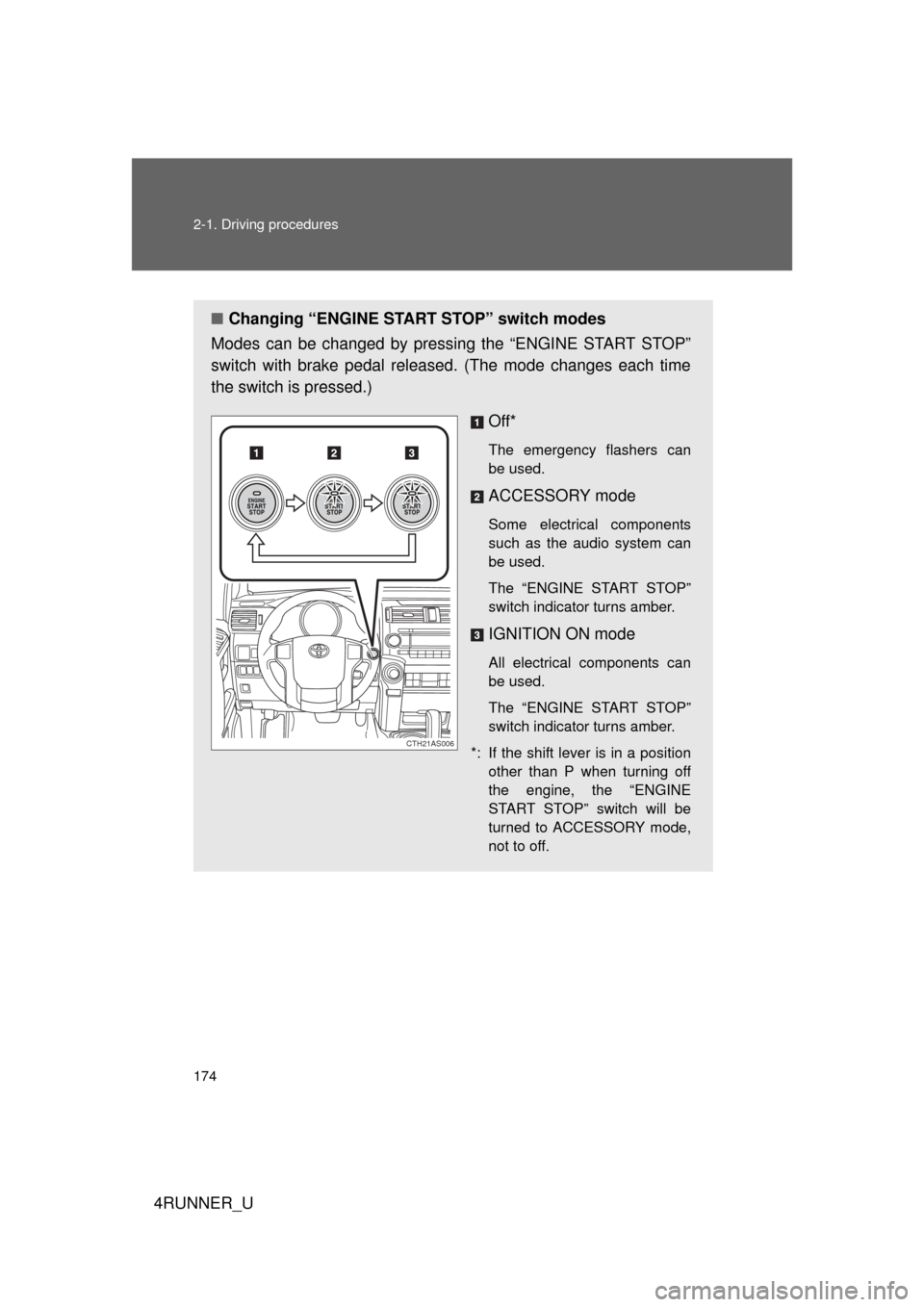
■Changing “ENGINE START STOP” switch modes
Modes can be changed by pressing the “ENGINE START STOP”
switch with brake pedal released. (The mode changes each time
the switch is pressed.)
Off*
The emergency flashers can
be used.
ACCESSORY mode
Some electrical components
such as the audio system can
be used.
The “ENGINE START STOP”
switch indicator turns amber.
IGNITION ON mode
All electrical components can
be used.
The “ENGINE START STOP”
switch indicator turns amber.
*: If the shift lever is in a position other than P when turning off
the engine, the “ENGINE
START STOP” switch will be
turned to ACCESSORY mode,
not to off.
CTH21AS006
Page 175 of 700
175
2-1. Driving procedures
2
When driving
4RUNNER_U
When stopping the engine with the shift lever in a position other than P
If the engine is stopped with the sh
ift lever in a position other than P,
the “ENGINE START STOP” switch will not be turned off but instead
be turned to ACCESSORY mode. Perform the following procedure to
turn the switch off:
Check that the parking brake is set.
Shift the shift lever to P.
Check that the indicator on the “ENGINE START STOP”
switch is illuminated in amber and then press the “ENGINE
START STOP” switch once.
Check that the indicator on the “ENGINE START STOP”
switch is off.
■Auto power off function
If the vehicle is left in ACCESSORY or IGNITION ON mode (the engine is
not running) for more than an hour with the shift lever in P, the “ENGINE
START STOP” switch will automatically turn off. However, this function can-
not entirely prevent battery discharge. Do not leave the vehicle with the
“ENGINE START STOP” switch in ACCESSORY or IGNITION ON mode for
long periods of time when the engine is not running.
■ Operation of the “ENG INE START STOP” switch
When operating the “ENGINE START STOP” switch, one short, firm press is
enough. If the switch is pressed improperly, the engine may not start or the
“ENGINE START STOP” switch mode may not change. It is not necessary to
press and hold the switch.
■ Electronic key battery depletion
P. 4 6
■ Conditions aff ecting operation
P. 4 3
■ Note for the entry function
P. 3 5
STEP 1
STEP 2
STEP 3
STEP 4
Page 179 of 700
179
2-1. Driving procedures
2
When driving
4RUNNER_U
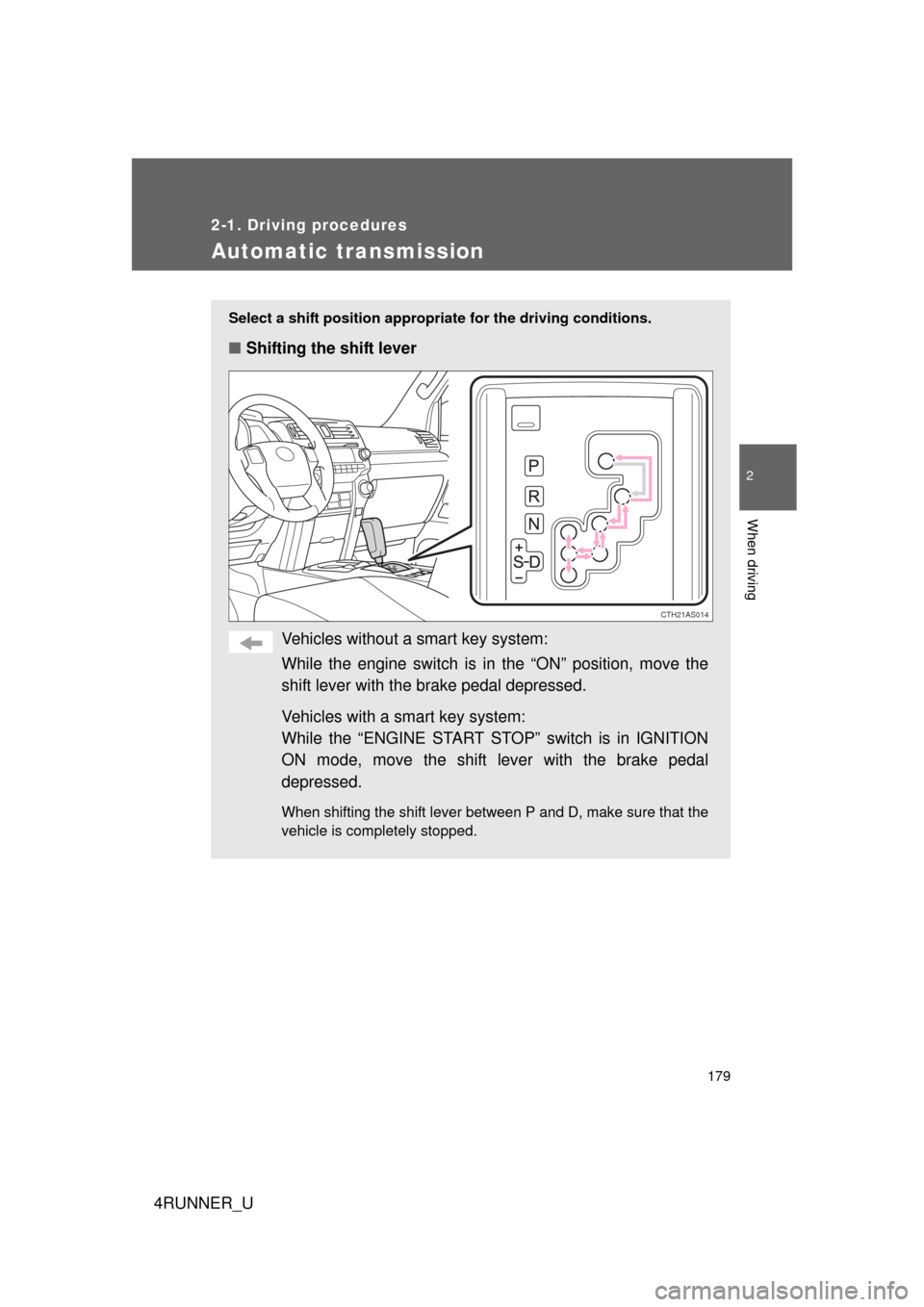
Automatic transmission
Select a shift position appropriate for the driving conditions.
■Shifting the shift lever
Vehicles without a smart key system:
While the engine switch is in the “ON” position, move the
shift lever with the brake pedal depressed.
Vehicles with a smart key system:
While the “ENGINE START STOP” switch is in IGNITION
ON mode, move the shift lever with the brake pedal
depressed.
When shifting the shift lever between P and D, make sure that the
vehicle is completely stopped.
CTH21AS014