lock TOYOTA 4RUNNER 2012 N280 / 5.G User Guide
[x] Cancel search | Manufacturer: TOYOTA, Model Year: 2012, Model line: 4RUNNER, Model: TOYOTA 4RUNNER 2012 N280 / 5.GPages: 700, PDF Size: 10.76 MB
Page 25 of 700

4RUNNER_U
25
Installation of a mobile two-way radio system
The installation of a mobile two-way radio system in your vehicle could affect
electronic systems such as:
●Multiport fuel injection system/sequential multiport fuel injection system
● Cruise control system
● Anti-lock brake system
● SRS airbag system
● Seat belt pretensioner system
Be sure to check with your Toyota dealer for precautionary measures or spe-
cial instructions regarding installation of a mobile two-way radio system.
Scrapping of your Toyota
The SRS airbag and seat belt pretensioner devices in your Toyota contain
explosive chemicals. If the vehicle is scrapped with the airbags and seat belt
pretensioners left as they are, this may cause an accident such as fire. Be
sure to have the systems of the SRS airbag and seat belt pretensioner
removed and disposed of by a qualified service shop or by your Toyota
dealer before you scrap your vehicle.
Perchlorate Material
Special handling may apply, See www.dtsc.ca.gov/hazardouswaste/perchlorate.
Your vehicle has components that may contain perchlorate. These compo-
nents may include airbag, seat belt pretensioners, and wireless remote con-
trol batteries.
Page 31 of 700
Before driving1
31
4RUNNER_U
1-1. Key informationKeys ................................... 32
1-2. Opening, closing and locking the doors
Smart key system .............. 35
Wireless remote control ..... 49
Side doors .......................... 53
Automatic running boards .............................. 59
Back door ........................... 63
1-3. Adjustable components (seats, mirrors,
steering wheel)
Front seats ......................... 68
Rear seats.......................... 72
Head restraints................... 83
Seat belts ........................... 86
Steering wheel ................... 93
Inside rear view mirror ....... 94
Outside rear view mirrors.............................. 96
1-4. Opening and closing the windows and moon roof
Power windows .................. 98
Power back window ......... 101
Moon roof ......................... 105
1-5. Refueling Opening the fuel tank cap ................................. 109 1-6. Theft deterrent system
Engine immobilizer system ........................... 113
Alarm................................ 116
1-7. Safety information Correct driving posture..... 119
SRS airbags ..................... 121
Front passenger occupant classification system ...... 136
Child restraint systems..... 142
Installing child restraints ........................ 146
Page 33 of 700
33
1-1. Key information
1
Before driving
4RUNNER_U
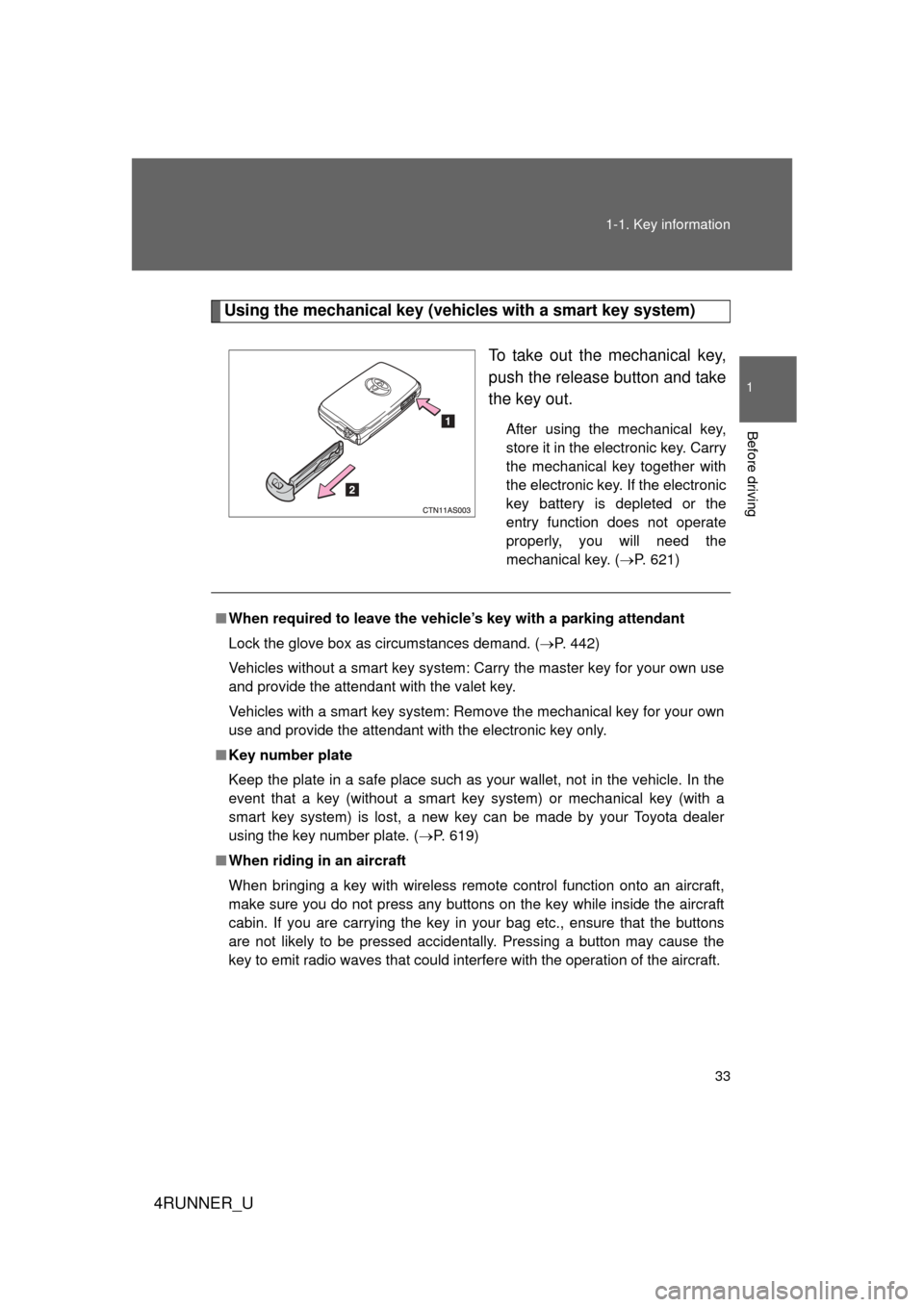
Using the mechanical key (vehicles with a smart key system)
To take out the mechanical key,
push the release button and take
the key out.
After using the mechanical key,
store it in the electronic key. Carry
the mechanical key together with
the electronic key. If the electronic
key battery is depleted or the
entry function does not operate
properly, you will need the
mechanical key. (P. 621)
■When required to leave the vehicle’s key with a parking attendant
Lock the glove box as circumstances demand. (P. 442)
Vehicles without a smart key system: Carry the master key for your own use
and provide the attendant with the valet key.
Vehicles with a smart key system: Remove the mechanical key for your own
use and provide the attendant with the electronic key only.
■ Key number plate
Keep the plate in a safe place such as your wallet, not in the vehicle. In the
event that a key (without a smart key system) or mechanical key (with a
smart key system) is lost, a new key can be made by your Toyota dealer
using the key number plate. ( P. 619)
■ When riding in an aircraft
When bringing a key with wireless remote control function onto an aircra\
ft,
make sure you do not press any buttons on the key while inside the aircraft
cabin. If you are carrying the key in your bag etc., ensure that the buttons
are not likely to be pressed accidentally. Pressing a button may cause the
key to emit radio waves that could interfere with the operation of the aircraft.
Page 35 of 700
35
1
Before driving
4RUNNER_U
1-2. Opening, closing and locking the doors
Smart key system
: If equipped
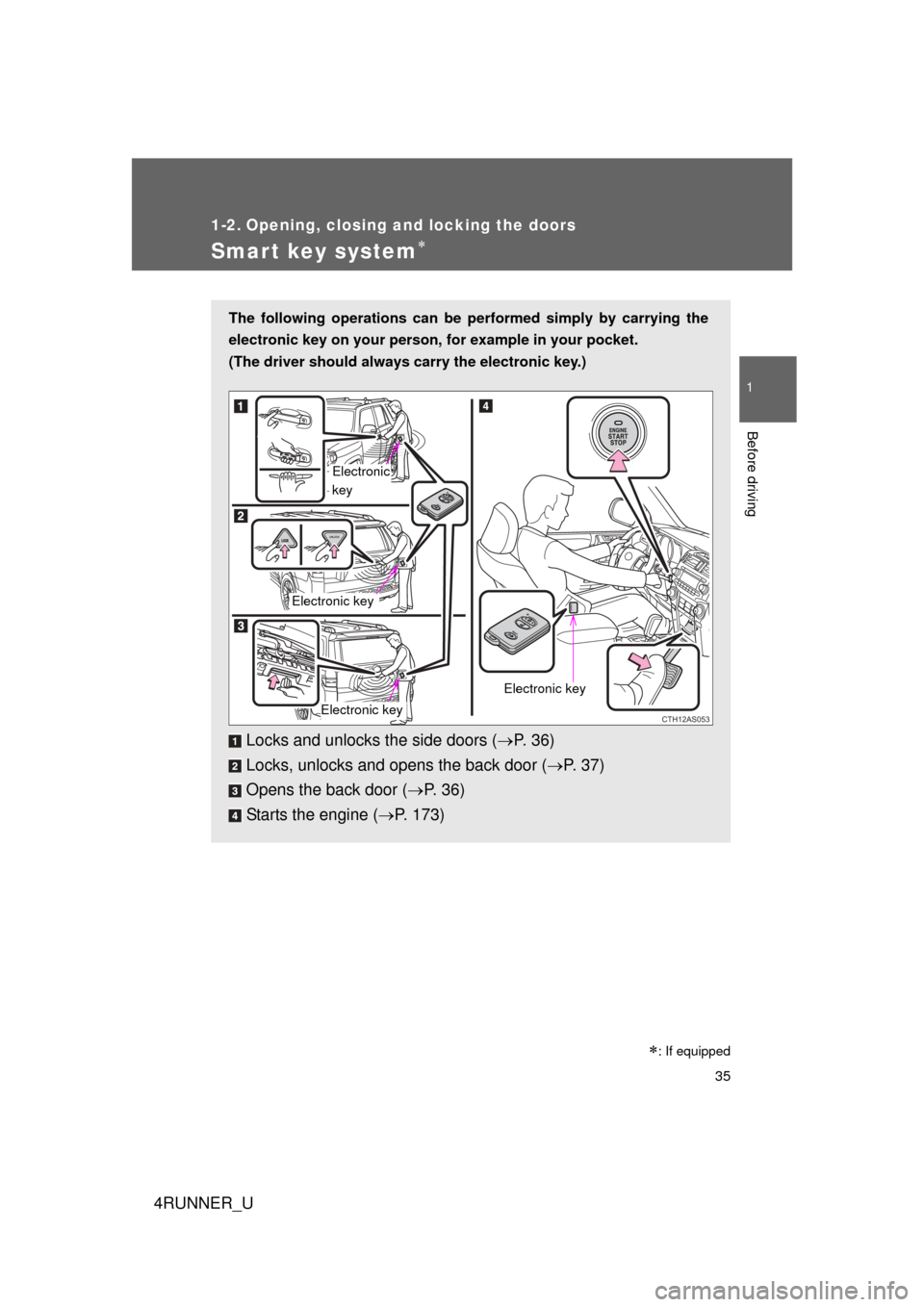
The following operations can be performed simply by carrying the
electronic key on your person, for example in your pocket.
(The driver should always carry the electronic key.)
Locks and unlocks the side doors ( P. 36)
Locks, unlocks and opens the back door ( P. 37)
Opens the back door ( P. 3 6 )
Starts the engine ( P. 173)
CTH12AS053
Electronic
key
Electronic key
Electronic key
Electronic key
Page 36 of 700
36 1-2. Opening, closing and locking the doors
4RUNNER_U
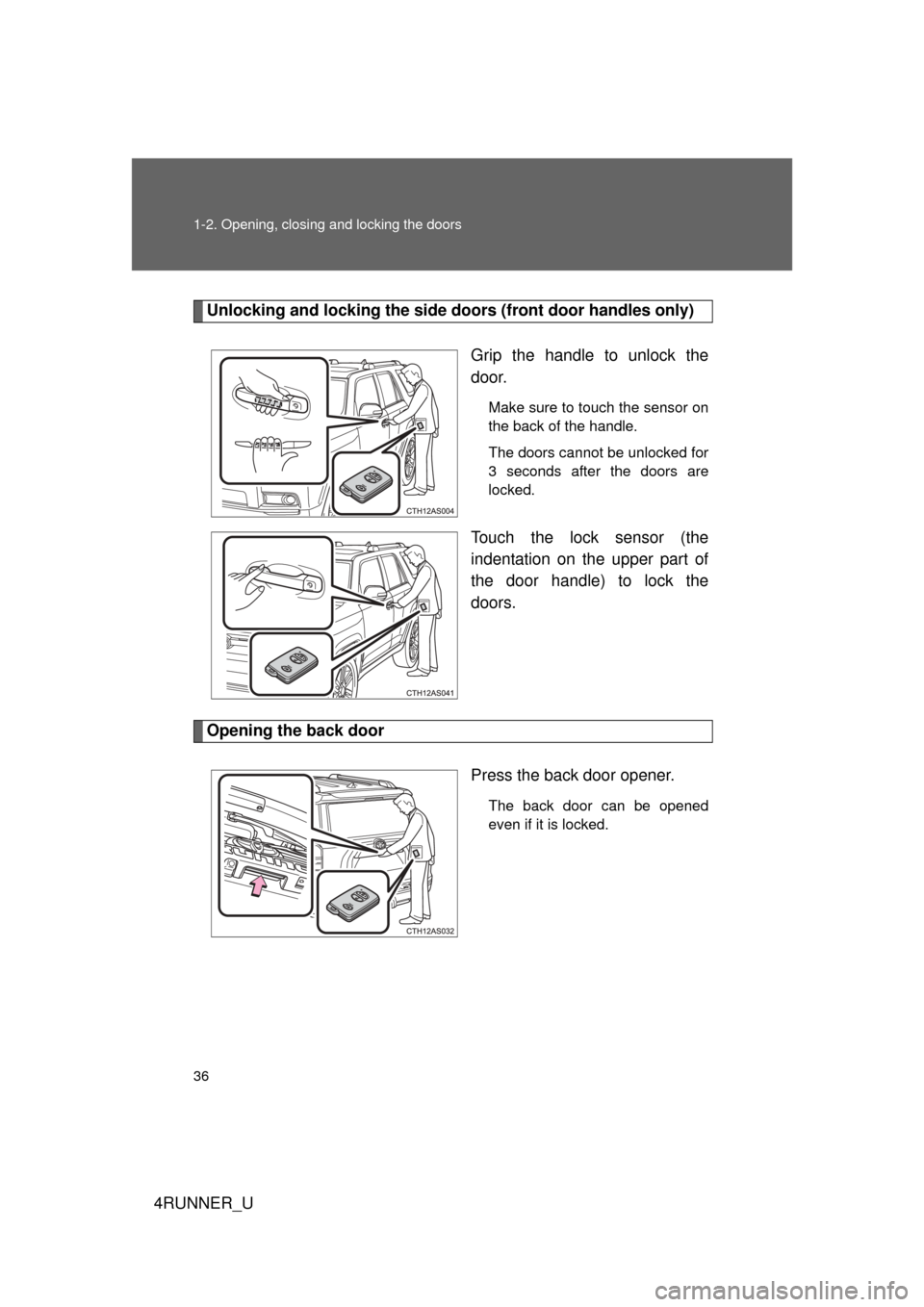
Unlocking and locking the side doors (front door handles only)
Grip the handle to unlock the
door.
Make sure to touch the sensor on
the back of the handle.
The doors cannot be unlocked for
3 seconds after the doors are
locked.
Touch the lock sensor (the
indentation on the upper part of
the door handle) to lock the
doors.
Opening the back door Press the back door opener.
The back door can be opened
even if it is locked.
Page 37 of 700
37
1-2. Opening, closing and locking the doors
1
Before driving
4RUNNER_U
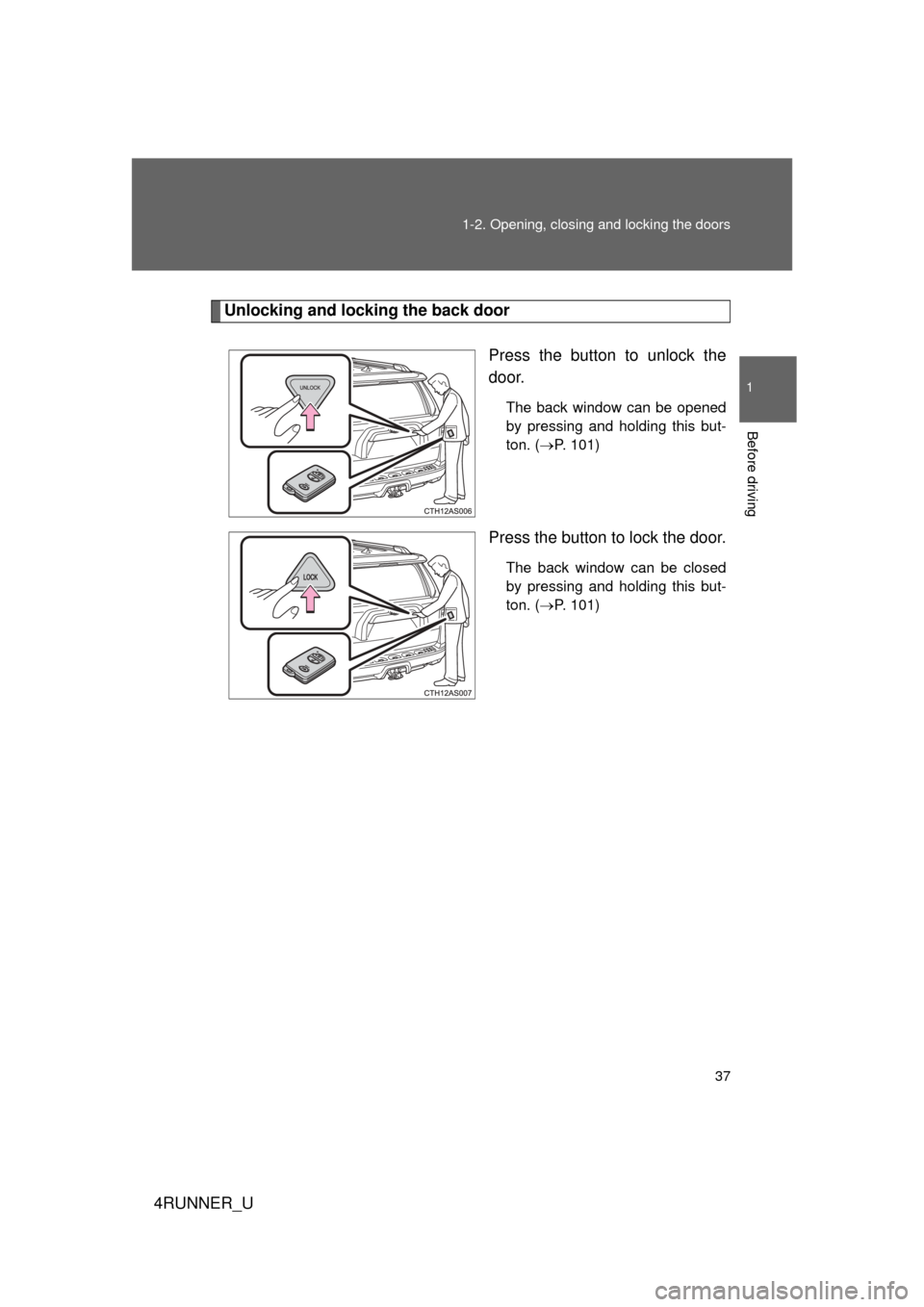
Unlocking and locking the back door
Press the button to unlock the
door.
The back window can be opened
by pressing and holding this but-
ton. (P. 101)
Press the button to lock the door.
The back window can be closed
by pressing and holding this but-
ton. ( P. 101)
Page 38 of 700
38 1-2. Opening, closing and locking the doors
4RUNNER_U
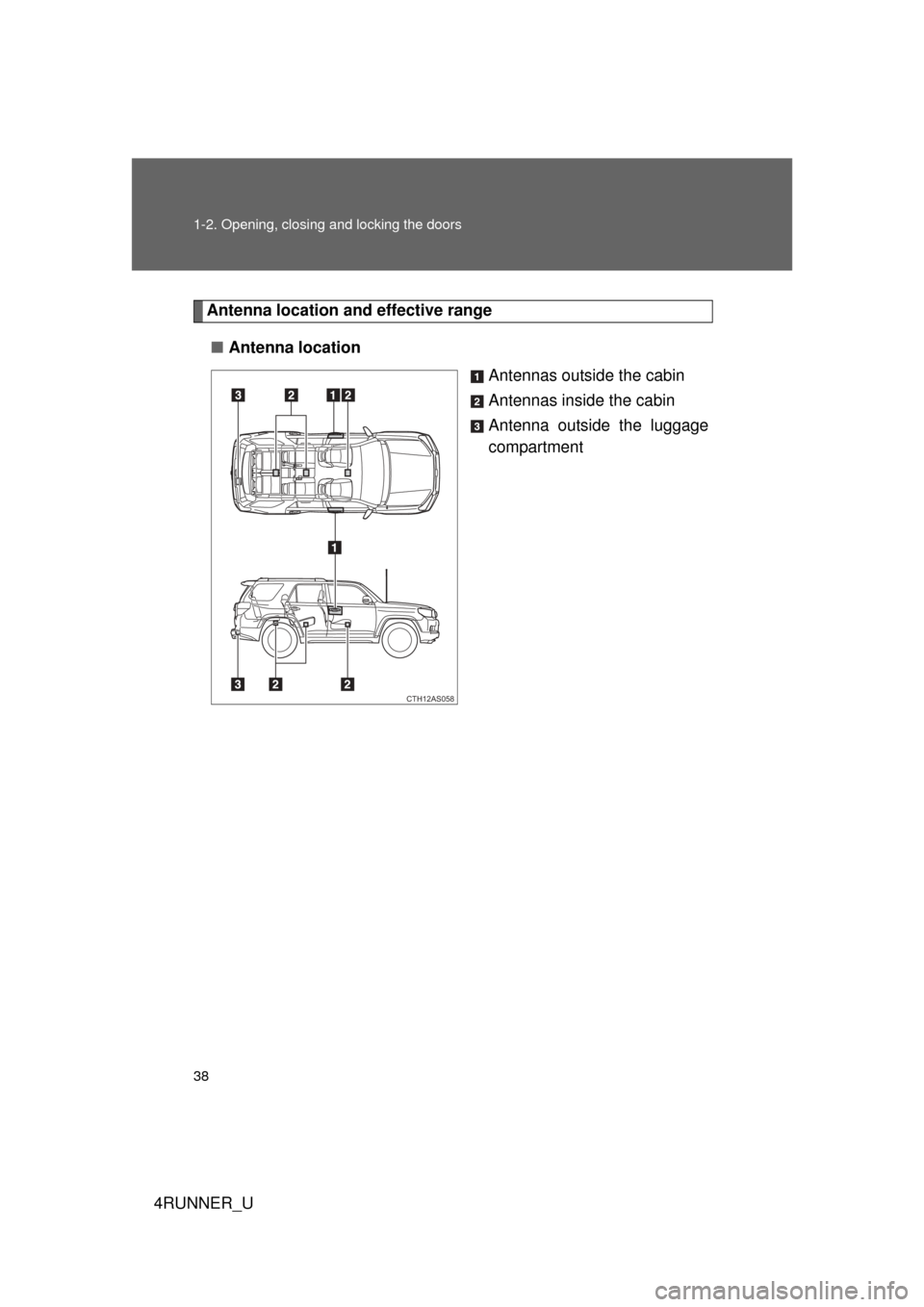
Antenna location and effective range
■ Antenna location
Antennas outside the cabin
Antennas inside the cabin
Antenna outside the luggage
compartment
CTH12AS058
Page 39 of 700
39
1-2. Opening, closing and locking the doors
1
Before driving
4RUNNER_U
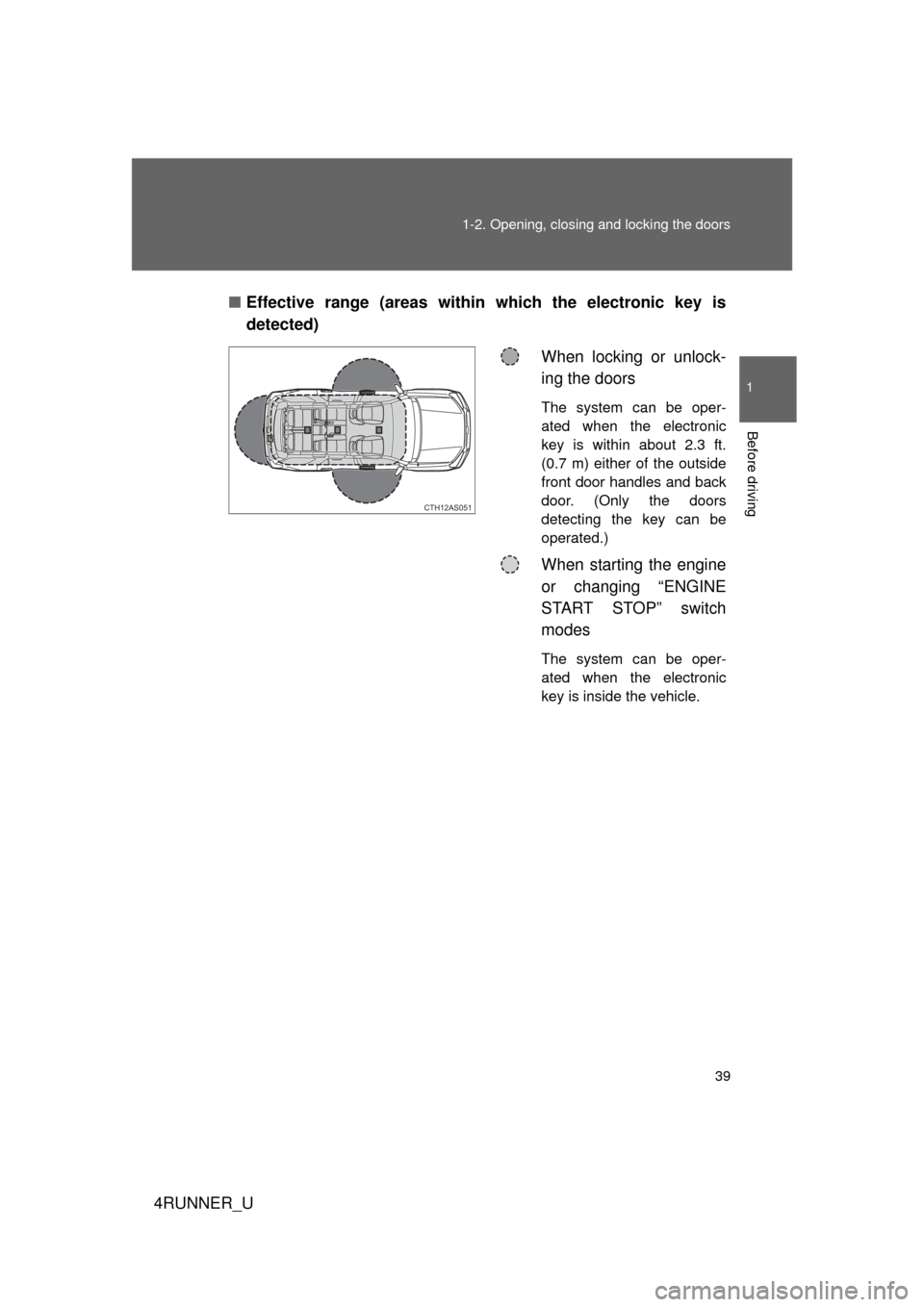
■
Effective range (areas within which the electronic key is
detected)
When locking or unlock-
ing the doors
The system can be oper-
ated when the electronic
key is within about 2.3 ft.
(0.7 m) either of the outside
front door handles and back
door. (Only the doors
detecting the key can be
operated.)
When starting the engine
or changing “ENGINE
START STOP” switch
modes
The system can be oper-
ated when the electronic
key is inside the vehicle.
CTH12AS051
Page 40 of 700
40 1-2. Opening, closing and locking the doors
4RUNNER_U
■Operation signals
A buzzer sounds and the emergency flashers flash to indicate that the doors
have been locked/unlocked. (Locked: once; Unlocked: twice)
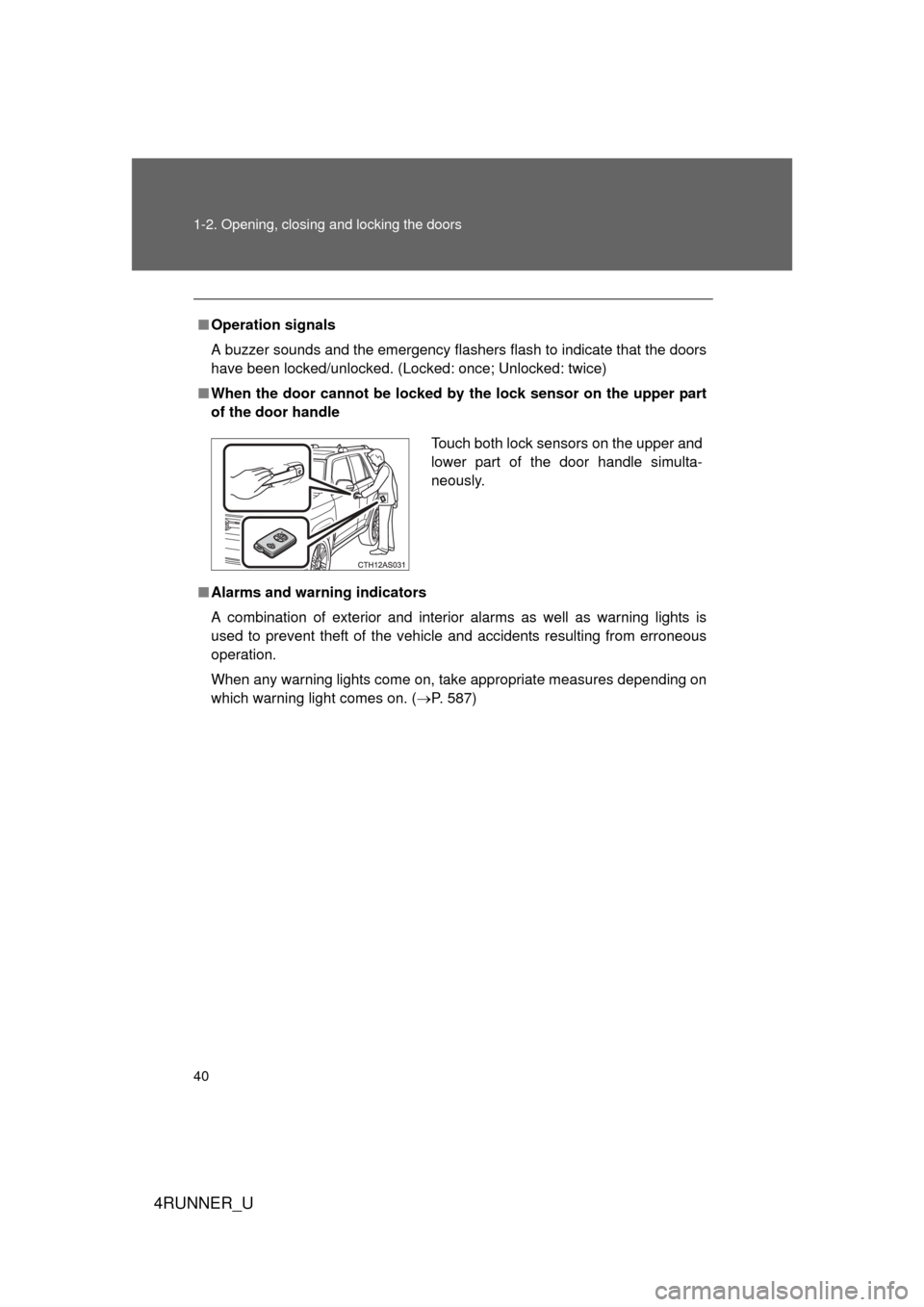
■ When the door cannot be locked by the lock sensor on the upper part
of the door handle
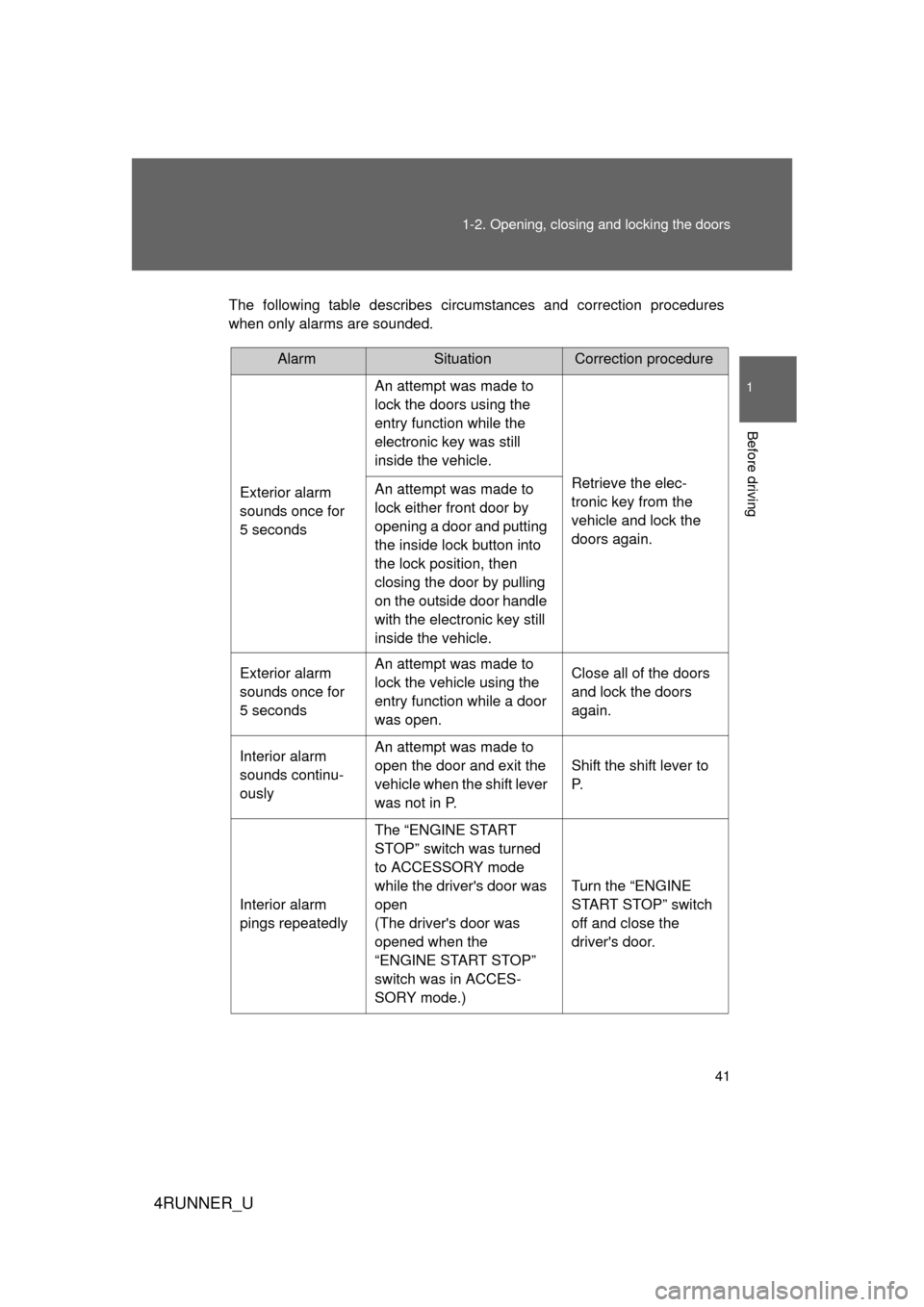
■ Alarms and warning indicators
A combination of exterior and interior alarms as well as warning lights is
used to prevent theft of the vehicle and accidents resulting from erroneous
operation.
When any warning lights come on, take appropriate measures depending on
which warning light comes on. ( P. 587)
Touch both lock sensors on the upper and
lower part of the door handle simulta-
neously.
Page 41 of 700
41
1-2. Opening, closing and locking the doors
1
Before driving
4RUNNER_U
The following table describes circumstances and correction procedures
when only alarms are sounded.
AlarmSituationCorrection procedure
Exterior alarm
sounds once for
5 seconds An attempt was made to
lock the doors using the
entry function while the
electronic key was still
inside the vehicle.
Retrieve the elec-
tronic key from the
vehicle and lock the
doors again.
An attempt was made to
lock either front door by
opening a door and putting
the inside lock button into
the lock position, then
closing the door by pulling
on the outside door handle
with the electronic key still
inside the vehicle.
Exterior alarm
sounds once for
5 seconds An attempt was made to
lock the vehicle using the
entry function while a door
was open. Close all of the doors
and lock the doors
again.
Interior alarm
sounds continu-
ously An attempt was made to
open the door and exit the
vehicle when the shift lever
was not in P.
Shift the shift lever to
P.
Interior alarm
pings repeatedly The “ENGINE START
STOP” switch was turned
to ACCESSORY mode
while the driver's door was
open
(The driver's door was
opened when the
“ENGINE START STOP”
switch was in ACCES-
SORY mode.) Turn the “ENGINE
START STOP” switch
off and close the
driver's door.