display TOYOTA 4RUNNER 2012 N280 / 5.G Owners Manual
[x] Cancel search | Manufacturer: TOYOTA, Model Year: 2012, Model line: 4RUNNER, Model: TOYOTA 4RUNNER 2012 N280 / 5.GPages: 700, PDF Size: 10.76 MB
Page 4 of 700

TABLE OF CONTENTSIndex
4RUNNER_U
4
3-3. Using the Bluetooth®
audio system
Blue tooth
® audio system .... 388
Using the Bluetooth®
audio system .................... 391
Operating a Bluetooth
®
enabled portable player ... 396
Setting up a Bluetooth
®
enabled portable player ... 398
Bluetooth
® audio system
setup ................................ 403
3-4. Using the hands-free phone system
(for cellular phone)
Hands-free phone system (for cellular phone)
features ............................ 404
Using the hands-free phone system
(for cellular phone) ........... 409
Making a phone call ........... 417
Setting a cellular phone...... 421
Security and system setup ................................ 426
Using the phone book ........ 430
3-5. Using the interior lights Interior lights list ................. 438
• Interior lights .................... 439
• Personal lights ................. 439 3-6. Using the storage features
List of storage features ....... 441
• Glove box ......................... 442
• Console box ..................... 443
• Coin holder ....................... 444
• Tissue pocket ................... 445
• Pen holder ........................ 446
• Auxiliary box ..................... 447
• Cup holders ...................... 448
• Bottle holders ................... 451
3-7. Other interior features Sun visors ........................... 453
Vanity mirrors ..................... 454
Clock................................... 455
Outside temperature display .............................. 457
Power outlets (12 V DC) ..... 460
Power outlets (120 V AC) ... 463
Seat heaters ....................... 470
Armrest ............................... 472
Floor mat ............................ 473
Compass ............................ 474
Luggage compartment features ............................ 480
Garage door opener ........... 486
Safety Connect ................... 493
Page 9 of 700
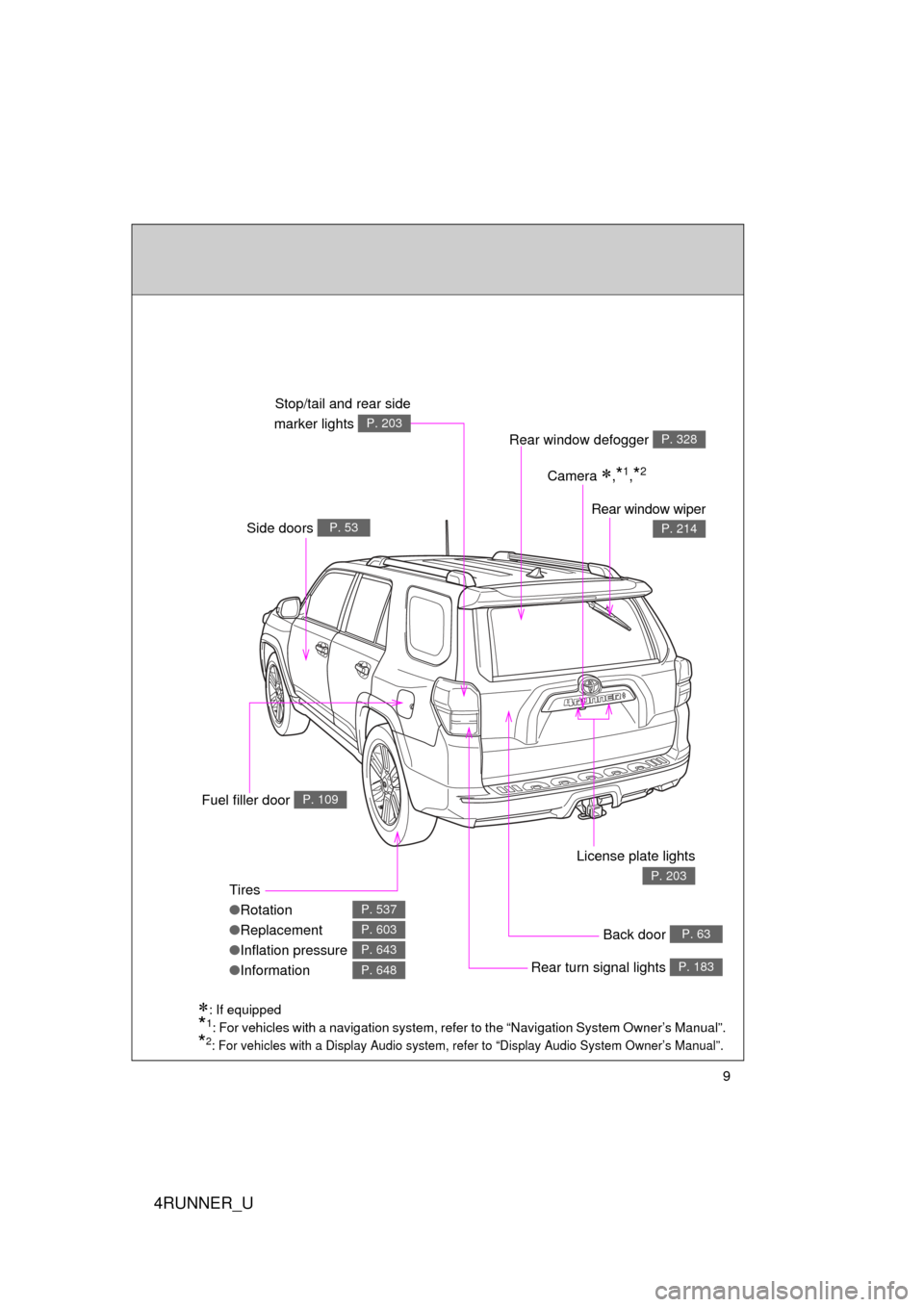
4RUNNER_U
9
: If equipped
*1: For vehicles with a navigation system, refer to the “Navigation System Owner’s Manual”.
*2: For vehicles with a Display Audio system, refer to “Display Audio System Owner’s Manual”.
Tires
●Rotation
● Replacement
● Inflation pressure
● Information
P. 537
P. 603
P. 643
P. 648
Rear window defogger P. 328
Rear window wiper
P. 214Side doors P. 53
Rear turn signal lights P. 183
License plate lights
P. 203
Back door P. 63
Stop/tail and rear side
marker lights
P. 203
Fuel filler door P. 109
Camera ,*1,*2
Page 11 of 700
4RUNNER_U
11
CTHPIAS006
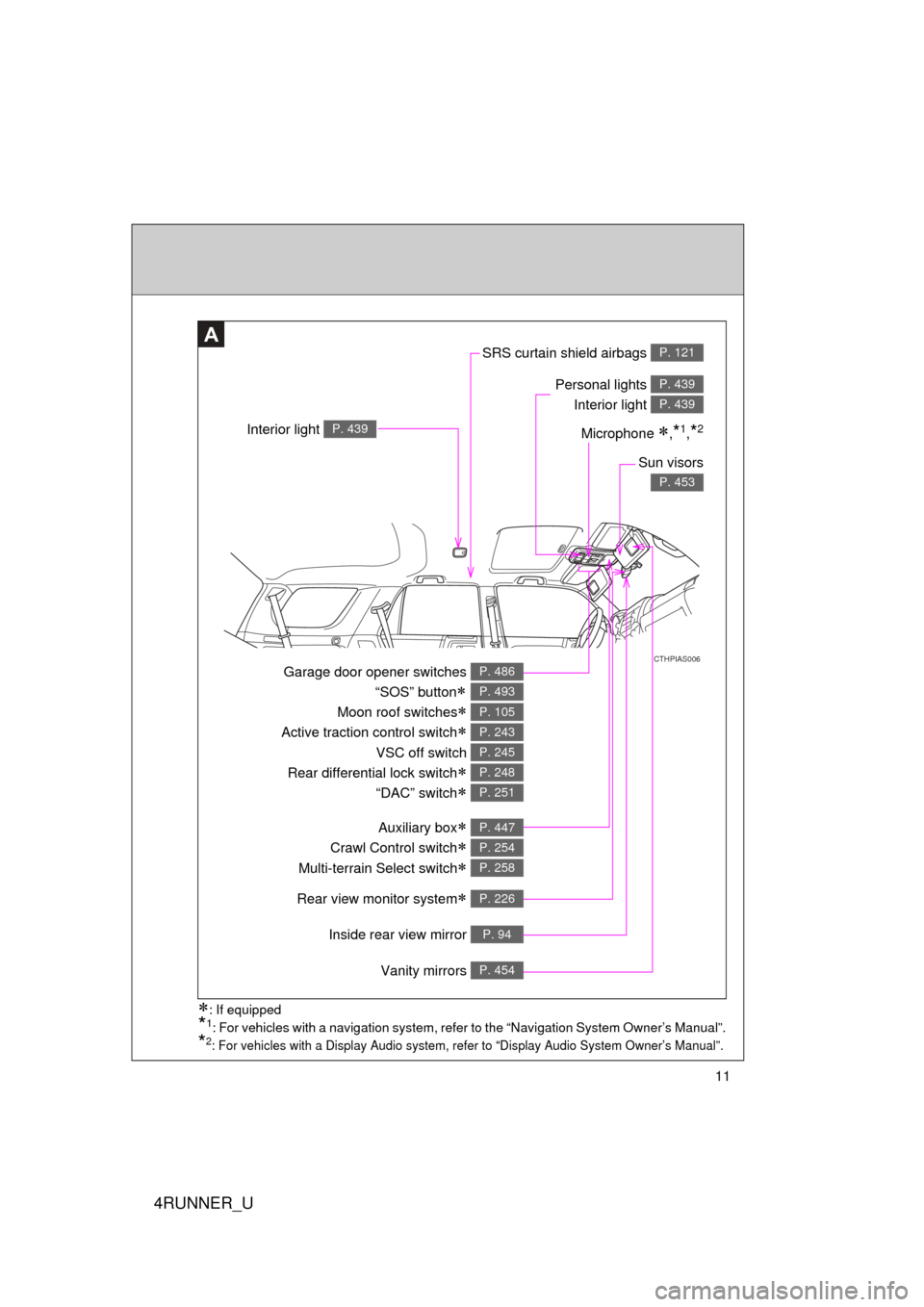
Inside rear view mirror P. 94
SRS curtain shield airbags P. 121
Interior light P. 439
A
Personal lights Interior light P. 439
P. 439
Sun visors
P. 453
Garage door opener switches
“SOS” button
Moon roof switches
Active traction control switch
VSC off switch
Rear differential lock switch
“DAC” switch
P. 486
P. 493
P. 105
P. 243
P. 245
P. 248
P. 251
Auxiliary box
Crawl Control switch
Multi-terrain Select switch
P. 447
P. 254
P. 258
Vanity mirrors P. 454
Rear view monitor system P. 226
: If equipped
*1: For vehicles with a navigation system, refer to the “Navigation System Owner’s Manual”.
*2: For vehicles with a Display Audio system, re fer to “Display Audio System Owner’s Manual”.
Microphone ,*1,*2
Page 14 of 700
4RUNNER_U
14
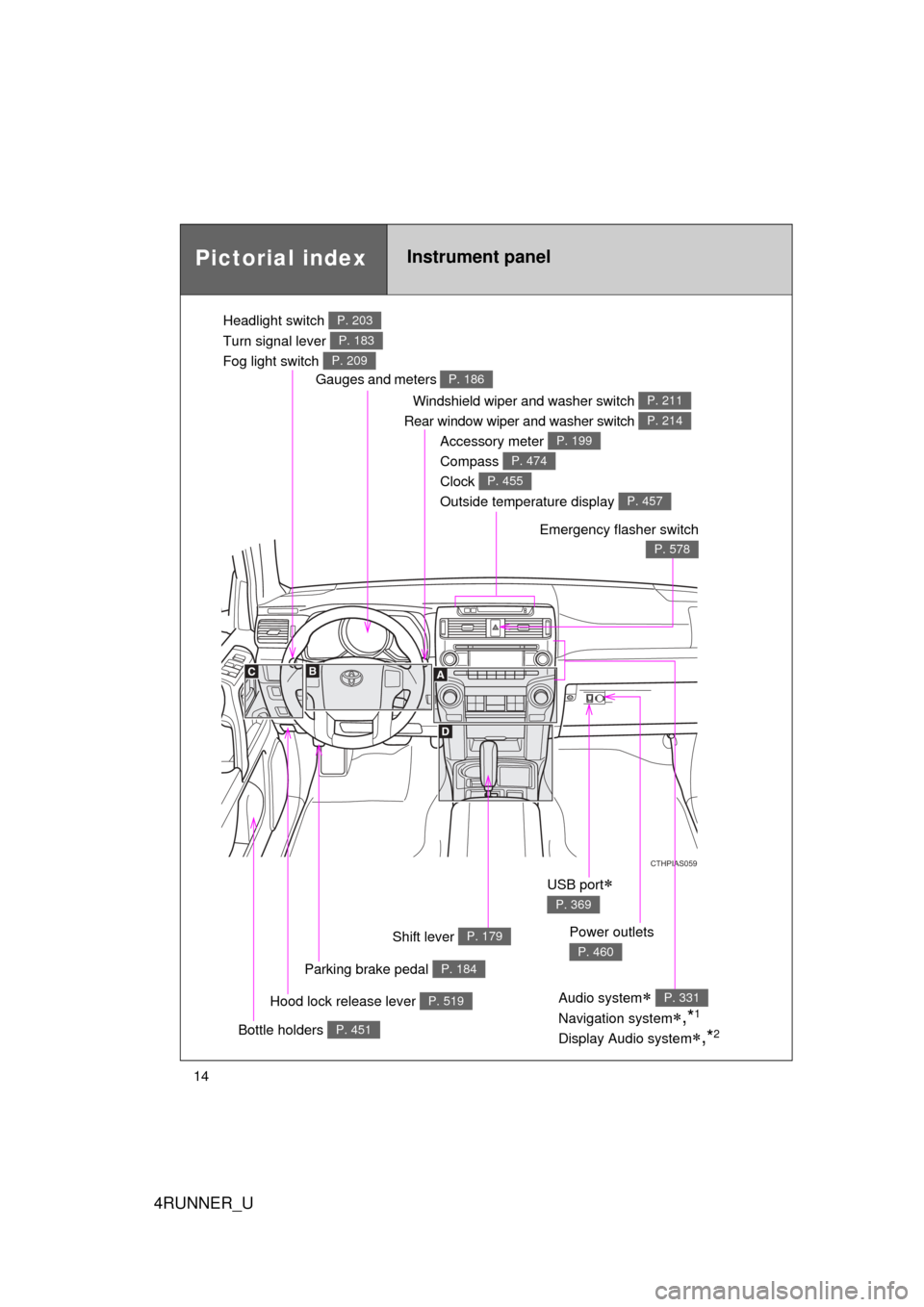
Pictorial indexInstrument panel
Headlight switch
Turn signal lever
Fog light switch P. 203
P. 183
P. 209
Windshield wiper and washer switch
Rear window wiper and washer switch P. 211
P. 214
Gauges and meters P. 186
Glove box
P. 442
Hood lock release lever P. 519
CTHPIAS059
Accessory meter
Compass
Clock
Outside temperature display P. 199
P. 474
P. 455
P. 457
Parking brake pedal P. 184
Emergency flasher switch
P. 578
Shift lever P. 179
Audio system
Navigation system
,*1
Display Audio system,*2
P. 331
USB port
P. 369
Power outlets
P. 460
Bottle holders P. 451
Page 15 of 700
4RUNNER_U
15
CTHPIAS061
A
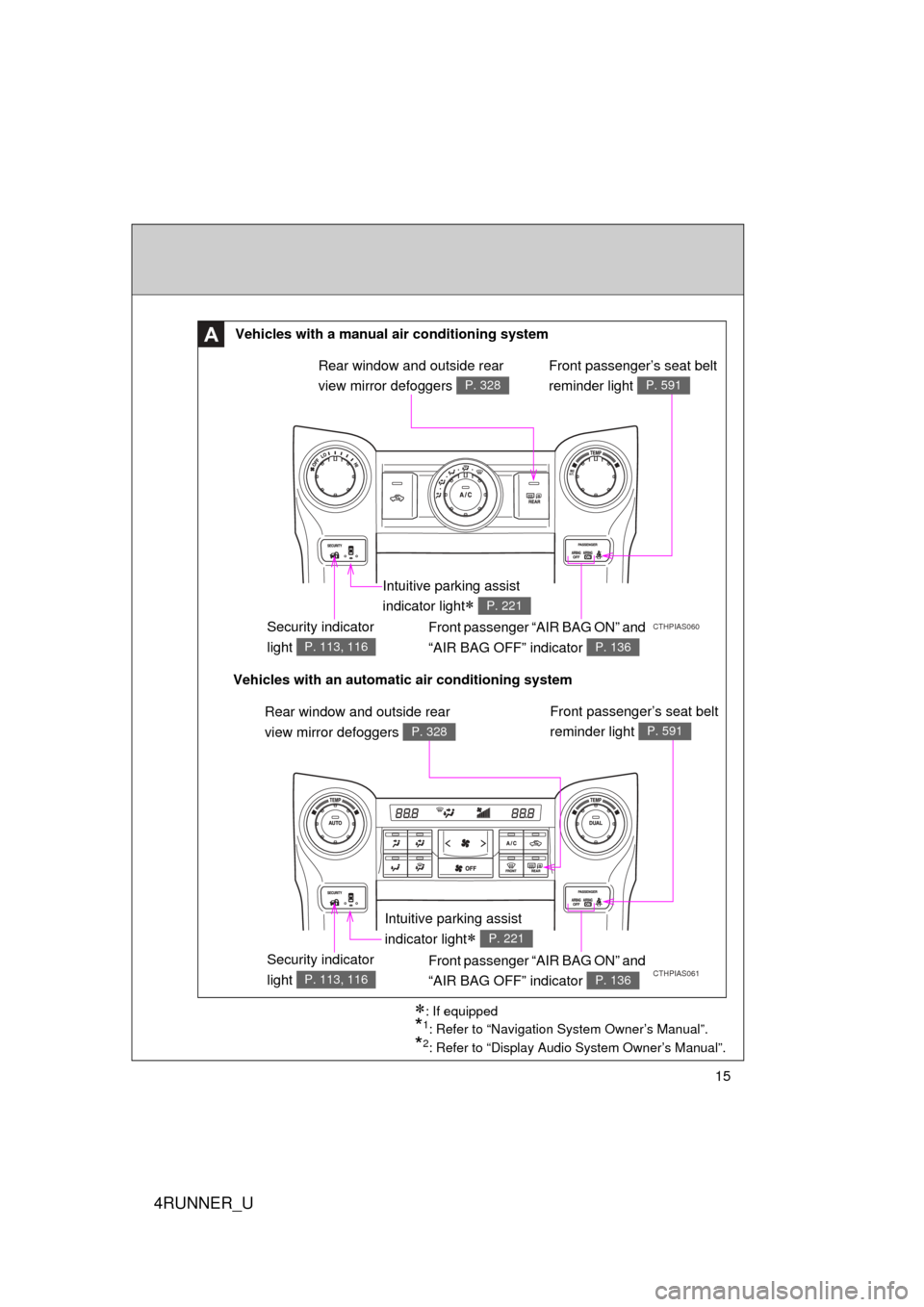
CTHPIAS060Security indicator
light
P. 113, 116
Front passenger “AIR BAG ON” and
“AIR BAG OFF” indicator
P. 136
: If equipped
*1: Refer to “Navigation System Owner’s Manual”.
*2: Refer to “Display Audio System Owner’s Manual”.
Vehicles with a manual air conditioning system
Vehicles with an automatic air conditioning system Rear window and outside rear
view mirror defoggers
P. 328
Security indicator
light
P. 113, 116
Front passenger “AIR BAG ON” and
“AIR BAG OFF” indicator
P. 136
Rear window and outside rear
view mirror defoggers
P. 328
Intuitive parking assist
indicator light
P. 221
Intuitive parking assist
indicator light
P. 221
Front passenger’s seat belt
reminder light
P. 591
Front passenger’s seat belt
reminder light
P. 591
Page 17 of 700
4RUNNER_U
17
CTHPIAS096
C
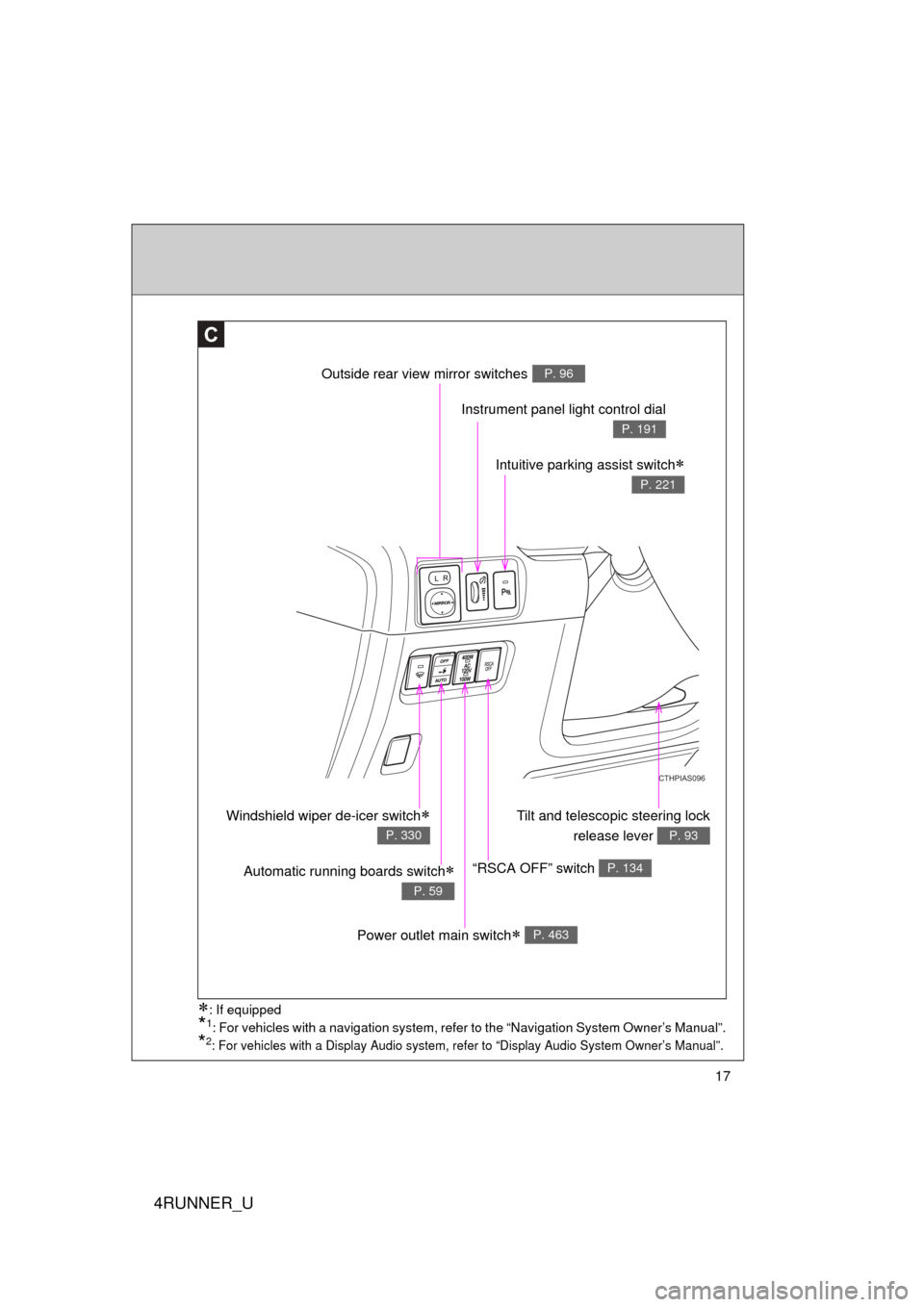
Outside rear view mirror switchesP. 96
Instrument panel light control dial
P. 191
Intuitive parking assist switch
P. 221
Tilt and telescopic steering lockrelease lever
P. 93
“RSCA OFF” switch P. 134
Power outlet main switch P. 463
Windshield wiper de-icer switch
P. 330
: If equipped
*1: For vehicles with a navigation system, refer to the “Navigation System Owner’s Manual”.
*2: For vehicles with a Display Audio system, re fer to “Display Audio System Owner’s Manual”.
Automatic running boards switch
P. 59
Page 146 of 700
146
1-7. Safety information
4RUNNER_U
Installing child restraints
Follow the child restraint system manufacturer’s instructions. Firmly
secure the child restraints using the LATCH anchors or a seat belt.
Attach the top tether strap when installing a child restraint.
The lap/shoulder belt can be used if your child restraint system is
not compatible with the LATCH (Low er Anchors and Tethers for Chil-
dren) system.
Vehicles without third row seats
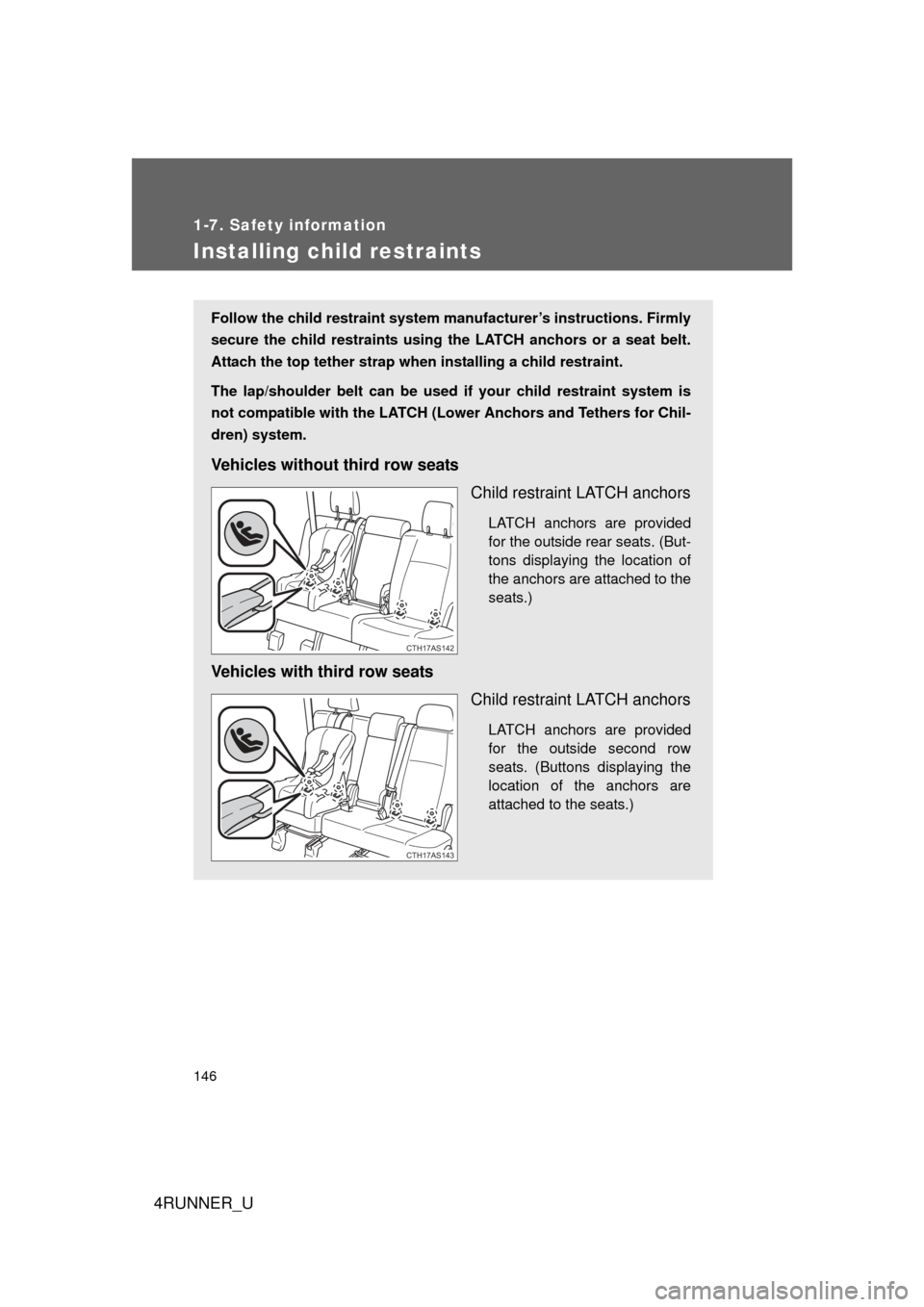
Child restraint LATCH anchors
LATCH anchors are provided
for the outside rear seats. (But-
tons displaying the location of
the anchors are attached to the
seats.)
Vehicles with third row seatsChild restraint LATCH anchors
LATCH anchors are provided
for the outside second row
seats. (Buttons displaying the
location of the anchors are
attached to the seats.)
CTH17AS142
CTH17AS143
Page 187 of 700
187
2-2. Instrument cluster
2
When driving
4RUNNER_U
Tachometer
Displays the engine speed in revolutions per minute
Speedometer
Displays the vehicle speed
Display change button
P. 188
Engine coolant temperature gauge
Displays the engine coolant temperature
Fuel gauge
Displays the quantity of fuel remaining in the tank
Eco Driving Indicator Zone Display
P. 189
Odometer, trip meter and average fuel consumption display
P. 188
Shift position and shift range indicators
P. 179
Vo l t m e t e r
Displays the charge state
Page 188 of 700
188 2-2. Instrument cluster
4RUNNER_U
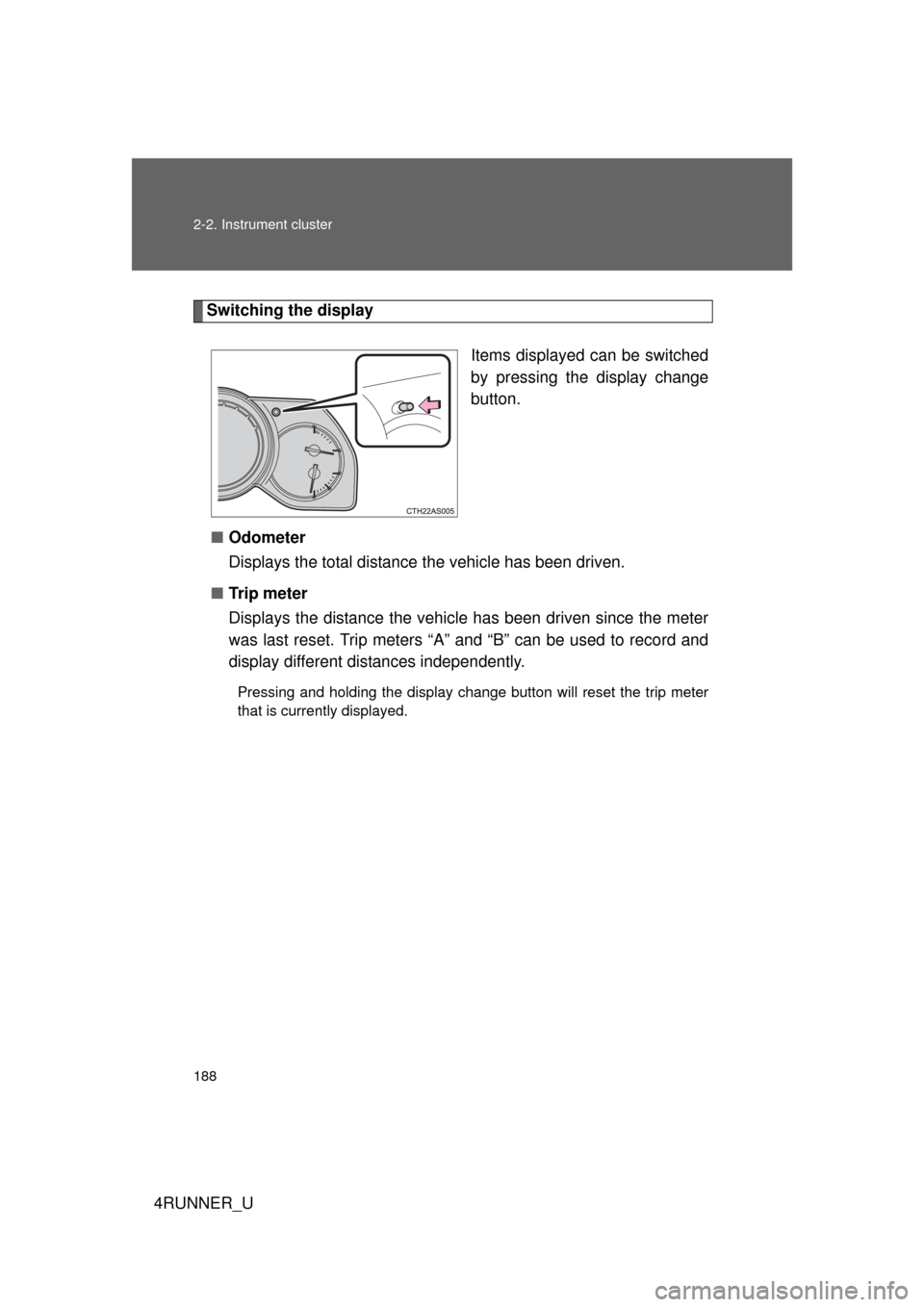
Switching the displayItems displayed can be switched
by pressing the display change
button.
■ Odometer
Displays the total distance the vehicle has been driven.
■ Tr i p m e t e r
Displays the distance the vehicl e has been driven since the meter
was last reset. Trip meters “A” and “B” can be used to record and
display different distances independently.
Pressing and holding the display change button will reset the trip meter
that is currently displayed.
Page 189 of 700
189
2-2. Instrument cluster
2
When driving
4RUNNER_U
■
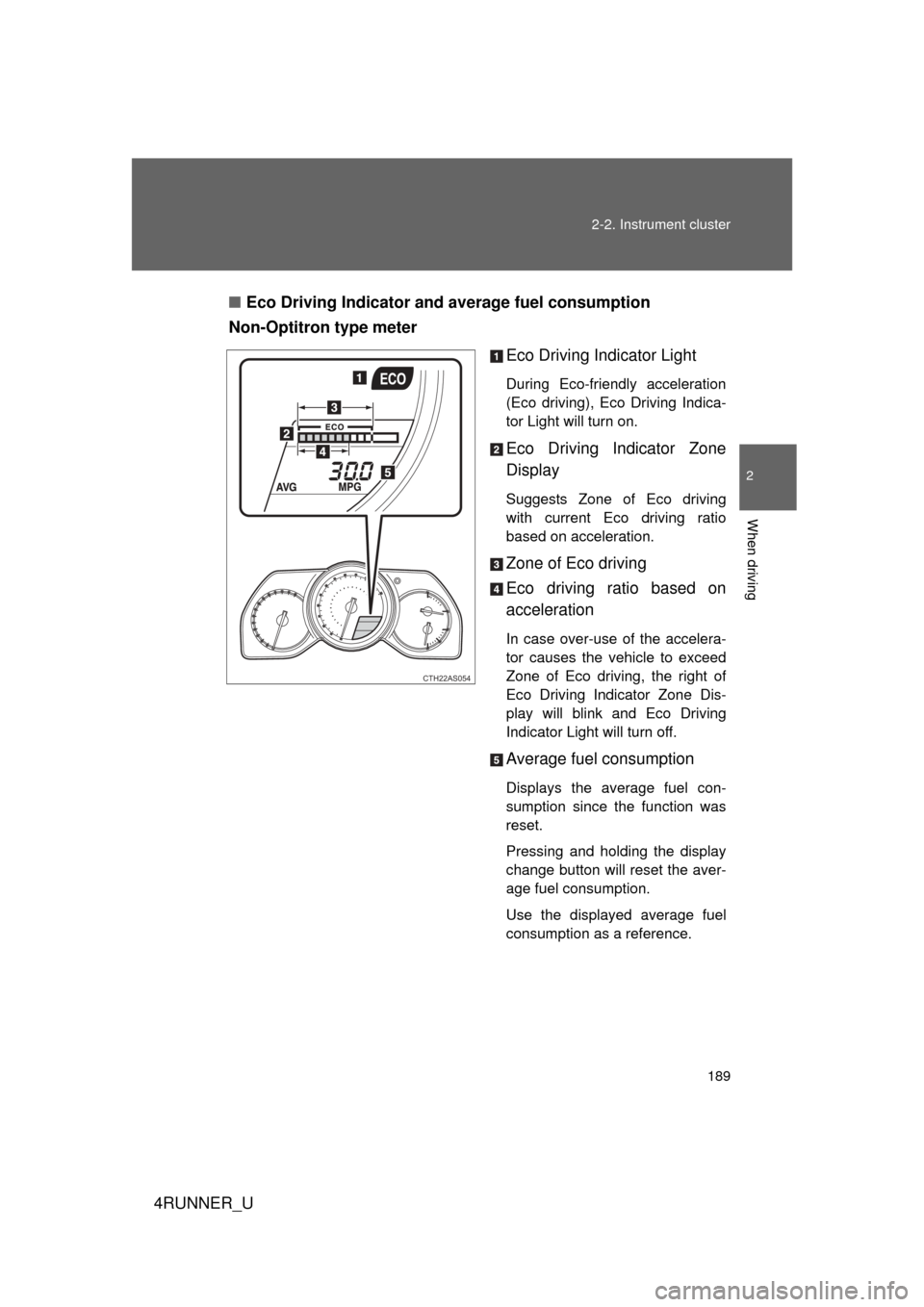
Eco Driving Indicator and average fuel consumption
Non-Optitron type meter
Eco Driving Indicator Light
During Eco-friendly acceleration
(Eco driving), Eco Driving Indica-
tor Light will turn on.
Eco Driving Indicator Zone
Display
Suggests Zone of Eco driving
with current Eco driving ratio
based on acceleration.
Zone of Eco driving
Eco driving ratio based on
acceleration
In case over-use of the accelera-
tor causes the vehicle to exceed
Zone of Eco driving, the right of
Eco Driving Indicator Zone Dis-
play will blink and Eco Driving
Indicator Light will turn off.
Average fuel consumption
Displays the average fuel con-
sumption since the function was
reset.
Pressing and holding the display
change button will reset the aver-
age fuel consumption.
Use the displayed average fuel
consumption as a reference.
CTH22AS054