remote control TOYOTA 4RUNNER 2013 N280 / 5.G User Guide
[x] Cancel search | Manufacturer: TOYOTA, Model Year: 2013, Model line: 4RUNNER, Model: TOYOTA 4RUNNER 2013 N280 / 5.GPages: 704, PDF Size: 11.56 MB
Page 49 of 704
49
1
1-2. Opening, closing and locking the doors
Before driving
4RUNNER_U
Wireless remote control
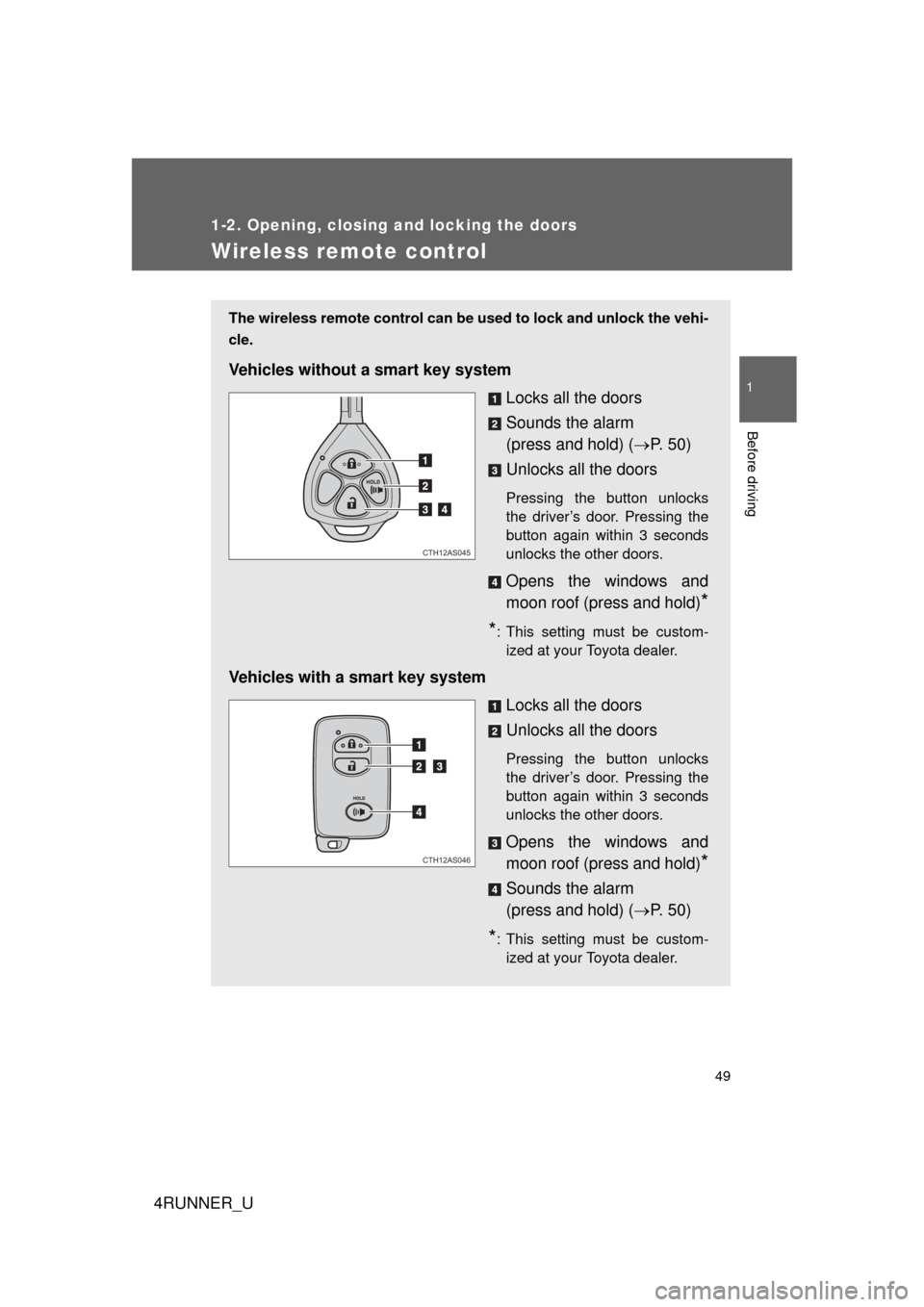
The wireless remote control can be used to lock and unlock the vehi-
cle.
Vehicles without a smart key system
Locks all the doors
Sounds the alarm
(press and hold) (P. 5 0 )
Unlocks all the doors
Pressing the button unlocks
the driver’s door. Pressing the
button again within 3 seconds
unlocks the other doors.
Opens the windows and
moon roof (press and hold)
*
*
: This setting must be custom- ized at your Toyota dealer.
Vehicles with a smart key system
Locks all the doors
Unlocks all the doors
Pressing the button unlocks
the driver’s door. Pressing the
button again within 3 seconds
unlocks the other doors.
Opens the windows and
moon roof (press and hold)
*
Sounds the alarm
(press and hold) (P. 5 0 )
*: This setting must be custom-
ized at your Toyota dealer.
CTH12AS045
CTH12AS046
Page 50 of 704
50 1-2. Opening, closing and locking the doors
4RUNNER_U
■Operation signals
A buzzer sounds and the emergency flashers flash to indicate that the doors
have been locked/unlocked. (Locked: once; Unlocked: twice)
■ Door lock buzzer
If an attempt to lock the doors is made when a door is not fully closed, a
buzzer sounds continuously. Fully close the door to stop the buzzer, and lock
the vehicle once more.
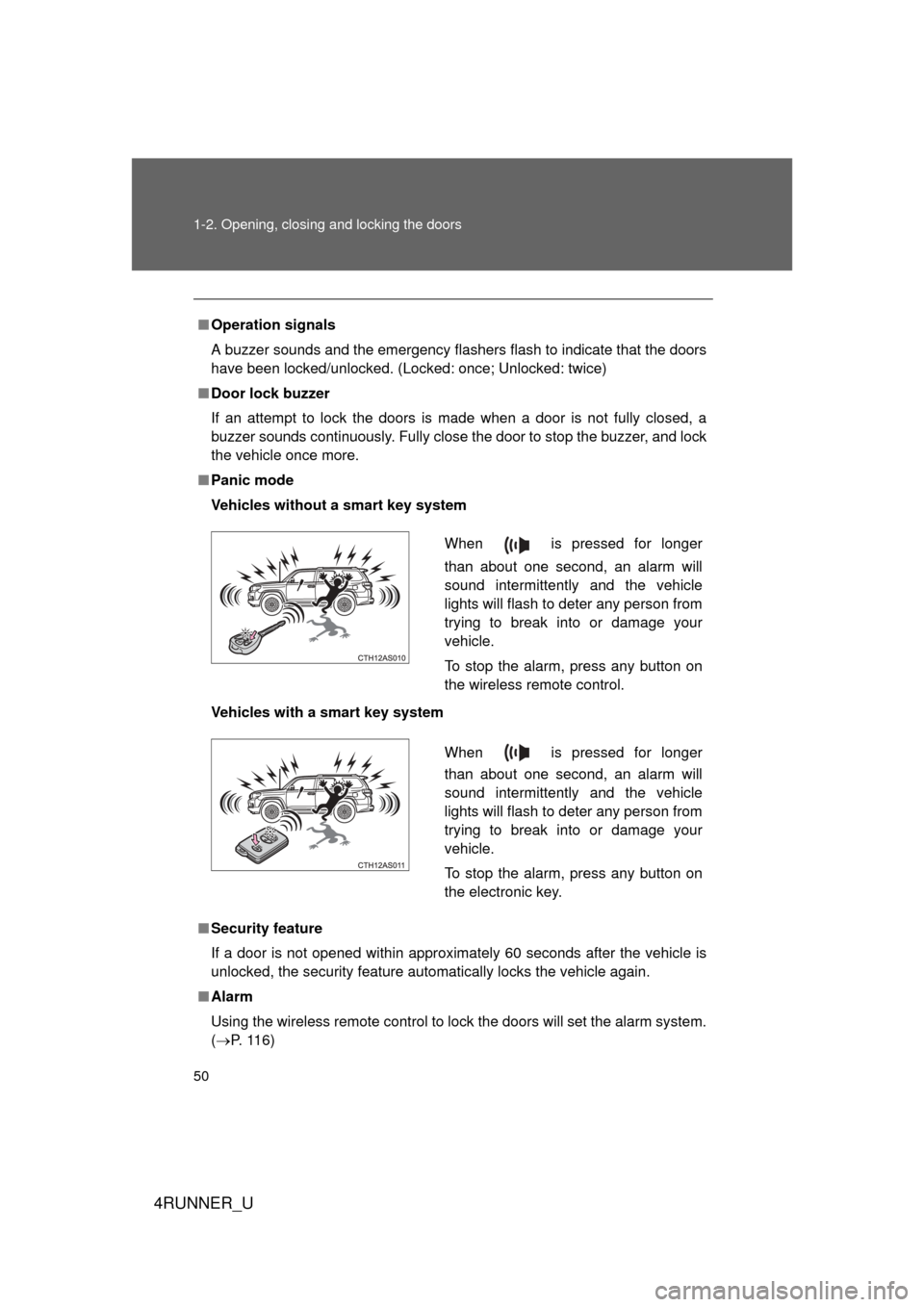
■ Panic mode
Vehicles without a smart key system
Vehicles with a smart key system
■ Security feature
If a door is not opened within approximately 60 seconds after the vehicle is
unlocked, the security feature automatically locks the vehicle again.
■ Alarm
Using the wireless remote control to lock the doors will set the alarm system.
(P. 116)
When is pressed for longer
than about one second, an alarm will
sound intermittently and the vehicle
lights will flash to deter any person from
trying to break into or damage your
vehicle.
To stop the alarm, press any button on
the wireless remote control.
When is pressed for longer
than about one second, an alarm will
sound intermittently and the vehicle
lights will flash to deter any person from
trying to break into or damage your
vehicle.
To stop the alarm, press any button on
the electronic key.
Page 51 of 704
51
1-2. Opening, closing and locking the doors
1
Before driving
4RUNNER_U
■
Conditions aff ecting operation
Vehicles without a smart key system
The wireless remote control function may not operate normally in the follow-
ing situations:
● Near a TV tower, radio station, electr ic power plant, airport or other facil-
ity that generates strong radio waves
● When carrying a portable radio, cell ular phone or other wireless commu-
nication devices
● When multiple wireless keys are in the vicinity
● When the wireless key is in contact with, or is covered by, a metallic
object
● When a wireless key (that emits radio waves) is being used nearby
● When the wireless key has been left near an electrical appliance such as
a personal computer
Vehicles with a smart key system
P. 4 3
■ If the wireless remote control does not operate properly (vehicles with
a smart key system)
Locking and unlocking the doors: Use the mechanical key. ( P. 625)
■ Key battery depletion
Vehicles without a smart key system
If the wireless remote control function does not operate, the battery may be
depleted. Replace the battery when necessary. ( P. 557)
Vehicles with a smart key system
P. 4 6
■ When the electronic key battery is fully depleted
P. 557
■ When riding in an aircraft
When bringing a key with wireless remote control function onto an aircra\
ft,
make sure you do not press any buttons on the key while inside the aircraft
cabin. If you are carrying the key in your bag etc, ensure that the buttons are
not likely to be pressed accidentally. Pressing a button may cause the key to
emit radio waves that could interfere with the operation of the aircraft.
Page 52 of 704

52 1-2. Opening, closing and locking the doors
4RUNNER_U
■Customization that can be co nfigured at Toyota dealer
Settings (e.g. wireless remote control system) can be changed.
(Customizable features P. 664)
■ Certification for wir eless remote control
For vehicles sold in the U.S.A.
FCC ID: HYQ14ACX
FCC ID: HYQ13CZD
FCC ID: HYQ14ADF
FCC ID: HYQ13CZE
FCC ID: HYQ12BBY
FCC ID: HYQ13BDC
NOTE:
This device complies with part 15 of the FCC Rules. Operation is subject to
the following two conditions: (1) This device may not cause harmful interfer-
ence, and (2) this device must accept any interference received, including
interference that may cause undesired operation.
FCC WARNING:
Changes or modifications not expressly approved by the party responsible
for compliance could void the user’s authority to operate the equipment.
For vehicles sold in Canada
NOTE:
Operation is subject to the following two conditions: (1) this device may not
cause interference, and (2) this device must accept any interference, includ-
ing interference that may cause undesired operation of the device.
Page 53 of 704
53
1
1-2. Opening, closing and locking the doors
Before driving
4RUNNER_U
Side doors
The vehicle can be locked and unlocked using the entry function,
wireless remote control, key or door lock switch.
■Entry function (vehicles with a smart key system)
P. 3 5
■ Wireless remote control
P. 4 9
■ Key
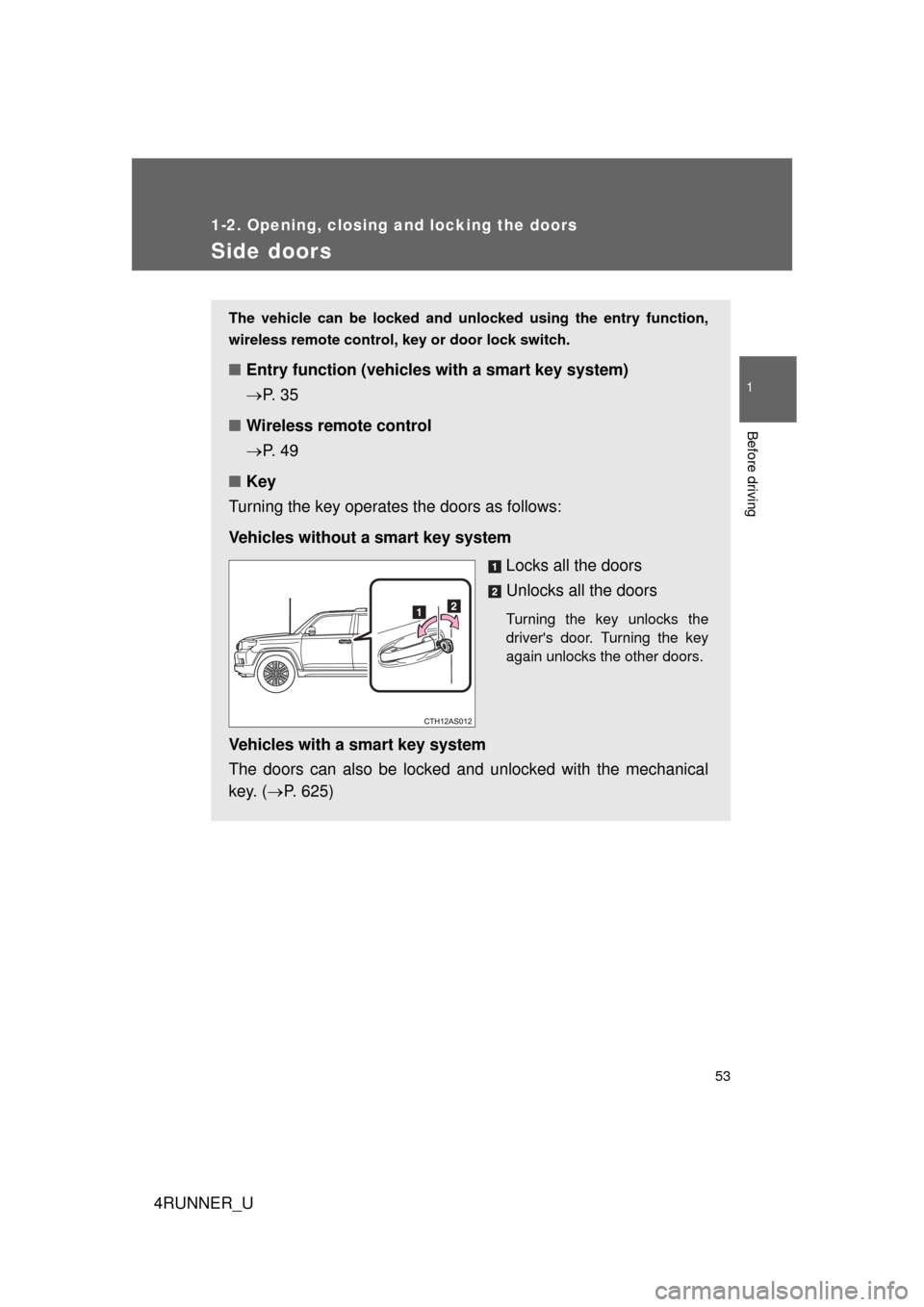
Turning the key operates the doors as follows:
Vehicles without a smart key system
Locks all the doors
Unlocks all the doors
Turning the key unlocks the
driver's door. Turning the key
again unlocks the other doors.
Vehicles with a smart key system
The doors can also be locked and unlocked with the mechanical
key. (P. 625)
Page 63 of 704
63
1
1-2. Opening, closing and locking the doors
Before driving
4RUNNER_U
Back door
The back door can be locked/unlocked and opened by the following
procedures:
■ Locking and unlocking the back door
Entry function (vehicles with a smart key system)
P. 3 7
Wireless remote control
P. 4 9
Door lock switch
P. 5 4
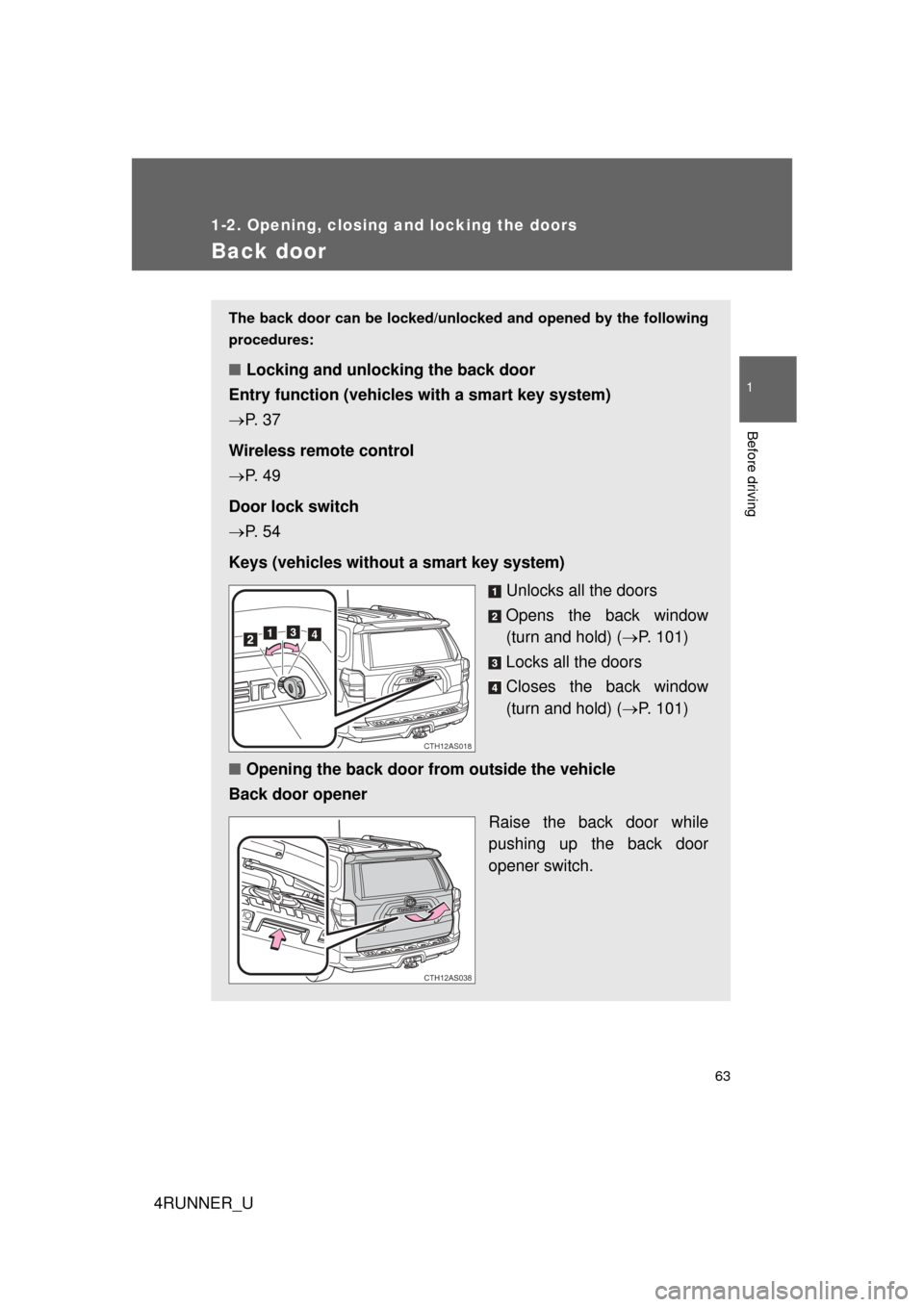
Keys (vehicles without a smart key system) Unlocks all the doors
Opens the back window
(turn and hold) (P. 101)
Locks all the doors
Closes the back window
(turn and hold) ( P. 101)
■ Opening the back door from outside the vehicle
Back door opener
Raise the back door while
pushing up the back door
opener switch.
CTH12AS018
CTH12AS038
Page 116 of 704
116
1-6. Theft deterrent system
4RUNNER_U
Alarm
: If equipped
The system sounds the alarm and flashes the lights when forced
entry is detected.
■ Triggering of the alarm
The alarm is triggered in the fo llowing situations when the alarm
is set:
● A locked door is unlocked or opened in any way other than
using the entry function, wireless remote control or mechani-
cal key. (The doors will lock again automatically.)
● The hood is opened.
■ Setting the alarm system
Close the doors and hood,
and lock all the doors. The
system will be set automati-
cally after 30 seconds.
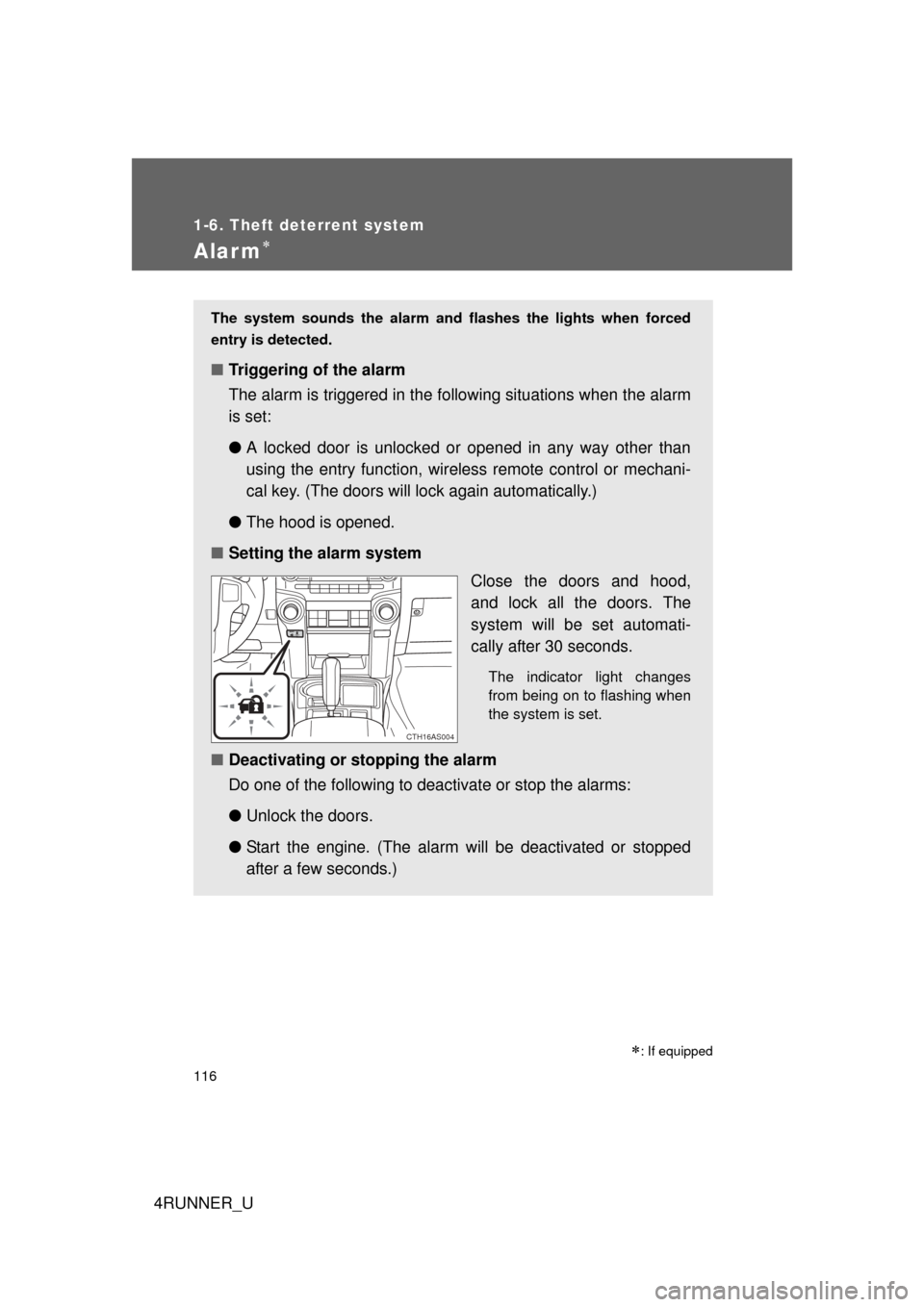
The indicator light changes
from being on to flashing when
the system is set.
■Deactivating or stopping the alarm
Do one of the following to deactivate or stop the alarms:
●Unlock the doors.
● Start the engine. (The alarm will be deactivated or stopped
after a few seconds.)
CTH16AS004
Page 392 of 704
392 3-3. Using the Bluetooth
® audio system
4RUNNER_U
■About Bluetooth®
■Compatible models
● Bluetooth
® specifications:
Ve r. 1 . 2
● Following Profiles:
• A2DP (Advanced Audio Distribution Profile) Ver. 1.0
• AVRCP (Audio/Video Remote Control Profile) Ver. 1.0 or higher (Ver.
1.3 or higher recommended)
Portable players must correspond to the above specifications in order to be
connected to the Bluetooth
® audio system. However, please note that some
functions may be limited depending on the type of portable player.
■ Certification for the Bluetooth
® audio system
FCC ID: AJDK025 AJDK032
IC ID: 775E-K025 775E-K032
MADE IN JAPAN
This device complies with Part 15 of FCC Rules and Industry Canada
licence-exempt RSS standard(s). Operation is subject to the following two
conditions: (1) this device may not cause interference, and (2) this device
must accept any interference, including interference that may cause undes-
ired operation of this device.
Le présent appareil est conforme aux la partie 15 des règles de la FCC et
CNR d’Industrie Canada applicables aux appareils radio exempts de
licence. L’exploitation est autorisée aux deux conditions suivantes: (1)
l’appareil ne doit pas produire de brouilla ge, et (2) l’utilisateur de l’appareil
doit accepter tout brouillage radioélectrique subi, même si le brouillage est
susceptible d’en compromettre le fonctionnement.
Bluetooth is a registered trademark of
Bluetooth SIG. Inc.
Page 493 of 704
493
3-7. Other interior features
3
Interior features
4RUNNER_U
■
Programming HomeLink
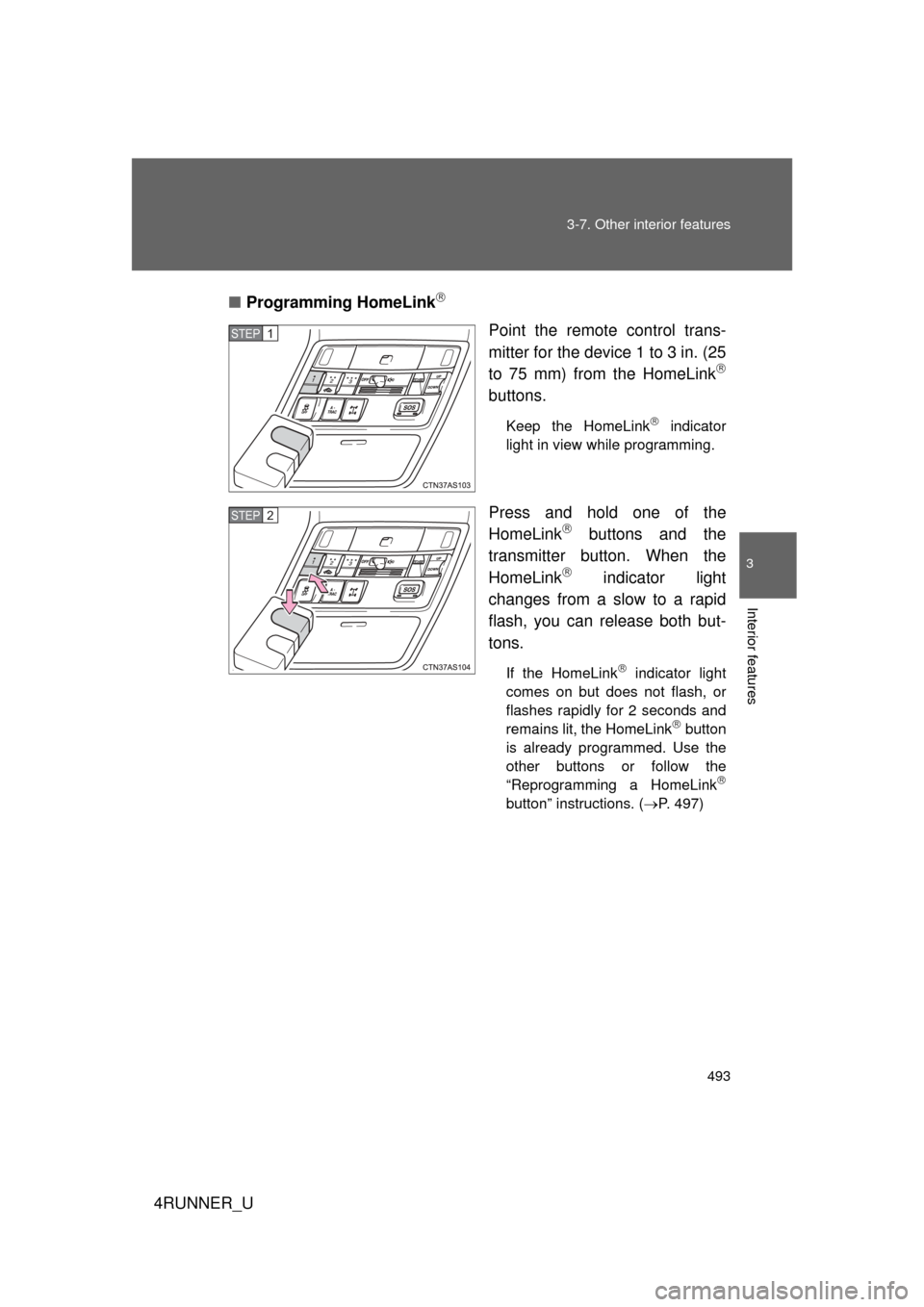
Point the remote control trans-
mitter for the device 1 to 3 in. (25
to 75 mm) from the HomeLink
buttons.
Keep the HomeLink indicator
light in view while programming.
Press and hold one of the
HomeLink buttons and the
transmitter button. When the
HomeLink
indicator light
changes from a slow to a rapid
flash, you can release both but-
tons.
If the HomeLink indicator light
comes on but does not flash, or
flashes rapidly for 2 seconds and
remains lit, the HomeLink
button
is already programmed. Use the
other buttons or follow the
“Reprogramming a HomeLink
button” instructions. ( P. 497)
STEP 1
STEP 2
Page 494 of 704
494 3-7. Other interior features
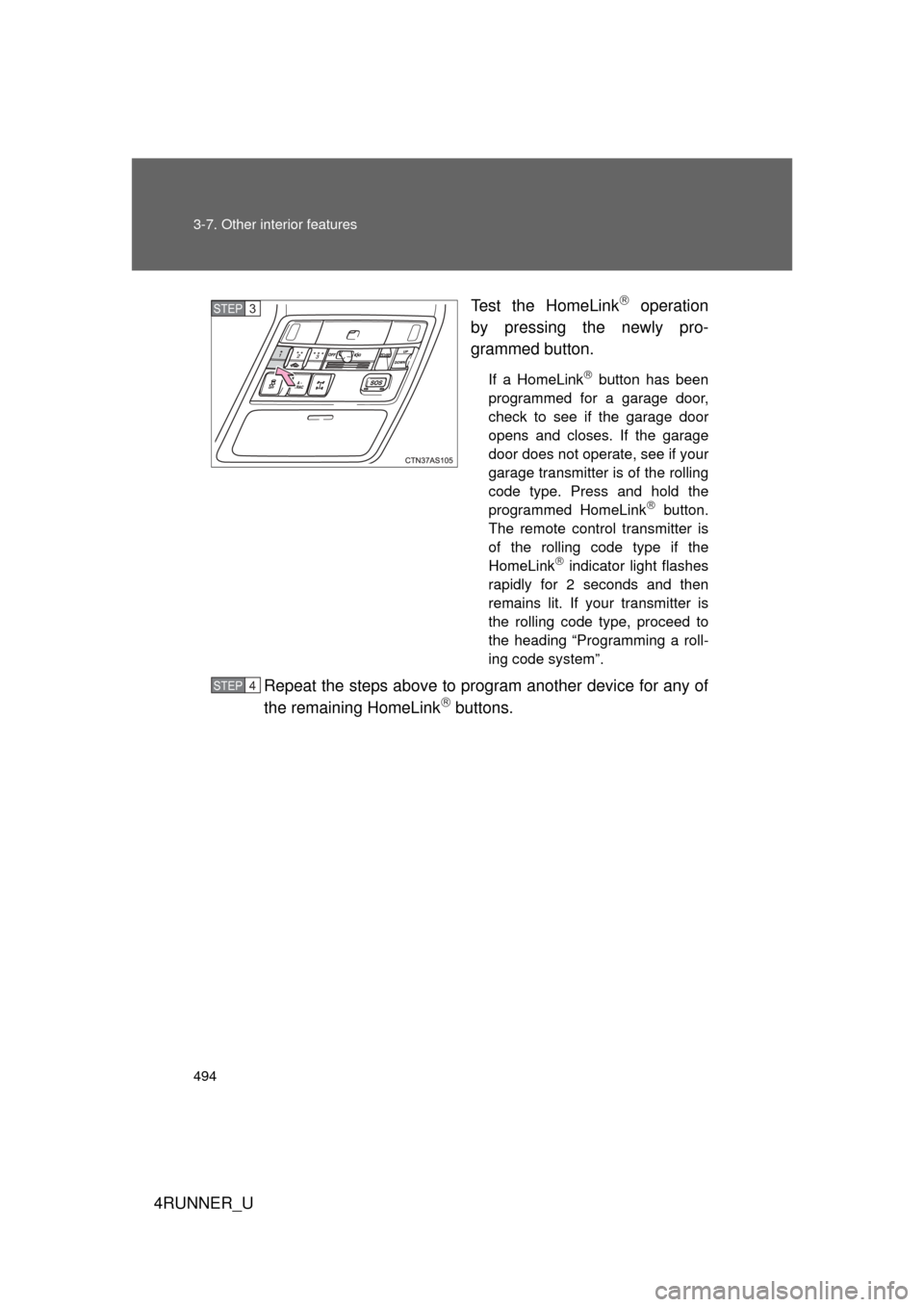
4RUNNER_UTest the HomeLink
operation
by pressing the newly pro-
grammed button.
If a HomeLink button has been
programmed for a garage door,
check to see if the garage door
opens and closes. If the garage
door does not operate, see if your
garage transmitter is of the rolling
code type. Press and hold the
programmed HomeLink
button.
The remote control transmitter is
of the rolling code type if the
HomeLink
indicator light flashes
rapidly for 2 seconds and then
remains lit. If your transmitter is
the rolling code type, proceed to
the heading “Programming a roll-
ing code system”.
Repeat the steps above to program another device for any of
the remaining HomeLink buttons.
STEP 3
STEP 4