change time TOYOTA 4RUNNER 2014 N280 / 5.G User Guide
[x] Cancel search | Manufacturer: TOYOTA, Model Year: 2014, Model line: 4RUNNER, Model: TOYOTA 4RUNNER 2014 N280 / 5.GPages: 530, PDF Size: 9.97 MB
Page 299 of 530
2975-2. Using the interior lights
5
Interior features
4RUNNER (U)_(OM35A83U)
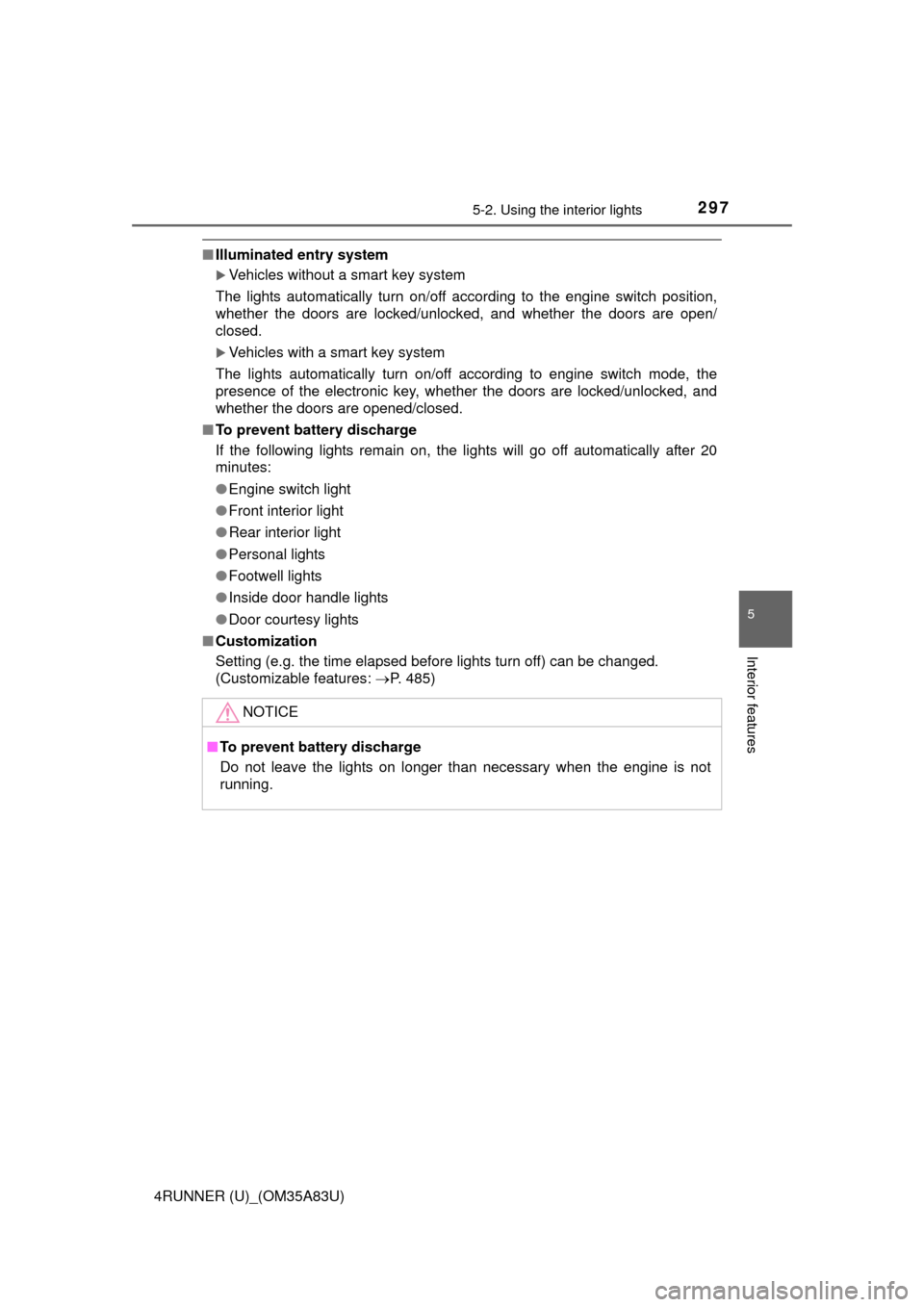
■Illuminated entry system
Vehicles without a smart key system
The lights automatically turn on/off according to the engine switch position,
whether the doors are locked/unlocked, and whether the doors are open/
closed.
Vehicles with a smart key system
The lights automatically turn on/off according to engine switch mode, the
presence of the electronic key, whether the doors are locked/unlocked, and
whether the doors are opened/closed.
■ To prevent battery discharge
If the following lights remain on, the lights will go off automatically after 20
minutes:
●Engine switch light
● Front interior light
● Rear interior light
● Personal lights
● Footwell lights
● Inside door handle lights
● Door courtesy lights
■ Customization
Setting (e.g. the time elapsed before lights turn off) can be changed.
(Customizable features: P. 485)
NOTICE
■To prevent battery discharge
Do not leave the lights on longer than necessary when the engine is not
running.
Page 317 of 530
3155-4. Other interior features
5
Interior features
4RUNNER (U)_(OM35A83U)
■The power outlet can be used when
The engine is running.
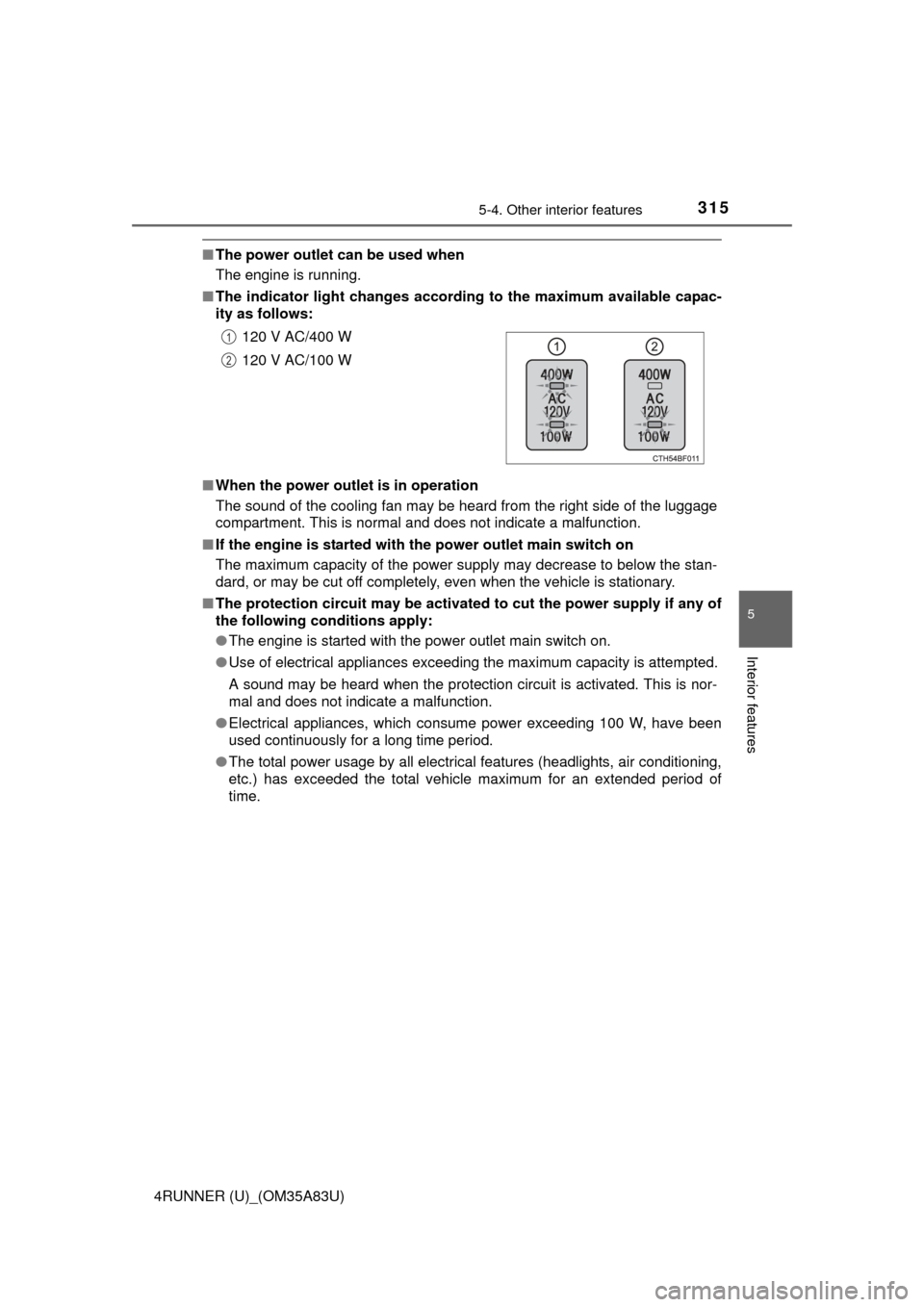
■ The indicator light changes accor ding to the maximum available capac-
ity as follows:
■ When the power outlet is in operation
The sound of the cooling fan may be heard from the right side of the luggage
compartment. This is normal and does not indicate a malfunction.
■ If the engine is started with the power outlet main switch on
The maximum capacity of the power supply may decrease to below the stan-
dard, or may be cut off completely, even when the vehicle is stationary.
■ The protection circuit may be activated to cut the power supply if any of
the following conditions apply:
● The engine is started with the power outlet main switch on.
● Use of electrical appliances exceeding the maximum capacity is attempted.
A sound may be heard when the protection circuit is activated. This is nor-
mal and does not indicate a malfunction.
● Electrical appliances, which consume power exceeding 100 W, have been
used continuously for a long time period.
● The total power usage by all electrical features (headlights, air conditioning,
etc.) has exceeded the total vehicle maximum for an extended period of
time.120 V AC/400 W
120 V AC/100 W
1
2
Page 453 of 530
4517-2. Steps to take in an emergency
7
When trouble arises
4RUNNER (U)_(OM35A83U)
■Stopping the engine
Shift the shift lever to P and press the engine switch as you normally do when
stopping the engine.
■ Replacing the key battery
As the above procedure is a temporary measure, it is recommended that the
electronic key battery be replaced immediately when the battery is depleted.
(P. 386)
■ Changing engine switch modes
Within 10 seconds of the buzzer sounding, release the brake pedal and press
the engine switch.
The engine does not start and modes will be changed each time the switch is
pressed.( P. 196)
Page 487 of 530
485
8
Vehicle specifications
4RUNNER (U)_(OM35A83U)
8-2. Customization
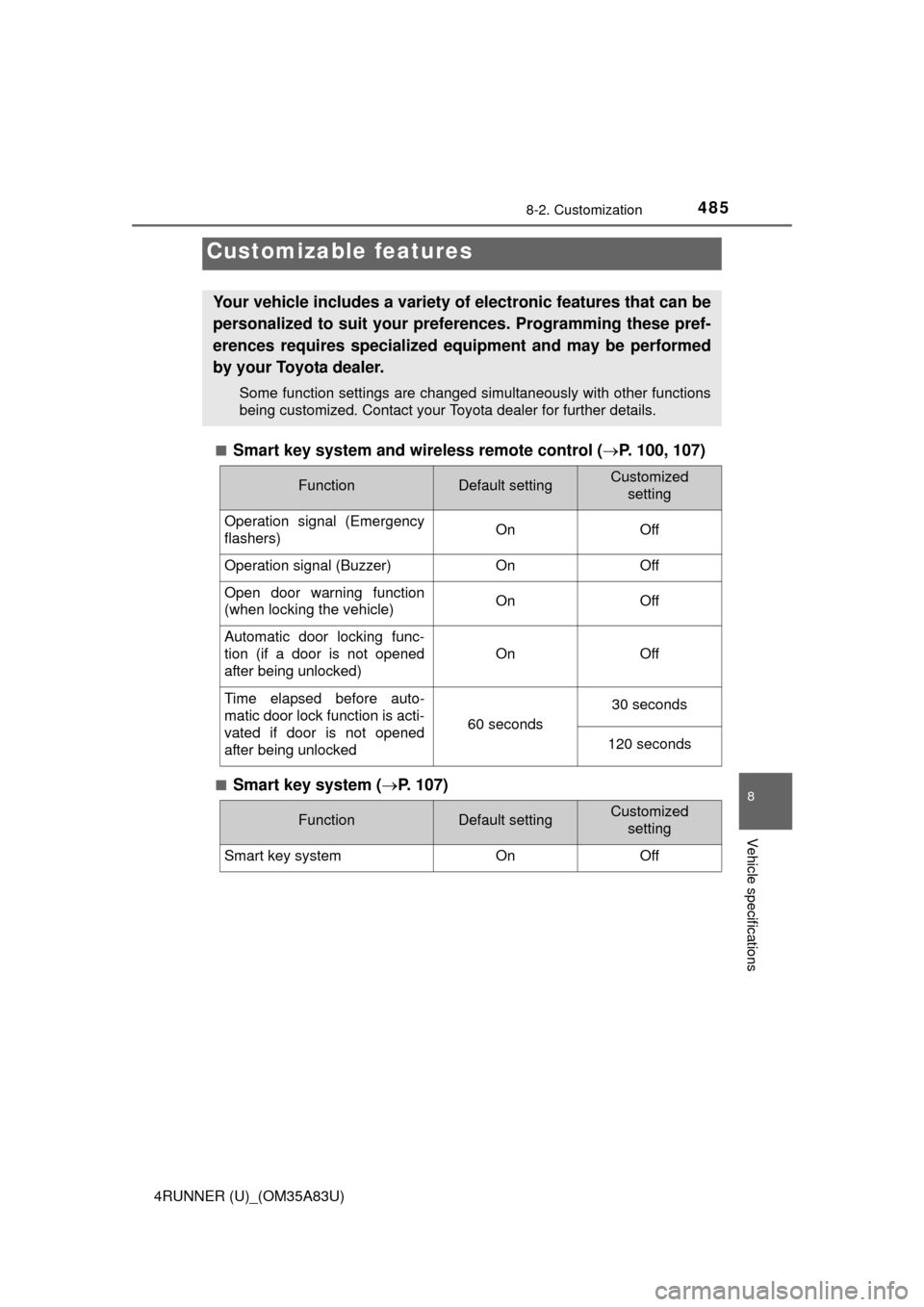
■Smart key system and wireless remote control (P. 100, 107)
■Smart key system ( P. 107)
Customizable features
Your vehicle includes a variety of electronic features that can be
personalized to suit your preferences. Programming these pref-
erences requires specialized e quipment and may be performed
by your Toyota dealer.
Some function settings are changed simultaneously with other functions
being customized. Contact your Toyota dealer for further details.
FunctionDefault settingCustomized setting
Operation signal (Emergency
flashers) On Off
Operation signal (Buzzer)OnOff
Open door warning function
(when locking the vehicle)OnOff
Automatic door locking func-
tion (if a door is not opened
after being unlocked)
OnOff
Time elapsed before auto-
matic door lock function is acti-
vated if door is not opened
after being unlocked
60 seconds
30 seconds
120 seconds
FunctionDefault settingCustomized
setting
Smart key systemOnOff