clock TOYOTA 4RUNNER 2014 N280 / 5.G Owners Manual
[x] Cancel search | Manufacturer: TOYOTA, Model Year: 2014, Model line: 4RUNNER, Model: TOYOTA 4RUNNER 2014 N280 / 5.GPages: 530, PDF Size: 9.97 MB
Page 4 of 530

TABLE OF CONTENTS4
4RUNNER (U)_(OM35A83U)5-1. Using the air conditioning
system and defogger
Manual air conditioning system ........ 280
Automatic air conditioning system ........ 286
Seat heaters/ seat ventilators ................ 293
5-2. Using the interior lights Interior lights list ................ 295
• Interior lights ................. 296
• Personal lights .............. 296
5-3. Using the storage features
List of storage features...... 298
• Glove box...................... 299
• Console box .................. 299
• Cup holders .................. 300
• Auxiliary box ................. 302
• Coin holder/tissue pocket/
pen holder ..................... 303
• Bottle holders ................ 304
Luggage compartment features ........................... 305 5-4. Other interior features
Other interior features........ 310
• Sun visors ..................... 310
• Vanity mirrors ................ 310
• Clock ............................. 311
• Outside temperature display ........................... 312
• Power outlets (120 V AC) .................... 314
• Power outlets ................ 319
• Armrest.......................... 321
• Assist grips .................... 322
Garage door opener .......... 323
Safety Connect .................. 330
Compass ........................... 335
5Interior features
Page 17 of 530
17Pictorial index
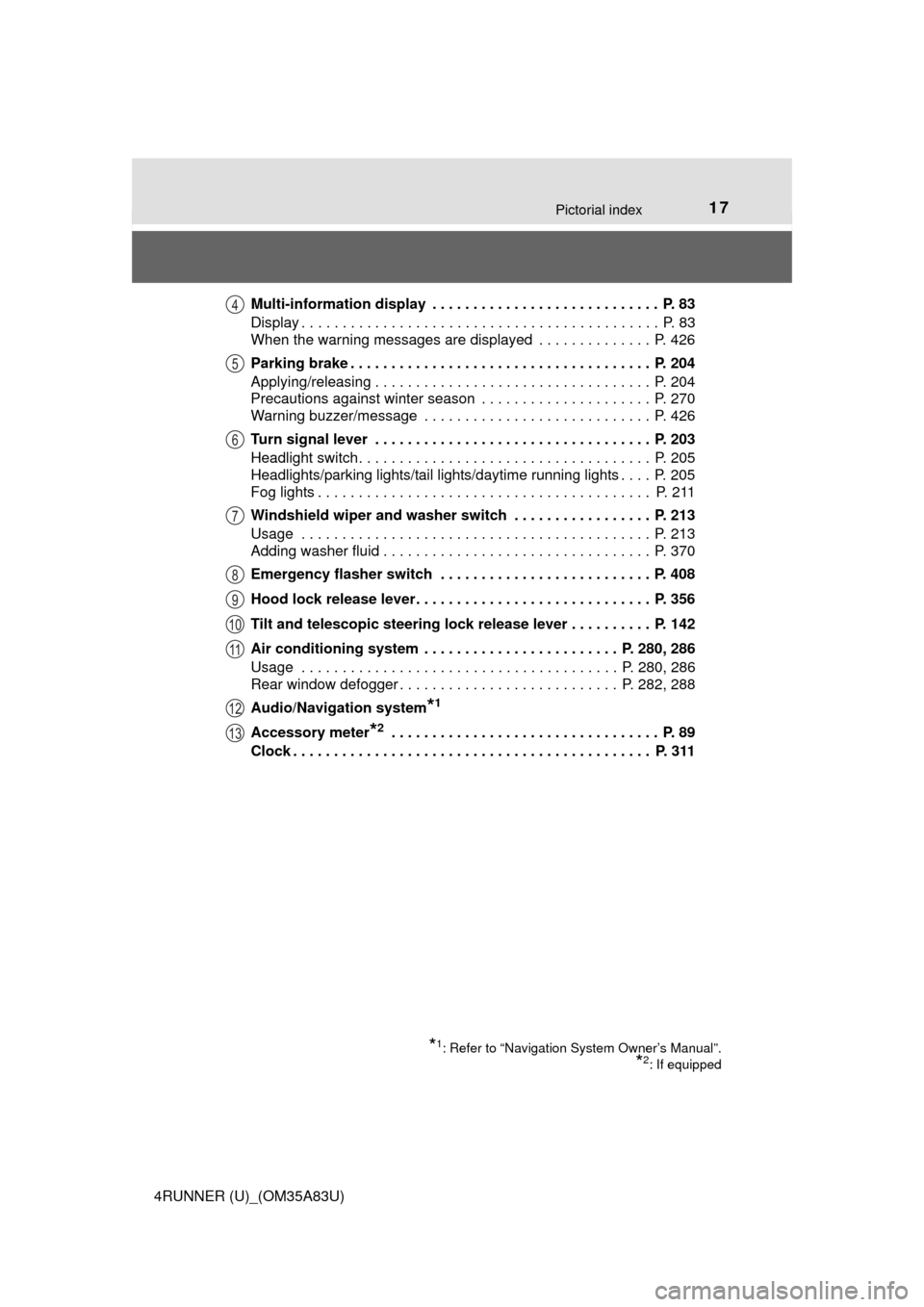
4RUNNER (U)_(OM35A83U)Multi-information display . . . . . . . . . . . . . . . . . . . . . . . . . . . . P. 83
Display . . . . . . . . . . . . . . . . . . . . . . . . . . . . . . . . . . . . . . . . . . . . P. 83
When the warning messages are displayed . . . . . . . . . . . . . . P. 426
Parking brake . . . . . . . . . . . . . . . . . . . . . . . . . . . . . . . . . . . . . P. 204
Applying/releasing . . . . . . . . . . . . . . . . . . . . . . . . . . . . . . . . . . P. 204
Precautions against winter season . . . . . . . . . . . . . . . . . . . . . P. 270
Warning buzzer/message . . . . . . . . . . . . . . . . . . . . . . . . . . . . P. 426
Turn signal lever . . . . . . . . . . . . . . . . . . . . . . . . . . . . . . . . . . P. 203
Headlight switch . . . . . . . . . . . . . . . . . . . . . . . . . . . . . . . . . . . . P. 205
Headlights/parking lights/tail lights/daytime running lights . . . . P. 205
Fog lights . . . . . . . . . . . . . . . . . . . . . . . . . . . . . . . . . . . . . . . . . P. 211
Windshield wiper and washer switch . . . . . . . . . . . . . . . . . P. 213
Usage . . . . . . . . . . . . . . . . . . . . . . . . . . . . . . . . . . . . . . . . . . . P. 213
Adding washer fluid . . . . . . . . . . . . . . . . . . . . . . . . . . . . . . . . . P. 370
Emergency flasher switch . . . . . . . . . . . . . . . . . . . . . . . . . . P. 408
Hood lock release lever. . . . . . . . . . . . . . . . . . . . . . . . . . . . . P. 356
Tilt and telescopic steering lock release lever . . . . . . . . . . P. 142
Air conditioning system . . . . . . . . . . . . . . . . . . . . . . . . P. 280, 286
Usage . . . . . . . . . . . . . . . . . . . . . . . . . . . . . . . . . . . . . . . P. 280, 286
Rear window defogger . . . . . . . . . . . . . . . . . . . . . . . . . . . P. 282, 288
Audio/Navigation system
*1
Accessory meter*2 . . . . . . . . . . . . . . . . . . . . . . . . . . . . . . . . . P. 89
Clock . . . . . . . . . . . . . . . . . . . . . . . . . . . . . . . . . . . . . . . . . . . . P. 311
*1: Refer to “Navigation System Owner’s Manual”.
*2: If equipped
4
5
6
7
8
9
10
11
12
13
Page 89 of 530
892. Instrument cluster
2
Instrument cluster
4RUNNER (U)_(OM35A83U)
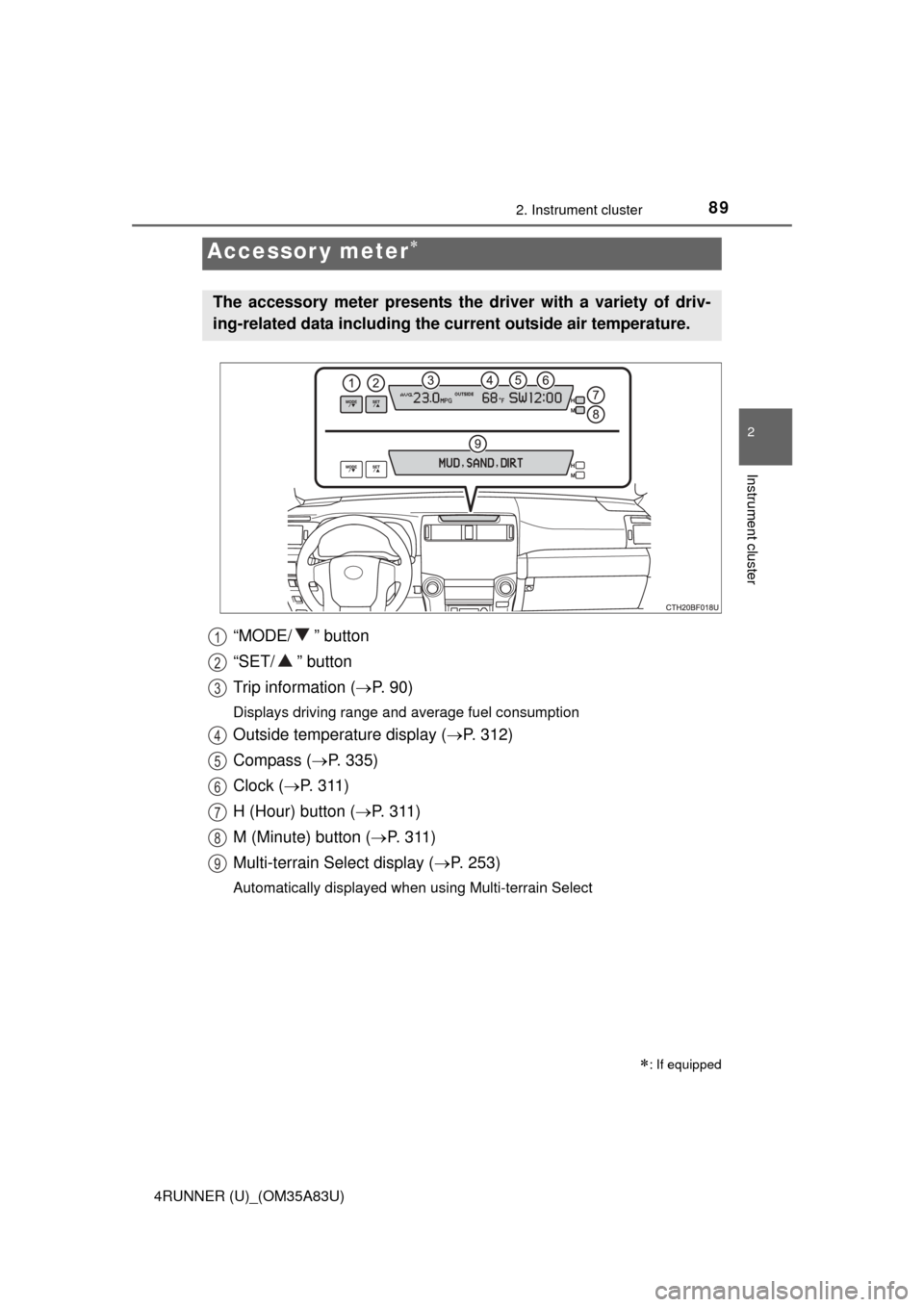
“MODE/ ” button
“SET/ ” button
Trip information (P. 9 0 )
Displays driving range and average fuel consumption
Outside temperature display ( P. 312)
Compass ( P. 335)
Clock ( P. 3 1 1 )
H (Hour) button ( P. 311)
M (Minute) button ( P. 3 1 1 )
Multi-terrain Select display ( P. 253)
Automatically displayed when using Multi-terrain Select
Accessor y meter
: If equipped
The accessory meter presents the driver with a variety of driv-
ing-related data including the cu rrent outside air temperature.
1
2
3
4
5
6
7
8
9
Page 252 of 530
2504-5. Using the driving support systems
4RUNNER (U)_(OM35A83U)■
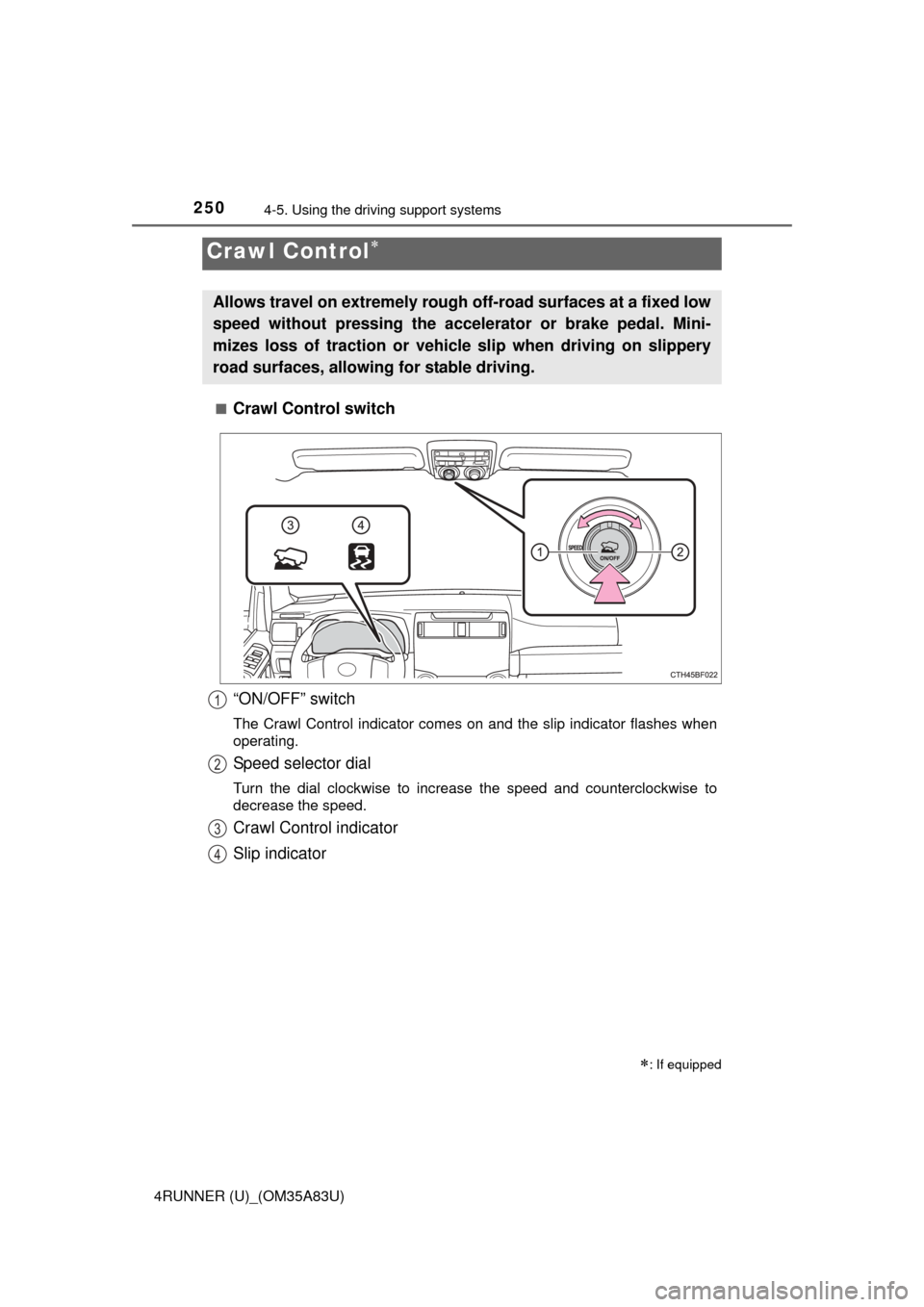
Crawl Control switch
Crawl Control
: If equipped
Allows travel on extremely rough o
ff-road surfaces at a fixed low
speed without pressing the acceler ator or brake pedal. Mini-
mizes loss of traction or vehicle slip when driving on slippery
road surfaces, allowing for stable driving.
“ON/OFF” switch
The Crawl Control indicator comes on and the slip indicator flashes when\
operating.
Speed selector dial
Turn the dial clockwise to increase the speed and counterclockwise to
decrease the speed.
Crawl Control indicator
Slip indicator
1
2
3
4
Page 281 of 530

279
Interior features5
4RUNNER (U)_(OM35A83U)5-1. Using the air conditioning
system and defogger
Manual air conditioning system............................. 280
Automatic air conditioning system............................. 286
Seat heaters/ seat ventilators ................ 293
5-2. Using the interior lights Interior lights list ................ 295
• Interior lights ................. 296
• Personal lights .............. 296 5-3. Using the storage
features
List of storage features ..... 298
• Glove box...................... 299
• Console box .................. 299
• Cup holders .................. 300
• Auxiliary box ................. 302
• Coin holder/tissue pocket/pen holder ......... 303
• Bottle holders ................ 304
Luggage compartment features ........................... 305
5-4. Other interior features Other interior features ....... 310
• Sun visors ..................... 310
• Vanity mirrors................ 310
• Clock ............................. 311
• Outside temperature display........................... 312
• Power outlets (120 V AC) .................... 314
• Power outlets ................ 319
• Armrest ......................... 321
• Assist grips ................... 322
Garage door opener.......... 323
Safety Connect ................. 330
Compass ........................... 335
Page 282 of 530
280
4RUNNER (U)_(OM35A83U)
5-1. Using the air conditioning system and defogger
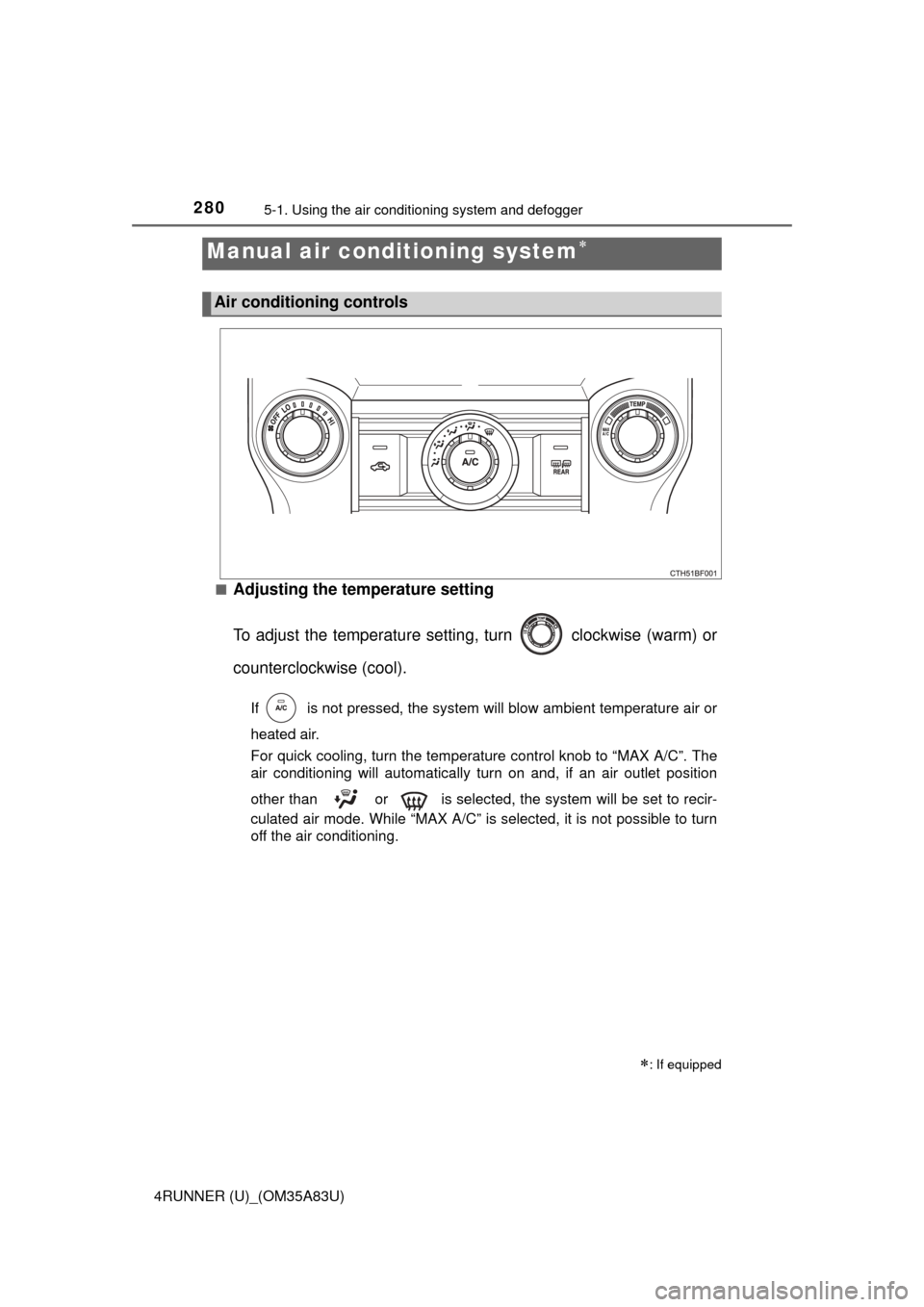
■Adjusting the temperature setting
To adjust the temperature settin g, turn clockwise (warm) or
counterclockwise (cool).
If is not pressed, the system will blow ambient temperature air or
heated air.
For quick cooling, turn the temperat ure control knob to “MAX A/C”. The
air conditioning will automatically turn on and, if an air outlet positi\
on
other than or is selected, the system will be set to recir-
culated air mode. While “MAX A/C” is selected, it is not possible to turn
off the air conditioning.
Manual air conditioning system
: If equipped
Air conditioning controls
Page 283 of 530
2815-1. Using the air conditioning system and defogger
5
Interior features
4RUNNER (U)_(OM35A83U)■
Fan speed setting
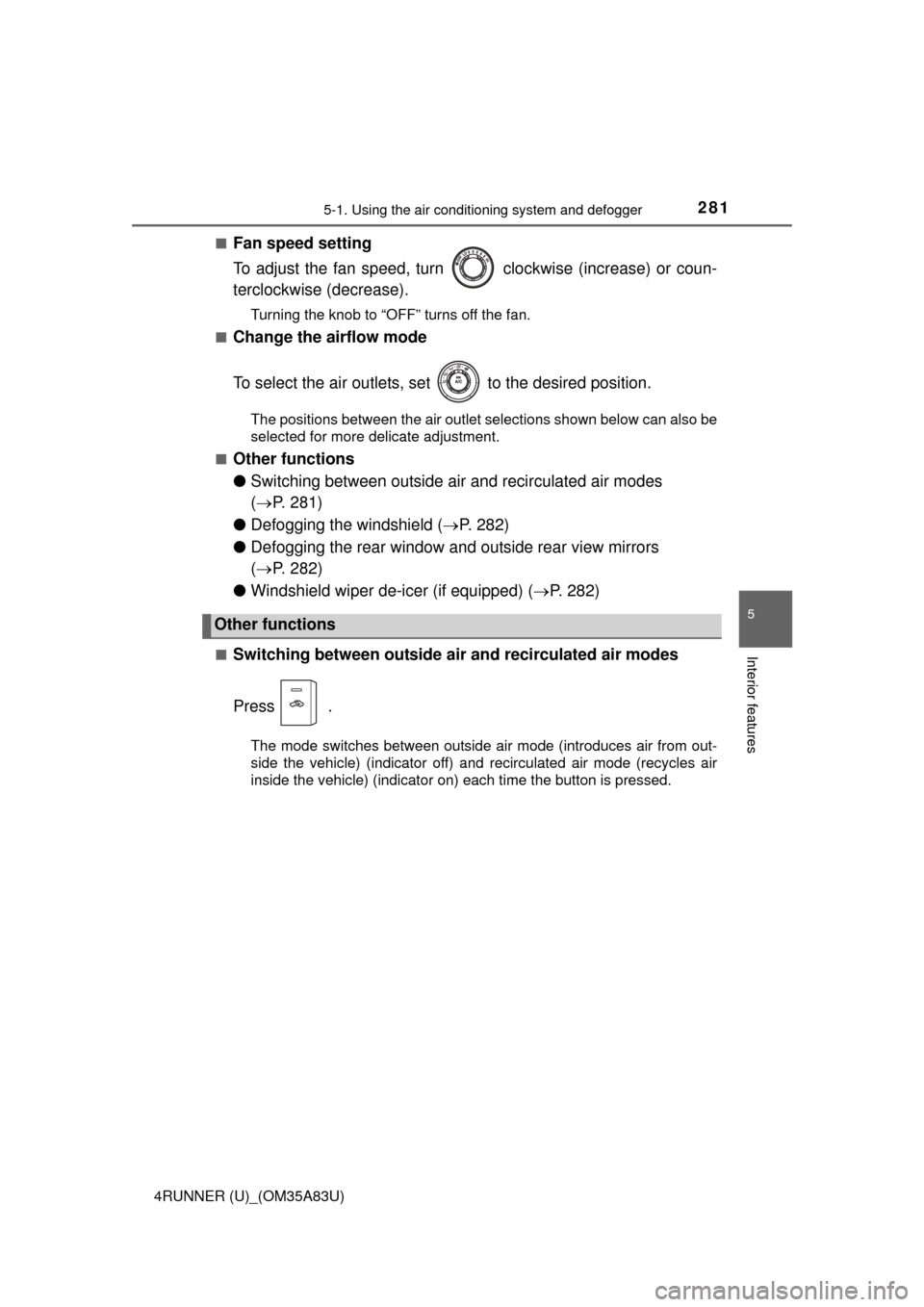
To adjust the fan speed, turn
clockwise (increase) or coun-
terclockwise (decrease).
Turning the knob to “OFF” turns off the fan.
■
Change the airflow mode
To select the air outlets, set to the desired position.
The positions between the air outlet selections shown below can also be
selected for more delicate adjustment.
■
Other functions
● Switching between outside air and recirculated air modes
( P. 281)
● Defogging the windshield ( P. 282)
● Defogging the rear window and outside rear view mirrors
( P. 282)
● Windshield wiper de-icer (if equipped) ( P. 282)
■Switching between outside air and recirculated air modes
Press .
The mode switches between outside air mode (introduces air from out-
side the vehicle) (indicator off) and recirculated air mode (recycles air
inside the vehicle) (indicator on) each time the button is pressed.
Other functions
Page 288 of 530
2865-1. Using the air conditioning system and defogger
4RUNNER (U)_(OM35A83U)■
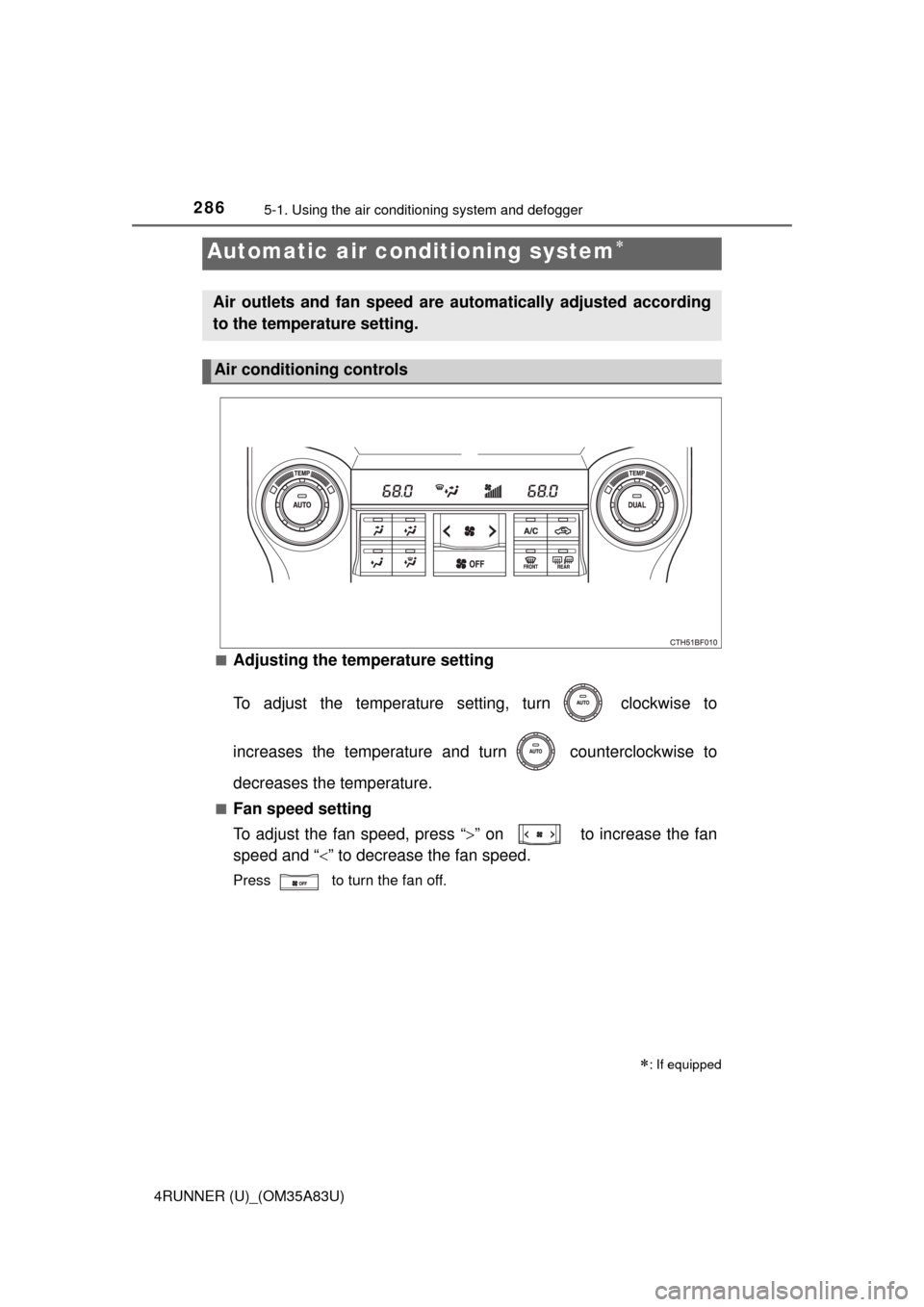
Adjusting the temperature setting
To adjust the temperature se
tting, turn clockwise to
increases the temperature and turn counterclockwise to
decreases the temperature.
■Fan speed setting
To adjust the fan speed, press “ ” on to increase the fan
speed and “ ” to decrease the fan speed.
Press to turn the fan off.
Automatic air conditioning system
: If equipped
Air outlets and fan speed are automatically adjusted according
to the temperature setting.
Air conditioning controls
Page 313 of 530
3115-4. Other interior features
5
Interior features
4RUNNER (U)_(OM35A83U)
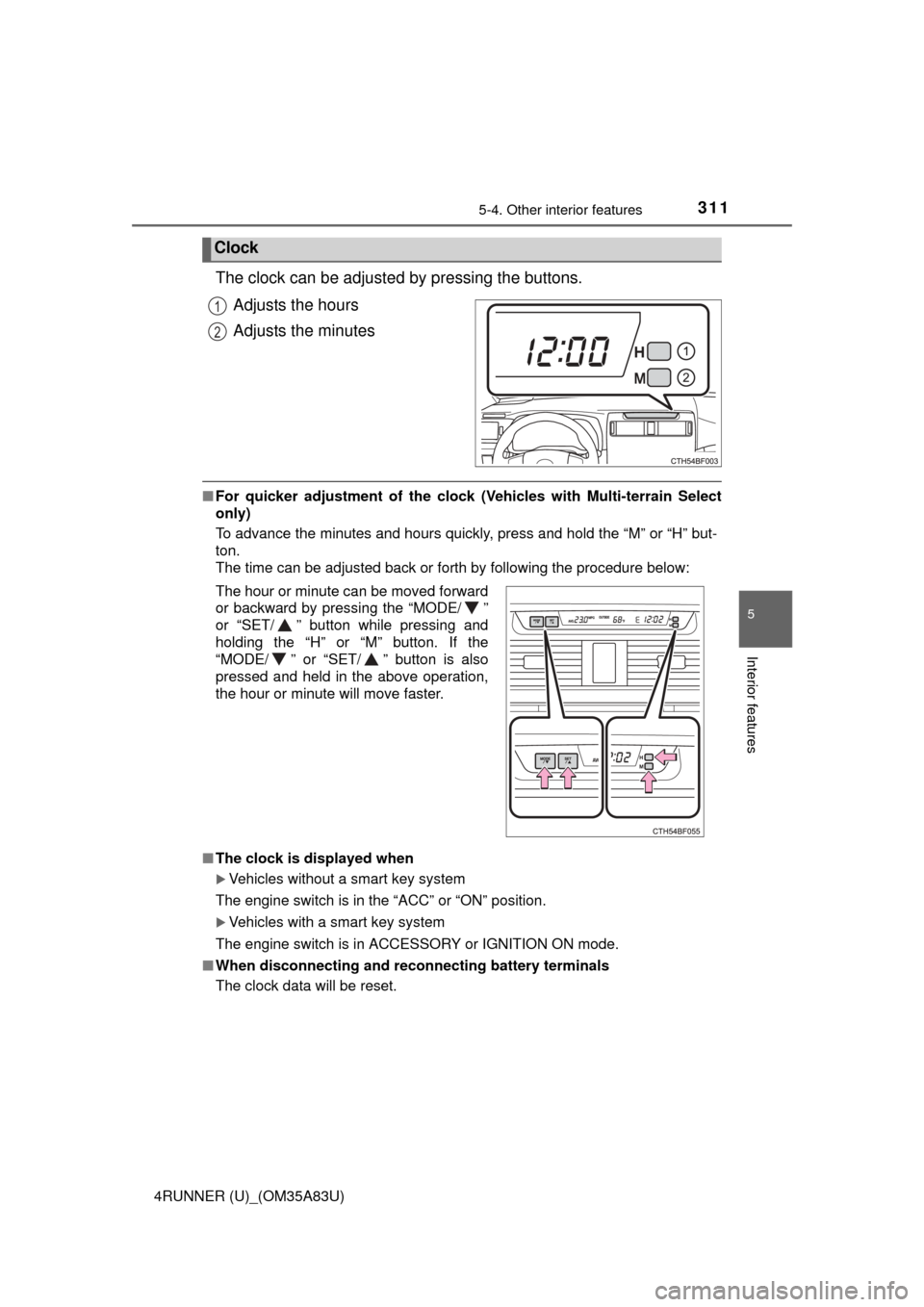
The clock can be adjusted by pressing the buttons.Adjusts the hours
Adjusts the minutes
■For quicker adjustment of the clo ck (Vehicles with Multi-terrain Select
only)
To advance the minutes and hours quickly, press and hold the “M” or “H” but-
ton.
The time can be adjusted back or forth by following the procedure below:
■ The clock is displayed when
Vehicles without a smart key system
The engine switch is in the “ACC” or “ON” position.
Vehicles with a smart key system
The engine switch is in ACCESSORY or IGNITION ON mode.
■ When disconnecting and reco nnecting battery terminals
The clock data will be reset.
Clock
1
2
The hour or minute can be moved forward
or backward by pressing the “MODE/ ”
or “SET/ ” button while pressing and
holding the “H” or “M” button. If the
“MODE/ ” or “SET/ ” button is also
pressed and held in the above operation,
the hour or minute will move faster.
Page 362 of 530
3606-3. Do-it-yourself maintenance
4RUNNER (U)_(OM35A83U)■
Adding engine oil
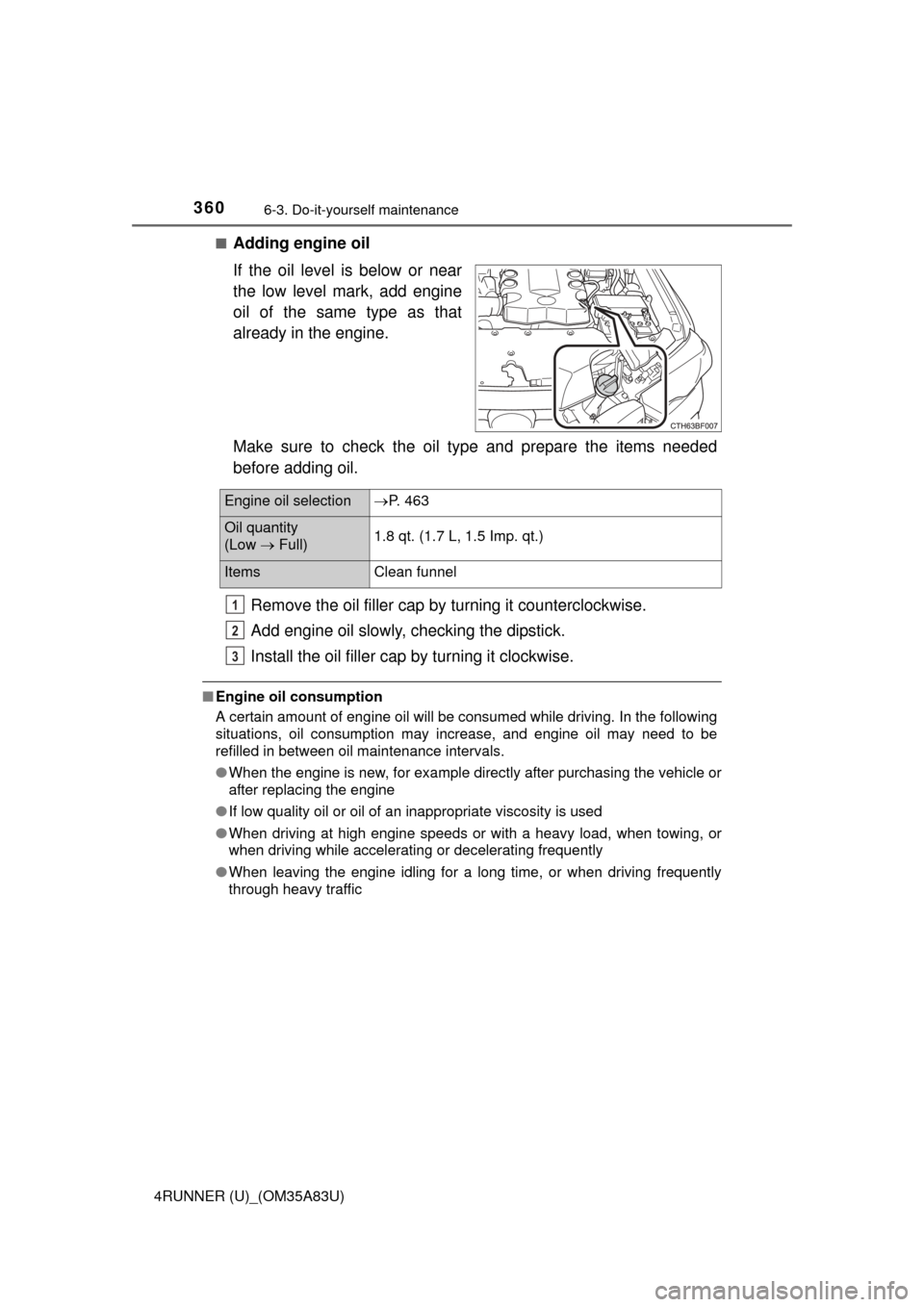
If the oil level is below or near
the low level mark, add engine
oil of the same type as that
already in the engine.
Make sure to check the oil type and prepare the items needed
before adding oil.
Remove the oil filler cap by turning it counterclockwise.
Add engine oil slowly, checking the dipstick.
Install the oil filler cap by turning it clockwise.
■ Engine oil consumption
A certain amount of engine oil will be consumed while driving. In the following
situations, oil consumption may increase, and engine oil may need to be
refilled in between oil maintenance intervals.
●When the engine is new, for example directly after purchasing the vehicle or
after replacing the engine
● If low quality oil or oil of an inappropriate viscosity is used
● When driving at high engine speeds or with a heavy load, when towing, or
when driving while accelerating or decelerating frequently
● When leaving the engine idling for a long time, or when driving frequently
through heavy traffic
Engine oil selection P. 463
Oil quantity
(Low Full) 1.8 qt. (1.7 L, 1.5 Imp. qt.)
Items
Clean funnel
1
2
3