engine TOYOTA 4RUNNER 2016 N280 / 5.G Owners Manual
[x] Cancel search | Manufacturer: TOYOTA, Model Year: 2016, Model line: 4RUNNER, Model: TOYOTA 4RUNNER 2016 N280 / 5.GPages: 528, PDF Size: 12.12 MB
Page 292 of 528
2925-1. Using the air conditioning system and defogger
4RUNNER (U)_(OM35B23U)
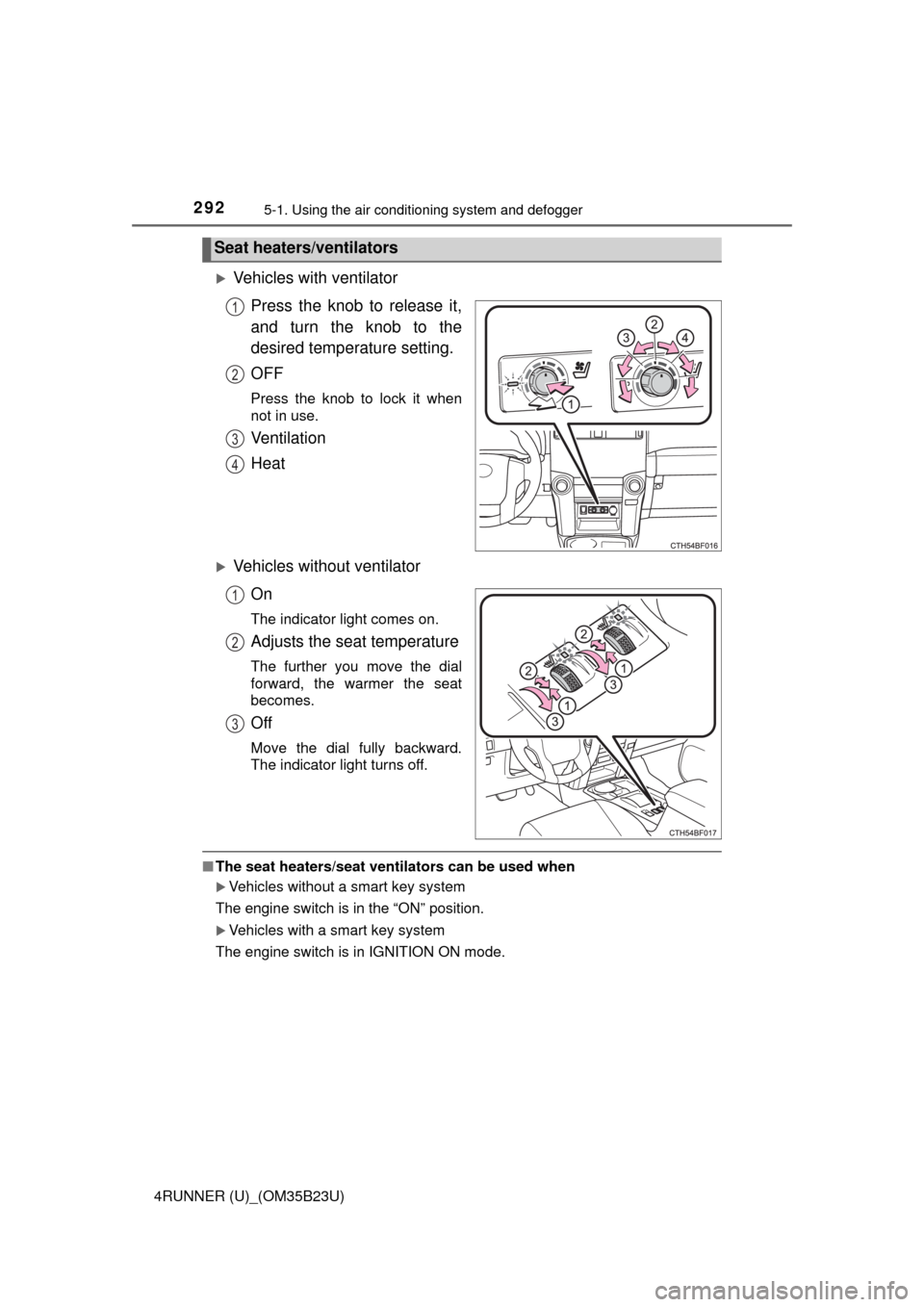
Vehicles with ventilator
Press the knob to release it,
and turn the knob to the
desired temperature setting.
OFF
Press the knob to lock it when
not in use.
Ventilation
Heat
Vehicles without ventilator
On
The indicator light comes on.
Adjusts the seat temperature
The further you move the dial
forward, the warmer the seat
becomes.
Off
Move the dial fully backward.
The indicator light turns off.
■The seat heaters/seat ventilators can be used when
Vehicles without a smart key system
The engine switch is in the “ON” position.
Vehicles with a smart key system
The engine switch is in IGNITION ON mode.
Seat heaters/ventilators
1
2
3
4
1
2
3
Page 293 of 528
293
5
Interior features
4RUNNER (U)_(OM35B23U)
5-2. Using the interior lights
Interior lights list
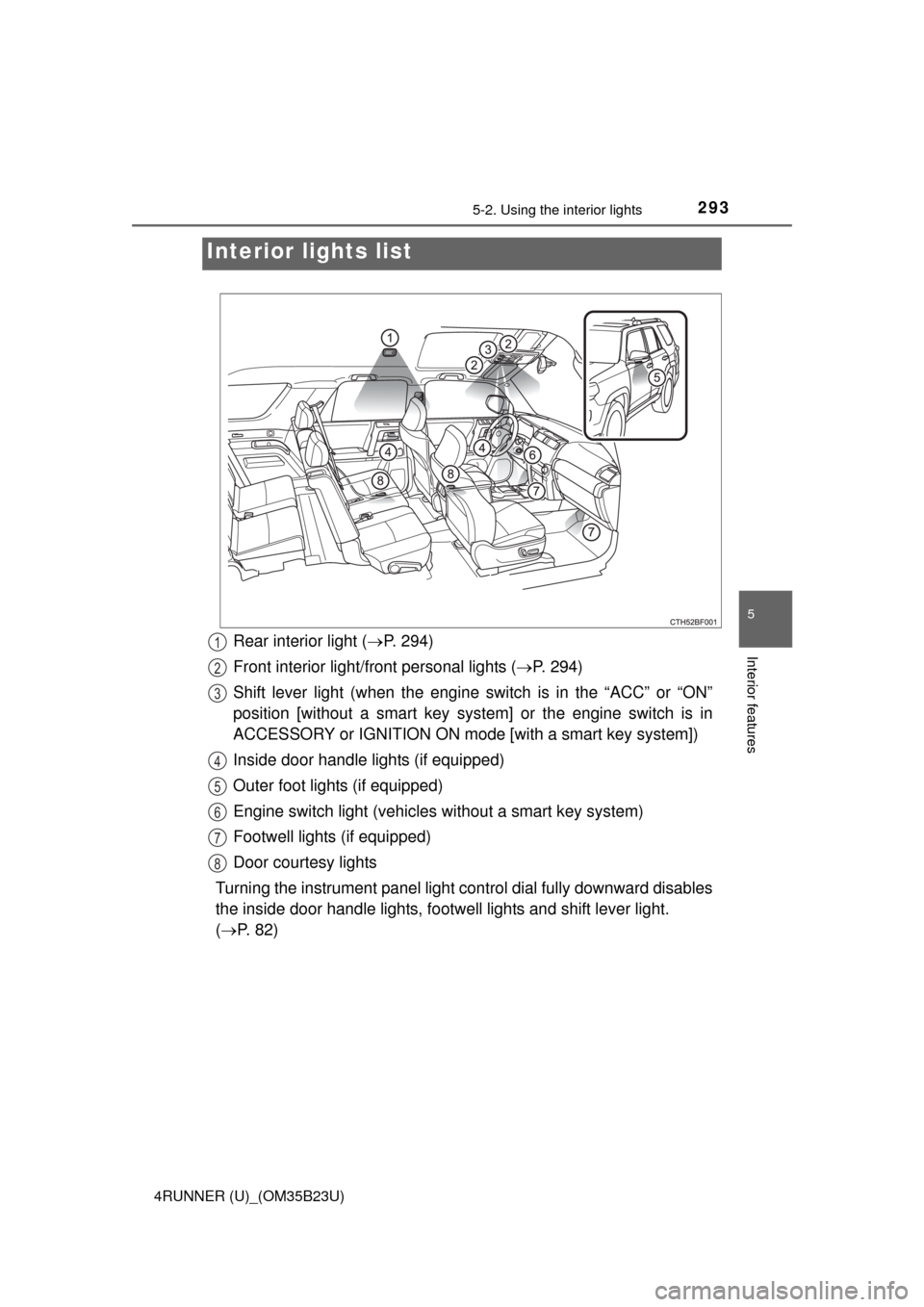
Rear interior light (P. 294)
Front interior light/front personal lights (P. 294)
Shift lever light (when the engine switch is in the “ACC” or “ON”
position [without a smart key system] or the engine switch is in
ACCESSORY or IGNITION ON mode [with a smart key system])
Inside door handle lights (if equipped)
Outer foot lights (if equipped)
Engine switch light (vehicles without a smart key system)
Footwell lights (if equipped)
Door courtesy lights
Turning the instrument panel light control dial fully downward disables
the inside door handle lights, footwell lights and shift lever light.
(P. 82)1
2
3
4
5
6
7
8
Page 295 of 528
2955-2. Using the interior lights
5
Interior features
4RUNNER (U)_(OM35B23U)
■Illuminated entry system
Vehicles without a smart key system
The lights automatically turn on/off according to the engine switch position,
whether the doors are locked/unlocked, and whether the doors are open/
closed.
Vehicles with a smart key system
The lights automatically turn on/off according to engine switch mode, the
presence of the electronic key, whether the doors are locked/unlocked, and
whether the doors are opened/closed.
■To prevent battery discharge
If the following lights remain on, the lights will go off automatically after 20
minutes:
●Engine switch light
●Front interior light
●Rear interior light
●Personal lights
●Footwell lights
●Inside door handle lights
●Door courtesy lights
■Customization
Setting (e.g. the time elapsed before lights turn off) can be changed.
(Customizable features: P. 485)
NOTICE
■To prevent battery discharge
Do not leave the lights on longer than necessary when the engine is not
running.
Page 308 of 528
308
4RUNNER (U)_(OM35B23U)
5-4. Other interior features
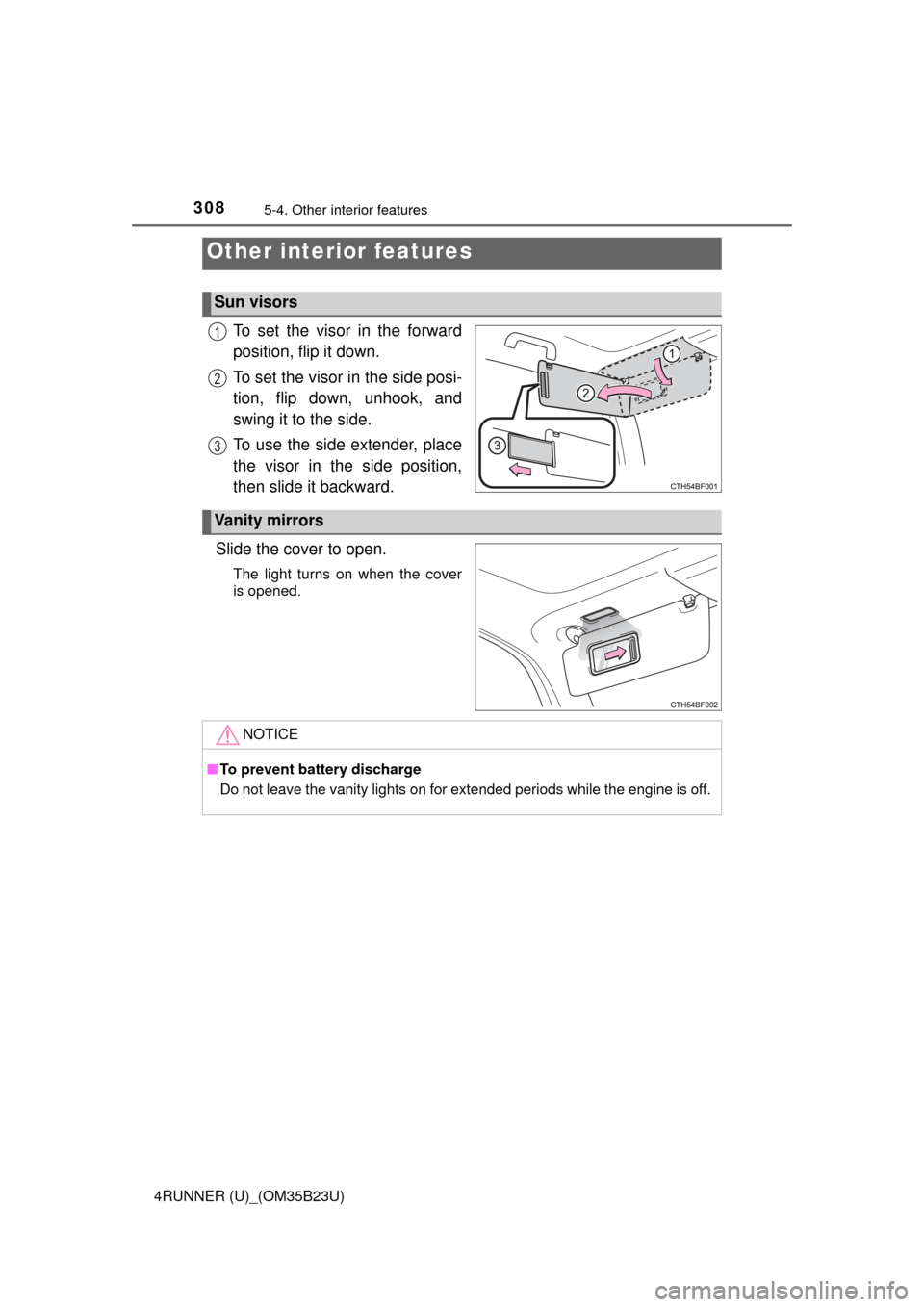
To set the visor in the forward
position, flip it down.
To set the visor in the side posi-
tion, flip down, unhook, and
swing it to the side.
To use the side extender, place
the visor in the side position,
then slide it backward.
Slide the cover to open.
The light turns on when the cover
is opened.
Other interior features
Sun visors
1
2
3
Vanity mirrors
NOTICE
■To prevent battery discharge
Do not leave the vanity lights on for extended periods while the engine is off.
Page 309 of 528
3095-4. Other interior features
5
Interior features
4RUNNER (U)_(OM35B23U)
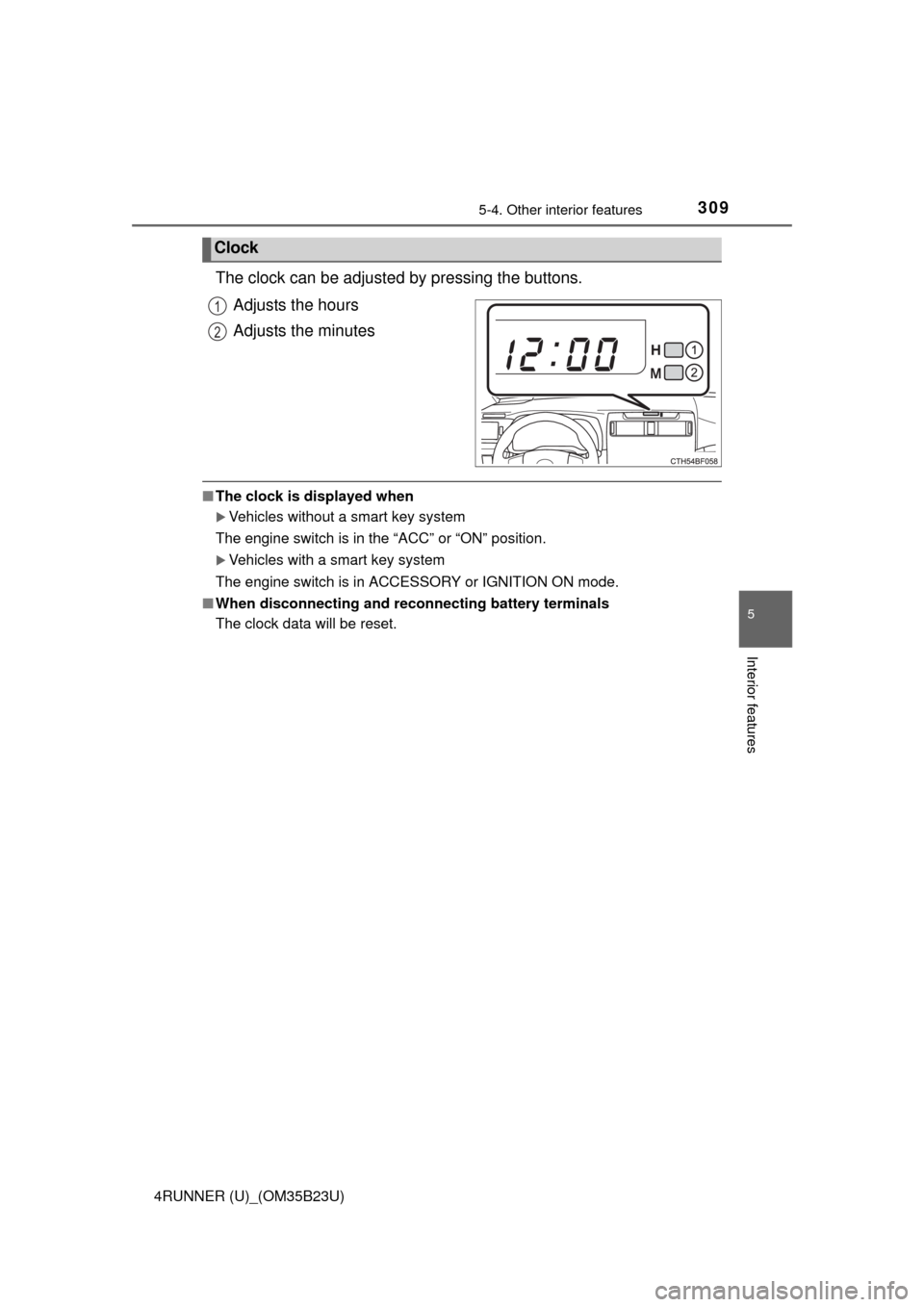
The clock can be adjusted by pressing the buttons.
Adjusts the hours
Adjusts the minutes
■The clock is displayed when
Vehicles without a smart key system
The engine switch is in the “ACC” or “ON” position.
Vehicles with a smart key system
The engine switch is in ACCESSORY or IGNITION ON mode.
■When disconnecting and reconnecting battery terminals
The clock data will be reset.
Clock
1
2
Page 310 of 528
3105-4. Other interior features
4RUNNER (U)_(OM35B23U)
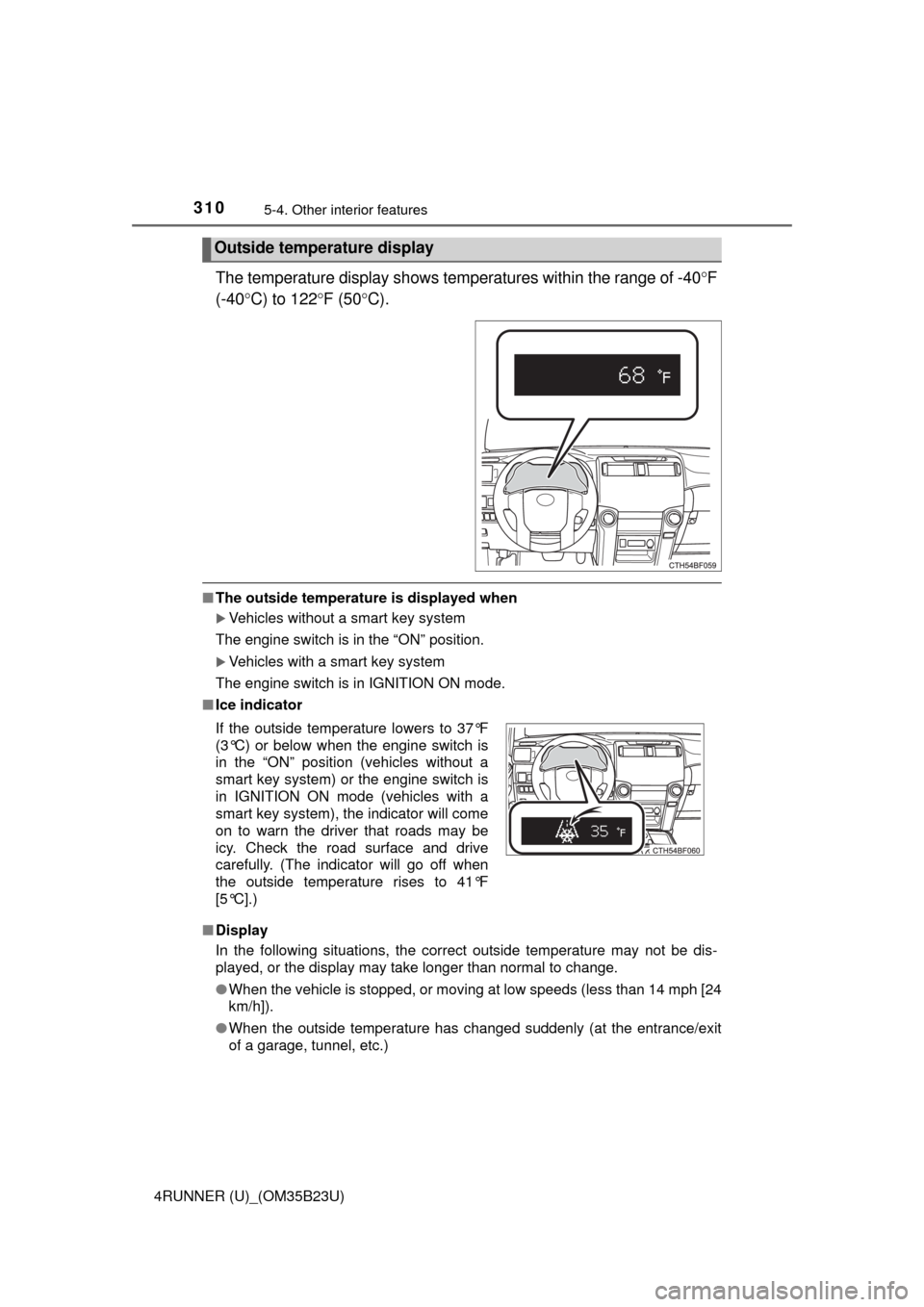
The temperature display shows temperatures within the range of -40F
(-40C) to 122F (50C).
■The outside temperature is displayed when
Vehicles without a smart key system
The engine switch is in the “ON” position.
Vehicles with a smart key system
The engine switch is in IGNITION ON mode.
■Ice indicator
■Display
In the following situations, the correct outside temperature may not be dis-
played, or the display may take longer than normal to change.
●When the vehicle is stopped, or moving at low speeds (less than 14 mph [24
km/h]).
●When the outside temperature has changed suddenly (at the entrance/exit
of a garage, tunnel, etc.)
Outside temperature display
If the outside temperature lowers to 37°F
(3°C) or below when the engine switch is
in the “ON” position (vehicles without a
smart key system) or the engine switch is
in IGNITION ON mode (vehicles with a
smart key system), the indicator will come
on to warn the driver that roads may be
icy. Check the road surface and drive
carefully. (The indicator will go off when
the outside temperature rises to 41°F
[5°C].)
Page 312 of 528
3125-4. Other interior features
4RUNNER (U)_(OM35B23U)
■The power outlet can be used when
The engine is running.
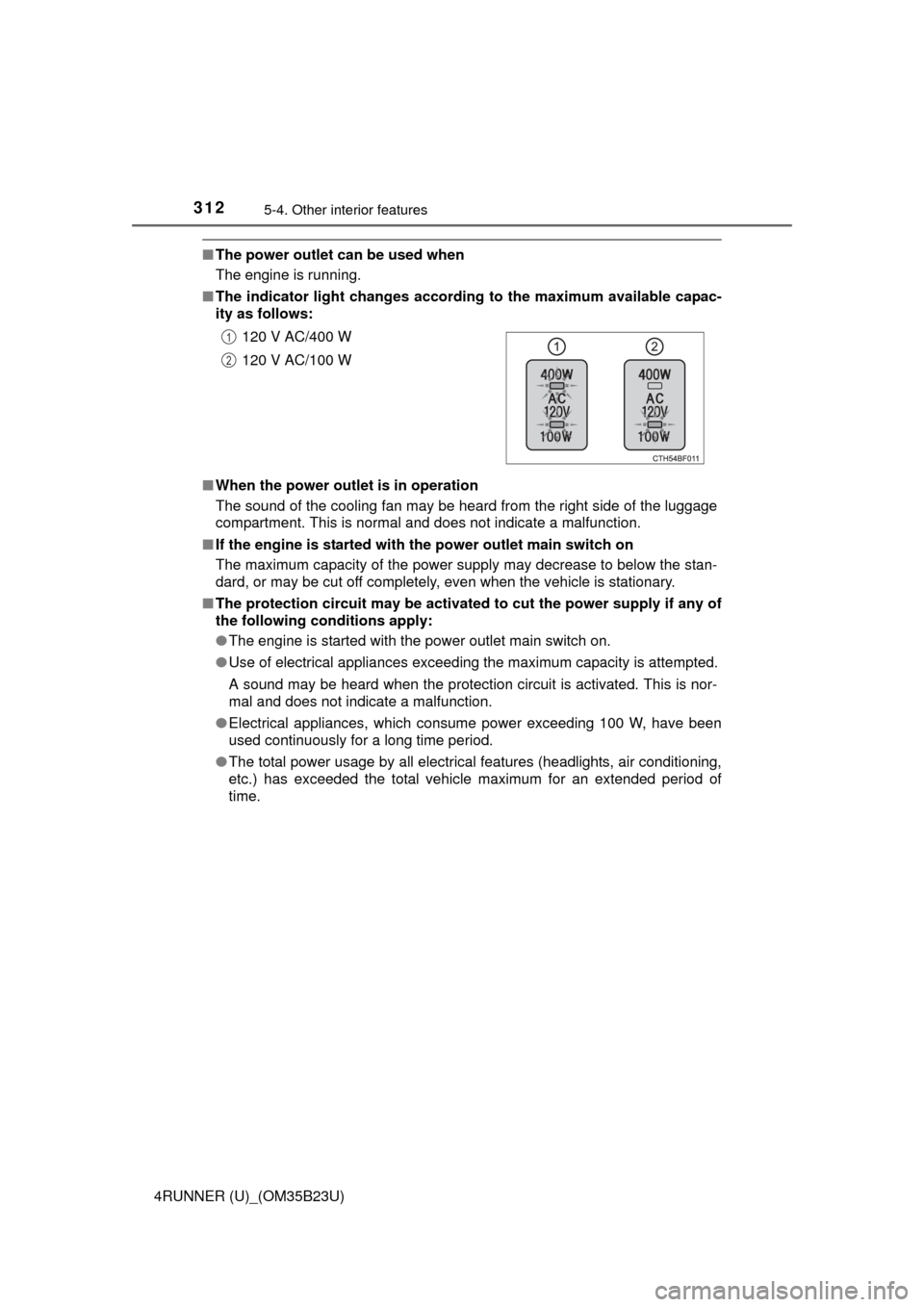
■The indicator light changes according to the maximum available capac-
ity as follows:
■When the power outlet is in operation
The sound of the cooling fan may be heard from the right side of the luggage
compartment. This is normal and does not indicate a malfunction.
■If the engine is started with the power outlet main switch on
The maximum capacity of the power supply may decrease to below the stan-
dard, or may be cut off completely, even when the vehicle is stationary.
■The protection circuit may be activated to cut the power supply if any of
the following conditions apply:
●The engine is started with the power outlet main switch on.
●Use of electrical appliances exceeding the maximum capacity is attempted.
A sound may be heard when the protection circuit is activated. This is nor-
mal and does not indicate a malfunction.
●Electrical appliances, which consume power exceeding 100 W, have been
used continuously for a long time period.
●The total power usage by all electrical features (headlights, air conditioning,
etc.) has exceeded the total vehicle maximum for an extended period of
time.120 V AC/400 W
120 V AC/100 W
1
2
Page 318 of 528
3185-4. Other interior features
4RUNNER (U)_(OM35B23U)
■The power outlets can be used when
Vehicles without a smart key system
The engine switch is in the “ACC” or “ON” position.
Vehicles with a smart key system
The engine switch is in ACCESSORY or IGNITION ON mode.
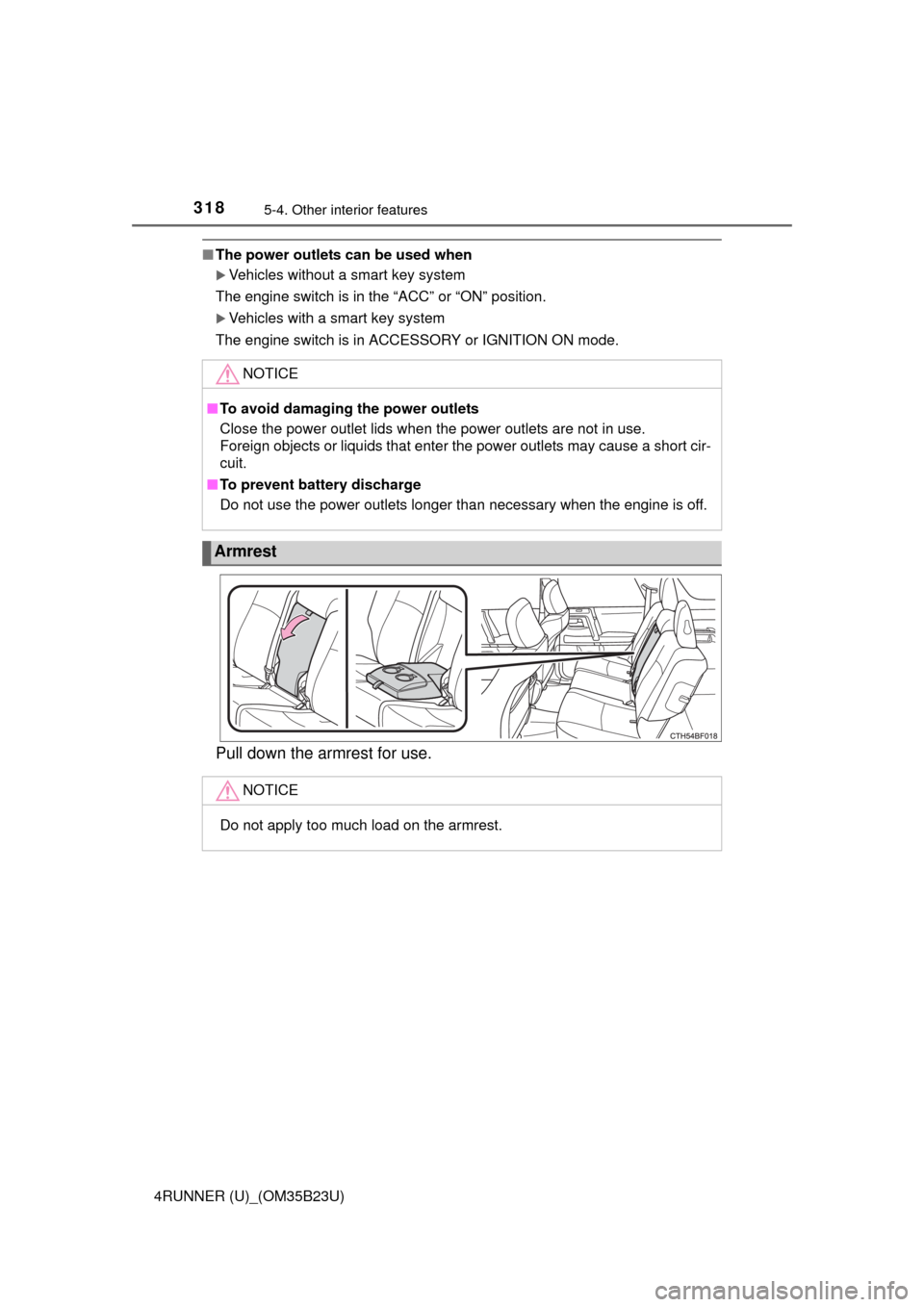
Pull down the armrest for use.
NOTICE
■To avoid damaging the power outlets
Close the power outlet lids when the power outlets are not in use.
Foreign objects or liquids that enter the power outlets may cause a short cir-
cuit.
■To prevent battery discharge
Do not use the power outlets longer than necessary when the engine is off.
Armrest
NOTICE
Do not apply too much load on the armrest.
Page 329 of 528

3295-4. Other interior features
5
Interior features
4RUNNER (U)_(OM35B23U)
When the engine switch is turned to the “ON” position (vehicles with-
out a smart key system) or the engine switch is turned to IGNITION
ON mode (vehicles with a smart key system), the red indicator light
comes on for 2 seconds then turns off. Afterward, the green indicator
light comes on, indicating that the service is active.
The following indicator light patterns indicate specific system usage
conditions:
●Green indicator light on = Active service
●Green indicator light flashing = Safety Connect call in process
●Red indicator light (except at vehicle start-up) = System malfunction
(contact your Toyota dealer)
●No indicator light (off) = Safety Connect service not active
■Automatic Collision Notification
In case of either airbag deployment or severe rear-end collision, the
system is designed to automatically call the response center. The
responding agent receives the vehicle’s location and attempts to
speak with the vehicle occupants to assess the level of emergency.
If the occupants are unable to communicate, the agent automati-
cally treats the call as an emergency, contacts the nearest emer-
gency services provider to describe the situation, and requests that
assistance be sent to the location.
Safety Connect LED light Indicators
Safety Connect services
Page 333 of 528

333
Maintenance and care6
4RUNNER (U)_(OM35B23U)6-1. Maintenance and care
Cleaning and protecting
the vehicle exterior .......... 334
Cleaning and protecting
the vehicle interior ........... 337
6-2. Maintenance
Maintenance
requirements ................... 340
General maintenance........ 342
Emission inspection and
maintenance (I/M)
programs......................... 345
6-3. Do-it-yourself
maintenance
Do-it-yourself service
precautions ..................... 346
Hood ................................. 349
Engine compartment ......... 350
Tires .................................. 365
Tire inflation pressure ....... 371
Wheels .............................. 374
Air conditioning filter.......... 377
Wireless remote
control/electronic
key battery ...................... 379
Checking and replacing
fuses ............................... 382
Light bulbs......................... 385