display TOYOTA 4RUNNER 2016 N280 / 5.G Owner's Manual
[x] Cancel search | Manufacturer: TOYOTA, Model Year: 2016, Model line: 4RUNNER, Model: TOYOTA 4RUNNER 2016 N280 / 5.GPages: 528, PDF Size: 12.12 MB
Page 252 of 528
2524-5. Using the driving support systems
4RUNNER (U)_(OM35B23U)
Multi-terrain Select
: If equipped
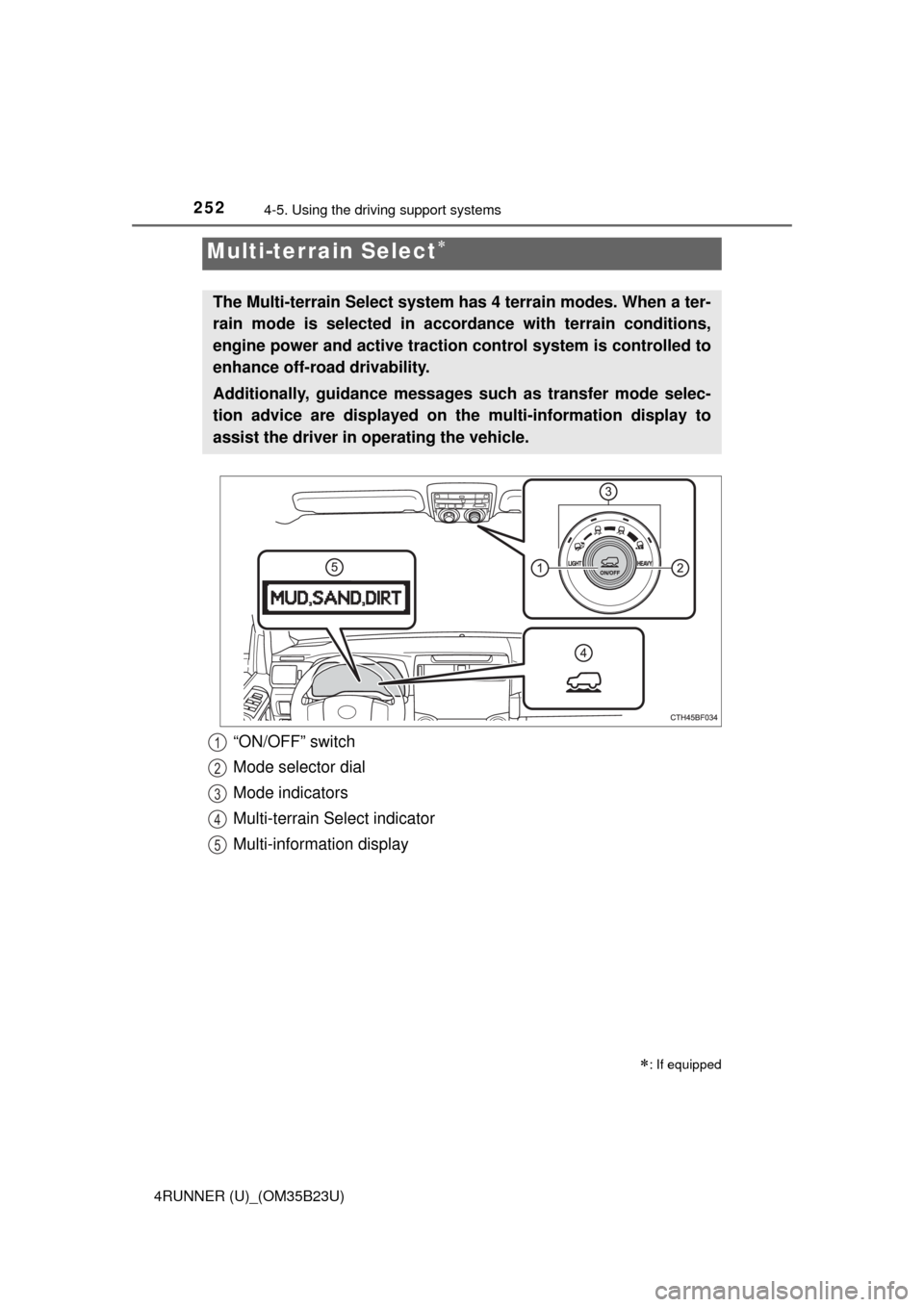
The Multi-terrain Select system has 4 terrain modes. When a ter-
rain mode is selected in accordance with terrain conditions,
engine power and active traction control system is controlled to
enhance off-road drivability.
Additionally, guidance messages such as transfer mode selec-
tion advice are displayed on the multi-information display to
assist the driver in operating the vehicle.
“ON/OFF” switch
Mode selector dial
Mode indicators
Multi-terrain Select indicator
Multi-information display1
2
3
4
5
Page 255 of 528
2554-5. Using the driving support systems
4
Driving
4RUNNER (U)_(OM35B23U)
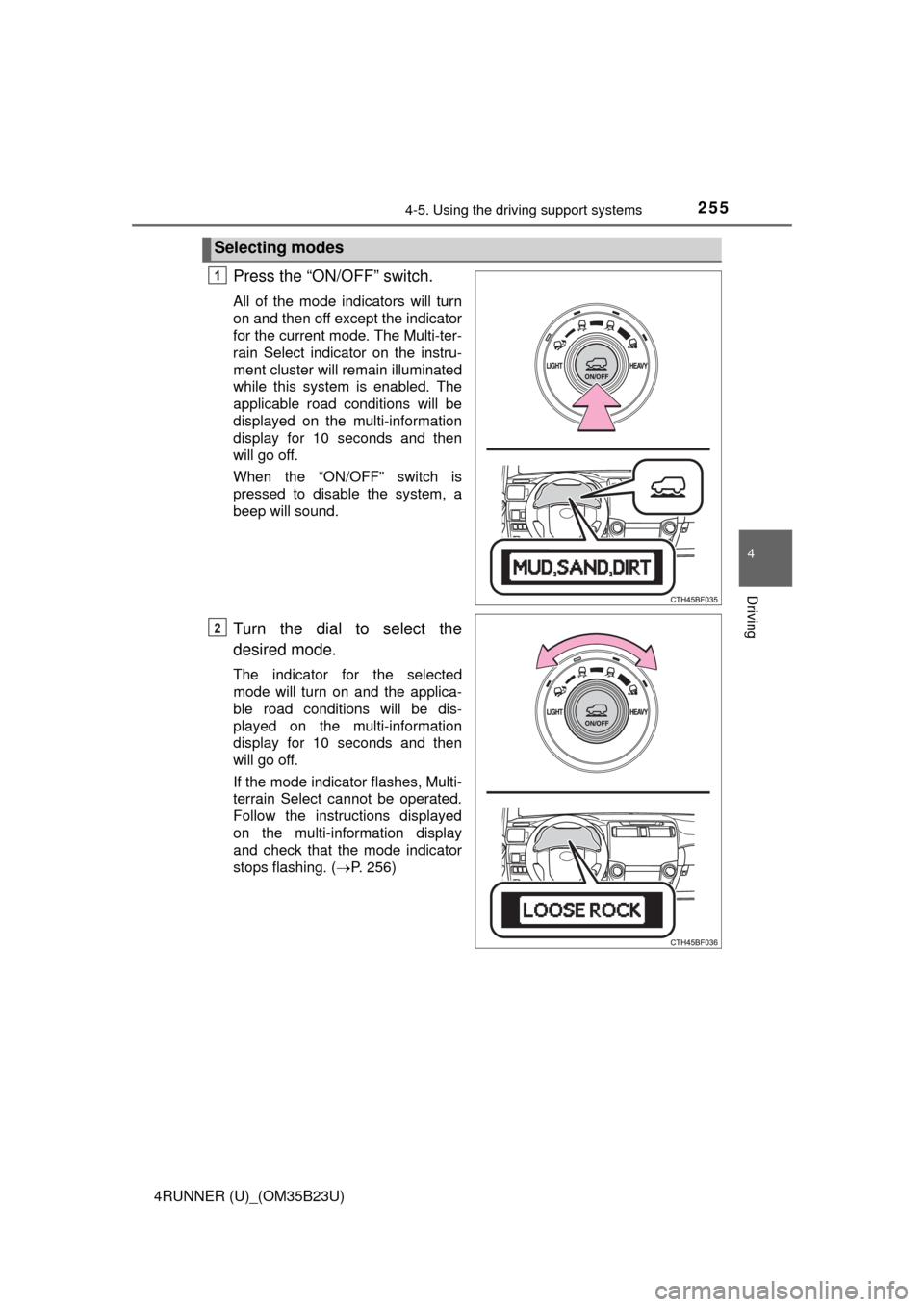
Press the “ON/OFF” switch.
All of the mode indicators will turn
on and then off except the indicator
for the current mode. The Multi-ter-
rain Select indicator on the instru-
ment cluster will remain illuminated
while this system is enabled. The
applicable road conditions will be
displayed on the multi-information
display for 10 seconds and then
will go off.
When the “ON/OFF” switch is
pressed to disable the system, a
beep will sound.
Turn the dial to select the
desired mode.
The indicator for the selected
mode will turn on and the applica-
ble road conditions will be dis-
played on the multi-information
display for 10 seconds and then
will go off.
If the mode indicator flashes, Multi-
terrain Select cannot be operated.
Follow the instructions displayed
on the multi-information display
and check that the mode indicator
stops flashing. (P. 256)
Selecting modes
1
2
Page 256 of 528
2564-5. Using the driving support systems
4RUNNER (U)_(OM35B23U)
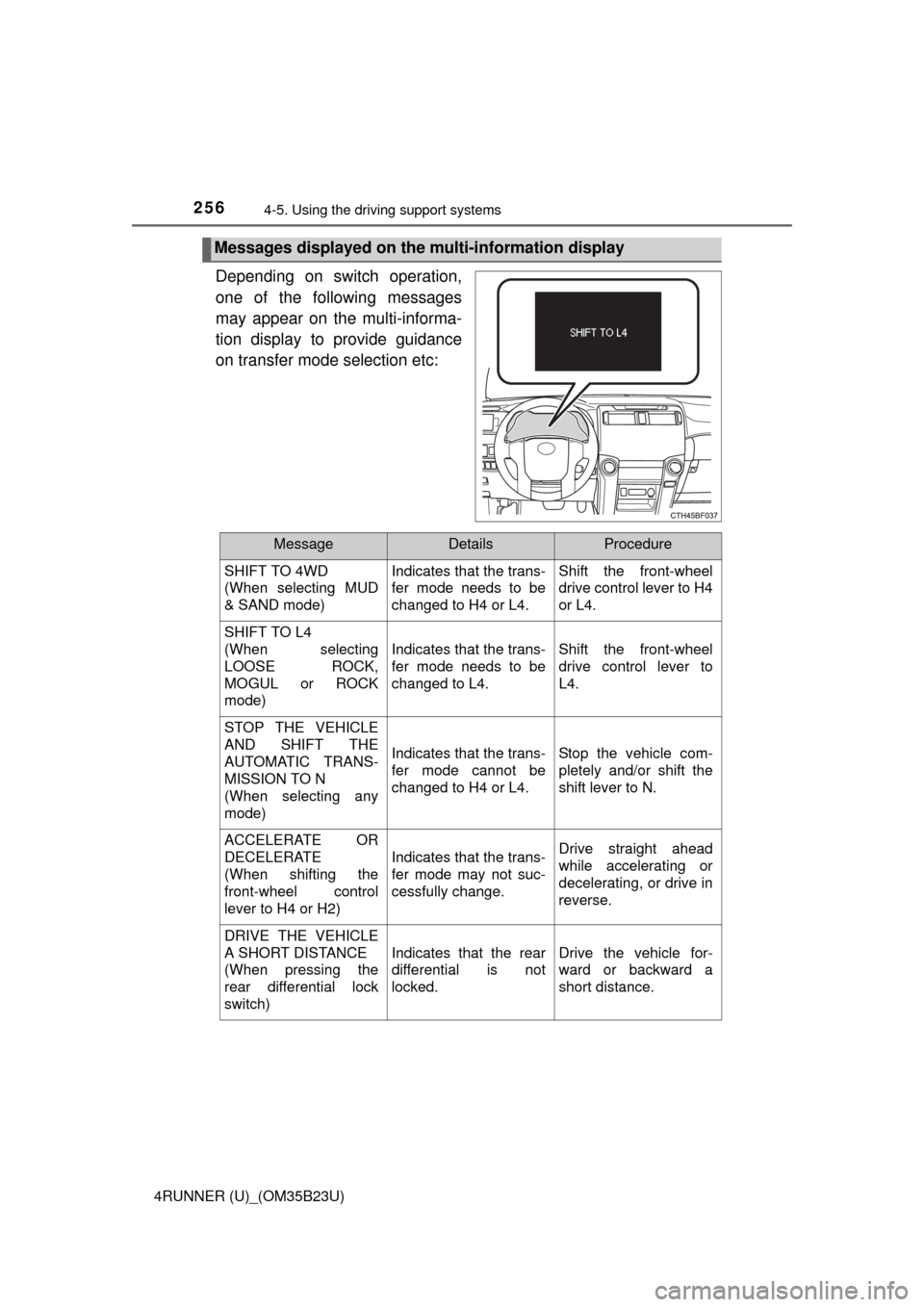
Depending on switch operation,
one of the following messages
may appear on the multi-informa-
tion display to provide guidance
on transfer mode selection etc:
Messages displayed on the multi-information display
MessageDetailsProcedure
SHIFT TO 4WD
(When selecting MUD
& SAND mode)Indicates that the trans-
fer mode needs to be
changed to H4 or L4.Shift the front-wheel
drive control lever to H4
or L4.
SHIFT TO L4
(When selecting
LOOSE ROCK,
MOGUL or ROCK
mode)
Indicates that the trans-
fer mode needs to be
changed to L4.Shift the front-wheel
drive control lever to
L4.
STOP THE VEHICLE
AND SHIFT THE
AUTOMATIC TRANS-
MISSION TO N
(When selecting any
mode)
Indicates that the trans-
fer mode cannot be
changed to H4 or L4.Stop the vehicle com-
pletely and/or shift the
shift lever to N.
ACCELERATE OR
DECELERATE
(When shifting the
front-wheel control
lever to H4 or H2)
Indicates that the trans-
fer mode may not suc-
cessfully change.Drive straight ahead
while accelerating or
decelerating, or drive in
reverse.
DRIVE THE VEHICLE
A SHORT DISTANCE
(When pressing the
rear differential lock
switch)
Indicates that the rear
differential is not
locked.Drive the vehicle for-
ward or backward a
short distance.
Page 277 of 528

277
Interior features5
4RUNNER (U)_(OM35B23U)5-1. Using the air
conditioning system
and defogger
Manual air conditioning
system............................. 278
Automatic air conditioning
system............................. 284
Seat heaters/seat
ventilators........................ 291
5-2. Using the interior lights
Interior lights list ................ 293
• Interior lights ................. 294
• Personal lights .............. 294
5-3. Using the storage
features
List of storage features ..... 296
• Glove box...................... 297
• Console box .................. 297
• Cup holders .................. 298
• Auxiliary box ................. 300
• Coin holder/tissue
pocket/pen holder ......... 301
• Bottle holders ................ 302
Luggage compartment
features ........................... 3035-4. Other interior features
Other interior features ....... 308
• Sun visors ..................... 308
• Vanity mirrors................ 308
• Clock ............................. 309
• Outside temperature
display........................... 310
• Power outlets
(120 V AC) .................... 311
• Power outlets ................ 316
• Armrest ......................... 318
• Assist grips ................... 319
Garage door opener.......... 320
Safety Connect ................. 327
Page 309 of 528
3095-4. Other interior features
5
Interior features
4RUNNER (U)_(OM35B23U)
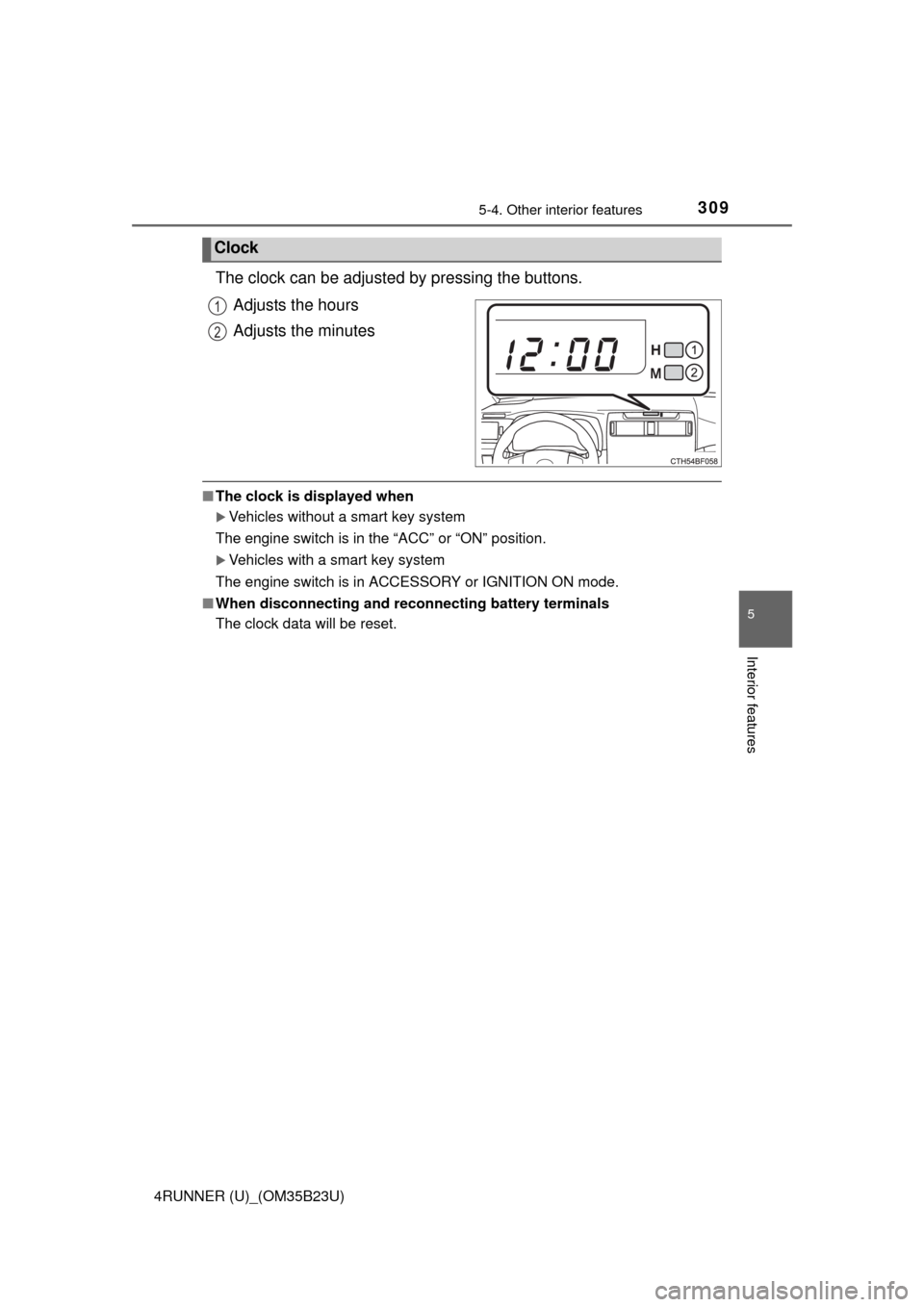
The clock can be adjusted by pressing the buttons.
Adjusts the hours
Adjusts the minutes
■The clock is displayed when
Vehicles without a smart key system
The engine switch is in the “ACC” or “ON” position.
Vehicles with a smart key system
The engine switch is in ACCESSORY or IGNITION ON mode.
■When disconnecting and reconnecting battery terminals
The clock data will be reset.
Clock
1
2
Page 310 of 528
3105-4. Other interior features
4RUNNER (U)_(OM35B23U)
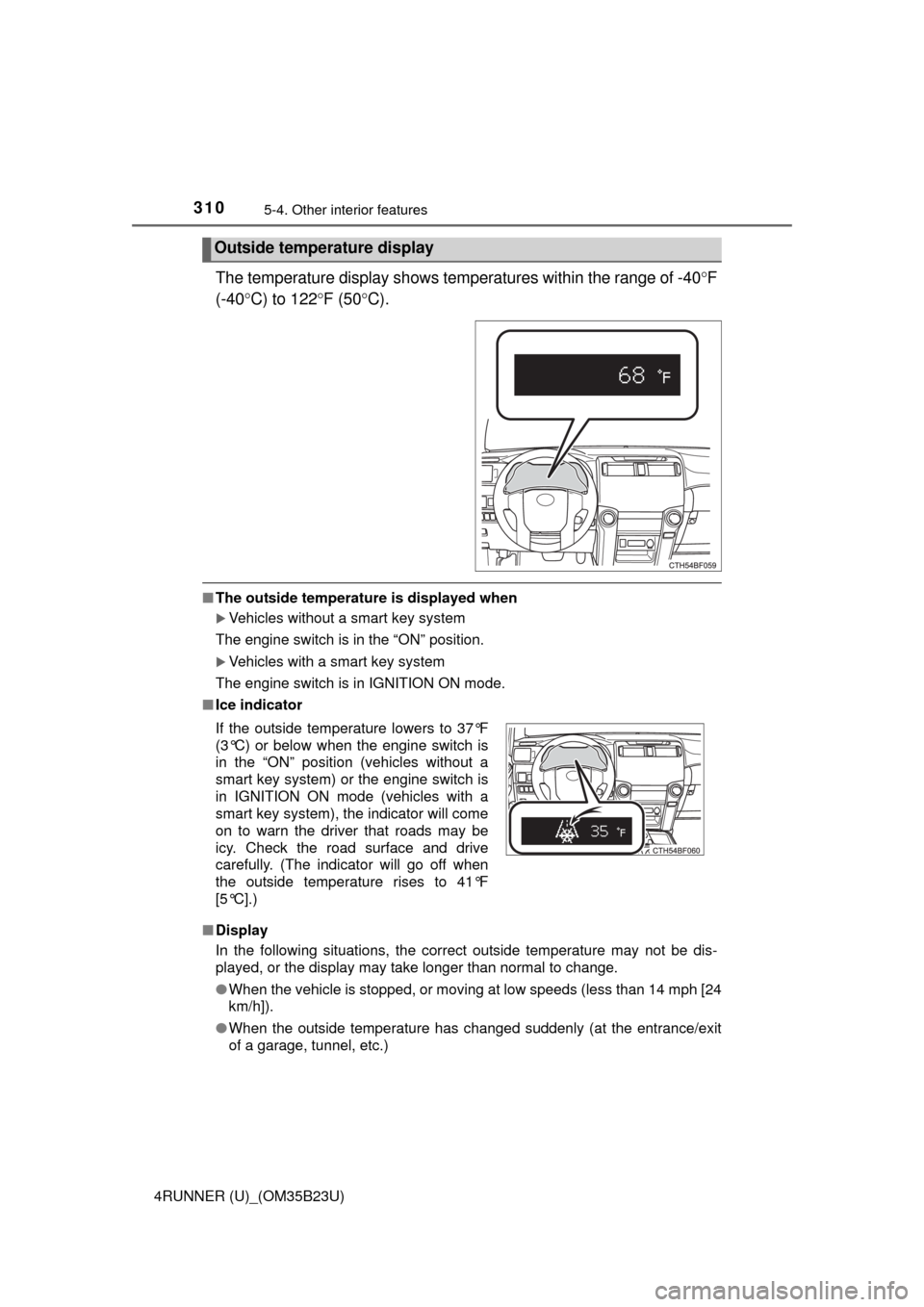
The temperature display shows temperatures within the range of -40F
(-40C) to 122F (50C).
■The outside temperature is displayed when
Vehicles without a smart key system
The engine switch is in the “ON” position.
Vehicles with a smart key system
The engine switch is in IGNITION ON mode.
■Ice indicator
■Display
In the following situations, the correct outside temperature may not be dis-
played, or the display may take longer than normal to change.
●When the vehicle is stopped, or moving at low speeds (less than 14 mph [24
km/h]).
●When the outside temperature has changed suddenly (at the entrance/exit
of a garage, tunnel, etc.)
Outside temperature display
If the outside temperature lowers to 37°F
(3°C) or below when the engine switch is
in the “ON” position (vehicles without a
smart key system) or the engine switch is
in IGNITION ON mode (vehicles with a
smart key system), the indicator will come
on to warn the driver that roads may be
icy. Check the road surface and drive
carefully. (The indicator will go off when
the outside temperature rises to 41°F
[5°C].)
Page 324 of 528
3245-4. Other interior features
4RUNNER (U)_(OM35B23U)
Press the appropriate HomeLink® button. The HomeLink® indicator
light should turn on.
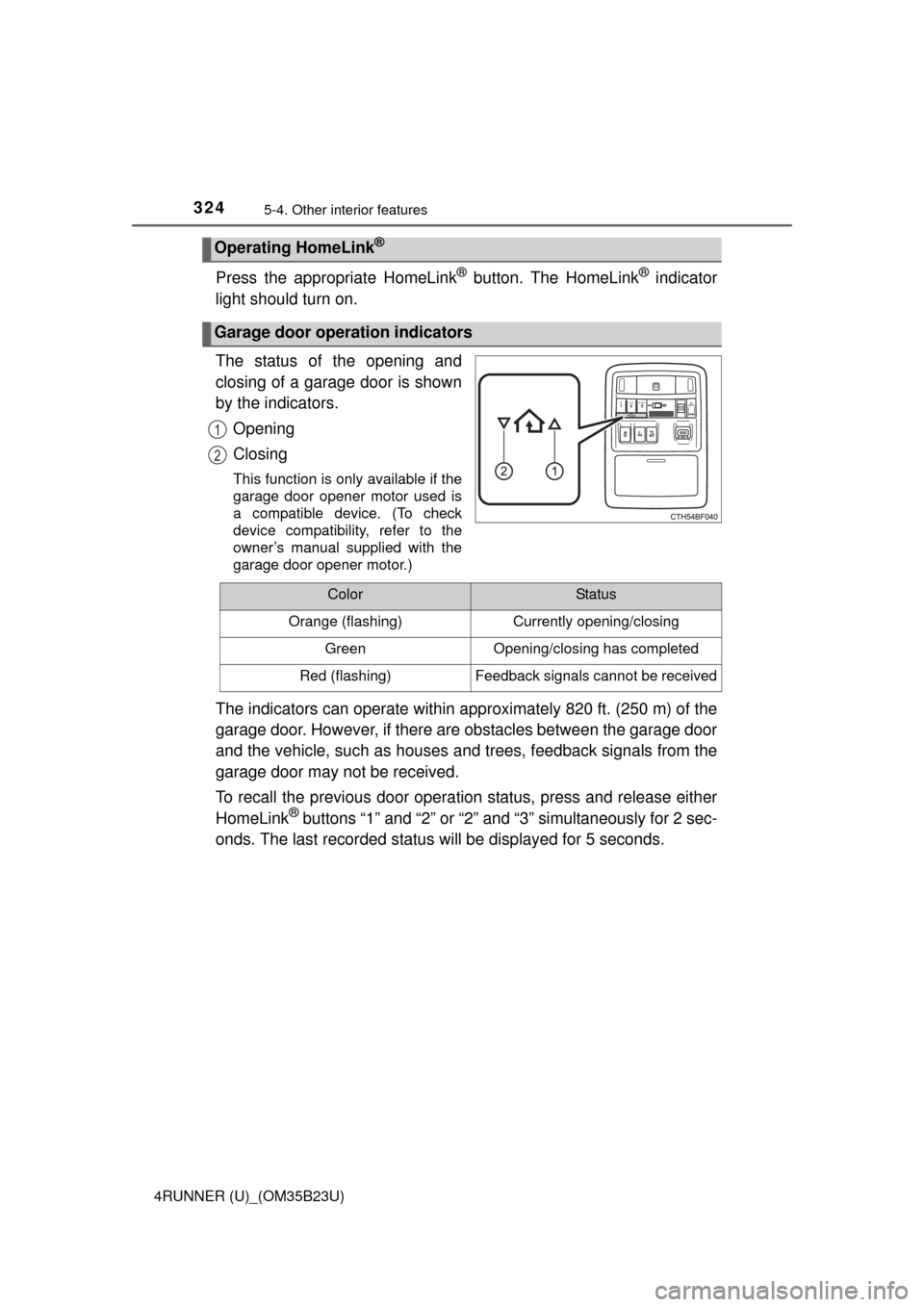
The status of the opening and
closing of a garage door is shown
by the indicators.
Opening
Closing
This function is only available if the
garage door opener motor used is
a compatible device. (To check
device compatibility, refer to the
owner’s manual supplied with the
garage door opener motor.)
The indicators can operate within approximately 820 ft. (250 m) of the
garage door. However, if there are obstacles between the garage door
and the vehicle, such as houses and trees, feedback signals from the
garage door may not be received.
To recall the previous door operation status, press and release either
HomeLink
® buttons “1” and “2” or “2” and “3” simultaneously for 2 sec-
onds. The last recorded status will be displayed for 5 seconds.
Operating HomeLink®
Garage door operation indicators
1
2
ColorStatus
Orange (flashing)Currently opening/closing
GreenOpening/closing has completed
Red (flashing)Feedback signals cannot be received
Page 341 of 528
3416-2. Maintenance
6
Maintenance and care
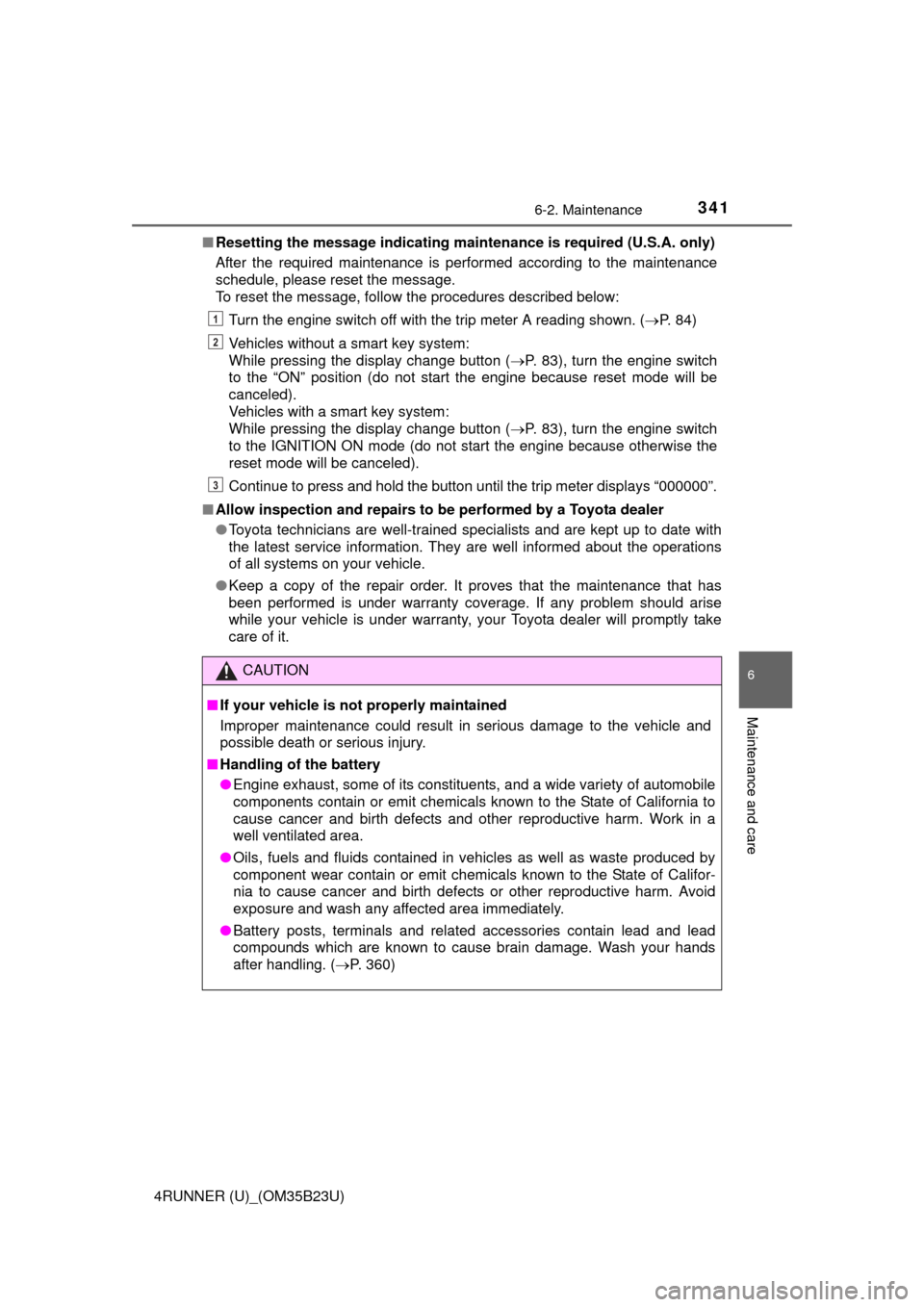
4RUNNER (U)_(OM35B23U)■Resetting the message indicating maintenance is required (U.S.A. only)
After the required maintenance is performed according to the maintenance
schedule, please reset the message.
To reset the message, follow the procedures described below:
Turn the engine switch off with the trip meter A reading shown. (P. 84)
Vehicles without a smart key system:
While pressing the display change button (P. 83), turn the engine switch
to the “ON” position (do not start the engine because reset mode will be
canceled).
Vehicles with a smart key system:
While pressing the display change button (P. 83), turn the engine switch
to the IGNITION ON mode (do not start the engine because otherwise the
reset mode will be canceled).
Continue to press and hold the button until the trip meter displays “000000”.
■Allow inspection and repairs to be performed by a Toyota dealer
●Toyota technicians are well-trained specialists and are kept up to date with
the latest service information. They are well informed about the operations
of all systems on your vehicle.
●Keep a copy of the repair order. It proves that the maintenance that has
been performed is under warranty coverage. If any problem should arise
while your vehicle is under warranty, your Toyota dealer will promptly take
care of it.
CAUTION
■If your vehicle is not properly maintained
Improper maintenance could result in serious damage to the vehicle and
possible death or serious injury.
■Handling of the battery
●Engine exhaust, some of its constituents, and a wide variety of automobile
components contain or emit chemicals known to the State of California to
cause cancer and birth defects and other reproductive harm. Work in a
well ventilated area.
●Oils, fuels and fluids contained in vehicles as well as waste produced by
component wear contain or emit chemicals known to the State of Califor-
nia to cause cancer and birth defects or other reproductive harm. Avoid
exposure and wash any affected area immediately.
●Battery posts, terminals and related accessories contain lead and lead
compounds which are known to cause brain damage. Wash your hands
after handling. (P. 360)
1
2
3
Page 401 of 528

401
When trouble arises7
4RUNNER (U)_(OM35B23U)7-1. Essential information
Emergency flashers .......... 402
If your vehicle has to
be stopped in an
emergency ...................... 403
7-2. Steps to take in an
emergency
If your vehicle needs to
be towed ......................... 405
If you think something
is wrong .......................... 411
Fuel pump shut off
system ............................ 412
If a warning light turns
on or a warning
buzzer sounds ................ 413
If a warning message or
indicator is displayed ...... 422
If you have a flat tire.......... 429
If the engine will not
start ................................. 442
If the shift lever cannot
be shifted from P............. 444
If you cannot operate
back door opener ............ 445
If the electronic key does
not operate properly........ 446
If the vehicle battery is
discharged ...................... 448
If your vehicle overheats ... 452
If the vehicle becomes
stuck ............................... 455
Page 422 of 528
4227-2. Steps to take in an emergency
4RUNNER (U)_(OM35B23U)
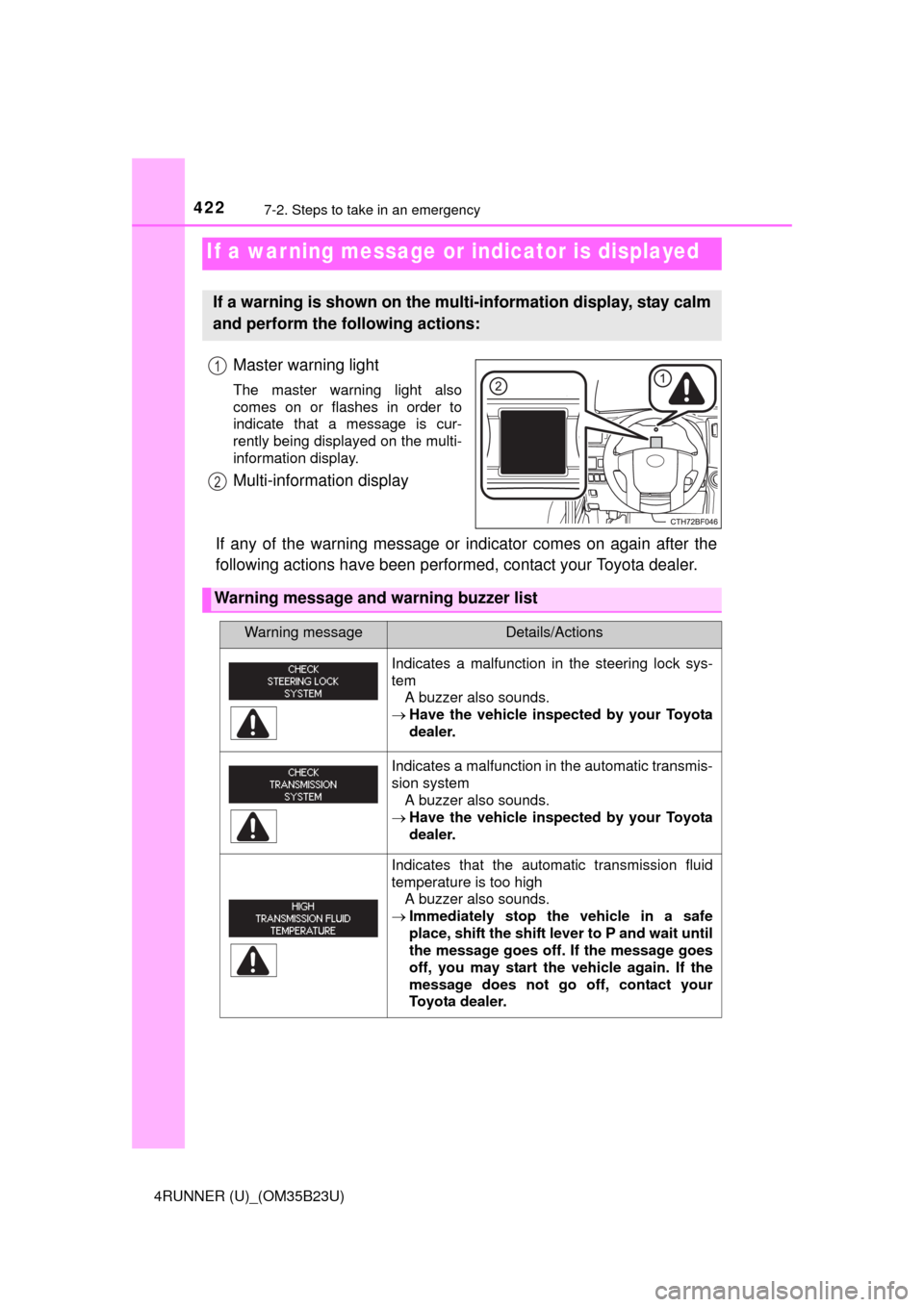
Master warning light
The master warning light also
comes on or flashes in order to
indicate that a message is cur-
rently being displayed on the multi-
information display.
Multi-information display
If any of the warning message or indicator comes on again after the
following actions have been performed, contact your Toyota dealer.
If a war ning message or indicator is displayed
If a warning is shown on the multi-information display, stay calm
and perform the following actions:
1
2
Warning message and warning buzzer list
Warning messageDetails/Actions
Indicates a malfunction in the steering lock sys-
tem
A buzzer also sounds.
Have the vehicle inspected by your Toyota
dealer.
Indicates a malfunction in the automatic transmis-
sion system
A buzzer also sounds.
Have the vehicle inspected by your Toyota
dealer.
Indicates that the automatic transmission fluid
temperature is too high
A buzzer also sounds.
Immediately stop the vehicle in a safe
place, shift the shift lever to P and wait until
the message goes off. If the message goes
off, you may start the vehicle again. If the
message does not go off, contact your
Toyota dealer.