headlights TOYOTA 4RUNNER 2016 N280 / 5.G Owners Manual
[x] Cancel search | Manufacturer: TOYOTA, Model Year: 2016, Model line: 4RUNNER, Model: TOYOTA 4RUNNER 2016 N280 / 5.GPages: 528, PDF Size: 12.12 MB
Page 15 of 528
15Pictorial index
4RUNNER (U)_(OM35B23U)
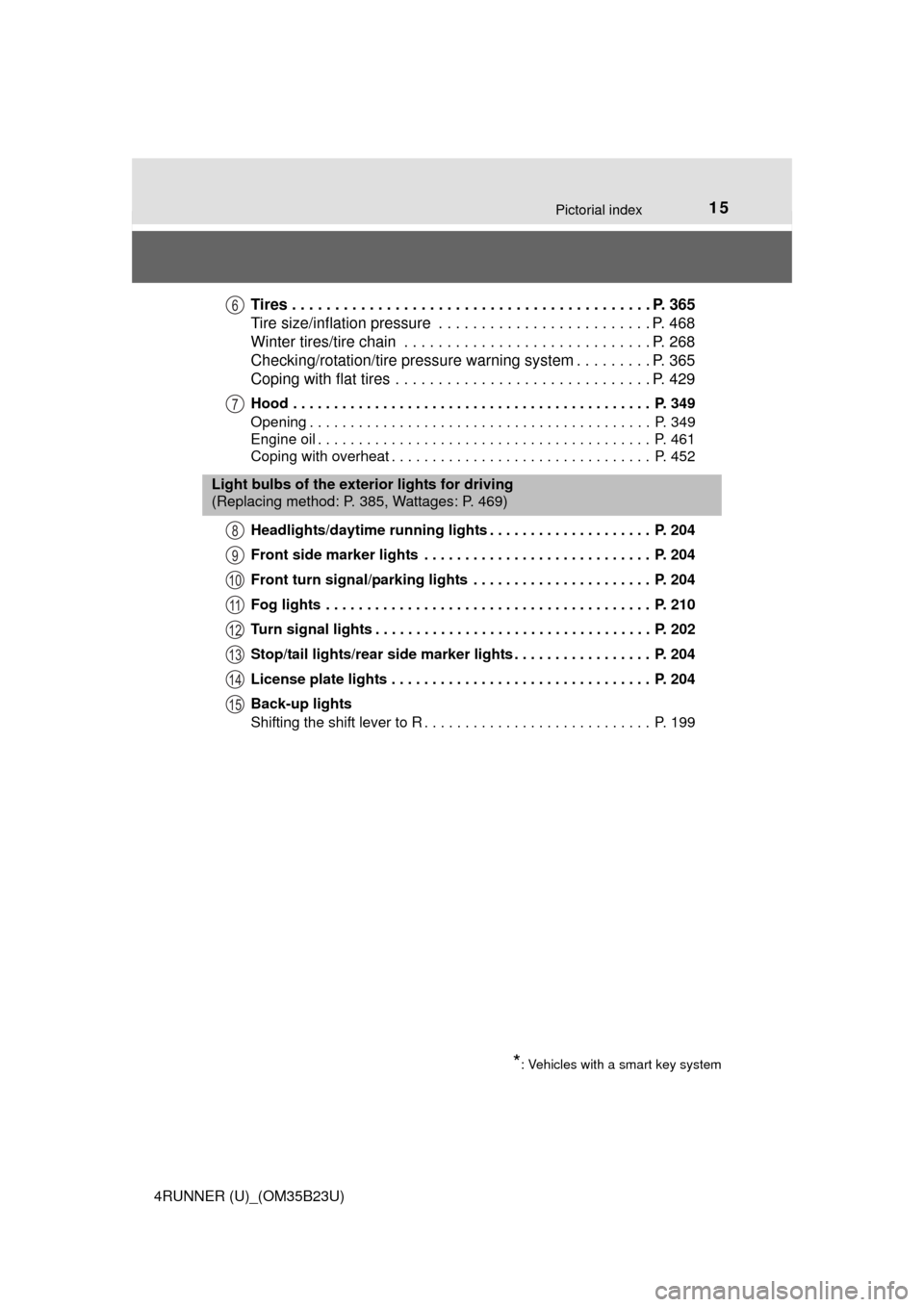
Tires . . . . . . . . . . . . . . . . . . . . . . . . . . . . . . . . . . . . . . . . . . P. 365
Tire size/inflation pressure . . . . . . . . . . . . . . . . . . . . . . . . . P. 468
Winter tires/tire chain . . . . . . . . . . . . . . . . . . . . . . . . . . . . . P. 268
Checking/rotation/tire pressure warning system . . . . . . . . . P. 365
Coping with flat tires . . . . . . . . . . . . . . . . . . . . . . . . . . . . . . P. 429
Hood . . . . . . . . . . . . . . . . . . . . . . . . . . . . . . . . . . . . . . . . . . . . P. 349
Opening . . . . . . . . . . . . . . . . . . . . . . . . . . . . . . . . . . . . . . . . . . P. 349
Engine oil . . . . . . . . . . . . . . . . . . . . . . . . . . . . . . . . . . . . . . . . . P. 461
Coping with overheat . . . . . . . . . . . . . . . . . . . . . . . . . . . . . . . . P. 452
Headlights/daytime running lights . . . . . . . . . . . . . . . . . . . . P. 204
Front side marker lights . . . . . . . . . . . . . . . . . . . . . . . . . . . . P. 204
Front turn signal/parking lights . . . . . . . . . . . . . . . . . . . . . . P. 204
Fog lights . . . . . . . . . . . . . . . . . . . . . . . . . . . . . . . . . . . . . . . . P. 210
Turn signal lights . . . . . . . . . . . . . . . . . . . . . . . . . . . . . . . . . . P. 202
Stop/tail lights/rear side marker lights . . . . . . . . . . . . . . . . . P. 204
License plate lights . . . . . . . . . . . . . . . . . . . . . . . . . . . . . . . . P. 204
Back-up lights
Shifting the shift lever to R . . . . . . . . . . . . . . . . . . . . . . . . . . . . P. 199
6
7
Light bulbs of the exterior lights for driving
(Replacing method: P. 385, Wattages: P. 469)
*: Vehicles with a smart key system
8
9
10
11
12
13
14
15
Page 17 of 528
17Pictorial index
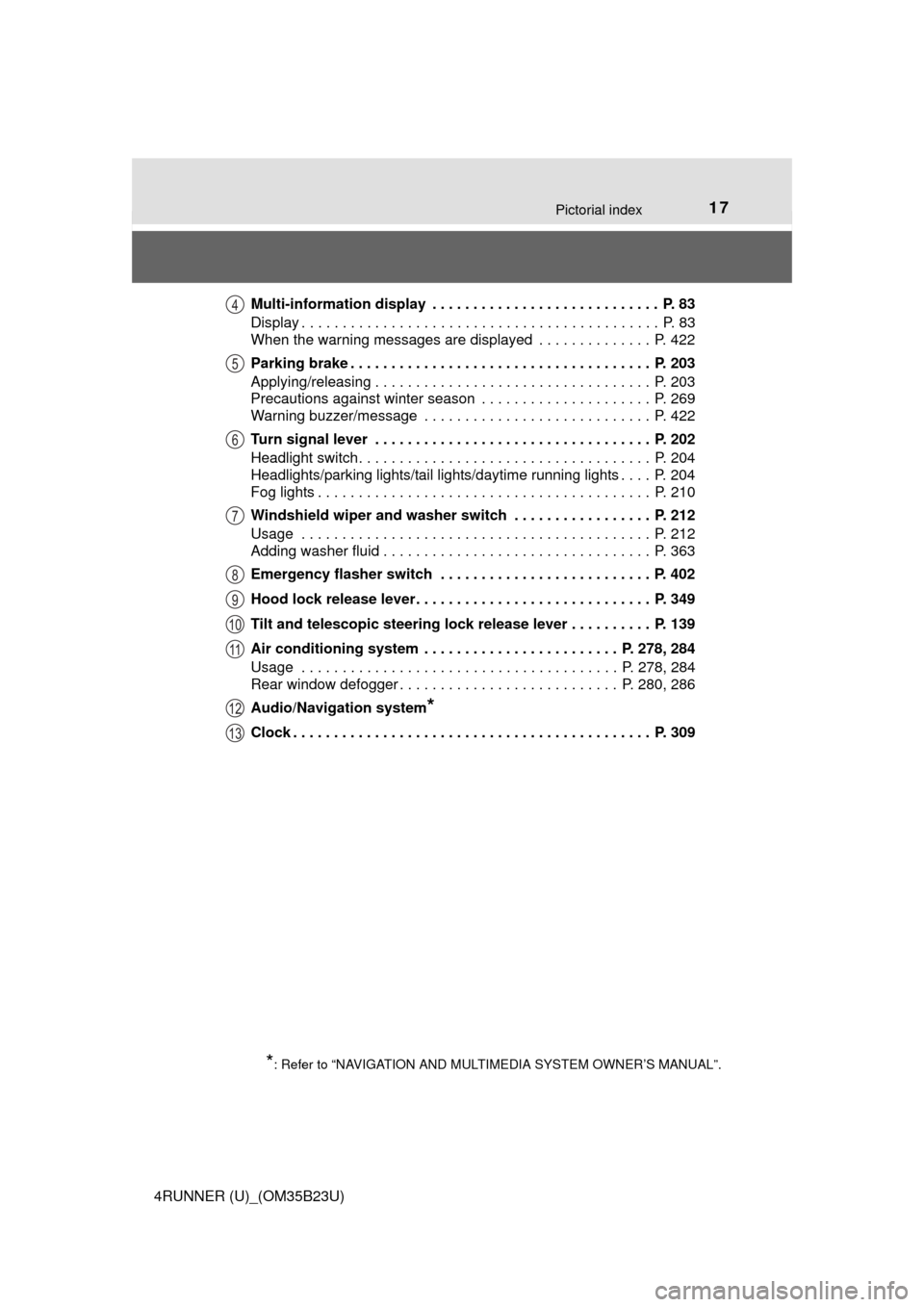
4RUNNER (U)_(OM35B23U)Multi-information display . . . . . . . . . . . . . . . . . . . . . . . . . . . . P. 83
Display . . . . . . . . . . . . . . . . . . . . . . . . . . . . . . . . . . . . . . . . . . . . P. 83
When the warning messages are displayed . . . . . . . . . . . . . . P. 422
Parking brake . . . . . . . . . . . . . . . . . . . . . . . . . . . . . . . . . . . . . P. 203
Applying/releasing . . . . . . . . . . . . . . . . . . . . . . . . . . . . . . . . . . P. 203
Precautions against winter season . . . . . . . . . . . . . . . . . . . . . P. 269
Warning buzzer/message . . . . . . . . . . . . . . . . . . . . . . . . . . . . P. 422
Turn signal lever . . . . . . . . . . . . . . . . . . . . . . . . . . . . . . . . . . P. 202
Headlight switch . . . . . . . . . . . . . . . . . . . . . . . . . . . . . . . . . . . . P. 204
Headlights/parking lights/tail lights/daytime running lights . . . . P. 204
Fog lights . . . . . . . . . . . . . . . . . . . . . . . . . . . . . . . . . . . . . . . . . P. 210
Windshield wiper and washer switch . . . . . . . . . . . . . . . . . P. 212
Usage . . . . . . . . . . . . . . . . . . . . . . . . . . . . . . . . . . . . . . . . . . . P. 212
Adding washer fluid . . . . . . . . . . . . . . . . . . . . . . . . . . . . . . . . . P. 363
Emergency flasher switch . . . . . . . . . . . . . . . . . . . . . . . . . . P. 402
Hood lock release lever. . . . . . . . . . . . . . . . . . . . . . . . . . . . . P. 349
Tilt and telescopic steering lock release lever . . . . . . . . . . P. 139
Air conditioning system . . . . . . . . . . . . . . . . . . . . . . . . P. 278, 284
Usage . . . . . . . . . . . . . . . . . . . . . . . . . . . . . . . . . . . . . . . P. 278, 284
Rear window defogger . . . . . . . . . . . . . . . . . . . . . . . . . . . P. 280, 286
Audio/Navigation system
*
Clock . . . . . . . . . . . . . . . . . . . . . . . . . . . . . . . . . . . . . . . . . . . . P. 309
*: Refer to “NAVIGATION AND MULTIMEDIA SYSTEM OWNER’S MANUAL”.
4
5
6
7
8
9
10
11
12
13
Page 142 of 528
1423-4. Adjusting the steering wheel and mirrors
4RUNNER (U)_(OM35B23U)
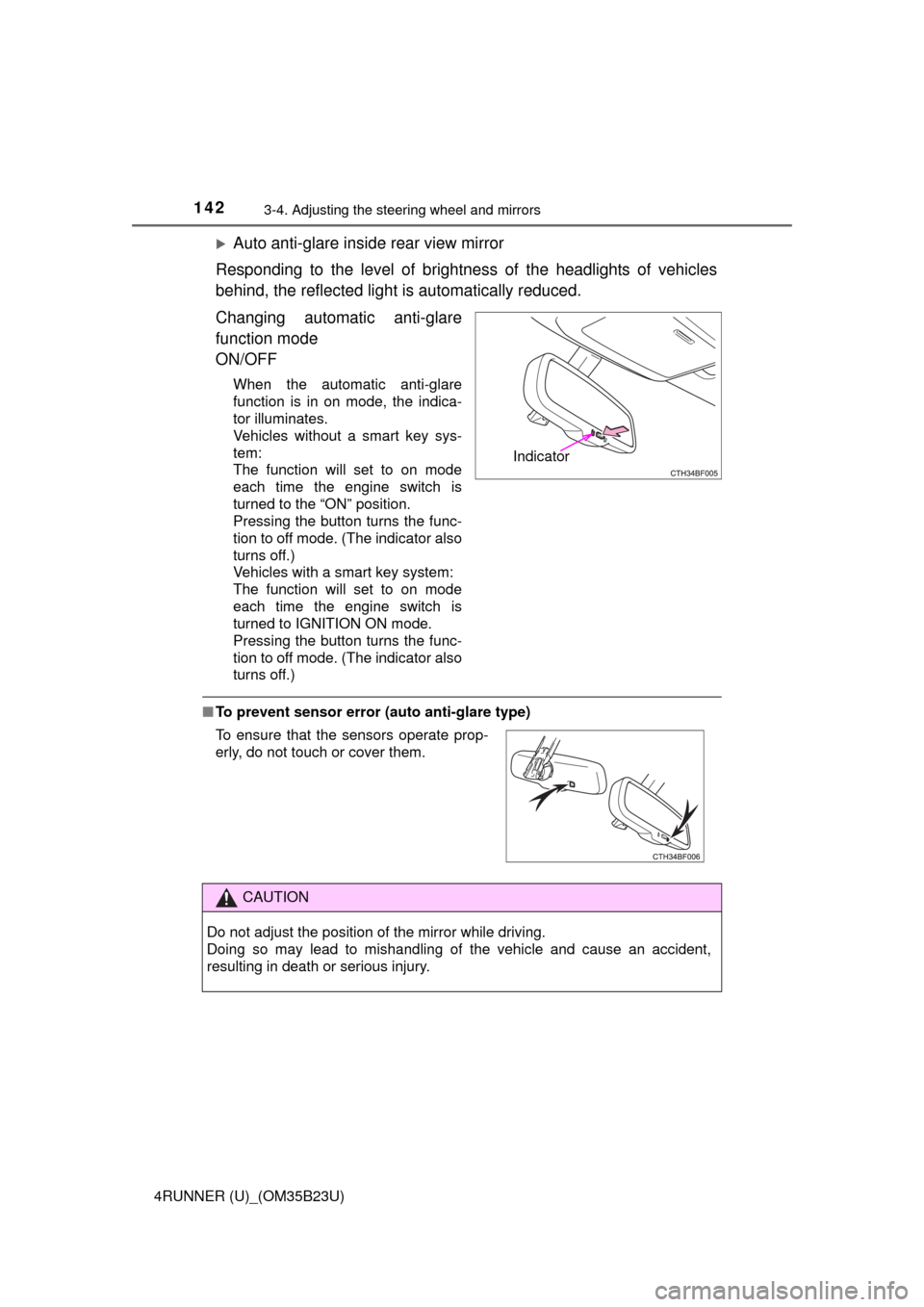
Auto anti-glare inside rear view mirror
Responding to the level of brightness of the headlights of vehicles
behind, the reflected light is automatically reduced.
Changing automatic anti-glare
function mode
ON/OFF
When the automatic anti-glare
function is in on mode, the indica-
tor illuminates.
Vehicles without a smart key sys-
tem:
The function will set to on mode
each time the engine switch is
turned to the “ON” position.
Pressing the button turns the func-
tion to off mode. (The indicator also
turns off.)
Vehicles with a smart key system:
The function will set to on mode
each time the engine switch is
turned to IGNITION ON mode.
Pressing the button turns the func-
tion to off mode. (The indicator also
turns off.)
■To prevent sensor error (auto anti-glare type)
Indicator
To ensure that the sensors operate prop-
erly, do not touch or cover them.
CAUTION
Do not adjust the position of the mirror while driving.
Doing so may lead to mishandling of the vehicle and cause an accident,
resulting in death or serious injury.
Page 204 of 528
204
4RUNNER (U)_(OM35B23U)
4-3. Operating the lights and wipers
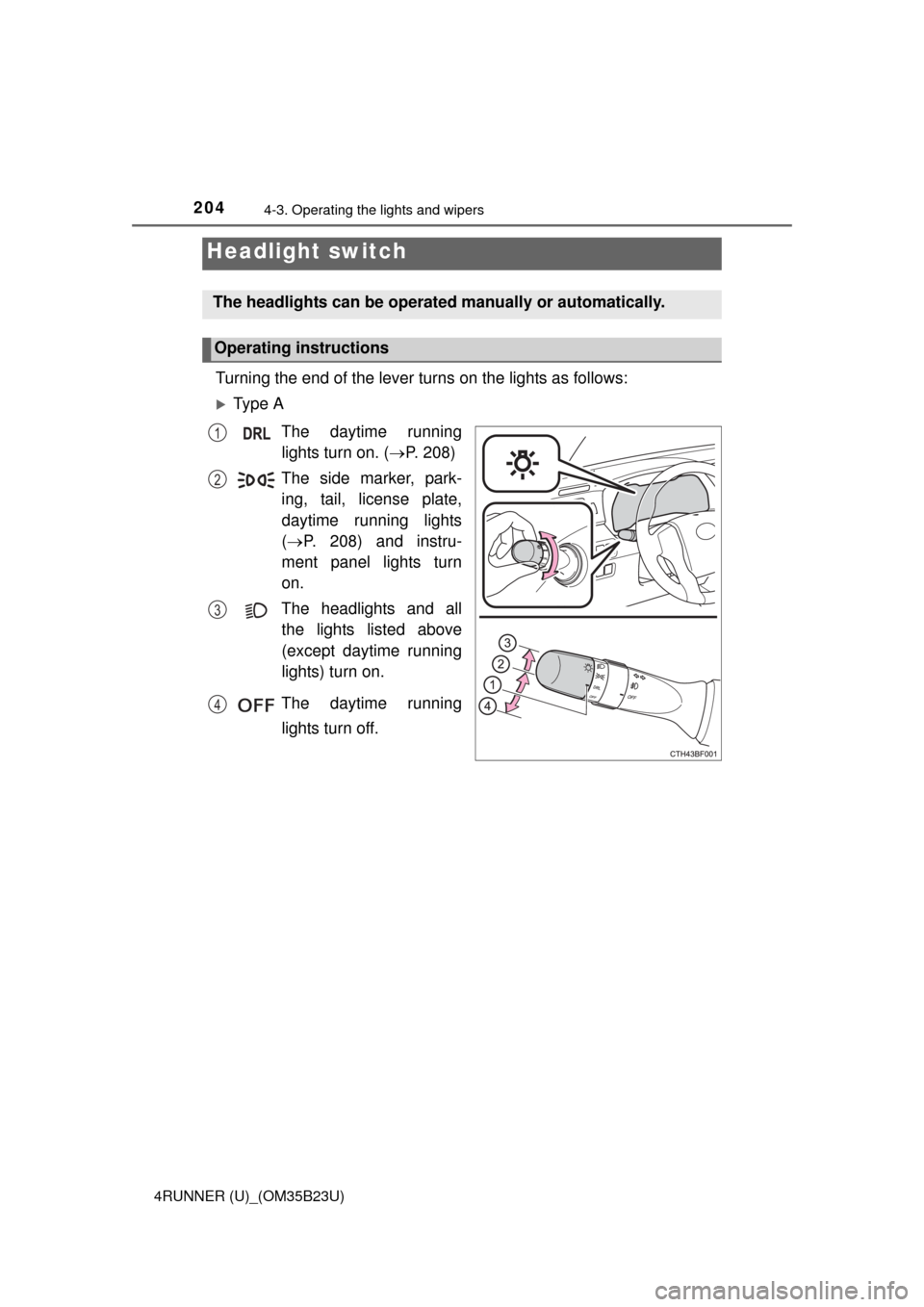
Turning the end of the lever turns on the lights as follows:
Ty p e A
The daytime running
lights turn on. (P. 208)
The side marker, park-
ing, tail, license plate,
daytime running lights
(P. 208) and instru-
ment panel lights turn
on.
The headlights and all
the lights listed above
(except daytime running
lights) turn on.
The daytime running
lights turn off.
Headlight switch
The headlights can be operated manually or automatically.
Operating instructions
1
2
3
4
Page 205 of 528
2054-3. Operating the lights and wipers
4
Driving
4RUNNER (U)_(OM35B23U)
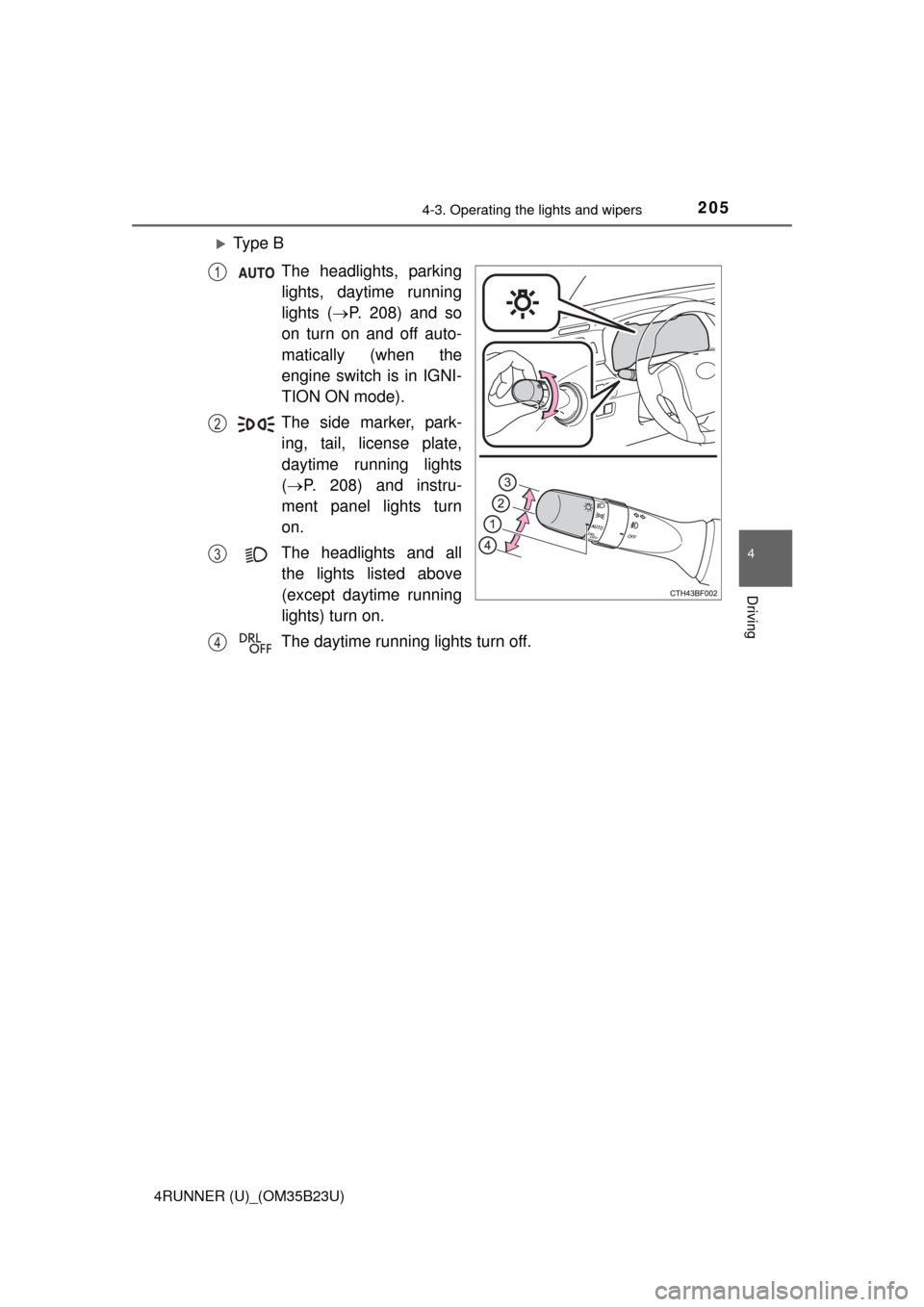
Ty p e B
The headlights, parking
lights, daytime running
lights (P. 208) and so
on turn on and off auto-
matically (when the
engine switch is in IGNI-
TION ON mode).
The side marker, park-
ing, tail, license plate,
daytime running lights
(P. 208) and instru-
ment panel lights turn
on.
The headlights and all
the lights listed above
(except daytime running
lights) turn on.
The daytime running lights turn off.
1
2
3
4
Page 206 of 528
2064-3. Operating the lights and wipers
4RUNNER (U)_(OM35B23U)
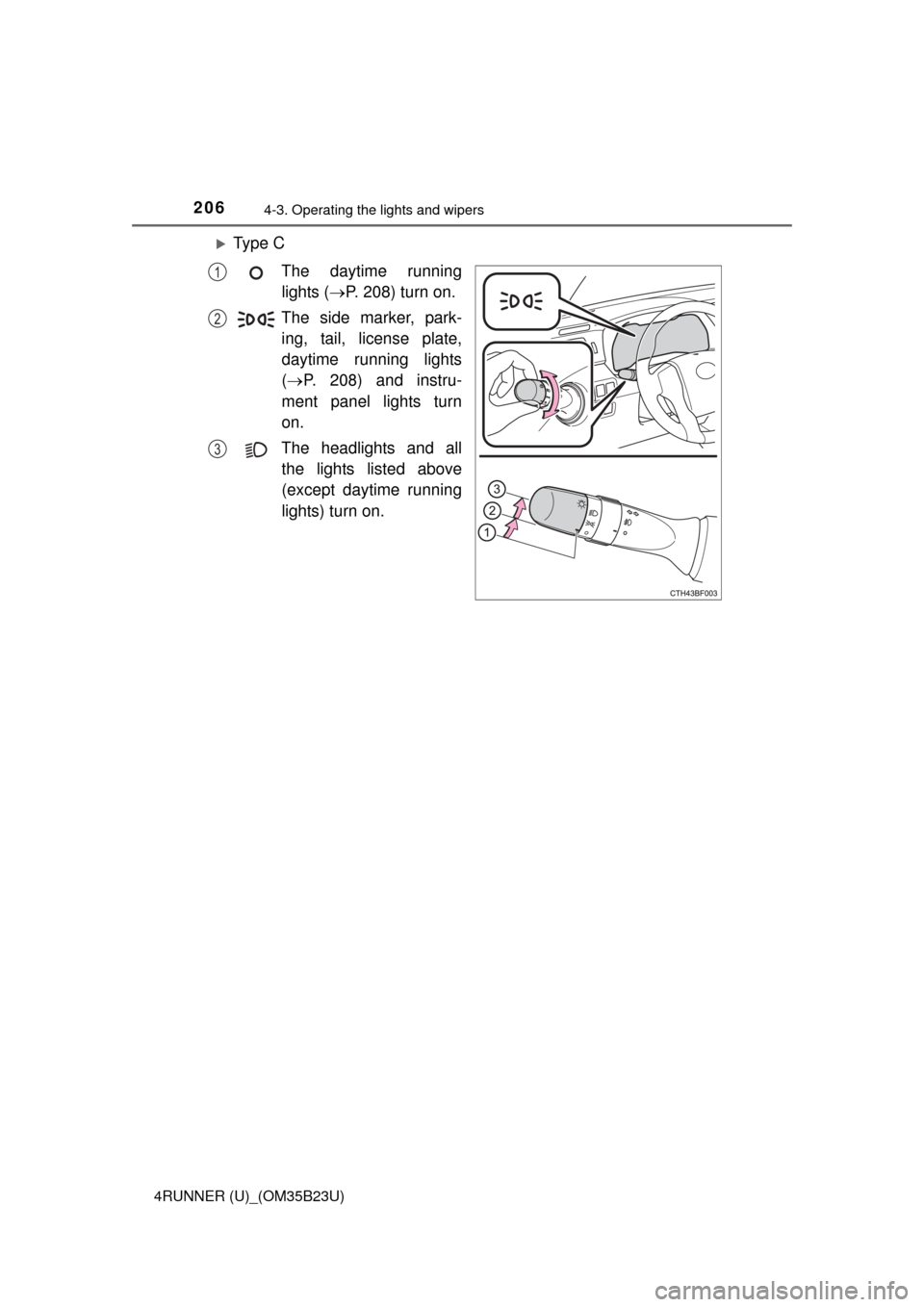
Ty p e C
The daytime running
lights (P. 208) turn on.
The side marker, park-
ing, tail, license plate,
daytime running lights
(P. 208) and instru-
ment panel lights turn
on.
The headlights and all
the lights listed above
(except daytime running
lights) turn on.
1
2
3
Page 207 of 528
2074-3. Operating the lights and wipers
4
Driving
4RUNNER (U)_(OM35B23U)
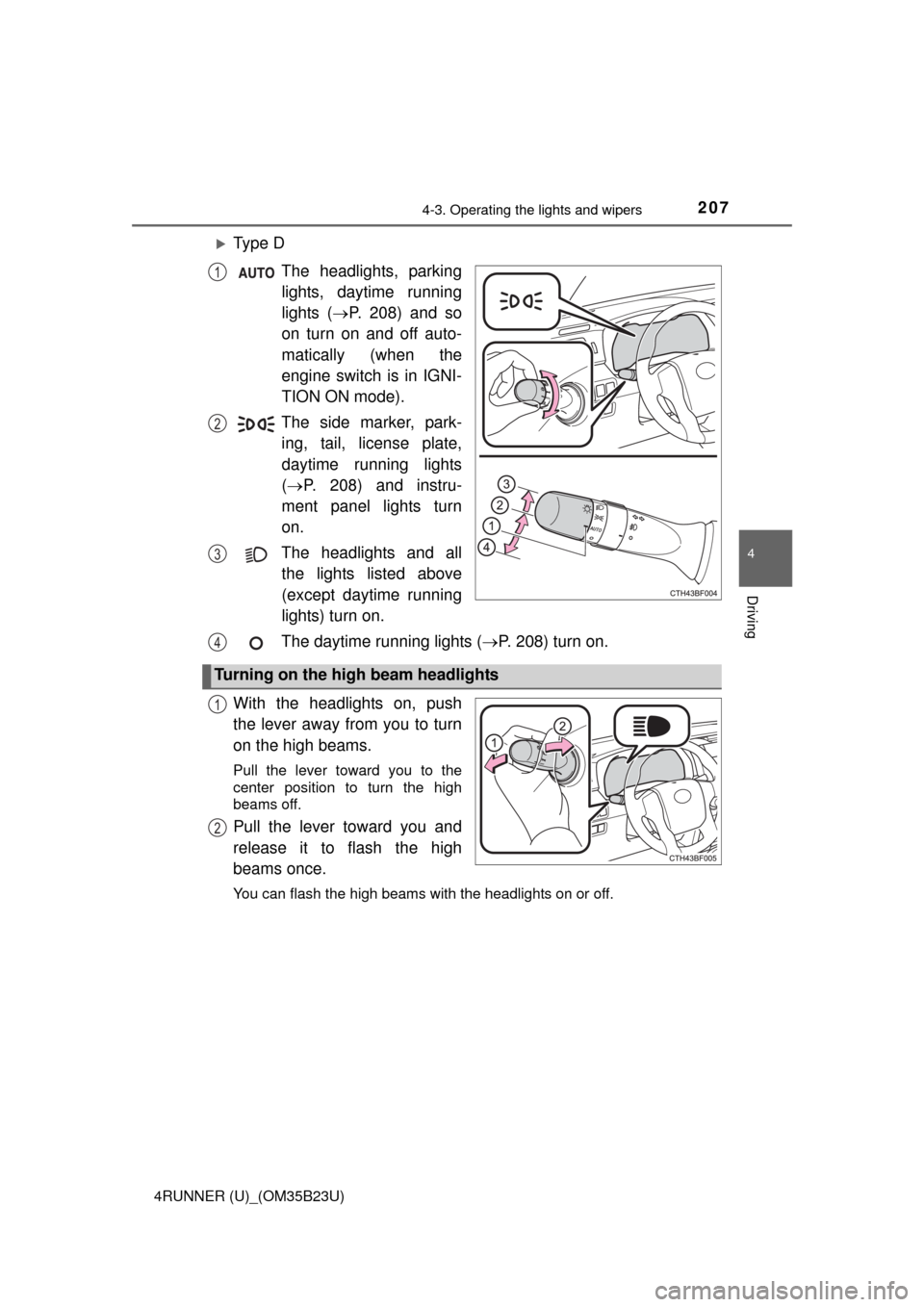
Ty p e D
The headlights, parking
lights, daytime running
lights (P. 208) and so
on turn on and off auto-
matically (when the
engine switch is in IGNI-
TION ON mode).
The side marker, park-
ing, tail, license plate,
daytime running lights
(P. 208) and instru-
ment panel lights turn
on.
The headlights and all
the lights listed above
(except daytime running
lights) turn on.
The daytime running lights (P. 208) turn on.
With the headlights on, push
the lever away from you to turn
on the high beams.
Pull the lever toward you to the
center position to turn the high
beams off.
Pull the lever toward you and
release it to flash the high
beams once.
You can flash the high beams with the headlights on or off.
1
2
3
Turning on the high beam headlights
4
1
2
Page 208 of 528
2084-3. Operating the lights and wipers
4RUNNER (U)_(OM35B23U)
■Daytime running light system
●To make your vehicle more visible to other drivers during daytime driving,
the daytime running lights turn on automatically whenever the engine is
started and the parking brake is released with the headlight switch off or in
the “AUTO” position. (Illuminate dimmer than the headlight high beam.)
Daytime running lights are not designed for use at night.
Type A and B: Daytime running lights can be turned off by operating the
switch.
●Compared to turning on the headlights, the daytime running light system
offers greater durability and consumes less electricity, so it can help improve
fuel economy.
■Headlight control sensor (if equipped)
■Automatic light off system
Vehicles without a smart key system
●When the headlights come on: The headlights and tail lights turn off 30 sec-
onds after a door is opened and closed if the engine switch is turned to the
“ACC” or “LOCK” position. (The lights turn off immediately if on the
key is pressed after all the doors are locked.)
●When only the tail lights come on: The tail lights turn off automatically if the
engine switch is turned to the “ACC” or “LOCK” position and the driver’s
door is opened.
To turn the lights on again, turn the engine switch to the “ON” position, or turn
the lights off and then back to or .
Vehicles with a smart key system
●When the headlights come on: The headlights and tail lights turn off 30 sec-
onds after a door is opened and closed if the engine switch is turned to
ACCESSORY mode or turned off. (The lights turn off immediately if
on the key is pressed after all the doors are locked.)
●When only the tail lights come on: The tail lights turn off automatically if the
engine switch is turned off and the driver’s door is opened.
To turn the lights on again, turn the engine switch to IGNITION ON mode, or
turn the light switch off and then back to or .
■Customization
Settings (e.g. light sensor sensitivity) can be changed.
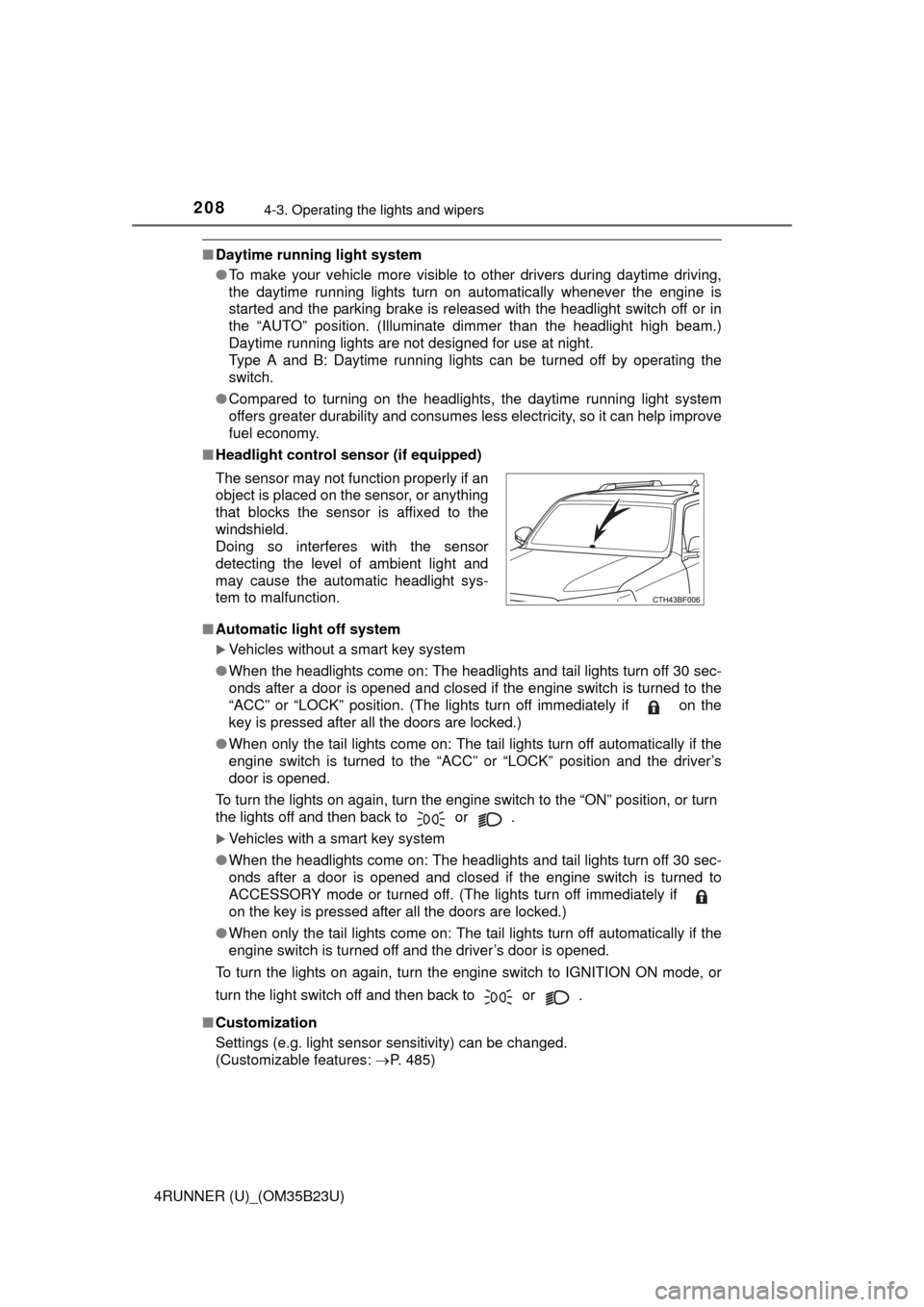
(Customizable features: P. 485) The sensor may not function properly if an
object is placed on the sensor, or anything
that blocks the sensor is affixed to the
windshield.
Doing so interferes with the sensor
detecting the level of ambient light and
may cause the automatic headlight sys-
tem to malfunction.
Page 211 of 528
2114-3. Operating the lights and wipers
4
Driving
4RUNNER (U)_(OM35B23U)
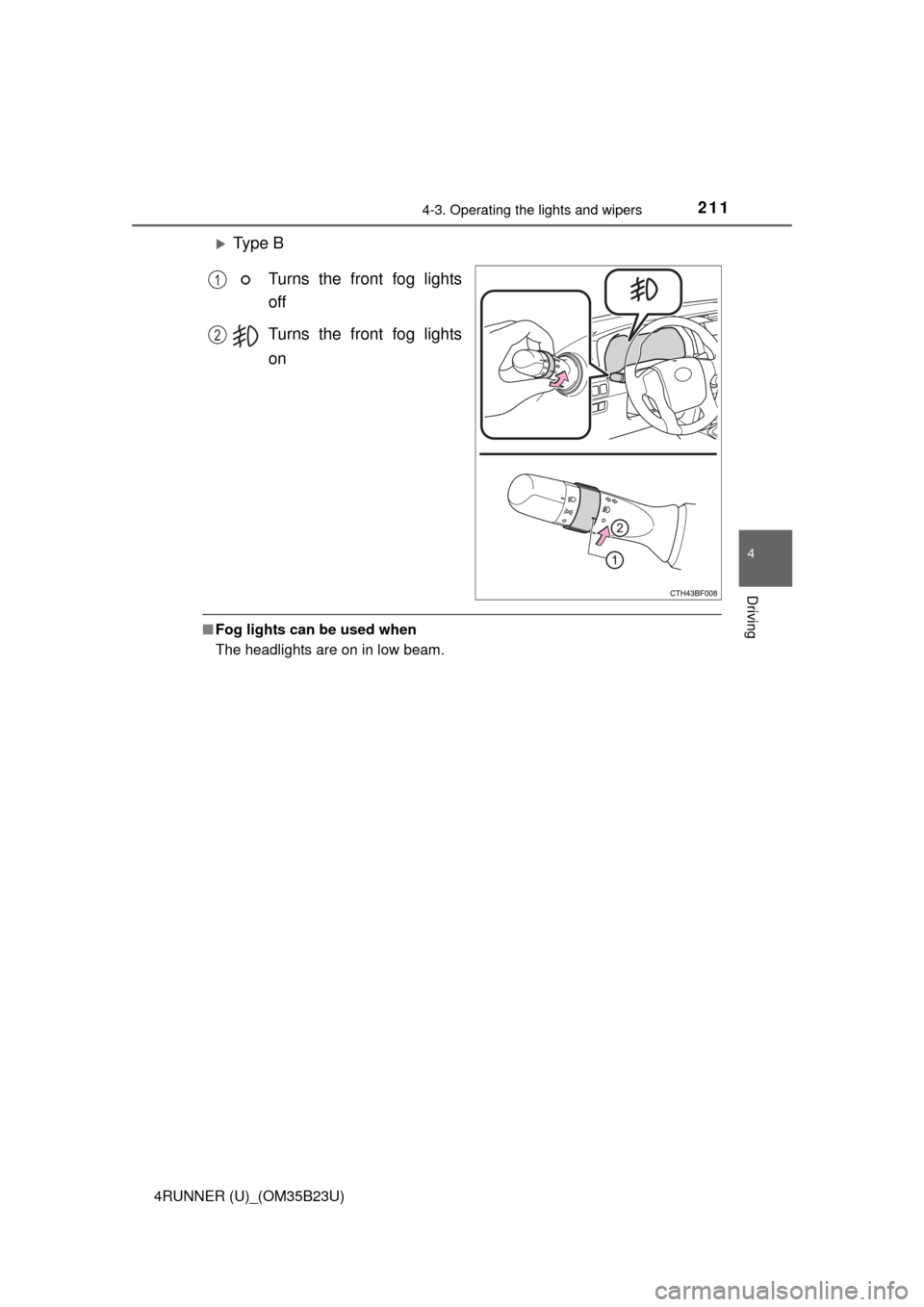
Ty p e B
Turns the front fog lights
off
Turns the front fog lights
on
■Fog lights can be used when
The headlights are on in low beam.
1
2
Page 312 of 528
3125-4. Other interior features
4RUNNER (U)_(OM35B23U)
■The power outlet can be used when
The engine is running.
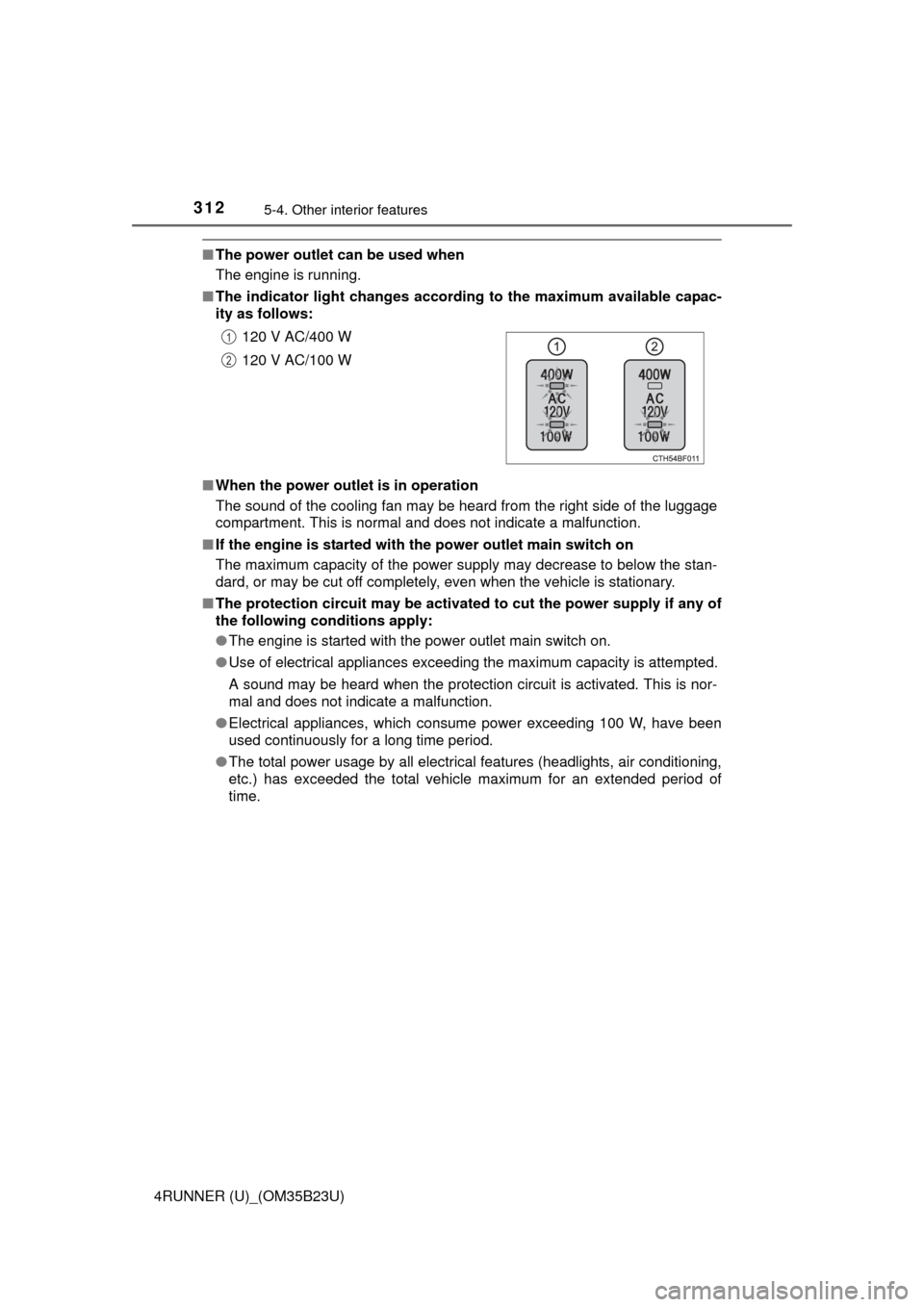
■The indicator light changes according to the maximum available capac-
ity as follows:
■When the power outlet is in operation
The sound of the cooling fan may be heard from the right side of the luggage
compartment. This is normal and does not indicate a malfunction.
■If the engine is started with the power outlet main switch on
The maximum capacity of the power supply may decrease to below the stan-
dard, or may be cut off completely, even when the vehicle is stationary.
■The protection circuit may be activated to cut the power supply if any of
the following conditions apply:
●The engine is started with the power outlet main switch on.
●Use of electrical appliances exceeding the maximum capacity is attempted.
A sound may be heard when the protection circuit is activated. This is nor-
mal and does not indicate a malfunction.
●Electrical appliances, which consume power exceeding 100 W, have been
used continuously for a long time period.
●The total power usage by all electrical features (headlights, air conditioning,
etc.) has exceeded the total vehicle maximum for an extended period of
time.120 V AC/400 W
120 V AC/100 W
1
2