reset TOYOTA 4RUNNER 2016 N280 / 5.G Owners Manual
[x] Cancel search | Manufacturer: TOYOTA, Model Year: 2016, Model line: 4RUNNER, Model: TOYOTA 4RUNNER 2016 N280 / 5.GPages: 528, PDF Size: 12.12 MB
Page 84 of 528
842. Instrument cluster
4RUNNER (U)_(OM35B23U)■
Trip meter A/trip meter B
Displays the distance the vehicle has been driven since the meter
was last reset. Trip meters A and B can be used to record and dis-
play different distances independently.
Press and hold the display change button to reset.
■
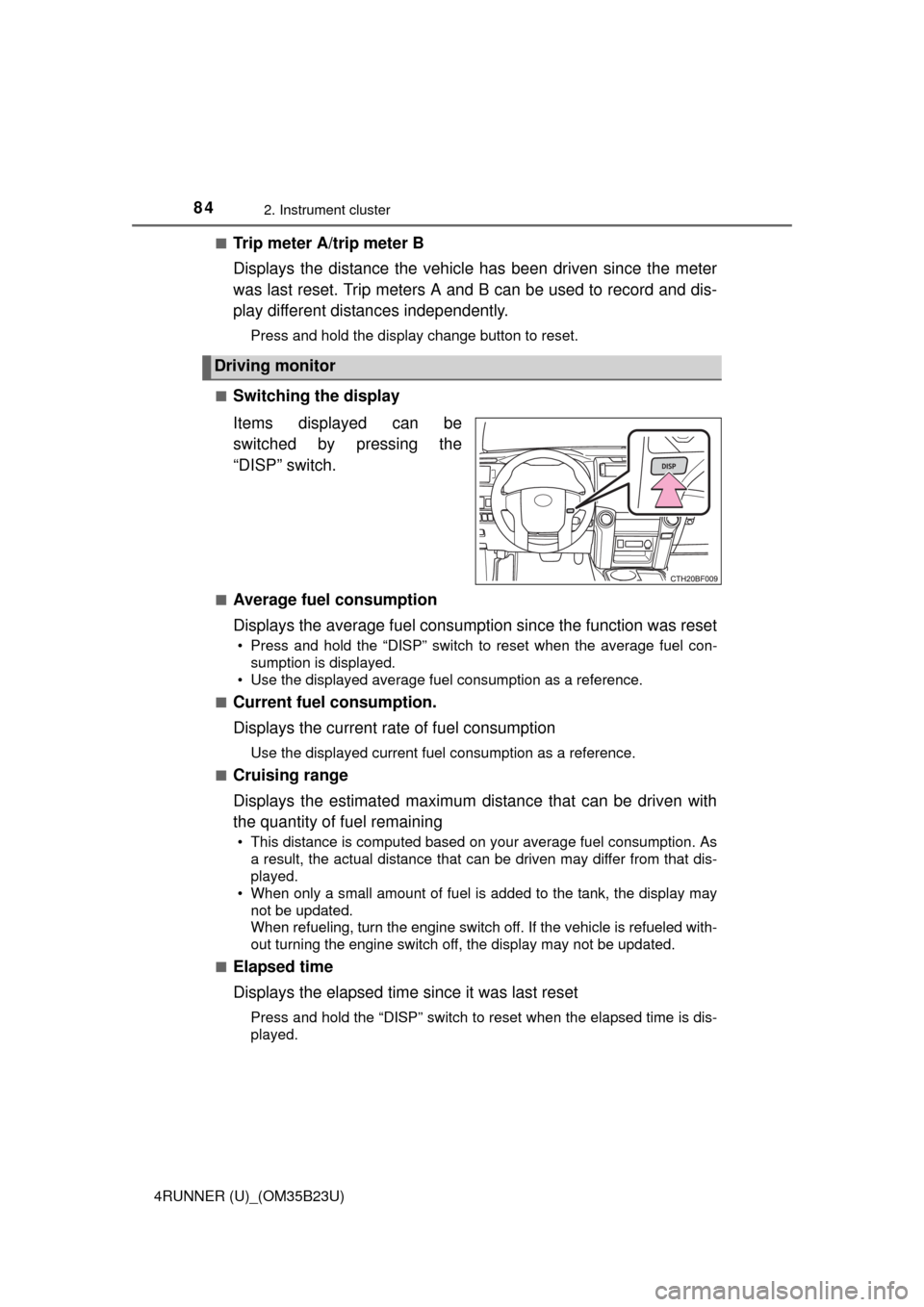
Switching the display
Items displayed can be
switched by pressing the
“DISP” switch.
■Average fuel consumption
Displays the average fuel consumption since the function was reset
• Press and hold the “DISP” switch to reset when the average fuel con-
sumption is displayed.
• Use the displayed average fuel consumption as a reference.
■
Current fuel consumption.
Displays the current rate of fuel consumption
Use the displayed current fuel consumption as a reference.
■
Cruising range
Displays the estimated maximum distance that can be driven with
the quantity of fuel remaining
• This distance is computed based on your average fuel consumption. As
a result, the actual distance that can be driven may differ from that dis-
played.
• When only a small amount of fuel is added to the tank, the display may
not be updated.
When refueling, turn the engine switch off. If the vehicle is refueled with-
out turning the engine switch off, the display may not be updated.
■
Elapsed time
Displays the elapsed time since it was last reset
Press and hold the “DISP” switch to reset when the elapsed time is dis-
played.
Driving monitor
Page 87 of 528
872. Instrument cluster
2
Instrument cluster
4RUNNER (U)_(OM35B23U)
●Items that can be changed
*: The default setting varies according to countries.
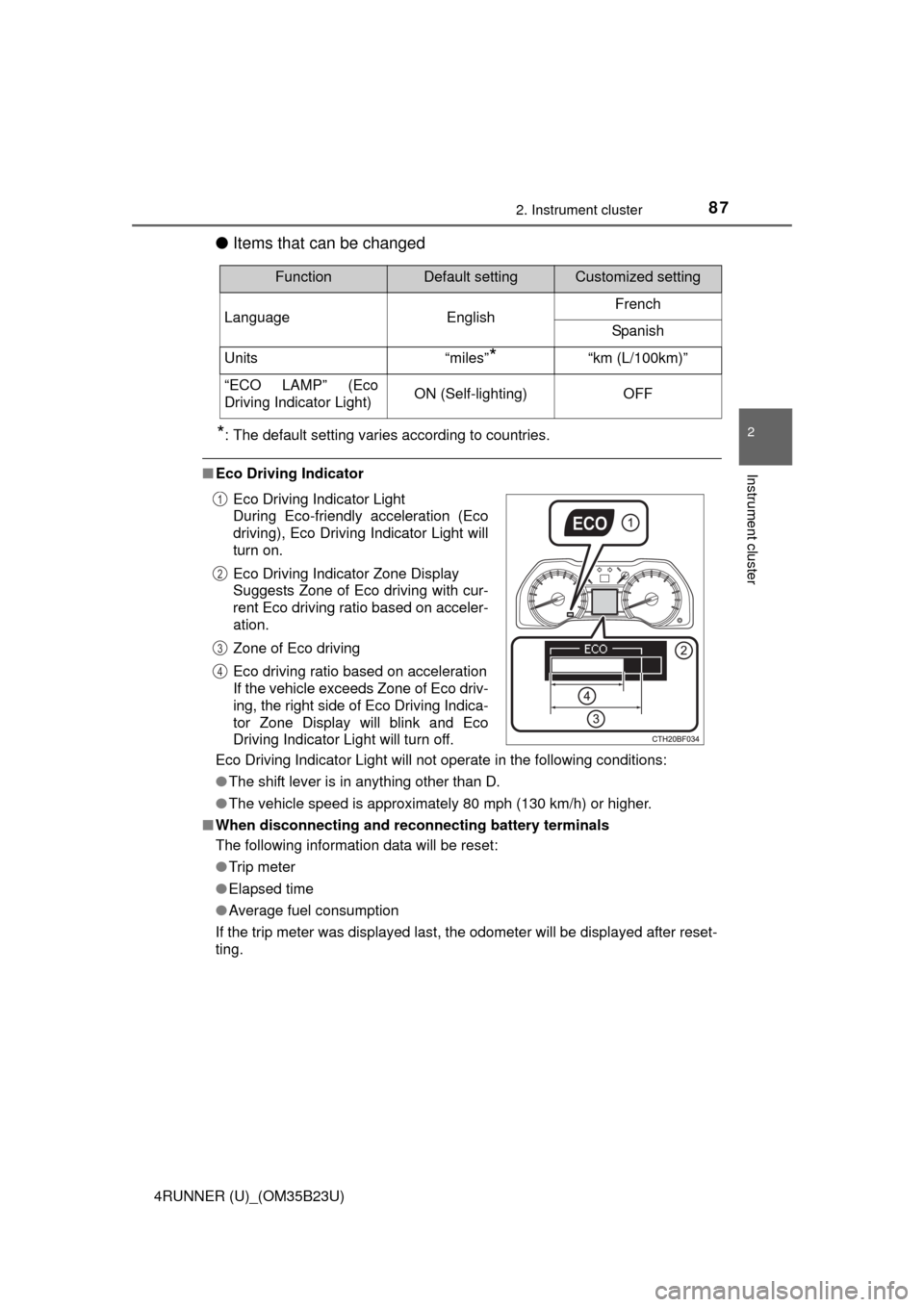
■Eco Driving Indicator
Eco Driving Indicator Light will not operate in the following conditions:
●The shift lever is in anything other than D.
●The vehicle speed is approximately 80 mph (130 km/h) or higher.
■When disconnecting and reconnecting battery terminals
The following information data will be reset:
●Trip meter
●Elapsed time
●Average fuel consumption
If the trip meter was displayed last, the odometer will be displayed after reset-
ting.
FunctionDefault settingCustomized setting
Language EnglishFrench
Spanish
Units “miles”
*“km (L/100km)”
“ECO LAMP” (Eco
Driving Indicator Light)ON (Self-lighting)OFF
Eco Driving Indicator Light
During Eco-friendly acceleration (Eco
driving), Eco Driving Indicator Light will
turn on.
Eco Driving Indicator Zone Display
Suggests Zone of Eco driving with cur-
rent Eco driving ratio based on acceler-
ation.
Zone of Eco driving
Eco driving ratio based on acceleration
If the vehicle exceeds Zone of Eco driv-
ing, the right side of Eco Driving Indica-
tor Zone Display will blink and Eco
Driving Indicator Light will turn off.1
2
3
4
Page 132 of 528
1323-3. Adjusting the seats
4RUNNER (U)_(OM35B23U)
Your preferred driving position (the position of the driver’s seat) can
be recorded and recalled by pressing a button.
Two different driving positions can be recorded into memory.
■Recording procedure
Check that the shift lever is in P.
Turn the engine switch to IGNITION ON mode.
Adjust the driver’s seat to the desired positions.
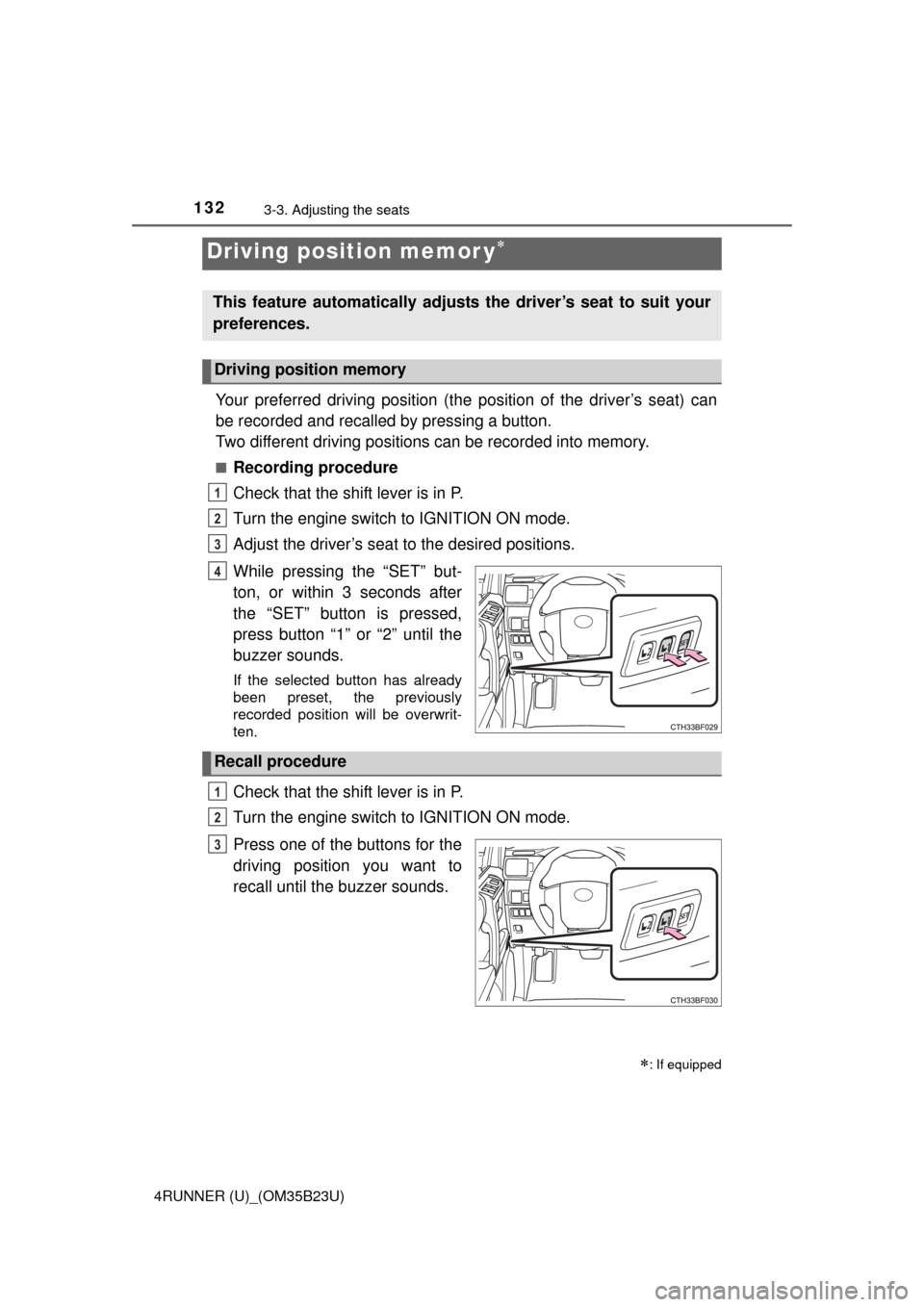
While pressing the “SET” but-
ton, or within 3 seconds after
the “SET” button is pressed,
press button “1” or “2” until the
buzzer sounds.
If the selected button has already
been preset, the previously
recorded position will be overwrit-
ten.
Check that the shift lever is in P.
Turn the engine switch to IGNITION ON mode.
Press one of the buttons for the
driving position you want to
recall until the buzzer sounds.
Driving position memor y
: If equipped
This feature automatically adjusts the driver’s seat to suit your
preferences.
Driving position memory
1
2
3
4
Recall procedure
1
2
3
Page 223 of 528

2234-5. Using the driving support systems
4
Driving
4RUNNER (U)_(OM35B23U)
■Cruise control can be set when
●The shift lever is in D or range 4 or higher of S has been selected.
●Vehicle speed is above approximately 25 mph (40 km/h).
■Accelerating after setting the vehicle speed
●The vehicle can be accelerated normally. After acceleration, the set speed
resumes.
●Even without canceling the cruise control, the set speed can be increased
by first accelerating the vehicle to the desired speed and then pushing the
lever down to set the new speed.
■Automatic cruise control cancelation
Cruise control will stop maintaining the vehicle speed in any of the following
situations.
●Actual vehicle speed falls more than approximately 10 mph (16 km/h) below
the preset vehicle speed.
At this time, the memorized set speed is not retained.
●Actual vehicle speed is below approximately 25 mph (40 km/h).
●VSC is activated.
●The operation cannot be switched for 5 seconds or more after operating the
front-wheel drive control switch (part-time 4WD models) or the four-wheel
drive control switch (full-time 4WD models).
■If the cruise control indicator light flashes
Press the “ON-OFF” button once to deactivate the system, and then press
the button again to reactivate the system.
If the cruise control speed cannot be set or if the cruise control cancels imme-
diately after being activated, there may be a malfunction in the cruise control
system. Have the vehicle inspected by your Toyota dealer.
Page 309 of 528
3095-4. Other interior features
5
Interior features
4RUNNER (U)_(OM35B23U)
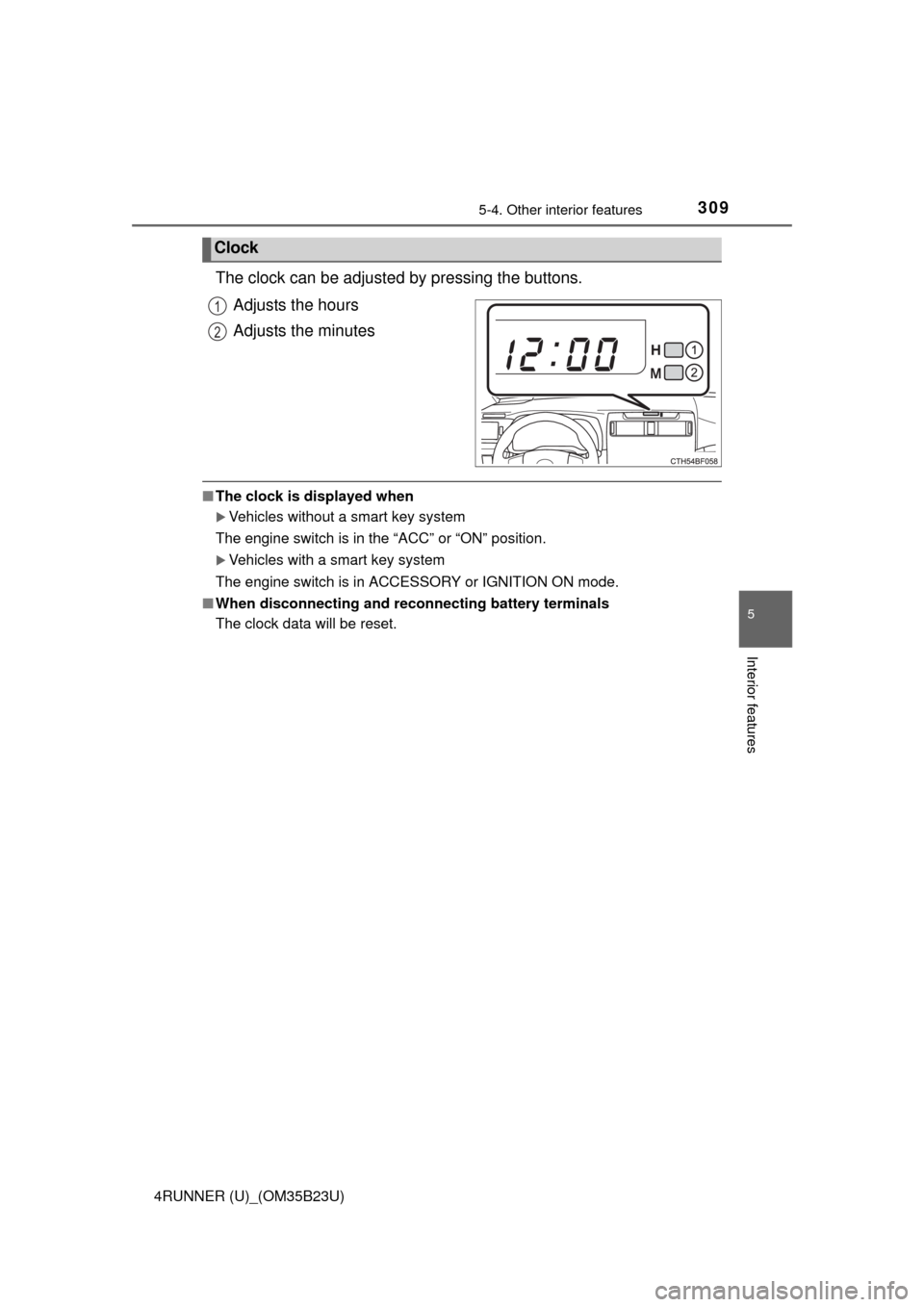
The clock can be adjusted by pressing the buttons.
Adjusts the hours
Adjusts the minutes
■The clock is displayed when
Vehicles without a smart key system
The engine switch is in the “ACC” or “ON” position.
Vehicles with a smart key system
The engine switch is in ACCESSORY or IGNITION ON mode.
■When disconnecting and reconnecting battery terminals
The clock data will be reset.
Clock
1
2
Page 341 of 528
3416-2. Maintenance
6
Maintenance and care
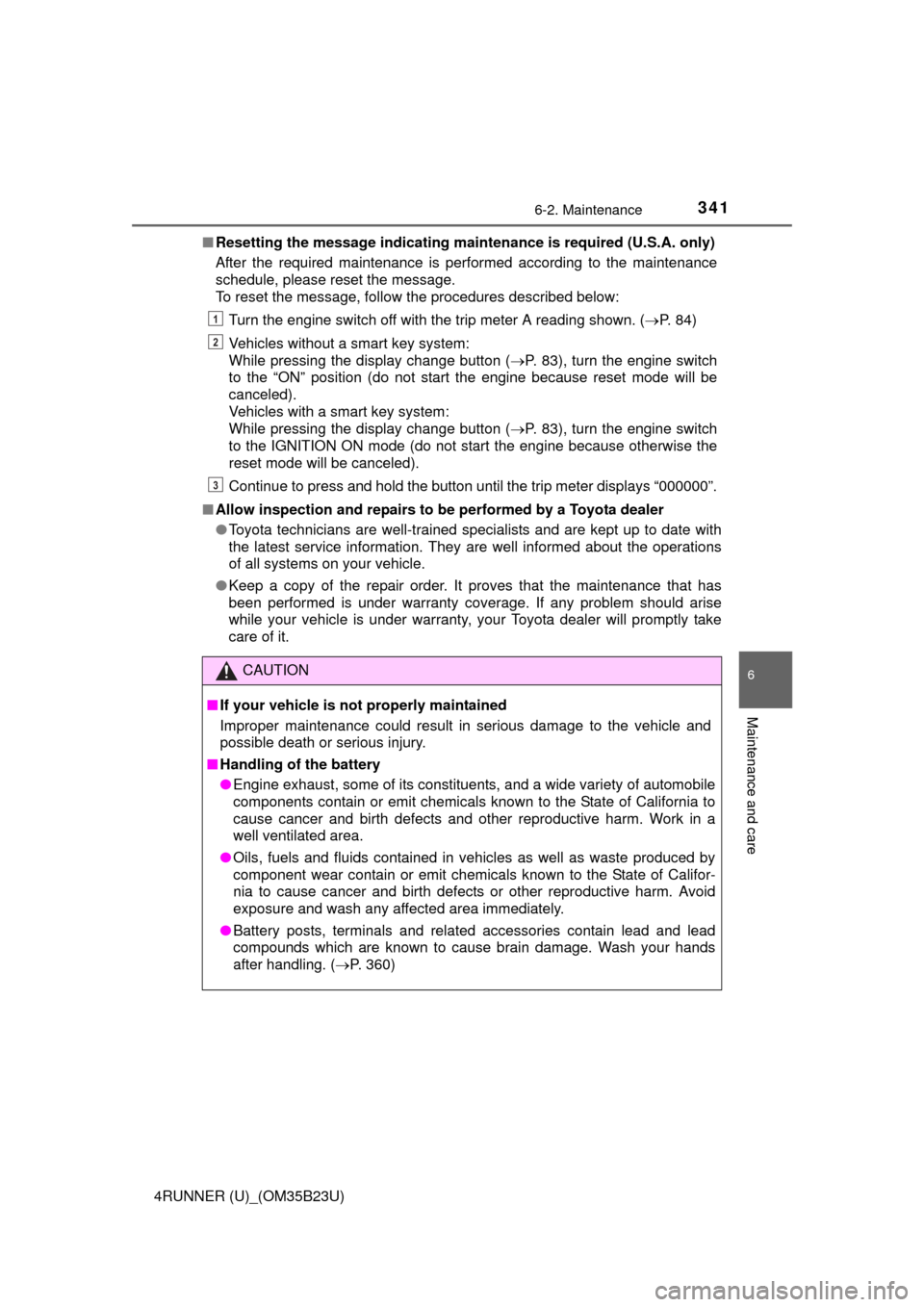
4RUNNER (U)_(OM35B23U)■Resetting the message indicating maintenance is required (U.S.A. only)
After the required maintenance is performed according to the maintenance
schedule, please reset the message.
To reset the message, follow the procedures described below:
Turn the engine switch off with the trip meter A reading shown. (P. 84)
Vehicles without a smart key system:
While pressing the display change button (P. 83), turn the engine switch
to the “ON” position (do not start the engine because reset mode will be
canceled).
Vehicles with a smart key system:
While pressing the display change button (P. 83), turn the engine switch
to the IGNITION ON mode (do not start the engine because otherwise the
reset mode will be canceled).
Continue to press and hold the button until the trip meter displays “000000”.
■Allow inspection and repairs to be performed by a Toyota dealer
●Toyota technicians are well-trained specialists and are kept up to date with
the latest service information. They are well informed about the operations
of all systems on your vehicle.
●Keep a copy of the repair order. It proves that the maintenance that has
been performed is under warranty coverage. If any problem should arise
while your vehicle is under warranty, your Toyota dealer will promptly take
care of it.
CAUTION
■If your vehicle is not properly maintained
Improper maintenance could result in serious damage to the vehicle and
possible death or serious injury.
■Handling of the battery
●Engine exhaust, some of its constituents, and a wide variety of automobile
components contain or emit chemicals known to the State of California to
cause cancer and birth defects and other reproductive harm. Work in a
well ventilated area.
●Oils, fuels and fluids contained in vehicles as well as waste produced by
component wear contain or emit chemicals known to the State of Califor-
nia to cause cancer and birth defects or other reproductive harm. Avoid
exposure and wash any affected area immediately.
●Battery posts, terminals and related accessories contain lead and lead
compounds which are known to cause brain damage. Wash your hands
after handling. (P. 360)
1
2
3
Page 424 of 528
4247-2. Steps to take in an emergency
4RUNNER (U)_(OM35B23U)
*: Refer to the separate “Scheduled Maintenance Guide” or “Owner’s Manual
Supplement” for the maintenance interval applicable to your vehicle.
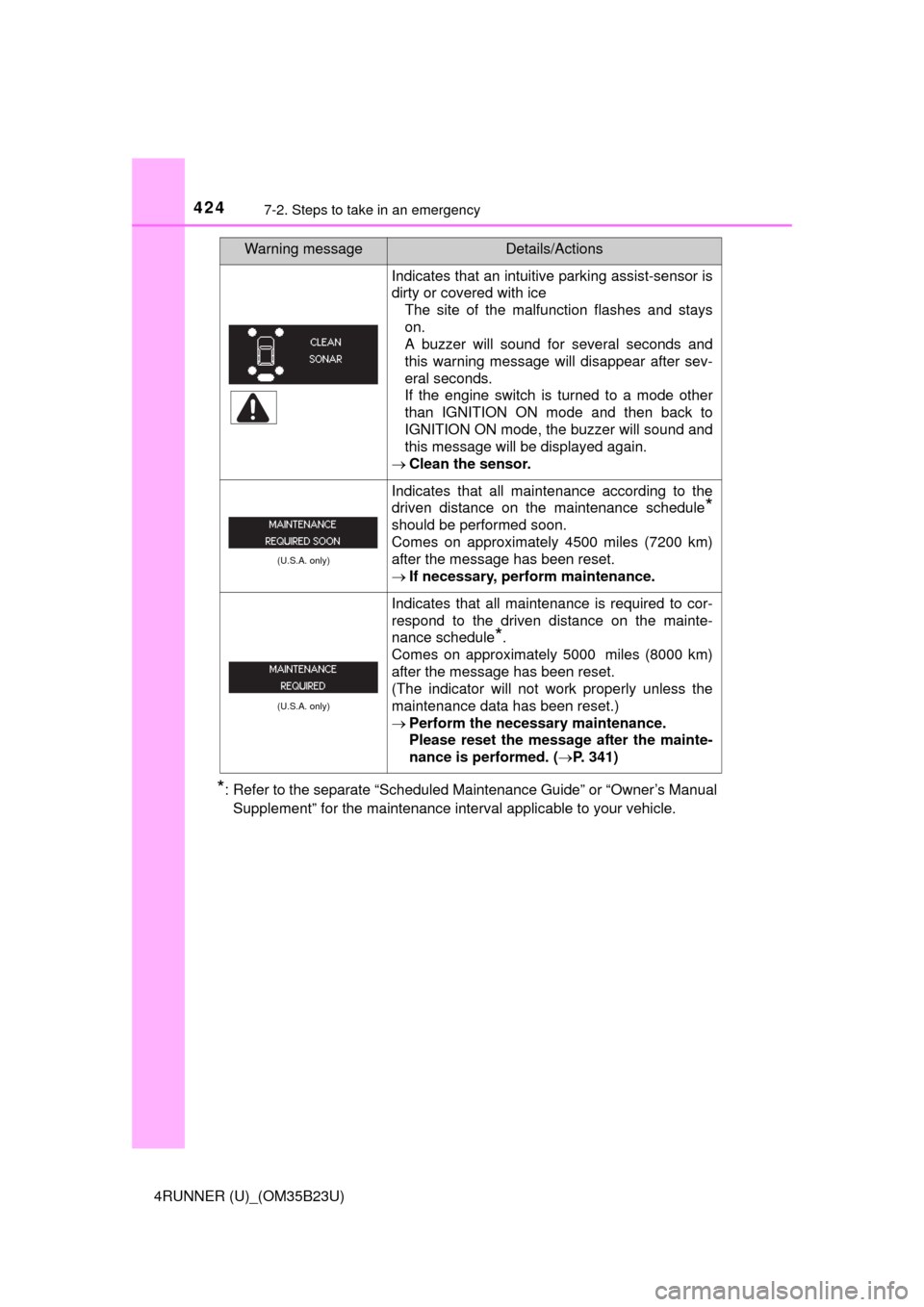
Indicates that an intuitive parking assist-sensor is
dirty or covered with ice
The site of the malfunction flashes and stays
on.
A buzzer will sound for several seconds and
this warning message will disappear after sev-
eral seconds.
If the engine switch is turned to a mode other
than IGNITION ON mode and then back to
IGNITION ON mode, the buzzer will sound and
this message will be displayed again.
Clean the sensor.
(U.S.A. only)
Indicates that all maintenance according to the
driven distance on the maintenance schedule
*
should be performed soon.
Comes on approximately 4500 miles (7200 km)
after the message has been reset.
If necessary, perform maintenance.
(U.S.A. only)
Indicates that all maintenance is required to cor-
respond to the driven distance on the mainte-
nance schedule
*.
Comes on approximately 5000 miles (8000 km)
after the message has been reset.
(The indicator will not work properly unless the
maintenance data has been reset.)
Perform the necessary maintenance.
Please reset the message after the mainte-
nance is performed. (P. 341)
Warning messageDetails/Actions
Page 441 of 528
4417-2. Steps to take in an emergency
7
When trouble arises
4RUNNER (U)_(OM35B23U)
■After completing the tire change
The tire pressure warning system must be reset. (P. 367)
■When using the spare tire (Vehicles without P245/60R20 tires)
As the spare tire is not equipped with a tire pressure warning valve and
transmitter, low inflation pressure of the spare tire will not be indicated by
the tire pressure warning system. Also, if you replace the spare tire after
the tire pressure warning light comes on, the light remains on.
NOTICE
■Do not drive the vehicle with a flat tire
Do not continue driving with a flat tire.
Driving even a short distance with a flat tire can damage the tire and the
wheel beyond repair.
■When stowing the flat tire
Ensure that there is no object caught between the tire and the vehicle
underbody.
■When replacing the tires
●When removing or fitting the wheels, tires or the tire pressure warning
valve and transmitter, contact your Toyota dealer as the tire pressure
warning valve and transmitter may be damaged if not handled cor-
rectly.
●Replace the grommets for the tire pressure warning valves and trans-
mitters as well.
■To avoid damage to the tire pressure warning valves and transmit-
ters
When a tire is repaired with liquid sealants, the tire pressure warning
valve and transmitter may not operate properly. If a liquid sealant is
used, contact your Toyota dealer or other qualified service shop as soon
as possible. Make sure to replace the tire pressure warning valve and
transmitter when replacing the tire. (P. 367)
Page 521 of 528
521Alphabetical index
4RUNNER (U)_(OM35B23U)
Maintenance
Do-it-yourself maintenance ... 346
General maintenance ........... 342
Maintenance data ................. 458
Maintenance requirements ... 340
Resetting the message
indicating maintenance is
required .............................. 341
Malfunction indicator lamp ..... 413
Manual air conditioning
system .................................... 278
Master warning light................ 422
Meter ........................................... 81
Indicators ................................ 79
Instrument panel light
control................................... 82
Meters ..................................... 81
Multi-information display ......... 83
Warning lights ......................... 77
Mirrors
Inside rear view mirror .......... 141
Outside rear view mirror
defoggers ................... 280, 286
Outside rear view mirrors...... 143
Vanity mirrors........................ 308
Moon roof ................................. 152
Door lock linked
moon roof operation ........... 154
Jam protection function......... 153
Operation .............................. 152
Multi Terrain ABS .................... 259
Multi-information display .......... 83
Customizing vehicle
features ................................ 86
Driving monitor........................ 84
Switching the display .............. 84
Trip information ....................... 83
Warning message ................. 422
Multi-terrain Select .................. 252Navigation system*
Noise from under vehicle ........... 8
Odometer ................................... 81
Off-road precautions ............... 272
Oil
Engine oil .............................. 352
Opener
Back door ............................. 115
Hood ..................................... 349
Outer foot lights ...................... 293
Outside rear view mirrors ....... 143
Adjusting and folding ............ 143
Outside rear view
mirror defoggers ......... 280, 286
Outside temperature
display.................................... 310
Overhead console ................... 300
Overheating, Engine ............... 452
MN
O
*: Refer to the “NAVIGATION AND MULTIMEDIA SYSTEM
OWNER’S MANUAL”.
Page 522 of 528

522Alphabetical index
4RUNNER (U)_(OM35B23U)
Parking brake ........................... 203
Operation .............................. 203
Parking brake engaged
warning buzzer ................... 413
Parking lights ........................... 204
Light switch ........................... 204
Replacing light bulbs............. 390
Wattage ................................ 469
Pen holder ................................ 301
Personal lights ......................... 294
Power back window ................ 148
Jam protection function......... 150
Operation .............................. 148
Power outlets ................... 311, 316
Power steering
Fluid ...................................... 359
Warning light ......................... 415
Power windows........................ 145
Door lock linked
window operation ............... 146
Jam protection function......... 146
Operation .............................. 145
Window lock switch............... 145Radiator .................................... 356
Rear differential lock
system.................................... 243
Rear seats
Adjustment............................ 122
Folding down ........ 124, 126, 128
Rear step bumper .................... 115
Rear turn signal lights ............ 202
Replacing light bulbs ............ 396
Turn signal lever ................... 202
Wattage ................................ 469
Rear view mirror
Inside rear view mirror .......... 141
Outside rear view mirrors ..... 143
Rear view monitor system
*
Rear window ............................ 148
Rear window
defoggers....................... 280, 286
Rear window wiper .................. 215
Refueling .................................. 218
Capacity................................ 460
Fuel types ............................. 460
Opening the fuel tank cap..... 220
Replacing
Fuses .................................... 382
Key battery ........................... 379
Light bulbs ............................ 385
Tires...................................... 429
Reporting safety defects
for U.S. owners...................... 494
Resetting the message
indicating maintenance
is required.............................. 341
Roof luggage carrier ............... 168
PR