differential TOYOTA 4RUNNER 2017 N280 / 5.G User Guide
[x] Cancel search | Manufacturer: TOYOTA, Model Year: 2017, Model line: 4RUNNER, Model: TOYOTA 4RUNNER 2017 N280 / 5.GPages: 528, PDF Size: 10.03 MB
Page 242 of 528
2424-5. Using the driving support systems
4RUNNER (U)_(OM35B37U)■
If the low speed four-wheel drive indicator continues to flash and a
buzzer sounds
The shift lever is not in N and/or the vehicle is moving. Stop the vehic\
le com-
pletely, shift the shift lever to N and make sure that the indicator stops flash-
ing.
■ If the low speed four-wheel drive indi cator or the center differential lock
indicator flashes rapidly
There may be a malfunction in the four-wheel drive system. Have the vehicle
inspected by your Toyota dealer immediately.
CAUTION
■ Operating the four-wheel drive control switch
Never operate the four-wheel drive control switch if the wheels have lost
traction. Doing so may cause an accident resulting in death or serious
injury.
Stop the wheels from slipping or spinning before operating the switch.
NOTICE
■ To prevent damage to the center differential
● For normal driving on dry and hard surface roads, unlock the center differ-
ential.
● Unlock the center differential after the wheels are out of the ditch or off the
slippery or bumpy surface.
● Do not lock or unlock the center differential when the vehicle is turning or
when its wheels are spinning freely off the ground.
Page 244 of 528
2444-5. Using the driving support systems
4RUNNER (U)_(OM35B37U)
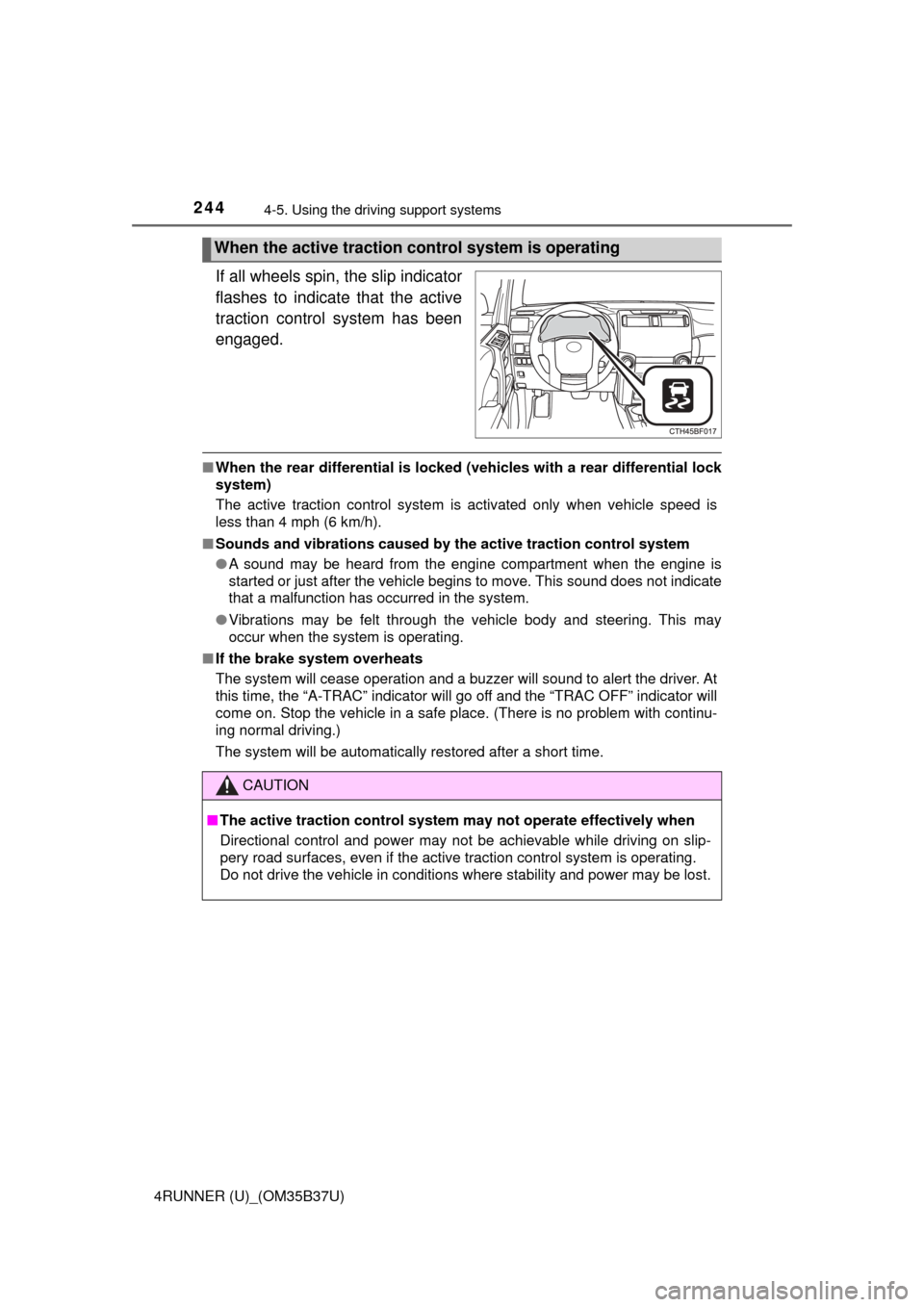
If all wheels spin, the slip indicator
flashes to indicate that the active
traction control system has been
engaged.
■ When the rear differential is locked (vehicles with a rear differential lock
system)
The active traction control system is activated only when vehicle speed is
less than 4 mph (6 km/h).
■ Sounds and vibrations caused by the active traction control system
● A sound may be heard from the engine compartment when the engine is
started or just after the vehicle begins to move. This sound does not indicate
that a malfunction has occurred in the system.
● Vibrations may be felt through the vehicle body and steering. This may
occur when the system is operating.
■ If the brake system overheats
The system will cease operation and a buzzer will sound to alert the driver. At
this time, the “A-TRAC” indicator will go off and the “TRAC OFF” indicator will
come on. Stop the vehicle in a safe place. (There is no problem with continu-
ing normal driving.)
The system will be automatically restored after a short time.
When the active traction control system is operating
CAUTION
■The active traction control system may not operate effectively when
Directional control and power may not be achievable while driving on slip-
pery road surfaces, even if the active traction control system is operat\
ing.
Do not drive the vehicle in conditions where stability and power may be lost.
Page 247 of 528
2474-5. Using the driving support systems
4
Driving
4RUNNER (U)_(OM35B37U)
The rear differential lock system is effective in case one of the rear
wheels is spinning.
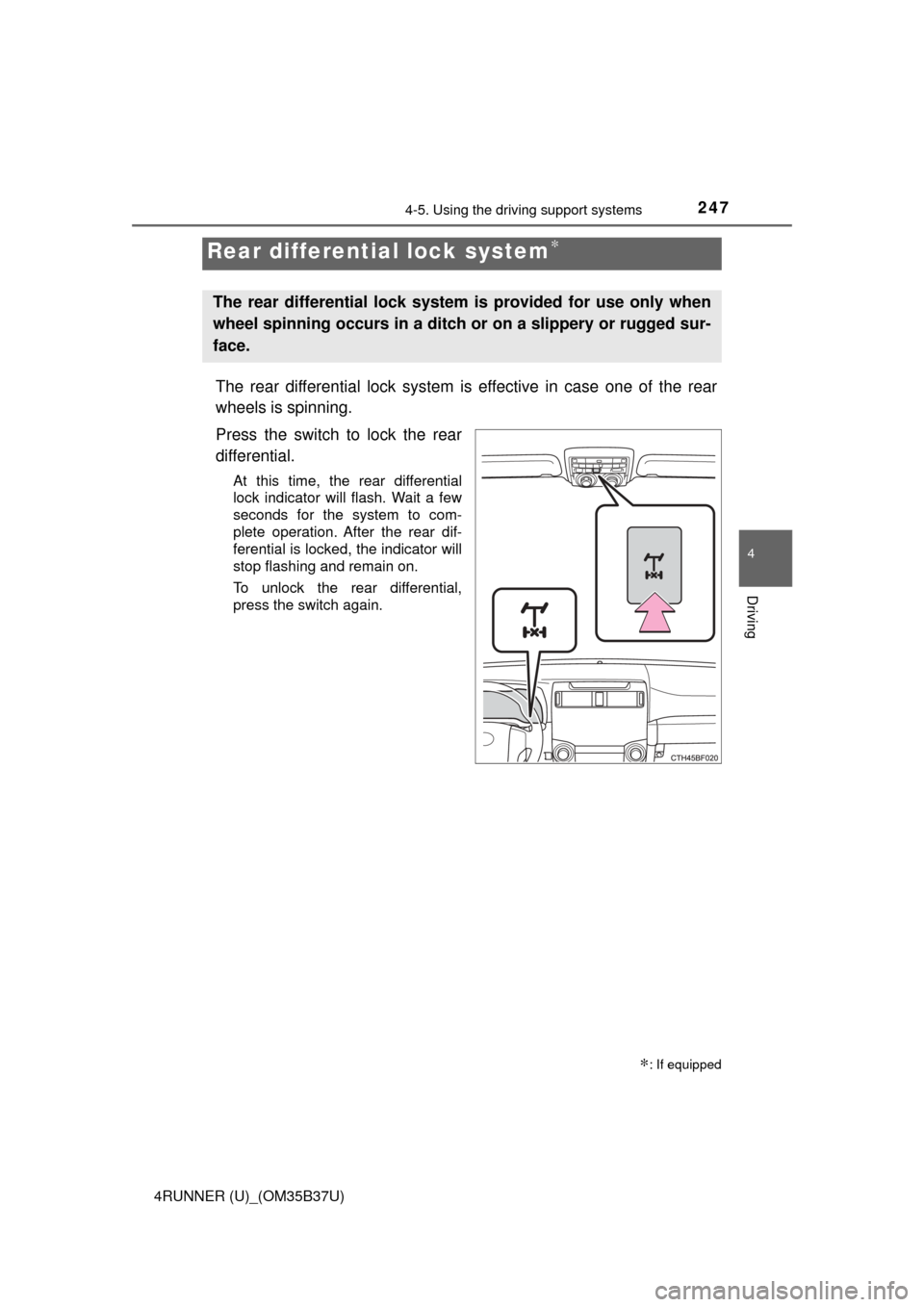
Press the switch to lock the rear
differential.
At this time, the rear differential
lock indicator will flash. Wait a few
seconds for the system to com-
plete operation. After the rear dif-
ferential is locked, the indicator will
stop flashing and remain on.
To unlock the rear differential,
press the switch again.
Rear differential lock system∗
∗: If equipped
The rear differential lock system is provided for use only when
wheel spinning occurs in a ditch or on a slippery or rugged sur-
face.
Page 248 of 528
2484-5. Using the driving support systems
4RUNNER (U)_(OM35B37U)
Before using the rear differential lock system:
Stop the vehicle, shift the shift lever to N and shift the front-wheel
drive control lever into L4 to see if this is sufficient. If this has no
effect, additionally use the rear differential lock system.
Be sure the wheels have stopped spinning.
Press the rear differential lock switch.
Gently depress the accelerator pedal.
After the rear differential is locked, the indicator will come on.
Unlock the rear differential as soon as the vehicle moves.
To unlock the rear differential, press the switch again.
■ Locking the rear differential
The following systems do not operate when the rear differential is locked. It is
normal operation for the ABS warning light and VSC OFF indicator to be on at
this time.
•ABS
• Multi Terrain ABS
• Brake assist system
•VSC
• Hill-start assist control
■ The rear differential lock is disengaged when
The front-wheel drive control lever or switch is shifted to H2 or H4.
Never forget to turn off the switch after using this feature.
■ After unlocking the rear differential
Check that the indicator goes off.
■ If the rear differential lock indicator flashes rapidly
There may be a malfunction in the rear differential lock system. Have the
vehicle inspected by your Toyota dealer immediately.
Using the rear differential lock system
1
2
3
4
Page 249 of 528
2494-5. Using the driving support systems
4
Driving
4RUNNER (U)_(OM35B37U)
CAUTION
■To avoid an accident
● Do not use the rear differential lock system except when wheel spinning
occurs in a ditch or on a slippery or rugged surface. Large steering effort
and careful cornering control will be required.
● Do not lock the rear differential until the wheels have stopped spinning.
Otherwise, the vehicle may move in an unexpected direction when the dif-
ferential lock is engaged, resulting in an accident. This may also lead to
possible damage to rear differential lock component parts.
● Do not drive over 5 mph (8 km/h) when the rear differential is locked.
● Do not keep driving with the rear differential lock switch on.
Page 250 of 528
2504-5. Using the driving support systems
4RUNNER (U)_(OM35B37U)■
Activating the system
The system will activate when
●
The vehicle is traveling under 15 mph (25 km/h) with the acceler-
ator and brake pedals released.
● Part-time 4WD models: The fron t-wheel drive control lever or
switch is in L4.
Full-time 4WD models: The four-wheel drive control switch is in
L4L.
● The rear differential is unlocked (if equipped).
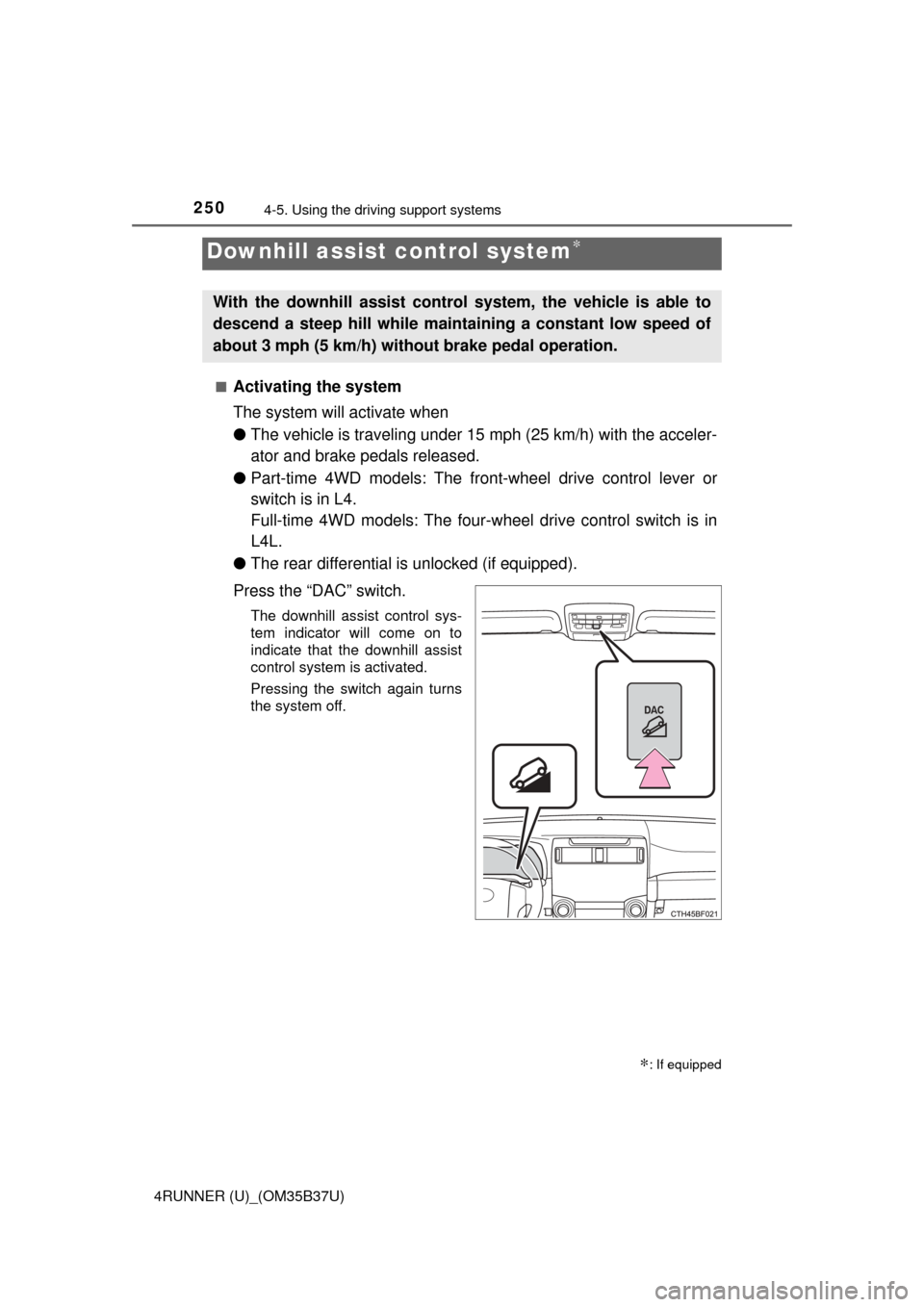
Press the “DAC” switch.
The downhill assist control sys-
tem indicator will come on to
indicate that the downhill assist
control system is activated.
Pressing the switch again turns
the system off.
Downhill assist control system∗
∗: If equipped
With the downhill assist control system, the vehicle is able to
descend a steep hill while mainta ining a constant low speed of
about 3 mph (5 km/h) without brake pedal operation.
Page 251 of 528
2514-5. Using the driving support systems
4
Driving
4RUNNER (U)_(OM35B37U)
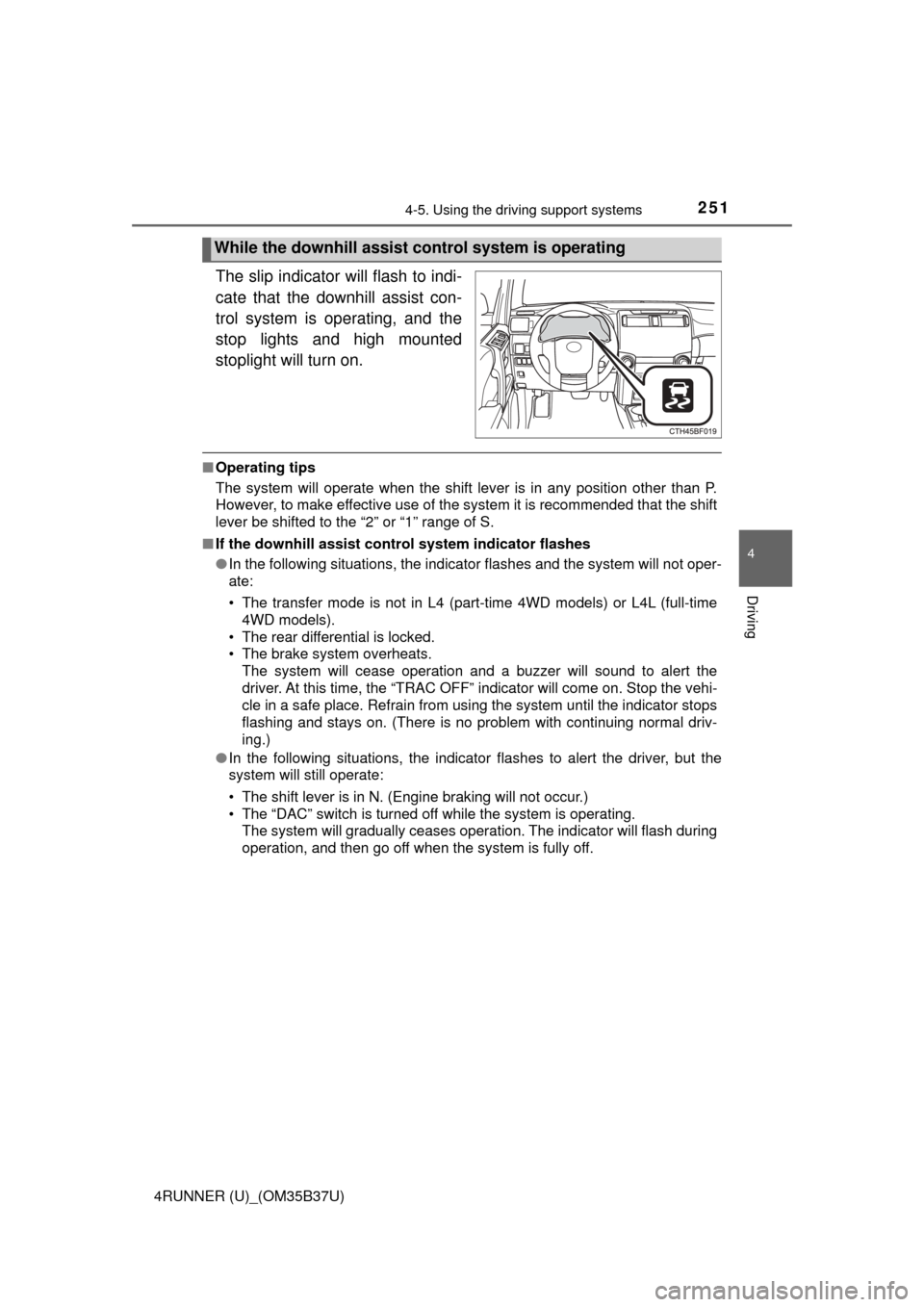
The slip indicator will flash to indi-
cate that the downhill assist con-
trol system is operating, and the
stop lights and high mounted
stoplight will turn on.
■Operating tips
The system will operate when the shift lever is in any position other than P.
However, to make effective use of the system it is recommended that the shift
lever be shifted to the “2” or “1” range of S.
■ If the downhill assist control system indicator flashes
●In the following situations, the indicator flashes and the system will not oper-
ate:
• The transfer mode is not in L4 (part-time 4WD models) or L4L (full-time
4WD models).
• The rear differential is locked.
• The brake system overheats. The system will cease operation and a buzzer will sound to alert the
driver. At this time, the “TRAC OFF” indicator will come on. Stop the vehi-
cle in a safe place. Refrain from using the system until the indicator stops
flashing and stays on. (There is no problem with continuing normal driv\
-
ing.)
● In the following situations, the indicator flashes to alert the driver, but the
system will still operate:
• The shift lever is in N. (Engine braking will not occur.)
• The “DAC” switch is turned off while the system is operating.
The system will gradually ceases operation. The indicator will flash during
operation, and then go off when the system is fully off.
While the downhill assist control system is operating
Page 260 of 528
2604-5. Using the driving support systems
4RUNNER (U)_(OM35B37U)
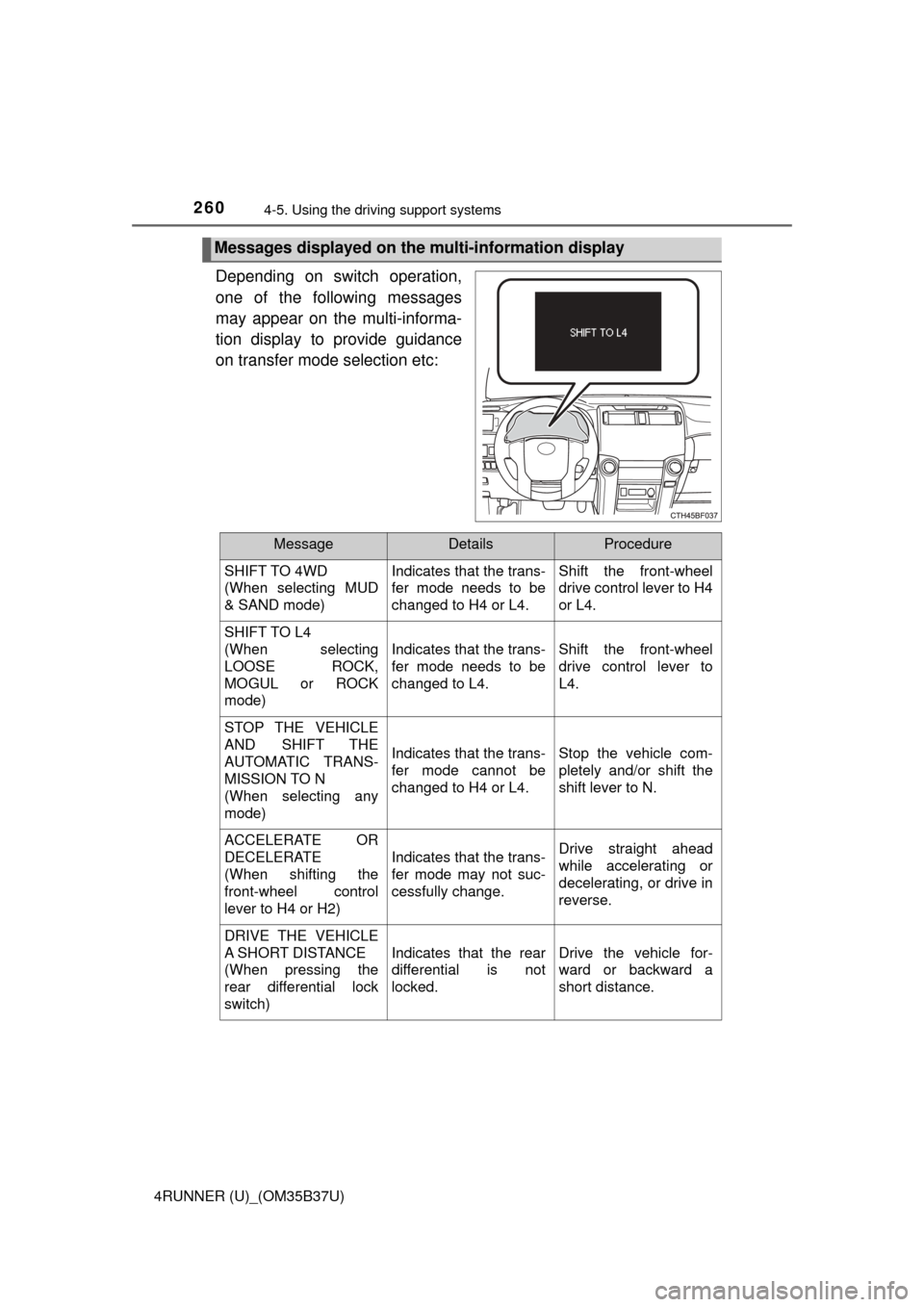
Depending on switch operation,
one of the following messages
may appear on the multi-informa-
tion display to provide guidance
on transfer mode selection etc:
Messages displayed on the multi-information display
MessageDetailsProcedure
SHIFT TO 4WD
(When selecting MUD
& SAND mode) Indicates that the trans-
fer mode needs to be
changed to H4 or L4.Shift the front-wheel
drive control lever to H4
or L4.
SHIFT TO L4
(When selecting
LOOSE ROCK,
MOGUL or ROCK
mode)
Indicates that the trans-
fer mode needs to be
changed to L4.Shift the front-wheel
drive control lever to
L4.
STOP THE VEHICLE
AND SHIFT THE
AUTOMATIC TRANS-
MISSION TO N
(When selecting any
mode)
Indicates that the trans-
fer mode cannot be
changed to H4 or L4.Stop the vehicle com-
pletely and/or shift the
shift lever to N.
ACCELERATE OR
DECELERATE
(When shifting the
front-wheel control
lever to H4 or H2)
Indicates that the trans-
fer mode may not suc-
cessfully change.Drive straight ahead
while accelerating or
decelerating, or drive in
reverse.
DRIVE THE VEHICLE
A SHORT DISTANCE
(When pressing the
rear differential lock
switch)
Indicates that the rear
differential is not
locked.Drive the vehicle for-
ward or backward a
short distance.
Page 269 of 528

2694-5. Using the driving support systems
4
Driving
4RUNNER (U)_(OM35B37U)
■When the “TRAC OFF” indicator li ght comes on even if the VSC off
switch has not been pressed
TRAC, hill-start assist control, downhill assist control and Crawl Control can-
not be operated. Contact your Toyota dealer.
■ Hill-start assist control operation conditions
●The shift lever is in D or S.
● The brake pedal is not depressed.
● The rear differential is unlocked (if equipped).
■ If the brake system overheats
The hill-start assist control will cease operation and a buzzer will sound to
alert the driver. At this time, the “TRAC OFF” indicator will come on. Stop the
vehicle in a safe place. (There is no problem with continuing with normal driv-
ing.)
The system will be automatically restored after a short time.
■ Sounds and vibrations caused by the ABS, Multi Terrain ABS (if
equipped), brake assist, VSC, Trailer Sway Control, TRAC and hill-start
assist control (if equipped) systems
● A sound may be heard from the engine compartment when the engine is
started or just after the vehicle begins to move. This sound does not indicate
that a malfunction has occurred in any of these systems.
● Any of the following conditions may occur when the above systems are
operating. None of these indicates that a malfunction has occurred.
• Vibrations may be felt through the vehicle body and steering.
• A motor sound may be heard after the vehicle comes to a stop.
• The brake pedal may pulsate slightly a fter the ABS or Multi Terrain ABS is
activated.
• The brake pedal may move down slightly after the ABS or Multi Terrain ABS is activated.
■ Reactivation of the TRAC/VSC/Trail er Sway Control systems after turn-
ing off the engine
Turning off the engine after turning off the TRAC/VSC/Trailer Sway Control
systems will automatically reactivate them.
Page 280 of 528
2804-6. Driving tips
4RUNNER (U)_(OM35B37U)
NOTICE
■To prevent water damage
Take all necessary safety measures to ensure that water damage to the
engine or other components does not occur.
● Water entering the engine air intake will cause severe engine damage.
● Water entering the automatic transmission will cause deterioration in shift
quality, locking up of your transmission accompanied by vibration, and ulti-
mately damage.
● Water can wash the grease from wheel bearings, causing rusting and pre-
mature failure, and may also enter the differentials, transmission and
transfer case, reducing the gear oil’s lubricating qualities.
■ When you drive through water
If driving through water, such as when crossing shallow streams, first check
the depth of the water and the bottom of the riverbed for firmness. Drive
slowly and avoid deep water.
■ Inspection after off-road driving
● Sand and mud that has accumulated in brake drums and around brake
discs may affect braking efficiency and may damage brake system compo-
nents.
● Always perform a maintenance inspection after each day of off-road driv-
ing that has taken you through rough terrain, sand, mud, or water. For
scheduled maintenance information, refer to the “Scheduled Maintenance
Guide” or “Owner’s Manual Supplement”.