key TOYOTA 4RUNNER 2017 N280 / 5.G User Guide
[x] Cancel search | Manufacturer: TOYOTA, Model Year: 2017, Model line: 4RUNNER, Model: TOYOTA 4RUNNER 2017 N280 / 5.GPages: 528, PDF Size: 10.03 MB
Page 72 of 528
721-2. Theft deterrent system
4RUNNER (U)_(OM35B37U)
The alarm uses light and sound to give an alert when an intrusion is
detected.
The alarm is triggered in the following situations when the alarm is
set:
●A locked door is unlocked or opened in any way other than using
the entry function, wireless remote control or mechanical key. (The
doors will lock again automatically.)
● The hood is opened.
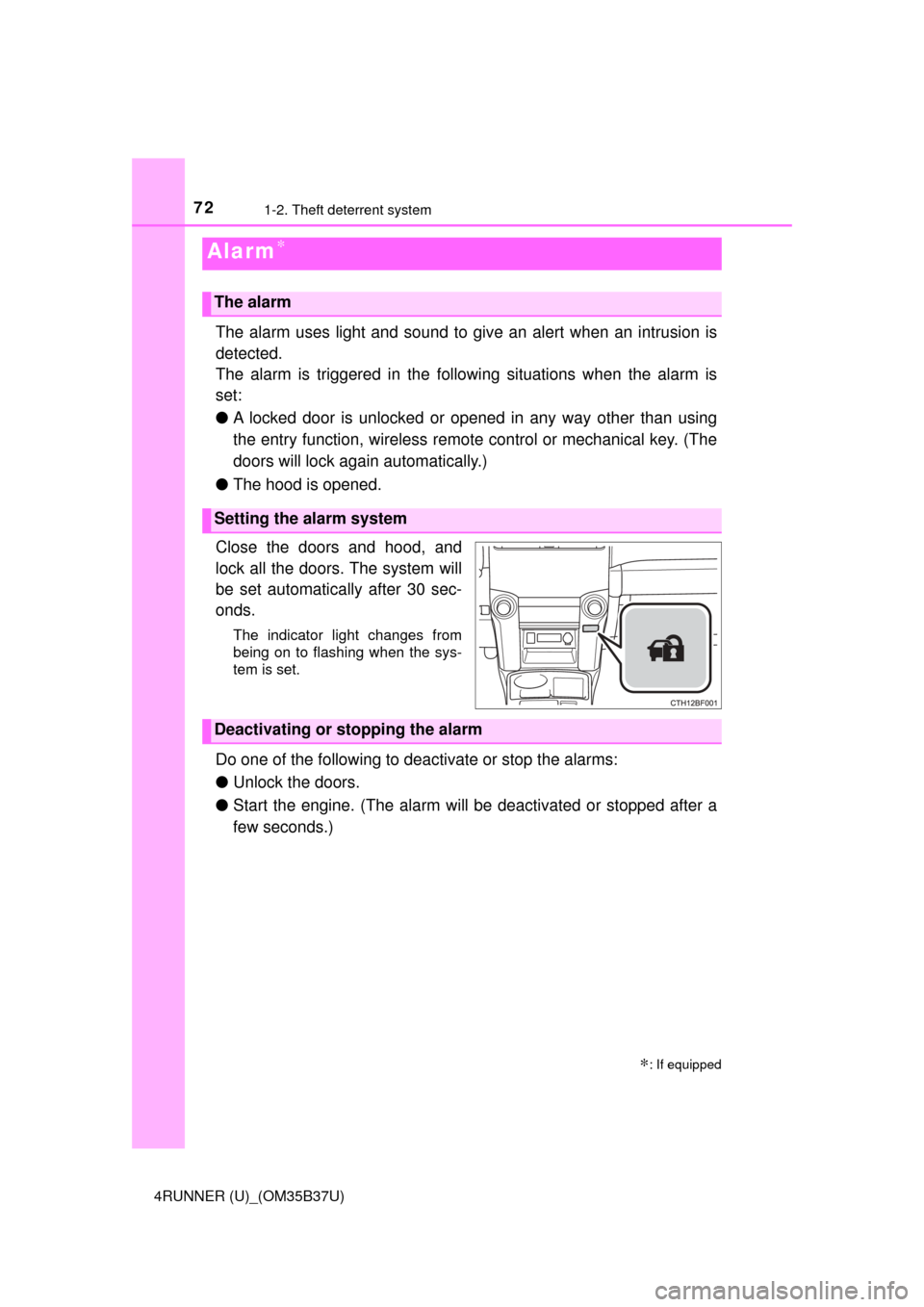
Close the doors and hood, and
lock all the doors. The system will
be set automatically after 30 sec-
onds.
The indicator light changes from
being on to flashing when the sys-
tem is set.
Do one of the following to d eactivate or stop the alarms:
● Unlock the doors.
● Start the engine. (The alarm will be deactivated or stopped after a
few seconds.)
Alarm∗
∗: If equipped
The alarm
Setting the alarm system
Deactivating or stopping the alarm
Page 73 of 528
731-2. Theft deterrent system
1
For safety and security
4RUNNER (U)_(OM35B37U)
■System maintenance
The vehicle has a maintenance-free type alarm system.
■ Items to check before locking the vehicle
To prevent unexpected triggering of the alarm and vehicle theft, make sure of
the following:
●Nobody is in the vehicle.
● The windows and moon roof are closed before the alarm is set.
● No valuables or other personal items are left in the vehicle.
■ Triggering of the alarm
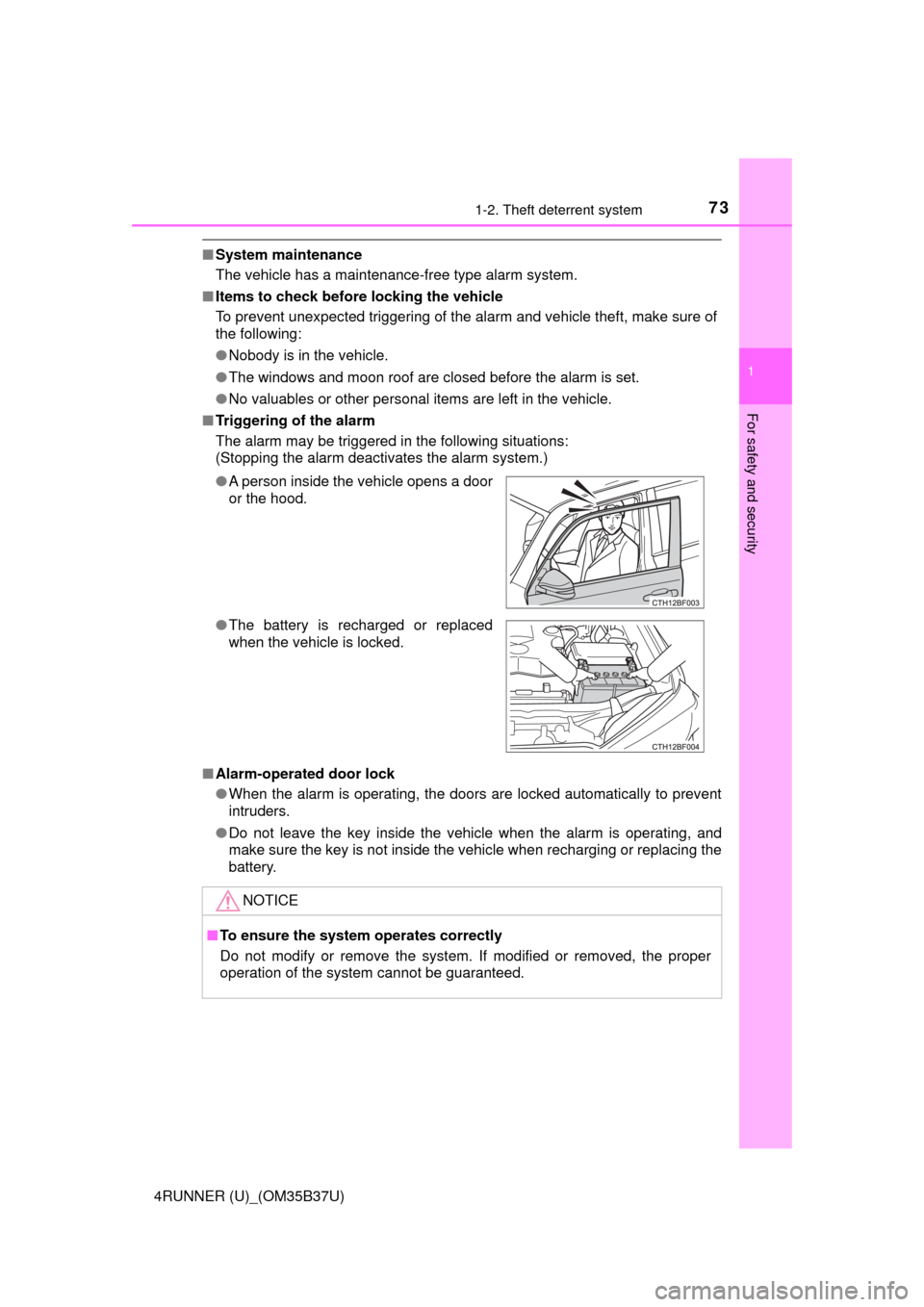
The alarm may be triggered in the following situations:
(Stopping the alarm deactivates the alarm system.)
■ Alarm-operated door lock
●When the alarm is operating, the doors are locked automatically to prevent
intruders.
● Do not leave the key inside the vehicle when the alarm is operating, and
make sure the key is not inside the vehicle when recharging or replacing the
battery.
●
A person inside the vehicle opens a door
or the hood.
● The battery is recharged or replaced
when the vehicle is locked.
NOTICE
■To ensure the system operates correctly
Do not modify or remove the system. If modified or removed, the proper
operation of the system cannot be guaranteed.
Page 77 of 528
772. Instrument cluster
2
Instrument cluster
4RUNNER (U)_(OM35B37U)
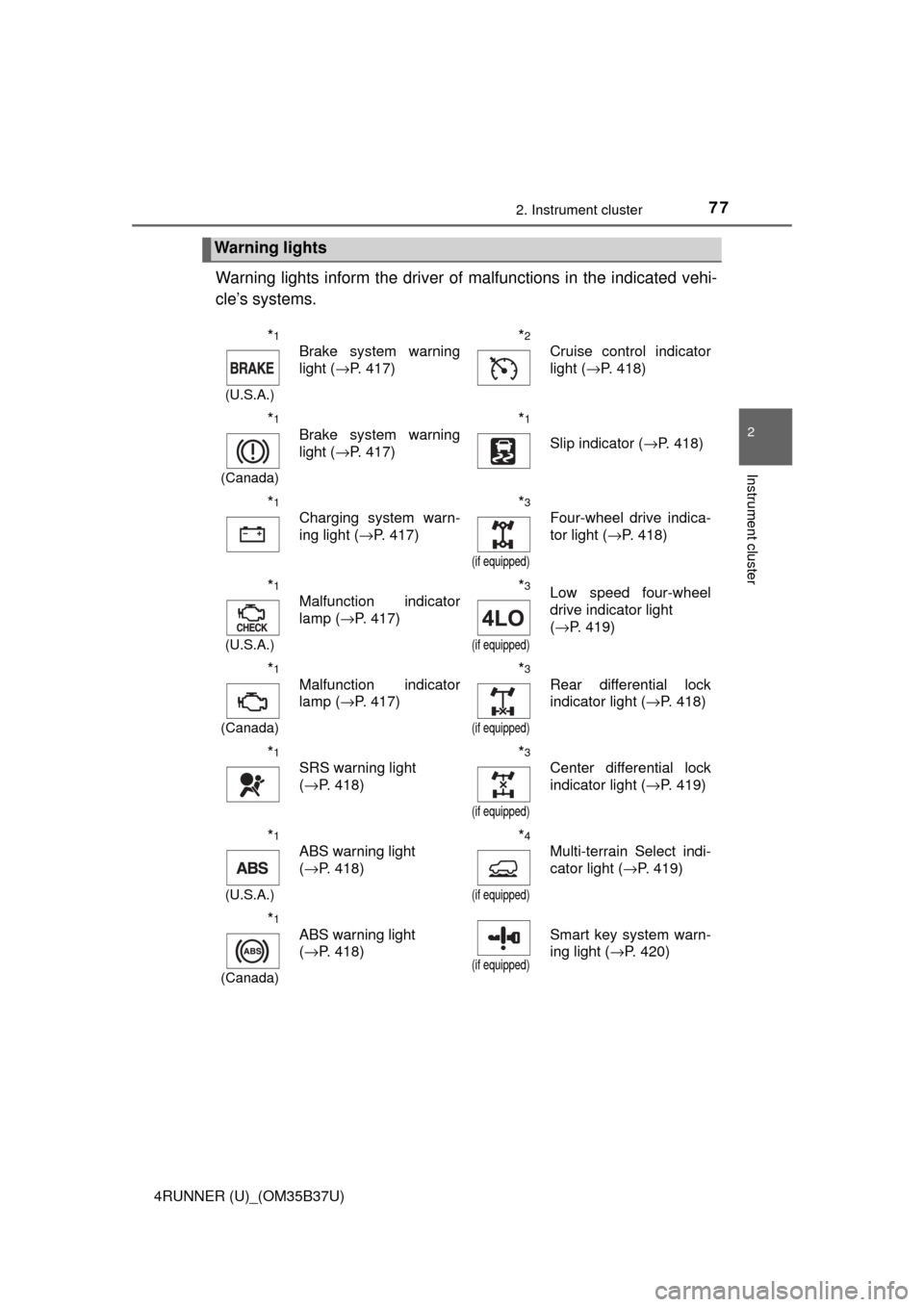
Warning lights inform the driver of malfunctions in the indicated vehi-
cle’s systems.
Warning lights
*1
(U.S.A.)
Brake system warning
light ( →P. 417)*2
Cruise control indicator
light (→P. 418)
*1
(Canada)
Brake system warning
light (→P. 417)*1
Slip indicator ( →P. 418)
*1
Charging system warn-
ing light (→P. 417)*3
(if equipped)
Four-wheel drive indica-
tor light (→P. 418)
*1
(U.S.A.)
Malfunction indicator
lamp (→P. 417)*3
(if equipped)
Low speed four-wheel
drive indicator light
(→P. 419)
*1
(Canada)
Malfunction indicator
lamp ( →P. 417)*3
(if equipped)
Rear differential lock
indicator light ( →P. 418)
*1
SRS warning light
(→P. 418)*3
(if equipped)
Center differential lock
indicator light ( →P. 419)
*1
(U.S.A.)
ABS warning light
(→P. 418)*4
(if equipped)
Multi-terrain Select indi-
cator light ( →P. 419)
*1
(Canada)
ABS warning light
(→P. 418)
(if equipped)
Smart key system warn-
ing light ( →P. 420)
Page 78 of 528
782. Instrument cluster
4RUNNER (U)_(OM35B37U)
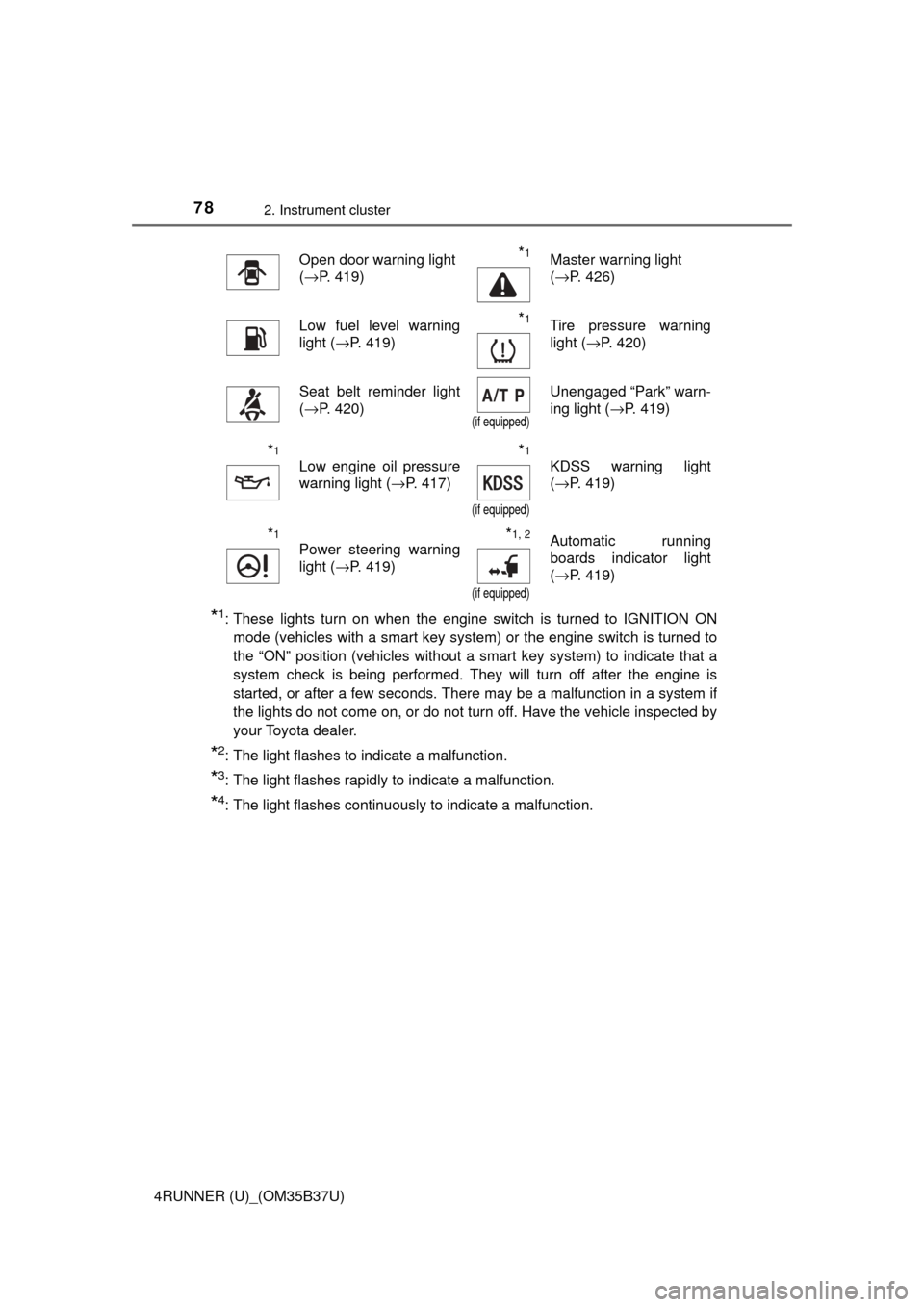
*1: These lights turn on when the engine switch is turned to IGNITION ONmode (vehicles with a smart key system) or the engine switch is turned to
the “ON” position (vehicles without a smart key system) to indicate that a
system check is being performed. They will turn off after the engine is
started, or after a few seconds. There may be a malfunction in a system if
the lights do not come on, or do not turn off. Have the vehicle inspected by
your Toyota dealer.
*2: The light flashes to indicate a malfunction.
*3: The light flashes rapidly to indicate a malfunction.
*4: The light flashes continuously to indicate a malfunction.
Open door warning light
(→P. 419)*1Master warning light
(→P. 426)
Low fuel level warning
light ( →P. 419)*1Tire pressure warning
light (→P. 420)
Seat belt reminder light
(→P. 420)
(if equipped)
Unengaged “Park” warn-
ing light ( →P. 419)
*1
Low engine oil pressure
warning light ( →P. 417)*1
(if equipped)
KDSS warning light
(→P. 419)
*1
Power steering warning
light ( →P. 419)*1, 2
(if equipped)
Automatic running
boards indicator light
(→P. 419)
Page 80 of 528
802. Instrument cluster
4RUNNER (U)_(OM35B37U)
*1: These lights turn on when the engine switch is turned to the “ON” position(vehicles without a smart key system) or the engine switch is turned to
IGNITION ON mode (vehicles with a smart key system) to indicate that a
system check is being performed. They will turn off after the engine is
started, or after a few seconds. There may be a malfunction in a system if
the lights do not come on, or do not turn off. Have the vehicle inspected by
your Toyota dealer.
*2: The light flashes to indicate that the system is operating.
*3: The light does not turn on when the system is disabled.
*4: This light illuminates on the center panel.
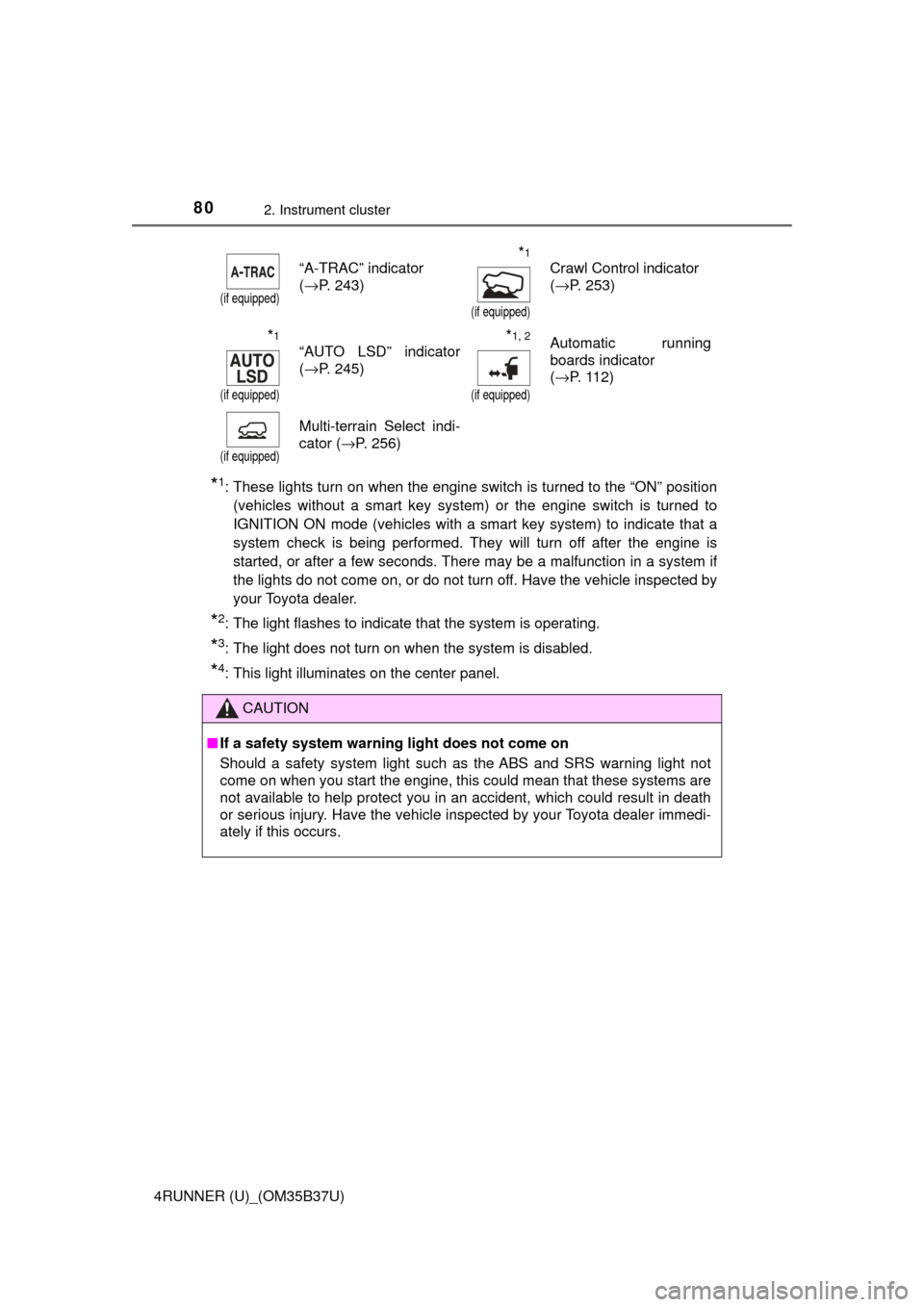
(if equipped)
“A-TRAC” indicator
(→P. 243)*1
(if equipped)
Crawl Control indicator
(→P. 253)
*1
(if equipped)
“AUTO LSD” indicator
(→P. 245)*1, 2
(if equipped)
Automatic running
boards indicator
(→P. 112)
(if equipped)
Multi-terrain Select indi-
cator (→P. 256)
CAUTION
■ If a safety system warning light does not come on
Should a safety system light such as the ABS and SRS warning light not
come on when you start the engine, this could mean that these systems are
not available to help protect you in an accident, which could result in death
or serious injury. Have the vehicle inspected by your Toyota dealer immedi-
ately if this occurs.
Page 82 of 528
822. Instrument cluster
4RUNNER (U)_(OM35B37U)
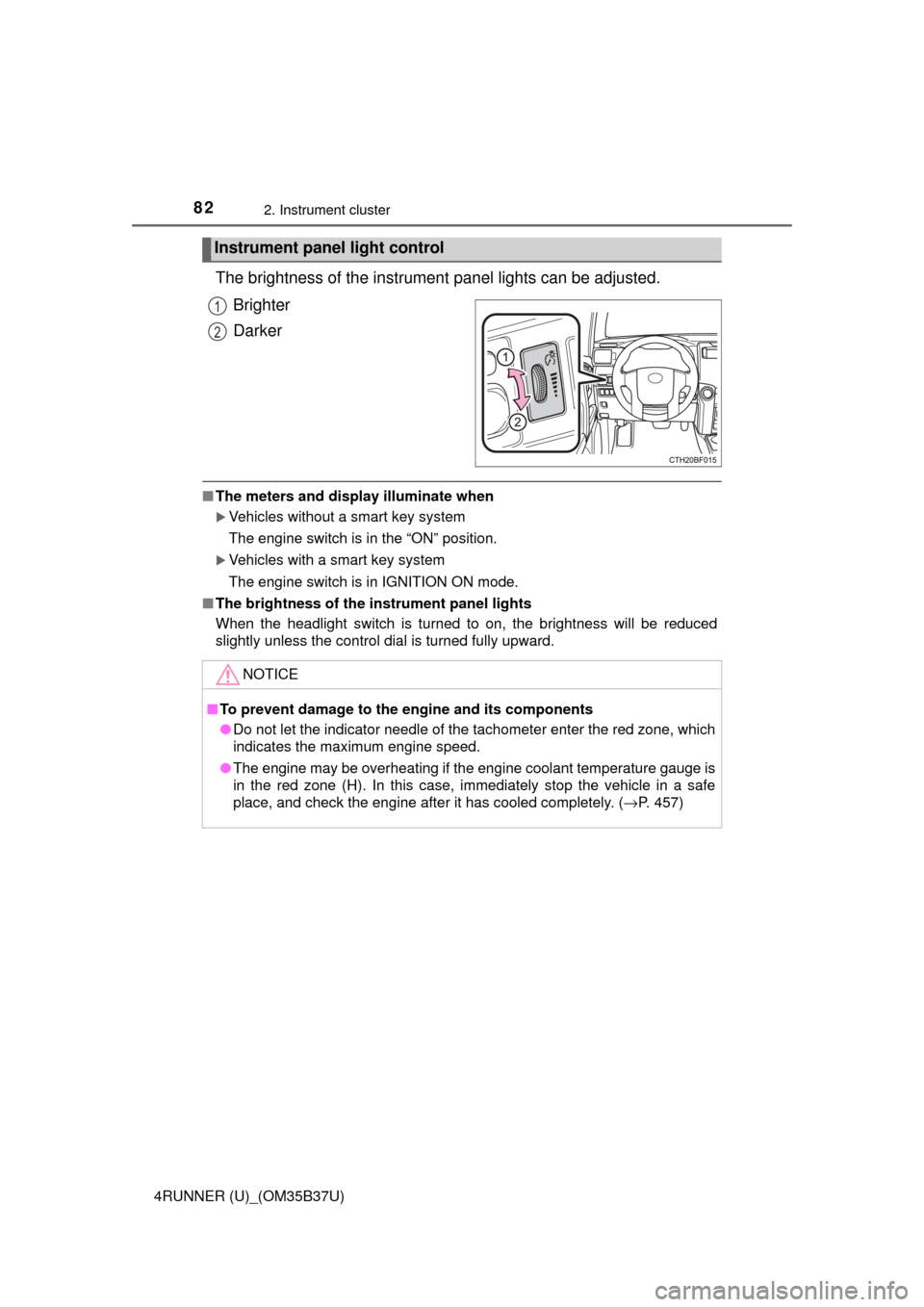
The brightness of the instrument panel lights can be adjusted.
Brighter
Darker
■ The meters and display illuminate when
Vehicles without a smart key system
The engine switch is in the “ON” position.
Vehicles with a smart key system
The engine switch is in IGNITION ON mode.
■ The brightness of the instrument panel lights
When the headlight switch is turned to on, the brightness will be reduced
slightly unless the control dial is turned fully upward.
Instrument panel light control
1
2
NOTICE
■To prevent damage to the engine and its components
● Do not let the indicator needle of the tachometer enter the red zone, which
indicates the maximum engine speed.
● The engine may be overheating if the engine coolant temperature gauge is
in the red zone (H). In this case, immediately stop the vehicle in a safe
place, and check the engine after it has cooled completely. (→ P. 457)
Page 89 of 528
89
Operation of
each component
3
4RUNNER (U)_(OM35B37U) 3-1. Key information
Keys .................................... 90
Side doors ........................... 97
3-2. Opening, closing and locking the doors
Smart key system ............. 104
Automatic running boards ............................. 112
Back door .......................... 115
3-3. Adjusting the seats Front seats ........................ 120
Rear seats......................... 123
Driving position memory ........................... 133
Head restraints.................. 137
3-4. Adjusting the steering wheel and mirrors
Steering wheel .................. 140
Inside rear view mirror ...... 142
Outside rear view mirrors ............................. 144
3-5. Opening, closing the windows and
moon roof
Power windows ................. 146
Power back window .......... 150
Moon roof .......................... 154
Page 90 of 528
90
4RUNNER (U)_(OM35B37U)
3-1. Key information
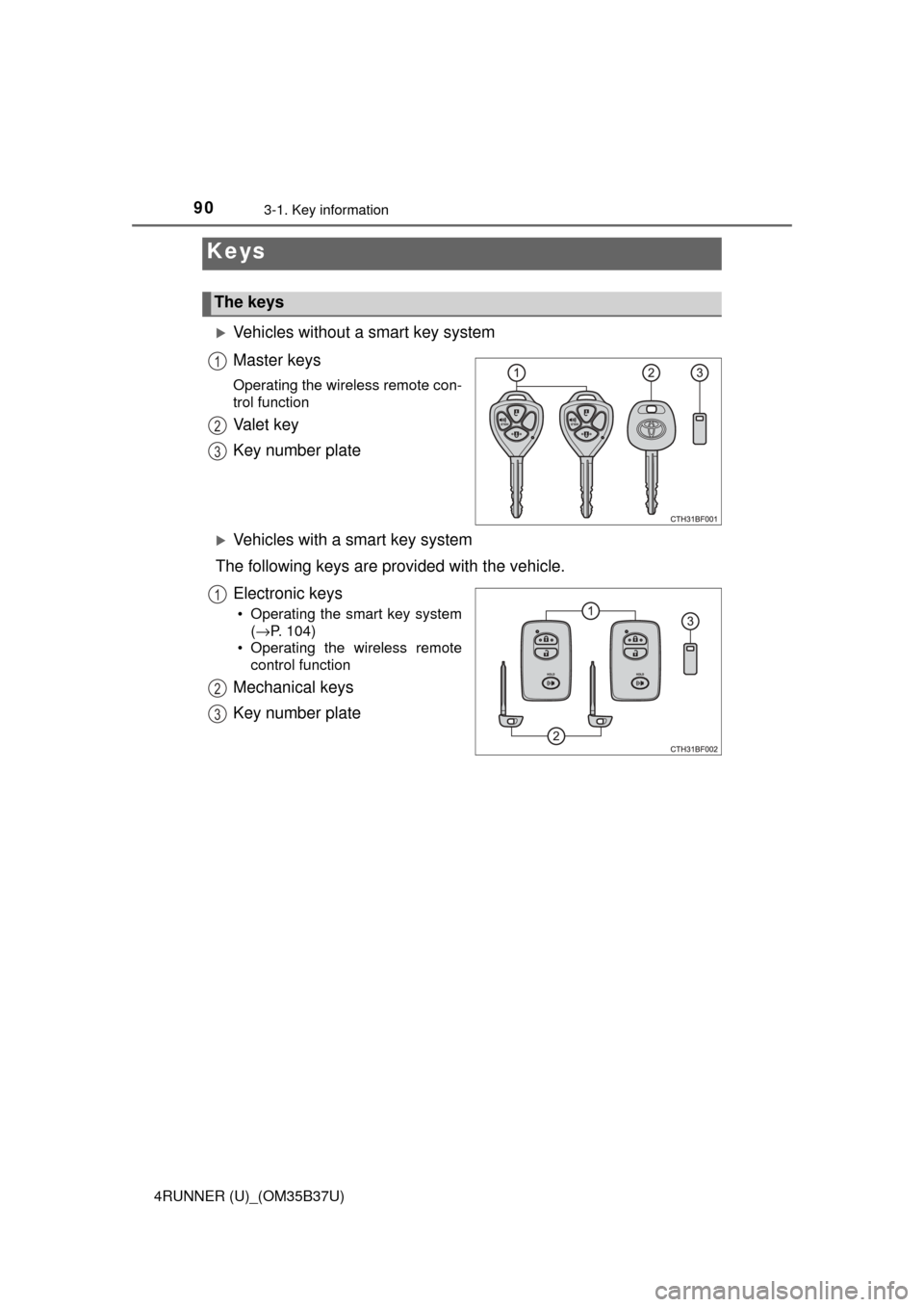
Vehicles without a smart key system
Master keys
Operating the wireless remote con-
trol function
Va l e t k e y
Key number plate
Vehicles with a smart key system
The following keys are provided with the vehicle.
Electronic keys
• Operating the smart key system(→P. 104)
• Operating the wireless remote control function
Mechanical keys
Key number plate
Keys
The keys
1
2
3
1
2
3
Page 91 of 528
913-1. Key information
3
Operation of each component
4RUNNER (U)_(OM35B37U)
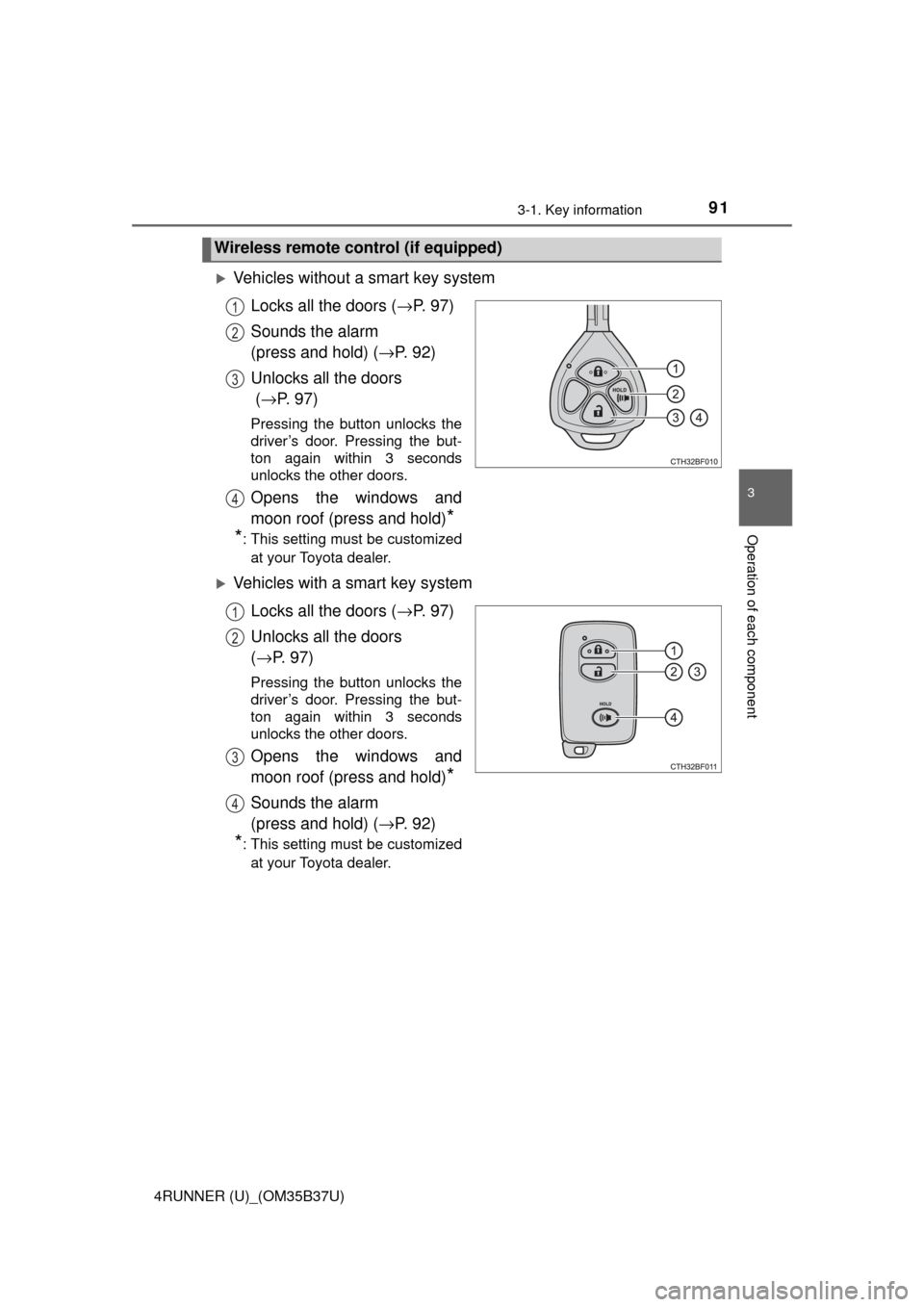
Vehicles without a smart key systemLocks all the doors ( →P. 9 7 )
Sounds the alarm
(press and hold) ( →P. 9 2 )
Unlocks all the doors
( → P. 9 7 )
Pressing the button unlocks the
driver’s door. Pressing the but-
ton again within 3 seconds
unlocks the other doors.
Opens the windows and
moon roof (press and hold)
*
*
: This setting must be customized
at your Toyota dealer.
Vehicles with a smart key system
Locks all the doors ( →P. 9 7 )
Unlocks all the doors
( → P. 97)
Pressing the button unlocks the
driver’s door. Pressing the but-
ton again within 3 seconds
unlocks the other doors.
Opens the windows and
moon roof (press and hold)
*
Sounds the alarm
(press and hold) ( →P. 9 2 )
*: This setting must be customized
at your Toyota dealer.
Wireless remote control (if equipped)
1
2
3
4
1
2
3
4
Page 92 of 528
923-1. Key information
4RUNNER (U)_(OM35B37U)
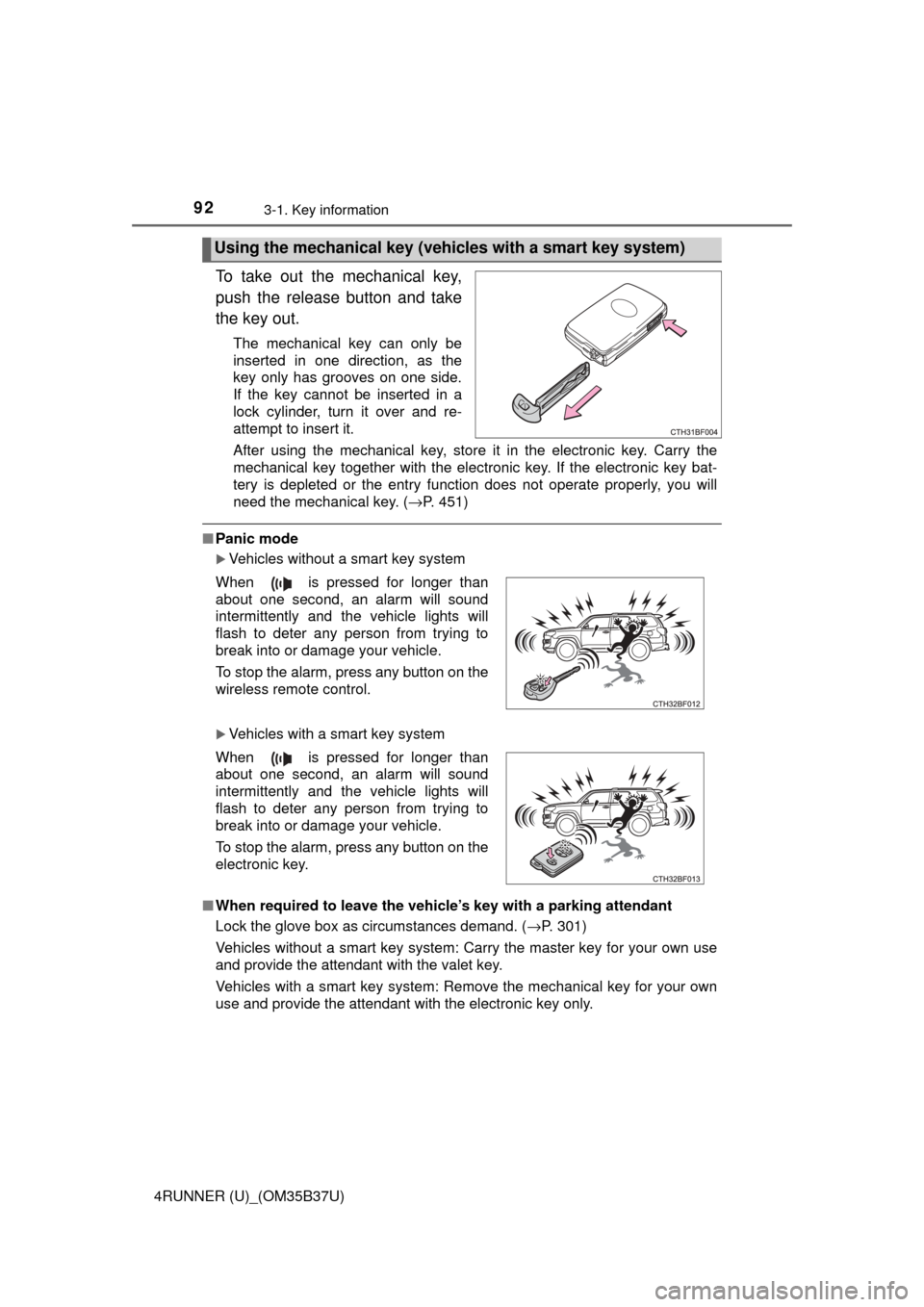
To take out the mechanical key,
push the release button and take
the key out.
The mechanical key can only be
inserted in one direction, as the
key only has grooves on one side.
If the key cannot be inserted in a
lock cylinder, turn it over and re-
attempt to insert it.
After using the mechanical key, store it in the electronic key. Carry the
mechanical key together with the electronic key. If the electronic key bat-
tery is depleted or the entry function does not operate properly, you will
need the mechanical key. (→P. 451)
■Panic mode
Vehicles without a smart key system
Vehicles with a smart key system
■ When required to leave the vehicle’s key with a parking attendant
Lock the glove box as circumstances demand. ( →P. 301)
Vehicles without a smart key system: Carry the master key for your own use
and provide the attendant with the valet key.
Vehicles with a smart key system: Remove the mechanical key for your own
use and provide the attendant with the electronic key only.
Using the mechanical key (vehic les with a smart key system)
When is pressed for longer than
about one second, an alarm will sound
intermittently and the vehicle lights will
flash to deter any person from trying to
break into or damage your vehicle.
To stop the alarm, press any button on the
wireless remote control.
When is pressed for longer than
about one second, an alarm will sound
intermittently and the vehicle lights will
flash to deter any person from trying to
break into or damage your vehicle.
To stop the alarm, press any button on the
electronic key.