air condition TOYOTA 4RUNNER 2018 (in English) User Guide
[x] Cancel search | Manufacturer: TOYOTA, Model Year: 2018, Model line: 4RUNNER, Model: TOYOTA 4RUNNER 2018Pages: 528, PDF Size: 9.81 MB
Page 232 of 528

2324-5. Using the driving support systems
4RUNNER (U)_(OM35B46U)■
Sensor detection information
●The sensor’s detection areas are limited to the areas around the vehicle’s
front corner and rear bumpers.
● Certain vehicle conditions and the surrounding environment may affect the
ability of the sensor to correctly detect obstacles. Particular instances where
this may occur are listed below.
• There is dirt, snow or ice on the sensor. (Wiping the sensors will resolve
this problem.)
• The sensor is frozen. (Thawing the area will resolve this problem.)
In especially cold weather, if a sensor is frozen the screen may show an
abnormal display, or obstacles may not be detected.
• The sensor is covered in any way.
• The vehicle is leaning considerably to one side.
• On an extremely bumpy road, on an incline, on gravel, or on grass.
• The vicinity of the vehicle is noisy due to vehicle horns, motorcycle
engines, air brakes of large vehicles, or other loud noises producing ultra-
sonic waves.
• There is another vehicle equipped with parking assist sensors in the
vicinity.
• The sensor is coated with a sheet of spray or heavy rain.
• The vehicle is equipped with a fender pole or wireless antenna.
• Towing eyelet is installed.
• The bumper or sensor receives a strong impact.
• The vehicle is approaching a tall or curved curb.
• In harsh sunlight or intense cold weather.
• The area directly under the bumpers is not detected.
• If obstacles draw too close to the sensor.
• A non-genuine Toyota suspension (lowered suspension etc.) is installed.
• People may not be detected if they are wearing certain types of clothing.
In addition to the examples above, there are instances in which, because of
their shape, signs and other objects may be judged by the sensor to be
closer than they are.
● The shape of the obstacle may prevent the sensor from detecting it. Pay
particular attention to the following obstacles:
• Wires, fences, ropes, etc.
• Cotton, snow and other materials that absorb sound waves
• Sharply-angled objects
• Low obstacles
• Tall obstacles with upper sections projecting outwards in the direction of
your vehicle
Page 233 of 528

2334-5. Using the driving support systems
4
Driving
4RUNNER (U)_(OM35B46U)●
The following situations may occur during use.
• Depending on the shape of the obstacle and other factors, the detection
distance may shorten, or detection may be impossible.
• Obstacles may not be detected if they are too close to the sensor.
• There will be a short delay between obstacle detection and display. Even at slow speeds, there is a possibility that the obstacle will come within the
sensor’s detection areas before the display is shown and the warning
beep sounds.
• Thin posts or objects lower than the sensor may not be detected for colli- sion when approached, even if they have been detected once.
• It might be difficult to hear beeps due to the volume of audio system or air flow noise of air conditioning system.
■ If a message is displayed on the multi-information display
→P. 426
■ Customization that can be co nfigured at Toyota dealer
Settings (e.g. buzzer volume) can be changed.
(Customizable features →P. 489)
■ Certification
For vehicles sold in the U.S.A.
This device complies with Part 15 of the FCC Rules. Operation is subject to
the following two conditions; (1) This device may not cause harmful interfer-
ence, and (2) This device must accept any interference received, including
interference that may cause undesired operation.
For vehicles sold in Canada
This ISM device complies with Canadian ICES-001.
Cet appareil ISM est conforme a la norme NMB-001 du Canada.
Page 273 of 528
2734-6. Driving tips
4
Driving
4RUNNER (U)_(OM35B46U)
Perform the following according to the driving conditions:
● Do not try to forcibly open a window or move a wiper that is frozen.
Pour warm water over the frozen area to melt the ice. Wipe away
the water immediately to prevent it from freezing.
● To ensure proper operation of the climate control system fan,
remove any snow that has accumulated on the air inlet vents in
front of the windshield.
● Check for and remove any excess ice or snow that may have accu-
mulated on the exterior lights, vehicle’s roof, chassis, around the
tires or on the brakes.
● Remove any snow or mud from the bottom of your shoes before
getting in the vehicle.
Accelerate the vehicle slowly, keep a safe distance between you and
the vehicle ahead, and drive at a reduced speed suitable to road con-
ditions.
● Park the vehicle and move the shift lever to P without setting the
parking brake. The parking brake may freeze up, preventing it from
being released. If the vehicle is parked without setting the parking
brake, make sure to block the wheels.
Failure to do so may be dangerous because it may cause the vehi-
cle to move unexpectedly, pos sibly leading to an accident.
● If the vehicle is parked without se tting the parking brake, confirm
that the shift lever ca nnot be moved out of P
*.
*: The shift lever will be locked if it is attempted to be shifted from P to any
other position without depressing the brake pedal. If the shift lever can be
shifted from P, there may be a problem with the shift lock system. Have the
vehicle inspected by your Toyota dealer immediately.
Before driving the vehicle
When driving the vehicle
When parking the vehicle
Page 281 of 528

281
Interior features5
4RUNNER (U)_(OM35B46U)5-1. Using the air
conditioning system
and defogger
Manual air conditioning system............................. 282
Automatic air conditioning system............................. 288
Seat heaters/ seat ventilators ................ 295
5-2. Using the interior lights Interior lights list ................ 297
• Interior lights ................. 298
• Personal lights .............. 298
5-3. Using the storage features
List of storage features ..... 300
• Glove box...................... 301
• Console box .................. 301
• Cup holders .................. 302
• Auxiliary box ................. 304
• Coin holder/tissue pocket/
pen holder ..................... 305
• Bottle holders ................ 306
Luggage compartment features ........................... 307 5-4. Other interior features
Other interior features ....... 312
• Sun visors ..................... 312
• Vanity mirrors................ 312
• Clock ............................. 313
• Outside temperature display........................... 314
• Power outlets (120 V AC) .................... 315
• Power outlets ................ 320
• Armrest ......................... 322
• Assist grips ................... 323
Garage door opener.......... 324
Safety Connect ................. 331
Page 282 of 528
282
4RUNNER (U)_(OM35B46U)
5-1. Using the air conditioning system and defogger
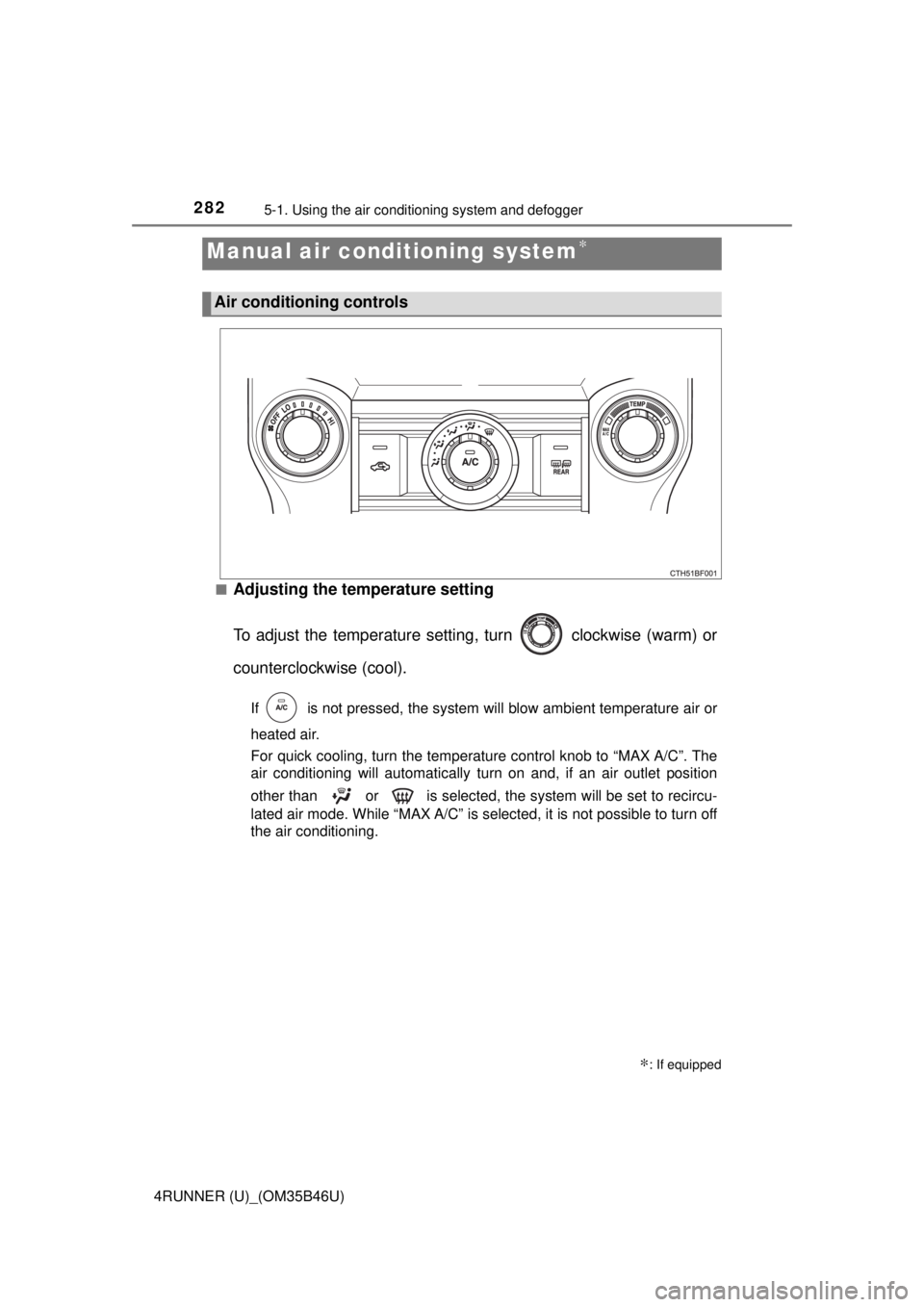
■Adjusting the temperature setting
To adjust the temperature settin g, turn clockwise (warm) or
counterclockwise (cool).
If is not pressed, the system will blow ambient temperature air or
heated air.
For quick cooling, turn the temperature control knob to “MAX A/C”. The
air conditioning will automatically turn on and, if an air outlet positi\
on
other than or is selected, the system will be set to recircu-
lated air mode. While “MAX A/C” is selected, it is not possible to turn off
the air conditioning.
Manual air conditioning system∗
∗: If equipped
Air conditioning controls
Page 283 of 528
2835-1. Using the air conditioning system and defogger
5
Interior features
4RUNNER (U)_(OM35B46U)■
Fan speed setting
To adjust the fan speed, turn
clockwise (increase) or coun-
terclockwise (decrease).
Turning the knob to “OFF” turns off the fan.
■
Change the airflow mode
To select the air outlets, set to the desired position.
The positions between the air outlet selections shown below can also be
selected for more delicate adjustment.
■
Other functions
● Switching between outside ai r and recirculated air modes
● Defogging the windshield ( →P. 284)
● Defogging the rear window and outside rear view mirrors
(→ P. 284)
● Windshield wiper de-icer (if equipped) ( →P. 284)
■Switching between outside air and recirculated air modes
Press .
The mode switches between outside ai r mode (introduces air from out-
side the vehicle) (indicator off) and recirculated air mode (recycles air
inside the vehicle) (indicator on) each time the button is pressed.
Other functions
Page 284 of 528
2845-1. Using the air conditioning system and defogger
4RUNNER (U)_(OM35B46U)■
Defogging the windshield
Defoggers are used to defog the windshield and front side win-
dows.
Set the air outlet selector dial to position.
If the recirculated air mode is used, it will automatically switch to outside
air mode.
To defog the windshield and the side windows early, increase the air
flow and temperature.
If the dehumidification functi
on is not operating, press to
operate the dehumidif ication function.
■Defogging the rear window and outside rear view mirrors
Defoggers are used to defog the rear window, and to remove rain-
drops, dew and frost from the outside rear view mirrors.
Before operating the defoggers, make sure the back window is
completely closed. ( →P. 150)
Press
The defoggers will automatically turn off after their operation time. The
operation time varies depending on the ambient temperature and vehi-
cle speed.
■
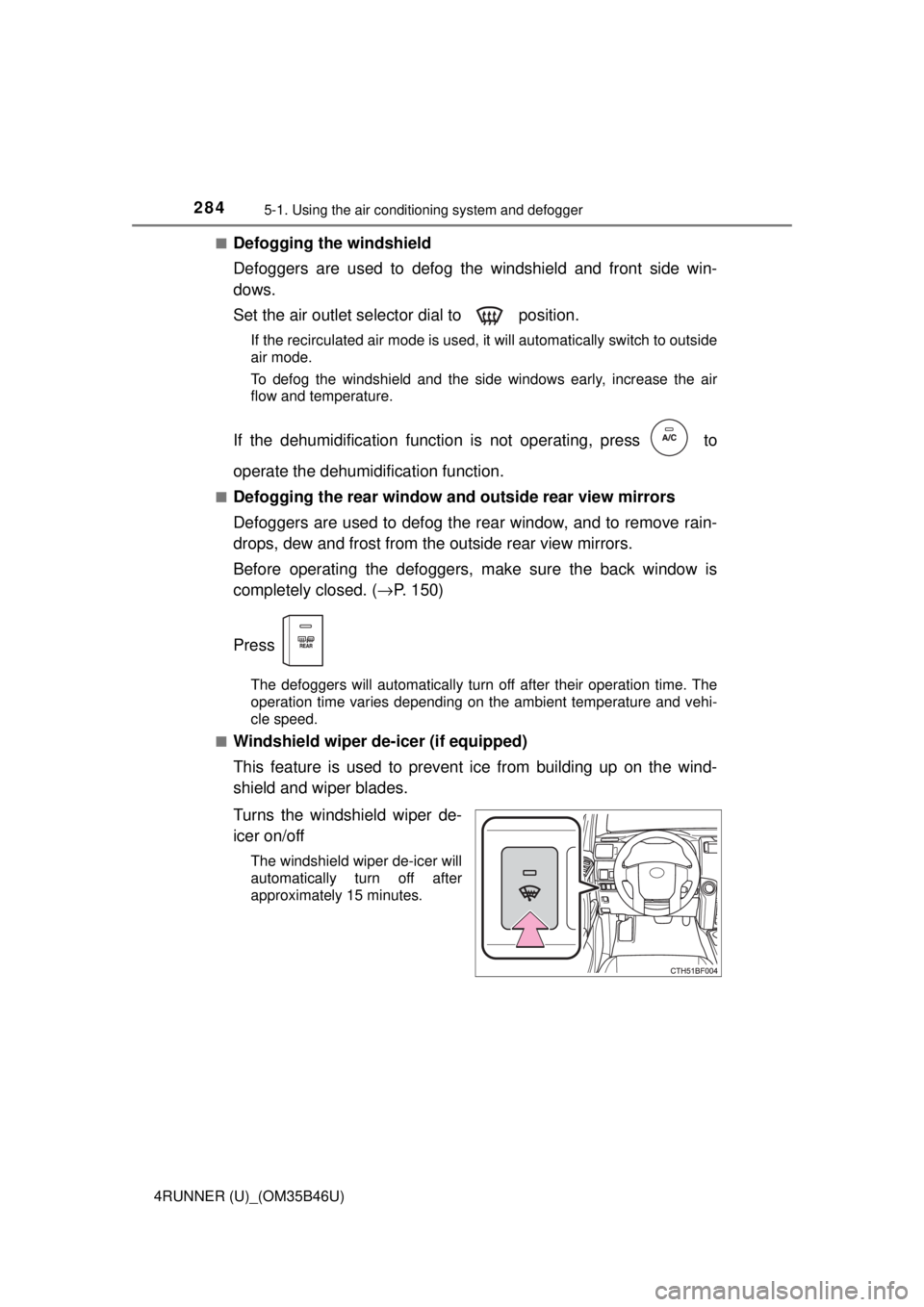
Windshield wiper de-icer (if equipped)
This feature is used to prevent ice from building up on the wind-
shield and wiper blades.
Turns the windshield wiper de-
icer on/off
The windshield wiper de-icer will
automatically turn off after
approximately 15 minutes.
Page 285 of 528
2855-1. Using the air conditioning system and defogger
5
Interior features
4RUNNER (U)_(OM35B46U)■
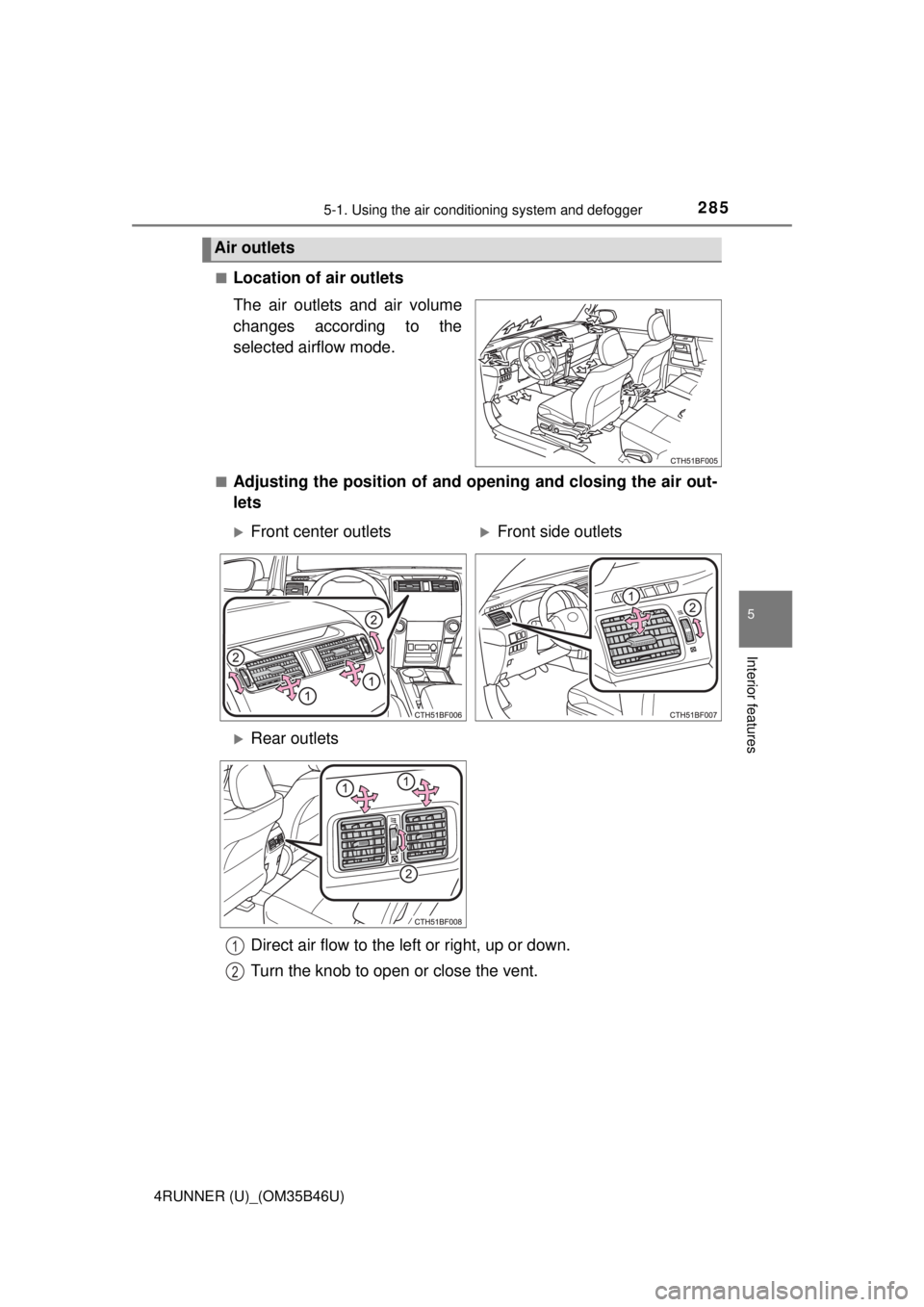
Location of air outlets
The air outlets and air volume
changes according to the
selected airflow mode.
■Adjusting the position of and opening and closing the air out-
lets
Air outlets
Front center outletsFront side outlets
Rear outlets
Direct air flow to the left or right, up or down.
Turn the knob to open or close the vent.
1
2
Page 286 of 528
2865-1. Using the air conditioning system and defogger
4RUNNER (U)_(OM35B46U)
■Fogging up of the windows
●The windows will easily fog up when the humidity in the vehicle is high.
Turning on will dehumidify the air from the outlets and defog the wind-
shield effectively.
● If you turn off, the windows may fog up more easily.
● The windows may fog up if the recirculated air mode is used.
■ Outside/recirculated air mode
When driving on dusty roads such as tunnels or in heavy traffic, set the out-
side/recirculated air mode to the recirculated air mode. This is effective in
preventing outside air from entering the vehicle interior. During cooling opera-
tion, setting the recirculated air mode will also cool the vehicle inter\
ior effec-
tively.
■ When the outside temperature exceeds 75°F (24°C) and the air condition-
ing system is on
● In order to reduce the air conditioning power consumption, the air condition-
ing system may switch to recirculated air mode automatically. This may also
reduce fuel consumption.
● Recirculated air mode is selected as a default mode when the engine switch
is turned to the “ON” position (vehicles without a smart key system) or the
engine switch is turned to IGNITION ON mode (vehicles with a smart key
system).
● It is possible to switch to outside air mode at any time by pressing
.
■When the indicator light on flashes
Press
to turn off the cooling and dehumidification function and turn it on
again. There may be a problem in the air conditioning system if the indicator
light continues to flash. Turn the air conditioning system off and have it
inspected by your Toyota dealer.
Page 287 of 528
2875-1. Using the air conditioning system and defogger
5
Interior features
4RUNNER (U)_(OM35B46U)■
When the outside temperat ure falls to nearly 32°F (0°C)
The dehumidification function may not operate even when is pressed.
■ Ventilation and air conditioning odors
●To let fresh air in, set the air conditioning system to the outside air m\
ode.
● During use, various odors from inside and outside the vehicle may enter into
and accumulate in the air conditioning system. This may then cause odor to
be emitted from the vents.
● To reduce potential odors from occurring:
It is recommended that the air conditioning system be set to outside air
mode prior to turning the vehicle off.
CAUTION
■To prevent the windshield from fogging up
● Do not use during cool air operation in extremely humid weather.
The difference between the temperature of the outside air and that of the
windshield can cause the outer surface of the windshield to fog up, block-
ing your vision.
■ To prevent burns
● Do not touch the rear view mirror surfaces when the outside rear view mir-
ror defoggers are on.
● Do not touch the glass at lower part of the windshield or to the side of the
front pillars when the windshield wiper de-icer is on.
NOTICE
■To prevent battery discharge
Do not leave the air conditioning system on longer than necessary when the
engine is stopped.
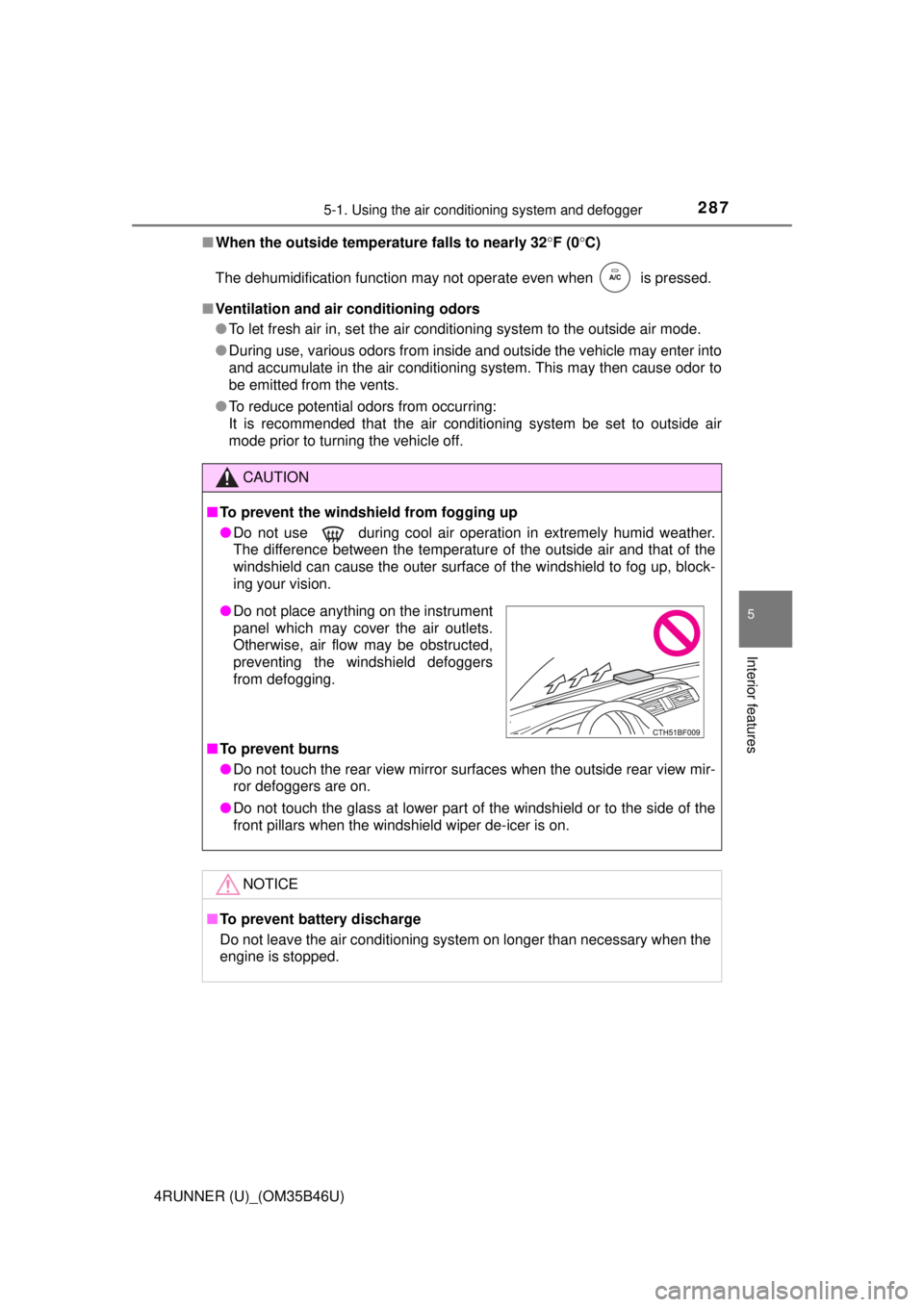
● Do not place anything on the instrument
panel which may cover the air outlets.
Otherwise, air flow may be obstructed,
preventing the windshield defoggers
from defogging.