brake TOYOTA 4RUNNER 2021 (in English) Workshop Manual
[x] Cancel search | Manufacturer: TOYOTA, Model Year: 2021, Model line: 4RUNNER, Model: TOYOTA 4RUNNER 2021Pages: 592, PDF Size: 13.3 MB
Page 289 of 592

2894-5. Using the driving support systems
4
Driving
4RUNNER (U)
■Intuitive parking assist can be operated when
●Front corner sensors:
• The engine switch is in the “ON” position (without a smart key system) or
the engine switch is in IGNITION ON mode (with a smart key syst em).
• The shift lever is in a position other than P.
• The vehicle speed is less than approximately 6 mph (10 km/h).
● Rear corner and rear center sensors:
• The engine switch is in the “ON” position (without a smart key system) or
the engine switch is in IGNITION ON mode (with a smart key syst em).
• The shift lever is in R.
■ Intuitive parking assist display
When an obstacle is detected while the Toyota parking assist mo nitor is in
use, the warning indicator will appear in the upper part of the screen even if
the display setting has been set to off.
■ Sensor detection information
●The sensor’s detection areas are limited to the areas around th e vehicle’s
front corner and rear bumpers.
● Certain vehicle conditions and the surrounding environment may affect the
ability of the sensor to correctly detect obstacles. Particular instances where
this may occur are listed below.
• There is dirt, snow or ice on the sensor. (Wiping the sensors will resolve
this problem.)
• The sensor is frozen. (Thawing the area will resolve this problem.)
In especially cold weather, if a sensor is frozen the screen ma y show an
abnormal display, or obstacles may not be detected.
• The sensor is covered in any way.
• The vehicle is leaning considerably to one side.
• On an extremely bumpy road, on an incline, on gravel, or on gr ass.
• The vicinity of the vehicle is noisy due to vehicle horns, motorcycle
engines, air brakes of large vehicles, or other loud noises pro ducing ultra-
sonic waves.
• There is another vehicle equipped with parking assist sensors in the
vicinity.
• The sensor is coated with a sheet of spray or heavy rain.
• The vehicle is equipped with a fender pole or wireless antenna .
• Towing eyelet is installed.
• The bumper or sensor receives a strong impact.
• The vehicle is approaching a tall or curved curb.
• In harsh sunlight or intense cold weather.
• The area directly under the bumpers is not detected.
• If obstacles draw too close to the sensor.
• A non-genuine Toyota suspension (lowered suspension etc.) is i nstalled.
• People may not be detected if they are wearing certain types o f clothing.
In addition to the examples above, there are instances in which, because of
their shape, signs and other objects may be judged by the senso r to be
closer than they are.
Page 291 of 592
2914-5. Using the driving support systems
4
Driving
4RUNNER (U)
WARNING
■When using the intuitive parking assist
Observe the following precautions.
Failing to do so may result in the vehicle being unable to be d riven safely
and possibly cause an accident.
● Do not use the sensor at speeds in excess of 6 mph (10 km/h).
● The sensors’ detection areas and reaction times are limited. When moving
forward or reversing, check the areas surrounding the vehicle ( especially
the sides of the vehicle) for safety, and drive slowly, using t he brake to
control the vehicle’s speed.
● Do not install accessories within the sensors’ detection areas.
NOTICE
■When using intuitive parking assist-sensor
In the following situations, the system may not function correctly due to a
sensor malfunction etc. Have the vehicle checked by your Toyota dealer.
● The intuitive parking assist operation display flashes, and a beep sounds
when no obstacles are detected.
● If the area around a sensor collides with something, or is subjected to
strong impact.
● If the bumper collides with something.
● If the display shows continuously without a beep.
● If a display error occurs, first check the sensor.
If the error occurs even if there is no ice, snow or mud on the sensor, it is
likely that the sensor is malfunctioning.
■ Notes when washing the vehicle
Do not apply intensive bursts of water or steam to the sensor a rea.
Doing so may result in the sensor malfunctioning.
Page 294 of 592
2944-5. Using the driving support systems
4RUNNER (U)■
Shifting from H2 to H4
Ty p e A
Reduce vehicle sp
eed to less than 50 mph (80 km/h).
Shift the front-wheel drive control lever to H4.
Ty p e B
Reduce vehicle speed to less than 62 mph (100 km/h).
Push the “UNLOCK” button and turn the front-wheel drive control
switch to H4.
The four-wheel drive indicator will turn on.
■
Shifting from H4 to H2
Ty p e A
Shift the front-wheel drive control lever to H2.
Ty p e B
Push the “UNLOCK” button and turn the front-wheel drive control
switch to H2.
This can be done at any speed.
The four-wheel drive indicator will go off.
■
Shifting from H4 to L4 Stop the vehicle completely and continue to depress the brake
pedal.
Shift the shift lever to N.
Ty p e A
Shift the front-wheel dri ve control lever to L4.
Ty p e B
Push the “UNLOCK” button and then push and turn the front-
wheel drive control switch to L4.
The low speed four-wheel drive indicator will turn on.
Shifting between H2 and H4
Shifting between H4 and L4
1
2
1
2
1
2
3
3
Page 295 of 592

2954-5. Using the driving support systems
4
Driving
4RUNNER (U)■
Shifting from L4 to H4
Stop the vehicle completely and continue to depress the brake
pedal.
Shift the shift lever to N.
Ty p e A
Shift the front-wheel drive control lever to H4.
Ty p e B
Push the “UNLOCK” button and turn the front-wheel drive control
switch to H4.
The low speed four-wheel drive indicator will go off.
■When the front-wheel drive control lever or switch is shifted t o L4
VSC and TRAC are automatically turned off.
■ If the four-wheel dri ve indicator flashes
The transfer mode may not successfully change. Drive straight a head while
accelerating or decelerating, or drive in reverse.
■ If the low speed four-wheel dri ve indicator continues to flash
The transfer mode may not successfully change. Operate the four -wheel
drive control switch again.
■ If the low speed four-wheel dri ve indicator continues to flash and a
buzzer sounds
The shift lever is not in N and/or the vehicle is moving. Stop the vehicle com-
pletely, shift the shift lever to N and make sure that the indi cator stops flash-
ing.
■ If the four-wheel drive or low speed four-wheel drive indicator flashes
rapidly
There may be a malfunction in the four-wheel drive system. Have the vehicle
inspected by your Toyota dealer immediately.
■ Four-wheel drive usage frequency
You should drive in four-wheel drive for at least 10 miles (16 km) each month.
This will assure that the front drive components are lubricated .
WARNING
■Shifting the front-wheel drive co ntrol lever or switch from H2 to H4
while driving
Never operate the front-wheel drive control lever or switch if the wheels are
slipping.
Stop the slipping or spinning before shifting.
1
2
3
3
Page 297 of 592
2974-5. Using the driving support systems
4
Driving
4RUNNER (U)
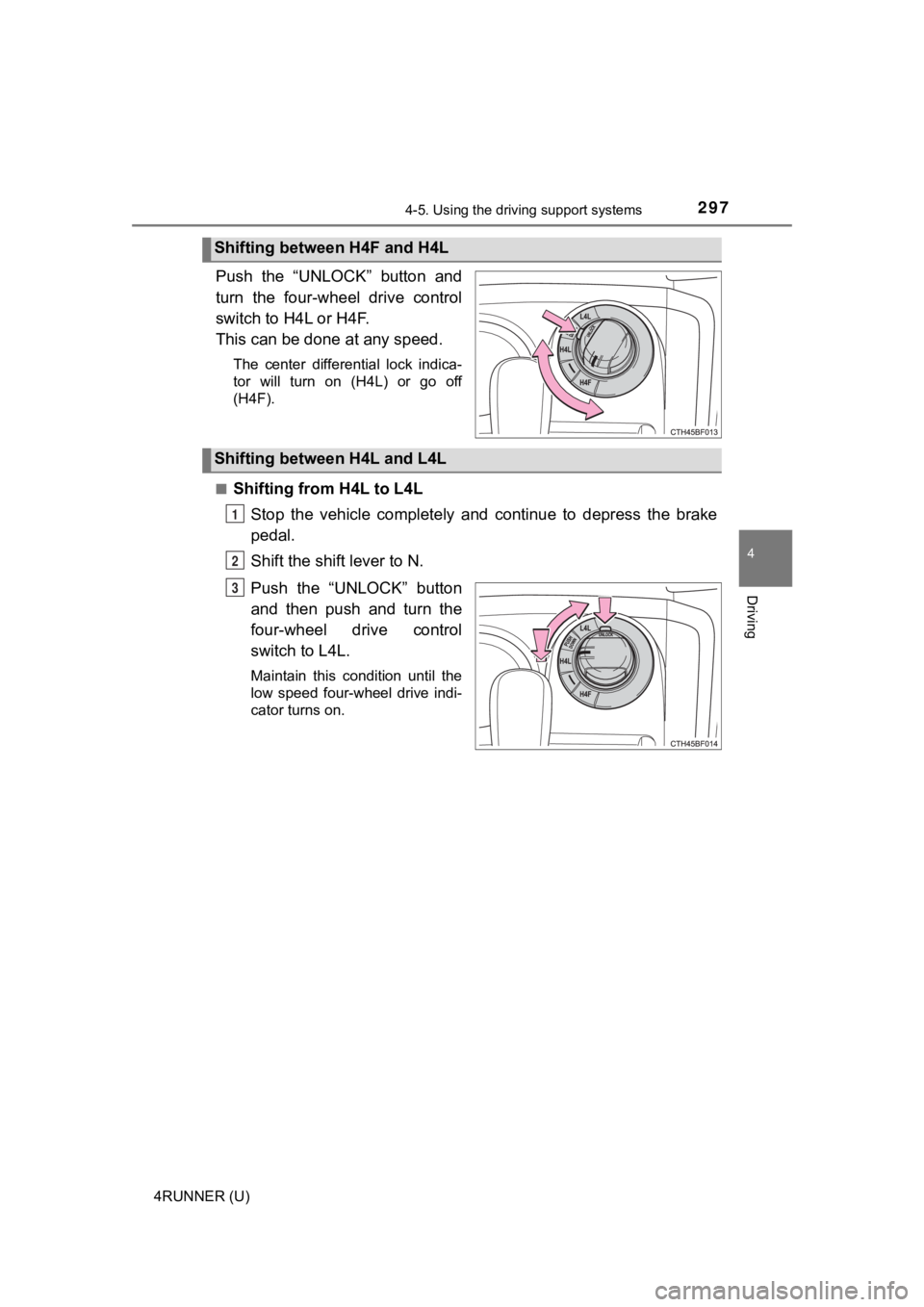
Push the “UNLOCK” button and
turn the four-wheel drive control
switch to H4L or H4F.
This can be done at any speed.
The center differential lock indica-
tor will turn on (H4L) or go off
(H4F).
■
Shifting from H4L to L4L Stop the vehicle completely and continue to depress the brake
pedal.
Shift the shift lever to N.
Push the “UNLOCK” button
and then push and turn the
four-wheel drive control
switch to L4L.
Maintain this condition until the
low speed four-wheel drive indi-
cator turns on.
Shifting between H4F and H4L
Shifting between H4L and L4L
1
2
3
Page 298 of 592
2984-5. Using the driving support systems
4RUNNER (U)■
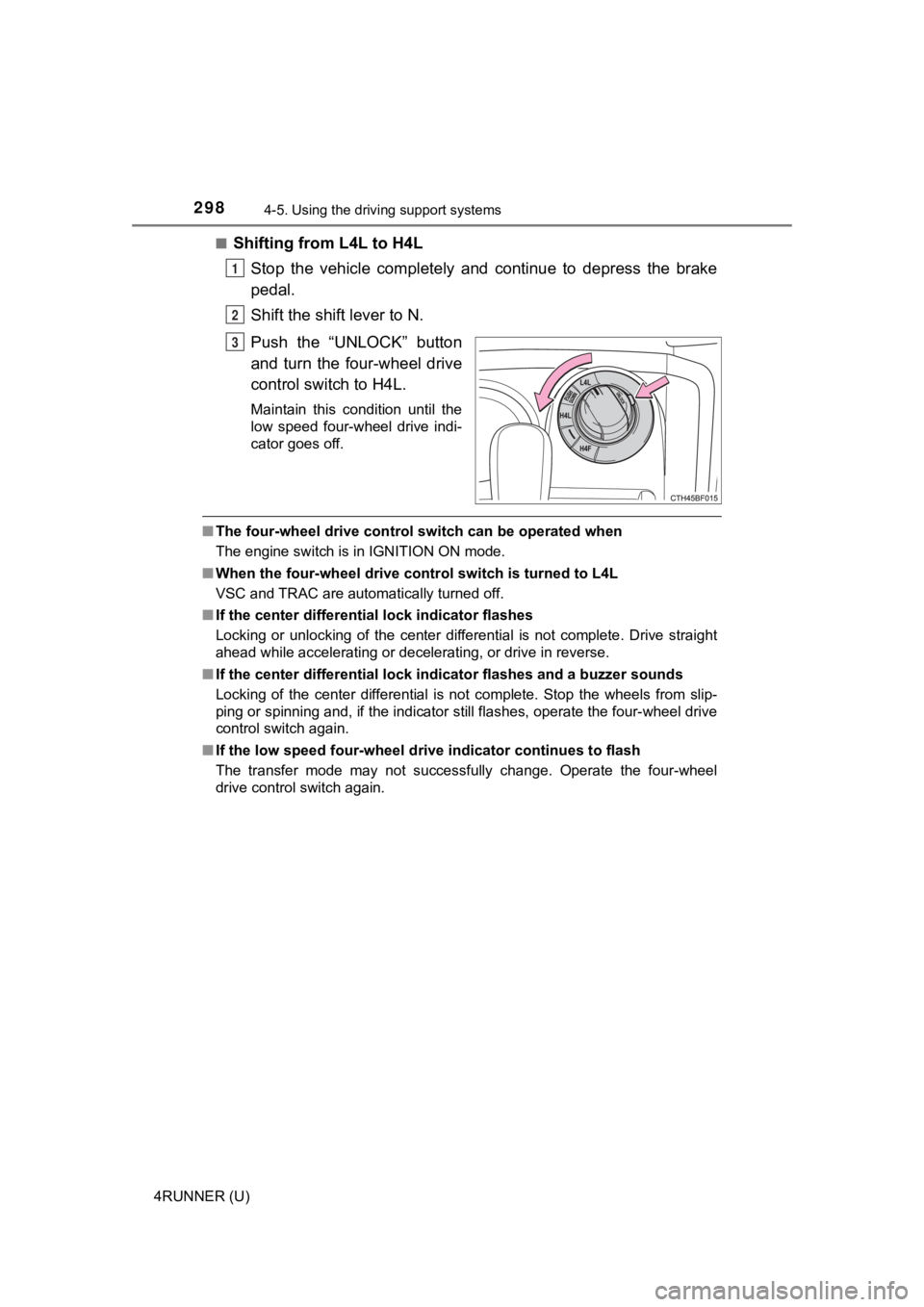
Shifting from L4L to H4L
Stop the vehicle completely and continue to depress the brake
pedal.
Shift the shift lever to N.
Push the “UNLOCK” button
and turn the four-wheel drive
control switch to H4L.
Maintain this condition until the
low speed four-wheel drive indi-
cator goes off.
■The four-wheel drive control sw itch can be operated when
The engine switch is in IGNITION ON mode.
■ When the four-wheel d rive control switch is turned to L4L
VSC and TRAC are automatically turned off.
■ If the center differential lock indicator flashes
Locking or unlocking of the center differential is not complete . Drive straight
ahead while accelerating or decelerating, or drive in reverse.
■ If the center differential lock indicator flashes and a buzzer sounds
Locking of the center differential is not complete. Stop the wh eels from slip-
ping or spinning and, if the indicator still flashes, operate the four-wheel drive
control switch again.
■ If the low speed four-wheel dri ve indicator continues to flash
The transfer mode may not successfully change. Operate the four -wheel
drive control switch again.
1
2
3
Page 301 of 592
3014-5. Using the driving support systems
4
Driving
4RUNNER (U)
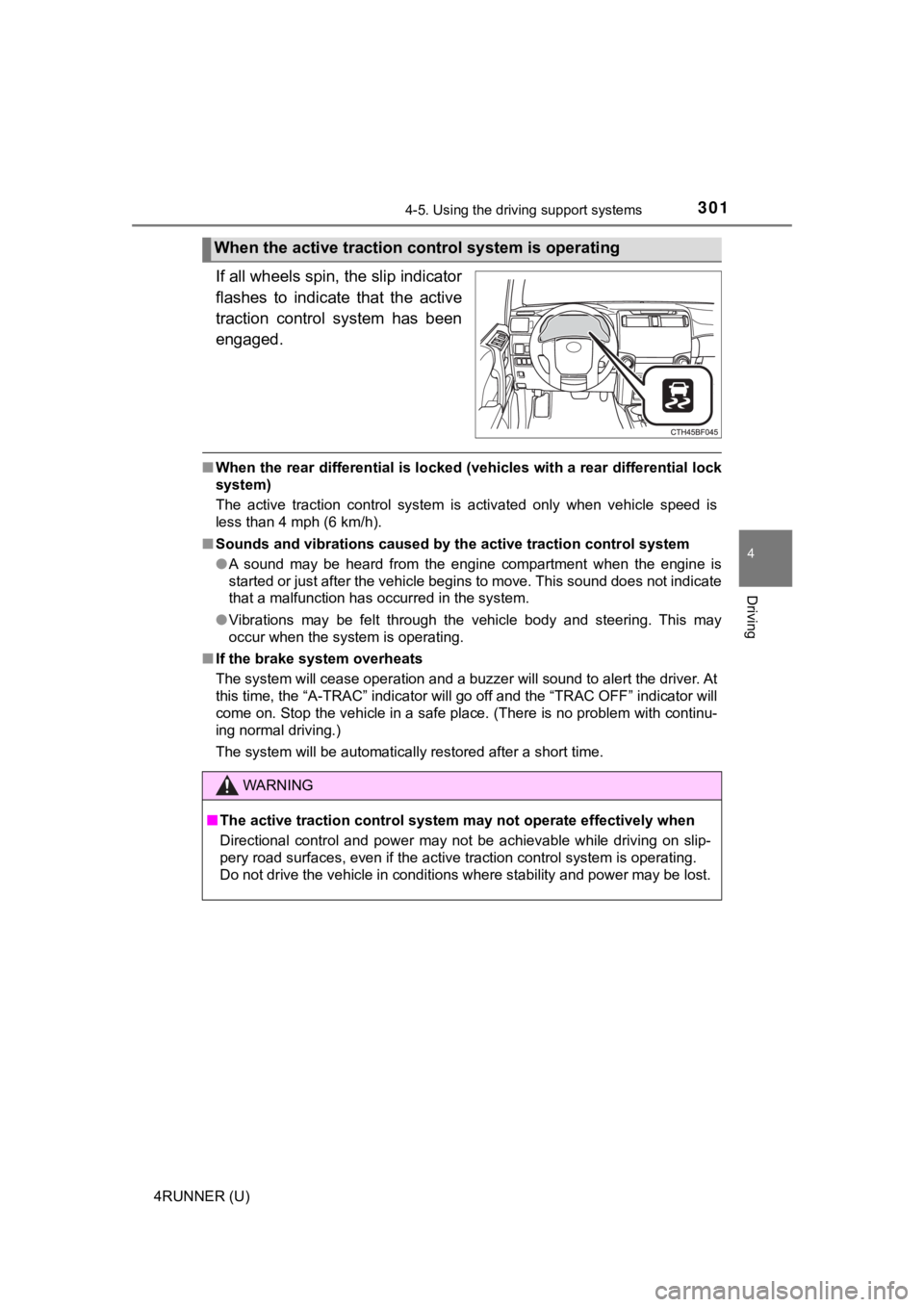
If all wheels spin, the slip indicator
flashes to indicate that the active
traction control system has been
engaged.
■When the rear differential is locked (vehicles with a rear diff erential lock
system)
The active traction control system is activated only when vehic le speed is
less than 4 mph (6 km/h).
■ Sounds and vibrations caused by the active traction control sys tem
● A sound may be heard from the engine compartment when the engin e is
started or just after the vehicle begins to move. This sound do es not indicate
that a malfunction has occurred in the system.
● Vibrations may be felt through the vehicle body and steering. T his may
occur when the system is operating.
■ If the brake system overheats
The system will cease operation and a buzzer will sound to aler t the driver. At
this time, the “A-TRAC” indicator will go off and the “TRAC OFF ” indicator will
come on. Stop the vehicle in a safe place. (There is no problem with continu-
ing normal driving.)
The system will be automatically restored after a short time.
When the active traction co ntrol system is operating
WARNING
■The active traction control system may not operate effectively when
Directional control and power may not be achievable while driving on slip-
pery road surfaces, even if the active traction control system is operating.
Do not drive the vehicle in conditions where stability and powe r may be lost.
Page 303 of 592
3034-5. Using the driving support systems
4
Driving
4RUNNER (U)
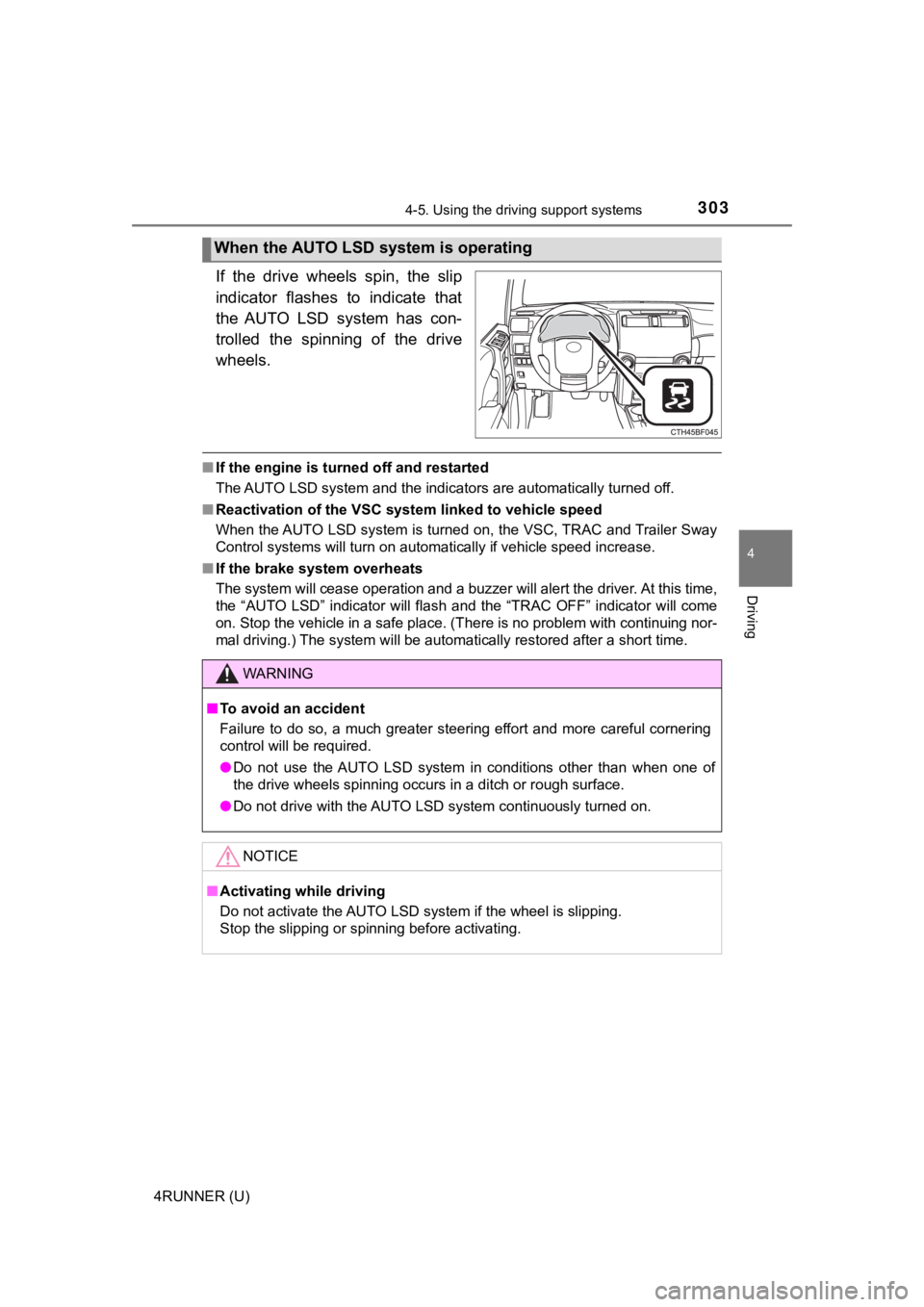
If the drive wheels spin, the slip
indicator flashes to indicate that
the AUTO LSD system has con-
trolled the spinning of the drive
wheels.
■If the engine is turned off and restarted
The AUTO LSD system and the indicators are automatically turned off.
■ Reactivation of the VSC syst em linked to vehicle speed
When the AUTO LSD system is turned on, the VSC, TRAC and Traile r Sway
Control systems will turn on automatically if vehicle speed inc rease.
■ If the brake system overheats
The system will cease operation and a buzzer will alert the driver. At this time,
the “AUTO LSD” indicator will flash and the “TRAC OFF” indicator will come
on. Stop the vehicle in a safe place. (There is no problem with continuing nor-
mal driving.) The system will be automatically restored after a short time.
When the AUTO LSD system is operating
WARNING
■To avoid an accident
Failure to do so, a much greater steering effort and more careful cornering
control will be required.
● Do not use the AUTO LSD system in conditions other than when on e of
the drive wheels spinning occurs in a ditch or rough surface.
● Do not drive with the AUTO LSD system continuously turned on.
NOTICE
■Activating while driving
Do not activate the AUTO LSD system if the wheel is slipping.
Stop the slipping or spinning before activating.
Page 305 of 592
3054-5. Using the driving support systems
4
Driving
4RUNNER (U)
Before using the rear differential lock system:
Stop the vehicle, shift the shift lever to N and shift the front-wheel
drive control lever into L4 to see if this is sufficient. If this has no
effect, additionally use the re ar differential lock system.
Be sure the wheels have stopped spinning.
Press the rear differential lock switch.
Gently depress the accelerator pedal.
After the rear differential is locked, the indicator will come on.
Unlock the rear differential as soon as the vehicle moves.
To unlock the rear different ial, press the switch again.
■Locking the rear differential
The following systems do not operate when the rear differential is locked. It is
normal operation for the ABS warning light and VSC OFF indicato r to be on at
this time.
•ABS
• Multi Terrain ABS
• Brake assist system
•VSC
• Hill-start assist control
■ The rear differential lock is disengaged when
The front-wheel drive control lever or switch is shifted to H2 or H4.
Never forget to turn off the switch after using this feature.
■ After unlocking the rear differential
Check that the indicator goes off.
■ If the rear differential lo ck indicator flashes rapidly
There may be a malfunction in the rear differential lock system . Have the
vehicle inspected by your Toyota dealer immediately.
Using the rear diffe rential lock system
1
2
3
4
Page 307 of 592
3074-5. Using the driving support systems
4
Driving
4RUNNER (U)
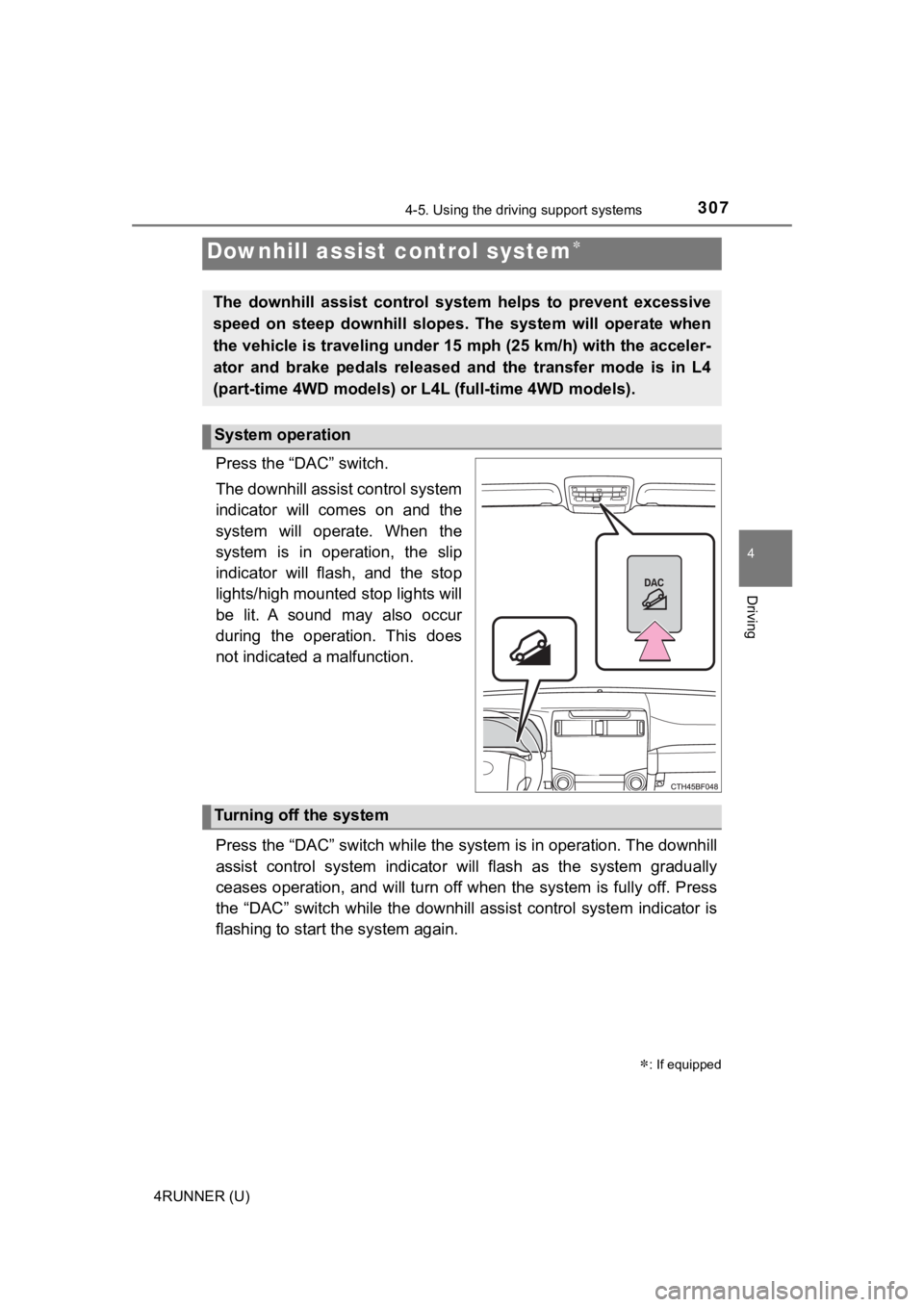
Press the “DAC” switch.
The downhill assist control system
indicator will comes on and the
system will operate. When the
system is in operation, the slip
indicator will flash, and the stop
lights/high mounted stop lights will
be lit. A sound may also occur
during the operation. This does
not indicated a malfunction.
Press the “DAC” switch while the system is in operation. The downhill
assist control system indicator will flash as the system gradua lly
ceases operation, and will turn off when the system is fully of f. Press
the “DAC” switch while the downh ill assist control system indicator is
flashing to start t he system again.
Downhill assist control system
: If equipped
The downhill assist control system helps to prevent excessive
speed on steep downhill slopes. The system will operate when
the vehicle is traveling under 15 mph (25 km/h) with the accele r-
ator and brake pedals released and the transfer mode is in L4
(part-time 4WD models) or L 4L (full-time 4WD models).
System operation
Turning off the system