change time TOYOTA 4RUNNER 2022 User Guide
[x] Cancel search | Manufacturer: TOYOTA, Model Year: 2022, Model line: 4RUNNER, Model: TOYOTA 4RUNNER 2022Pages: 616, PDF Size: 12.01 MB
Page 274 of 616
2744-5. Using the driving support systems
4RUNNER (U)
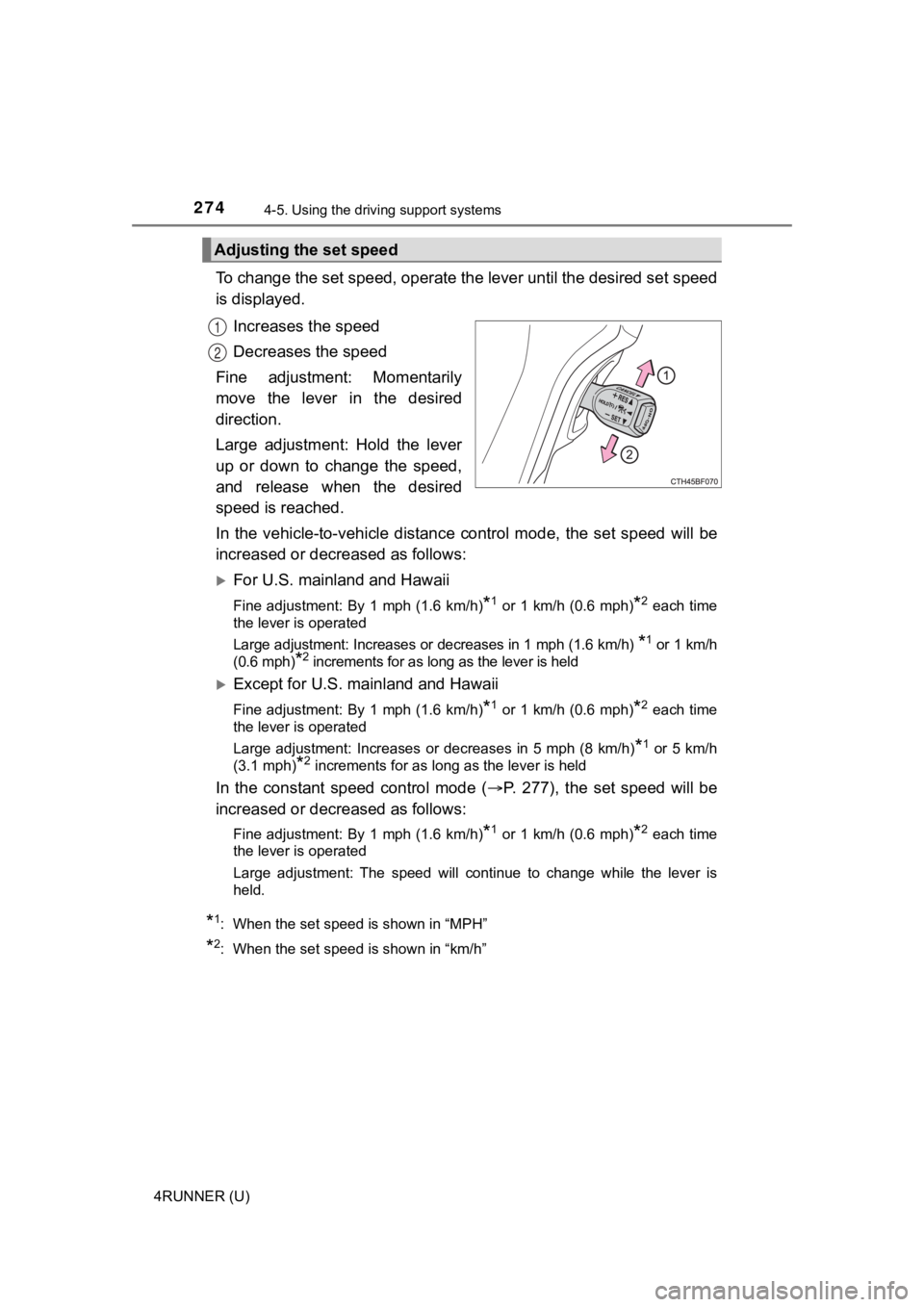
To change the set speed, operate the lever until the desired se t speed
is displayed.
Increases the speed
Decreases the speed
Fine adjustment: Momentarily
move the lever in the desired
direction.
Large adjustment: Hold the lever
up or down to change the speed,
and release when the desired
speed is reached.
In the vehicle-to-vehicle distance control mode, the set speed will be
increased or decreased as follows:
For U.S. mainland and Hawaii
Fine adjustment: By 1 mph (1.6 km/h)*1 or 1 km/h (0.6 mph)*2 each time
the lever is operated
Large adjustment: Increases or decreases in 1 mph (1.6 km/h)
*1 or 1 km/h
(0.6 mph)
*2 increments for as long as the lever is held
Except for U.S. mainland and Hawaii
Fine adjustment: By 1 mph (1.6 km/h)*1 or 1 km/h (0.6 mph)*2 each time
the lever is operated
Large adjustment: Increases or decreases in 5 mph (8 km/h)
*1 or 5 km/h
(3.1 mph)
*2 increments for as long as the lever is held
In the constant speed control mode ( P. 277), the set speed will be
increased or decreased as follows:
Fine adjustment: By 1 mph (1.6 km/h)*1 or 1 km/h (0.6 mph)*2 each time
the lever is operated
Large adjustment: The speed will continue to change while the l ever is
held.
*1: When the set speed is shown in “MPH”
*2: When the set speed is shown in “km/h”
Adjusting the set speed
1
2
Page 281 of 616
2814-5. Using the driving support systems
4
Driving
4RUNNER (U)
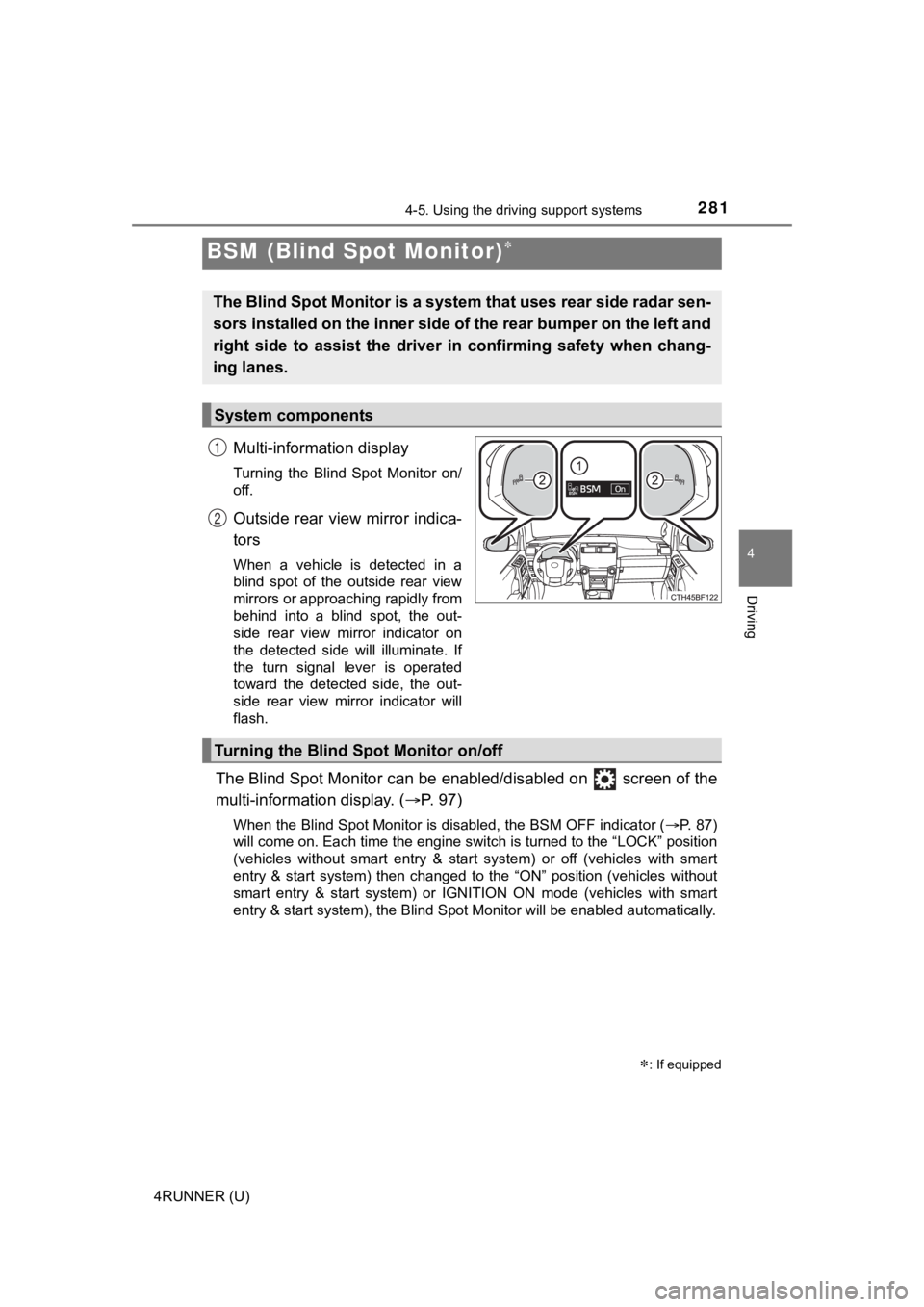
Multi-information display
Turning the Blind Spot Monitor on/
off.
Outside rear view mirror indica-
tors
When a vehicle is detected in a
blind spot of the outside rear view
mirrors or approaching rapidly from
behind into a blind spot, the out-
side rear view mirror indicator on
the detected side will illuminate. If
the turn signal lever is operated
toward the detected side, the out-
side rear view mirror indicator will
flash.
The Blind Spot Monitor can be enabled/disabled on screen of the
multi-information display. ( P. 9 7 )
When the Blind Spot Monitor is disabled, the BSM OFF indicator (P. 87)
will come on. Each time the engine switch is turned to the “LOC K” position
(vehicles without smart entry & start system) or off (vehicles with smart
entry & start system) then changed to the “ON” position (vehicl es without
smart entry & start system) or IGNITION ON mode (vehicles with smart
entry & start system), the Blind Spot Monitor will be enabled a utomatically.
BSM (Blind Spot Monitor)
: If equipped
The Blind Spot Monitor is a system that uses rear side radar se n-
sors installed on the inner side of the rear bumper on the left and
right side to assist the driver in confirming safety when chang-
ing lanes.
System components
1
2
Turning the Blind S pot Monitor on/off
Page 288 of 616
2884-5. Using the driving support systems
4RUNNER (U)
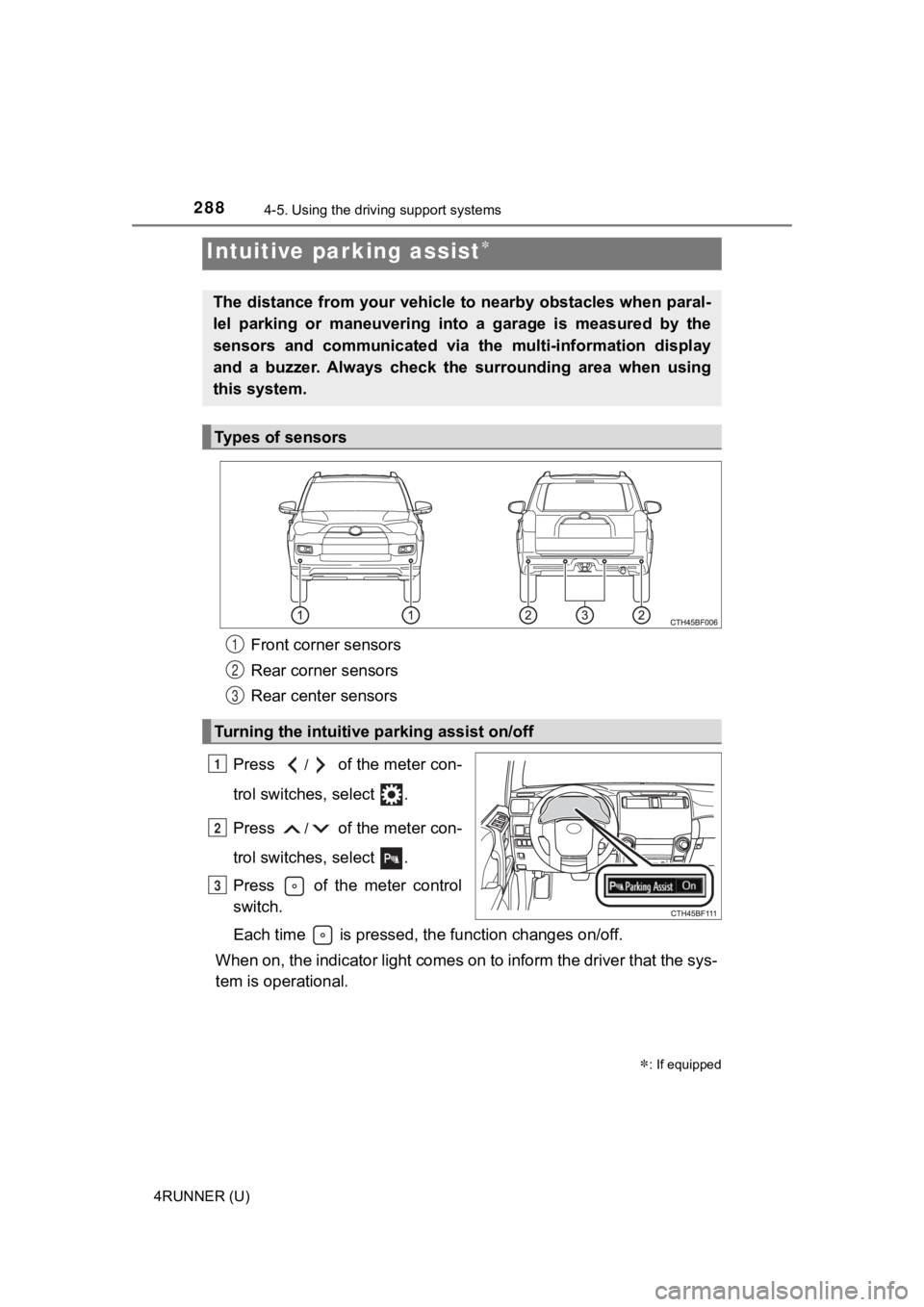
Front corner sensors
Rear corner sensors
Rear center sensors
Press
/ of the meter con-
trol switches, select .
Press
/ of the meter con-
trol switches, select .
Press of the meter control
switch.
Each time is pressed, the function changes on/off.
When on, the indicator light comes on to inform the driver that the sys-
tem is operational.
Intuitive parking assist
: If equipped
The distance from your vehicle to nearby obstacles when paral-
lel parking or maneuvering into a garage is measured by the
sensors and communicated via t he multi-information display
and a buzzer. Always check the surrounding area when using
this system.
Types of sensors
Turning the intuitive parking assist on/off
1
2
3
1
2
3
Page 297 of 616
2974-5. Using the driving support systems
4
Driving
4RUNNER (U)
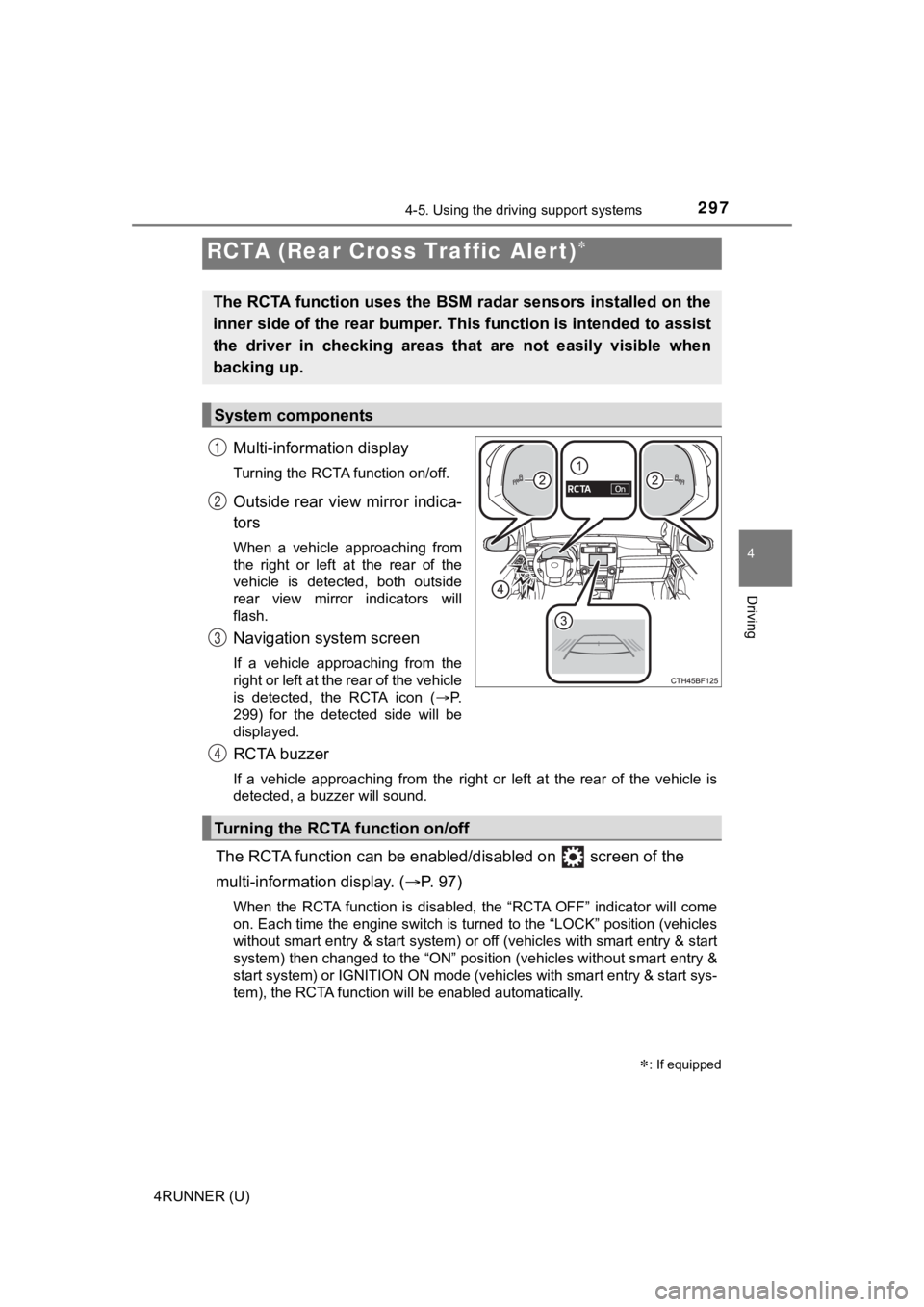
Multi-information display
Turning the RCTA function on/off.
Outside rear view mirror indica-
tors
When a vehicle approaching from
the right or left at the rear of the
vehicle is detected, both outside
rear view mirror indicators will
flash.
Navigation system screen
If a vehicle approaching from the
right or left at the rear of the vehicle
is detected, the RCTA icon (P.
299) for the detected side will be
displayed.
RCTA buzzer
If a vehicle approaching from the right or left at the rear of the vehicle is
detected, a buzzer will sound.
The RCTA function can be enabl ed/disabled on screen of the
multi-information display. ( P. 9 7 )
When the RCTA function is disabled, the “RCTA OFF” indicator wi ll come
on. Each time the engine switch is turned to the “LOCK” position (vehicles
without smart entry & start system) or off (vehicles with smart entry & start
system) then changed to the “ON” position (vehicles without sma rt entry &
start system) or IGNITION ON mode (vehicles with smart entry & start sys-
tem), the RCTA function will be enabled automatically.
RCTA (Rear Cross Traffic Alert)
: If equipped
The RCTA function uses the BSM radar sensors installed on the
inner side of the rear bumper. This function is intended to ass ist
the driver in checking areas that are not easily visible when
backing up.
System components
1
2
3
Turning the RCTA function on/off
4
Page 353 of 616
3535-1. Using the air conditioning system and defogger
5
Interior features
4RUNNER (U)■
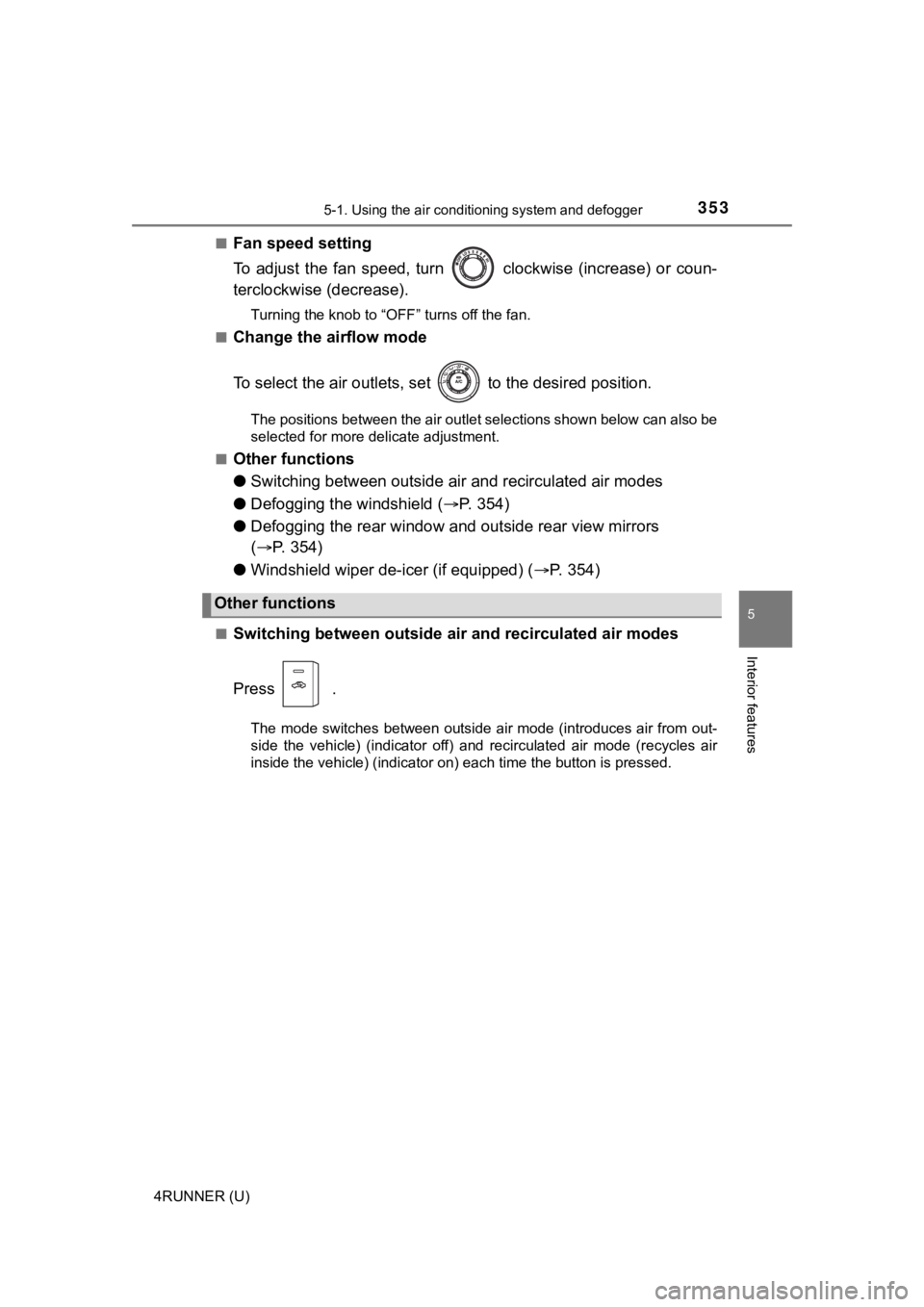
Fan speed setting
To adjust the fan speed, turn clockwise (increase) or coun-
terclockwise (decrease).
Turning the knob to “OFF” turns off the fan.
■
Change the airflow mode
To select the air outlets, set to the desired position.
The positions between the air outlet selections shown below can also be
selected for more delicate adjustment.
■
Other functions
● Switching between outside a ir and recirculated air modes
● Defogging the windshield ( P. 3 5 4 )
● Defogging the rear window and outside rear view mirrors
( P. 354)
● Windshield wiper de-icer (if equipped) ( P. 3 5 4 )
■Switching between outside air and recirculated air modes
Press .
The mode switches between outside air mode (introduces air from out-
side the vehicle) (indicator off) and recirculated air mode (re cycles air
inside the vehicle) (indicator on) each time the button is pressed.
Other functions
Page 387 of 616
3875-4. Other interior features
5
Interior features
4RUNNER (U)
■The power outlet can be used when
The engine is running.
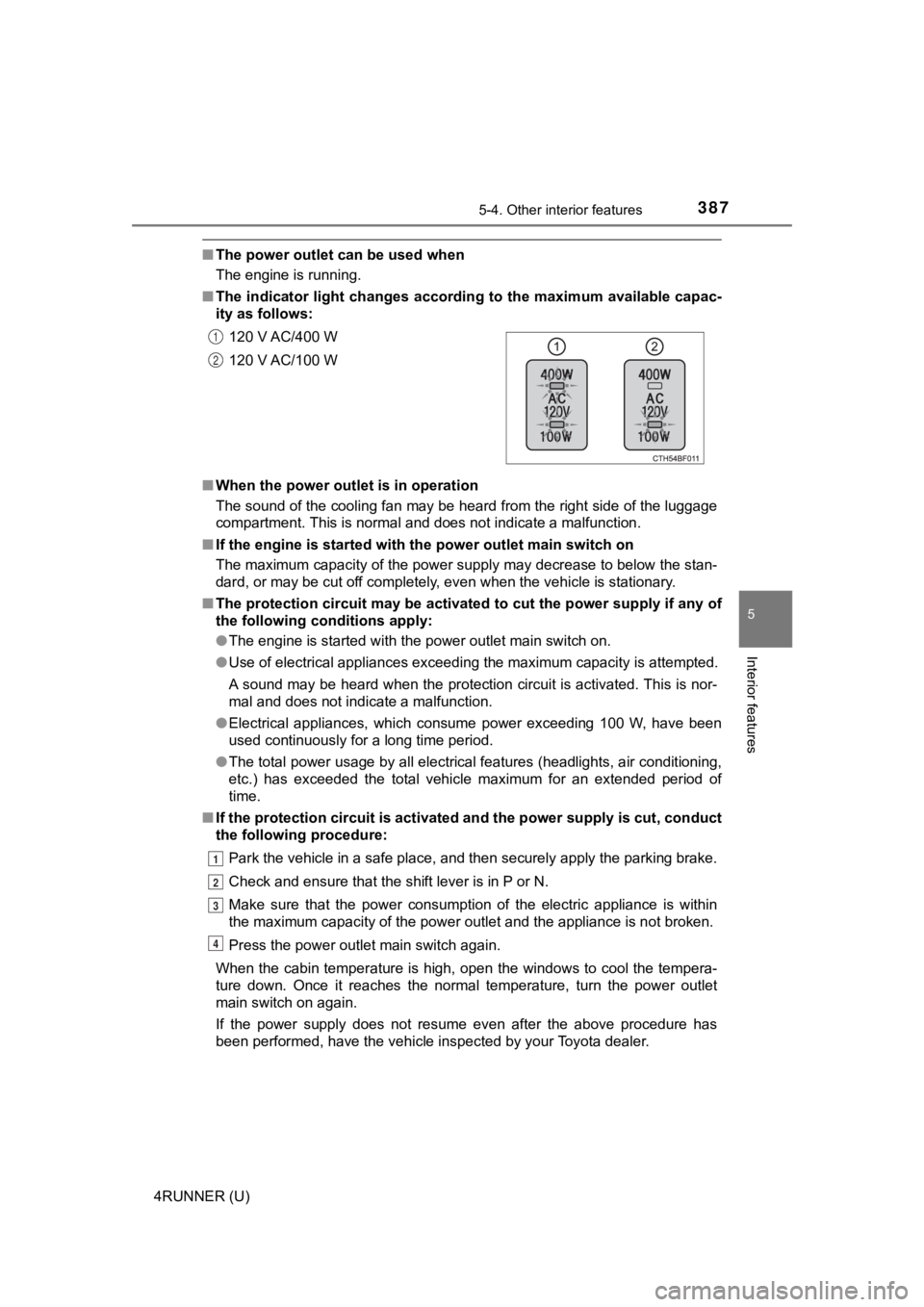
■ The indicator light changes acco rding to the maximum available capac-
ity as follows:
■ When the power outle t is in operation
The sound of the cooling fan may be heard from the right side o f the luggage
compartment. This is normal and does not indicate a malfunction .
■ If the engine is started with th e power outlet main switch on
The maximum capacity of the power supply may decrease to below the stan-
dard, or may be cut off completely, even when the vehicle is st ationary.
■ The protection circuit may be act ivated to cut the power supply if any of
the following conditions apply:
● The engine is started with the power outlet main switch on.
● Use of electrical appliances exceeding the maximum capacity is attempted.
A sound may be heard when the protection circuit is activated. This is nor-
mal and does not indicate a malfunction.
● Electrical appliances, which consume power exceeding 100 W, have been
used continuously for a long time period.
● The total power usage by all electrical features (headlights, a ir conditioning,
etc.) has exceeded the total vehicle maximum for an extended period of
time.
■ If the protection circuit is act ivated and the power supply is cut, conduct
the following procedure:
Park the vehicle in a safe place, and then securely apply the p arking brake.
Check and ensure that the shift lever is in P or N.
Make sure that the power consumption of the electric appliance is within
the maximum capacity of the power outlet and the appliance is n ot broken.
Press the power outlet main switch again.
When the cabin temperature is high, open the windows to cool th e tempera-
ture down. Once it reaches the normal temperature, turn the pow er outlet
main switch on again.
If the power supply does not resume even after the above procedure has
been performed, have the vehicle inspected by your Toyota deale r.
120 V AC/400 W
120 V AC/100 W
1
2
1
2
3
4
Page 440 of 616
4406-3. Do-it-yourself maintenance
4RUNNER (U)■
How to register the ID codes
Select on the multi-information display using the meter con-
trol switches on the steering wheel. ( P. 9 8 )
Select “Vehicle Settings” and then press and hold .
Select “TPWS” and then press .
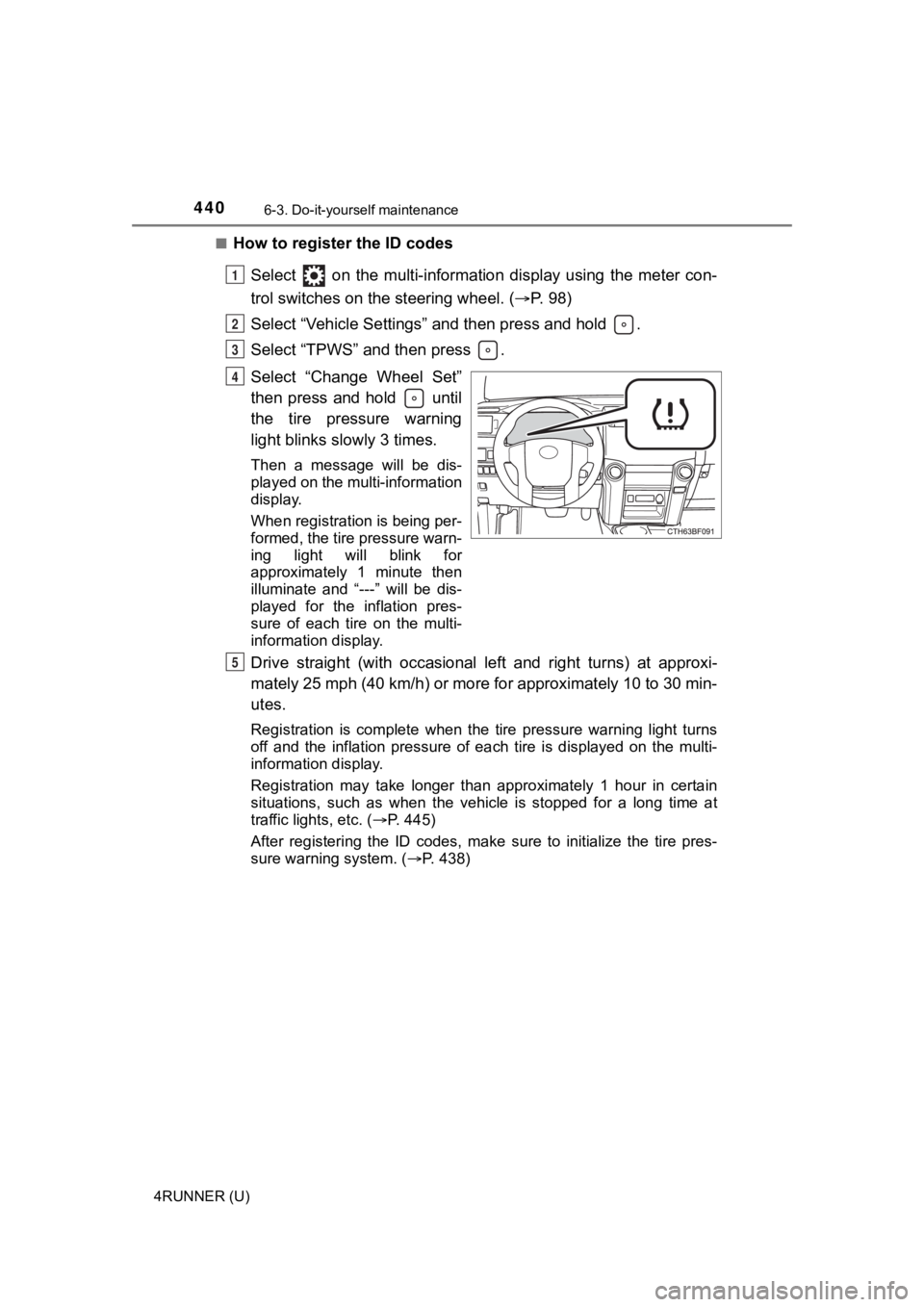
Select “Change Wheel Set”
then press and hold until
the tire pressure warning
light blinks slowly 3 times.
Then a message will be dis-
played on the multi-information
display.
When registration is being per-
formed, the tire pressure warn-
ing light will blink for
approximately 1 minute then
illuminate and “---” will be dis-
played for the inflation pres-
sure of each tire on the multi-
information display.
Drive straight (with occasional left and right turns) at approxi-
mately 25 mph (40 km/h) or more for approximately 10 to 30 min-
utes.
Registration is complete when the tire pressure warning light t urns
off and the inflation pressure of each tire is displayed on the multi-
information display.
Registration may take longer than approximately 1 hour in certain
situations, such as when the veh icle is stopped for a long time at
traffic lights, etc. ( P. 445)
After registering the ID codes, make sure to initialize the tir e pres-
sure warning system. ( P. 438)
1
2
3
4
5
Page 445 of 616
4456-3. Do-it-yourself maintenance
6
Maintenance and care
4RUNNER (U)■
When ID code registration has failed
●Registration may take long time or the ID codes may not be regi
stered in
the following situations.
• When the vehicle is moved backward during registration.
Registration is started again from the beginning and it may tak e lon-
ger than usual.
• When another vehicle is running the side of the vehicle such a s in
heavy traffic.
It may take longer to detect the vehicle’ tire pressure warning valves
and transmitters.
• If tire pressure warning valves and transmitters are in the vehicle.
The ID codes may n ot be registered.
●When performing registration, drive on a paved road if possible .
Depending on the driving environment and condition of the tires, regis-
tration will be complet ed in approximately 10 to 30 minutes.
• If registration is not complete after driving approximately 30 minutes,
continue driving for a while.
• If registration is not complete after driving approximately 1 hour, park
the vehicle in a safe place for approximately 20 minutes. Then drive
straight (with occasional left and right turns) at approximatel y 40 km/h
(25 mph) or more
* for approximately 10 to 30 minutes.
If registration is still not comp lete, have the vehicle inspected by your
Toyota dealer.
*: Except when making a left/right turn
●When the tire pressure warning light does not blink slowly 3 ti mes, the
ID code will not be registered and the system will not operate properly.
Perform registration again.
■When registering ID codes
●Initialize the tire pressure war ning system after ID code regis tration. Ini-
tialization is disable d if the system was initialized before re gistration.
●After ID code registration, the tires are hot by driving. Initi alize the tire
pressure warning system af ter the tires become cold.
■Canceling the change wheel set mode
●If turning the engine switch to the “LOCK” position (vehicles w ithout a
smart key system) or off (vehicles with a smart key system) whe n in the
change wheel set mode before driving, the change wheel set mode is
canceled.
●After driving when in the change wheel set mode, the change whe el set
mode cannot be canceled. To cancel the mode, perform the proced ure
for ID code registration again and turn the engine switch to th e “LOCK”
position (vehicles without a smart key system) or off (vehicles with a
smart key system ) before driving.
●If the change wheel set mode is canceled, the ID codes that hav e
already been registered are commu nicated. When communication is fin-
ished, the tir e pressure warning light will turn off.
Page 515 of 616
5157-2. Steps to take in an emergency
7
When trouble arises
4RUNNER (U)
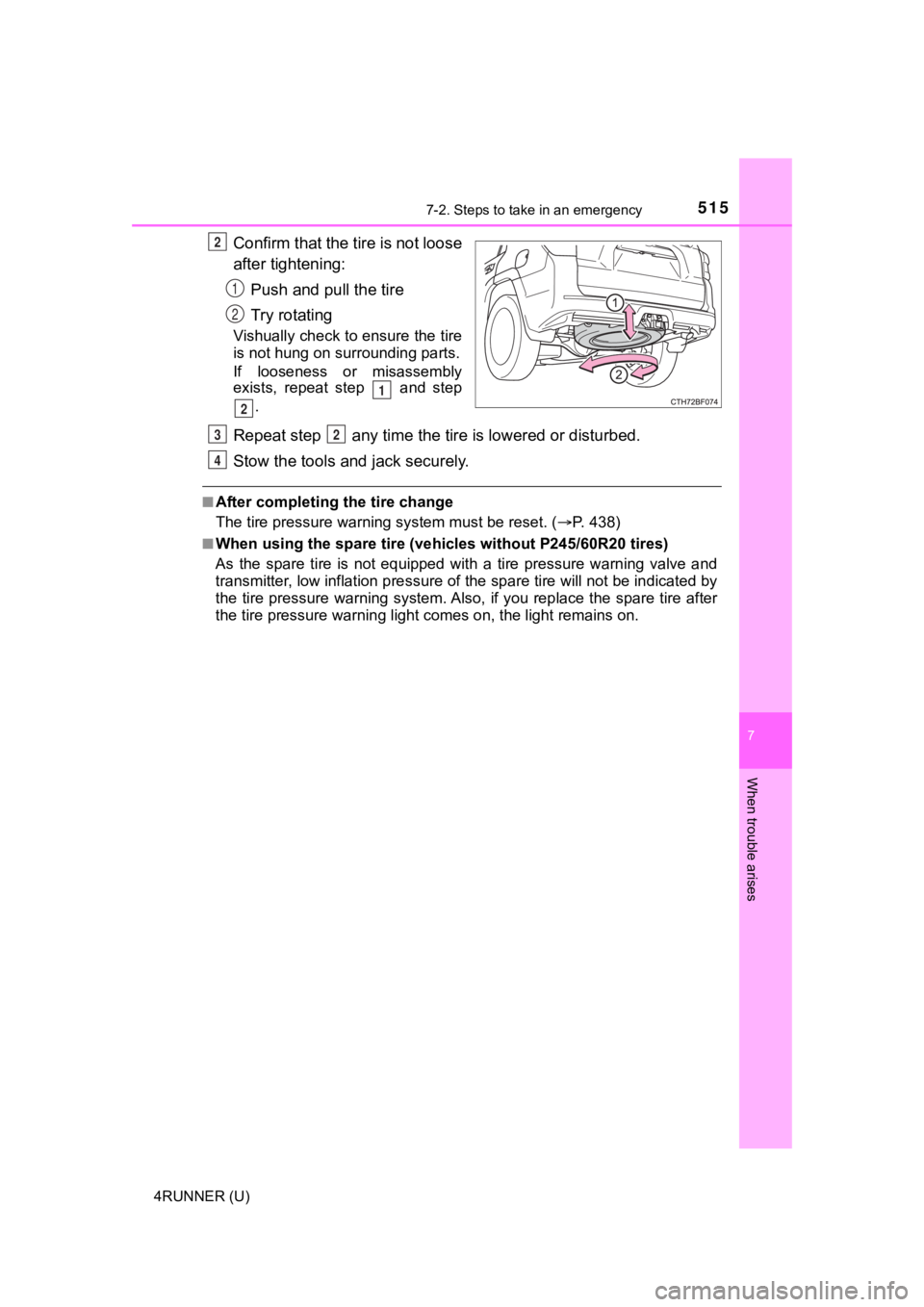
Confirm that the tire is not loose
after tightening:Push and pull the tire
Try rotating
Vishually check to ensure the tire
is not hung on su rrounding parts.
If looseness or misassembly
exists, repeat step and step
.
Repeat step any time the tire is lowered or disturbed.
Stow the tools and jack securely.
■After completing the tire change
The tire pressure warni ng system must be reset. ( P. 438)
■When using the spare tire (veh icles without P245/60R20 tires)
As the spare tire is not equipped with a tire pressure warning valve and
transmitter, low inflation pre ssure of the spare tire will not be indicated by
the tire pressure warning system. Also, if you replace the spar e tire after
the tire pressure wa rning light comes on, the light remains on.
2
1
2
1
2
32
4
Page 521 of 616
5217-2. Steps to take in an emergency
7
When trouble arises
4RUNNER (U)
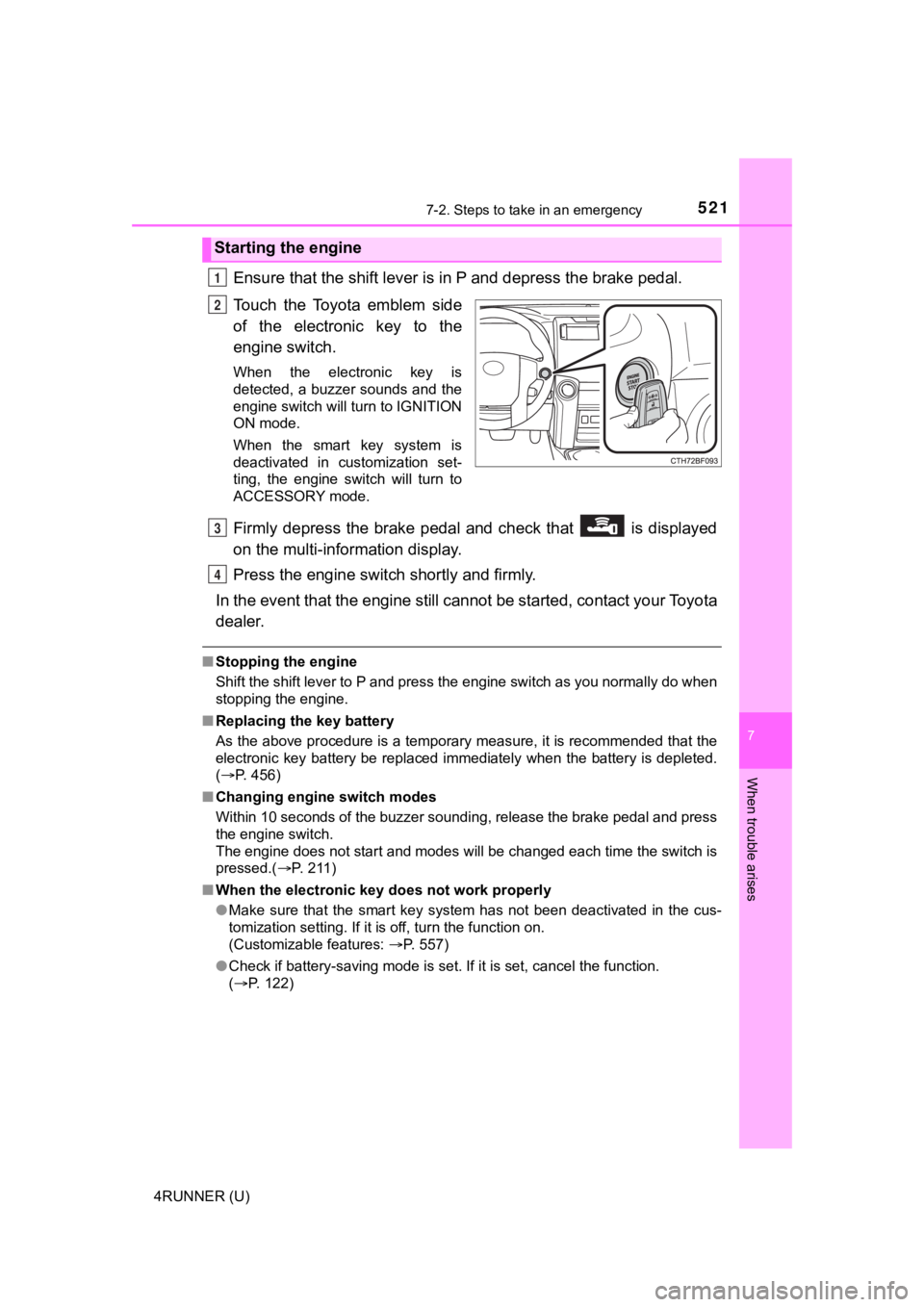
Ensure that the shift lever is in P and depress the brake pedal.
Touch the Toyota emblem side
of the electronic key to the
engine switch.
When the electronic key is
detected, a buzzer sounds and the
engine switch will turn to IGNITION
ON mode.
When the smart key system is
deactivated in customization set-
ting, the engine switch will turn to
ACCESSORY mode.
Firmly depress the brake pedal and check that is displayed
on the multi-information display.
Press the engine switch shortly and firmly.
In the event that the engine still cannot be started, contact your Toyota
dealer.
■ Stopping the engine
Shift the shift lever to P and press the engine switch as you normally do when
stopping the engine.
■ Replacing the key battery
As the above procedure is a temporary measure, it is recommende d that the
electronic key battery be replaced immediately when the battery is depleted.
( P. 456)
■ Changing engine switch modes
Within 10 seconds of the buzzer sounding, release the brake ped al and press
the engine switch.
The engine does not start and modes will be changed each time t he switch is
pressed.( P. 2 1 1 )
■ When the electronic key does not work properly
●Make sure that the smart key system has not been deactivated in the cus-
tomization setting. If it is off, turn the function on.
(Customizable features: P. 557)
● Check if battery-saving mode is set. If it is set, cancel the f unction.
( P. 122)
Starting the engine
1
2
3
4