battery TOYOTA 4RUNNER 2022 Owner's Manual
[x] Cancel search | Manufacturer: TOYOTA, Model Year: 2022, Model line: 4RUNNER, Model: TOYOTA 4RUNNER 2022Pages: 616, PDF Size: 12.01 MB
Page 342 of 616
342
4RUNNER (U)
4-6. Driving tips
●Use fluids that are appropriate t o the prevailing outside tempera-
tures. • Engine oil
• Engine coolant
• Washer fluid
● Have a service technician inspec t the condition of the battery.
● Have the vehicle fitted with four snow tires or purchase a set of tire
chains for the rear tires.
Ensure that all tires are the same size and brand, and that chains match
the size of the tires.
Winter driving tips
Carry out the necessary preparations and inspections before
driving the vehicle in winter. Always drive the vehicle in a ma n-
ner appropriate to the prevailing weather conditions.
Preparation for winter
Page 358 of 616
3585-1. Using the air conditioning system and defogger
4RUNNER (U)
WARNING
■To prevent the windshield from fogging up
● Do not use during cool air operation in extremely humid weathe r.
The difference between the temperature of the outside air and that of the
windshield can cause the outer surface of the windshield to fog up, block-
ing your vision.
■ To prevent burns
● Do not touch the rear view mirror surfaces when the outside rear view mir-
ror defoggers are on.
● Do not touch the glass at lower part of the windshield or to the side of the
front pillars when the windshield wiper de-icer is on.
NOTICE
■To prevent battery discharge
Do not leave the air conditioning system on longer than necessa ry when the
engine is stopped.
■ When repairing/replacing parts of the air conditioning system
Have repair/replacement performed by your Toyota dealer.
When a part of the air conditioning system, such as the evapora tor, is to be
replaced, it must be replaced with a new one.
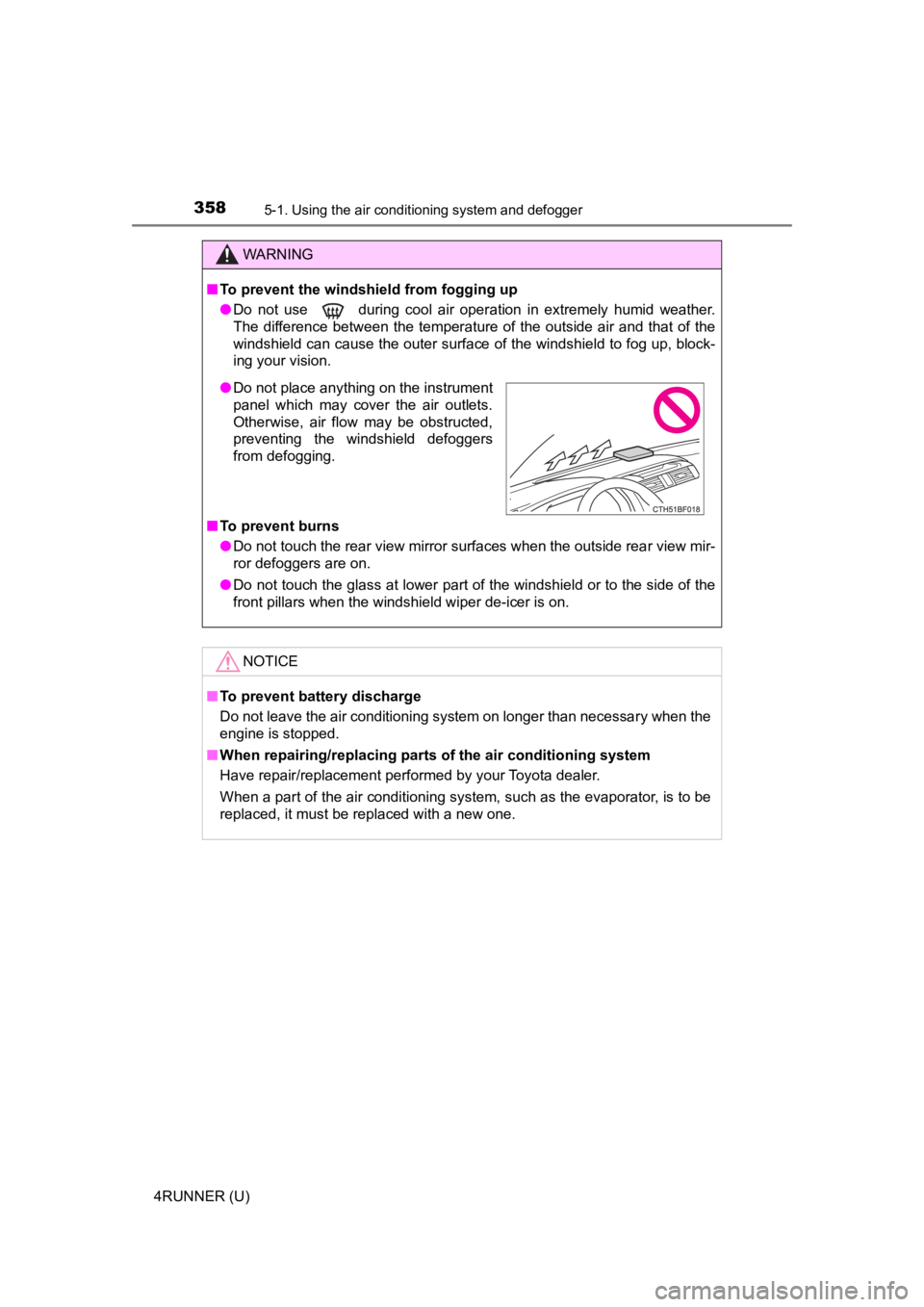
● Do not place anything on the instrument
panel which may cover the air outlets.
Otherwise, air flow may be obstructed,
preventing the windshield defoggers
from defogging.
Page 366 of 616
3665-1. Using the air conditioning system and defogger
4RUNNER (U)
WARNING
■To prevent the windshield from fogging up
● Do not use during cool air operation in extremely humid weathe r.
The difference between the temperature of the outside air and that of the
windshield can cause the outer surface of the windshield to fog up, block-
ing your vision.
■ To prevent burns
● Do not touch the rear view mirror surfaces when the outside rear view mir-
ror defoggers are on.
● Do not touch the glass at lower part of the windshield or to the side of the
front pillars when the windshield wiper de-icer is on.
NOTICE
■To prevent battery discharge
Do not leave the air conditioning system on longer than necessa ry when the
engine is stopped.
■ When repairing/replacing parts of the air conditioning system
Have repair/replacement performed by your Toyota dealer.
When a part of the air conditioning system, such as the evapora tor, is to be
replaced, it must be replaced with a new one.
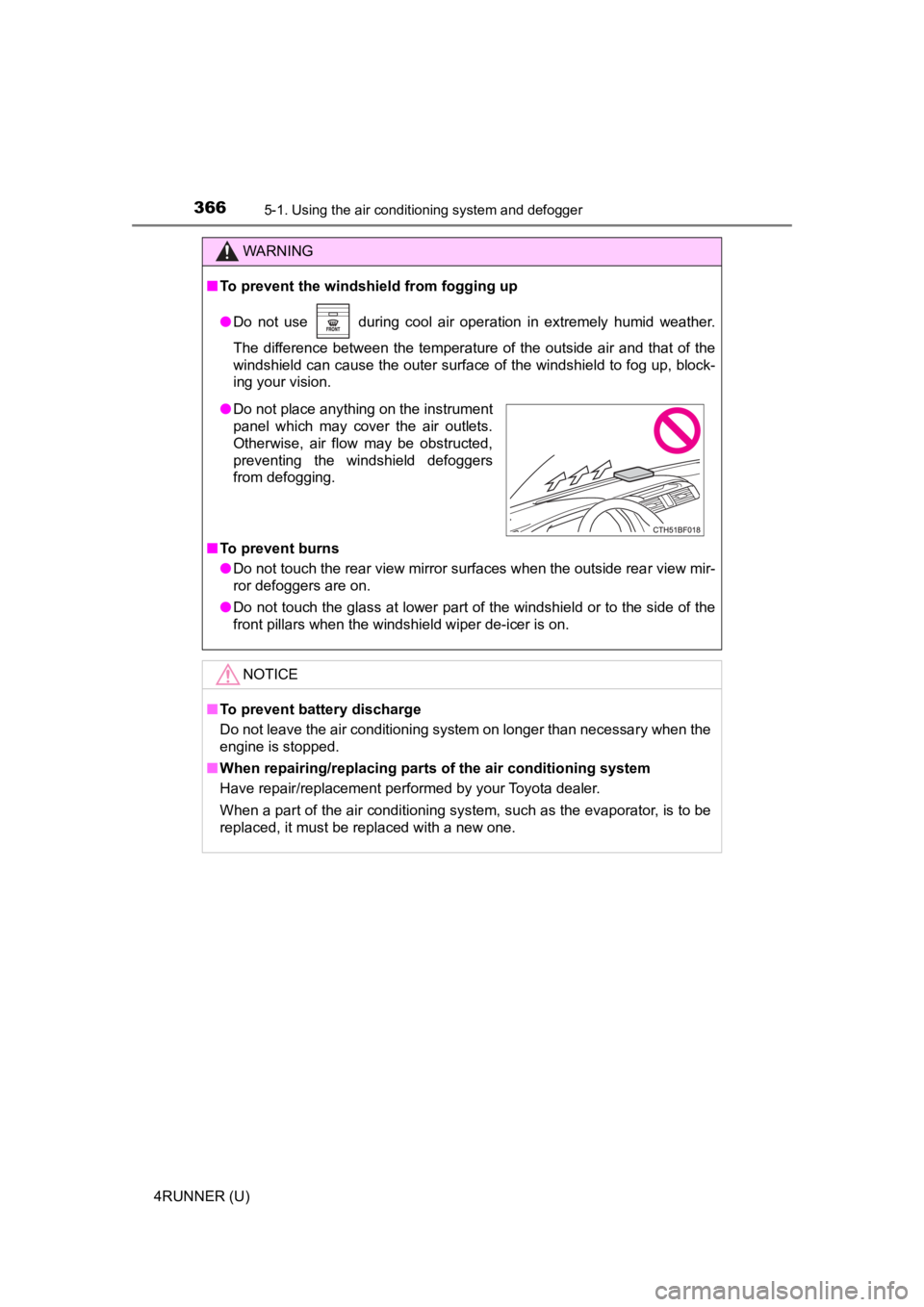
● Do not place anything on the instrument
panel which may cover the air outlets.
Otherwise, air flow may be obstructed,
preventing the windshield defoggers
from defogging.
Page 367 of 616
3675-1. Using the air conditioning system and defogger
5
Interior features
4RUNNER (U)
Seat heaters/seat ventilators
: If equipped
The seat heaters warm the seats and the seat ventilators main-
tain good airflow by blowing air through the seats.
WARNING
●Care should be taken to prevent injury if anyone in the following categories
comes in contact with the seats when the heater is on:
• Babies, small children, the elderly, the sick and the physical ly chal-
lenged
• Persons with sensitive skin
• Persons who are fatigued
• Persons who have taken alcohol or drugs that induce sleep (sleeping drugs, cold remedies, etc.)
● Observe the following precautions to prevent the minor burns or overheat-
ing
• Do not cover the seat with a blanket or cushion when using the seat
heater.
• Do not use seat heater more than necessary.
NOTICE
● Do not put heavy objects that have an uneven surface on the sea t and do
not stick sharp objects (needles, nails, etc.) into the seat.
● To prevent battery discharge, do not use the functions when the engine is
off.
Page 371 of 616
3715-2. Using the interior lights
5
Interior features
4RUNNER (U)
■Illuminated entry system
Vehicles without a smart key system
The lights automatically turn on/off according to the engine sw itch position,
whether the doors are locked/unlocked, and whether the doors ar e open/
closed.
Vehicles with a smart key system
The lights automatically turn on/off according to engine switch mode, the
presence of the electronic key, whether the doors are locked/unlocked, and
whether the doors are opened/closed.
■ To prevent battery discharge
If the following lights remain on, the lights will go off automatically after 20
minutes:
●Engine switch light
● Front interior light
● Rear interior light
● Personal lights
● Footwell lights
● Inside door handle lights
● Door courtesy lights
■ Customization
Setting (e.g. the time elapsed before lights turn off) can be c hanged.
(Customizable features: P. 557)
NOTICE
■ To prevent battery discharge
Do not leave the lights on longer than necessary when the engin e is not
running.
Page 384 of 616
384
4RUNNER (U)
5-4. Other interior features
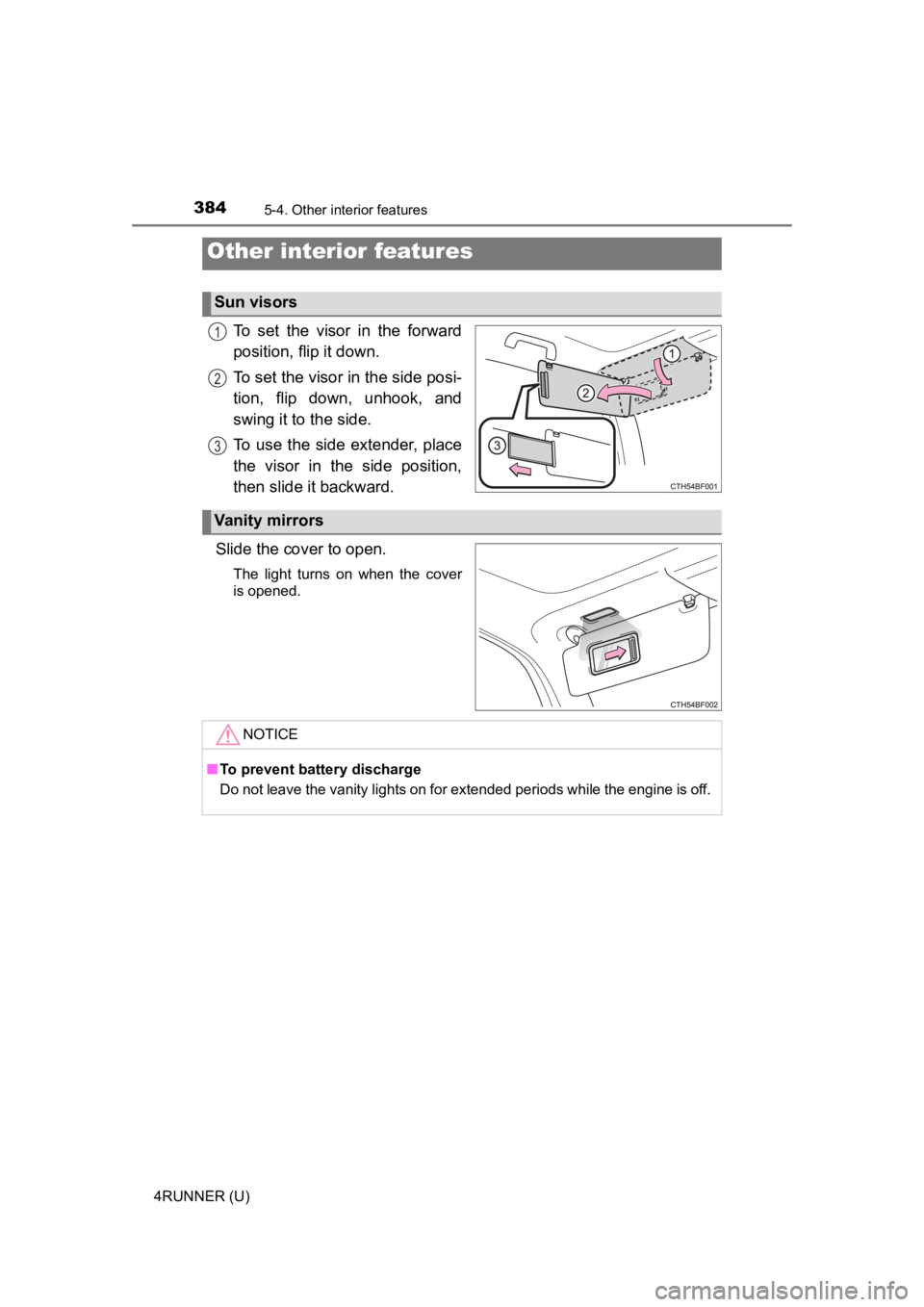
To set the visor in the forward
position, flip it down.
To set the visor in the side posi-
tion, flip down, unhook, and
swing it to the side.
To use the side extender, place
the visor in the side position,
then slide it backward.
Slide the cover to open.
The light turns on when the cover
is opened.
Other interior features
Sun visors
1
2
3
Vanity mirrors
NOTICE
■ To prevent battery discharge
Do not leave the vanity lights on for extended periods while th e engine is off.
Page 385 of 616
3855-4. Other interior features
5
Interior features
4RUNNER (U)
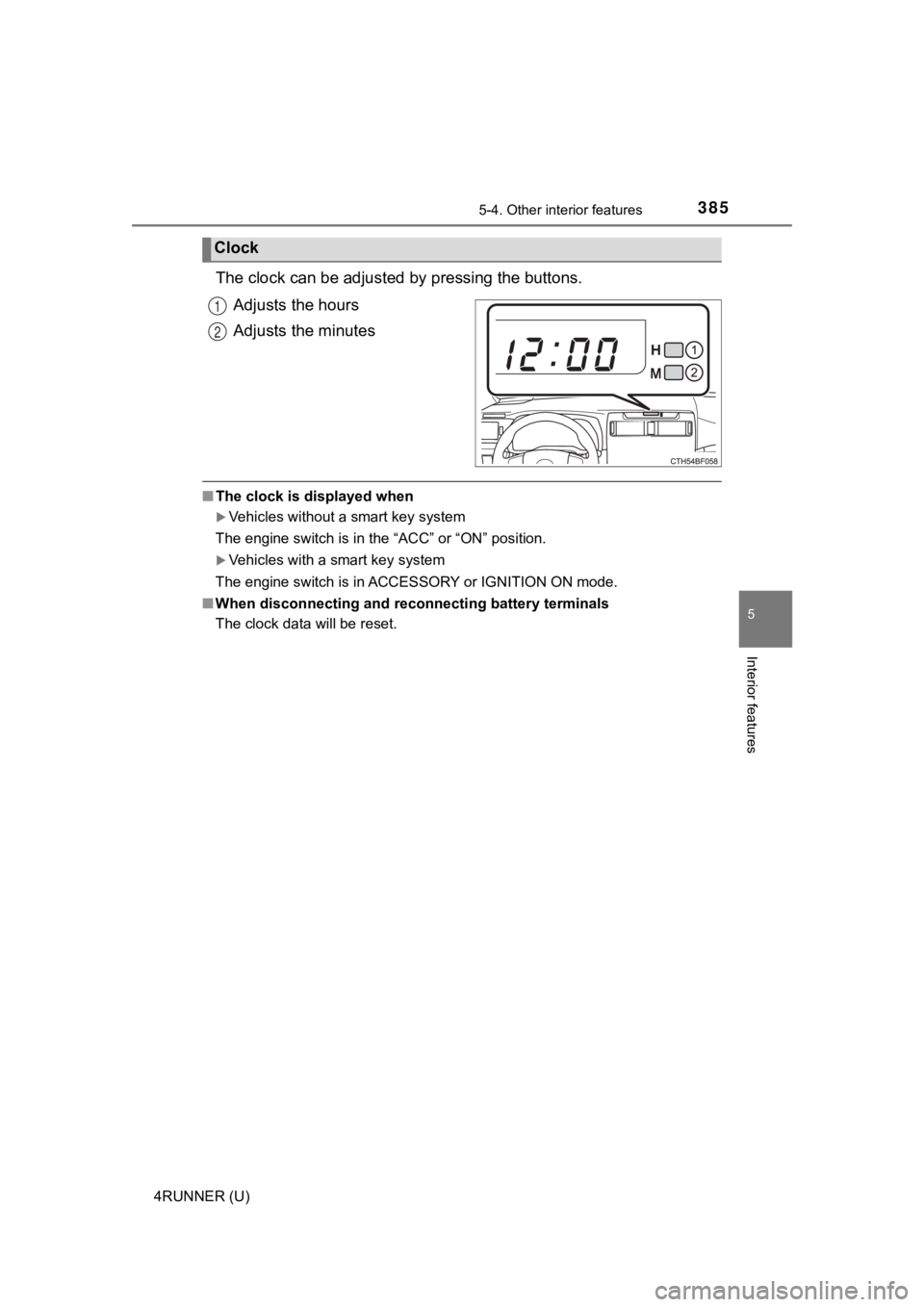
The clock can be adjusted by pressing the buttons.
Adjusts the hours
Adjusts the minutes
■ The clock is displayed when
Vehicles without a smart key system
The engine switch is in the “ACC” or “ON” position.
Vehicles with a smart key system
The engine switch is in ACCESSORY or IGNITION ON mode.
■ When disconnecting and reco nnecting battery terminals
The clock data will be reset.
Clock
1
2
Page 389 of 616
3895-4. Other interior features
5
Interior features
4RUNNER (U)
NOTICE
■To avoid damaging the power outlet and the plug
● Close the power outlet lid when not in use.
● Do not allow foreign objects or liquids to enter the power outlet, as this
may cause a short circuit.
● Do not use plug adaptors to connect too many plugs to the power outlet.
● After removing a plug, gently close the power outlet lid.
■ To prevent the fuse from being blown
Do not use a 120 V AC appliance that requires more than the maximum
capacity of the power outlet. If a 120 V AC appliance that consumes more
than the maximum capacity is used, the protection circuit will cut the power
supply.
■ Appliances that may not operate properly (120 V AC)
The following 120 V AC appliances may not operate even if their power con-
sumption is under maximum capacity.
● Appliances with high initial peak wattage
● Measuring devices that process precise data.
● Other appliances that require an extremely stable power supply
■ To prevent battery discharge
Turn off all the vehicle's electronic equipment and accessories , such as the
headlights and air conditioning, when electrical appliances tha t consume in
excess of 100 W are used continuously for long periods of time.
■ To prevent any damage caused by heat
● Do not use any electrical appliances that give off intense heat, such as
toasters, in any locations including the internal or external t rim, seats and
deck.
● Do not use any electrical appliances that are easily affected by vibration or
heat inside the vehicle. Vibration while driving, or the heat o f the sun while
parking, may result in damage to those electrical appliances.
Page 392 of 616

3925-4. Other interior features
4RUNNER (U)
■The power outlets can be used when
Vehicles without a smart key system
The engine switch is in the “ACC” or “ON” position.
Vehicles with a smart key system
The engine switch is in ACCESSORY or IGNITION ON mode.
■ When turning the engine switch off
Disconnect electrical devices with charging functions, such as mobile battery
packs.
If such devices are left connected, the engine switch may not b e turned off
normally.
NOTICE
■To avoid damaging the power outlets
Close the power outlet lids when the power outlets are not in use.
Foreign objects or liquids that enter the power outlets may cau se a short cir-
cuit.
■ To prevent battery discharge
Do not use the power outlets longer than necessary when the eng ine is off.
Page 394 of 616
3945-4. Other interior features
4RUNNER (U)
NOTICE
■To prevent damage to the USB charging ports
● Do not insert foreign objects into the ports.
● Do not spill water or other liquids into the ports.
● When the USB charging ports are not in use, close the lids. If a foreign
object or liquid enters a port may cause a short circuit.
● Do not apply excessive force to or impact the USB charging ports.
● Do not disassemble or modify the USB charging ports.
■ To prevent damage to external devices
● Do not leave external devices in the vehicle. The temperature i nside the
vehicle may become high, resulting in damage to an external device.
● Do not push down on or apply unnecessary force to an external device or
the cable of an external device while it is connected.
■ To prevent battery discharge
Do not use the USB charging ports for a long period of time wit h the engine
stopped.