warning TOYOTA 4RUNNER 2022 Service Manual
[x] Cancel search | Manufacturer: TOYOTA, Model Year: 2022, Model line: 4RUNNER, Model: TOYOTA 4RUNNER 2022Pages: 616, PDF Size: 12.01 MB
Page 94 of 616
942. Instrument cluster
4RUNNER (U)
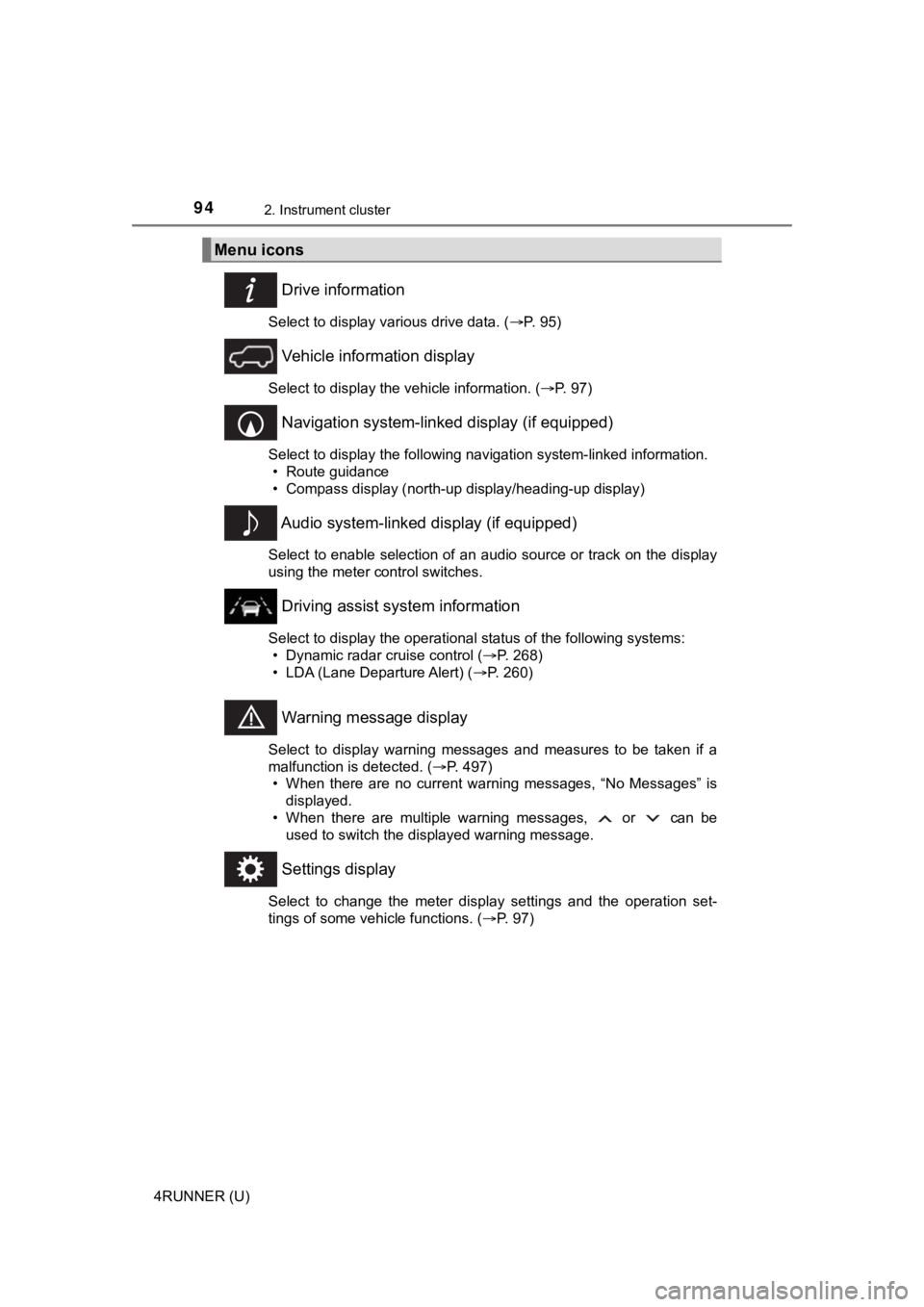
Drive information
Select to display various drive data. (P. 95)
Vehicle information display
Select to display the vehicle information. ( P. 97)
Navigation system-linked display (if equipped)
Select to display the following navigation system-linked information.
• Route guidance
• Compass display (north-up display/heading-up display)
Audio system-linked display (if equipped)
Select to enable selection of an audio source or track on the d isplay
using the meter control switches.
Driving assist system information
Select to display the operational status of the following syste ms:
• Dynamic radar cruise control ( P. 268)
• LDA (Lane Departure Alert) ( P. 260)
Warning message display
Select to display warning messages and measures to be taken if a
malfunction is detected. ( P. 497)
• When there are no current warning messages, “No Messages” is displayed.
• When there are multiple warning messages, or can be used to switch the displayed warning message.
Settings display
Select to change the meter display settings and the operation set-
tings of some vehicle functions. ( P. 97)
Menu icons
Page 96 of 616
962. Instrument cluster
4RUNNER (U)■
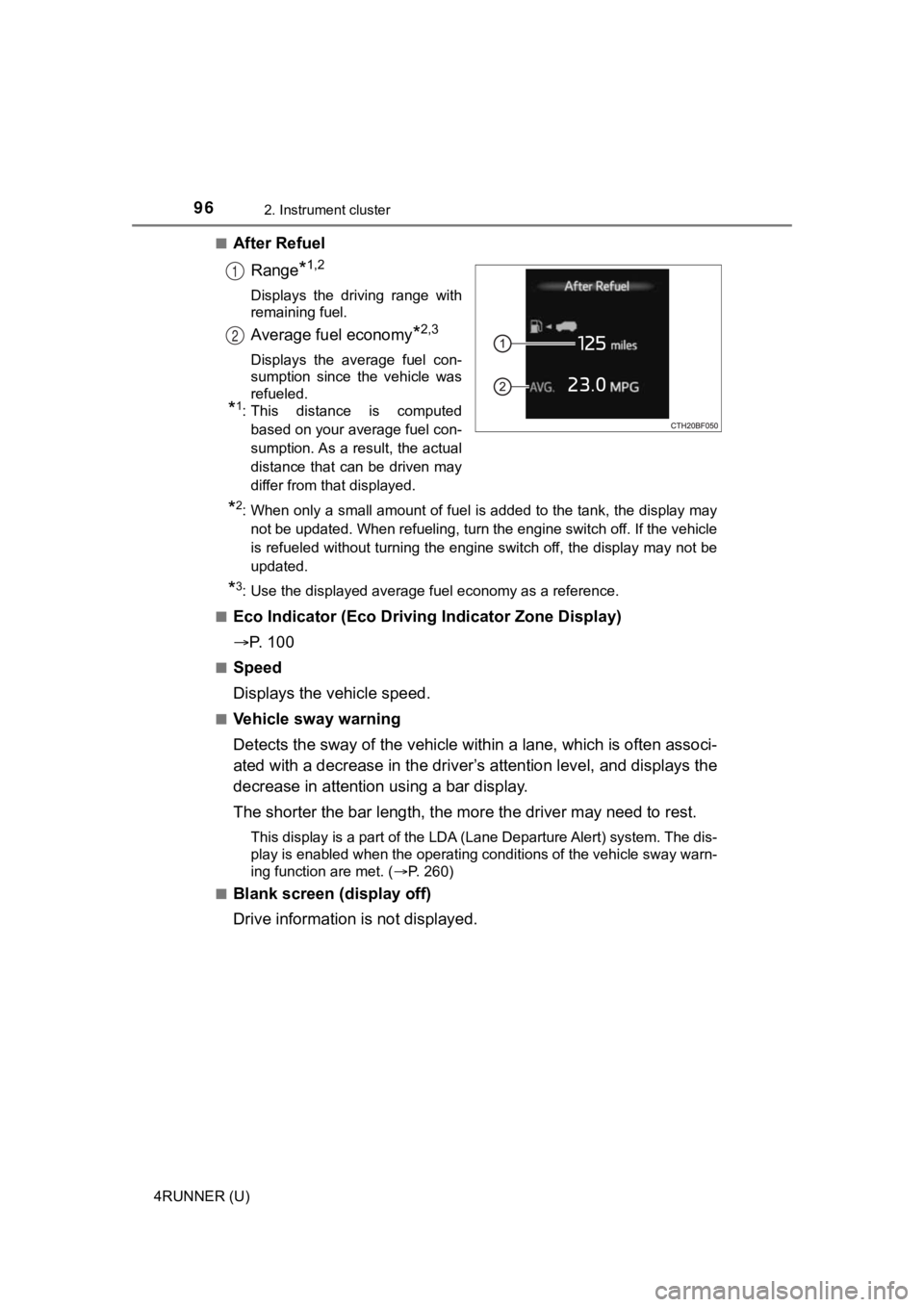
After Refuel
Range
*1,2
Displays the driving range with
remaining fuel.
Average fuel economy*2,3
Displays the average fuel con-
sumption since the vehicle was
refueled.
*1: This distance is computedbased on your average fuel con-
sumption. As a result, the actual
distance that can be driven may
differ from that displayed.
*2: When only a small amount of fuel is added to the tank, the dis play may
not be updated. When refueling, turn the engine switch off. If the vehicle
is refueled without turning the engine switch off, the display may not be
updated.
*3: Use the displayed average fuel economy as a reference.
■
Eco Indicator (Eco Drivi ng Indicator Zone Display)
P. 1 0 0
■Speed
Displays the vehicle speed.
■Vehicle sway warning
Detects the sway of the vehicle within a lane, which is often associ-
ated with a decrease in the driv er’s attention level, and displays the
decrease in attention using a bar display.
The shorter the bar length, the m ore the driver may need to rest.
This display is a part of the LDA (Lane Departure Alert) system. The dis-
play is enabled when the operating conditions of the vehicle sw ay warn-
ing function are met. ( P. 260)
■
Blank screen (display off)
Drive information is not displayed.
1
2
Page 98 of 616

982. Instrument cluster
4RUNNER (U)■
Setting items
●
LDA (Lane Departure Alert)
Select to set up LDA. ( P. 568)
• Alert sensitivity
• Sway warning
• Sway sensitivity
● BSM (Blind Spot Mon itor) (if equipped)
Select to activate/deactivate BSM. ( P. 566)
• BSM on/off
• BSM sensitivity
• Outside rear view mirror indicator brightness
● RCTA (Rear Cross Traffic Alert) (if equipped)
Select to activate/deactivate RCTA. ( P. 566)
•RCTA on/off
● PCS (Pre-Collision System)
Select to set the f ollowing items. (P. 253)
• PCS on/off
• PCS sensitivity
● Intuitive parking assist (if equipped)
Select to set the Intuiti ve parking assist on/off
● Vehicle settings
“TPWS” (Tire Pressure Warning System) ( P. 438)
• “Set Pressure” Select to initialize the tire pressure warning system.
• “Change Wheel Set” Select to register the ID codes of the tire pressure sensors to
the tire pressure warning system.3
Page 102 of 616
1022. Instrument cluster
4RUNNER (U)
WARNING
■Caution for use while driving
For safety, avoid operating the meter control switches while dr iving as much
as possible, and do not look continuously at the multi-informat ion display
while driving. Stop the vehicle and operate the meter control switches. Fail-
ure to do so may cause a steering wheel operation error, resulting in an
unexpected accident.
■ Cautions while setting up the display
As the engine needs to be running during setting up the display , ensure that
the vehicle is parked in a place with adequate ventilation. In a closed area
such as a garage, exhaust gases including harmful carbon monoxi de (CO)
may collect and enter the vehicle. This may lead to death or a serious
health hazard.
■ The multi-information display at low temperatures
Allow the interior of the vehicle to warm up before using the multi-informa-
tion display. At extremely low temperatures, the multi-information display
monitor may respond slowly, and display changes may be delayed.
For example, there is a lag between the driver’s shifting and the new gear
number appearing on the display. This lag could cause the drive r to down-
shift again, causing rapid and excessive engine braking and pos sibly an
accident resulting in death or serious injury.
NOTICE
■ While setting up the display
To prevent battery discharge, ensure that the engine is running while setting
up the display features.
Page 118 of 616

1183-1. Key information
4RUNNER (U)
WARNING
■To prevent an accident
Observe the following precautions while driving the vehicle.
Failure to do so may result in a door opening and an occupant throwing out
of the vehicle, resulting in death or serious injury.
● Ensure that all doors are properly closed and locked.
● Do not pull the inside handle of the doors while driving.
Be especially careful for the front doors, as the doors may be opened even
if the inside lock buttons are in locked position.
● Set the rear door child-protector locks when children are seated in the rear
seats.
Page 121 of 616
1213-2. Opening, closing and locking the doors
3
Operation of each component
4RUNNER (U)
■Alarms and warning indicators
A combination of exterior and interior alarms as well as warnin g messages
shown on the multi-information display are used to prevent theft of the vehicle
and accidents resulting from erroneous operation. Take appropriate mea-
sures in response to any warning message on the multi-informati on display.
The following table describes circumstances and correction procedures when
only alarms are sounded.
AlarmSituationCorrection procedure
Exterior alarm sounds
once for 5 seconds
An attempt was made
to lock the doors using
the smart key system
while the electronic key
was still inside the vehi-
cle.
Retrieve the electronic
key from the vehicle
and lock the doors
again.An attempt was made
to lock either front door
by opening a door and
putting the inside lock
button into the lock
position, then closing
the door by pulling on
the outside door handle
with the electronic key
still inside the vehicle.
An attempt was made
to lock the vehicle while
a door was open.Close all of the doors
and lock the doors
again.
Interior alarm sounds
continuously
An attempt was made
to open the door and
exit the vehicle when
the shift lever was not
in P.
Shift the shift lever to P.
Interior alarm pings
repeatedly
The engine switch was
turned to ACCESSORY
mode while the driver's
door was open
(The driver's door was
opened when the
engine switch was in
ACCESSORY mode.)
Turn the engine switch
off and close the
driver's door.
Page 126 of 616

1263-2. Opening, closing and locking the doors
4RUNNER (U)
WARNING
■Caution regarding interference with electronic devices
● People with implantable cardiac pacemakers, cardiac resynchroni zation
therapy-pacemakers or implantable cardioverter defibrillators should keep
away from the smart key system antennas.
( P. 119)
The radio waves may affect the operation of such devices. If ne cessary,
the entry function can be disabled. Ask your Toyota dealer for details, such
as the frequency of radio waves and timing of the emitted radio waves.
Then, consult your doctor to see if you should disable the entry function.
● Users of any electrical medical device other than implantable c ardiac
pacemakers, cardiac resynchronization therapy-pacemakers or imp lant-
able cardioverter defibrillators should consult the manufacture r of the
device for information about its operation under the influence of radio
waves.
Radio waves could have unexpected effects on the operation of such
medical devices.
Ask your Toyota dealer for details on disabling the entry function.
Page 129 of 616
1293-2. Opening, closing and locking the doors
3
Operation of each component
4RUNNER (U)
WARNING
■Jam protection function
Observe the following precautions.
Failure to do so may cause serious injury.
Never use any part of your body to intentionally activate the j am protection
function.
The jam protection function may not work depending on the shape of the
object that is caught. Be careful not to get fingers or other b ody parts
caught.
■ Cautions regarding the Automatic running boards
Observe the following precautions.
Failure to do so may cause serious injury.
● Check to make sure that all passengers and people in the vehicle’s sur-
rounding area do not have a hand on a board or any part of thei r body in a
position where it could be caught between a board and the vehicle when
an Automatic running board is being operated.
● Confirm that the boards have completely extended or retracted b efore get-
ting in or out of the vehicle. If someone gets in or out of the vehicle during
Automatic running board operation, the boards may stop extendin g or
retracting.
● Drive the vehicle after confirming that the boards have complet ely
retracted. Driving with a board extended is dangerous because it may hit
other people or objects.
● Take care when pressing the Automatic running boards switch. The board
will extend or retract and may hit other people or objects.
● Always check that the Automatic running boards switch is turned off when
cleaning a board.
● Do not allow children to operate the Automatic running boards.
Operating Automatic running boards in a manner so that a board contacts
someone can cause serious injury, and in some instances, even death.
Page 132 of 616
1323-2. Opening, closing and locking the doors
4RUNNER (U)
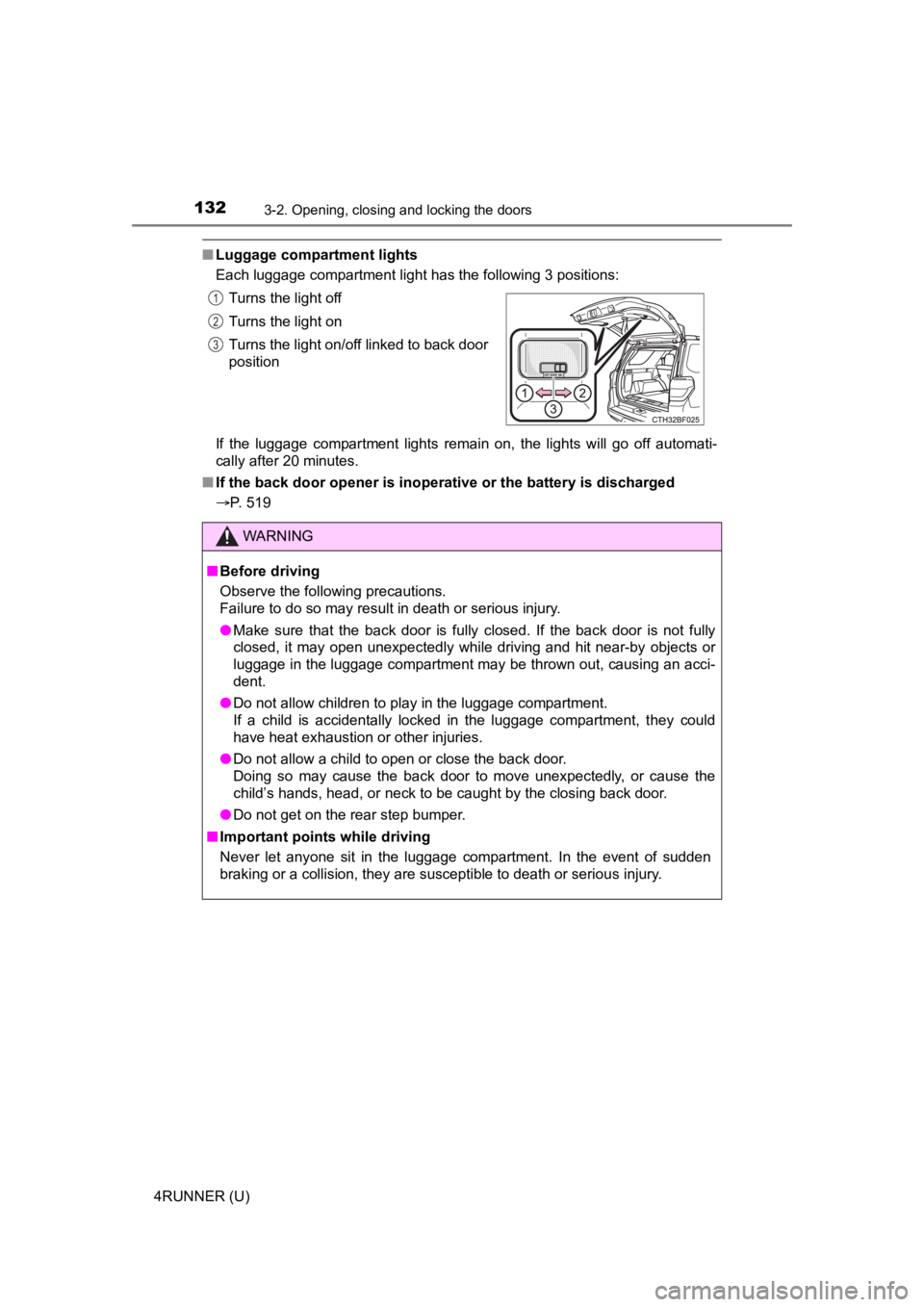
■Luggage compartment lights
Each luggage compartment light has the following 3 positions:
If the luggage compartment lights remain on, the lights will go off automati-
cally after 20 minutes.
■ If the back door opener is inoperative or the battery is discha rged
P. 519 Turns the light off
Turns the light on
Turns the light on/off linked to back door
position
WARNING
■
Before driving
Observe the following precautions.
Failure to do so may result in death or serious injury.
● Make sure that the back door is fully closed. If the back door is not fully
closed, it may open unexpectedly while driving and hit near-by objects or
luggage in the luggage compartment may be thrown out, causing an acci-
dent.
● Do not allow children to play in the luggage compartment.
If a child is accidentally locked in the luggage compartment, they could
have heat exhaustion or other injuries.
● Do not allow a child to open or close the back door.
Doing so may cause the back door to move unexpectedly, or cause the
child’s hands, head, or neck to be caught by the closing back door.
● Do not get on the rear step bumper.
■ Important points while driving
Never let anyone sit in the luggage compartment. In the event of sudden
braking or a collision, they are susceptible to death or seriou s injury.
1
2
3
Page 133 of 616
1333-2. Opening, closing and locking the doors
3
Operation of each component
4RUNNER (U)
WARNING
■Operating the back door
Observe the following precautions.
Failure to do so may cause parts of the body to be caught, resu lting in death
or serious injury.
● Remove any heavy loads, such as snow and ice, from the back door
before opening it. Failure to do so may cause the back door to suddenly
shut again after it is opened.
● When opening or closing the back door, thoroughly check to make sure
the surrounding area is safe.
● If anyone is in the vicinity, make sure they are safe and let them know that
the back door is about to open or close.
● Use caution when opening or closing the back door in windy weat her as it
may move abruptly in strong wind.
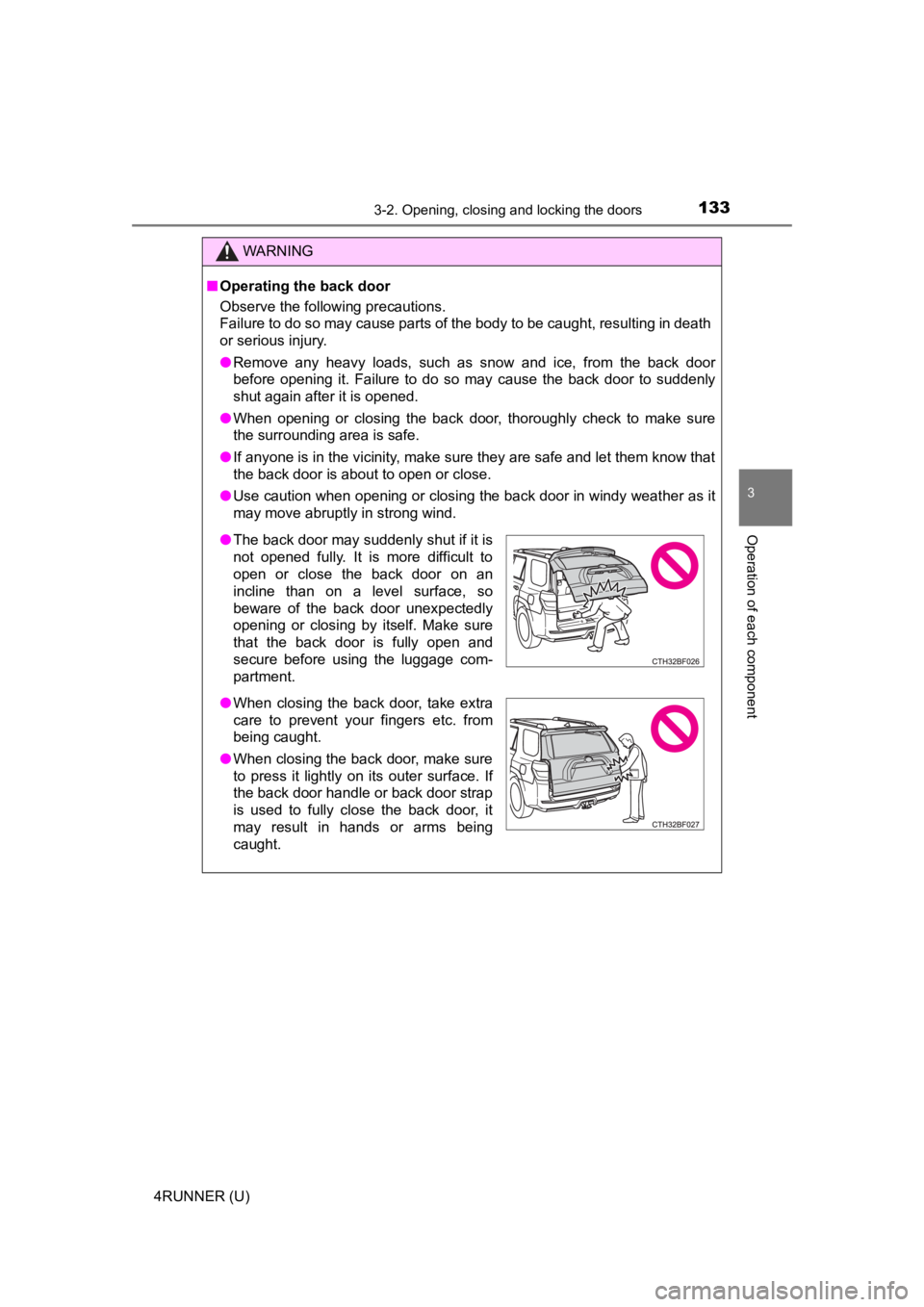
● The back door may suddenly shut if it is
not opened fully. It is more difficult to
open or close the back door on an
incline than on a level surface, so
beware of the back door unexpectedly
opening or closing by itself. Make sure
that the back door is fully open and
secure before using the luggage com-
partment.
● When closing the back door, take extra
care to prevent your fingers etc. from
being caught.
● When closing the back door, make sure
to press it lightly on its outer surface. If
the back door handle or back door strap
is used to fully close the back door, it
may result in hands or arms being
caught.