engine TOYOTA 4RUNNER 2023 Owners Manual
[x] Cancel search | Manufacturer: TOYOTA, Model Year: 2023, Model line: 4RUNNER, Model: TOYOTA 4RUNNER 2023Pages: 608, PDF Size: 11.8 MB
Page 283 of 608
2834-5. Using the driving support systems
4
Driving
4RUNNER (U)■
Situations in which the system may operate even if there is no possibil-
ity of a collision
In some situations, such as the following, the system may opera te even
though there is no possibility of a collision.
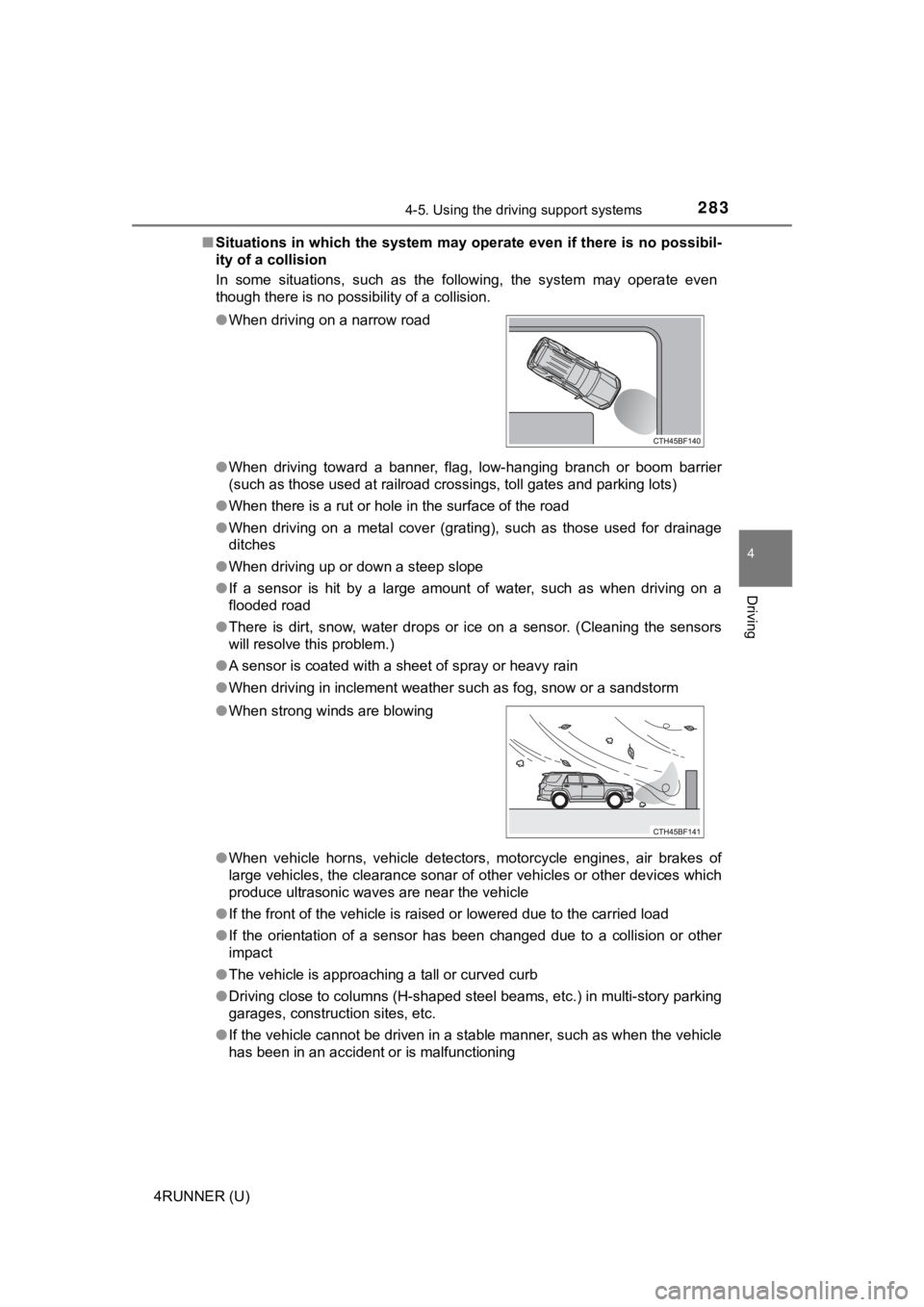
● When driving toward a banner, flag, low-hanging branch or boom barrier
(such as those used at railroad crossings, toll gates and parking lots)
● When there is a rut or hole in the surface of the road
● When driving on a metal cover (grating), such as those used for drainage
ditches
● When driving up or down a steep slope
● If a sensor is hit by a large amount of water, such as when dri ving on a
flooded road
● There is dirt, snow, water drops or ice on a sensor. (Cleaning the sensors
will resolve this problem.)
● A sensor is coated with a sheet of spray or heavy rain
● When driving in inclement weather such as fog, snow or a sandst orm
● When vehicle horns, vehicle detectors, motorcycle engines, air brakes of
large vehicles, the clearance sonar of other vehicles or other devices which
produce ultrasonic waves are near the vehicle
● If the front of the vehicle is raised or lowered due to the car ried load
● If the orientation of a sensor has been changed due to a collis ion or other
impact
● The vehicle is approaching a tall or curved curb
● Driving close to columns (H-shaped steel beams, etc.) in multi- story parking
garages, construction sites, etc.
● If the vehicle cannot be driven in a stable manner, such as whe n the vehicle
has been in an accident or is malfunctioning
●
When driving on a narrow road
● When strong winds are blowing
Page 286 of 608
2864-5. Using the driving support systems
4RUNNER (U)
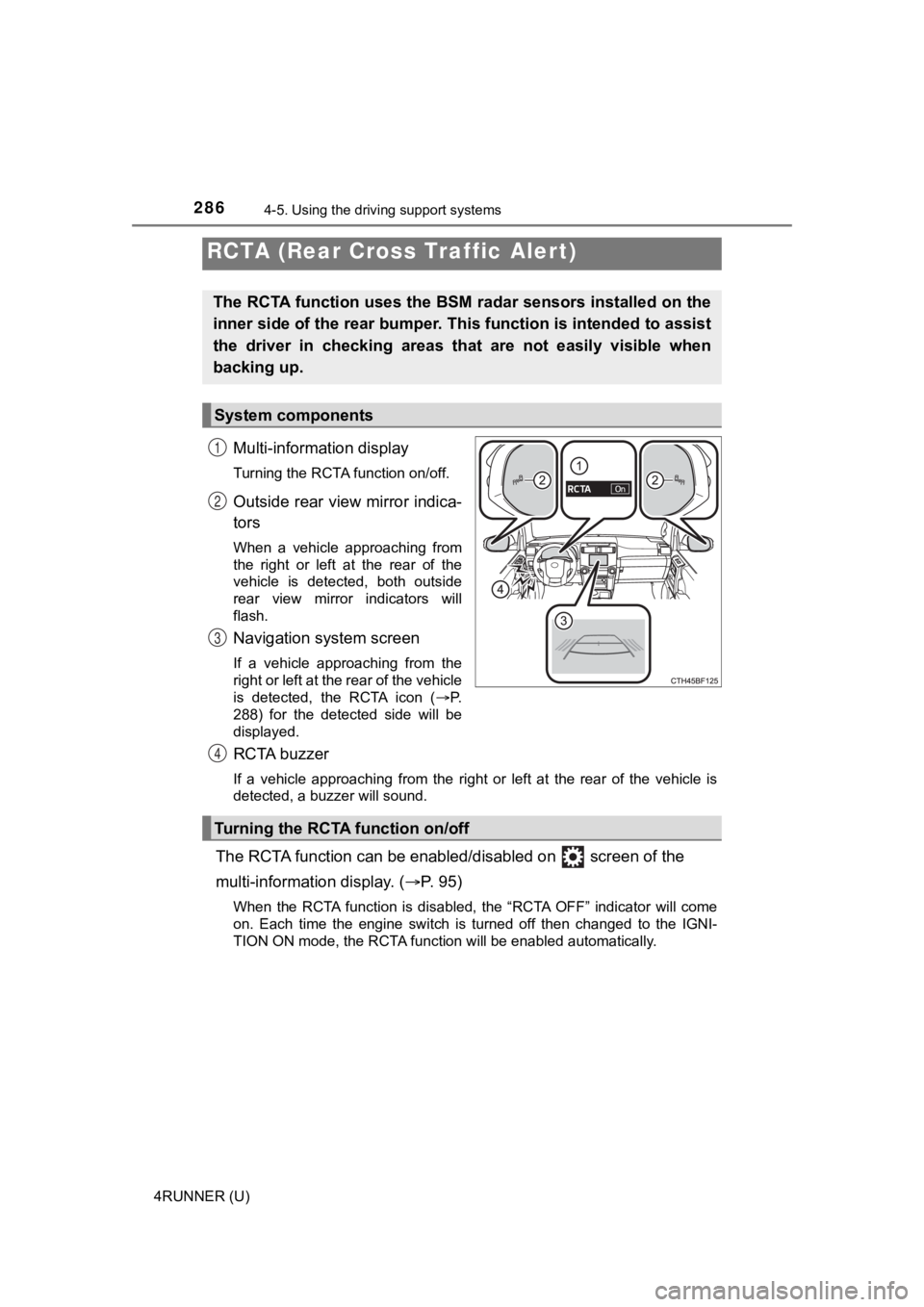
Multi-information display
Turning the RCTA function on/off.
Outside rear view mirror indica-
tors
When a vehicle approaching from
the right or left at the rear of the
vehicle is detected, both outside
rear view mirror indicators will
flash.
Navigation system screen
If a vehicle approaching from the
right or left at the rear of the vehicle
is detected, the RCTA icon ( P.
288) for the detected side will be
displayed.
RCTA buzzer
If a vehicle approaching from the right or left at the rear of the vehicle is
detected, a buzzer will sound.
The RCTA function can be enabl ed/disabled on screen of the
multi-information display. ( P. 9 5 )
When the RCTA function is disabled, the “RCTA OFF” indicator wi ll come
on. Each time the engine switch is turned off then changed to t he IGNI-
TION ON mode, the RCTA function will be enabled automatically.
RCTA (Rear Cross Traffic Alert)
The RCTA function uses the BSM radar sensors installed on the
inner side of the rear bumper. This function is intended to ass ist
the driver in checking areas that are not easily visible when
backing up.
System components
1
2
3
Turning the RCTA function on/off
4
Page 290 of 608
2904-5. Using the driving support systems
4RUNNER (U)
■The RCTA function is operational when
The RCTA function operates when all of the following conditions are met:
● The engine switch is in the IGNITION ON mode.
● The RCTA function is on.
● The shift lever is in R.
● The vehicle speed is less than approximately 9 mph (15 km/h).
● The approaching vehicle speed is between approximately 5 mph (8 km/h)
and 35 mph (56 km/h).
■ Muting a buzzer temporarily
A mute button will be displayed on the multi-information displa y when a vehi-
cle or an object is detected. To mute the buzzer, press. The bu zzers for the
RCTA function and Toyota parking assist-sensor will be muted si multane-
ously.
Mute will be automatically canceled in the following situations :
● When the shift position is changed.
● When there is a malfunction in a sensor or the system is temporarily
unavailable.
● When the function is disabled while it is operating.
● The engine switch is turned off.
■ Conditions under which the system will not detect a vehicle
The RCTA function is not designed to detect the following types of vehicles
and/or objects:
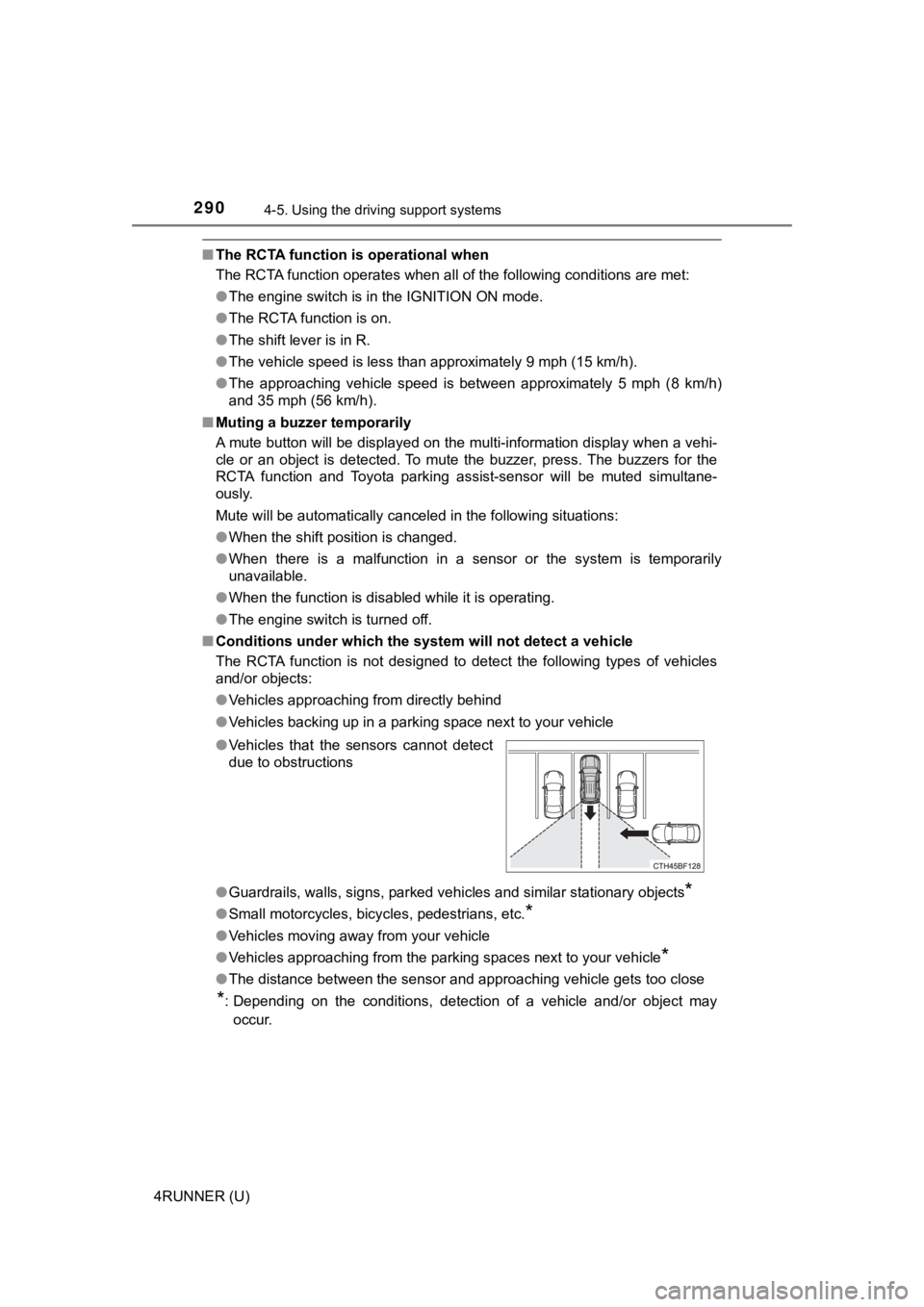
● Vehicles approaching from directly behind
● Vehicles backing up in a parking space next to your vehicle
● Guardrails, walls, signs, parked vehicles and similar stationar y objects
*
●Small motorcycles, bicycles, pedestrians, etc.*
●Vehicles moving away from your vehicle
● Vehicles approaching from the parking spaces next to your vehic le
*
●The distance between the sensor and approaching vehicle gets to o close
*: Depending on the conditions, detection of a vehicle and/or obj ect may
occur.
●
Vehicles that the sensors cannot detect
due to obstructions
Page 300 of 608
3004-5. Using the driving support systems
4RUNNER (U)■
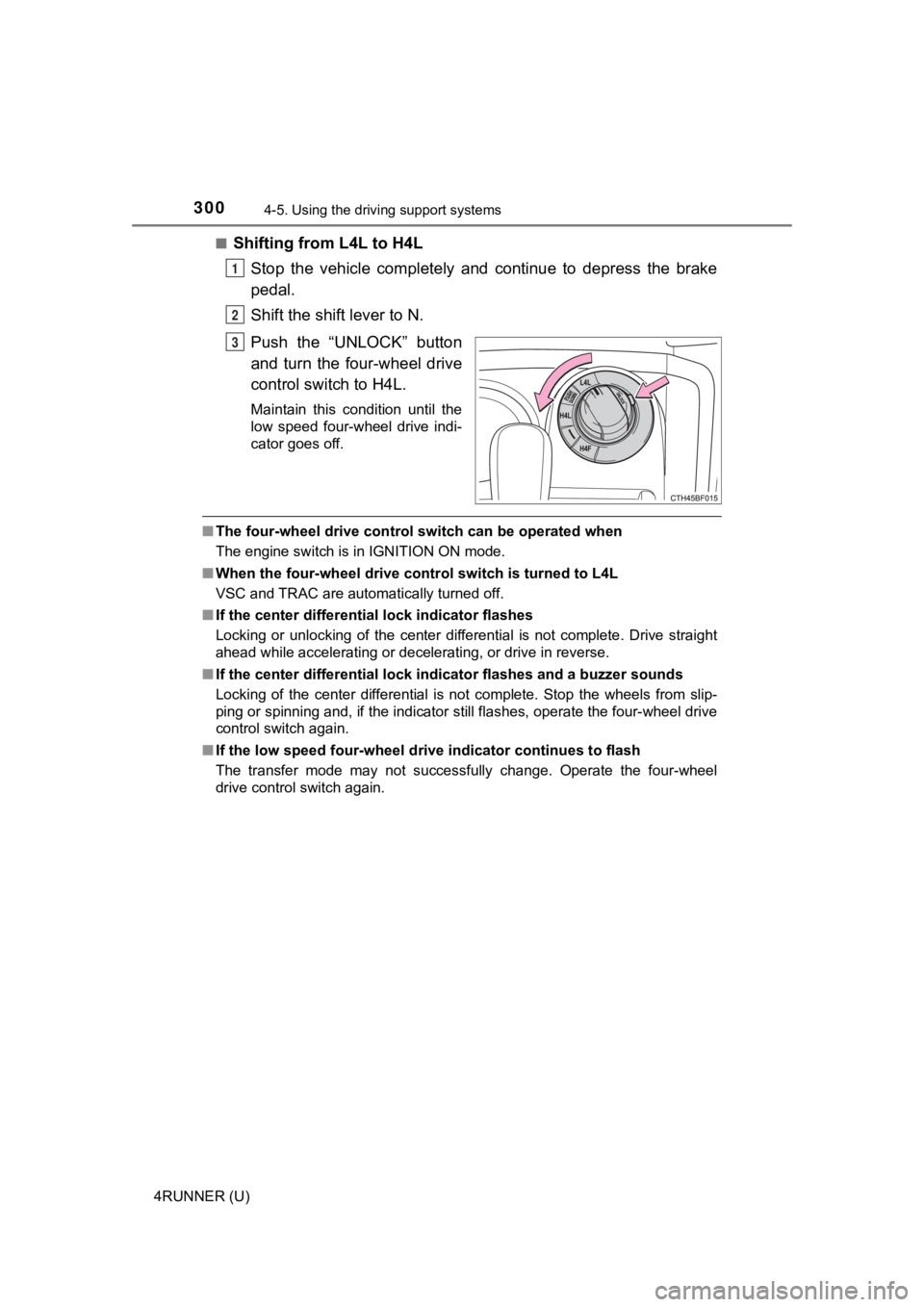
Shifting from L4L to H4L
Stop the vehicle completely and continue to depress the brake
pedal.
Shift the shift lever to N.
Push the “UNLOCK” button
and turn the four-wheel drive
control switch to H4L.
Maintain this condition until the
low speed four-wheel drive indi-
cator goes off.
■The four-wheel drive control sw itch can be operated when
The engine switch is in IGNITION ON mode.
■ When the four-wheel d rive control switch is turned to L4L
VSC and TRAC are automatically turned off.
■ If the center differential lock indicator flashes
Locking or unlocking of the center differential is not complete . Drive straight
ahead while accelerating or decelerating, or drive in reverse.
■ If the center differential lock indicator flashes and a buzzer sounds
Locking of the center differential is not complete. Stop the wh eels from slip-
ping or spinning and, if the indicator still flashes, operate the four-wheel drive
control switch again.
■ If the low speed four-wheel dri ve indicator continues to flash
The transfer mode may not successfully change. Operate the four -wheel
drive control switch again.
1
2
3
Page 303 of 608
3034-5. Using the driving support systems
4
Driving
4RUNNER (U)
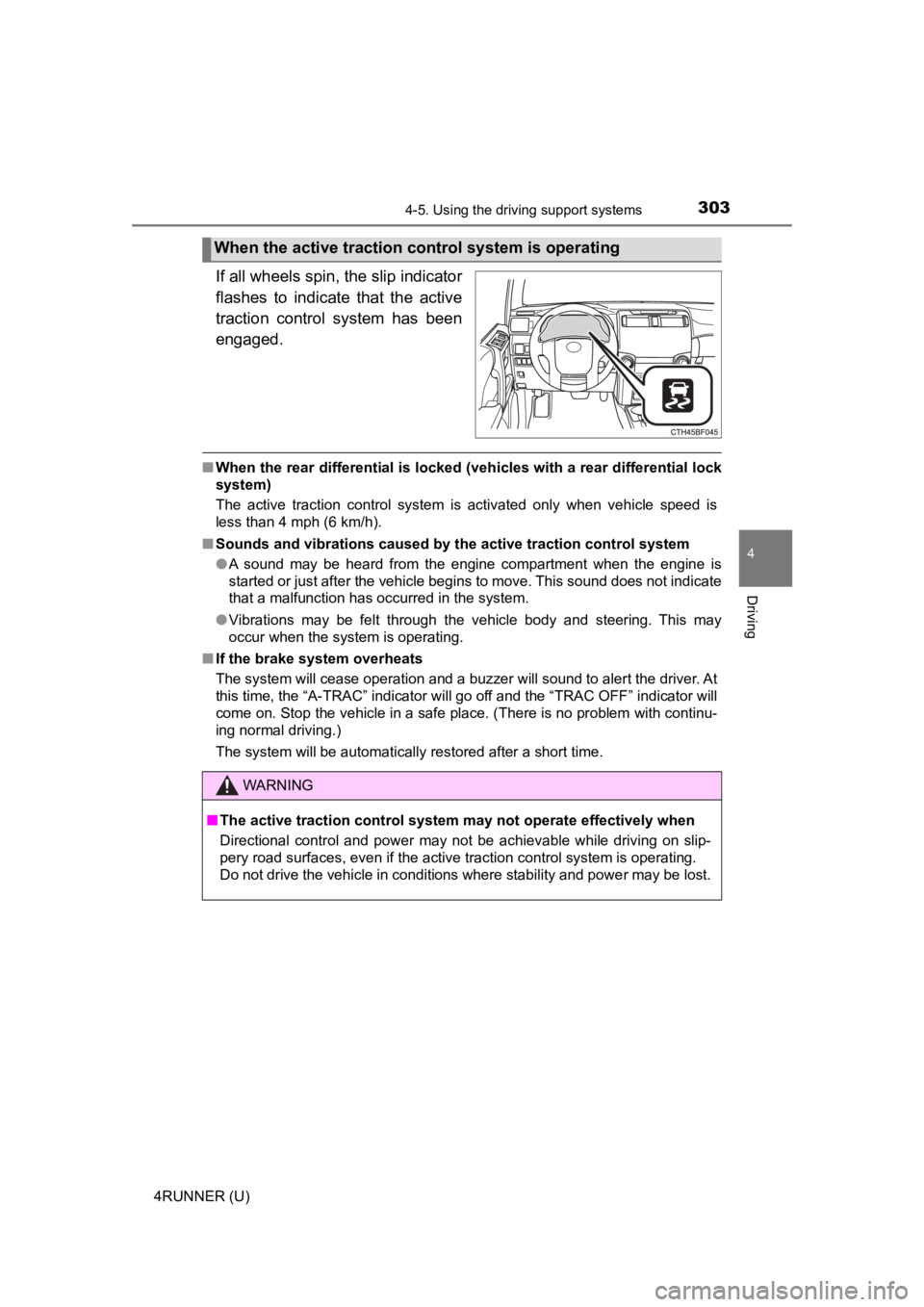
If all wheels spin, the slip indicator
flashes to indicate that the active
traction control system has been
engaged.
■When the rear differential is locked (vehicles with a rear differential lock
system)
The active traction control system is activated only when vehicle speed is
less than 4 mph (6 km/h).
■ Sounds and vibrations caused by the active traction control sys tem
● A sound may be heard from the engine compartment when the engine is
started or just after the vehicle begins to move. This sound do es not indicate
that a malfunction has occurred in the system.
● Vibrations may be felt through the vehicle body and steering. T his may
occur when the system is operating.
■ If the brake system overheats
The system will cease operation and a buzzer will sound to alert the driver. At
this time, the “A-TRAC” indicator will go off and the “TRAC OFF ” indicator will
come on. Stop the vehicle in a safe place. (There is no problem with continu-
ing normal driving.)
The system will be automatically restored after a short time.
When the active traction co ntrol system is operating
WARNING
■The active traction control system may not operate effectively when
Directional control and power may not be achievable while driving on slip-
pery road surfaces, even if the active traction control system is operating.
Do not drive the vehicle in conditions where stability and powe r may be lost.
Page 304 of 608
3044-5. Using the driving support systems
4RUNNER (U)
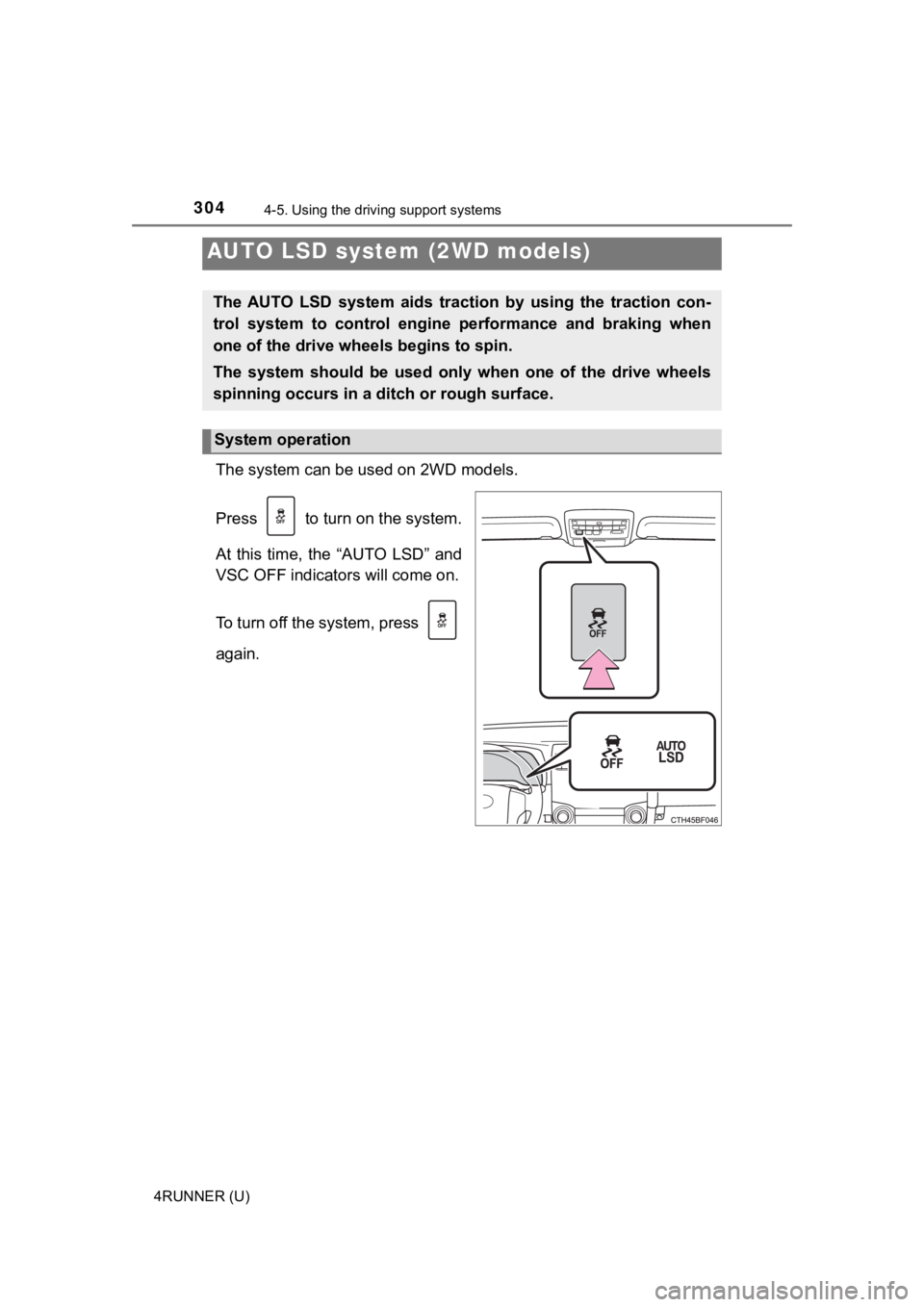
The system can be used on 2WD models.
Press to turn on the system.
At this time, the “AUTO LSD” and
VSC OFF indicators will come on.
To turn off the system, press
again.
AUTO LSD system (2WD models)
The AUTO LSD system aids trac tion by using the traction con-
trol system to control engine performance and braking when
one of the drive wheels begins to spin.
The system should be used only when one of the drive wheels
spinning occurs in a ditch or rough surface.
System operation
Page 305 of 608
3054-5. Using the driving support systems
4
Driving
4RUNNER (U)
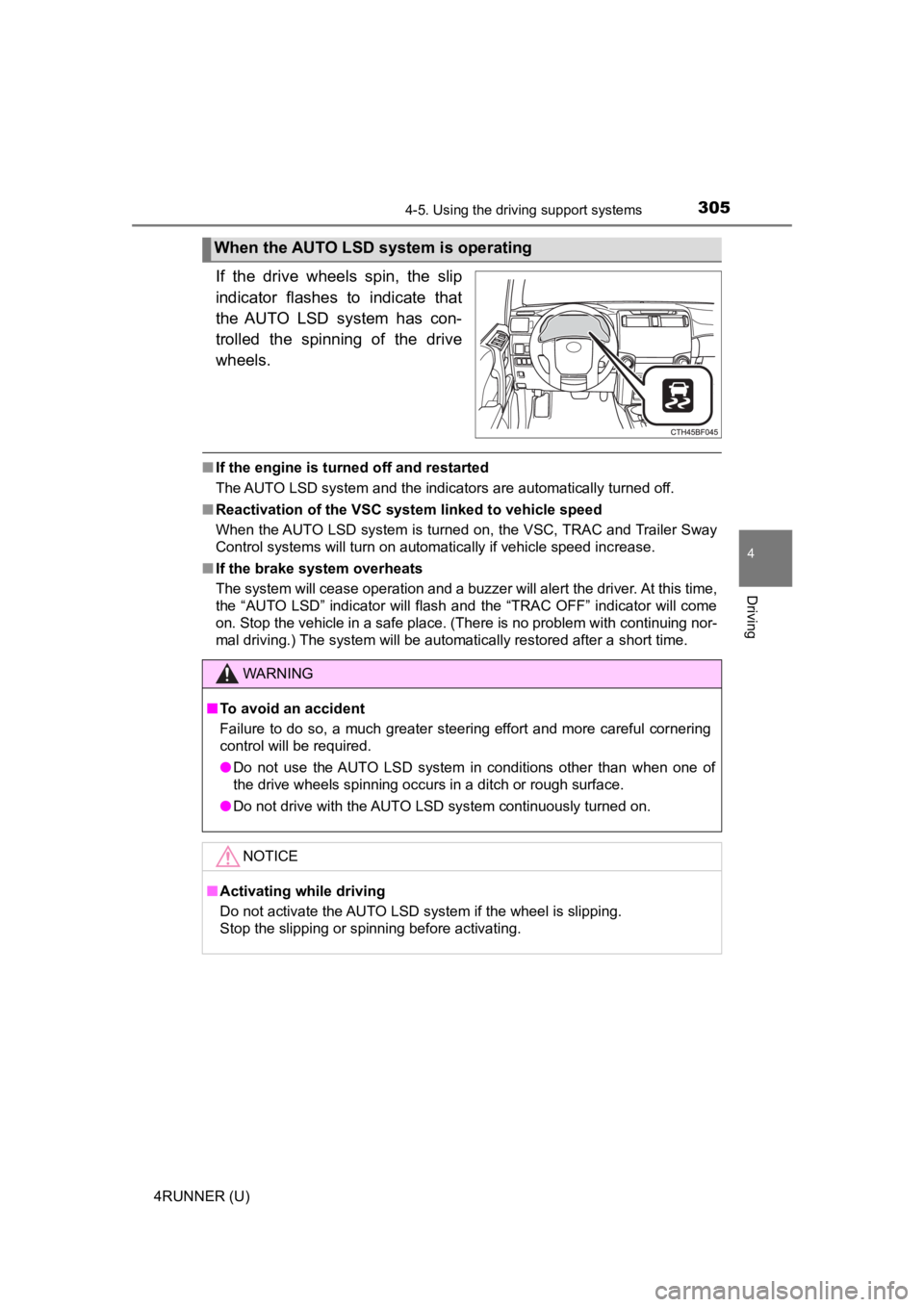
If the drive wheels spin, the slip
indicator flashes to indicate that
the AUTO LSD system has con-
trolled the spinning of the drive
wheels.
■If the engine is turned off and restarted
The AUTO LSD system and the indicators are automatically turned off.
■ Reactivation of the VSC system linked to vehicle speed
When the AUTO LSD system is turned on, the VSC, TRAC and Traile r Sway
Control systems will turn on automatically if vehicle speed inc rease.
■ If the brake system overheats
The system will cease operation and a buzzer will alert the driver. At this time,
the “AUTO LSD” indicator will flash and the “TRAC OFF” indicator will come
on. Stop the vehicle in a safe place. (There is no problem with continuing nor-
mal driving.) The system will be automatically restored after a short time.
When the AUTO LSD system is operating
WARNING
■To avoid an accident
Failure to do so, a much greater steering effort and more careful cornering
control will be required.
● Do not use the AUTO LSD system in conditions other than when on e of
the drive wheels spinning occurs in a ditch or rough surface.
● Do not drive with the AUTO LSD system continuously turned on.
NOTICE
■Activating while driving
Do not activate the AUTO LSD system if the wheel is slipping.
Stop the slipping or spinning before activating.
Page 311 of 608
3114-5. Using the driving support systems
4
Driving
4RUNNER (U)■
Sounds and vibrations caused b y the downhill assist control system
● A sound may be heard from the engine compartment when the engine is
started or just after the vehicle begins to move. This sound do es not indicate
that a malfunction has occurred in downhill assist control syst em.
● Either of the following conditions may occur when the downhill assist control
system is operating. None of these are indicators that a malfunction has
occurred.
• Vibrations may be felt through the vehicle body and steering.
• A motor sound may be heard after the vehicle comes to a stop.
■ System malfunction
In the following cases, have your vehicle checked by your Toyota dealer.
●The downhill assist control system indicator does not come on w hen the
engine switch is turned to IGNITION ON mode.
● The downhill assist control system indicator does not come on w hen the
“DAC” switch is pressed.
● The slip indicator comes on.
WARNING
■When using downhill assist control system
Do not rely overmuch on the downhill assist control system. Thi s function
does not extend the vehicle’s performance limitations. Always t horoughly
check the road conditions, and drive safely.
■ The system may not operate on the following surfaces, which may lead
to an accident causing death or serious injury
● Slippery surfaces such as wet or muddy roads
● Icy surface
● Unpaved roads
Page 313 of 608

3134-5. Using the driving support systems
4
Driving
4RUNNER (U)■
Speed modes
The following table shows
some typical terrains and the
recommended speed modes.
■
Crawl Control can be operated when
●The engine is running.
● The shift lever is in any position other than P or N.
● The front-wheel drive control lever or switch is in L4.
● The driver’s door is closed.
■ Crawl Control is temporarily canceled when
Vehicle speed exceeds 15 mph (25 km/h). The Crawl Control indic ator
flashes until the vehicle speed is reduced.
ModeRoad condition
L (Low)Rock, mogul (downhill) and gravel
(downhill)
Between L and M
Mogul (uphill)
M (Medium)
Snow, mud, gravel (uphill), sand, dirt,
mogul (uphill) and grassBetween M and H
H (High)
1
2
3
4
5
Page 314 of 608
3144-5. Using the driving support systems
4RUNNER (U)■
Automatic system cancelation
In the following situations, the system will cease operation an d a buzzer will
sound to alert the driver. The Cr awl Control indicator will flash until the system
is turned off completely.
● When the shift lever is shifted to P or N
● When the front-wheel drive control lever or switch is shifted to H4
● When the driver’s door is opened
● When the system is malfunctioning
● When the brake system overheats
Stop the vehicle in a safe place. (There is no problem with continuing normal
driving.)
● When the automatic transmission system overheats
Stop the vehicle in a safe place until the automatic transmission fluid tem-
perature warning light goes off.
■ Sounds and vibrations caused by the Crawl Control system
● A sound may be heard from the engine compartment when the engine is
started or just after the vehicle begins to move. This sound do es not indicate
that a malfunction has occurred in Crawl Control system.
● Either of the following conditions may occur when the Crawl Control system
is operating. None of these indicates that a malfunction has occurred.
• Vibrations may be felt through the vehicle body and steering.
• A motor sound may be heard after the vehicle comes to a stop.
■ When there is a malfunction in the system
Warning lights and/or warning messages will turn on. ( P. 477, 488)
WARNING
■When using Crawl Control
● Do not overly rely on Crawl Control. This function does not ext end the
vehicle’s performance limitations. Always check the terrain tho roughly and
drive safely.
● The recommended speed modes for the listed terrains ( P. 313) are only
a reference. The selected mode may not be suitable to actual off-road con-
ditions due to factors such as the type or unevenness of the te rrain or the
degree of incline. Check the actual terrain thoroughly and drive safely.
● After activating Crawl Control, make sure that the Crawl Control indicator
comes on. If the indicator flashes, the vehicle is not under system control.
■ Conditions under which the syst em may not operate correctly
When driving on the following surfaces, the system may not be able to
maintain a fixed low speed, which may result in an accident:
● Extremely steep inclines
● Extremely uneven surfaces
● Snow-covered roads, or other slippery surfaces