charging TOYOTA 4RUNNER 2023 User Guide
[x] Cancel search | Manufacturer: TOYOTA, Model Year: 2023, Model line: 4RUNNER, Model: TOYOTA 4RUNNER 2023Pages: 608, PDF Size: 11.8 MB
Page 385 of 608
3855-4. Other interior features
5
Interior features
4RUNNER (U)
NOTICE
■To prevent damage to the USB charging ports
● Do not insert foreign objects into the ports.
● Do not spill water or other liquids into the ports.
● When the USB charging ports are not in use, close the lids. If a foreign
object or liquid enters a port may cause a short circuit.
● Do not apply excessive force to or impact the USB charging ports.
● Do not disassemble or modify the USB charging ports.
■ To prevent damage to external devices
● Do not leave external devices in the vehicle. The temperature i nside the
vehicle may become high, resulting in damage to an external device.
● Do not push down on or apply unnecessary force to an external device or
the cable of an external device while it is connected.
■ To prevent battery discharge
Do not use the USB charging ports for a long period of time wit h the engine
stopped.
Page 422 of 608
4226-3. Do-it-yourself maintenance
4RUNNER (U)
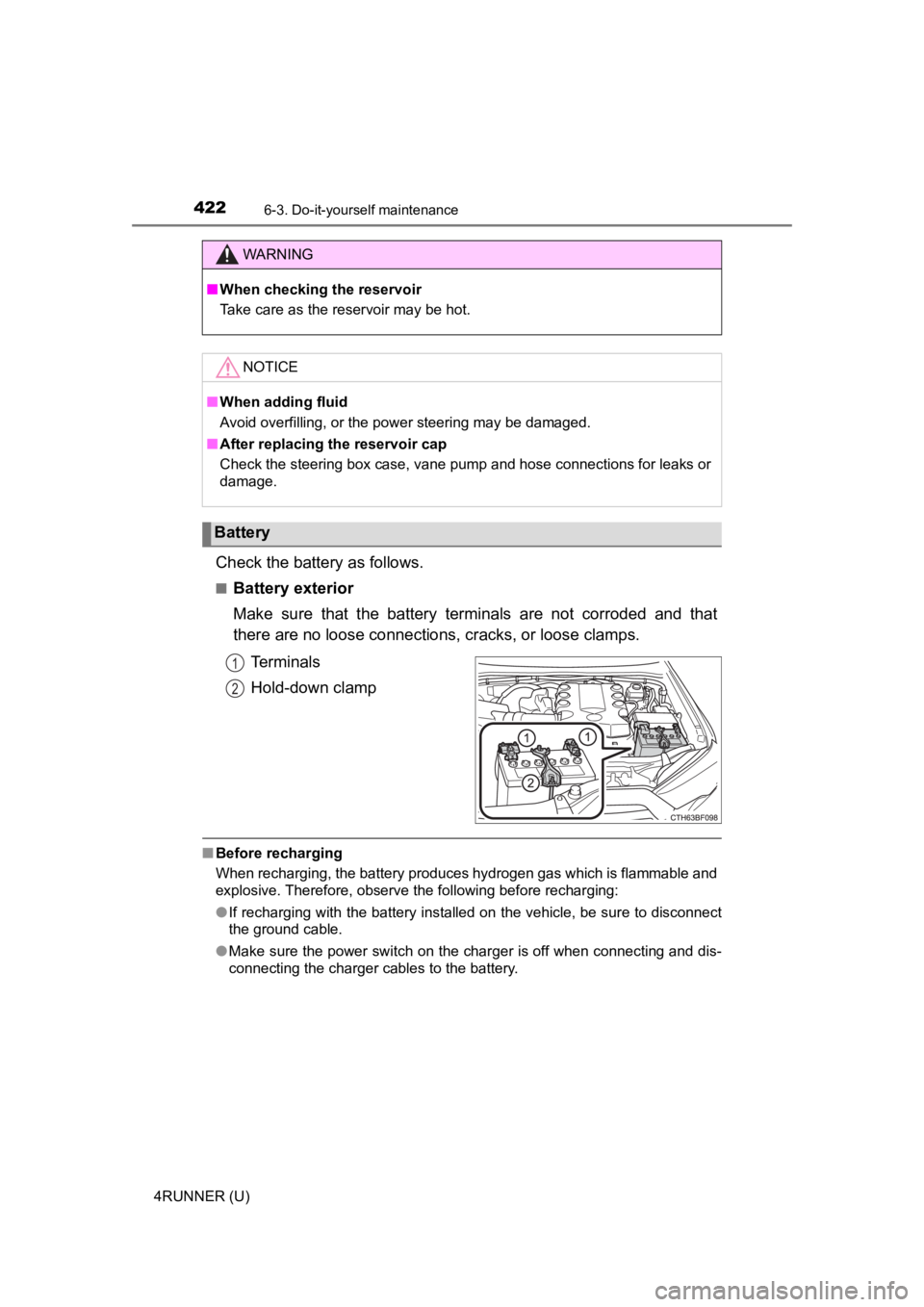
Check the battery as follows.
■Battery exterior
Make sure that the battery terminals are not corroded and that
there are no loose connections, cracks, or loose clamps.Terminals
Hold-down clamp
■Before recharging
When recharging, the battery produces hydrogen gas which is fla mmable and
explosive. Therefore, observe the following before recharging:
● If recharging with the battery installed on the vehicle, be sur e to disconnect
the ground cable.
● Make sure the power switch on the charger is off when connectin g and dis-
connecting the charger cables to the battery.
WARNING
■ When checking the reservoir
Take care as the reservoir may be hot.
NOTICE
■When adding fluid
Avoid overfilling, or the power steering may be damaged.
■ After replacing the reservoir cap
Check the steering box case, vane pump and hose connections for leaks or
damage.
Battery
1
2
Page 423 of 608
4236-3. Do-it-yourself maintenance
6
Maintenance and care
4RUNNER (U)■
After recharging/reco nnecting the battery
The engine may not start. Follow the procedure below to initialize the system.
Shift the shift lever to P.
Open and close any of the doors.
Restart the engine.
● Unlocking the doors using the smart key system may not be possible imme-
diately after reconnecting the battery. If this happens, use the wireless
remote control or the mechanical key to lock/unlock the doors.
● Start the engine with the engine switch in ACCESSORY mode. The engine
may not start when the engine switch turned from off. However, the engine
will operate normally from the second attempt.
● The engine switch mode is recorded by the vehicle. If the battery is recon-
nected, the vehicle will return the engine switch mode to the s tatus it was in
before the battery was disconnected. Make sure to turn off the engine
before disconnect the battery. Take extra care when connecting the battery
if the engine switch mode prior to discharge is unknown.
If the system will not start even after multiple attempts, contact your Toyota
dealer.
WARNING
■ Chemicals in the battery
Batteries contain poisonous and corrosive sulfuric acid and may produce
hydrogen gas which is flammable and explosive. To reduce the ri sk of death
or serious injury, take the following precautions while working on or near the
battery:
● Do not cause sparks by touching the battery terminals with tools.
● Do not smoke or light a match near the battery.
● Avoid contact with eyes, skin and clothes.
● Never inhale or swallow electrolyte.
● Wear protective safety glasses when working near the battery.
● Keep children away from the battery.
1
2
3
Page 424 of 608
4246-3. Do-it-yourself maintenance
4RUNNER (U)
WARNING
■Where to safely charge the battery
Always charge the battery in an open area. Do not charge the battery in a
garage or closed room where there is insufficient ventilation.
■ How to recharge the battery
Only perform a slow charge (5 A or less). The battery may explo de if
charged at a quicker rate.
■ Emergency measures regarding electrolyte
● If electrolyte gets in your eyes
Flush your eyes with clean water for at least 15 minutes and ge t immedi-
ate medical attention. If possible, continue to apply water wit h a sponge or
cloth while traveling to the nearest medical facility.
● If electrolyte gets on your skin
Wash the affected area thoroughly. If you feel pain or burning, get medical
attention immediately.
● If electrolyte gets on your clothes
It can soak through clothing on to your skin. Immediately take off the cloth-
ing and follow the procedure above if necessary.
● If you accidentally swallow electrolyte
Drink a large quantity of water or milk. Get emergency medical attention
immediately.
NOTICE
■When recharging the battery
Never recharge the battery while the engine is running. Also, be sure all
accessories are turned off.
Page 477 of 608
4777-2. Steps to take in an emergency
7
When trouble arises
4RUNNER (U)
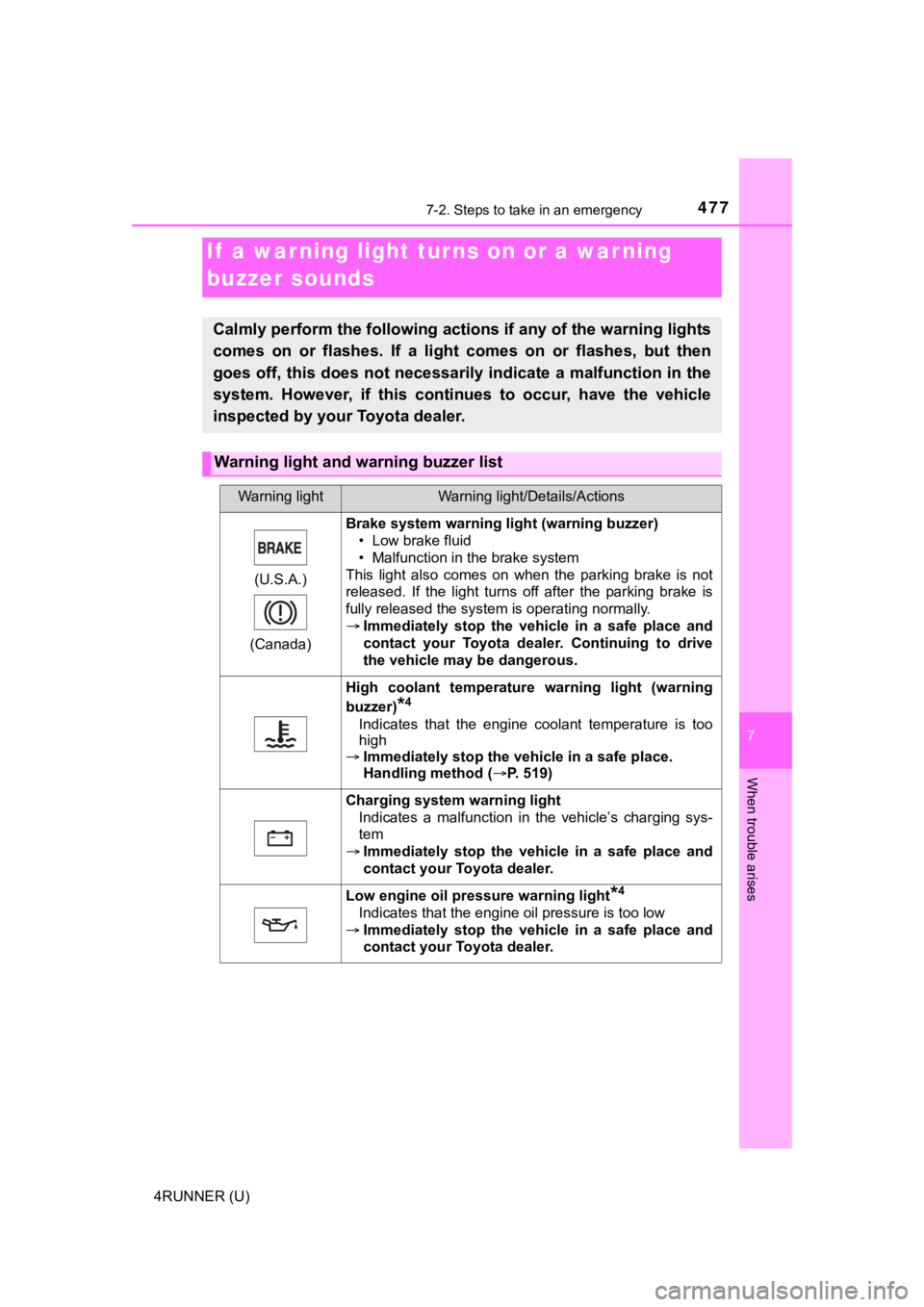
If a warning light turns on or a war ning
buzzer sounds
Calmly perform the following actions if any of the warning ligh ts
comes on or flashes. If a light comes on or flashes, but then
goes off, this does not necessarily indicate a malfunction in the
system. However, if this continues to occur, have the vehicle
inspected by your Toyota dealer.
Warning light and w arning buzzer list
Warning lightWarning light/Details/Actions
(U.S.A.)
(Canada)
Brake system warning li ght (warning buzzer)
• Low brake fluid
• Malfunction in the brake system
This light also comes on when the parking brake is not
released. If the light turns off after the parking brake is
fully released the system is operating normally.
Immediately stop the vehicle in a safe place and
contact your Toyota dealer. Continuing to drive
the vehicle may be dangerous.
High coolant temperature warning light (warning
buzzer)
*4
Indicates that the engine coolant temperature is too
high
Immediately stop the vehicle in a safe place.
Handling method ( P. 519)
Charging system warning light
Indicates a malfunction in the vehicle’s charging sys-
tem
Immediately stop the vehicle in a safe place and
contact your Toyota dealer.
Low engine oil pressure warning light*4
Indicates that the engine oil pressure is too low
Immediately stop the vehicle in a safe place and
contact your Toyota dealer.
Page 517 of 608
5177-2. Steps to take in an emergency
7
When trouble arises
4RUNNER (U)
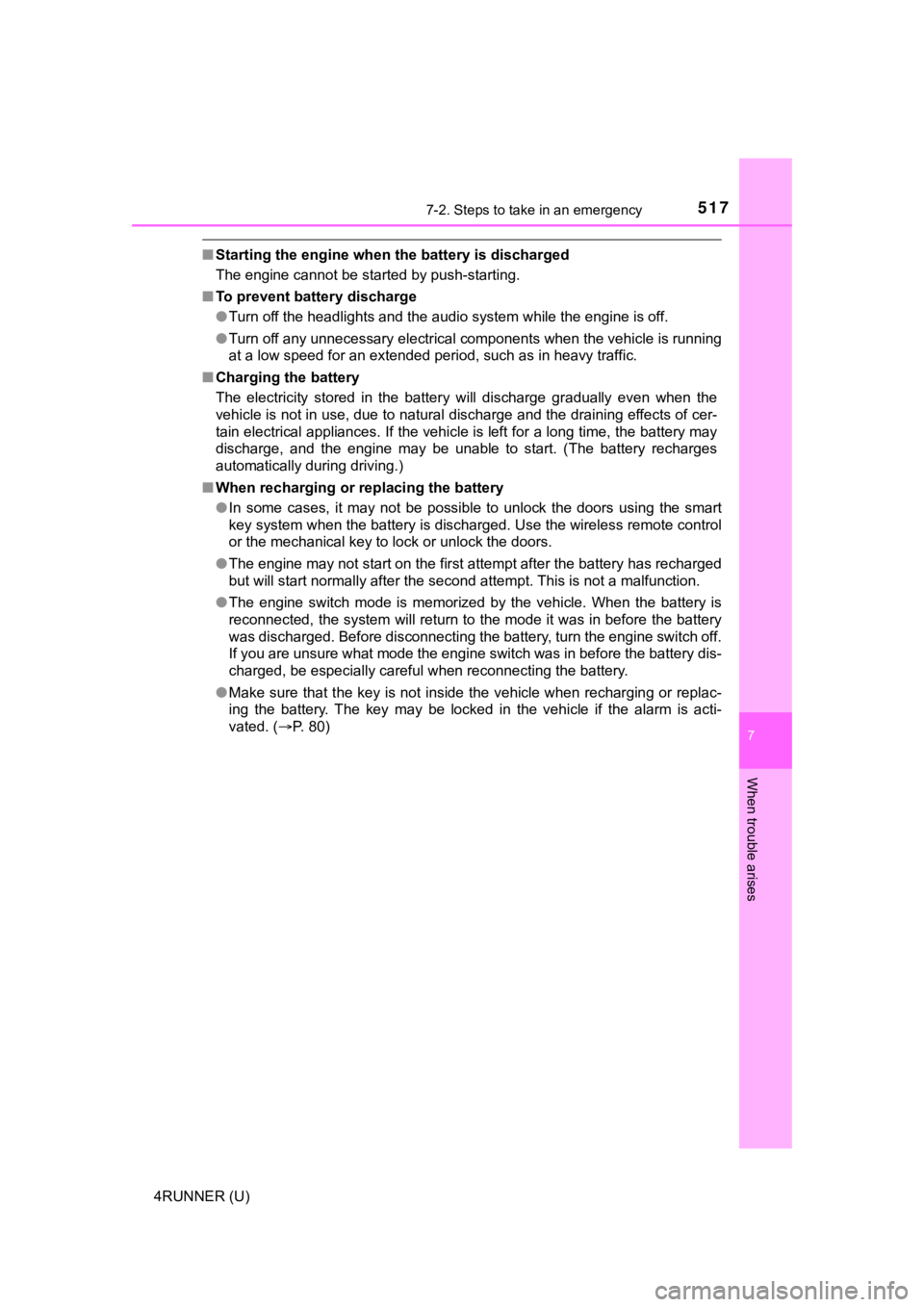
■Starting the engine when t he battery is discharged
The engine cannot be started by push-starting.
■ To prevent battery discharge
●Turn off the headlights and the audio system while the engine is off.
● Turn off any unnecessary electrical components when the vehicle is running
at a low speed for an extended period, such as in heavy traffic .
■ Charging the battery
The electricity stored in the battery will discharge gradually even when the
vehicle is not in use, due to natural discharge and the draining effects of cer-
tain electrical appliances. If the vehicle is left for a long t ime, the battery may
discharge, and the engine may be unable to start. (The battery recharges
automatically during driving.)
■ When recharging or replacing the battery
●In some cases, it may not be possible to unlock the doors using the smart
key system when the battery is discharged. Use the wireless rem ote control
or the mechanical key to lock or unlock the doors.
● The engine may not start on the first attempt after the battery has recharged
but will start normally after the second attempt. This is not a malfunction.
● The engine switch mode is memorized by the vehicle. When the ba ttery is
reconnected, the system will return to the mode it was in befor e the battery
was discharged. Before disconnecting the battery, turn the engine switch off.
If you are unsure what mode the engine switch was in before the battery dis-
charged, be especially careful when reconnecting the battery.
● Make sure that the key is not inside the vehicle when rechargin g or replac-
ing the battery. The key may be locked in the vehicle if the al arm is acti-
vated. ( P. 80)
Page 529 of 608
5298-1. Specifications
8
Vehicle specifications
4RUNNER (U)
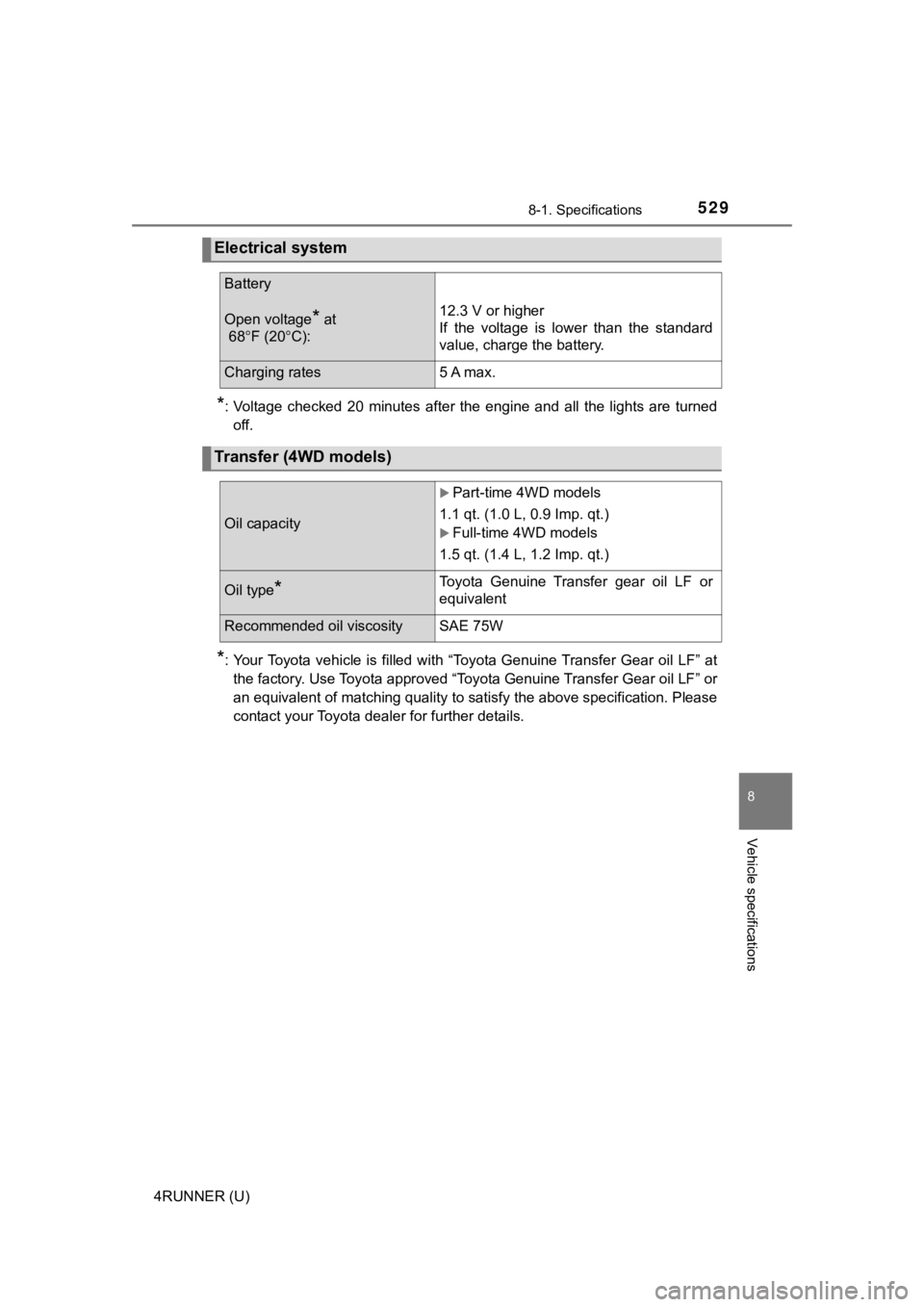
*: Voltage checked 20 minutes after the engine and all the lights are turned
off.
*: Your Toyota vehicle is filled with “Toyota Genuine Transfer Ge ar oil LF” at
the factory. Use Toyota approved “Toyota Genuine Transfer Gear oil LF” or
an equivalent of matching quality to satisfy the above specific ation. Please
contact your Toyota dealer for further details.
Electrical system
Battery
Open voltage* at
68 F (20 C):12.3 V or higher
If the voltage is lower than the standard
value, charge the battery.
Charging rates5 A max.
Transfer (4WD models)
Oil capacity
Part-time 4WD models
1.1 qt. (1.0 L, 0.9 Imp. qt.)
Full-time 4WD models
1.5 qt. (1.4 L, 1.2 Imp. qt.)
Oil type*Toyota Genuine Transfer gear oil LF or
equivalent
Recommended oil viscositySAE 75W
Page 594 of 608
594Alphabetical index
4RUNNER (U)
TRAC (Traction Control) ......... 322
Trailer Sway Control................ 322
Transmission ........................... 205
Trip information ......................... 88
Trip meters ................................. 88
Turn signal lights..................... 210Replacing light bulbs..... 456, 460
Turn signal lever ................... 210
Wattage ................................ 533
USB port
*
Valet key ................................... 102
Vanity lights ............................. 375 Wattage ................................ 533
Vanity mirrors .......................... 375
Vehicle data recordings .............. 9
Vehicle identification number ................................... 525
Vehicle Stability Control (VSC) ...................................... 322
Ventilators
(seat ventilators) ................... 357
VSC (Vehicle Stability Control) .... 322 Warning buzzers
Brake system ....... ................. 477
Downshifting ......................... 208
Intuitive parking assist .......... 277
Lane departure alert function............................... 250
Open door............................. 479
Open moon roof reminder .... 483
Pre-collision warning ............ 239
Seat belt reminder ................ 480
Warning lights ........................... 83 ABS ...................................... 478
Automatic running boards indicator light ...................... 479
Brake override system .......... 480
Brake system ....... ................. 477
Center differential lock indicator light ...................... 479
Charging system................... 477
Drive-Start Control ................ 480
Four-wheel drive indicator light ...................... 479
KDSS .................................... 479
LDA indicator ........................ 481
Low engine oil pressure........ 477
Low fuel level ........................ 480
Low speed four-wheel drive indicator light ...................... 479
Malfunction indicator lamp .... 478
Master warning light ..... 481, 488
Multi-terrain Select indicator light ...................... 479
Open door............................. 479
PCS ...................................... 481
Power steering...................... 479
Rear differential lock indicator light ...................... 478
Seat belt reminder light......... 480
U
V
W