change time TOYOTA 4RUNNER 2023 Owner's Manual
[x] Cancel search | Manufacturer: TOYOTA, Model Year: 2023, Model line: 4RUNNER, Model: TOYOTA 4RUNNER 2023Pages: 608, PDF Size: 11.8 MB
Page 513 of 608
5137-2. Steps to take in an emergency
7
When trouble arises
4RUNNER (U)
Ensure that the shift lever is in P and depress the brake pedal.
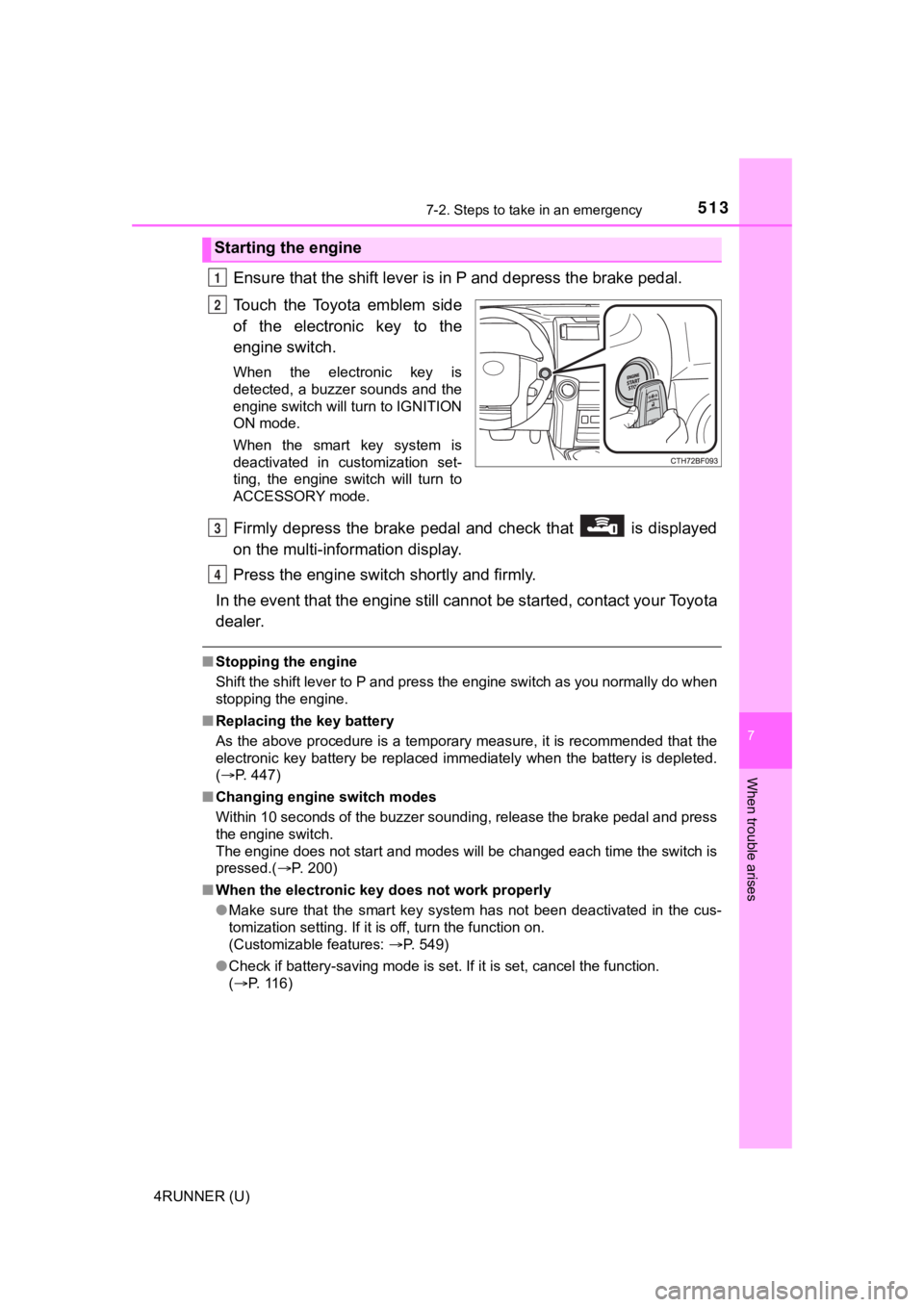
Touch the Toyota emblem side
of the electronic key to the
engine switch.
When the electronic key is
detected, a buzzer sounds and the
engine switch will turn to IGNITION
ON mode.
When the smart key system is
deactivated in customization set-
ting, the engine switch will turn to
ACCESSORY mode.
Firmly depress the brake pedal and check that is displayed
on the multi-information display.
Press the engine switch shortly and firmly.
In the event that the engine still cannot be started, contact your Toyota
dealer.
■ Stopping the engine
Shift the shift lever to P and press the engine switch as you normally do when
stopping the engine.
■ Replacing the key battery
As the above procedure is a temporary measure, it is recommende d that the
electronic key battery be replaced immediately when the battery is depleted.
( P. 447)
■ Changing engine switch modes
Within 10 seconds of the buzzer sounding, release the brake ped al and press
the engine switch.
The engine does not start and modes will be changed each time t he switch is
pressed.( P. 200)
■ When the electronic key does not work properly
●Make sure that the smart key system has not been deactivated in the cus-
tomization setting. If it is off, turn the function on.
(Customizable features: P. 549)
● Check if battery-saving mode is set. If it is set, cancel the f unction.
( P. 116)
Starting the engine
1
2
3
4
Page 549 of 608
549
8
Vehicle specifications
4RUNNER (U)
8-2. Customization
When customizing vehicle features, ensure that the vehicle is parked
in a safe place with the shift le ver in P and the parking brake set.
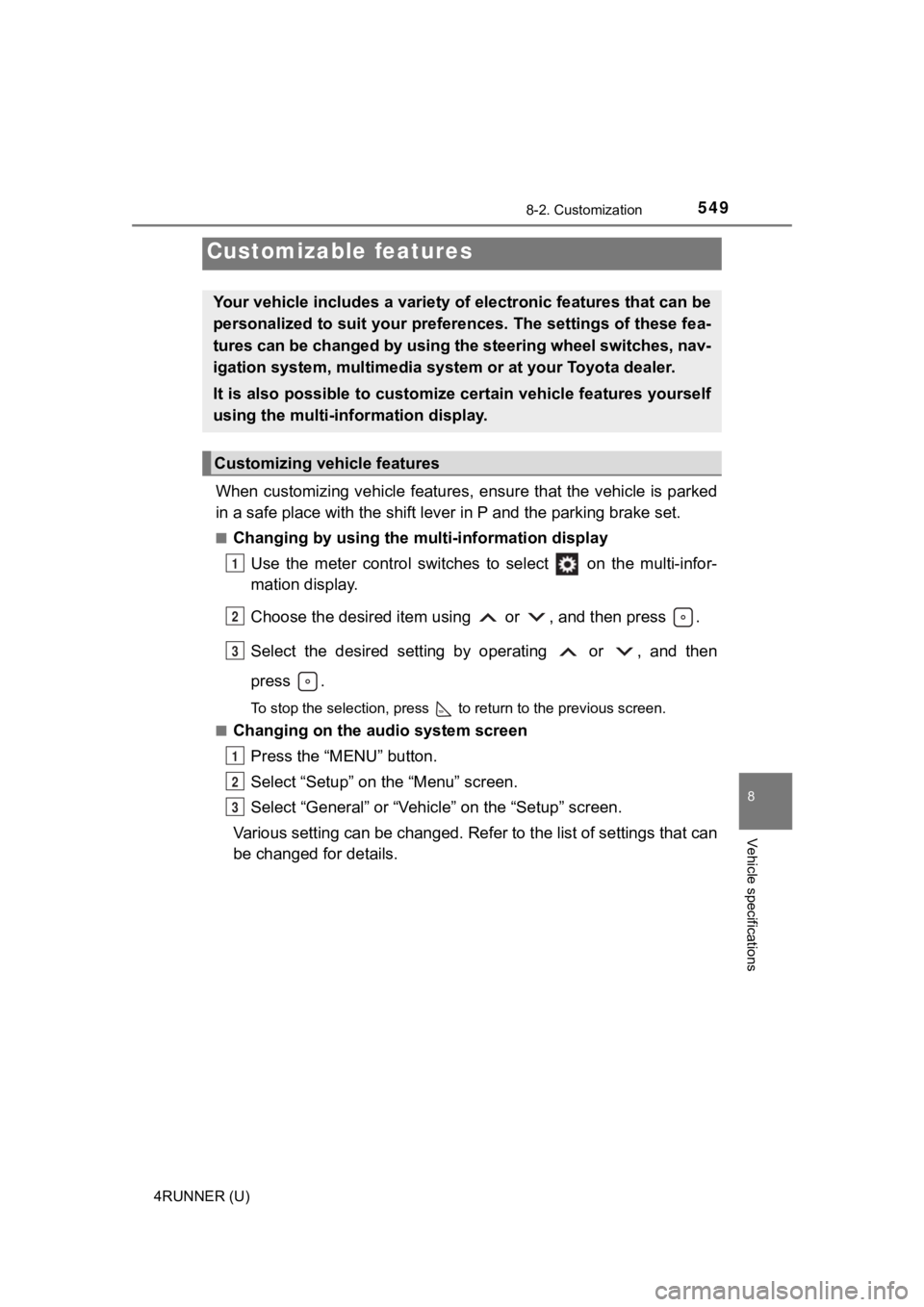
■Changing by using the multi-information display
Use the meter control switches to select on the multi-infor-
mation display.
Choose the desired item usi ng or , and then press .
Select the desired setting by operating or , and then
press .
To stop the selection, press to return to the previous screen.
■
Changing on the audio system screen
Press the “MENU” button.
Select “Setup” on the “Menu” screen.
Select “General” or “Vehicle” on the “Setup” screen.
Various setting can be changed. Refer to the list of settings t hat can
be changed for details.
Customizable features
Your vehicle includes a variety of electronic features that can be
personalized to suit your preferences. The settings of these fe a-
tures can be changed by using the steering wheel switches, nav-
igation system, multimedia syste m or at your Toyota dealer.
It is also possible to customize certain vehicle features yours elf
using the multi-information display.
Customizing vehicle features
1
2
3
1
2
3
Page 550 of 608
5508-2. Customization
4RUNNER (U)
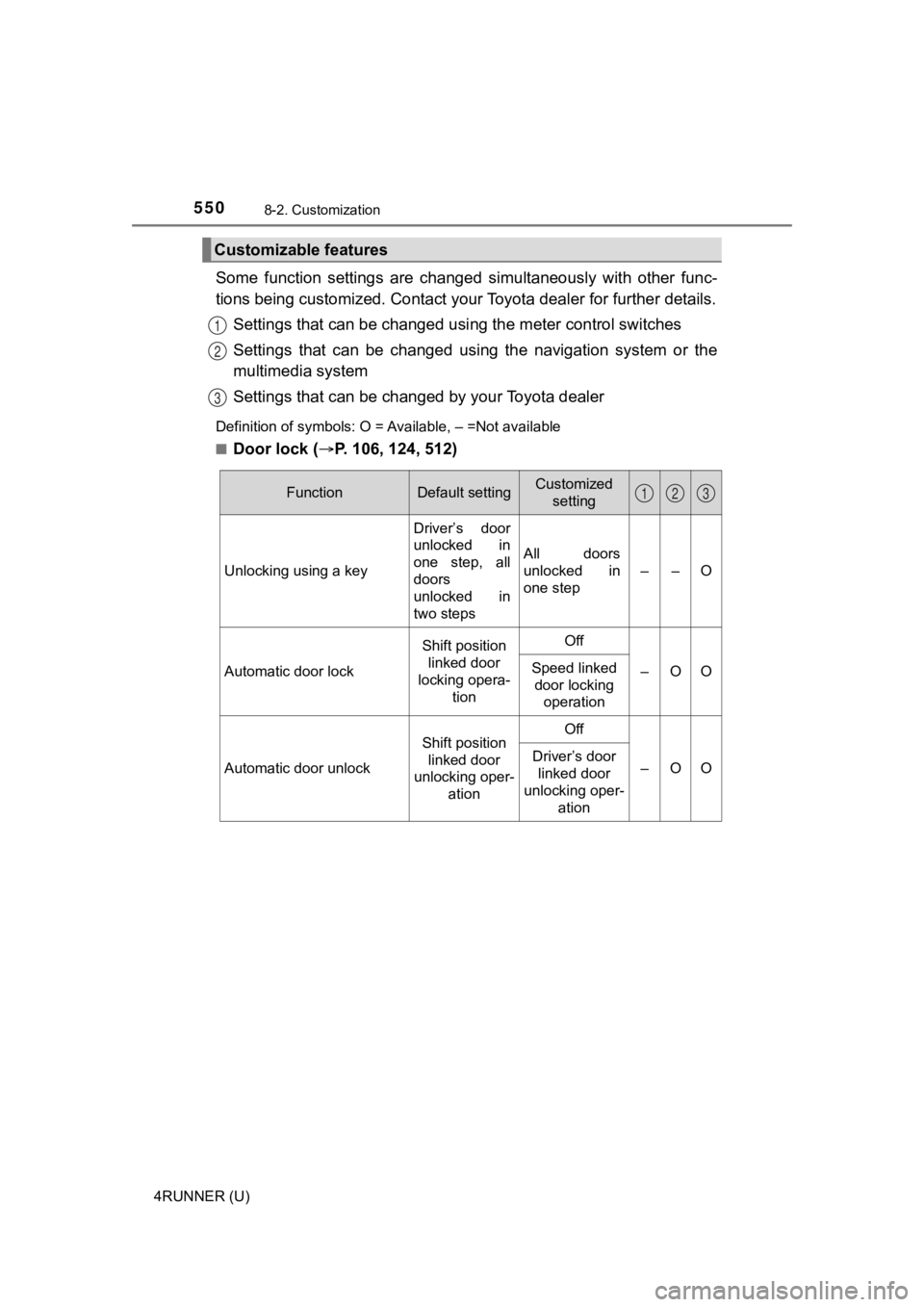
Some function settings are changed simultaneously with other func-
tions being customized. Contact your Toyota dealer for further details.
Settings that can be changed usi ng the meter control switches
Settings that can be changed usin g the navigation system or the
multimedia system
Settings that can be chan ged by your Toyota dealer
Definition of symbols: O = Available, – =Not available
■
Door lock (P. 106, 124, 512)
Customizable features
1
2
3
FunctionDefault settingCustomized
setting
Unlocking using a key Driver’s door
unlocked in
one step, all
doors
unlocked in
two stepsAll doors
unlocked in
one step
––O
Automatic door lock
Shift position
linked door
locking opera-
tionOff
–OOSpeed linked door locking operation
Automatic door unlock
Shift position
linked door
unlocking oper- ationOff
–OODriver’s door
linked door
unlocking oper- ation
123