display TOYOTA 4RUNNER 2023 Owner's Manual
[x] Cancel search | Manufacturer: TOYOTA, Model Year: 2023, Model line: 4RUNNER, Model: TOYOTA 4RUNNER 2023Pages: 608, PDF Size: 11.8 MB
Page 115 of 608
1153-2. Opening, closing and locking the doors
3
Operation of each component
4RUNNER (U)
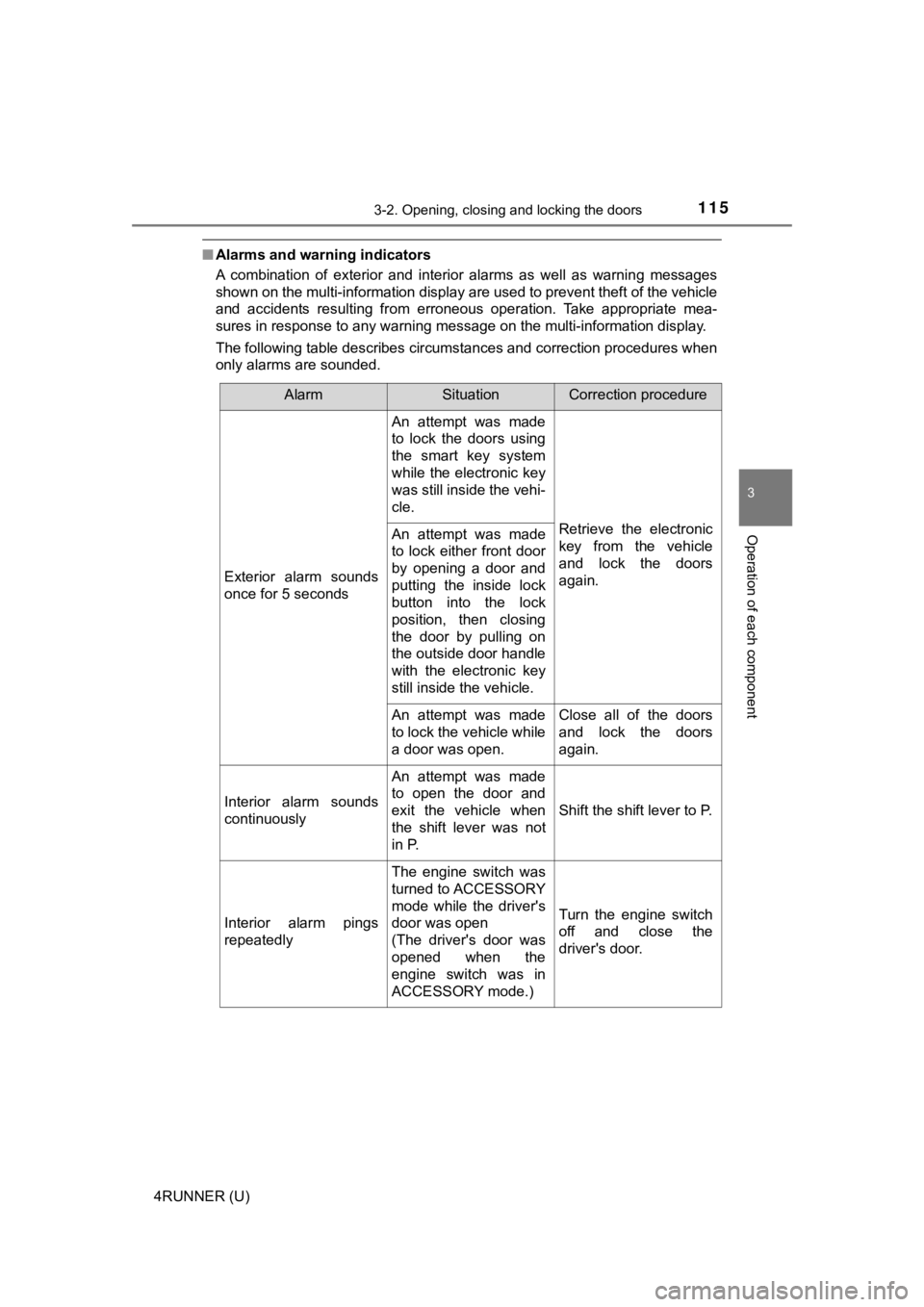
■Alarms and warning indicators
A combination of exterior and interior alarms as well as warnin g messages
shown on the multi-information display are used to prevent theft of the vehicle
and accidents resulting from erroneous operation. Take appropriate mea-
sures in response to any warning message on the multi-informati on display.
The following table describes circumstances and correction procedures when
only alarms are sounded.
AlarmSituationCorrection procedure
Exterior alarm sounds
once for 5 seconds
An attempt was made
to lock the doors using
the smart key system
while the electronic key
was still inside the vehi-
cle.
Retrieve the electronic
key from the vehicle
and lock the doors
again.An attempt was made
to lock either front door
by opening a door and
putting the inside lock
button into the lock
position, then closing
the door by pulling on
the outside door handle
with the electronic key
still inside the vehicle.
An attempt was made
to lock the vehicle while
a door was open.Close all of the doors
and lock the doors
again.
Interior alarm sounds
continuously
An attempt was made
to open the door and
exit the vehicle when
the shift lever was not
in P.
Shift the shift lever to P.
Interior alarm pings
repeatedly
The engine switch was
turned to ACCESSORY
mode while the driver's
door was open
(The driver's door was
opened when the
engine switch was in
ACCESSORY mode.)
Turn the engine switch
off and close the
driver's door.
Page 167 of 608
1674-1. Before driving
4
Driving
4RUNNER (U)
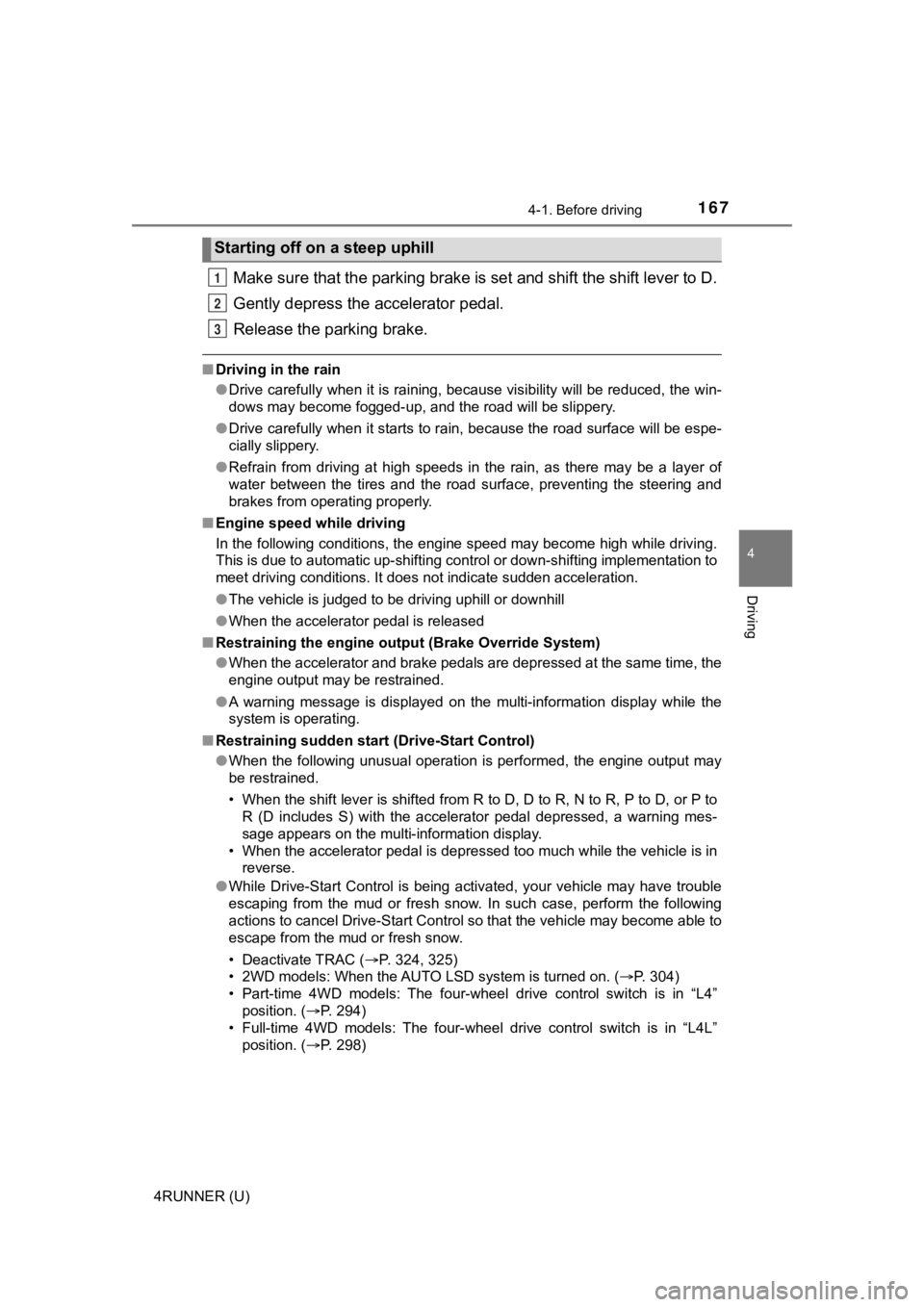
Make sure that the parking brake is set and shift the shift lever to D.
Gently depress the accelerator pedal.
Release the parking brake.
■ Driving in the rain
●Drive carefully when it is raining, because visibility will be reduced, the win-
dows may become fogged-up, and the road will be slippery.
● Drive carefully when it starts to rain, because the road surface will be espe-
cially slippery.
● Refrain from driving at high speeds in the rain, as there may b e a layer of
water between the tires and the road surface, preventing the st eering and
brakes from operating properly.
■ Engine speed while driving
In the following conditions, the engine speed may become high while driving.
This is due to automatic up-shifting control or down-shifting implementation to
meet driving conditions. It does not indicate sudden acceleration.
●The vehicle is judged to be driving uphill or downhill
● When the accelerator pedal is released
■ Restraining the engine out put (Brake Override System)
● When the accelerator and brake pedals are depressed at the same time, the
engine output may be restrained.
● A warning message is displayed on the multi-information display while the
system is operating.
■ Restraining sudden start (Drive-Start Control)
● When the following unusual operation is performed, the engine o utput may
be restrained.
• When the shift lever is shifted from R to D, D to R, N to R, P to D, or P to
R (D includes S) with the accelerator pedal depressed, a warnin g mes-
sage appears on the multi-information display.
• When the accelerator pedal is depressed too much while the veh icle is in
reverse.
● While Drive-Start Control is being activated, your vehicle may have trouble
escaping from the mud or fresh snow. In such case, perform the following
actions to cancel Drive-Start Control so that the vehicle may b ecome able to
escape from the mud or fresh snow.
• Deactivate TRAC ( P. 324, 325)
• 2WD models: When the AUTO LSD system is turned on. ( P. 304)
• Part-time 4WD models: The four-wheel drive control switch is in “L4” position. ( P. 294)
• Full-time 4WD models: The four-wheel drive control switch is i n “L4L”
position. ( P. 298)
Starting off on a steep uphill
1
2
3
Page 199 of 608
199
4
Driving
4RUNNER (U)
4-2. Driving procedures
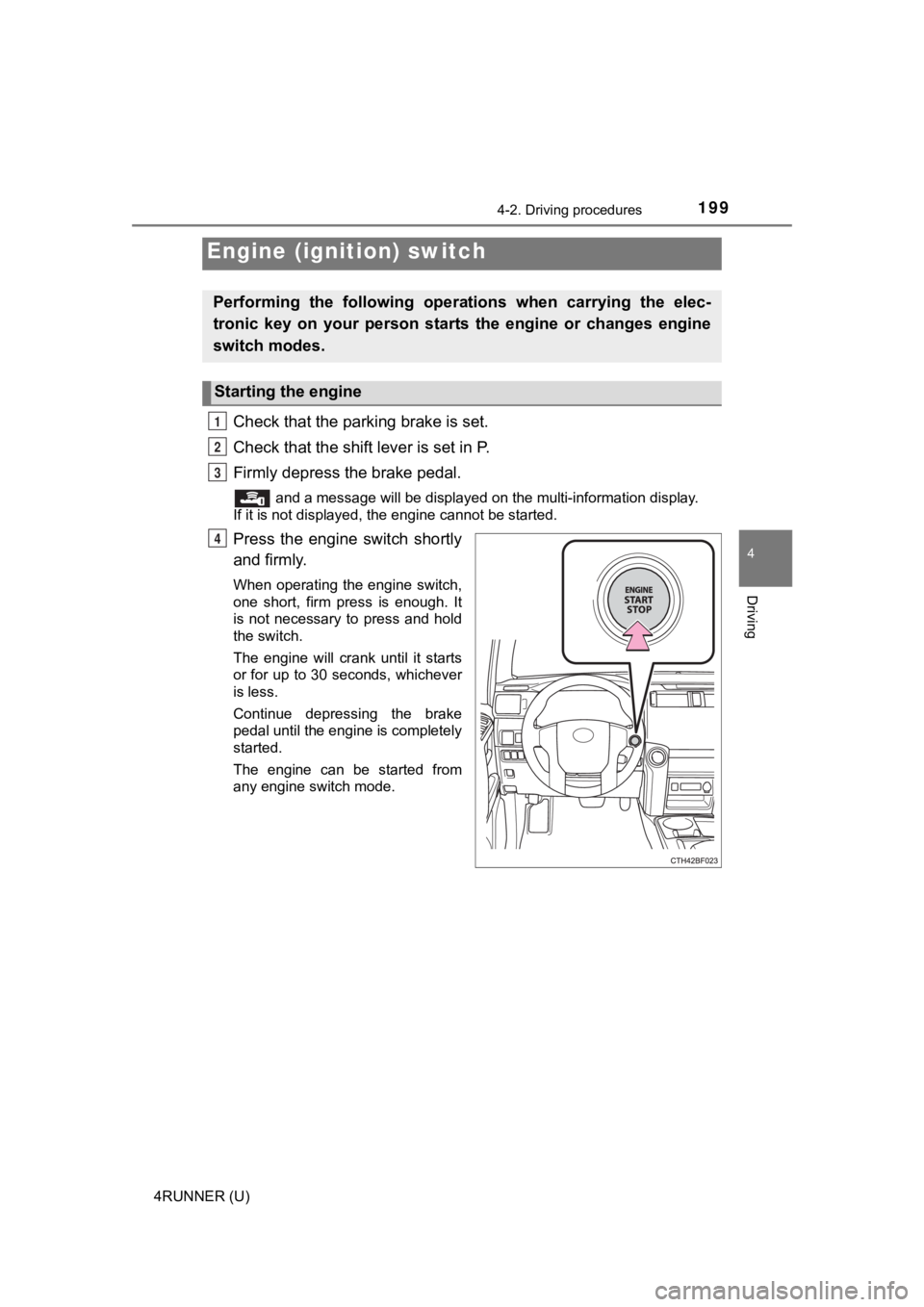
Check that the parking brake is set.
Check that the shift lever is set in P.
Firmly depress the brake pedal.
and a message will be displayed on the multi-information display.
If it is not displayed, the engine cannot be started.
Press the engine switch shortly
and firmly.
When operating the engine switch,
one short, firm press is enough. It
is not necessary to press and hold
the switch.
The engine will crank until it starts
or for up to 30 seconds, whichever
is less.
Continue depressing the brake
pedal until the engine is completely
started.
The engine can be started from
any engine switch mode.
Engine (ignition) switch
Performing the following opera tions when carrying the elec-
tronic key on your person starts the engine or changes engine
switch modes.
Starting the engine
1
2
3
4
Page 200 of 608
2004-2. Driving procedures
4RUNNER (U)
Stop the vehicle.
Set the parking brake (
P. 211), and shift the shift lever to P.
Press the engine switch.
Release the brake pedal and check that “ACCESSORY” or “IGNI-
TION ON” is not shown on the meter.
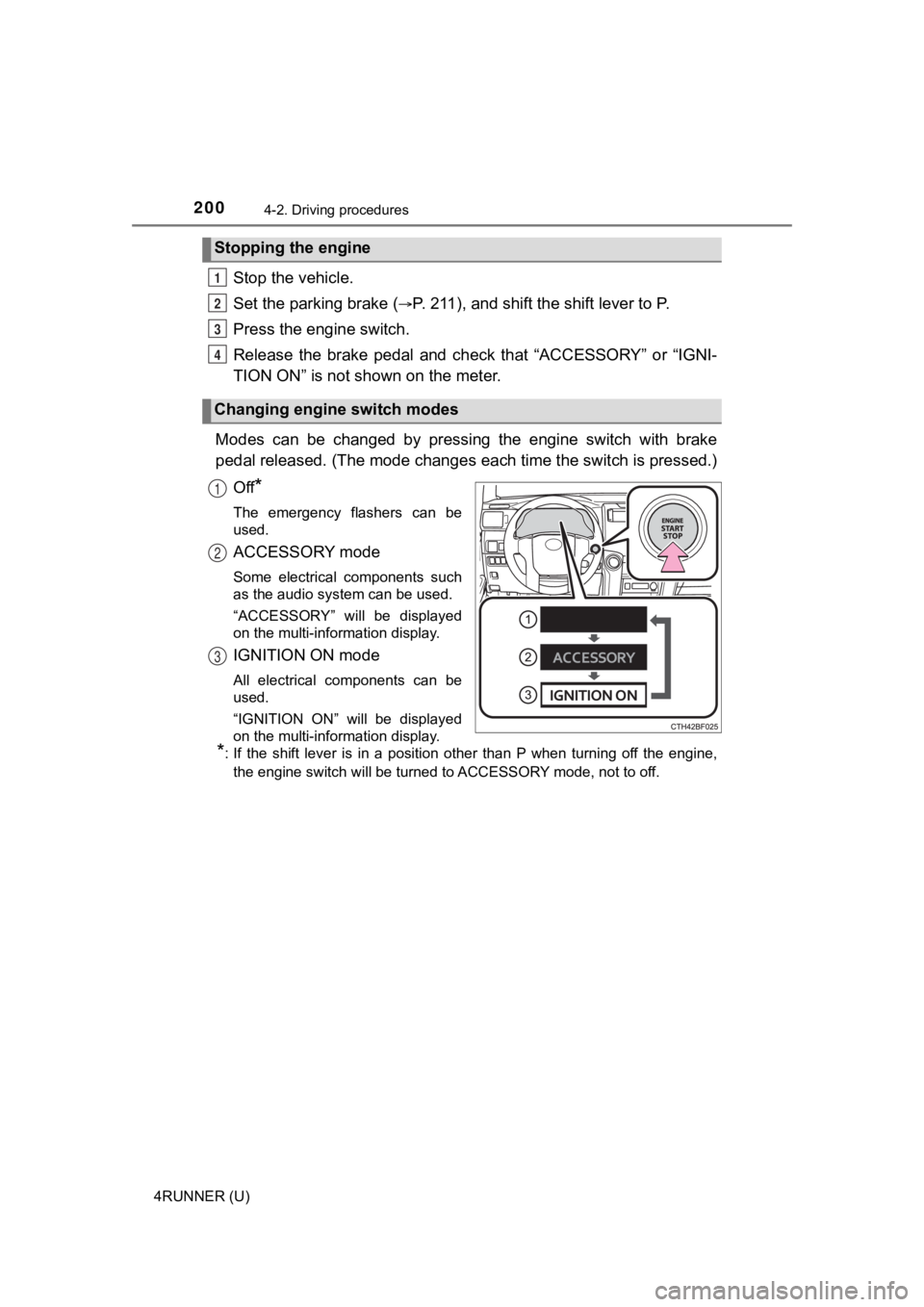
Modes can be changed by pressing the engine switch with brake
pedal released. (The mode changes each time the switch is pressed.)
Off
*
The emergency flashers can be
used.
ACCESSORY mode
Some electrical components such
as the audio system can be used.
“ACCESSORY” will be displayed
on the multi-information display.
IGNITION ON mode
All electrical components can be
used.
“IGNITION ON” will be displayed
on the multi-information display.
*: If the shift lever is in a position other than P when turning off the engine, the engine switch will be turned to ACCESSORY mode, not to off.
Stopping the engine
Changing engine switch modes
1
2
3
4
1
2
3
Page 201 of 608
2014-2. Driving procedures
4
Driving
4RUNNER (U)
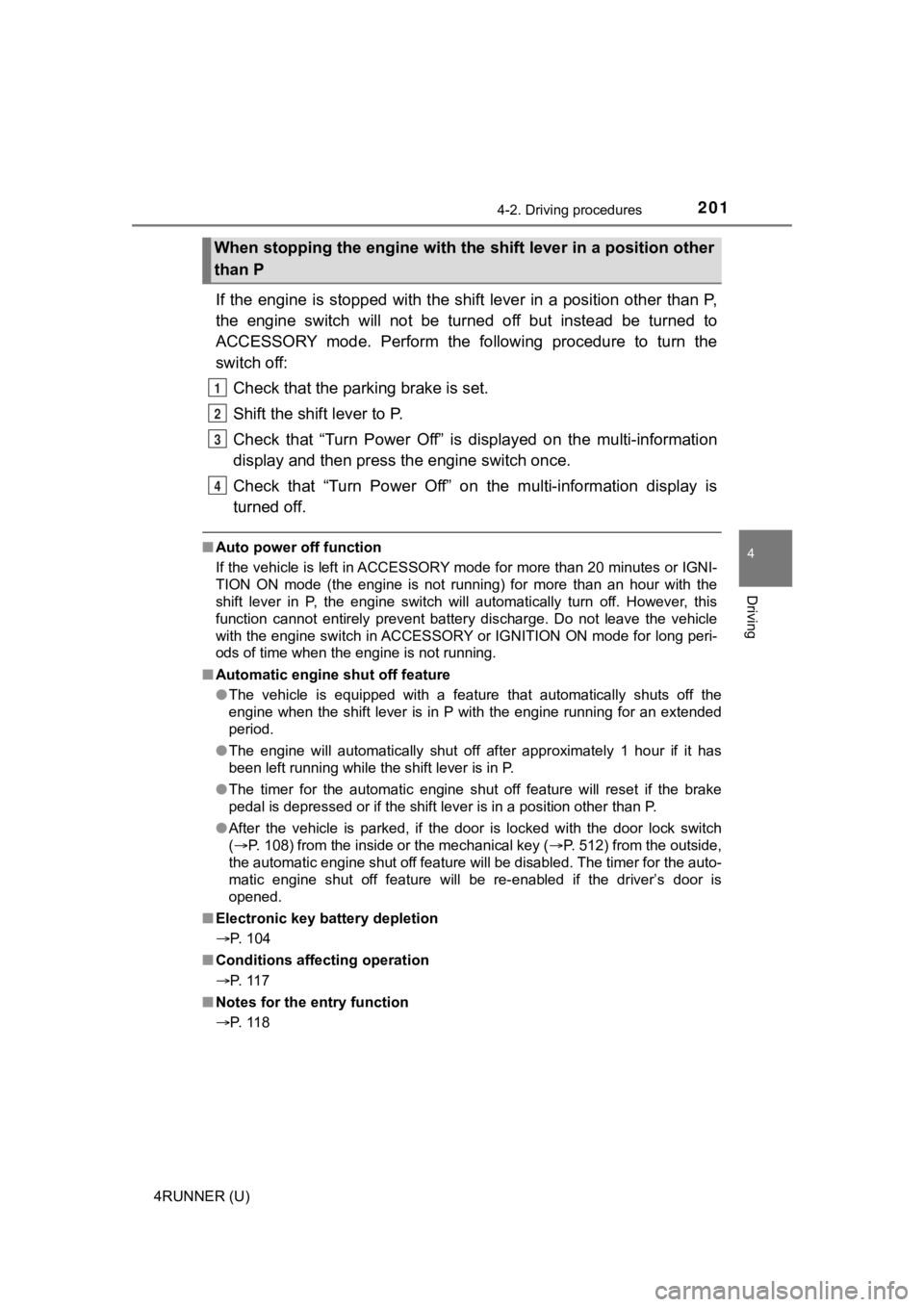
If the engine is stopped with the shift lever in a position other than P,
the engine switch will not be turned off but instead be turned to
ACCESSORY mode. Perform the following procedure to turn the
switch off:
Check that the park ing brake is set.
Shift the shift lever to P.
Check that “Turn Power Off” is displayed on the multi-informati on
display and then press the engine switch once.
Check that “Turn Power Off” on the multi-information display is
turned off.
■ Auto power off function
If the vehicle is left in ACCESSORY mode for more than 20 minut es or IGNI-
TION ON mode (the engine is not running) for more than an hour with the
shift lever in P, the engine switch will automatically turn off. However, this
function cannot entirely prevent battery discharge. Do not leav e the vehicle
with the engine switch in ACCESSORY or IGNITION ON mode for lon g peri-
ods of time when the engine is not running.
■ Automatic engine shut off feature
●The vehicle is equipped with a feature that automatically shuts off the
engine when the shift lever is in P with the engine running for an extended
period.
● The engine will automatically shut off after approximately 1 hour if it has
been left running while the shift lever is in P.
● The timer for the automatic engine shut off feature will reset if the brake
pedal is depressed or if the shift lever is in a position other than P.
● After the vehicle is parked, if the door is locked with the door lock switch
(P. 108) from the inside or the mechanical key ( P. 512) from the outside,
the automatic engine shut off feature will be disabled. The tim er for the auto-
matic engine shut off feature will be re-enabled if the driver’ s door is
opened.
■ Electronic key battery depletion
P. 104
■ Conditions affecting operation
P. 117
■ Notes for the entry function
P. 118
When stopping the engine with the shift lever in a position other
than P
1
2
3
4
Page 202 of 608

2024-2. Driving procedures
4RUNNER (U)■
If the engine does not start
●The engine immobilizer system may not have been deactivated. ( P. 78)
Contact your Toyota dealer.
● Check that the shift lever is securely set in P. The engine may not start if the
shift lever is displaced out of P.
■ When a message requesting the smart key system be inspected is dis-
played on the multi-information display
The system may be malfunctioning. Have the vehicle inspected by your
Toyota dealer immediately.
■ If the electronic key battery is depleted
P. 447
■ Operation of the engine switch
If the switch is not pressed shortly and firmly, the engine swi tch mode may
not change or the engine may not start.
Page 203 of 608
2034-2. Driving procedures
4
Driving
4RUNNER (U)
WARNING
■When starting the engine
Always start the engine while sitting in the driver’s seat. Do not depress the
accelerator pedal while starting the engine under any circumsta nces.
Doing so may cause an accident resulting in death or serious in jury.
■ Caution while driving
If engine failure occurs while the vehicle is moving, do not lock or open the
doors until the vehicle reaches a safe and complete stop.
■ Stopping the engine in an emergency
● If you want to stop the engine in an emergency while driving the vehicle,
press and hold the engine switch for more than 2 seconds, or press it
briefly 3 times or more in succession. ( P. 467)
However, do not touch the engine switch while driving except in an emer-
gency. Turning the engine off while driving will not cause loss of steering or
braking control, but the power assist to these systems will be lost. This will
make it more difficult to steer and brake, so you should pull over and stop
the vehicle as soon as it is safe to do so.
● If the engine switch is operated while the vehicle is running, a warning
message will be shown on the multi-information display and a buzzer
sounds.
■ When parking
Exhaust gases include harmful carbon monoxide (CO), which is co lorless
and odorless. Observe the following precautions.
Failure to do so may cause exhaust gases to enter the vehicle a nd may
lead to an accident caused by light-headedness, or may lead to death or a
serious health hazard.
● If the vehicle is in a poorly ventilated area or a closed area, such as a
garage, stop the engine.
● Do not leave the vehicle with the engine running for a long time. If such a
situation cannot be avoided, park the vehicle in an open space and ensure
that exhaust fumes do not enter the vehicle interior.
● Do not leave the engine running in an area with snow build-up, or where it
is snowing. If snowbanks build up around the vehicle while the engine is
running, exhaust gases may collect and enter the vehicle.
Page 204 of 608
2044-2. Driving procedures
4RUNNER (U)
NOTICE
■To prevent battery discharge
● Do not leave the engine switch in ACCESSORY or IGNITION ON mode
for long periods of time without the engine running.
● If “ACCESSORY” or “IGNITION ON” is displayed on the multi-infor mation
display, the engine switch is not off. Exit the vehicle after t urning the
engine switch off.
● Do not stop the engine when the shift lever is in a position ot her than P. If
the engine is stopped in another shift lever position, the engine switch will
not be turned off but instead be turned to ACCESSORY mode. If t he vehi-
cle is left in ACCESSORY mode, battery discharge may occur.
■ When starting the engine
● Do not race a cold engine.
● If the engine becomes difficult to start or stalls frequently, have your vehi-
cle checked by your Toyota dealer immediately.
■ Symptoms indicating a malf unction with the engine switch
If the engine switch seems to be operating somewhat differently than usual,
such as the switch sticking slightly, there may be a malfunction. Contact
your Toyota dealer immediately.
Page 237 of 608
2374-5. Using the driving support systems
4
Driving
4RUNNER (U)
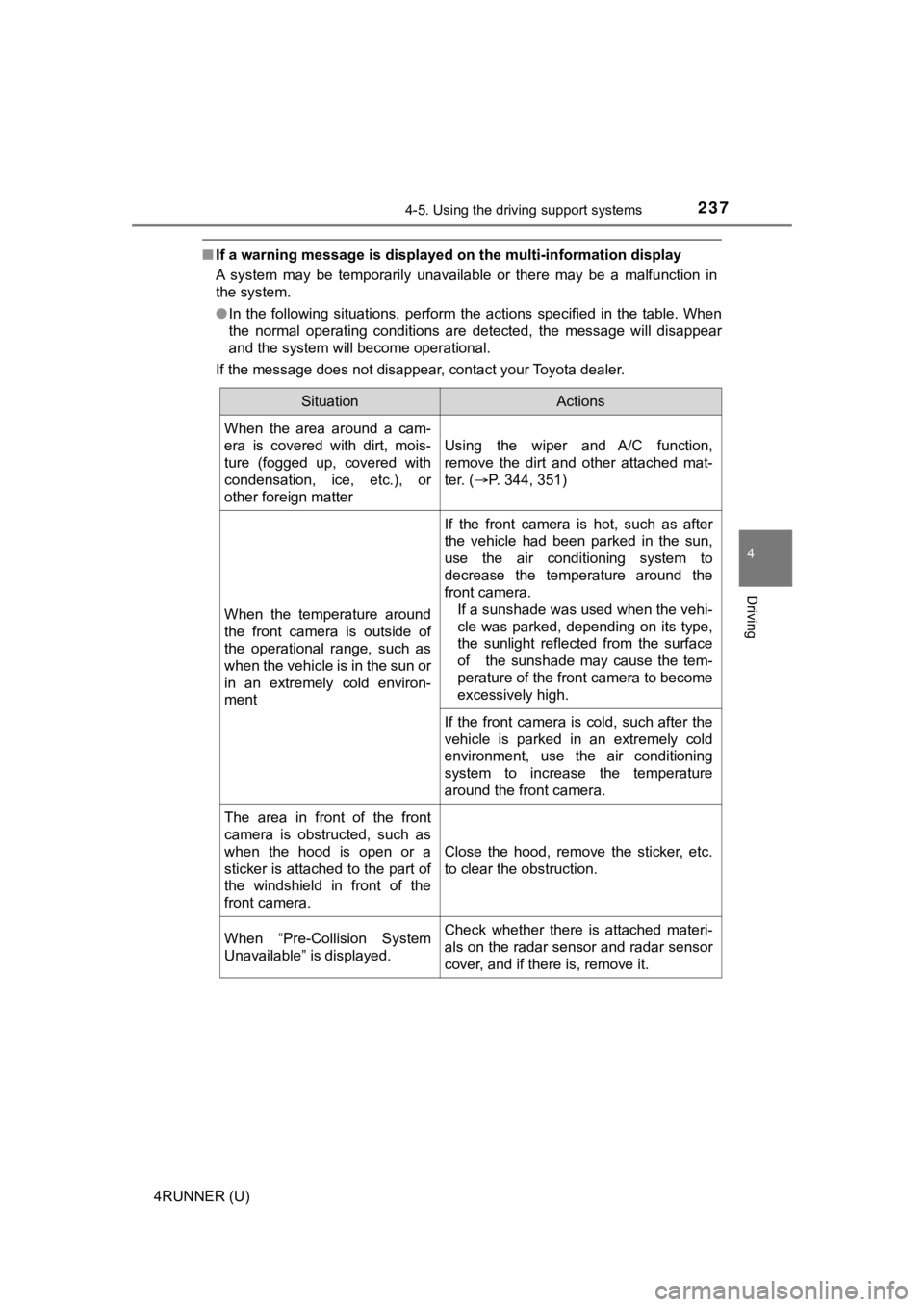
■If a warning message is displayed on the multi-information disp lay
A system may be temporarily unavailable or there may be a malfu nction in
the system.
● In the following situations, perform the actions specified in t he table. When
the normal operating conditions are detected, the message will disappear
and the system will become operational.
If the message does not disappear, contact your Toyota dealer.
SituationActions
When the area around a cam-
era is covered with dirt, mois-
ture (fogged up, covered with
condensation, ice, etc.), or
other foreign matter
Using the wiper and A/C function,
remove the dirt and other attached mat-
ter. ( P. 344, 351)
When the temperature around
the front camera is outside of
the operational range, such as
when the vehicle is in the sun or
in an extremely cold environ-
ment
If the front camera is hot, such as after
the vehicle had been parked in the sun,
use the air conditioning system to
decrease the temperature around the
front camera.
If a sunshade was used when the vehi-
cle was parked, depending on its type,
the sunlight reflected from the surface
of the sunshade may cause the tem-
perature of the front camera to become
excessively high.
If the front camera is cold, such after the
vehicle is parked in an extremely cold
environment, use the air conditioning
system to increase the temperature
around the front camera.
The area in front of the front
camera is obstructed, such as
when the hood is open or a
sticker is attached to the part of
the windshield in front of the
front camera.
Close the hood, remove the sticker, etc.
to clear the obstruction.
When “Pre-Collision System
Unavailable” is displayed.Check whether there is attached materi-
als on the radar sensor and radar sensor
cover, and if there is, remove it.
Page 238 of 608

2384-5. Using the driving support systems
4RUNNER (U)●
In the following situations, if the situation has changed (or the vehicle has
been driven for some time) and the normal operating conditions are
detected, the message will disappear and the system will become opera-
tional.
If the message does not disappear, contact your Toyota dealer.
• When the temperature around the radar sensor is outside of the opera- tional range, such as when the vehicle is in the sun or in an e xtremely
cold environment
• When the front camera cannot detect objects in front of the ve hicle, such
as when driving in the dark, snow, or fog, or when bright lights are shining
into the front camera
• Depending on the conditions in the vicinity of the vehicle, th e radar may
judge the surrounding environment can not be properly recognize d. In
that case, “Pre-Collision Syst em Unavailable” is displayed.