trailer TOYOTA 4RUNNER 2023 Owner's Manual
[x] Cancel search | Manufacturer: TOYOTA, Model Year: 2023, Model line: 4RUNNER, Model: TOYOTA 4RUNNER 2023Pages: 608, PDF Size: 11.8 MB
Page 197 of 608
1974-1. Before driving
4
Driving
4RUNNER (U)
WARNING
■Hitch
Trailer hitch assemblies have different weight capacities estab lished by the
hitch manufacturer. Even though the vehicle may be physically capable of
towing a higher weight, the operator must determine the maximum weight
rating of the particular hitch assembly and never exceed the maximum
weight rating specified for the trailer-hitch. Exceeding the maximum weight
rating set by the trailer-hitch manufacturer can cause an accid ent resulting
in death or serious personal injuries.
■ When towing a trailer
Toyota recommends trailers with brakes that conform to any applicable fed-
eral and state/provincial regulations.
● If the gross trailer weight exceeds unbraked TWR, trailer brakes are
required. Toyota recommends trailers with brakes that conform t o all appli-
cable federal and state/provincial regulations.
● Never tap into your vehicle’s hydraulic system, as this will lo wer the vehi-
cle’s braking effectiveness.
● Never tow a trailer without using a safety chain securely attac hed to both
the trailer and the vehicle. If damage occurs to the coupling u nit or hitch
ball, there is danger of the trailer wandering into another lan e.
NOTICE
■When installing a trailer hitch
Use only the position recommended by your Toyota dealer. Do not install
the trailer hitch on the bumper; this may cause body damage.
■ Do not directly splice trailer lights
Do not directly splice trailer lights. Directly splicing traile r lights may damage
your vehicle’s electrical system and cause a malfunction.
Page 220 of 608

2204-3. Operating the lights and wipers
4RUNNER (U)• When driving in inclement weather (heavy rain, snow, fog, sand
storms,
etc.)
• When the windshield is obscured by fog, mist, ice, dirt, etc.
• When the windshield is cracked or damaged
• When the camera sensor is deformed or dirty
• When the temperature of the camera sensor is extremely high
• When the surrounding brightness level is equal to that of head lights, tail
lights or fog lights
• When headlights or tail lights of vehicles ahead are turned off, dirty, changing color, or not aimed properly
• When the vehicle is hit by water, snow, dust, etc. from a prec eding vehi-
cle
• When driving through an area of intermittently changing brightness and
darkness
• When frequently and repeatedly driving ascending/descending roads, or roads with rough, bumpy or uneven surfaces (such as stone-paved
roads, gravel roads, etc.)
• When frequently and repeatedly taking curves or driving on a w inding
road
• When there is a highly reflective object ahead of the vehicle, such as a sign or mirror
• When the back of a preceding vehicle is highly reflective, suc h as a con-
tainer on a truck
• When the vehicle's headlights are damaged or dirty, or are not aimed
properly
• When the vehicle is listing or titling due to a flat tire, a trailer being towed, etc.
• When the headlights are changed between the high beams and low beams repeatedly in an abnormal manner
• When the driver believes that the high beams may be flashing or dazzling
pedestrians or other drivers
■ Temporarily lowering sensor sensitivity
The sensitivity of the sensor can be temporarily lowered.
Turn the engine switch off while the following conditions are m et.
• The headlight switch is in or .
• The headlight switch lever is in the high beam position.
• Automatic High Beam switch is on.
Turn the engine switch to the IGNITION ON mode.
Within 60 seconds after , repeat pulling the headlight switch l ever to the
original position then pushing it to the high beam position qui ckly 10 times,
then leave the lever in the high beam position.
If the sensitivity is changed, the Automatic High Beam indicato r will turn on
and off 3 times.
Automatic High Beam (headlights) may turn on even when the vehicle is
stopped.
1
2
32
4
Page 246 of 608
2464-5. Using the driving support systems
4RUNNER (U)• When the vehicle is hit by water, snow, dust, etc. from a vehicle ahead
• When driving through steam or smoke
• When there are patterns or paint on the road or a wall that may be mis-
taken for a vehicle or pedestrian
• When driving near an object that reflects radio waves, such as a large
truck or guardrail
• When driving near a TV tower, broadcasting station, electric power plant, or other location where strong radio waves or electrical noise may be
present
■ Situations in which the syst em may not operate properly
● In some situations such as the following, a vehicle may not be detected by
the radar sensor and front camera, preventing the system from operating
properly:
• If an oncoming vehicle is approaching your vehicle
• If a vehicle ahead is a motorcycle or bicycle
• When approaching the side or front of a vehicle
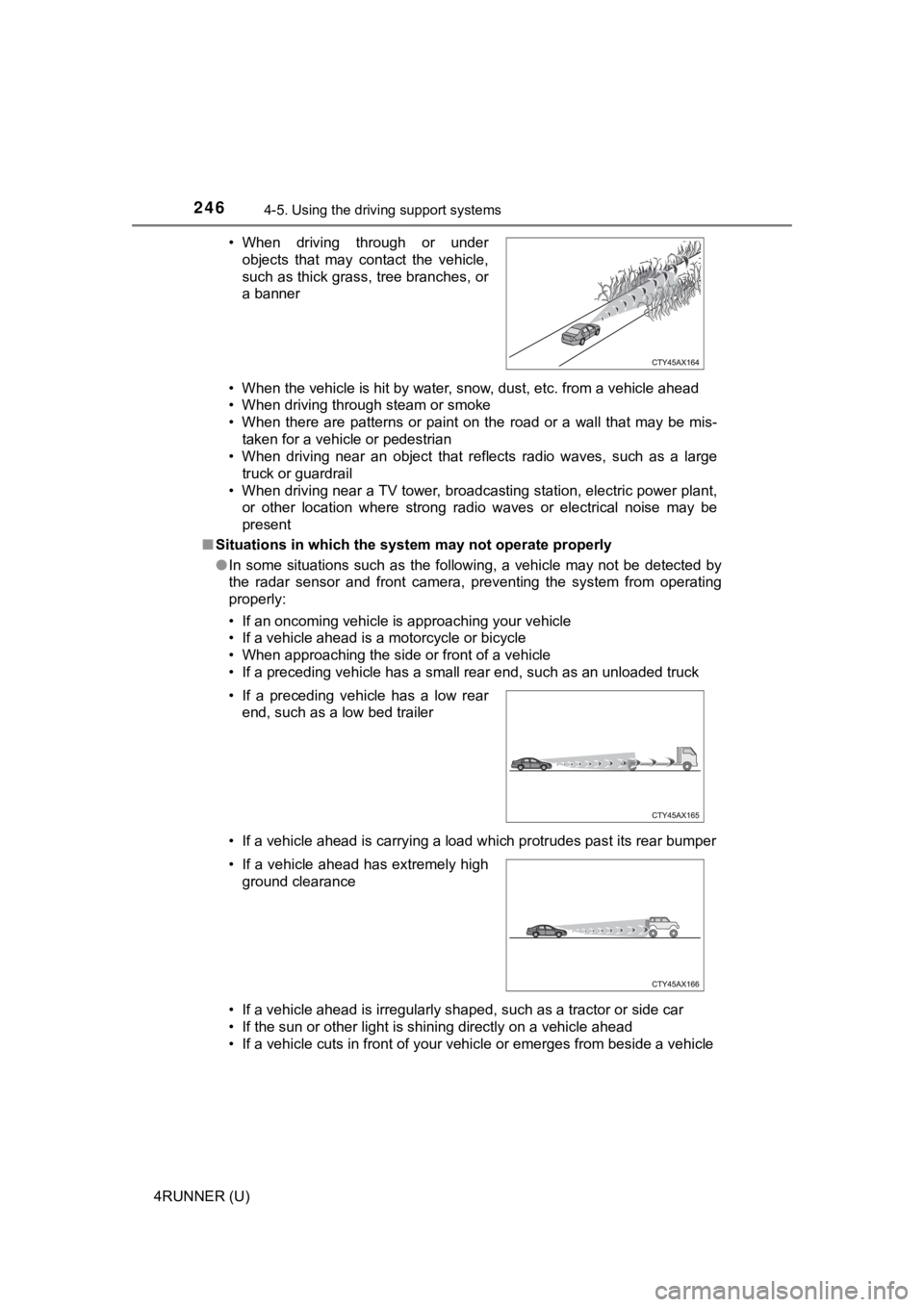
• If a preceding vehicle has a small rear end, such as an unload ed truck
• If a vehicle ahead is carrying a load which protrudes past its rear bumper
• If a vehicle ahead is irregularly shaped, such as a tractor or side car
• If the sun or other light is shining directly on a vehicle ahe ad
• If a vehicle cuts in front of your vehicle or emerges from bes ide a vehicle
• When driving through or under
objects that may contact the vehicle,
such as thick grass, tree branches, or
a banner
• If a preceding vehicle has a low rear end, such as a low bed trailer
• If a vehicle ahead has extremely high ground clearance
Page 260 of 608

2604-5. Using the driving support systems
4RUNNER (U)
WARNING
■Situations unsuitable for dynamic radar cruise control
Do not use dynamic radar cruise control in any of the following situations.
Doing so may result in inappropriate speed control and could ca use an acci-
dent resulting in death or serious injury.
● Roads where there are pedestrians, cyclers, etc.
● In heavy traffic
● On roads with sharp bends
● On winding roads
● On slippery roads, such as those covered with rain, ice or snow
● On steep downhills, or where there are sudden changes between s harp up
and down gradients
Vehicle speed may exceed the set speed when driving down a stee p hill.
● At entrances to freeways and highways
● When weather conditions are bad enough that they may prevent the sen-
sors from detecting correctly (fog, snow, sandstorm, heavy rain, etc.)
● When there is rain, snow, etc. on the front surface of the rada r sensor or
camera sensor
● In traffic conditions that require frequent repeated acceleration and decel-
eration
● When your vehicle is towing a trailer or during emergency towin g
● When an approach warning buzzer is heard often
Page 268 of 608
2684-5. Using the driving support systems
4RUNNER (U)■
Automatic cancelation of c onstant speed control mode
Constant speed control mode is automatically canceled in the following situa-
tions:
● Actual vehicle speed is more than approximately 10 mph (16 km/h ) below
the set vehicle speed.
● Actual vehicle speed falls below approximately 25 mph (40 km/h) .
● VSC is activated.
● TRAC is activated for a period of time.
● When the VSC or TRAC system is turned off.
● Pre-collision braking is activated.
If constant speed control mode is automatically canceled for an y other rea-
son, there may be a malfunction in the system. Contact your Toyota dealer.
■ Brake system operation sound
If the brakes are applied automatically while the vehicle is in vehicle-to-vehi-
cle distance control mode, a brake system operation sound may b e heard.
This does not indicate a malfunction.
■ Warning messages and buzzers for d ynamic radar cruise control
Warning messages and buzzers are used to indicate a system malfunction or
to inform the driver of the need for caution while driving. If a warning message
is shown on the multi-information display, read the message and follow the
instructions.
■ When the sensor may not be correctly detect ing the vehicle ahead
In the case of the following and depending on the conditions, o perate the
brake pedal when deceleration of the system is insufficient or operate the
accelerator pedal when acceleration is required.
As the sensor may not be able to correctly detect these types o f vehicles, the
approach warning ( P. 265) may not be activated.
● Vehicles that cut in suddenly
● Vehicles traveling at low speeds
● Vehicles that are not moving in the same lane
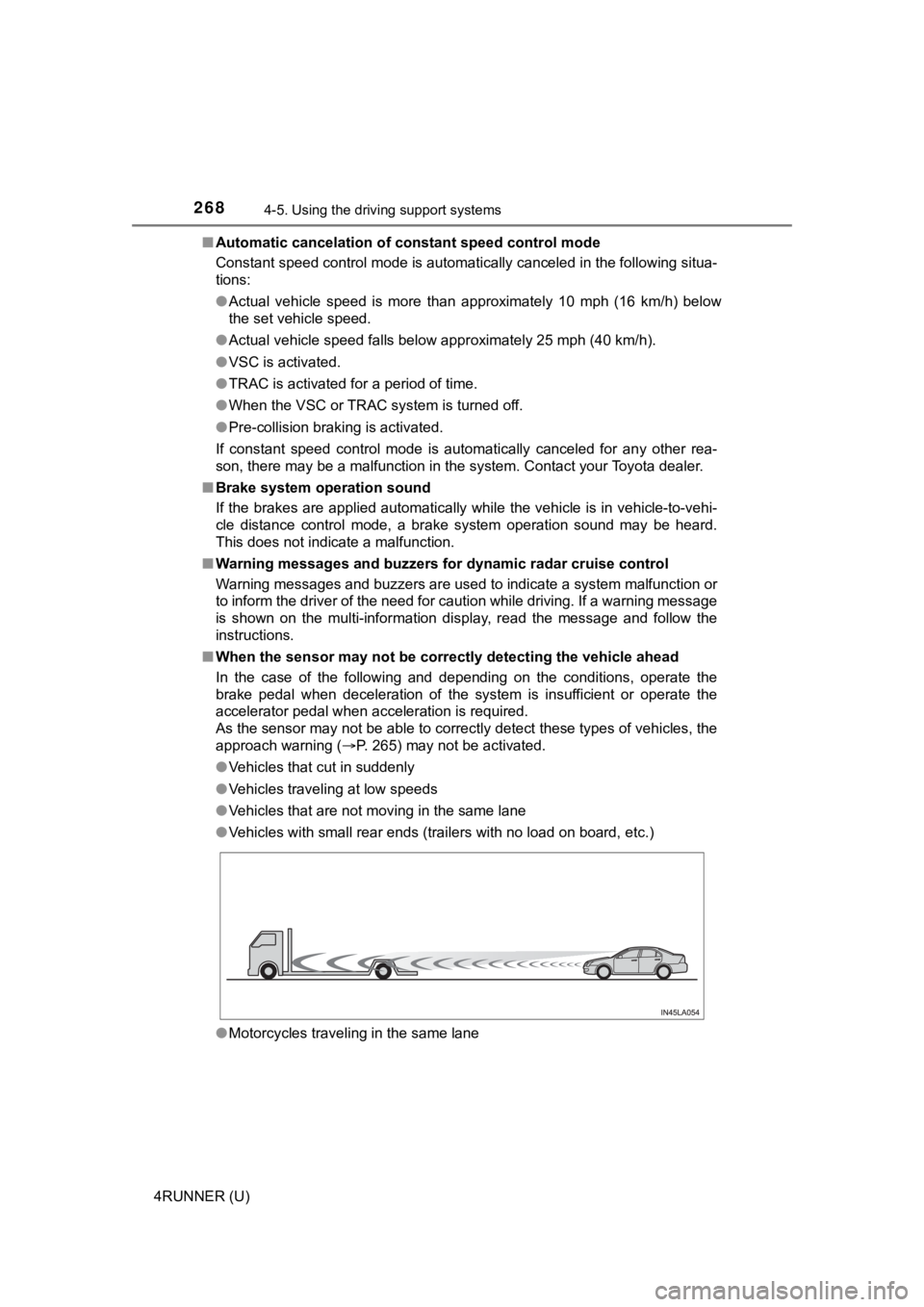
● Vehicles with small rear ends (trailers with no load on board, etc.)
● Motorcycles traveling in the same lane
Page 291 of 608
2914-5. Using the driving support systems
4
Driving
4RUNNER (U)■
Situations in which the syst em may not operate properly
The RCTA function may not detect vehicles correctly in the foll owing situa-
tions:
● When the sensor is misaligned due to a strong impact to the sensor or its
surrounding area
● When mud, snow, ice, a sticker, etc., is covering the sensor or surrounding
area on the rear bumper
● When driving on a road surface that is wet with standing water during bad
weather, such as heavy rain, snow, or fog
● When multiple vehicles are approaching with only a small gap be tween
each vehicle
● When a vehicle is approaching at high speed
● When equipment that may obstruct a sensor is installed, such as a towing
eyelet, bumper protector (an additional trim strip, etc.), bicy cle carrier, or
snow plow
● When towing a trailer
● When there is a significant difference in height between your vehicle and the
vehicle that enters the detection area
● When a sensor or the area around a sensor is extremely hot or c old
● If the suspension has been modified or tires of a size other th an specified
are installed
● If the front of the vehicle is raised or lowered due to the car ried load
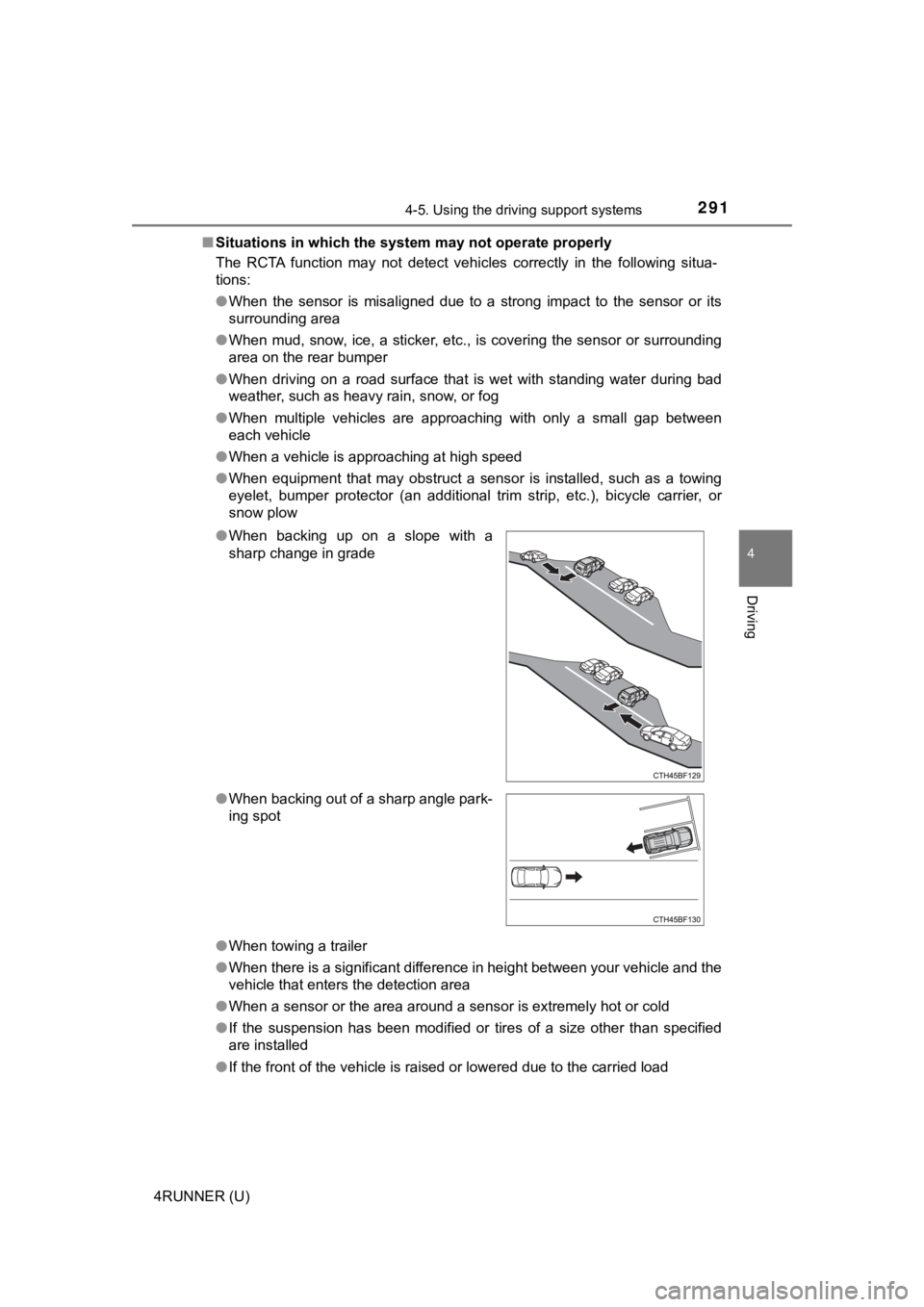
●
When backing up on a slope with a
sharp change in grade
● When backing out of a sharp angle park-
ing spot
Page 322 of 608
3224-5. Using the driving support systems
4RUNNER (U)
◆ABS (Anti-lock Brake System)
Helps to prevent wheel lock when the brakes are applied suddenl y,
or if the brakes are applied while driving on a slippery road surface
◆Multi Terrain ABS (Anti-lock Brake System) (if equipped)
Helps to prevent wheel lock when the brakes are applied suddenl y,
or if the brakes are applied while driving on a slippery road s urface,
or in off-road conditions (such as rough roads, sand and mud)
The Multi Terrain ABS operates in synchronization with the Multi-
terrain Select.
◆Brake assist
Generates an increased level of braking force after the brake p edal
is depressed when the system de tects a panic stop situation
◆VSC (Vehicle Stability Control)
Helps the driver to control skidding when swerving suddenly or
turning on slippery road surfaces
◆Trailer Sway Control
Helps the driver to control trailer sway by selectively applying brake
pressure for individual wheels and reducing driving torque when
trailer sway is detected.
◆TRAC (Traction Control)
Helps to maintain drive power and prevent the drive wheels from
spinning when starting the vehicl e or accelerating on slippery roads
Driving assist systems
To keep driving safety and perf ormance, the following systems
operate automatically in respon se to various driving situations.
Be aware, however, that these systems are supplementary and
should not be relied upon too heav ily when operating the vehi-
cle.
Page 323 of 608
3234-5. Using the driving support systems
4
Driving
4RUNNER (U)
◆Hill-start assist control
Helps to reduce the backward movement of the vehicle when start-
ing on an uphill
◆LSD (Limited Slip Diff erential) (if equipped)
Transfers drive power to the rear tires when front tires spin, and
vice versa, in order to improve traction
◆KDSS (Kinetic Dynamic Susp ension System) (if equipped)
Enhances ride comfort and handli ng response by using a hydraulic
control system to control the su spension stabilizer bars in response
to road surface and driving conditions during cornering or off- road
driving
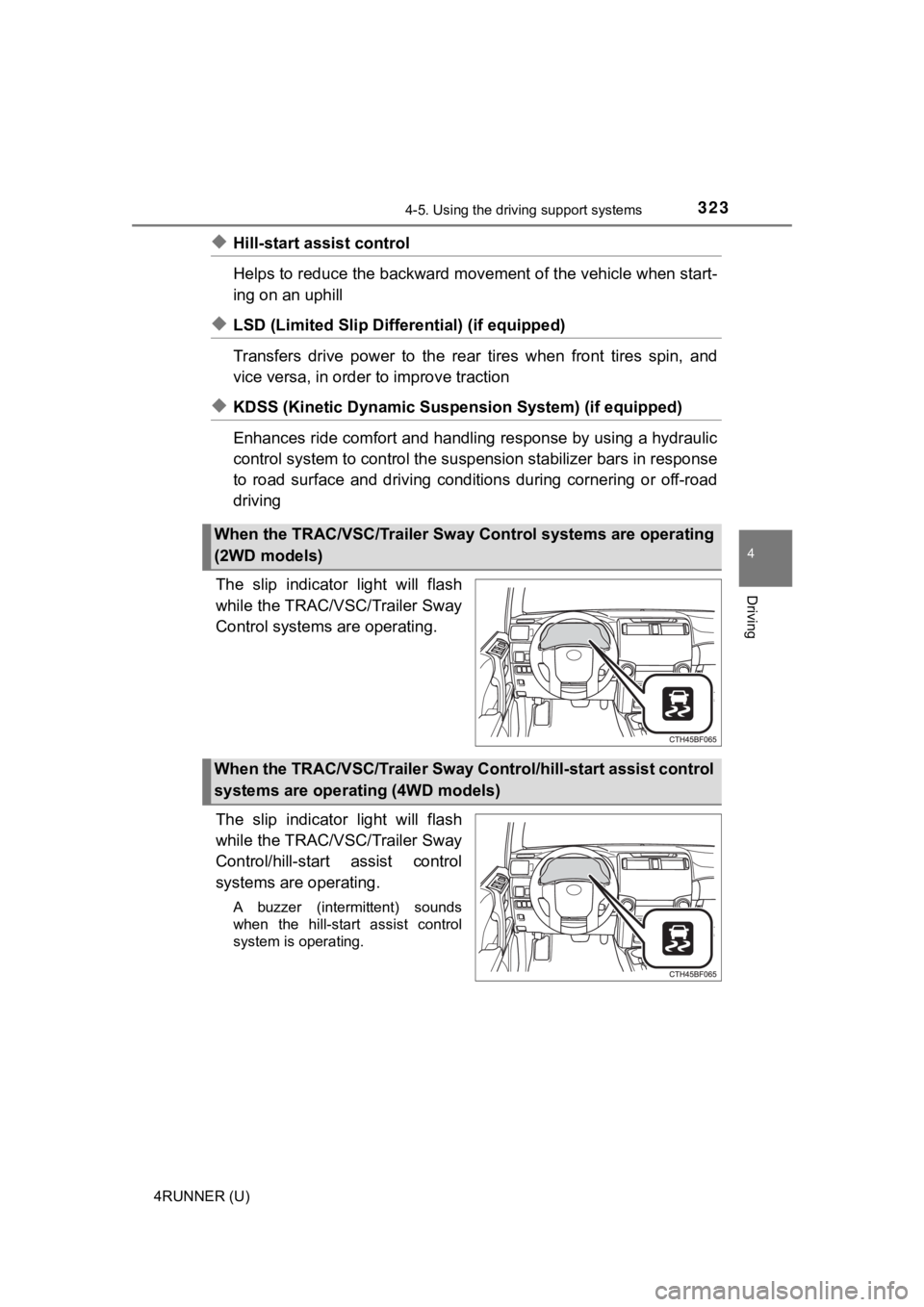
The slip indicator light will flash
while the TRAC/VSC/Trailer Sway
Control system s are operating.
The slip indicator light will flash
while the TRAC/VSC/Trailer Sway
Control/hill-start assist control
systems are operating.
A buzzer (intermittent) sounds
when the hill-start assist control
system is operating.
When the TRAC/VSC/Trailer Sway Control systems are operating
(2WD models)
When the TRAC/VSC/Trailer Sway C ontrol/hill-start assist control
systems are operating (4WD models)
Page 325 of 608
3254-5. Using the driving support systems
4
Driving
4RUNNER (U)■
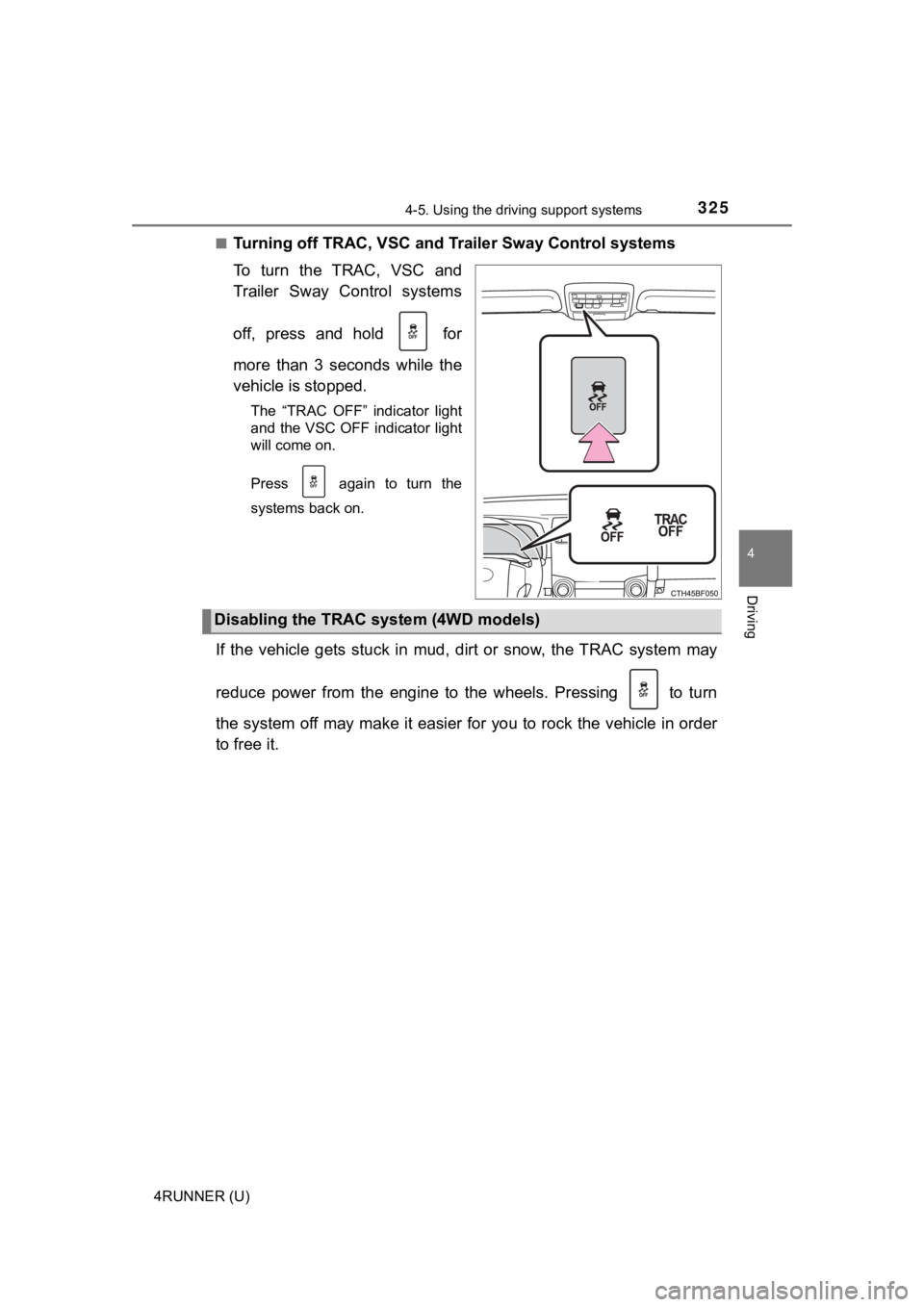
Turning off TRAC, VSC and Tr
ailer Sway Control systems
To turn the TRAC, VSC and
Trailer Sway Control systems
off, press and hold for
more than 3 seconds while the
vehicle is stopped.
The “TRAC OFF” indicator light
and the VSC OFF indicator light
will come on.
Press again to turn the
systems back on.
If the vehicle gets stuck in mud, dirt or snow, the TRAC system may
reduce power from the engine to the wheels. Pressing to turn
the system off may make it easier for you to rock the vehicle i n order
to free it.
Disabling the TRAC system (4WD models)
Page 326 of 608
3264-5. Using the driving support systems
4RUNNER (U)■
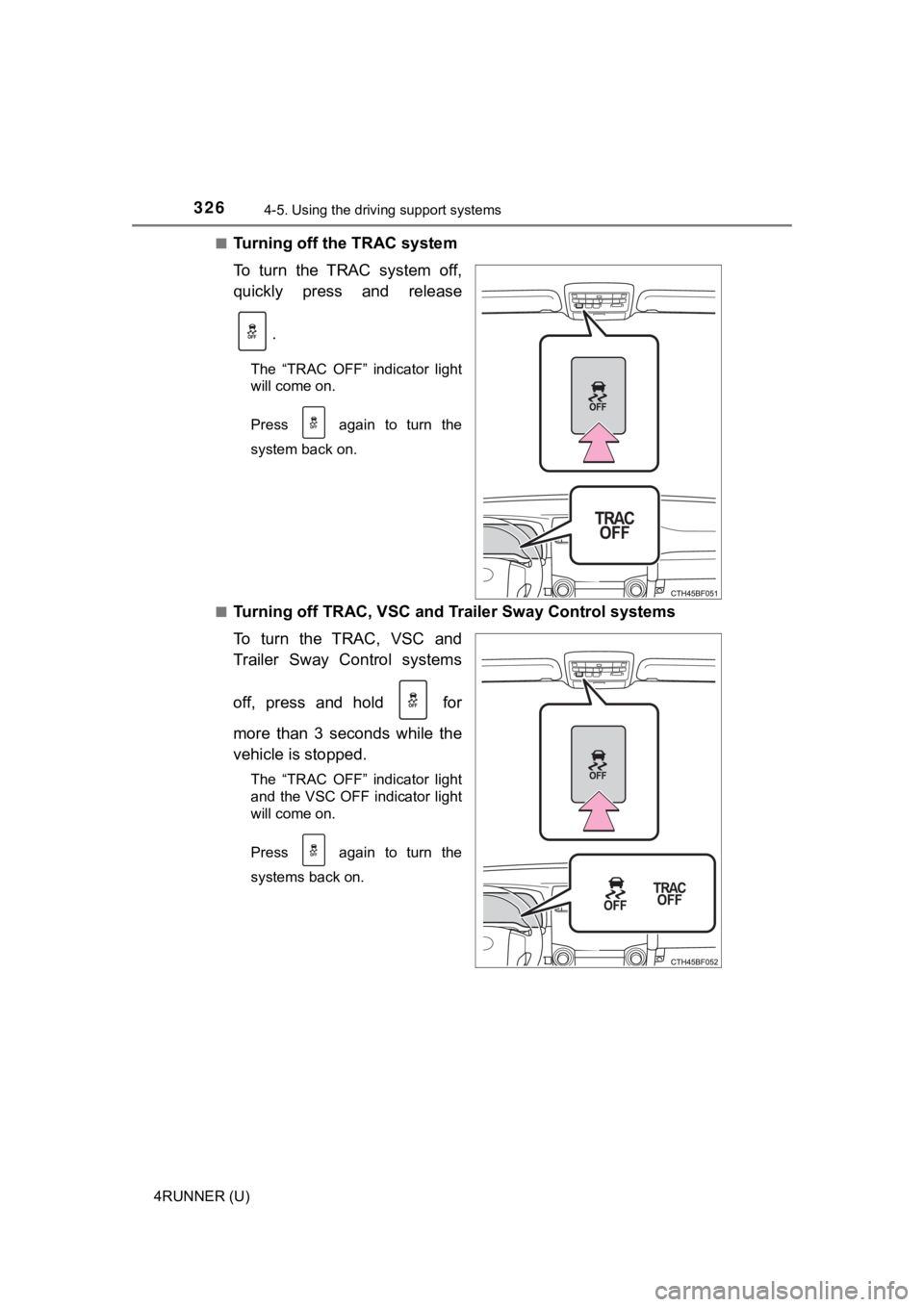
Turning off the TRAC system
To turn the TRAC system off,
quickly press and release
.
The “TRAC OFF” indicator light
will come on.
Press again to turn the
system back on.
■
Turning off TRAC, VSC and Tr ailer Sway Control systems
To turn the TRAC, VSC and
Trailer Sway Control systems
off, press and hold for
more than 3 seconds while the
vehicle is stopped.
The “TRAC OFF” indicator light
and the VSC OFF indicator light
will come on.
Press again to turn the
systems back on.