engine overheat TOYOTA 4RUNNER 2023 Owners Manual
[x] Cancel search | Manufacturer: TOYOTA, Model Year: 2023, Model line: 4RUNNER, Model: TOYOTA 4RUNNER 2023Pages: 608, PDF Size: 11.8 MB
Page 5 of 608

5
1
8 7
6
5
4
3
2
9
4RUNNER (U)6-1. Maintenance and care
Cleaning and protecting the vehicle exterior .......... 396
Cleaning and protecting the vehicle interior ........... 400
6-2. Maintenance Maintenance requirements ................... 403
General maintenance ........ 405
Emission inspection and maintenance (I/M)
programs ......................... 408
6-3. Do-it-yourself maintenance
Do-it-yourself service precautions ..................... 409
Hood.................................. 412
Engine compartment ......... 413
Tires .................................. 427
Tire inflation pressure........ 440
Wheels .............................. 443
Air conditioning filter .......... 445
Electronic key battery ........ 447
Checking and replacing fuses ............................... 450
Light bulbs ......................... 453 7-1. Essential information
Emergency flashers ........... 466
If your vehicle has to be stopped in
an emergency.................. 467
If the vehicle is submerged or water
on the road is rising ......... 468
7-2. Steps to take in an emergency
If your vehicle needs to be towed ...................... 469
If you think something is wrong ........................... 475
Fuel pump shut off system ............................. 476
If a warning light turns on or a warning
buzzer sounds ................. 477
If a warning message is displayed...................... 488
If you have a flat tire .......... 493
If the engine will not start ................................. 509
If you cannot operate back door opener ............ 511
If the electronic key does not operate
properly ........................... 512
If the vehicle battery is discharged ................... 515
If your vehicle overheats......................... 519
If the vehicle becomes stuck ................................ 522
6Maintenance and care7When trouble arises
Page 17 of 608
17Pictorial index
4RUNNER (U)
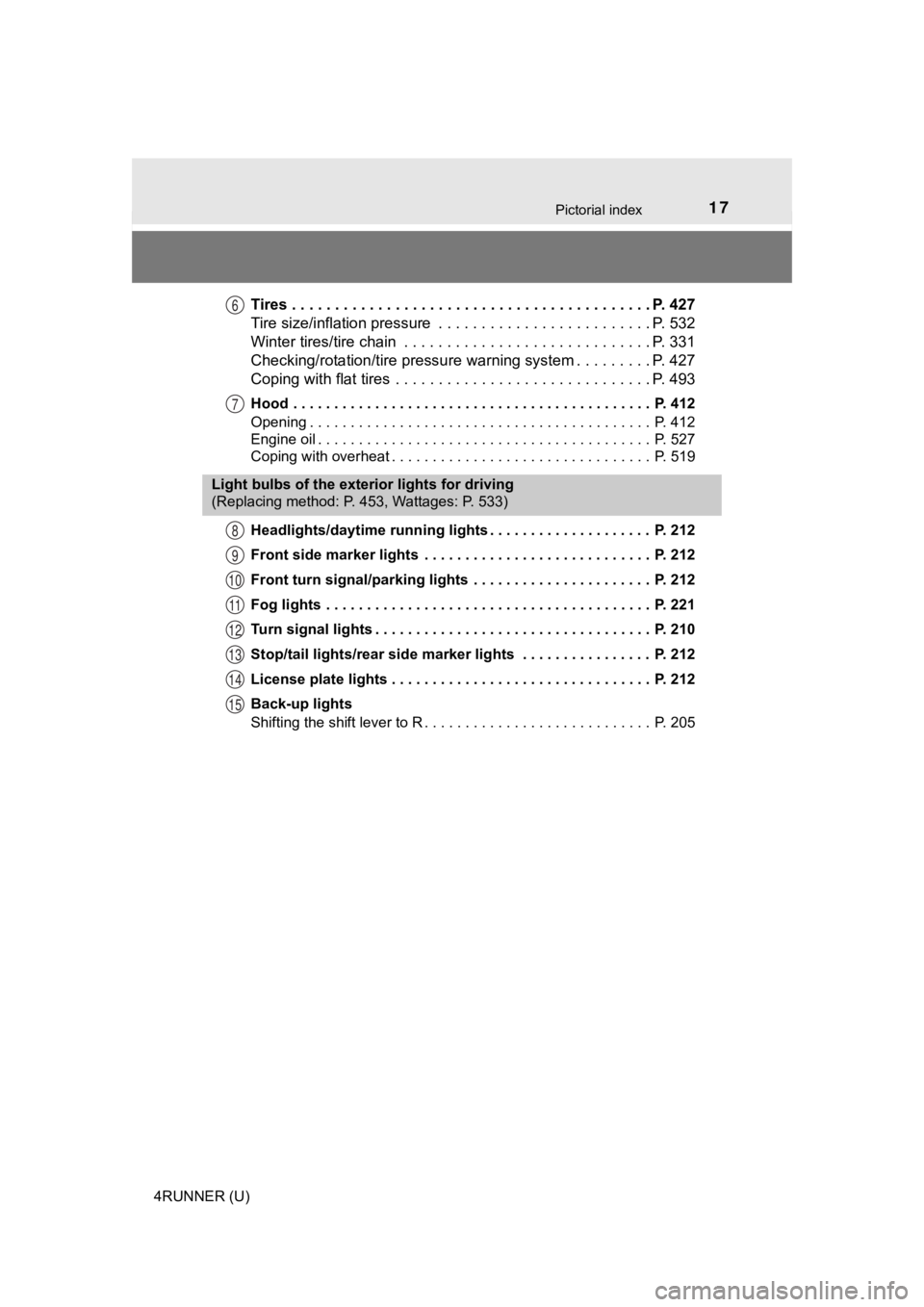
Tires . . . . . . . . . . . . . . . . . . . . . . . . . . . . . . . . . . . . . . . . . . P. 427
Tire size/inflation pressure . . . . . . . . . . . . . . . . . . . . . . . . . P. 532
Winter tires/tire chain . . . . . . . . . . . . . . . . . . . . . . . . . . . . . P. 331
Checking/rotation/tire pressur e warning system . . . . . . . . .P. 427
Coping with flat tires . . . . . . . . . . . . . . . . . . . . . . . . . . . . . . P. 493
Hood . . . . . . . . . . . . . . . . . . . . . . . . . . . . . . . . . . . . . . . . . . . . P. 412
Opening . . . . . . . . . . . . . . . . . . . . . . . . . . . . . . . . . . . . . . . . . . P. 412
Engine oil . . . . . . . . . . . . . . . . . . . . . . . . . . . . . . . . . . . . . . . . . P. 527
Coping with overheat . . . . . . . . . . . . . . . . . . . . . . . . . . . . . . . . P. 519
Headlights/daytime running lights . . . . . . . . . . . . . . . . . . . . P. 212
Front side marker lights . . . . . . . . . . . . . . . . . . . . . . . . . . . . P. 212
Front turn signal/parking lights . . . . . . . . . . . . . . . . . . . . . . P. 212
Fog lights . . . . . . . . . . . . . . . . . . . . . . . . . . . . . . . . . . . . . . . . P. 221
Turn signal lights . . . . . . . . . . . . . . . . . . . . . . . . . . . . . . . . . . P. 210
Stop/tail lights/rear side marker lights . . . . . . . . . . . . . . . . P. 212
License plate lights . . . . . . . . . . . . . . . . . . . . . . . . . . . . . . . . P. 212
Back-up lights
Shifting the shift lever to R . . . . . . . . . . . . . . . . . . . . . . . . . . . . P. 205
6
7
Light bulbs of the exterior lights for driving
(Replacing method: P. 453, Wattages: P. 533)
8
9
10
11
12
13
14
15
Page 89 of 608
892. Instrument cluster
2
Instrument cluster
4RUNNER (U)
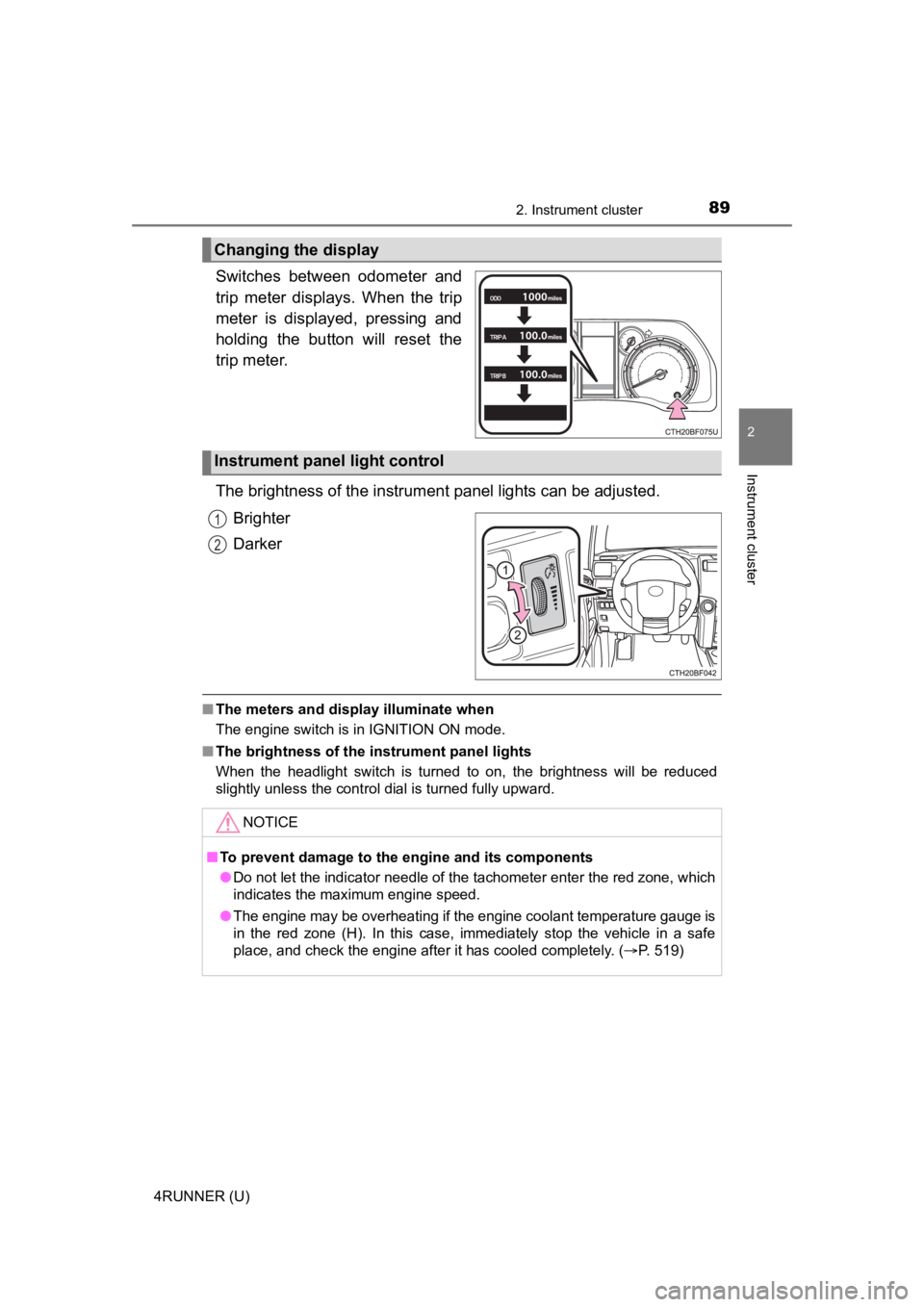
Switches between odometer and
trip meter displays. When the trip
meter is displayed, pressing and
holding the button will reset the
trip meter.
The brightness of the instrument panel lights can be adjusted.Brighter
Darker
■The meters and display illuminate when
The engine switch is in IGNITION ON mode.
■ The brightness of the instrument panel lights
When the headlight switch is turned to on, the brightness will be reduced
slightly unless the control dial is turned fully upward.
Changing the display
Instrument panel light control
1
2
NOTICE
■ To prevent damage to the engine and its components
● Do not let the indicator needle of the tachometer enter the red zone, which
indicates the maximum engine speed.
● The engine may be overheating if the engine coolant temperature gauge is
in the red zone (H). In this case, immediately stop the vehicle in a safe
place, and check the engine after it has cooled completely. ( P. 519)
Page 169 of 608

1694-1. Before driving
4
Driving
4RUNNER (U)
WARNING
Observe the following precautions.
Failure to do so may result in death or serious injury.
■When driving the vehicle
● Do not drive if you are unfamiliar with the location of the brake and accel-
erator pedals to avoid depressing the wrong pedal.
• Accidentally depressing the accelerator pedal instead of the b rake
pedal will result in sudden acceleration that may lead to an accident.
• When backing up, you may twist your body around, leading to a diffi- culty in operating the pedals. Make sure to operate the pedals properly.
• Make sure to keep a correct driving posture even when moving t he
vehicle only slightly. This allows you to depress the brake and accelera-
tor pedals properly.
• Depress the brake pedal using your right foot. Depressing the brake
pedal using your left foot may delay response in an emergency, result-
ing in an accident.
● Do not drive the vehicle over or stop the vehicle near flammable materials.
The exhaust system and exhaust gases can be extremely hot. Thes e hot
parts may cause a fire if there is any flammable material nearby.
■ When driving the vehicle
● During normal driving, do not turn off the engine. Turning the engine off
while driving will not cause loss of steering or braking control, but the
power assist to these systems will be lost. This will make it more difficult to
steer and brake, so you should pull over and stop the vehicle as soon as it
is safe to do so.
However, in the event of an emergency, such as if it becomes im possible
to stop the vehicle in the normal way: P. 467
● Use engine braking (downshift) to maintain a safe speed when driving
down a steep hill.
Using the brakes continuously may cause the brakes to overheat and lose
effectiveness. ( P. 205)
● Do not adjust the positions of the steering wheel, the seat, or the inside or
outside rear view mirrors while driving.
Doing so may result in a loss of vehicle control.
● Always check that all passengers’ arms, heads or other parts of their body
are not outside the vehicle.
● Do not drive in excess of the speed limit. Even if the legal sp eed limit per-
mits it, do not drive over 85 mph (140 km/h) unless your vehicl e has high-
speed capability tires. Driving over 85 mph (140 km/h) may resu lt in tire
failure, loss of control and possible injury. Be sure to consult a tire dealer
to determine whether the tires on your vehicle are high-speed capability
tires or not before driving at such speeds.
Page 171 of 608

1714-1. Before driving
4
Driving
4RUNNER (U)
WARNING
Observe the following precautions.
Failure to do so may result in death or serious injury.
■If you hear a squealing or scraping noise (brake pad wear limit indica-
tors)
Have the brake pads checked and replaced by your Toyota dealer as soon
as possible.
Rotor damage may result if the pads are not replaced when neede d.
It is dangerous to drive the vehicle when the wear limits of the brake pads
and/or those of the brake discs are exceeded.
■ When the vehicle is stopped
● Do not race the engine.
If the vehicle is in any gear other than P or N, the vehicle may accelerate
suddenly and unexpectedly, causing an accident.
● In order to prevent accidents due to the vehicle rolling away, always keep
depressing the brake pedal while the engine is running, and apply the
parking brake as necessary.
● If the vehicle is stopped on an incline, in order to prevent ac cidents caused
by the vehicle rolling forward or backward, always depress the brake pedal
and securely apply the parking brake as needed.
● Avoid revving or racing the engine.
Running the engine at high speed while the vehicle is stopped may cause
the exhaust system to overheat, which could result in a fire if combustible
material is nearby.
Page 173 of 608

1734-1. Before driving
4
Driving
4RUNNER (U)
WARNING
Observe the following precautions.
Failure to do so may result in death or serious injury.
■When taking a nap in the vehicle
Always turn the engine off. Otherwise, if you accidentally move the shift
lever or depress the accelerator pedal, this could cause an acc ident or fire
due to engine overheating. Additionally, if the vehicle is parked in a poorly
ventilated area, exhaust gases may collect and enter the vehicl e, leading to
death or a serious health hazard.
■ When braking
● When the brakes are wet, drive more cautiously.
Braking distance increases when the brakes are wet, and this may cause
one side of the vehicle to brake differently than the other side. Also, the
parking brake may not securely hold the vehicle.
● If the brake booster device does not operate, do not follow oth er vehicles
closely and avoid hills or shar p turns that require braking.
In this case, braking is still possible, but the brake pedal should be
depressed more firmly than usual. Also, the braking distance will increase.
● Do not pump the brake pedal if the engine stalls.
Each push on the brake pedal uses up the reserve for the power-assisted
brakes.
● The brake system consists of 2 individual hydraulic systems; if one of the
systems fails, the other will still operate. In this case, the brake pedal
should be depressed more firmly than usual and the braking dist ance will
increase.
If this happens, do not continue to drive the vehicle. Have you r brakes
fixed immediately.
Page 192 of 608

1924-1. Before driving
4RUNNER (U)
●Avoid jerky starts or sudden acceleration.
● Avoid jerky steering and sharp turns, and slow down before maki ng
turn.
● Note that when making a turn, the trailer wheels will be closer than
the vehicle wheels to the inside of the turn. Compensate by mak ing
a wider than normal turning radius.
● Slow down before making a turn, in cross winds, on wet or slipp ery
surfaces, etc.
Increasing vehicle speed can destabilize the trailer.
● Take care when passing other vehicles. Passing requires consider-
able distance. After passing a vehicle, do not forget the lengt h of
your trailer, and be sure you have plenty of room before changi ng
lanes.
● To maintain engine braking efficiency and charging system perfo r-
mance when using engine braking, do not put the transmission in
D.
● Instability happens more frequently when descending steep or lo ng
downhill grades. Before descending, slow down and downshift. Do
not make sudden downshifts while descending steep or long down-
hill grades.
● Avoid holding the brake pedal down too long or applying the bra kes
too frequently. This could cause the brakes to overheat and result in
reduced braking efficiency.
● Due to the added load of the trailer, your vehicle’s engine may over-
heat on hot days (at temperatures over 85°F [30°C]) when drivin g
up a long or steep grade. If the engine coolant temperature gau ge
indicates overheating, immediately turn off the air conditionin g (if in
use), pull your vehicle off the road and stop in a safe spot.
( P. 519)
Page 303 of 608
3034-5. Using the driving support systems
4
Driving
4RUNNER (U)
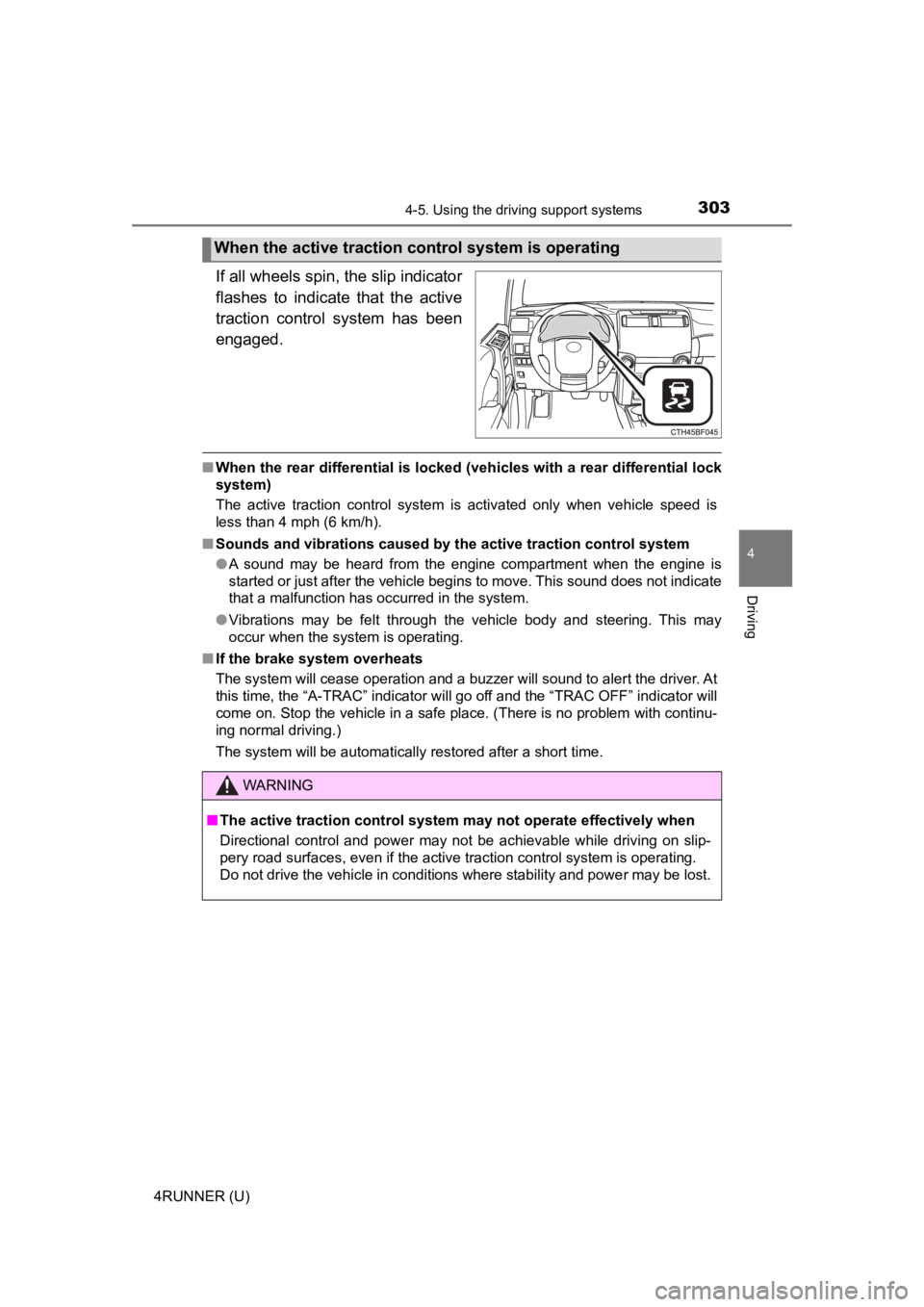
If all wheels spin, the slip indicator
flashes to indicate that the active
traction control system has been
engaged.
■When the rear differential is locked (vehicles with a rear differential lock
system)
The active traction control system is activated only when vehicle speed is
less than 4 mph (6 km/h).
■ Sounds and vibrations caused by the active traction control sys tem
● A sound may be heard from the engine compartment when the engine is
started or just after the vehicle begins to move. This sound do es not indicate
that a malfunction has occurred in the system.
● Vibrations may be felt through the vehicle body and steering. T his may
occur when the system is operating.
■ If the brake system overheats
The system will cease operation and a buzzer will sound to alert the driver. At
this time, the “A-TRAC” indicator will go off and the “TRAC OFF ” indicator will
come on. Stop the vehicle in a safe place. (There is no problem with continu-
ing normal driving.)
The system will be automatically restored after a short time.
When the active traction co ntrol system is operating
WARNING
■The active traction control system may not operate effectively when
Directional control and power may not be achievable while driving on slip-
pery road surfaces, even if the active traction control system is operating.
Do not drive the vehicle in conditions where stability and powe r may be lost.
Page 305 of 608
3054-5. Using the driving support systems
4
Driving
4RUNNER (U)
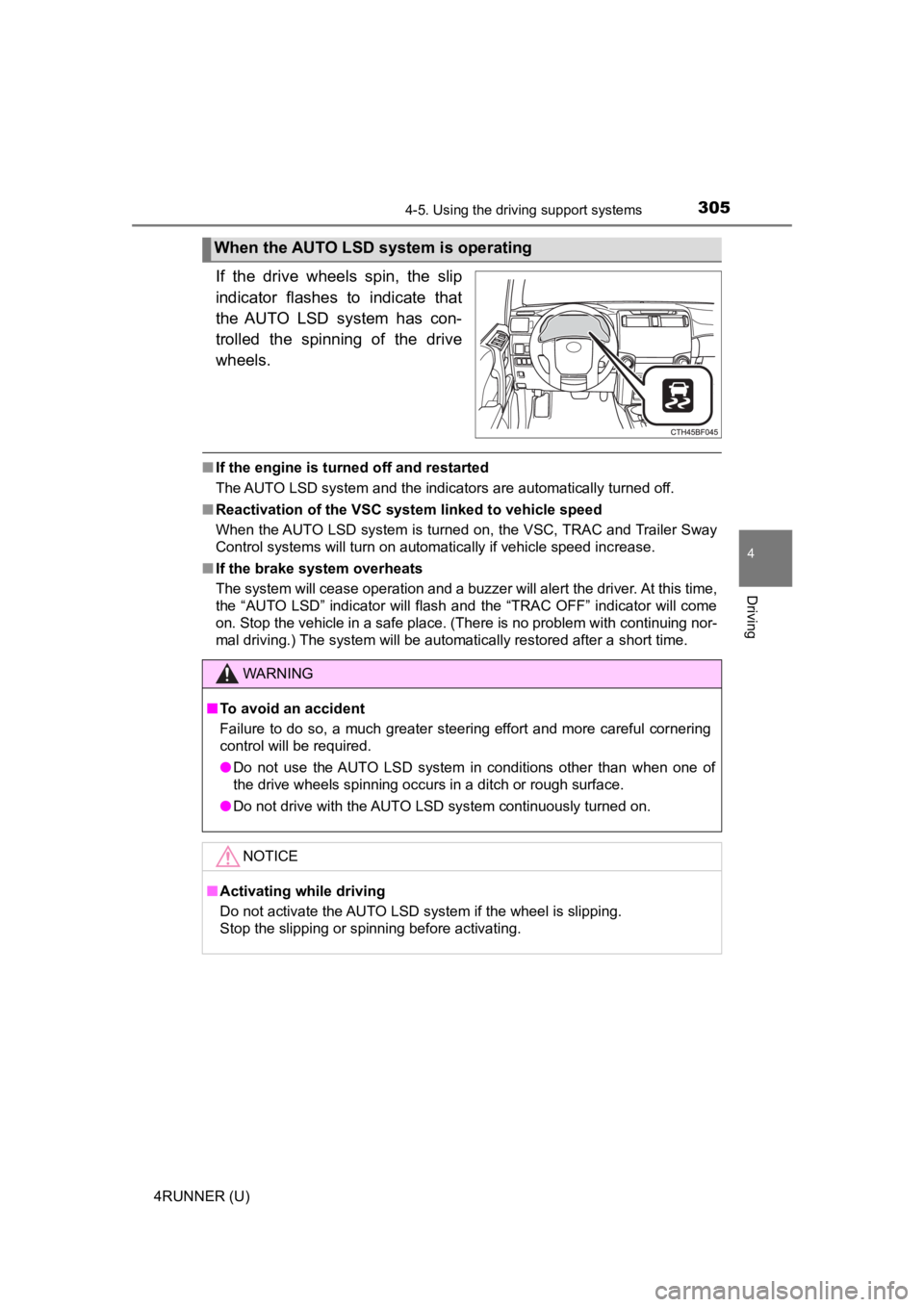
If the drive wheels spin, the slip
indicator flashes to indicate that
the AUTO LSD system has con-
trolled the spinning of the drive
wheels.
■If the engine is turned off and restarted
The AUTO LSD system and the indicators are automatically turned off.
■ Reactivation of the VSC system linked to vehicle speed
When the AUTO LSD system is turned on, the VSC, TRAC and Traile r Sway
Control systems will turn on automatically if vehicle speed inc rease.
■ If the brake system overheats
The system will cease operation and a buzzer will alert the driver. At this time,
the “AUTO LSD” indicator will flash and the “TRAC OFF” indicator will come
on. Stop the vehicle in a safe place. (There is no problem with continuing nor-
mal driving.) The system will be automatically restored after a short time.
When the AUTO LSD system is operating
WARNING
■To avoid an accident
Failure to do so, a much greater steering effort and more careful cornering
control will be required.
● Do not use the AUTO LSD system in conditions other than when on e of
the drive wheels spinning occurs in a ditch or rough surface.
● Do not drive with the AUTO LSD system continuously turned on.
NOTICE
■Activating while driving
Do not activate the AUTO LSD system if the wheel is slipping.
Stop the slipping or spinning before activating.
Page 314 of 608

3144-5. Using the driving support systems
4RUNNER (U)■
Automatic system cancelation
In the following situations, the system will cease operation an d a buzzer will
sound to alert the driver. The Cr awl Control indicator will flash until the system
is turned off completely.
● When the shift lever is shifted to P or N
● When the front-wheel drive control lever or switch is shifted to H4
● When the driver’s door is opened
● When the system is malfunctioning
● When the brake system overheats
Stop the vehicle in a safe place. (There is no problem with continuing normal
driving.)
● When the automatic transmission system overheats
Stop the vehicle in a safe place until the automatic transmission fluid tem-
perature warning light goes off.
■ Sounds and vibrations caused by the Crawl Control system
● A sound may be heard from the engine compartment when the engine is
started or just after the vehicle begins to move. This sound do es not indicate
that a malfunction has occurred in Crawl Control system.
● Either of the following conditions may occur when the Crawl Control system
is operating. None of these indicates that a malfunction has occurred.
• Vibrations may be felt through the vehicle body and steering.
• A motor sound may be heard after the vehicle comes to a stop.
■ When there is a malfunction in the system
Warning lights and/or warning messages will turn on. ( P. 477, 488)
WARNING
■When using Crawl Control
● Do not overly rely on Crawl Control. This function does not ext end the
vehicle’s performance limitations. Always check the terrain tho roughly and
drive safely.
● The recommended speed modes for the listed terrains ( P. 313) are only
a reference. The selected mode may not be suitable to actual off-road con-
ditions due to factors such as the type or unevenness of the te rrain or the
degree of incline. Check the actual terrain thoroughly and drive safely.
● After activating Crawl Control, make sure that the Crawl Control indicator
comes on. If the indicator flashes, the vehicle is not under system control.
■ Conditions under which the syst em may not operate correctly
When driving on the following surfaces, the system may not be able to
maintain a fixed low speed, which may result in an accident:
● Extremely steep inclines
● Extremely uneven surfaces
● Snow-covered roads, or other slippery surfaces