oil TOYOTA 4RUNNER 2023 Owners Manual
[x] Cancel search | Manufacturer: TOYOTA, Model Year: 2023, Model line: 4RUNNER, Model: TOYOTA 4RUNNER 2023Pages: 608, PDF Size: 11.8 MB
Page 6 of 608

TABLE OF CONTENTS6
4RUNNER (U)8-1. Specifications
Maintenance data (fuel, oil level, etc.) .......... 524
Fuel information ................ 534
Tire information ................. 537
8-2. Customization Customizable features ...... 549
8-3. Items to initialize Items to initialize................ 562 Reporting safety defects
for U.S. owners ........................ 564
Reporting safety defects for Canadian owners ................ 565
Seat belt instructions for Canadian owners
(in French)................................ 566
SRS airbag instructions for Canadian owners
(in French)................................ 568
8Vehicle specifications9For owners
Page 17 of 608
17Pictorial index
4RUNNER (U)
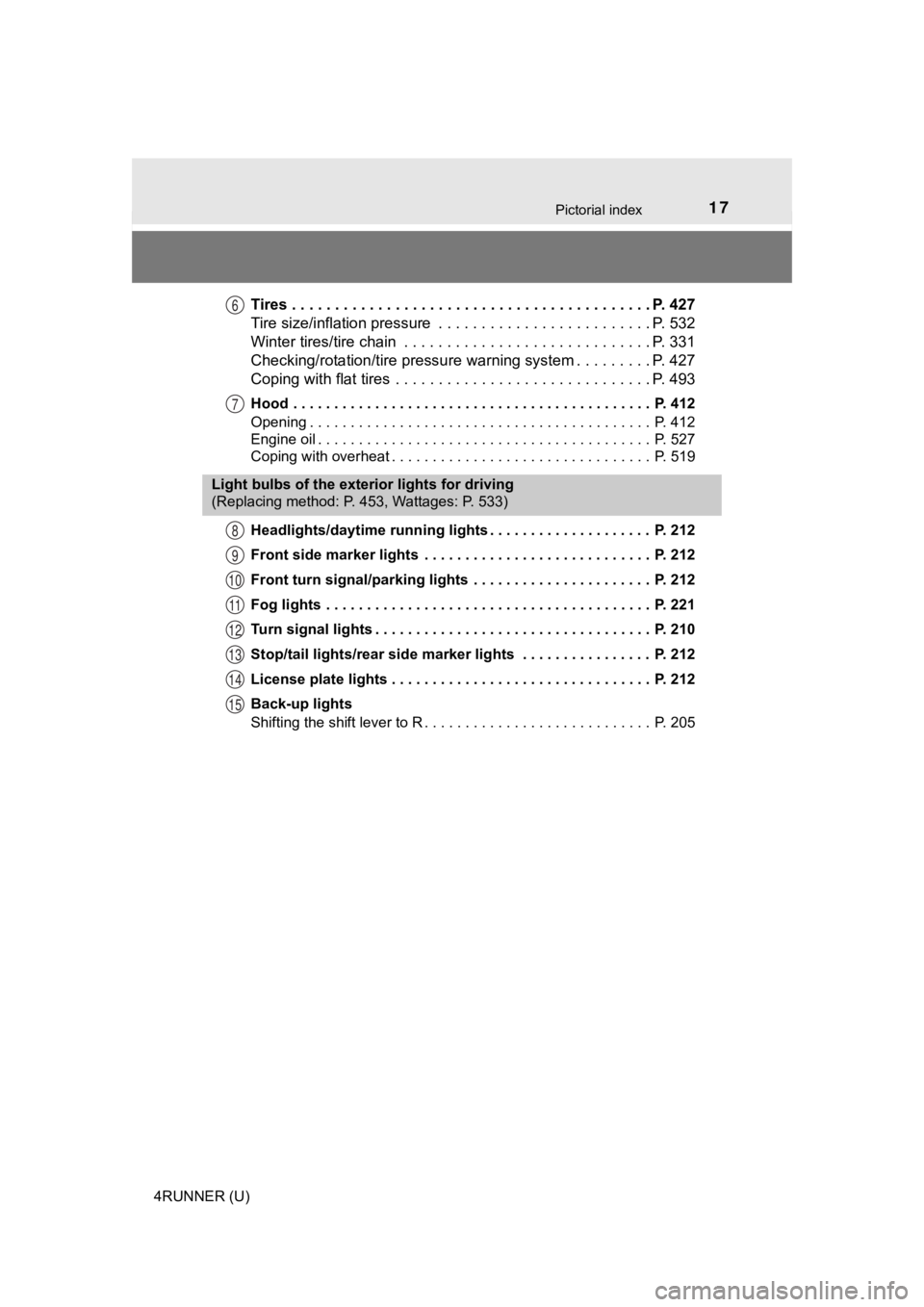
Tires . . . . . . . . . . . . . . . . . . . . . . . . . . . . . . . . . . . . . . . . . . P. 427
Tire size/inflation pressure . . . . . . . . . . . . . . . . . . . . . . . . . P. 532
Winter tires/tire chain . . . . . . . . . . . . . . . . . . . . . . . . . . . . . P. 331
Checking/rotation/tire pressur e warning system . . . . . . . . .P. 427
Coping with flat tires . . . . . . . . . . . . . . . . . . . . . . . . . . . . . . P. 493
Hood . . . . . . . . . . . . . . . . . . . . . . . . . . . . . . . . . . . . . . . . . . . . P. 412
Opening . . . . . . . . . . . . . . . . . . . . . . . . . . . . . . . . . . . . . . . . . . P. 412
Engine oil . . . . . . . . . . . . . . . . . . . . . . . . . . . . . . . . . . . . . . . . . P. 527
Coping with overheat . . . . . . . . . . . . . . . . . . . . . . . . . . . . . . . . P. 519
Headlights/daytime running lights . . . . . . . . . . . . . . . . . . . . P. 212
Front side marker lights . . . . . . . . . . . . . . . . . . . . . . . . . . . . P. 212
Front turn signal/parking lights . . . . . . . . . . . . . . . . . . . . . . P. 212
Fog lights . . . . . . . . . . . . . . . . . . . . . . . . . . . . . . . . . . . . . . . . P. 221
Turn signal lights . . . . . . . . . . . . . . . . . . . . . . . . . . . . . . . . . . P. 210
Stop/tail lights/rear side marker lights . . . . . . . . . . . . . . . . P. 212
License plate lights . . . . . . . . . . . . . . . . . . . . . . . . . . . . . . . . P. 212
Back-up lights
Shifting the shift lever to R . . . . . . . . . . . . . . . . . . . . . . . . . . . . P. 205
6
7
Light bulbs of the exterior lights for driving
(Replacing method: P. 453, Wattages: P. 533)
8
9
10
11
12
13
14
15
Page 84 of 608
842. Instrument cluster
4RUNNER (U)
*1: These lights turn on when the engine switch is turned to IGNITION ON
mode to indicate that a system check is being performed. They w ill turn off
after the engine is started, or after a few seconds. There may be a mal-
function in a system if a light does not come on, or turn off. Have the vehi-
cle inspected by your Toyota dealer.
*2: This light flashes to indicate a malfunction.
*3: This light flashes rapidly to indicate a malfunction.
*4: This light flashes continuously to indicate a malfunction.
*5: This light illuminates on the multi-information display.
*6: This light flashes or illuminates to indicate a malfunction.
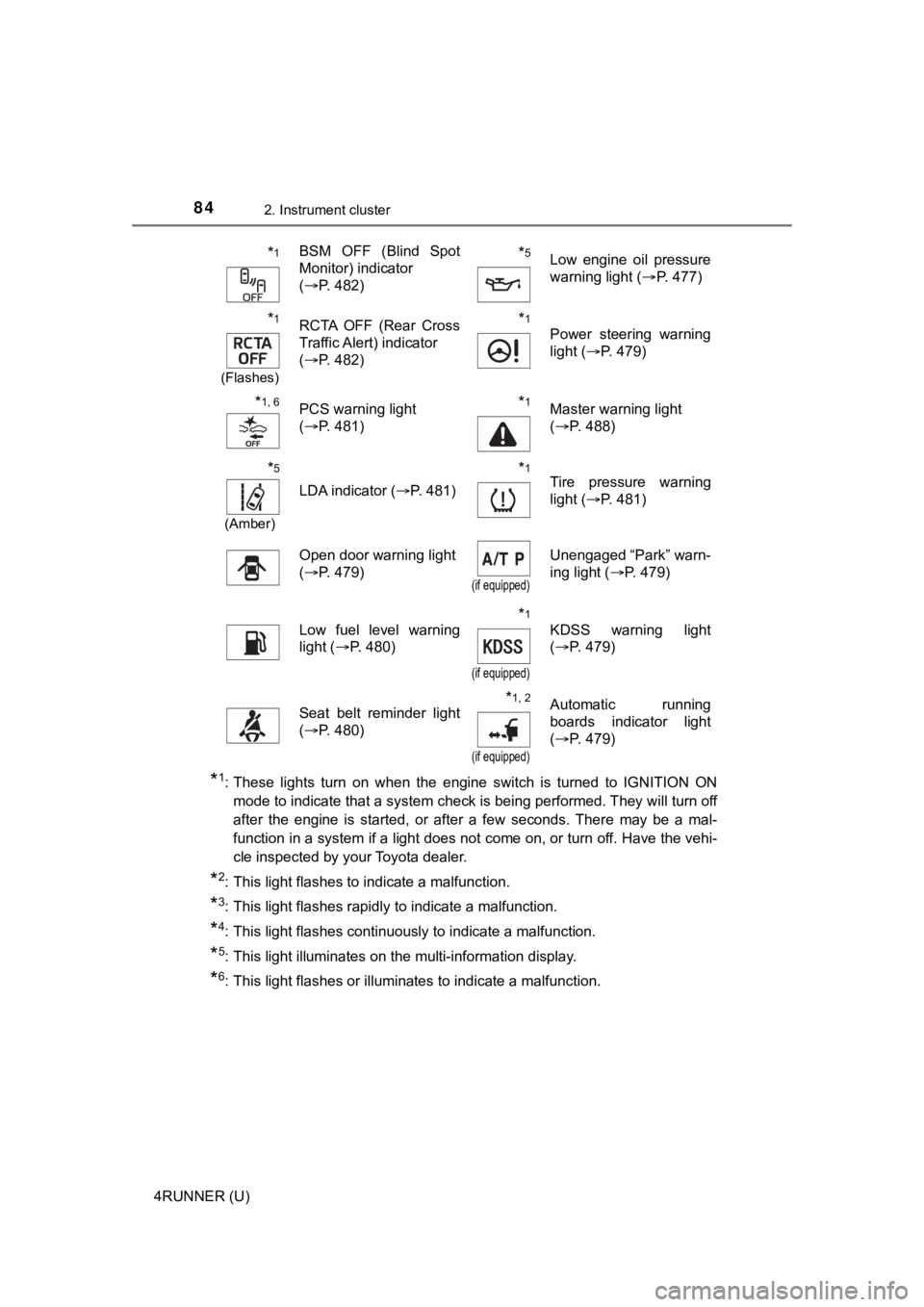
*1BSM OFF (Blind Spot
Monitor) indicator
( P. 482)*5Low engine oil pressure
warning light ( P. 477)
*1
(Flashes)
RCTA OFF (Rear Cross
Traffic Alert) indicator
(P. 482)*1
Power steering warning
light ( P. 479)
*1, 6PCS warning light
(P. 481)*1Master warning light
(P. 488)
*5
(Amber)
LDA indicator ( P. 481)
*1Tire pressure warning
light (P. 481)
Open door warning light
(P. 479)
(if equipped)
Unengaged “Park” warn-
ing light ( P. 479)
Low fuel level warning
light (P. 480)*1
(if equipped)
KDSS warning light
(P. 479)
Seat belt reminder light
(P. 480)*1, 2
(if equipped)
Automatic running
boards indicator light
(P. 479)
Page 117 of 608

1173-2. Opening, closing and locking the doors
3
Operation of each component
4RUNNER (U)■
Conditions affecting operation
The smart key system uses weak radio waves. In the following si tuations, the
communication between the electronic key and the vehicle may be affected,
preventing the smart key system, wireless remote control and en gine immobi-
lizer system from operating properly. (Ways of coping: P. 512)
● When the electronic key battery is depleted
● Near a TV tower, electric power plant, gas station, radio stati on, large dis-
play, airport or other facility that generates strong radio wav es or electrical
noise
● When carrying a portable radio, cellular phone, cordless phone or other
wireless communication device
● When the electronic key is in contact with, or is covered by the following
metallic objects
• Cards to which aluminum foil is attached
• Cigarette boxes that have aluminum foil inside
• Metallic wallets or bags
• Coins
• Hand warmers made of metal
• Media such as CDs and DVDs
● When multiple electronic keys are in the vicinity
● When other wireless keys (that emit radio waves) are being used nearby
● When carrying the electronic key together with the following devices that
emit radio waves
• Another vehicle’s electronic key or a wireless key that emits radio waves
• Personal computers or personal digital assistants (PDAs)
• Digital audio players
• Portable game systems
● If window tint with a metallic content or metallic objects are attached to the
back window
● When the electronic key is placed near a battery charger or ele ctronic
devices
● When the vehicle is parked in a pay parking spot where radio wa ves are
emitted.
If the doors cannot be locked/unlocked using the smart key syst em, lock/
unlock the doors by performing any of the following:
● Bring the electronic key close to either front door handle and operate the
entry function.
● Operate the wireless remote control.
If the doors cannot be locked/unlocked using the above methods, use the
mechanical key. ( P. 512)
If the engine cannot be started using the smart key system, ref er to P. 513.
Page 175 of 608

1754-1. Before driving
4
Driving
4RUNNER (U)
NOTICE
■When encountering flooded roads
Do not drive on a road that has flooded after heavy rain etc. D oing so may
cause the following serious damage to the vehicle:
● Engine stalling
● Short in electrical components
● Engine damage caused by water immersion
In the event that you drive on a flooded road and the vehicle i s flooded, be
sure to have your Toyota dealer check the following:
● Brake function
● Changes in quantity and quality of oil and fluid used for the engine, trans-
mission, transfer (4WD models), differentials, etc.
● Lubricant condition for the propeller shaft, bearings and suspe nsion joints
(where possible), and the function of all joints, bearings, etc.
Page 235 of 608
2354-5. Using the driving support systems
4
Driving
4RUNNER (U)
WARNING
■To avoid malfunction of the front camera
Observe the following precautions.
Otherwise, the front camera may not operate properly, possibly leading to
an accident resulting in death or serious injury.
● Keep the windshield clean at all times.
• If the windshield is dirty or covered with an oily film, water droplets,
snow, etc., clean the windshield.
• If a glass coating agent is applied to the windshield, it will still be neces- sary to use the windshield wipers to remove water droplets, etc. from
the area of the windshield in front of the front camera.
• If the inner side of the windshield where the front camera is installed is
dirty, contact your Toyota dealer.
● If the part of the windshield in front of the front camera is fogged up or cov-
ered with condensation or ice, use the windshield defogger to remove the
fog, condensation or ice. ( P. 344)
● If water droplets cannot be properly removed from the area of t he wind-
shield in front of the front camera by the windshield wipers, replace the
wiper insert or wiper blade.
● Do not attach window tint to the windshield.
● Replace the windshield if it is damaged or cracked.
After replacing the windshield, the front camera must be recali brated. Con-
tact your Toyota dealer for details.
● Do not allow liquids to contact the front camera.
● Do not allow bright lights to shine into the front camera.
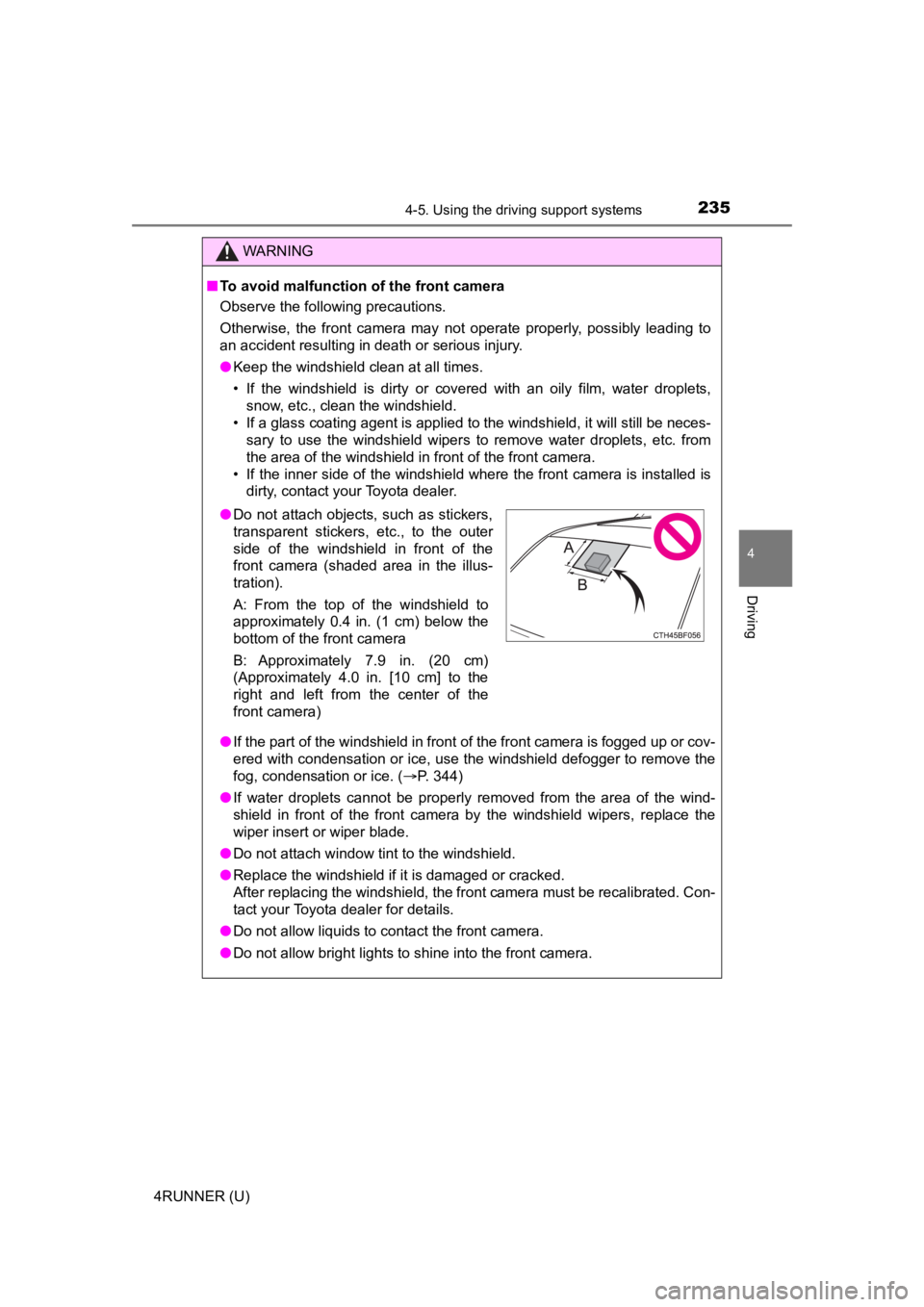
●Do not attach objects, such as stickers,
transparent stickers, etc., to the outer
side of the windshield in front of the
front camera (shaded area in the illus-
tration).
A: From the top of the windshield to
approximately 0.4 in. (1 cm) below the
bottom of the front camera
B: Approximately 7.9 in. (20 cm)
(Approximately 4.0 in. [10 cm] to the
right and left from the center of the
front camera)
Page 331 of 608
331
4
Driving
4RUNNER (U)
4-6. Driving tips
●Use fluids that are appropriate t o the prevailing outside tempera-
tures. • Engine oil
• Engine coolant
• Washer fluid
● Have a service technician inspec t the condition of the battery.
● Have the vehicle fitted with four snow tires or purchase a set of tire
chains for the rear tires.
Ensure that all tires are the same size and brand, and that chains match
the size of the tires.
Winter driving tips
Carry out the necessary preparations and inspections before
driving the vehicle in winter. Always drive the vehicle in a ma n-
ner appropriate to the prevailing weather conditions.
Preparation for winter
Page 339 of 608

3394-6. Driving tips
4
Driving
4RUNNER (U)
NOTICE
■To prevent water damage
Take all necessary safety measures to ensure that water damage to the
engine or other components does not occur.
● Water entering the engine air intake will cause severe engine damage.
● Water entering the automatic transmission will cause deterioration in shift
quality, locking up of your transmission accompanied by vibration, and ulti-
mately damage.
● Water can wash the grease from wheel bearings, causing rusting and pre-
mature failure, and may also enter the differentials, transmission and
transfer case, reducing the gear oil’s lubricating qualities.
■ When you drive through water
If driving through water, such as when crossing shallow streams , first check
the depth of the water and the bottom of the riverbed for firmn ess. Drive
slowly and avoid deep water.
■ Inspection after off-road driving
● Sand and mud that has accumulated in brake drums and around bra ke
discs may affect braking efficiency and may damage brake system compo-
nents.
● Always perform a maintenance inspection after each day of off-r oad driv-
ing that has taken you through rough terrain, sand, mud, or wat er. For
scheduled maintenance information, refer to the “Scheduled Maintenance
Guide” or “Owner’s Manual Supplement”.
Page 396 of 608
396
4RUNNER (U)
6-1. Maintenance and care
●Working from top to bottom, liberally apply water to the vehicl e
body, wheel wells and underside of the vehicle to remove any di rt
and dust.
● Wash the vehicle body using a sponge or soft cloth, such as a
chamois.
● For hard-to-remove marks, use car wash soap and rinse thoroughl y
with water.
● Wipe away any water.
● Wax the vehicle when the wate rproof coating deteriorates.
If water does not bead on a clean surface, apply wax when the vehicle
body is cool.
■Automatic car washes
●Fold the mirrors before washing the vehicle. Start washing from the front of
the vehicle. Make sure to extend the mirrors before driving.
● Brushes used in automatic car washes may scratch the vehicle su rface,
parts (wheel, etc.) and harm your vehicle’s paint.
● In certain automatic car washes, the roof antenna (if equipped) or rear
spoiler may interfere with machine operation. This may prevent the vehicle
from being cleaned properly or result in damage to the antenna or rear
spoiler.
■ High pressure car washes
As water may enter the cabin, do not bring the nozzle tip near the gaps
around the doors or perimeter of the windows, or spray these ar eas continu-
ously.
Cleaning and prot ecting the vehicle
exterior
Perform the following to protect the vehicle and maintain it in
prime condition:
Page 397 of 608

3976-1. Maintenance and care
6
Maintenance and care
4RUNNER (U)■
Wheels and wheel ornaments
●Remove any dirt immediately by using a neutral detergent.
● Wash detergent off with water immediately after use.
● To protect the paint from damage, make sure to observe the following pre-
cautions.
• Do not use acidic, alkaline or abrasive detergent
• Do not use hard brushes
• Do not use detergent on the wheels when they are hot, such as after driv-
ing or parking in hot weather
■ Brake pads and calipers
Rust may form if the vehicle is parked with wet brake pads or d isc rotors,
causing them to stick. Before parking the vehicle after it is washed, drive
slowly and apply the brakes several times to dry the parts.
■ Bumpers and side moldings
Do not scrub with abrasive cleaners.
■ Plated portions
If dirt cannot be remove, clean the parts as follows:
●Use a soft cloth dampened with an approximately 5% solution of neutral
detergent and water to clean the dirt off.
● Wipe the surface with a dry, soft cloth to remove any remaining moisture.
● To remove oily deposits, use alcohol wet wipes or a similar product.
■ Notes for a smart key system
If the door handle becomes wet while the electronic key is within the effective
range, the door may lock and unlock repeatedly. In this case, follow the fol-
lowing correction procedures to wash the vehicle:
• Place the electronic key in a location 6 ft. (2 m) or more awa y from the vehi-
cle. (Take care to ensure that the key is not stolen.)
• Set the electronic key to battery-saving mode to disable the smart key sys- tem. ( P. 116)
WARNING
■When washing the vehicle
Do not apply water to the inside of the engine compartment. Doing so may
cause the electrical components etc. to catch fire.
■ Precautions regarding the exhaust pipe
Exhaust gases cause the exhaust pipe to become quite hot.
When washing the vehicle, be careful not to touch the pipe unti l it has
cooled sufficiently, as touching hot exhaust pipe can cause burns.