change time TOYOTA 86 2019 User Guide
[x] Cancel search | Manufacturer: TOYOTA, Model Year: 2019, Model line: 86, Model: TOYOTA 86 2019Pages: 532, PDF Size: 6.89 MB
Page 215 of 532
2152-2. Instrument cluster
2
When driving ■ Stopwatch
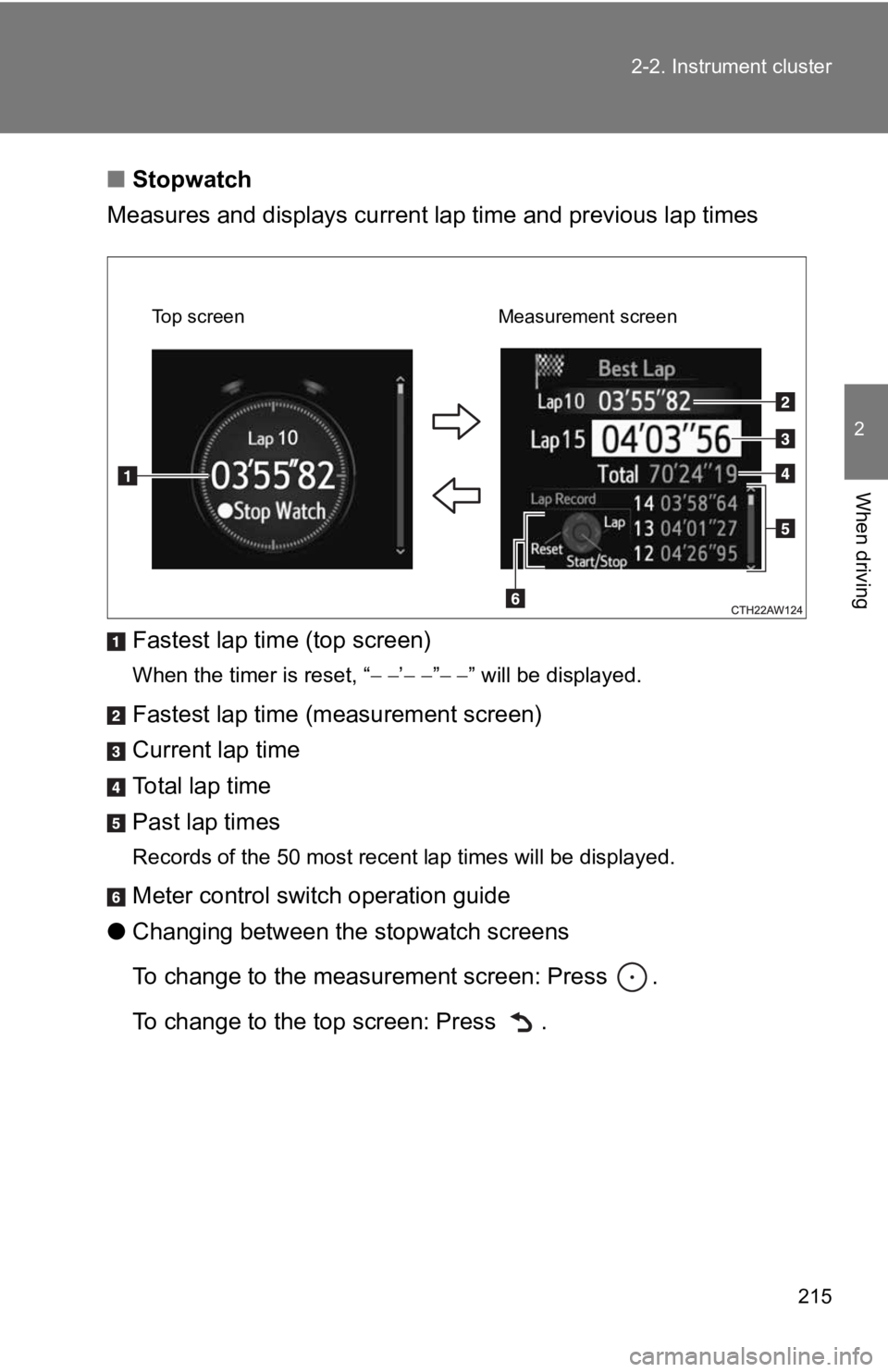
Measures and displays current l ap time and previous lap times
Fastest lap time (top screen) When the timer is reset, “ ’ ” ” will be displayed.
Fastest lap time (measurement screen)
Current lap time
To t a l l a p t i m e
Past lap times Records of the 50 most recent lap times will be displayed.
Meter control swit ch operation guide
● Changing between the stopwatch screens
To change to the measurement screen: Press .
To change to the top screen: Press . Top screen Measurement screen
Page 220 of 532

2202-2. Instrument cluster
■ G-force display
● Depending on the vehicle usage conditions, the brake fluid pres sure dis-
play may not reach its maximum reading even though the brake pe dal is
fully depressed.
● If a battery terminal is disconnected and reconnected, the stee ring
amount display may be disabled te mporarily. After driving the v ehicle for
a while, the display will be enabled.
■ Suspension of the settings display
● The settings cannot be changed while driving. When changing set tings,
park the vehicle in a safe place.
● If a warning message is displayed, operation of the settings di splay will
be suspended.
■ Using the stopwatch
If the engine is stopped while the stopwatch is operating, the stopwatch will
stop and the time up to that point will be recorded.
■ Outside temperature display
● In the following situations, the correct outside temperature ma y not be
displayed.
• When the vehicle is very hot, such as when under the sun.
• When the vehicle is idling or being driven at low speeds such as in a
traffic jam or when the engine is stopped and then restarted immedi-
ately afterward.
• When the actual outside temperature is outside of the indicato r range.
● If “ ” is displayed for approximately 1 minute or more or if the out side
temperature is not displayed, the system may be malfunctioning. Have
the vehicle inspected by your Toyota dealer.
■ Liquid crystal display
Small spots or light spots may appear on the display. This phenomenon is
characteristic of liquid crystal displays, and there is no prob lem continuing to
use the display.
Page 233 of 532
2332-4. Using other driving systems
2
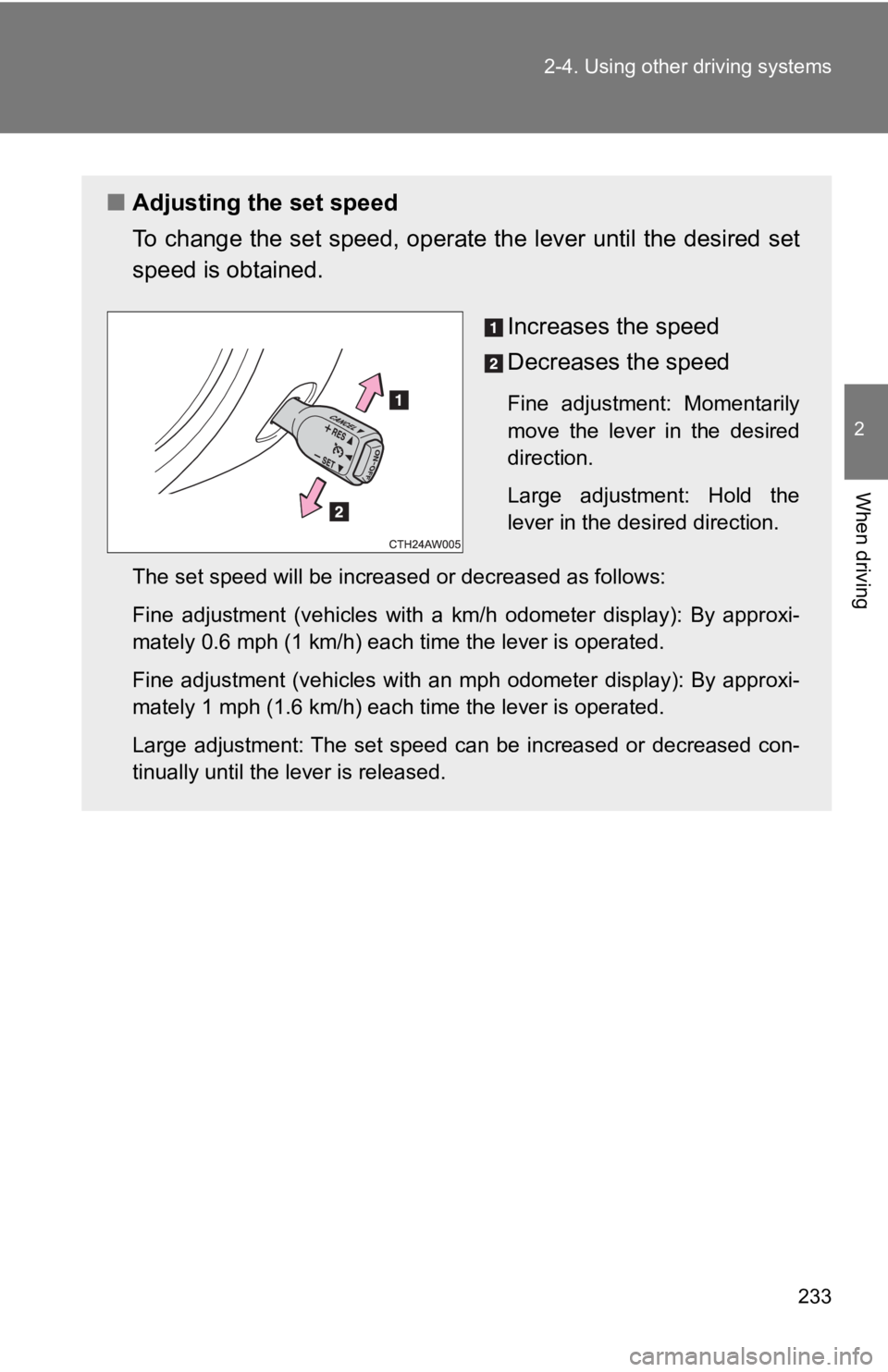
When driving ■ Adjusting the set speed
To change the set speed, operate the lever until the desired se t
speed is obtained.
Increases the speed
Decreases the speed Fine adjustment: Momentarily
move the lever in the desired
direction.
Large adjustment: Hold the
lever in the desired direction.
The set speed will be increased or decreased as follows:
Fine adjustment (vehicles with a km/h odometer display): By app roxi-
mately 0.6 mph (1 km/h) each time the lever is operated.
Fine adjustment (vehicles with an mph odometer display): By app roxi-
mately 1 mph (1.6 km/h) each time the lever is operated.
Large adjustment: The set speed can be increased or decreased c on-
tinually until the lever is released.
Page 277 of 532
2773-1. Using the air condit ioning system and defogger
3
Interior features Adjusting the settings manually
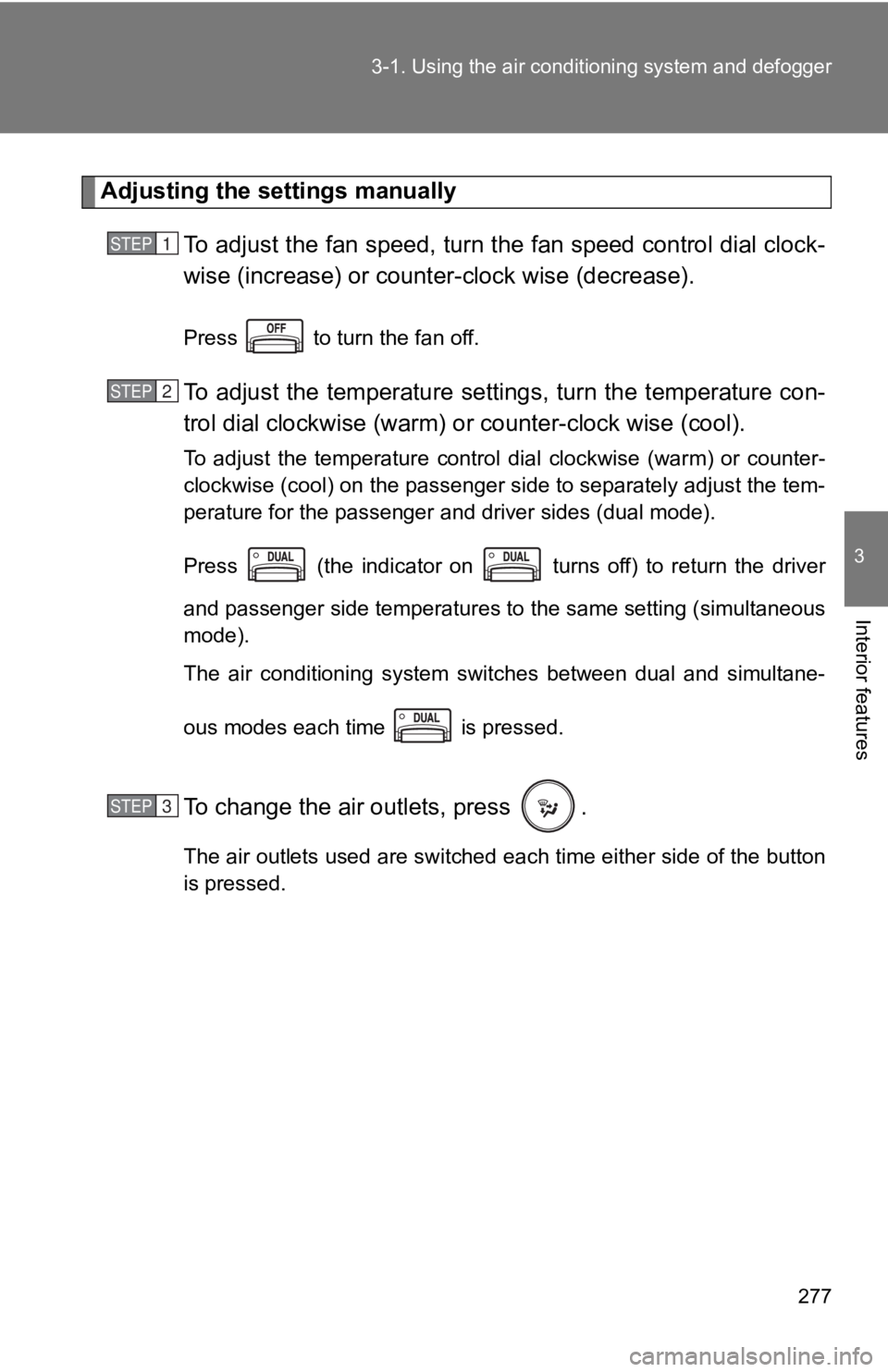
To adjust the fan speed, turn th e fan speed control dial clock-
wise (increase) or counter -clock wise (decrease).Press to turn the fan off.
To adjust the temperature sett ings, turn the temperature con-
trol dial clockwise (warm) o r counter-clock wise (cool).To adjust the temperature control dial clockwise (warm) or coun ter-
clockwise (cool) on the passenger side to separately adjust the tem-
perature for the passenger and driver sides (dual mode).
Press (the indicator on turns off) to return the driver
and passenger side temperatures to the same setting (simultaneo us
mode).
The air conditioning system switches between dual and simultane -
ous modes each time is pressed.
To change the air outlets, press . The air outlets used are switched each time either side of the button
is pressed.STEP 1
STEP 2
STEP 3
Page 290 of 532
2903-3. Using the interior lights
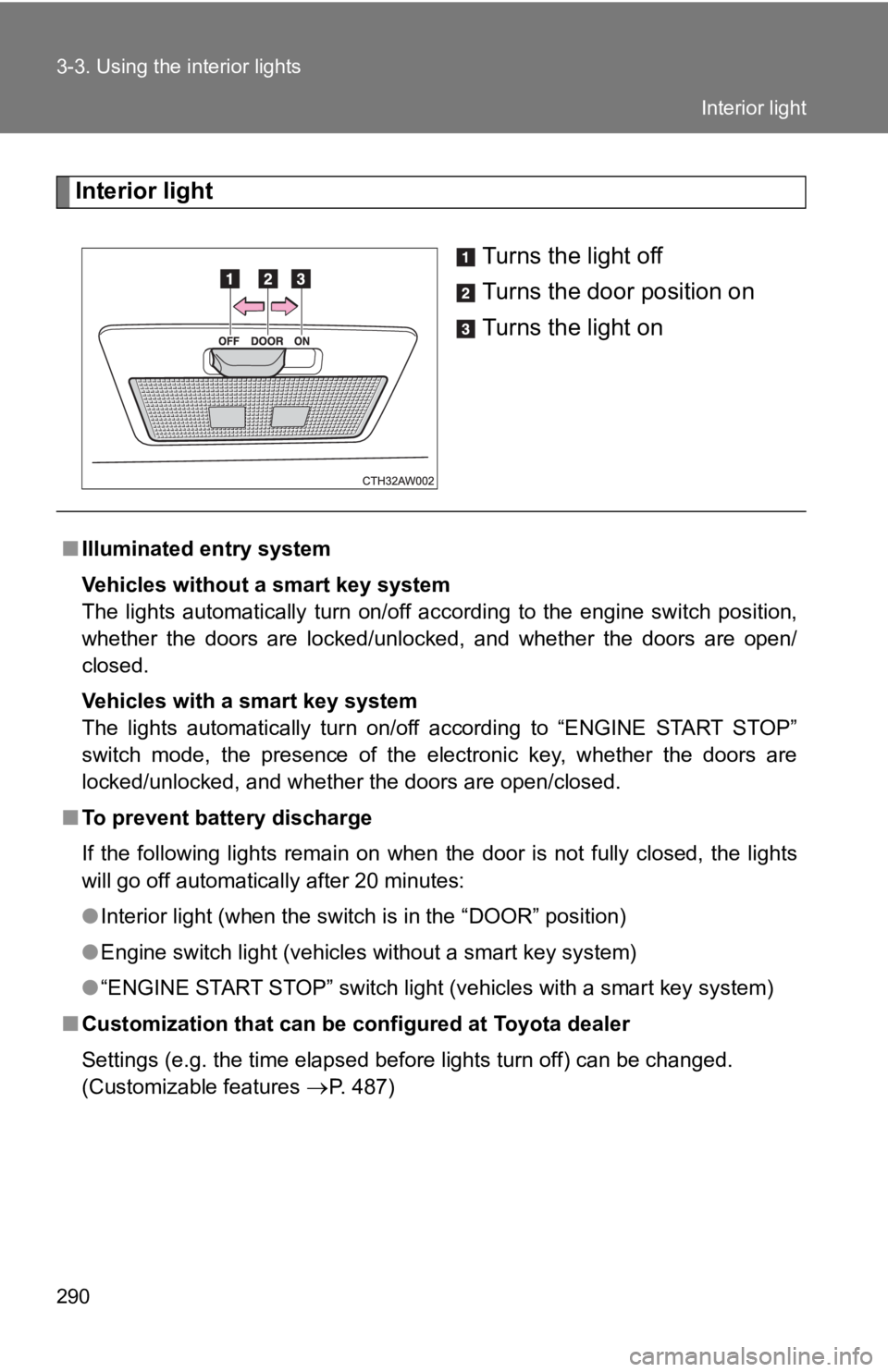
Interior light
Turns the light off
Turns the door position on
Turns the light on
■ Illuminated entry system
Vehicles without a smart key system
The lights automatically turn on/off according to the engine sw itch position,
whether the doors are locked/unlocked, and whether the doors ar e open/
closed.
Vehicles with a smart key system
The lights automatically turn on/off according to “ENGINE START STOP”
switch mode, the presence of the electronic key, whether the do ors are
locked/unlocked, and whether the doors are open/closed.
■ To prevent battery discharge
If the following lights remain on when the door is not fully cl osed, the lights
will go off automatically after 20 minutes:
● Interior light (when the switch is in the “DOOR” position)
● Engine switch light (vehicles without a smart key system)
● “ENGINE START STOP” switch light (vehicles with a smart key sys tem)
■ Customization that can be configured at Toyota dealer
Settings (e.g. the time elapsed before lights turn off) can be changed.
(Customizable features
P. 487) Interior light
Page 443 of 532
5
When trouble arises
4435-2. Steps to take in an emergency
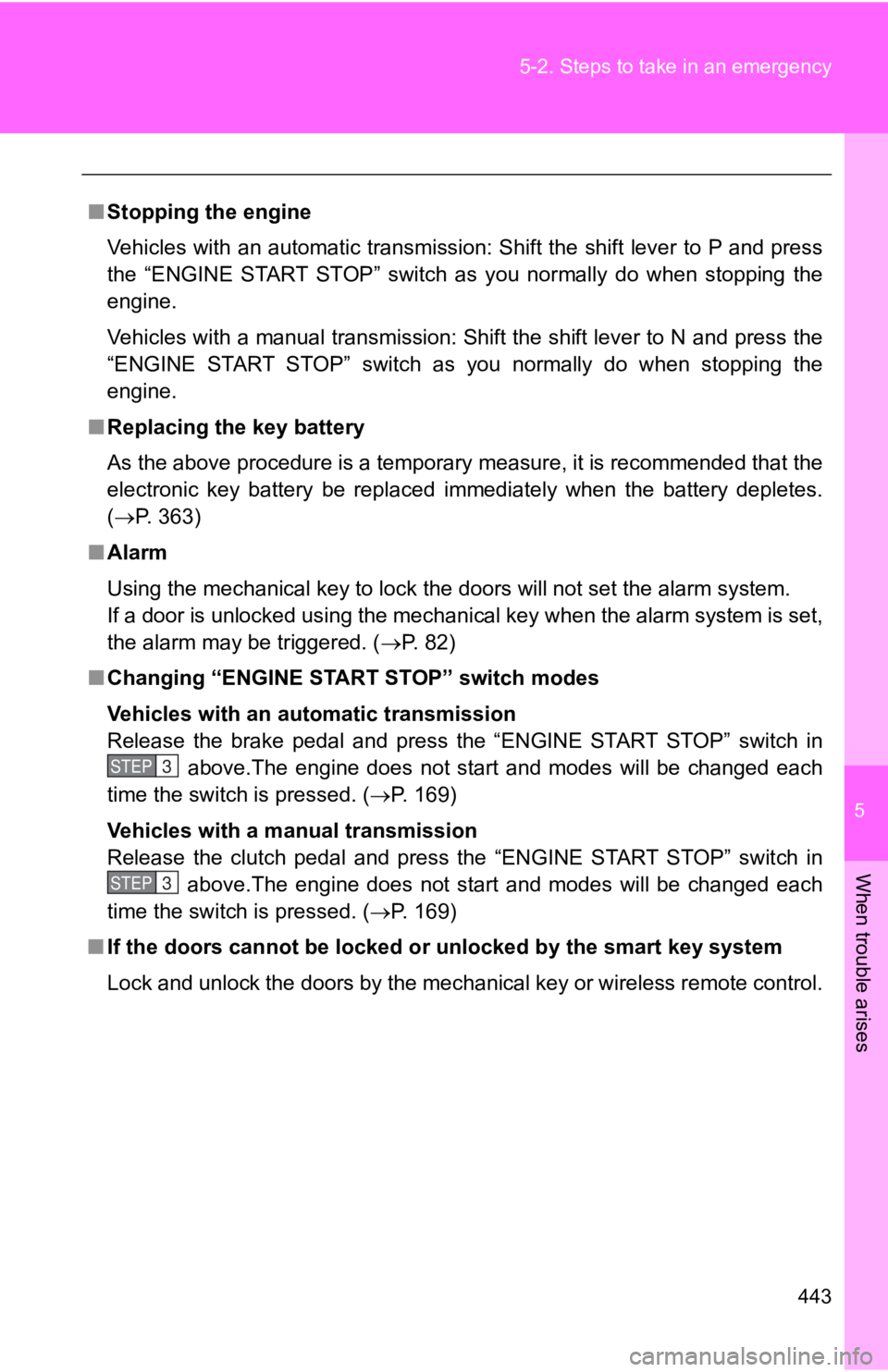
■ Stopping the engine
Vehicles with an automatic transmission: Shift the shift lever to P and press
the “ENGINE START STOP” switch as you normally do when stopping the
engine.
Vehicles with a manual transmission: Shift the shift lever to N and press the
“ENGINE START STOP” switch as you normally do when stopping the
engine.
■ Replacing the key battery
As the above procedure is a temporary measure, it is recommende d that the
electronic key battery be replaced immediately when the battery depletes.
( P. 363)
■ Alarm
Using the mechanical key to lock the doors will not set the ala rm system.
If a door is unlocked using the mechanical key when the alarm s ystem is set,
the alarm may be triggered. ( P. 82)
■ Changing “ENGINE START STOP” switch modes
Vehicles with an automatic transmission
Release the brake pedal and press the “ENGINE START STOP” switch in
above.The engine does not start and modes will be changed each
time the switch is pressed. ( P. 169)
Vehicles with a manual transmission
Release the clutch pedal and press the “ENGINE START STOP” swit ch in
above.The engine does not start and modes will be changed each
time the switch is pressed. ( P. 169)
■ If the doors cannot be locked or unlocked by the smart key syst em
Lock and unlock the doors by the mechanical key or wireless rem ote control.STEP 3
STEP 3
Page 487 of 532
487 6
Vehicle specifications 6-2. Customization
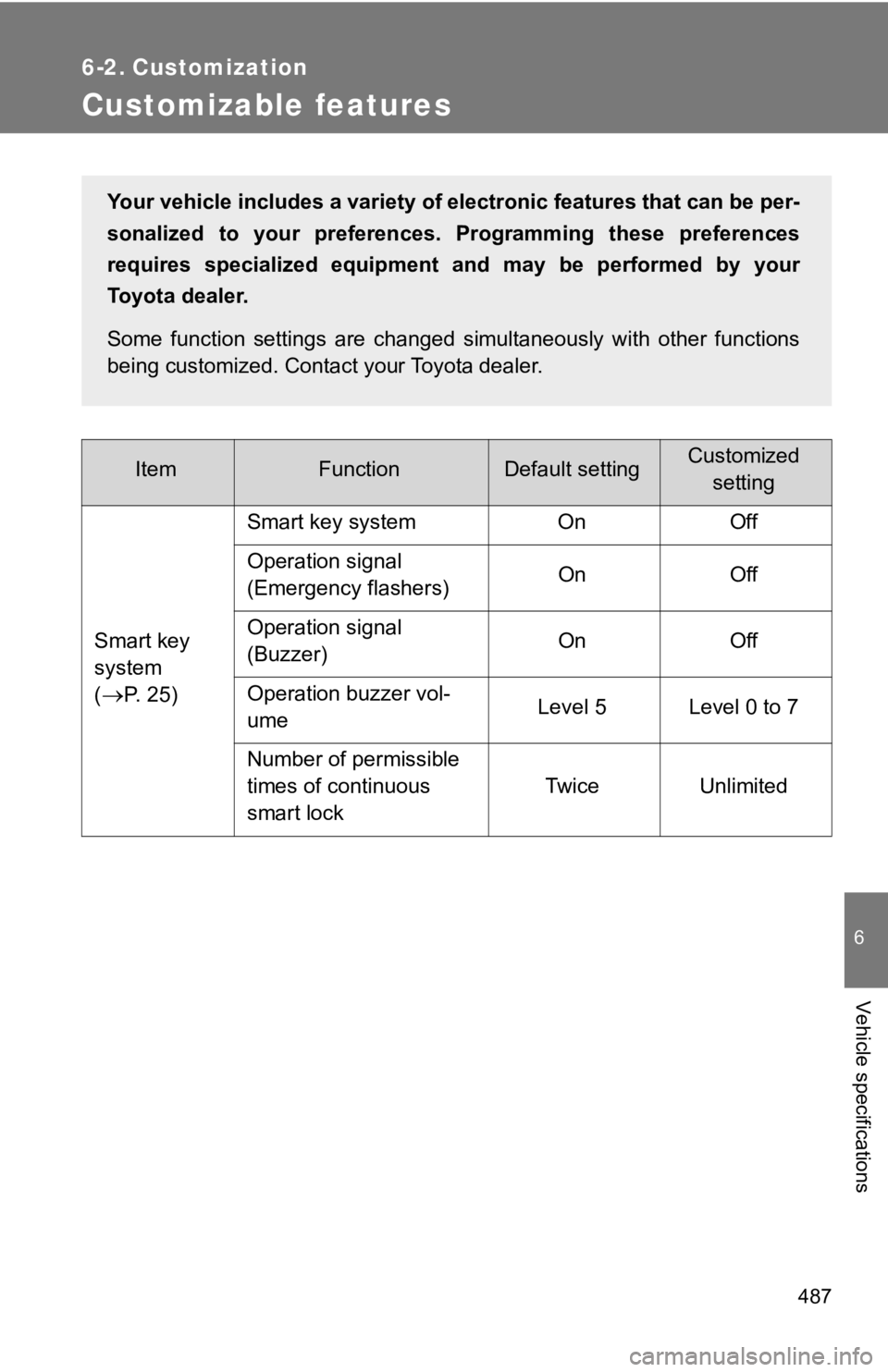
Customizable features Item Function Default setting Customized
setting
Smart key
system
(
P. 25) Smart key system On Off
Operation signal
(Emergency flashers) On Off
Operation signal
(Buzzer) On Off
Operation buzzer vol-
ume Level 5 Level 0 to 7
Number of permissible
times of continuous
smart lock Twice UnlimitedYour vehicle includes a variety of electronic features that can be per-
sonalized to your preferences. Programming these preferences
requires specialized equipment and may be performed by your
Toyota dealer.
Some function settings are changed simultaneously with other fu nctions
being customized. Contact your Toyota dealer.