transmission TOYOTA 86 2019 Owner's Guide
[x] Cancel search | Manufacturer: TOYOTA, Model Year: 2019, Model line: 86, Model: TOYOTA 86 2019Pages: 532, PDF Size: 6.89 MB
Page 196 of 532
1962-2. Instrument cluster
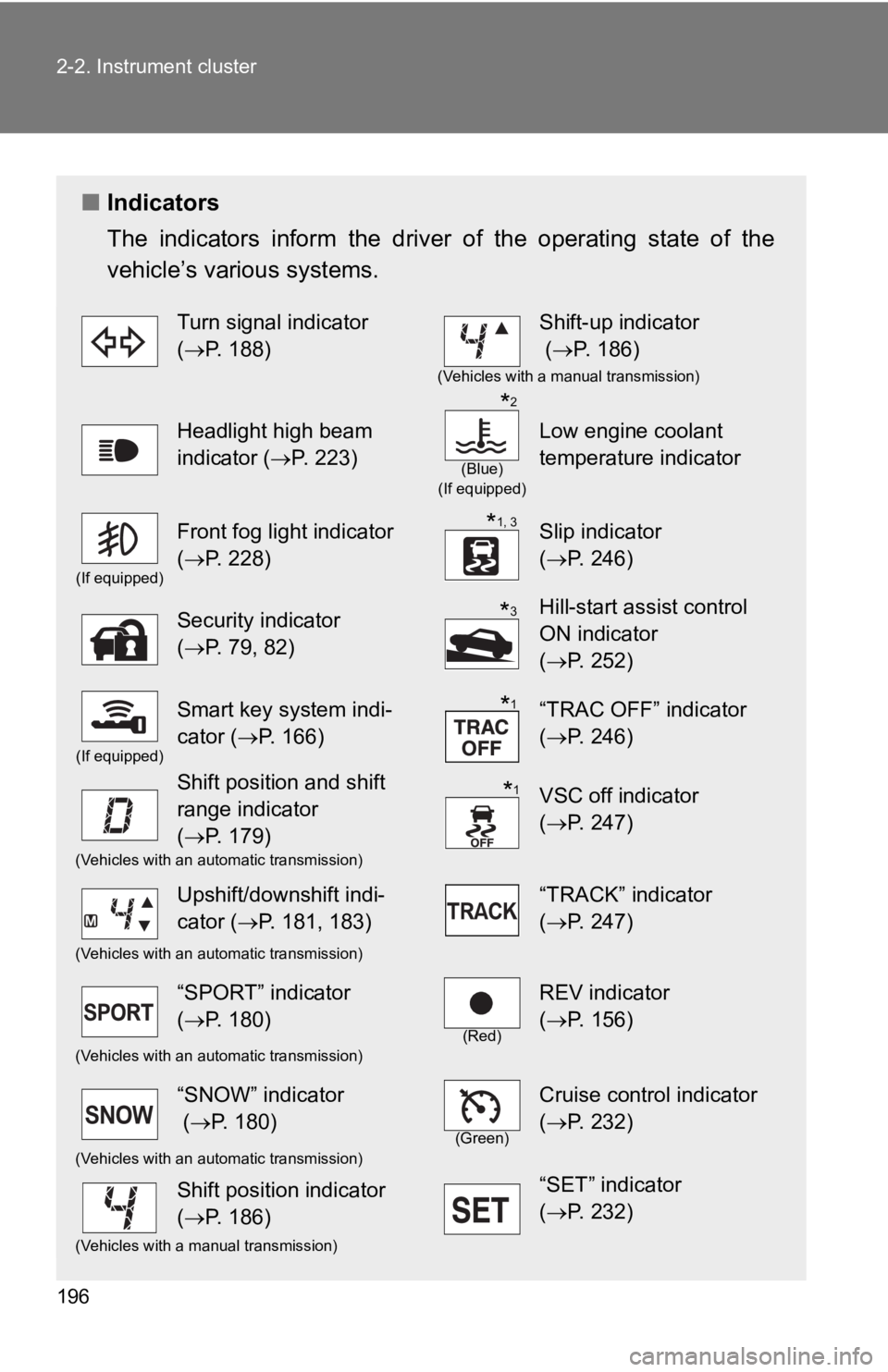
■ Indicators
The indicators inform the driv er of the operating state of the
vehicle’s various systems. Turn signal indicator
( P. 188) Shift-up indicator
( P. 186) (Vehicles with a manual transmission)
Headlight high beam
indicator ( P. 223) (Blue)
(If equipped)
Low engine coolant
temperature indicator(If equipped)
Front fog light indicator
( P. 228) Slip indicator
( P. 246)
Security indicator
( P. 79, 82) Hill-start assist control
ON indicator
( P. 252)(If equipped)
Smart key system indi-
cator ( P. 166) “TRAC OFF” indicator
( P. 246)
Shift position and shift
range indicator
( P. 179) VSC off indicator
( P. 247)(Vehicles with an automatic transmission)
Upshift/downshift indi-
cator ( P. 181, 183) “TRACK” indicator
( P. 247)(Vehicles with an automatic transmission)
“SPORT” indicator
( P. 180) (Red)
REV indicator
( P. 156)(Vehicles with an automatic transmission)
“SNOW” indicator
( P. 180) (Green)
Cruise control indicator
( P. 232)(Vehicles with an automatic transmission)
Shift position indicator
( P. 186) “SET” indicator
( P. 232)(Vehicles with a manual transmission) * 2
* 1, 3
* 3
* 1
* 1
Page 200 of 532
2002-2. Instrument cluster
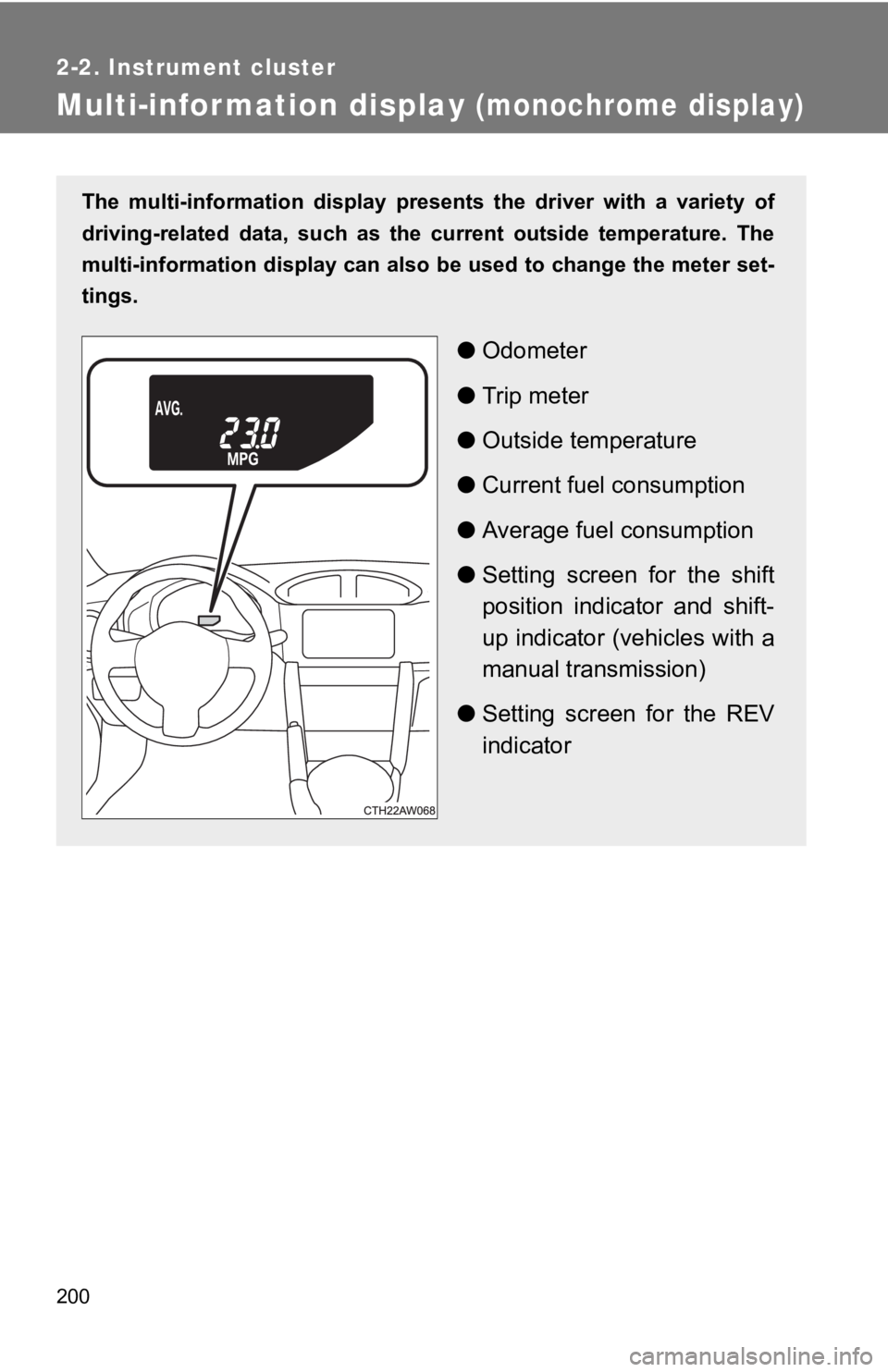
Multi-information display (monochrome display)The multi-information display pr esents the driver with a variet y of
driving-related data, such as th e current outside temperature. The
multi-information display can als o be used to change the meter set-
tings.
● Odometer
● Trip meter
● Outside temperature
● Current fuel consumption
● Average fuel consumption
● Setting screen for the shift
position indicator and shift-
up indicator (vehicles with a
manual transmission)
● Setting screen for the REV
indicator
Page 201 of 532
2012-2. Instrument cluster
2
When driving Switch the display
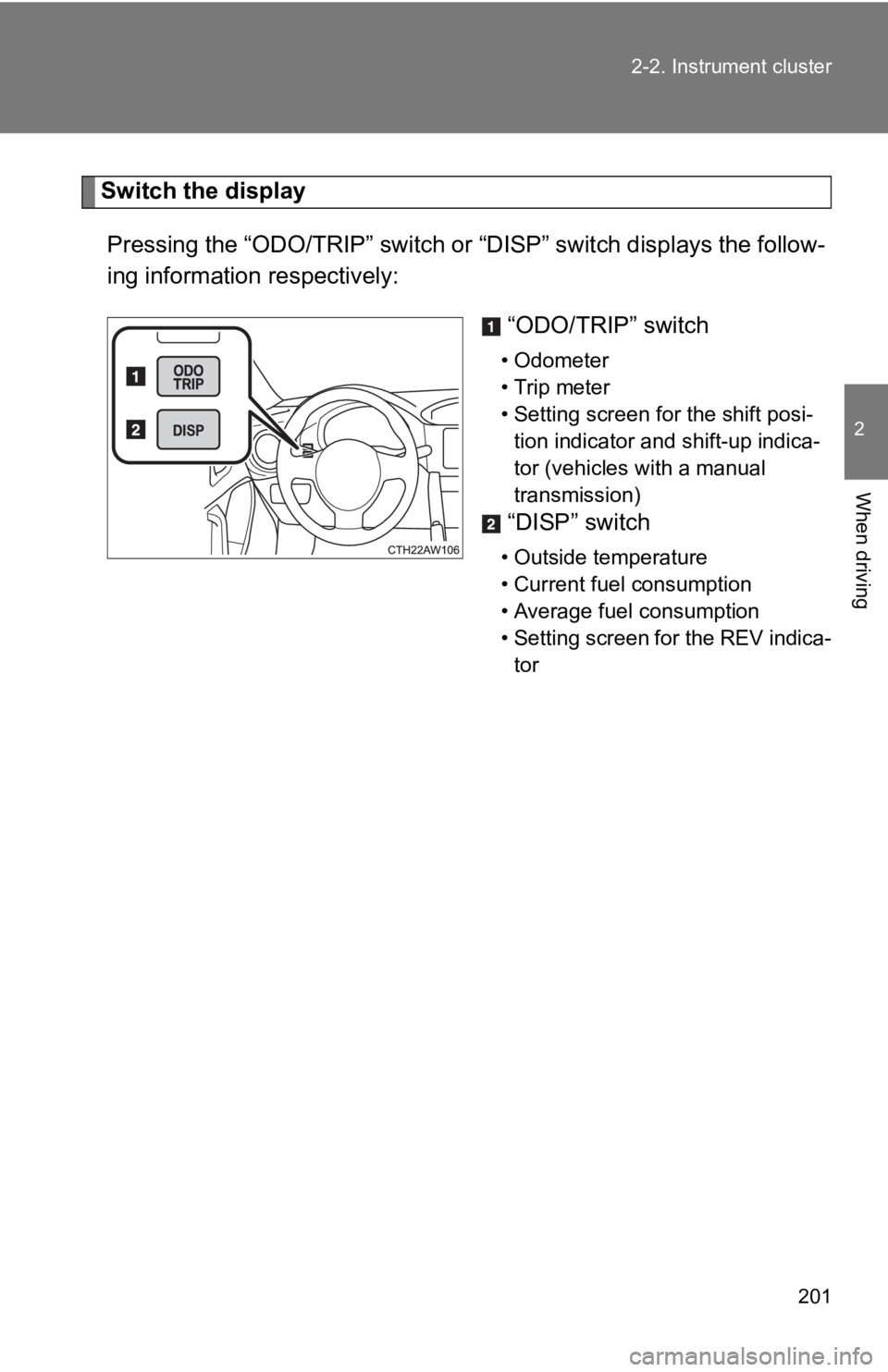
Pressing the “ODO/TRIP” switch or “DISP” switch displays the fo llow-
ing information respectively:
“ODO/TRIP” switch • Odometer
• Trip meter
• Setting screen for the shift posi-
tion indicator and shift-up indica-
tor (vehicles with a manual
transmission)
“DISP” switch • Outside temperature
• Current fuel consumption
• Average fuel consumption
• Setting screen for the REV indica-
tor
Page 202 of 532
2022-2. Instrument cluster
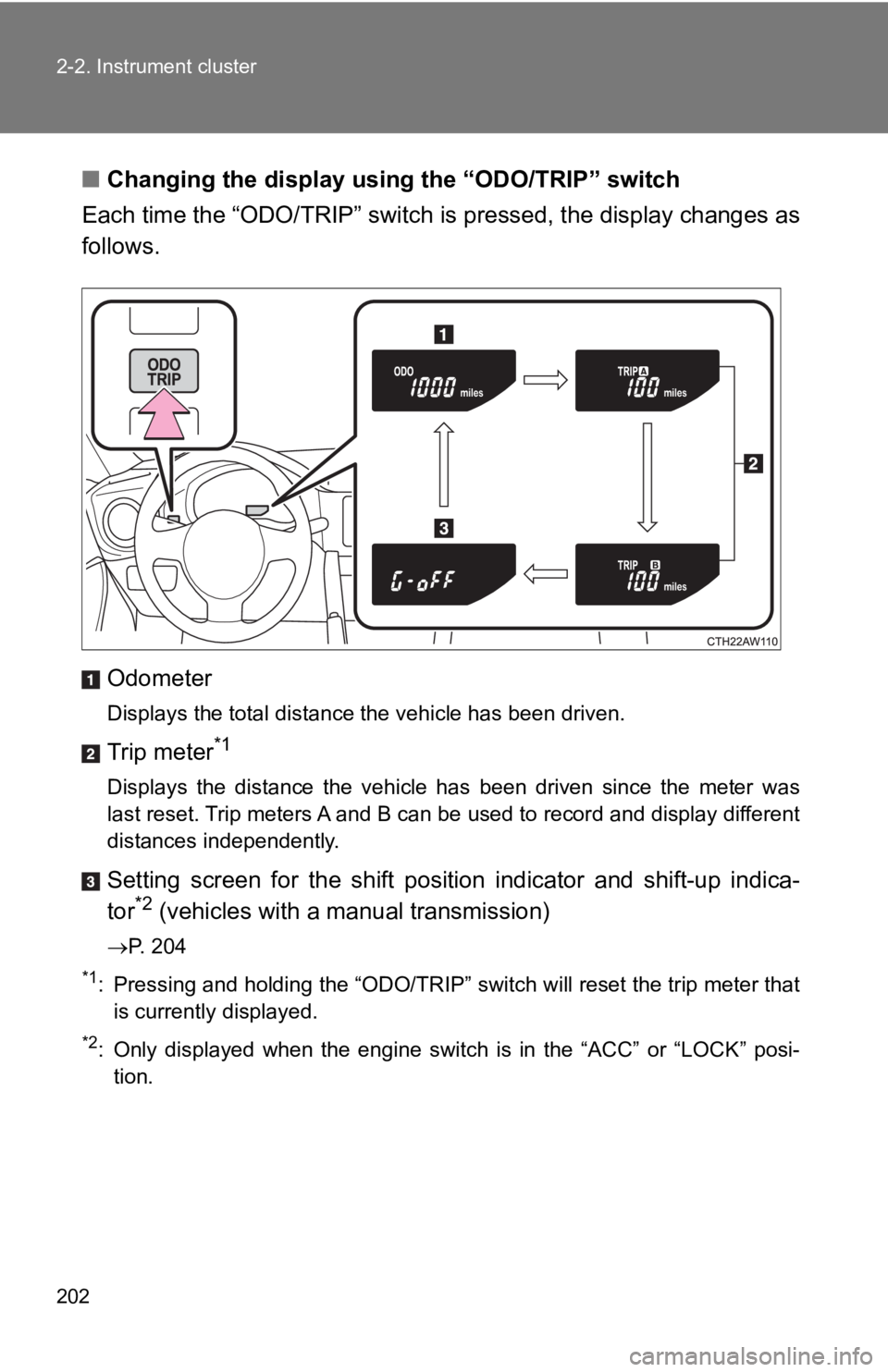
■ Changing the display usi ng the “ODO/TRIP” switch
Each time the “ODO/TRIP” switch is pressed, the display changes as
follows.
Odometer Displays the total distance the vehicle has been driven.
Trip meter *1
Displays the distance the vehicle has been driven since the met er was
last reset. Trip meters A and B can be used to record and display different
distances independently.
Setting screen for the shift position indicator and shift-up in dica-
tor *2
(vehicles with a manual transmission) P. 204*1
: Pressing and holding the “ODO/TRIP” switch will reset the trip meter that
is currently displayed.*2
: Only displayed when the engine switch is in the “ACC” or “LOCK ” posi-
tion.
Page 204 of 532
2042-2. Instrument cluster
Setting the shift position indi cator and shift-up indicator
(vehicles with a manual transmission)
Displaying of the shift position indicator and shift-up indicat or can be
turned on/off.
Press the “ODO/TRIP” switch repeatedly until the setting
screen is displayed. ( P. 202)
Each time the switch is pressed and held, the display changes
between on/off.
“G-on”: Display on
“G-oFF”: Display off
Setting the REV indicator
■ Changing the REV in dicator settings
The engine speed at which the REV indicator turns on at and
whether a buzzer sounds or not w hen the light turns on can be s et.
Engine speed setting range: F rom 2000 to 7400 rpm (r/min)
Press the “DISP” switch repeatedly until the setting screen is
displayed. ( P. 203)
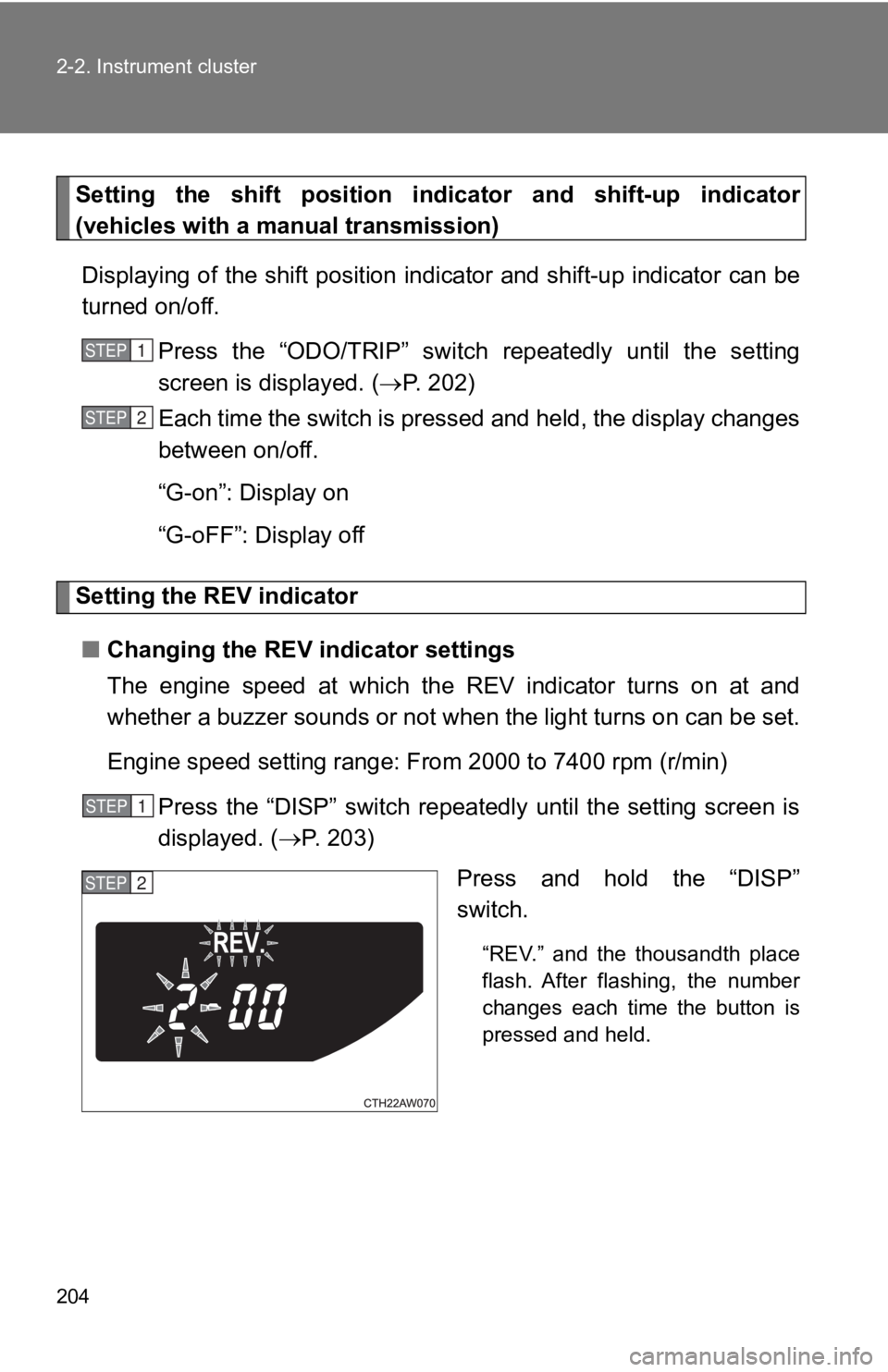
Press and hold the “DISP”
switch. “REV.” and the thousandth place
flash. After flashing, the number
changes each time the button is
pressed and held.STEP 1
STEP 2
STEP 1
STEP 2
Page 234 of 532
2342-4. Using other driving systems
■ Cruise control can be set when
Vehicles with an automatic transmission
● The shift lever is in D or M and the vehicle is in the 2 nd
gear or higher.
● Vehicle speed is above approximately 25 mph (40 km/h).
Vehicles with a manual transmission
● The vehicle is in the 2 nd
gear or higher.
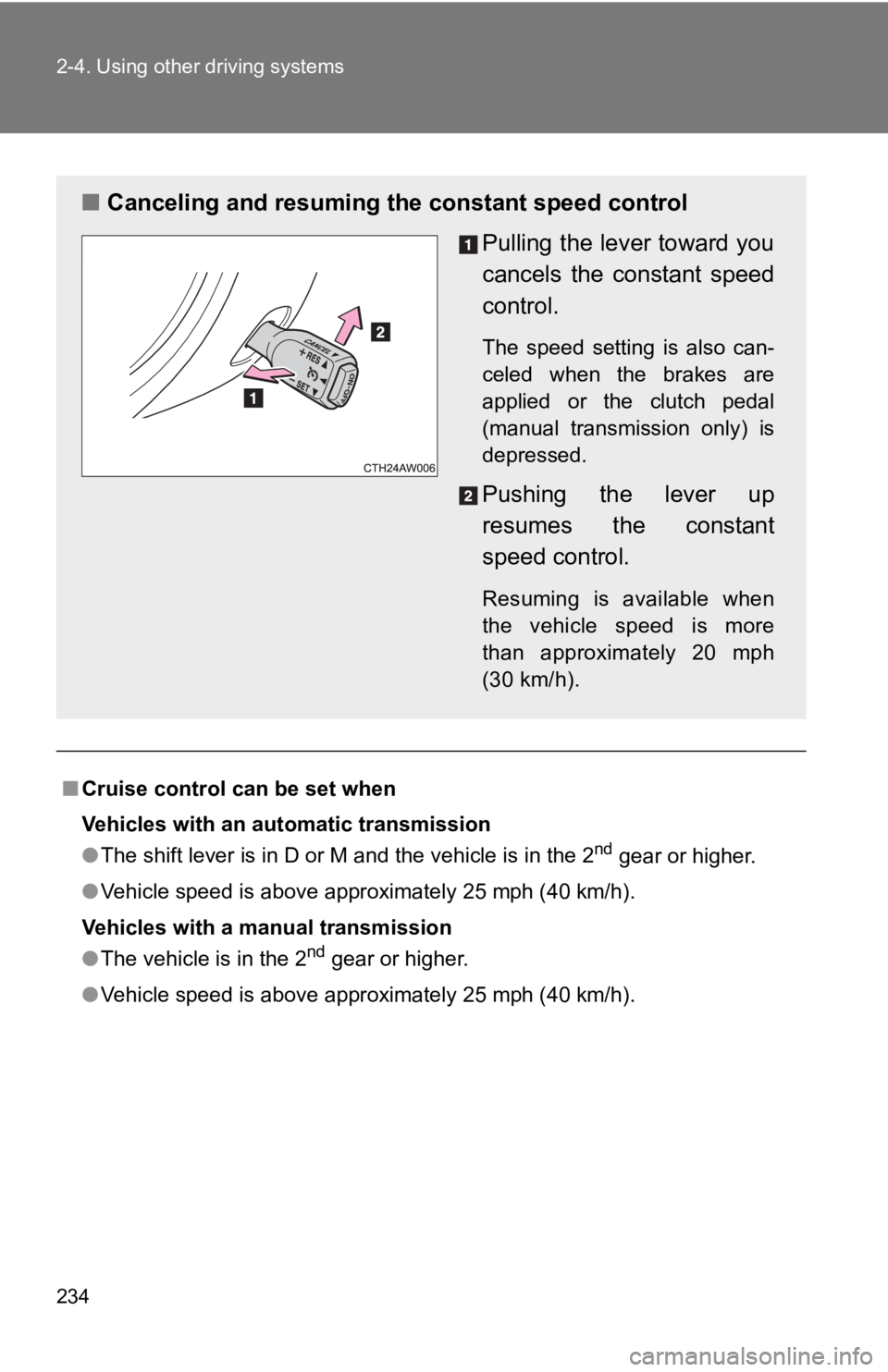
● Vehicle speed is above approximately 25 mph (40 km/h).■ Canceling and resuming the constant speed control
Pulling the lever toward you
cancels the c onstant speed
control. The speed setting is also can-
celed when the brakes are
applied or the clutch pedal
(manual transmission only) is
depressed.
Pushing the lever up
resumes the constant
speed control. Resuming is available when
the vehicle speed is more
than approximately 20 mph
(30 km/h).
Page 237 of 532
2372-4. Using other driving systems
2
When driving
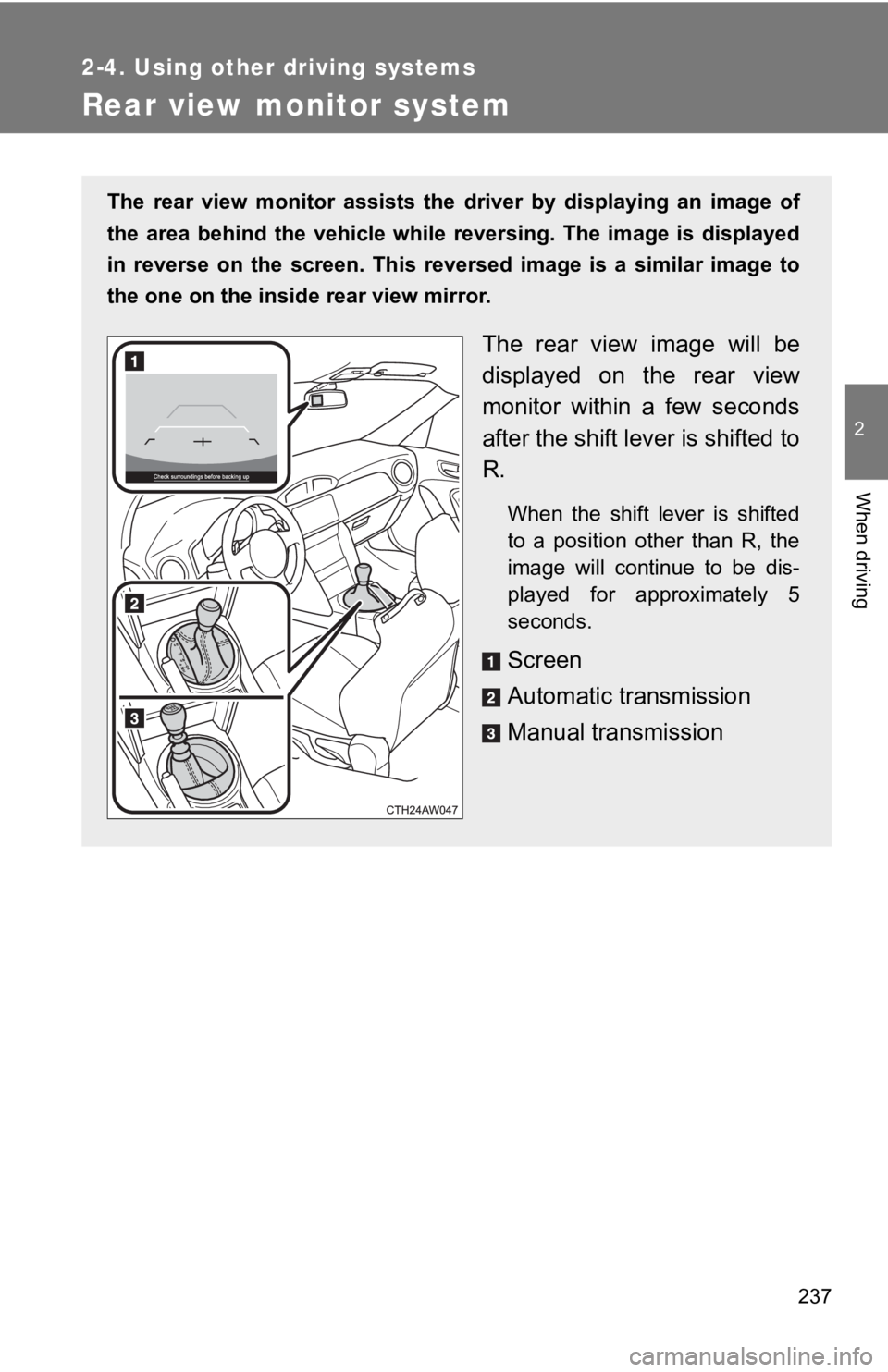
Rear view monitor system The rear view monitor assists the driver by displaying an image of
the area behind the vehicle while reversing. The image is displ ayed
in reverse on the screen. This reversed image is a similar imag e to
the one on the inside rear view mirror.
The rear view image will be
displayed on the rear view
monitor within a few seconds
after the shift lever is shifted to
R. When the shift lever is shifted
to a position other than R, the
image will continue to be dis-
played for approximately 5
seconds.
Screen
Automatic transmission
Manual transmission
Page 247 of 532
2472-4. Using other driving systems
2
When driving “TRACK” mode
Your vehicle is equipped with two types of control modes to acc om-
modate various driving preferenc es. The control modes can be
selected with the “TRACK” switch. Normal mode allows secure and
smooth normal driving. When the switch is pressed and held for 1
second or more, “TRACK” mode is activated. Control characterist ics
such as the VSC and TRAC are adj usted to afford maneuverability
closer to what a driver may desire, while a sense of security i s
retained.
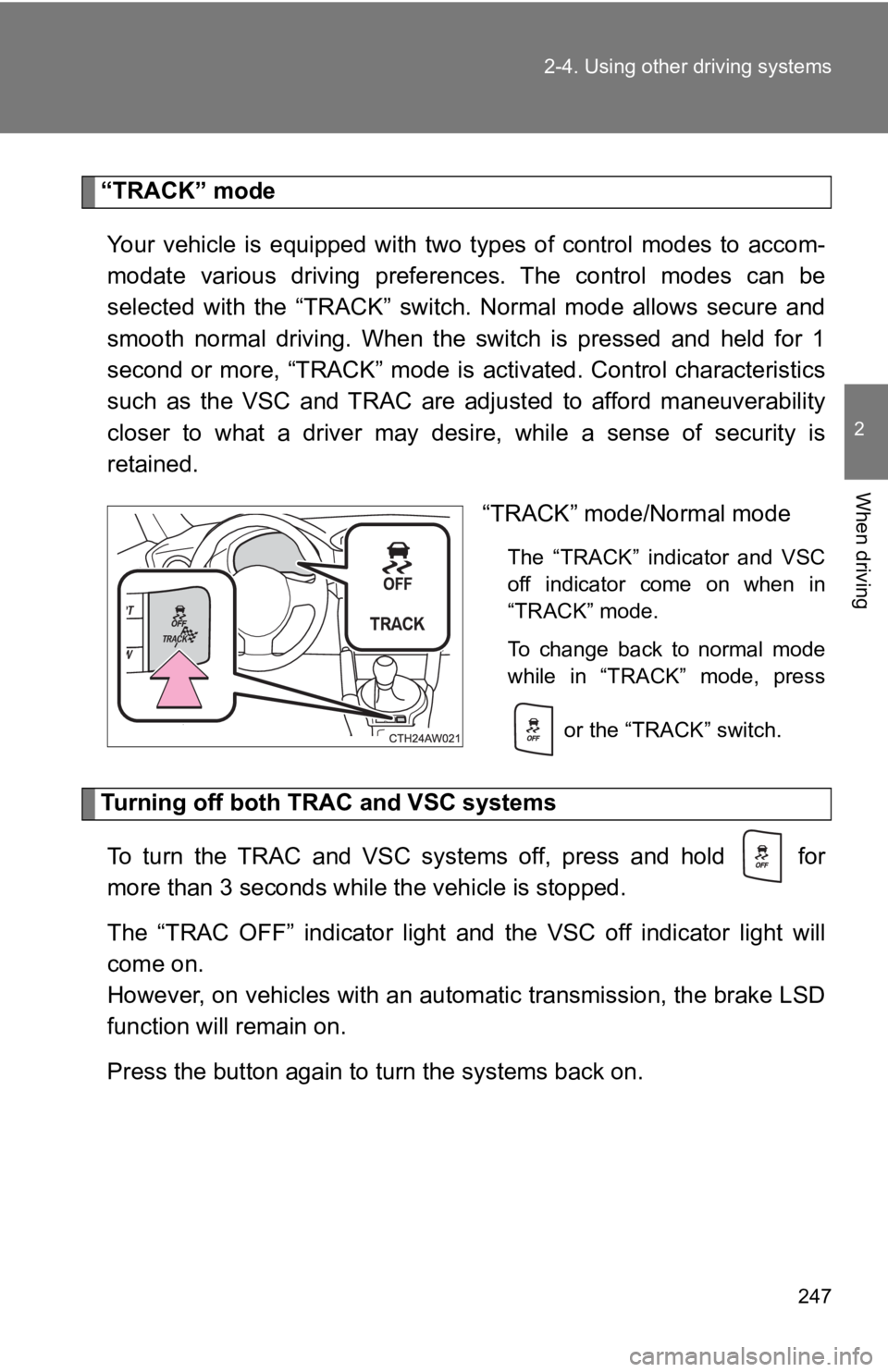
“TRACK” mode/Normal mode The “TRACK” indicator and VSC
off indicator come on when in
“TRACK” mode.
To change back to normal mode
while in “TRACK” mode, press
or the “TRACK” switch.
Turning off both TR AC and VSC systems
To turn the TRAC and VSC systems off, press and hold for
more than 3 seconds while the vehicle is stopped.
The “TRAC OFF” indicator light and the VSC off indicator light will
come on.
However, on vehicles with an aut omatic transmission, the brake LSD
function will remain on.
Press the button again to turn the systems back on.
Page 248 of 532
2482-4. Using other driving systems
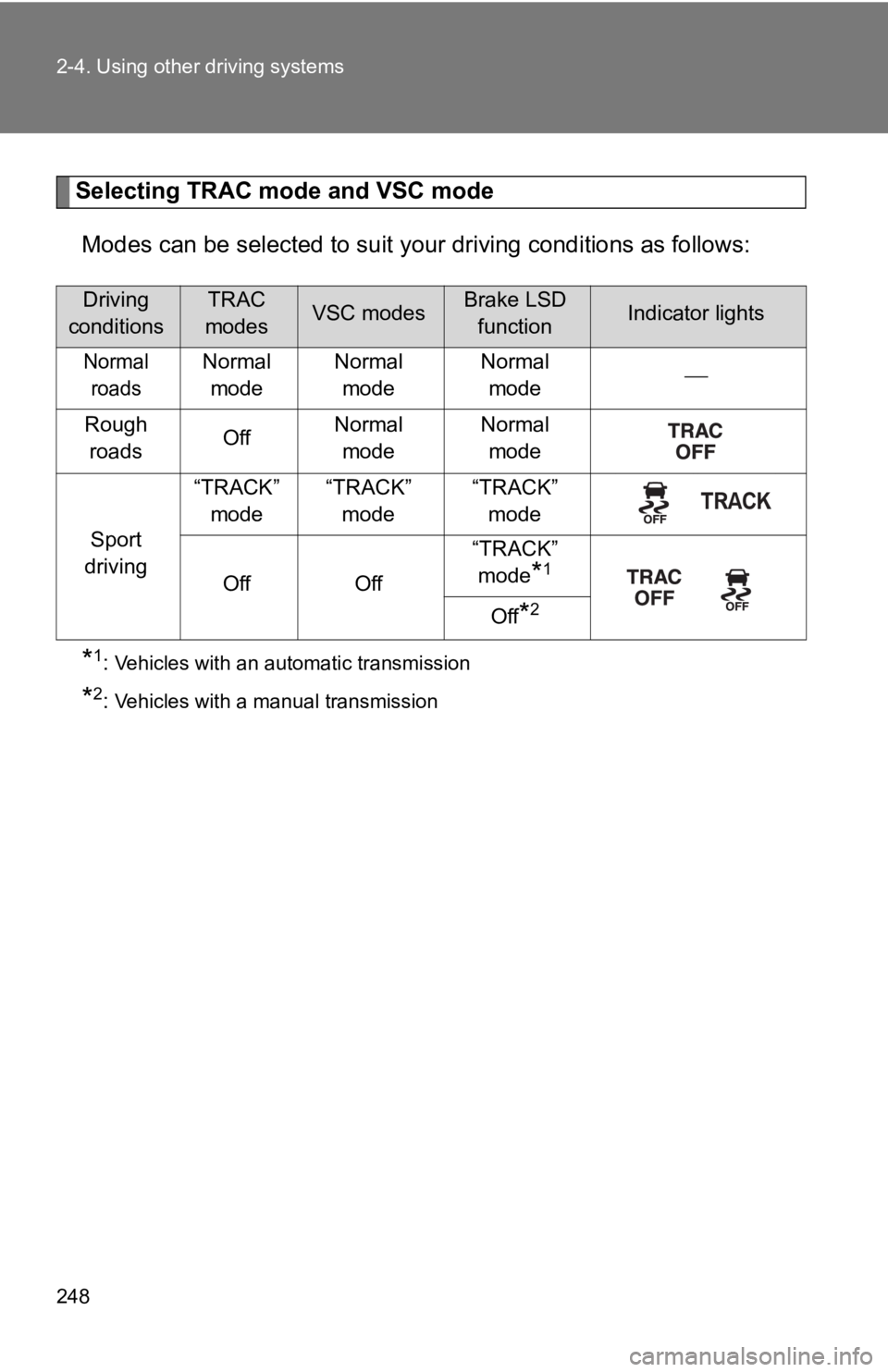
Selecting TRAC mode and VSC mode
Modes can be selected to suit y our driving conditions as follow s:
* 1
: Vehicles with an automatic transmission
* 2
: Vehicles with a manual transmissionDriving
conditions TRAC
modes VSC modes Brake LSD
function Indicator lights
Normal
roads Normal
mode Normal
mode Normal
mode
Rough
roads Off Normal
mode Normal
mode
Sport
driving “TRACK”
mode “TRACK”
mode “TRACK”
mode
Off Off “TRACK”
mode
* 1
Off
* 2
Page 254 of 532
2542-4. Using other driving systems
■ Operating conditions of hill-start assist control
When the following conditions are met, the hill-start assist co ntrol will oper-
ate:
● Vehicles with an automatic transmission: The shift lever is in D or M
(when starting off forward on while facing uphill) or in R (whe n starting off
backward while facing downhill).
● Vehicles with a manual transmission: The shift lever is in a po sition other
than R (when starting off forward while facing uphill) or in R (when start-
ing off backward while facing downhill).
● The vehicle is stopped.
● The accelerator pedal is not depressed.
● The parking brake is not engaged.
■ Hill-start assist control will not operate when
Hill-start assist control will not operate when any of the following conditions
are met:
● Vehicles with an automatic transmission: The shift lever is in a position
other than D or M (when facing uphill) or in a position other t han R (when
facing downhill).
● Vehicles with a manual transmission: The shift lever is in R (w hen facing
uphill) or in a position other than R (when facing downhill).
● Vehicles with an automatic transmission: The accelerator pedal is
depressed.
● The parking brake is applied.
● Vehicles with a manual transmission: The clutch is engaged.
● Approximately 2 seconds have elapsed since the brake pedal was
released.
● The hill-start assist control ON indicator is not illuminated.
● Vehicles without a smart key system: The engine switch is turne d to the
“ACC” or “LOCK” position.
● Vehicles with a smart key system: The “ENGINE START STOP” switc h is
turned to ACCESSORY mode or turned off.