steering TOYOTA 86 2020 Workshop Manual
[x] Cancel search | Manufacturer: TOYOTA, Model Year: 2020, Model line: 86, Model: TOYOTA 86 2020Pages: 532, PDF Size: 8 MB
Page 245 of 532
245
2-4. Using other driving systems
2
When driving
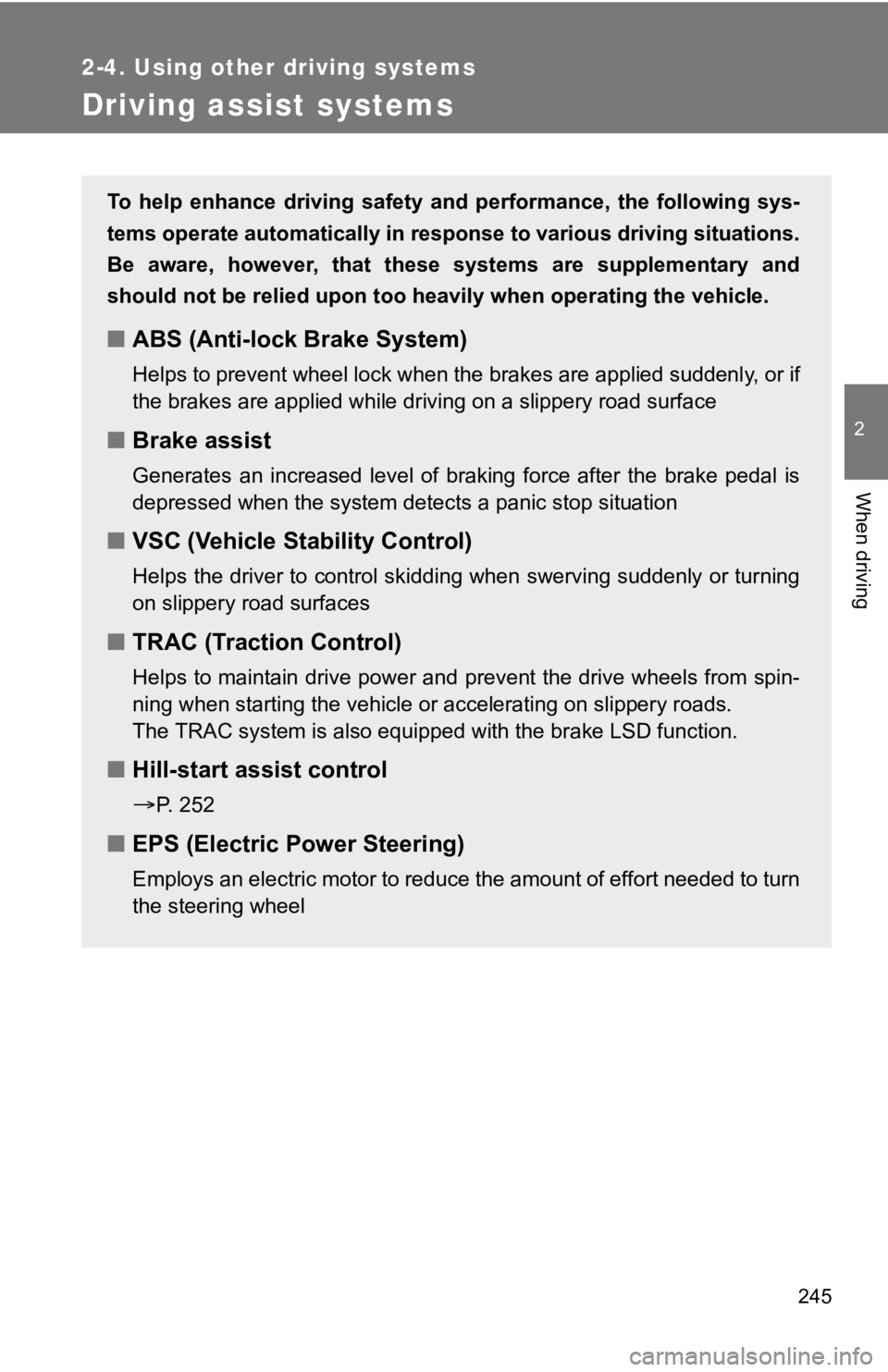
Driving assist systems
To help enhance driving safety and performance, the following sys-
tems operate automatically in response to various driving situations.
Be aware, however, that these systems are supplementary and
should not be relied upon too heavi ly when operating the vehicle.
■ABS (Anti-lock Brake System)
Helps to prevent wheel lock when the brakes are applied suddenl y, o r i f
the brakes are applied while driving on a slippery road surface
■ Brake assist
Generates an increased level of braking force after the brake pedal is
depressed when the system detects a panic stop situation
■VSC (Vehicle Stability Control)
Helps the driver to control skidding when swerving suddenly or turning
on slippery road surfaces
■ TRAC (Traction Control)
Helps to maintain drive power and prevent the drive wheels from spin-
ning when starting the vehicle or accelerating on slippery road s.
The TRAC system is also equipped with the brake LSD function.
■ Hill-start assist control
P. 252
■EPS (Electric Po wer Steering)
Employs an electric motor to reduce the amount of effort needed to turn
the steering wheel
Page 249 of 532

249
2-4. Using other driving systems
2
When driving
■
Sounds and vibrations caused by the ABS, brake assist, TRAC and
VSC systems
●A sound may be heard from the engine compartment when the brake
pedal is depressed repeatedly, when the engine is started or ju st after the
vehicle begins to move. This sound does not indicate that a malfunction
has occurred in any of these systems.
● Any of the following conditions may occur when the above system s are
operating. None of these indicates that a malfunction has occur red.
• Vibrations may be felt through the vehicle body and steering.
• A motor sound may be heard after the vehicle comes to a stop.
• The brake pedal may pulsate slightly after the ABS is activated.
• The brake pedal may move down slightly after the ABS is activa ted.
■ EPS operation sound
When the steering wheel is operated, a motor sound (whirring so und) may
be heard. This does not indicate a malfunction.
■ Automatic reactivation of TRAC and VSC systems
After turning the TRAC and VSC systems off, the systems will be automati-
cally reactivated in the following situations:
● Vehicles without a smart key system: When the engine switch is turned to
“LOCK” position
● Vehicles with a smart key system: When the “ENGINE START STOP”
switch is turned off
● If only the TRAC system is turned off, the TRAC will turn on when vehicle
speed is more than approximately 31 mph (50 km/h).
If both the TRAC and VSC systems are turned off, automatic reac tivation
will not occur when vehicle speed increases.
Page 250 of 532
250 2-4. Using other driving systems
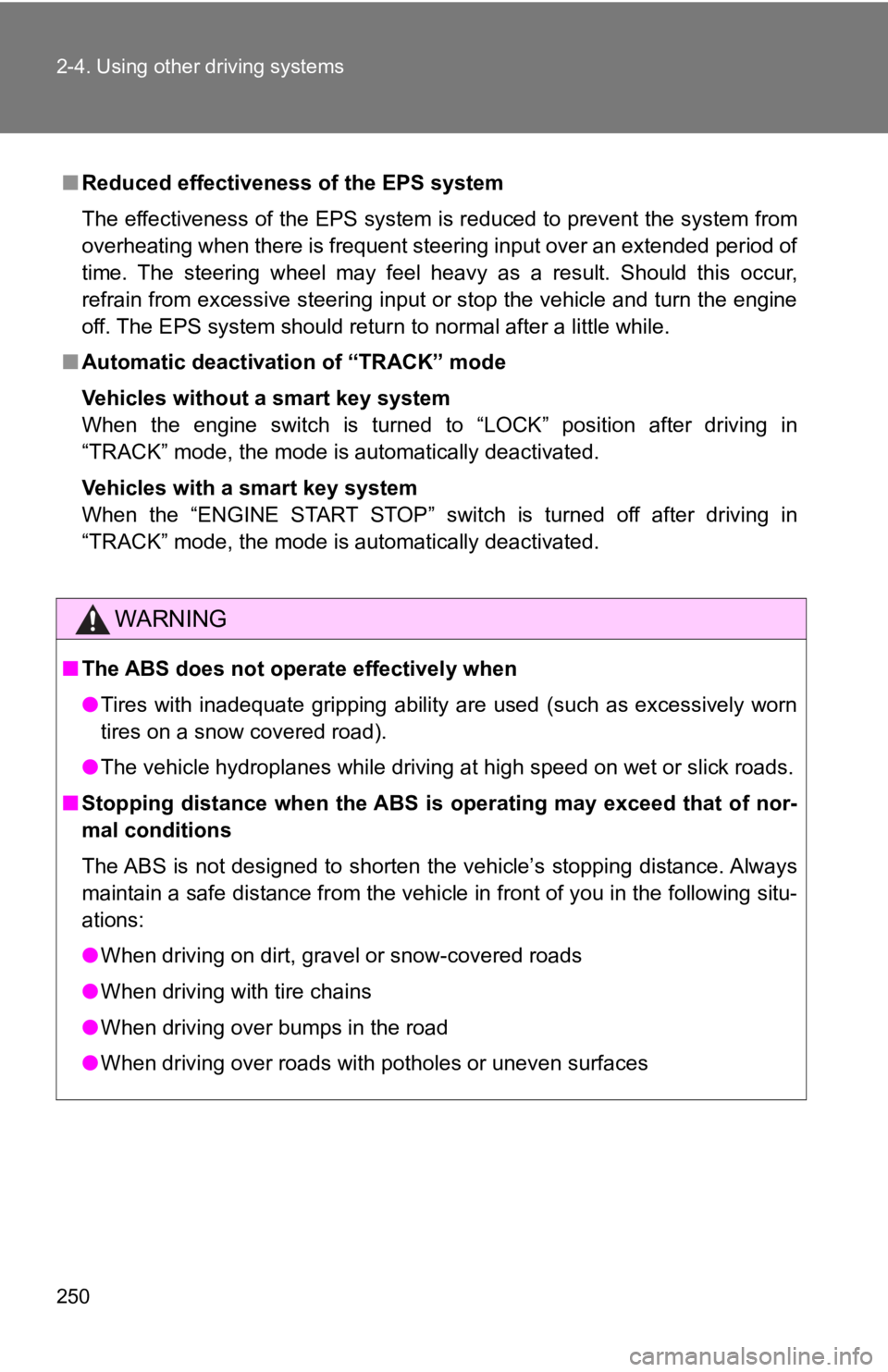
■Reduced effectiveness of the EPS system
The effectiveness of the EPS system is reduced to prevent the s ystem from
overheating when there is frequent steering input over an exten ded period of
time. The steering wheel may feel heavy as a result. Should thi s occur,
refrain from excessive steering input or stop the vehicle and turn the engine
off. The EPS system should return to normal after a little whil e.
■ Automatic deactivatio n of “TRACK” mode
Vehicles without a smart key system
When the engine switch is turned to “LOCK” position after drivi ng in
“TRACK” mode, the mode is automatically deactivated.
Vehicles with a smart key system
When the “ENGINE START STOP” switch is turned off after driving in
“TRACK” mode, the mode is automatically deactivated.
WARNING
■ The ABS does not operate effectively when
●Tires with inadequate gripping ability are used (such as excess ively worn
tires on a snow covered road).
● The vehicle hydroplanes while driving at high speed on wet or slick roads.
■ Stopping distance when the ABS is operating may exceed that of nor-
mal conditions
The ABS is not designed to shorten the vehicle’s stopping distance. Always
maintain a safe distance from the vehicle in front of you in the following situ-
ations:
● When driving on dirt, gravel or snow-covered roads
● When driving with tire chains
● When driving over bumps in the road
● When driving over roads with potholes or uneven surfaces
Page 259 of 532

259
2-5. Driving information
2
When driving
WARNING
■Storage precautions
Observe the following precautions.
Failure to do so may result i
n death or serious injury.
●Stow cargo and luggage in the trunk whenever possible.
●To prevent cargo and luggage from sliding forward during brakin g, do
not stack anything in the enlarged trunk. Keep cargo and luggag e low,
as close to the floor as possible.
●When you fold down the rear seats, long items should not be pla ced
directly behind the front seats.
●Never allow anyone to ride in the enlarged trunk. It is not des igned for
passengers. They should ride in their seats with their seat belts prop-
erly fastened. Otherwise, they are much more likely to suffer d eath or
serious bodily injury, in the event of sudden braking, sudden s werving
or an accident.
●Do not place cargo or luggage in or on the following locations as the
item may get under the clutch, brake or accelerator pedal and p revent
the pedals from being depressed properly, block the driver’s vi sion, or
hit the driver or passengers, causing an accident:
• At the feet of the driver
• On the front passenger or rear seats (when stacking items)
• On the package tray
• On the instrument panel
• On the dashboard
●Secure all items in the occupant compartment, as they may shift and
injure someone during sudden braking, sudden swerving or an acc i-
dent.
■Capacity and distribution
●Do not exceed the maximum axle weight rating or the total vehic le
weight rating.
●Even if the total load of occupant's weight and the cargo load is less
than the total load capacity, do not apply the load unevenly. I mproper
loading may cause deterioration of steering or braking control which
may cause death or serious injury.
Page 260 of 532
260
2-5. Driving information
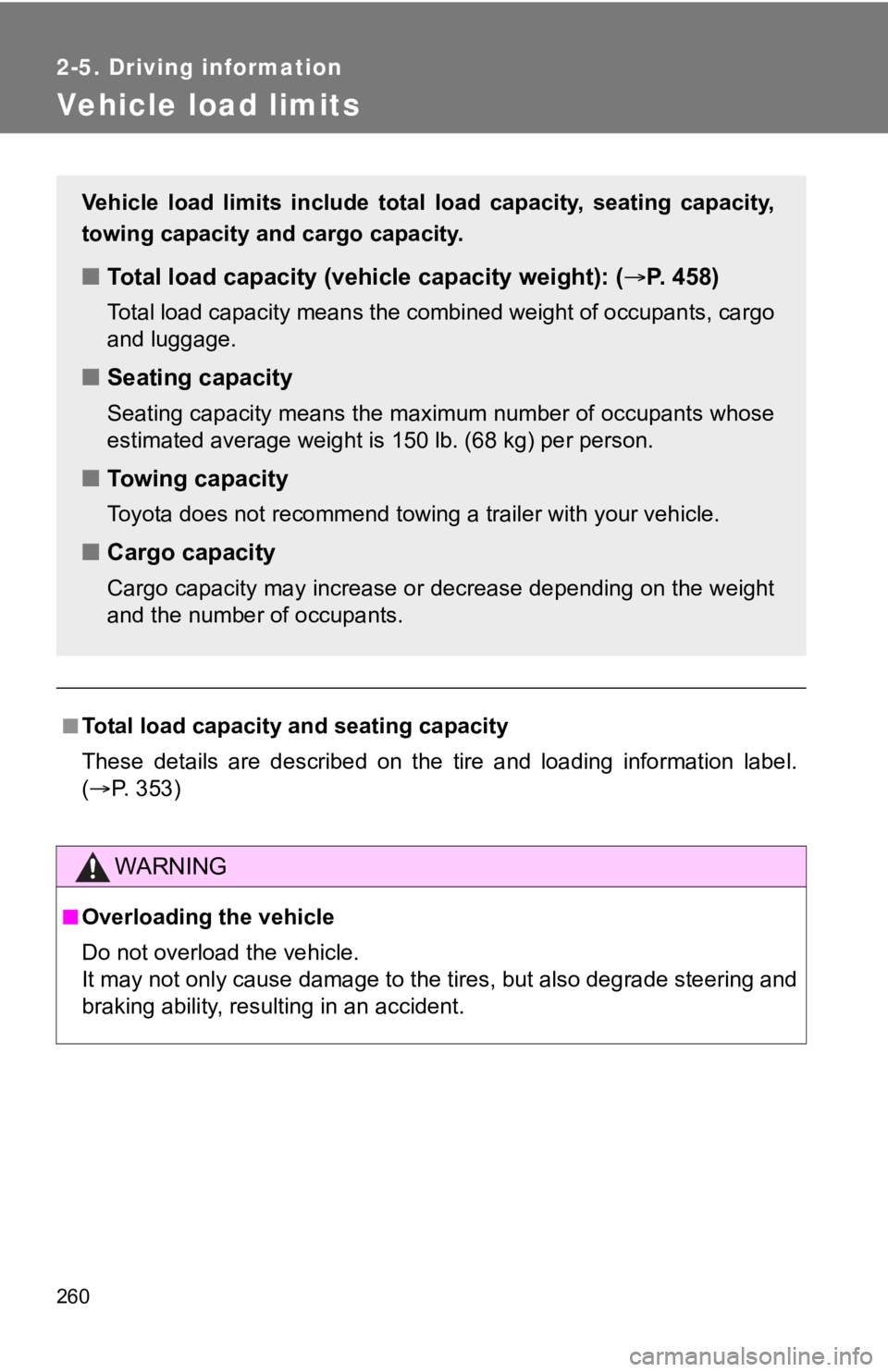
Vehicle load limits
■Total load capacity and seating capacity
These details are described on the tire and loading information label.
( P. 3 5 3 )
WARNING
■Overloading the vehicle
Do not overload the vehicle.
It may not only cause damage to t he tires, but also degrade steering and
braking ability, resulting in an accident.
Vehicle load limits include total load capacity, seating capaci ty,
towing capacity and cargo capacity.
■ Total load capacity (veh icle capacity weight): ( P. 458)
Total load capacity means the combined weight of occupants, car go
and luggage.
■ Seating capacity
Seating capacity means the max imum number of occupants whose
estimated average weight is 150 lb. (68 kg) per person.
■Towing capacity
Toyota does not recommend towing a trailer with your vehicle.
■Cargo capacity
Cargo capacity may increase or decrease depending on the weight
and the number of occupants.
Page 267 of 532
Interior features3
267
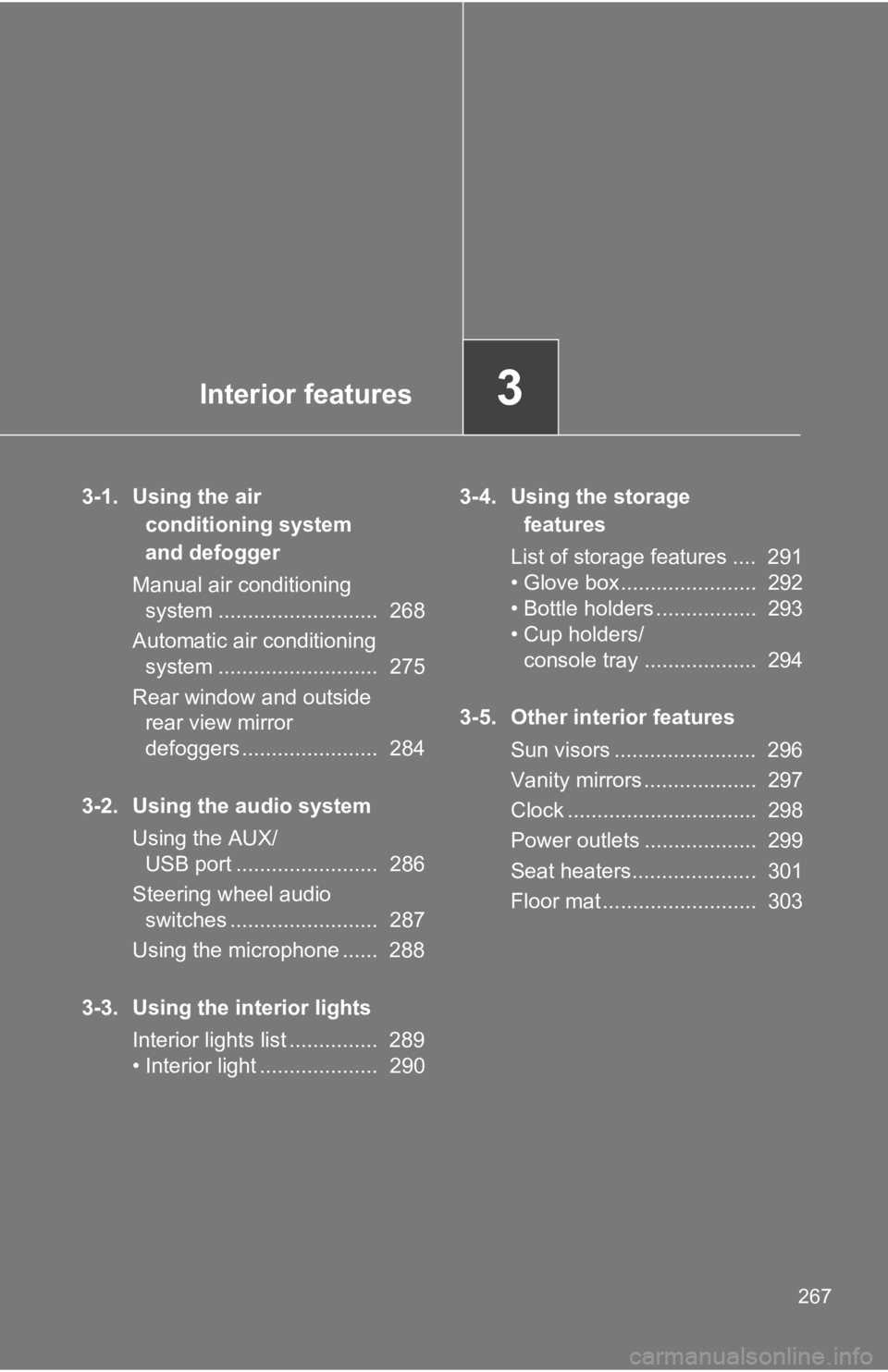
3-1. Using the air conditioning system
and defogger
Manual air conditioning system ........................... 268
Automatic air conditioning system ........................... 275
Rear window and outside rear view mirror
defoggers ....................... 284
3-2. Using the audio system Using the AUX/USB port ........................ 286
Steering wheel audio switches ......................... 287
Using the microphone ...... 288
3-3. Using the interior lights Interior lights list ............... 289
• Interior light .................... 290 3-4. Using the storage
features
List of storage features .... 291
• Glove box....................... 292
• Bottle holders ................. 293
• Cup holders/ console tray ................... 294
3-5. Other interior features Sun visors ........................ 296
Vanity mirrors ................... 297
Clock ................................ 298
Power outlets ................... 299
Seat heaters..................... 301
Floor mat .......................... 303
Page 287 of 532
287
3-2. Using the audio system
3
Interior features
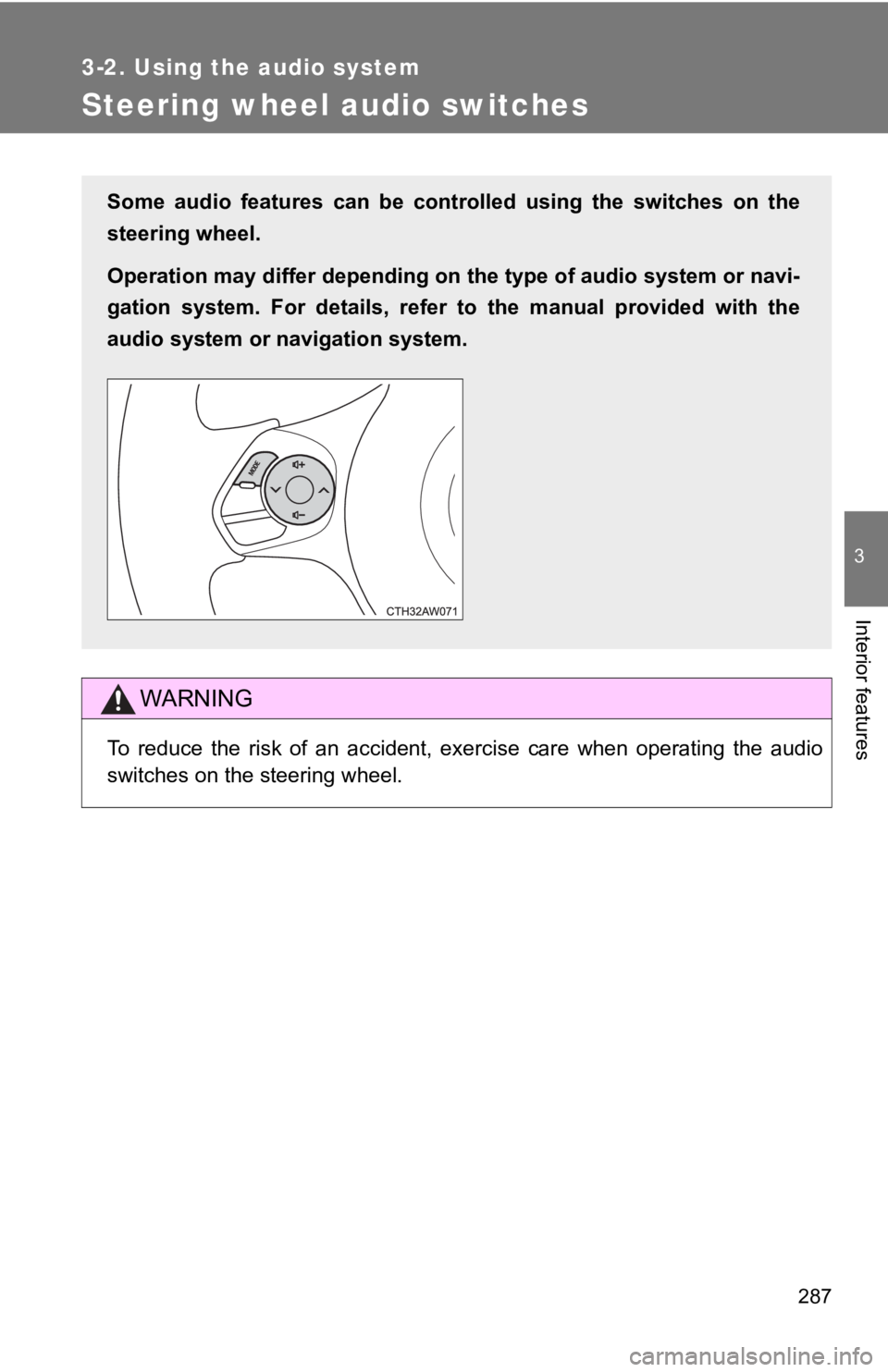
Steering wheel audio switches
WARNING
To reduce the risk of an accident, exercise care when operating the audio
switches on the steering wheel.
Some audio features can be controlled using the switches on the
steering wheel.
Operation may differ depending on the type of audio system or n avi-
gation system. For details, refer to the manual provided with the
audio system or navigation system.
Page 311 of 532

311
4-1. Maintenance and care
4
Maintenance and care
NOTICE
■
Cleaning the exterior lights
●Wash carefully. Do not use organic substances or scrub with a h ard brush.
This may damage the surfaces of the lights.
● Do not apply wax on the surfaces of the lights.
Wax may cause damage to the lenses.
■ To prevent damage to th e windshield wiper arms
When lifting the wiper arms away from the windshield, pull the driver side
wiper arm upward first, and repeat for the passenger side. When returning
the wipers to their original position, do so from the passenger side first.
■ When using a high pressure car wash
●Do not bring the nozzle tip close to boots (rubber or resin manufactured
cover), connectors or the following parts. The parts may be dam aged if
they come into contact with high-pressure water.
• Traction related parts
• Steering parts
• Suspension parts
• Brake parts
● Keep the cleaning nozzle at least 11.9 in. (30 cm) away from the vehicles
body. Otherwise resin section, such as moldings and bumpers, ma y be
deformed and damaged. Also, do not continuously hold the nozzle in the
same place.
● Do not spray the lower part of the windshield continuously.
If water enters the air conditioning system intake located near the lower
part of the windshield, the air conditioning system may not ope rate cor-
rectly.
Page 321 of 532
321
4-2. Maintenance
4
Maintenance and care
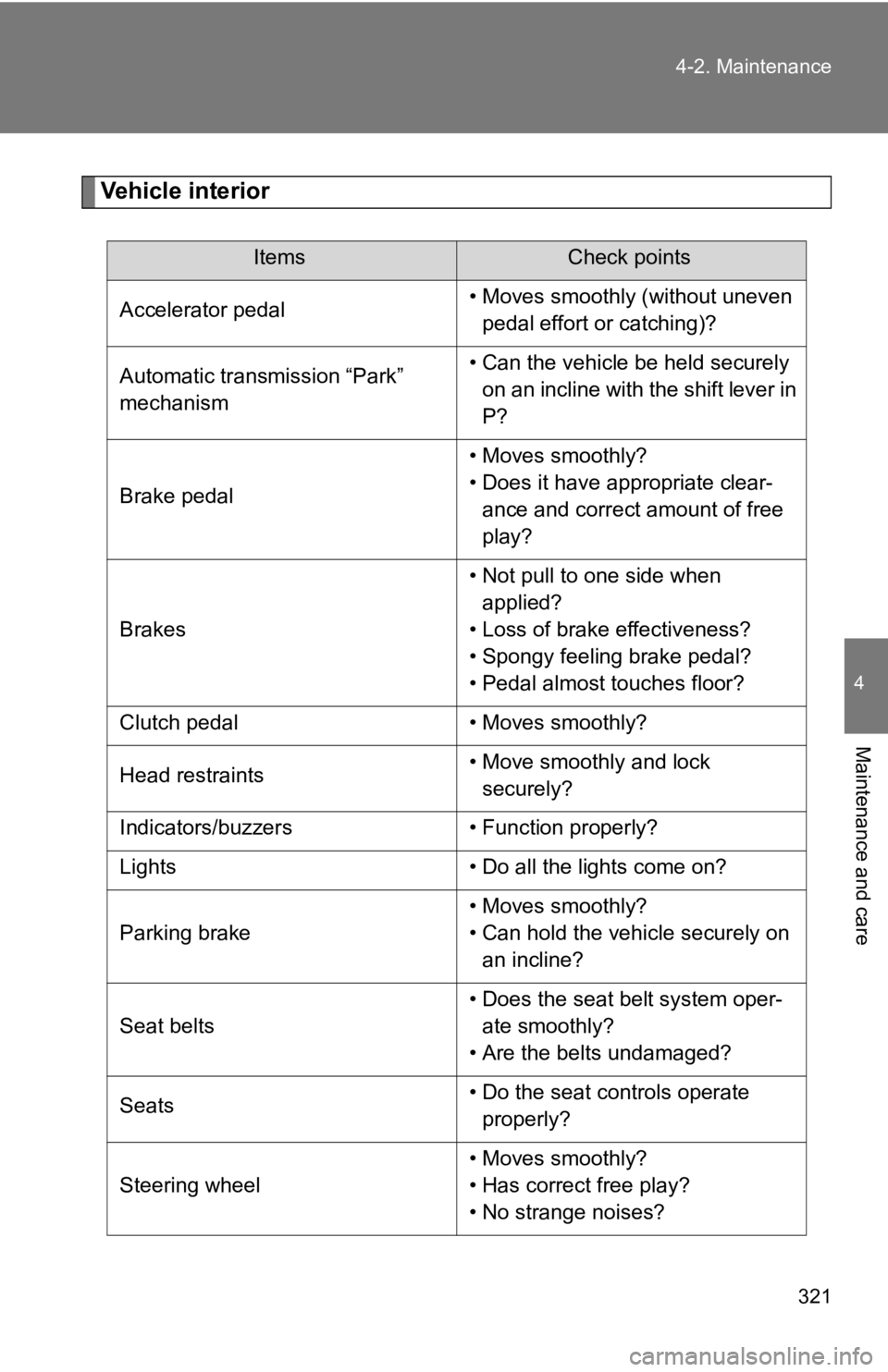
Vehicle interior
ItemsCheck points
Accelerator pedal • Moves smoothly (without uneven
pedal effort or catching)?
Automatic transmission “Park”
mechanism • Can the vehicle be held securely
on an incline with the shift lever in
P?
Brake pedal • Moves smoothly?
• Does it have appropriate clear-
ance and correct amount of free
play?
Brakes • Not pull to one side when
applied?
• Loss of brake effectiveness?
• Spongy feeling brake pedal?
• Pedal almost touches floor?
Clutch pedal • Moves smoothly?
Head restraints • Move smoothly and lock
securely?
Indicators/buzzers • Function properly?
Lights • Do all the lights come on?
Parking brake • Moves smoothly?
• Can hold the vehicle securely on
an incline?
Seat belts • Does the seat belt system oper-
ate smoothly?
• Are the belts undamaged?
Seats • Do the seat controls operate
properly?
Steering wheel • Moves smoothly?
• Has correct free play?
• No strange noises?
Page 371 of 532
371
4-3. Do-it-yourself maintenance
4
Maintenance and care
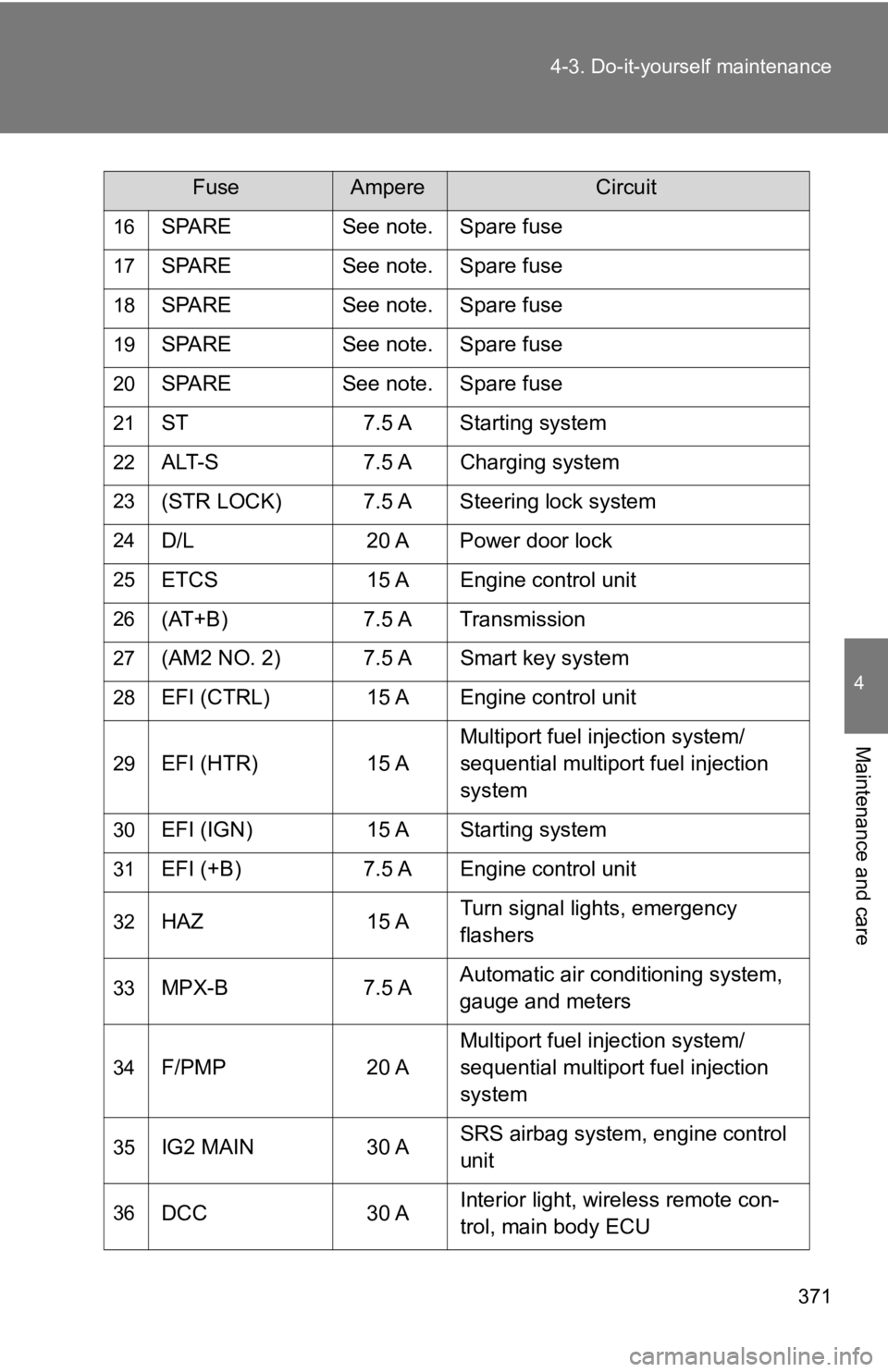
16SPARE
See note. Spare fuse
17SPARESee note. Spare fuse
18SPARESee note. Spare fuse
19SPARESee note. Spare fuse
20SPARESee note. Spare fuse
21ST 7.5 A Starting system
22ALT-S7.5 A Charging system
23(STR LOCK) 7.5 A Steering lock system
24D/L 20 A Power door lock
25ETCS 15 A Engine control unit
26(AT+B)7.5 A Transmission
27(AM2 NO. 2) 7.5 A Smart key system
28EFI (CTRL) 15 A Engine control unit
29EFI (HTR) 15 AMultiport fuel injection system/
sequential multiport fuel injection
system
30EFI (IGN)
15 A Starting system
31EFI (+B)7.5 A Engine control unit
32HAZ 15 ATurn signal lights, emergency
flashers
33MPX-B
7.5 AAutomatic air conditioning system,
gauge and meters
34F/PMP
20 AMultiport fuel injection system/
sequential multiport fuel injection
system
35IG2 MAIN
30 ASRS airbag system, engine control
unit
36DCC
30 AInterior light, wireless remote con-
trol, main body ECU
FuseAmpereCircuit