warning TOYOTA 86 2022 Owners Manual
[x] Cancel search | Manufacturer: TOYOTA, Model Year: 2022, Model line: 86, Model: TOYOTA 86 2022Pages: 449, PDF Size: 8.5 MB
Page 195 of 449
1954-5. EyeSight
4
Driving
WARNING
●There are limits to the situation
judgment capabilities of the
Adaptive Cruise Control system.
Deceleration may not take place
in time in the following situa-
tions. Apply the brake pedal to
decelerate the vehicle if neces-
sary.
• The speed difference with the vehicle in front is too large or
the vehicle in front decelerates
unexpectedly.
• The decelerating vehicle in front unexpectedly sl ows down or
suddenly brakes.
●If the alert/notification sounds
frequently, do not use Adaptive
Cruise Control.
●Even when the following dis-
tance is short, the “Obstacle
Detected” warning may not acti-
vate in the following situations.
• The difference in speed with the vehicle in front is small. The two
vehicles are traveling at almost
the same speed.
• The vehicle in fr ont is traveling
faster than your vehicle. The fol-
lowing distance is gradually
increasing.
• Another vehicle cuts into your lane very close to your vehicle.
• The vehicle in front decelerates suddenly.
• There are repeated uphill and downhill grades.
*: The recognition status of the
lead vehicle using the stereo
camera can be confirmed by the
illumination status of the lead
vehicle indicator. (
P.196)
NOTICE
●After Adaptive Cruise Control
has started, it maintains control
continuously according to the
behavior of the veh icle in front.
When your vehicle comes to a
stop because the vehicle in front
has stopped, the automatic
braking function will be can-
celed immediately after stop-
ping and the veh icle will start
creeping forward gradually (at
the same time 3 intermittent
beeps, 1 short beep and 1 long
beep will sound). Be sure to
depress the brake pedal and
stop the vehicle completely.
Note that the v ehicle is not
maintained at a standstill posi-
tion and will not automatically
start moving from a standstill
position.
●Braking may not be sufficient
depending on the following con-
ditions. Depress the brake
pedal and decelerate as neces-
sary.
• Vehicle conditions (amount of load, number of occupants, etc.)
• Road conditions (grade, slip- periness, shape, bumps, etc.)
• Vehicle maintenance condition (brake systems, tire wear, air
pressure, temporary spare tire
is being used, etc.)
• The brakes are cold. (For exam- ple, just after the engine is
started or the outside tempera-
ture is low.)
• For a short period of time when driving after the engine is
started until the engine has
warmed-up
• The brakes are overheated on downhill grades (braking perfor-
mance may be reduced).
Page 197 of 449
1974-5. EyeSight
4
Driving
• Pre-Collision Braking System is not turned off during
TRACK mode. ( P.189, 262)
• TRAC and VSC system are not set to off. ( P.262)
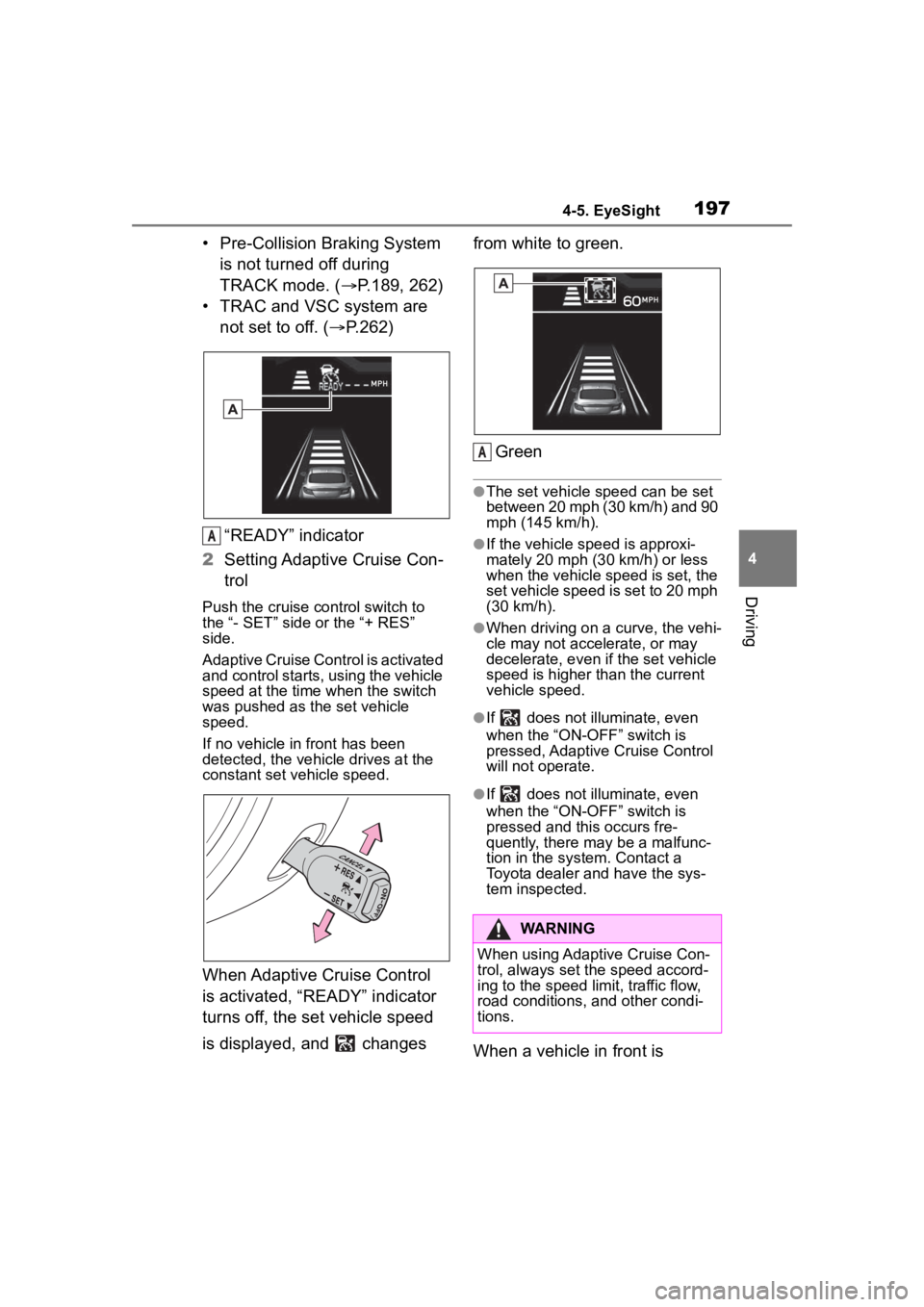
“READY” indicator
2 Setting Adaptive Cruise Con-
trol
Push the cruise co ntrol switch to
the “- SET” side or the “+ RES”
side.
Adaptive Cruise Control is activated
and control starts, using the vehicle
speed at the time when the switch
was pushed as the set vehicle
speed.
If no vehicle in front has been
detected, the vehicle drives at the
constant set vehicle speed.
When Adaptive Cruise Control
is activated, “READY” indicator
turns off, the set vehicle speed
is displayed, and changes from white to green.
Green
●The set vehicle speed can be set
between 20 mph (30 km/h) and 90
mph (145 km/h).
●If the vehicle speed is approxi-
mately 20 mph (30 km/h) or less
when the vehicle speed is set, the
set vehicle speed is set to 20 mph
(30 km/h).
●When driving on a curve, the vehi-
cle may not accelerate, or may
decelerate, e ven if the set vehicle
speed is higher than the current
vehicle speed.
●If does not illu minate, even
when the “ON-OFF” switch is
pressed, Adaptive Cruise Control
will not operate.
●If does not illu minate, even
when the “ON-OFF” switch is
pressed and this occurs fre-
quently, there may be a malfunc-
tion in the system. Contact a
Toyota dealer and have the sys-
tem inspected.
When a vehicle in front is
A
WARNING
When using Adaptive Cruise Con-
trol, always set the speed accord-
ing to the speed limit, traffic flow,
road conditions, and other condi-
tions.
A
Page 200 of 449
2004-5. EyeSight
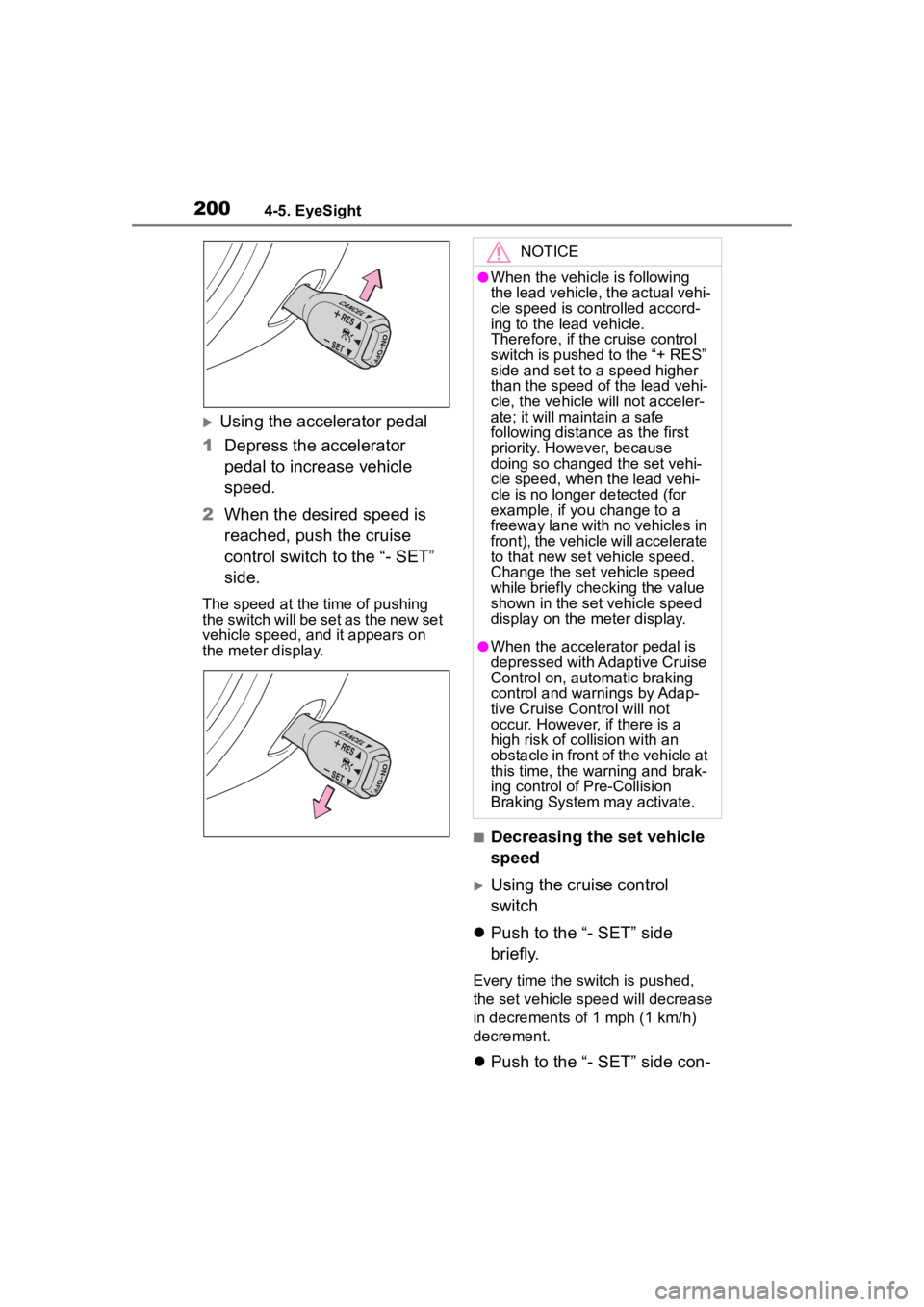
Using the accelerator pedal
1 Depress the accelerator
pedal to increase vehicle
speed.
2 When the desired speed is
reached, push the cruise
control switch to the “- SET”
side.
The speed at the time of pushing
the switch will be set as the new set
vehicle speed, and it appears on
the meter display.
■Decreasing the set vehicle
speed
Using the cruise control
switch
Push to the “- SET” side
briefly.
Every time the switch is pushed,
the set vehicle spee d will decrease
in decrements of 1 mph (1 km/h)
decrement.
Push to the “- SET” side con-
NOTICE
●When the vehicle is following
the lead vehicle, the actual vehi-
cle speed is controlled accord-
ing to the lead vehicle.
Therefore, if the cruise control
switch is pushed to the “+ RES”
side and set to a speed higher
than the speed of the lead vehi-
cle, the vehicle will not acceler-
ate; it will maintain a safe
following distance as the first
priority. However, because
doing so changed the set vehi-
cle speed, when the lead vehi-
cle is no longer detected (for
example, if you change to a
freeway lane with no vehicles in
front), the vehicle will accelerate
to that new set vehicle speed.
Change the set vehicle speed
while briefly checking the value
shown in the set vehicle speed
display on the meter display.
●When the accelerator pedal is
depressed with Adaptive Cruise
Control on, automatic braking
control and warnings by Adap-
tive Cruise Control will not
occur. However, if there is a
high risk of co llision with an
obstacle in front of the vehicle at
this time, the warning and brak-
ing control of Pre-Collision
Braking System may activate.
Page 204 of 449
2044-5. EyeSight
malfunction. ( :yellow)
(P.227)
The EyeSight system has
stopped temporarily. (
:white) ( P.228)
The Pre-Collision secondary
braking is activated.
Parking brake is applied.
The engine revolutions
approached the red zone.
The driving mode is set to
snow mode. ( P.257)
Pre-Collision Braking System
is turned off during TRACK
mode. ( P.189, 262)
TRAC and VSC system are
off. ( P.262)
The driving wheels spin on a
slippery road.
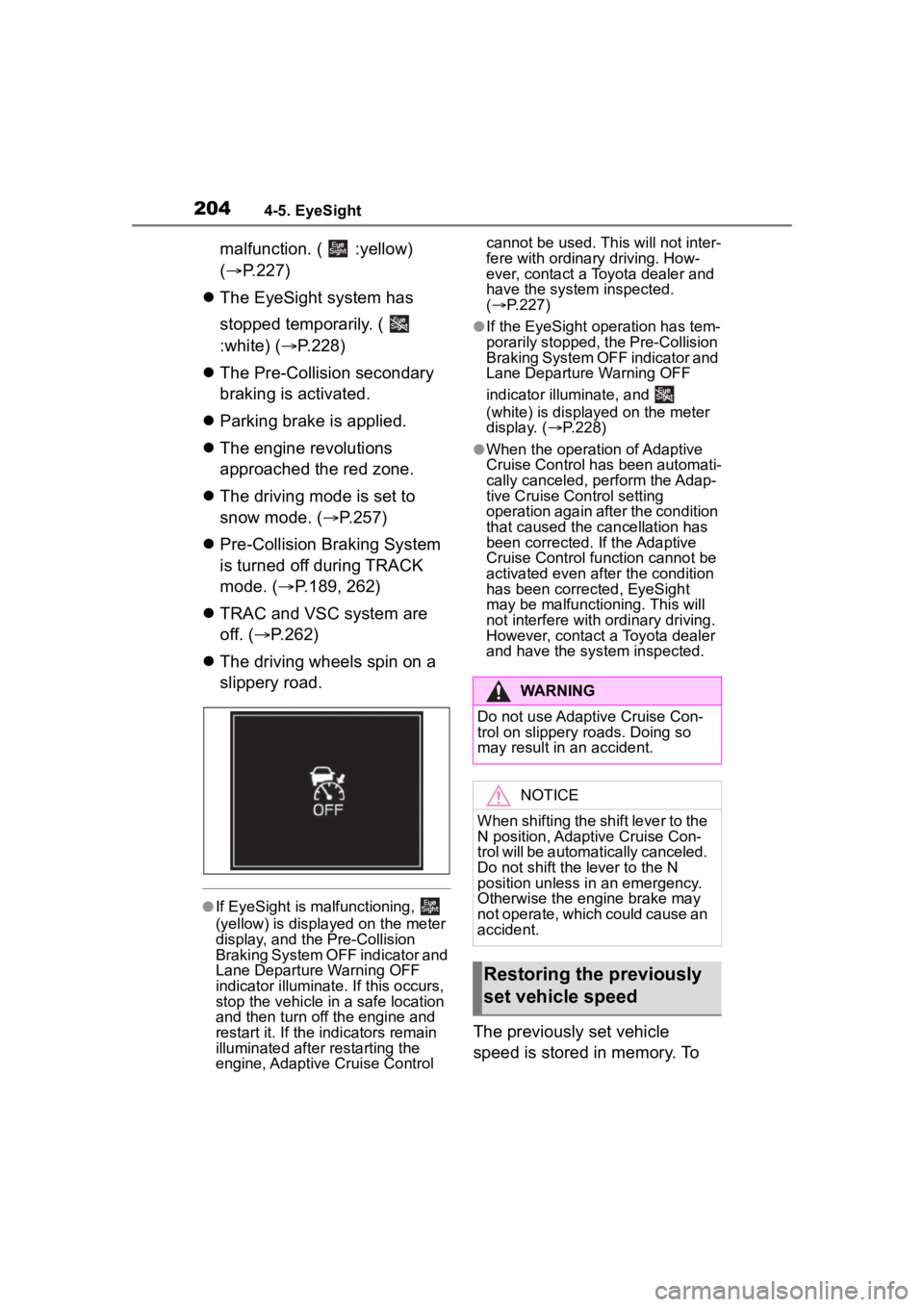
●If EyeSight is m alfunctioning,
(yellow) is displayed on the meter
display, and the Pre-Collision
Braking System OFF indicator and
Lane Departure Warning OFF
indicator illuminate. If this occurs,
stop the vehicle in a safe location
and then turn off the engine and
restart it. If the indicators remain
illuminated after restarting the
engine, Adaptive Cruise Control cannot be used. Th
is will not inter-
fere with ordinary driving. How-
ever, contact a Toyota dealer and
have the system inspected.
( P.227)
●If the EyeSight operation has tem-
porarily stopped, the Pre-Collision
Braking System OFF indicator and
Lane Departure Warning OFF
indicator illuminate, and
(white) is displayed on the meter
display. ( P.228)
●When the operation of Adaptive
Cruise Control has been automati-
cally canceled, perform the Adap-
tive Cruise Control setting
operation again after the condition
that caused the cancellation has
been corrected. If the Adaptive
Cruise Control function cannot be
activated even after the condition
has been corrected, EyeSight
may be malfunctioning. This will
not interfere with ordinary driving.
However, contact a Toyota dealer
and have the system inspected.
The previously set vehicle
speed is stored in memory. To
WARNING
Do not use Adaptive Cruise Con-
trol on slippery roads. Doing so
may result in an accident.
NOTICE
When shifting the shift lever to the
N position, Adaptive Cruise Con-
trol will be automatically canceled.
Do not shift the lever to the N
position unless in an emergency.
Otherwise the engine brake may
not operate, which could cause an
accident.
Restoring the previously
set vehicle speed
Page 206 of 449
2064-5. EyeSight
optimal following distance.
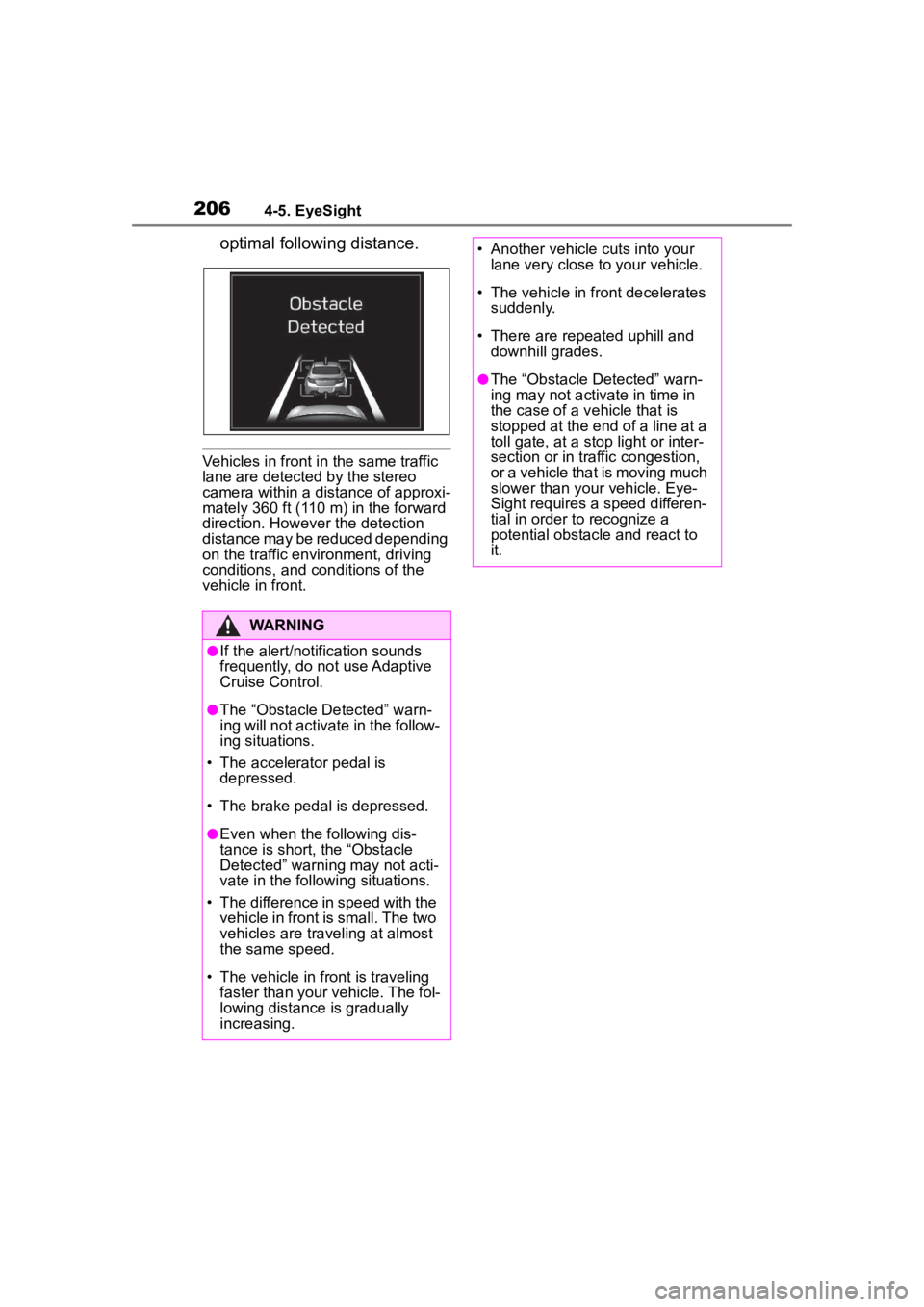
Vehicles in front in the same traffic
lane are detected by the stereo
camera within a distance of approxi-
mately 360 ft (110 m) in the forward
direction. However the detection
distance may be reduced depending
on the traffic environment, driving
conditions, and conditions of the
vehicle in front.
WARNING
●If the alert/notification sounds
frequently, do not use Adaptive
Cruise Control.
●The “Obstacle Detected” warn-
ing will not activate in the follow-
ing situations.
• The accelerator pedal is depressed.
• The brake pedal is depressed.
●Even when the following dis-
tance is short, the “Obstacle
Detected” warning may not acti-
vate in the following situations.
• The difference in speed with the vehicle in front is small. The two
vehicles are traveling at almost
the same speed.
• The vehicle in fr ont is traveling
faster than your vehicle. The fol-
lowing distance is gradually
increasing.
• Another vehicle cuts into your lane very close to your vehicle.
• The vehicle in fr ont decelerates
suddenly.
• There are rep eated uphill and
downhill grades.
●The “Obstacle Detected” warn-
ing may not activ ate in time in
the case of a v ehicle that is
stopped at the end of a line at a
toll gate, at a stop light or inter-
section or in traf fic congestion,
or a vehicle that is moving much
slower than your vehicle. Eye-
Sight requires a speed differen-
tial in order to recognize a
potential obstacle and react to
it.
Page 207 of 449
2074-5. EyeSight
4
Driving
*: If equipped
●When the main cruise control is off
and the “ON-OFF” switch is
pressed, Adaptive Cruise Control
is activated.
●When the main cruise control is
on, switching between Adaptive
Cruise Control and Conventional
Cruise Control is possible by
pressing the (Following dis-
tance setting) switch
*.*: To switch to Conventional Cruise
Control, press and hold the switch
for approximately 2 seconds or
longer.
●Conventional Cruise Control can
be used even when EyeSight is
temporarily stopped.
Conventional Cruise
Control*
Conventional Cruise Con-
trol is a driving support sys-
tem intended to allow more
comfortable driving on
expressways, freeways and
interstate highways. It can
be used to travel at a con-
stant speed by maintaining
the vehicle speed set by the
driver. Please remember
that you should not exceed
posted speed limits.
WARNING
●When Conventional Cruise
Control is functioning, the sys-
tem does not perform the follow-
ing control to maintain a
following distance, as when
using Adaptive Cruise Control.
Strive for safe driving and
depress the brake pedal to
decelerate the vehicle as nec-
essary in order to ensure a safe
following distance from the vehi-
cle in front.
●Under the following conditions,
do not use Conventional Cruise
Control. Doing so may result in
an accident.
• Roads with heavy traffic or roads with sharp curves
Maintaining an appropriate
speed for such road conditions
may be difficult.
• Frozen roads, snow-covered roads or slippery road surfaces
The tires may spin, causing
your vehicle to lose control.
• Steep downhill grades
The set vehicle speed may be
exceeded.
• On a steep continuous downhill grade
The brakes may overheat.
●When using Conventional
Cruise Control, always set the
speed according to the speed
limit, traffic flow, road condi-
tions, and other conditions.
Page 210 of 449
2104-5. EyeSight
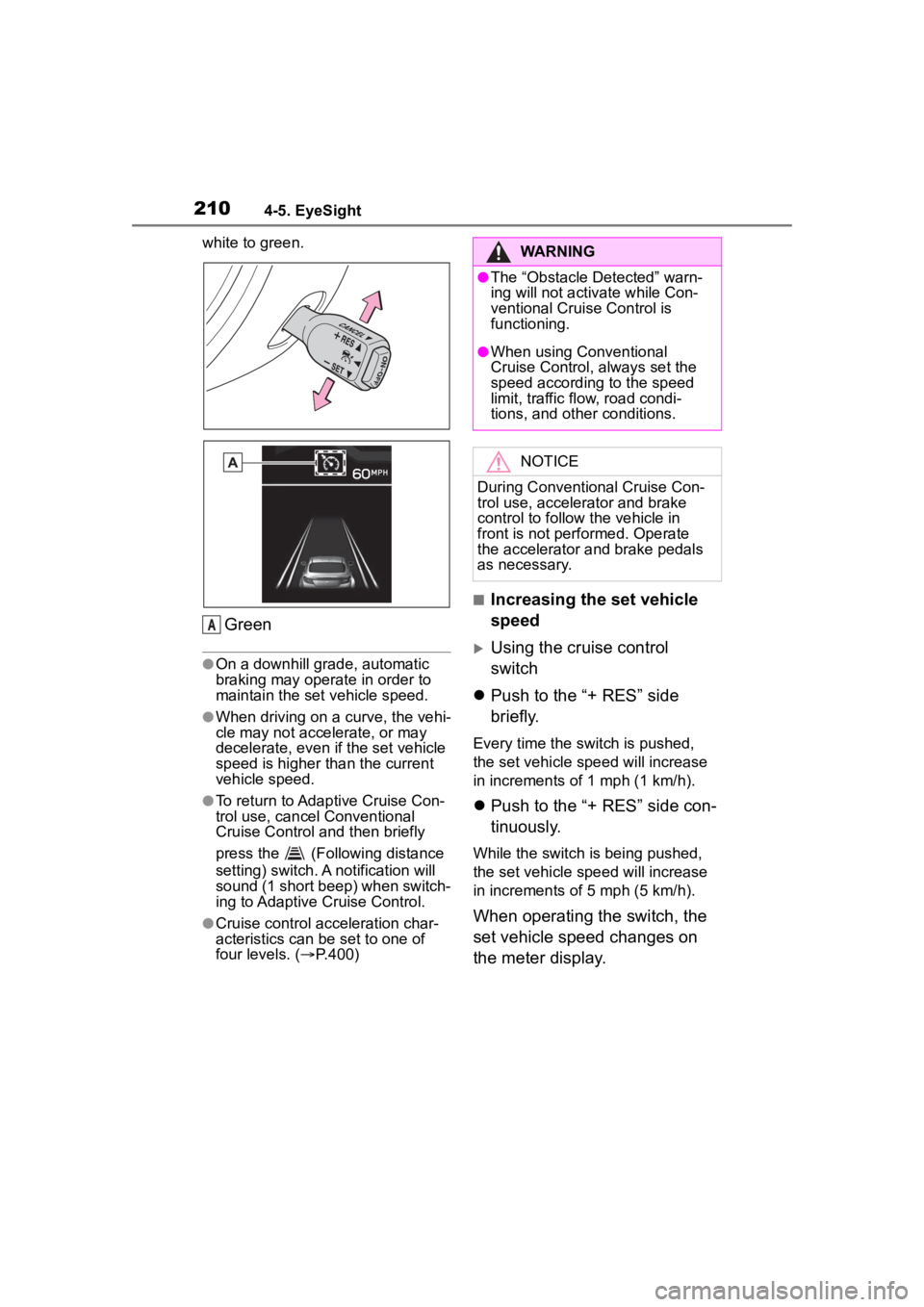
white to green.
Green
●On a downhill grade, automatic
braking may operate in order to
maintain the set vehicle speed.
●When driving on a curve, the vehi-
cle may not accelerate, or may
decelerate, even if the set vehicle
speed is higher than the current
vehicle speed.
●To return to Adaptive Cruise Con-
trol use, cancel Conventional
Cruise Control and then briefly
press the (Following distance
setting) switch. A notification will
sound (1 short beep) when switch-
ing to Adaptive Cruise Control.
●Cruise control acceleration char-
acteristics can be set to one of
four levels. ( P.400)
■Increasing the set vehicle
speed
Using the cruise control
switch
Push to the “+ RES” side
briefly.
Every time the switch is pushed,
the set vehicle speed will increase
in increments o f 1 mph (1 km/h).
Push to the “+ RES” side con-
tinuously.
While the switch is being pushed,
the set vehicle speed will increase
in increments o f 5 mph (5 km/h).
When operating the switch, the
set vehicle speed changes on
the meter display.
A
WARNING
●The “Obstacle Detected” warn-
ing will not activate while Con-
ventional Cruise Control is
functioning.
●When using Conventional
Cruise Control, always set the
speed according to the speed
limit, traffic flow, road condi-
tions, and other conditions.
NOTICE
During Conventional Cruise Con-
trol use, accelerator and brake
control to follow the vehicle in
front is not performed. Operate
the accelerator and brake pedals
as necessary.
Page 213 of 449
2134-5. EyeSight
4
Driving
returned to the D or M position.
Vehicle speed drops to
approximately 16 mph (25
km/h) or less (due to a steep
uphill grade or some other
reason).
Vehicle speed increases to
approximately 100 mph (160
km/h) or more.
TRAC or VSC is activated.
Either the driver's door or the
front passenger's door is
opened.
The driver’s seatbelt is unfas-
tened.
The EyeSight system has a
malfunction. ( :Yellow)
( P.227)
The steering wheel is turned
significantly in either direction.
The grade of the road is
steep.
The Pre-Collision secondary
braking is activated.
Parking brake is applied.
The engine revolutions
approached the red zone.
The driving mode is set to
snow mode. ( P.257)
Pre-Collision Braking System
is turned off during TRACK
mode. ( P.189, 262)
TRAC and VSC system are
off. ( P.262)
The driving wheels spin on a slippery road.
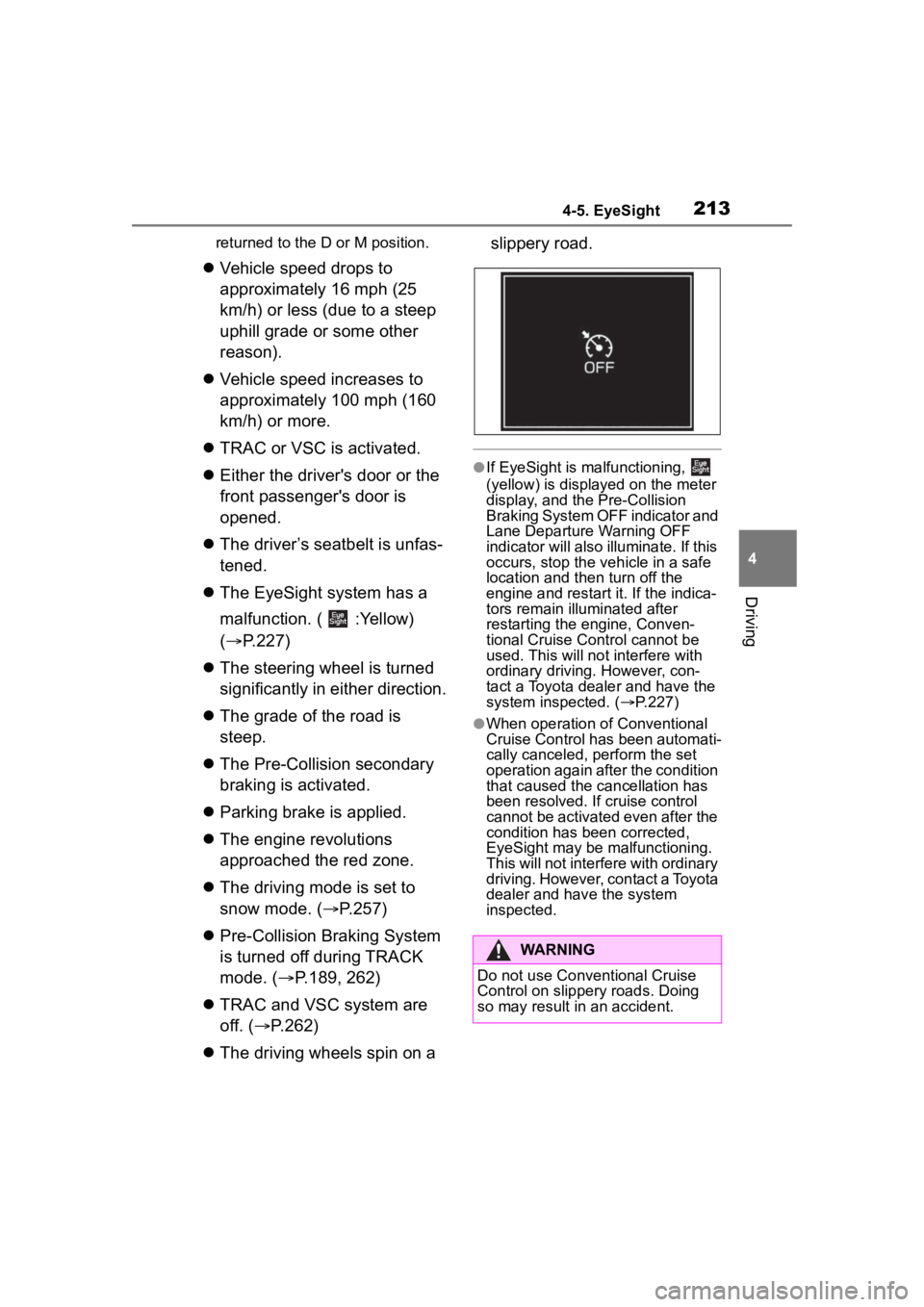
●If EyeSight is malfunctioning,
(yellow) is displayed on the meter
display, and the Pre-Collision
Braking System OFF indicator and
Lane Departure Warning OFF
indicator will also illuminate. If this
occurs, stop the vehicle in a safe
location and th
en turn off the
engine and restart it. If the indica-
tors remain illu minated after
restarting the engine, Conven-
tional Cruise Control cannot be
used. This will not interfere with
ordinary driving. However, con-
tact a Toyota dealer and have the
system inspected. ( P.227)
●When operation of Conventional
Cruise Control has been automati-
cally canceled, perform the set
operation again after the condition
that caused the cancellation has
been resolved. If cruise control
cannot be activated even after the
condition has been corrected,
EyeSight may be malfunctioning.
This will not interf ere with ordinary
driving. However, contact a Toyota
dealer and hav e the system
inspected.
WARNING
Do not use Conventional Cruise
Control on slippery roads. Doing
so may result in an accident.
Page 215 of 449
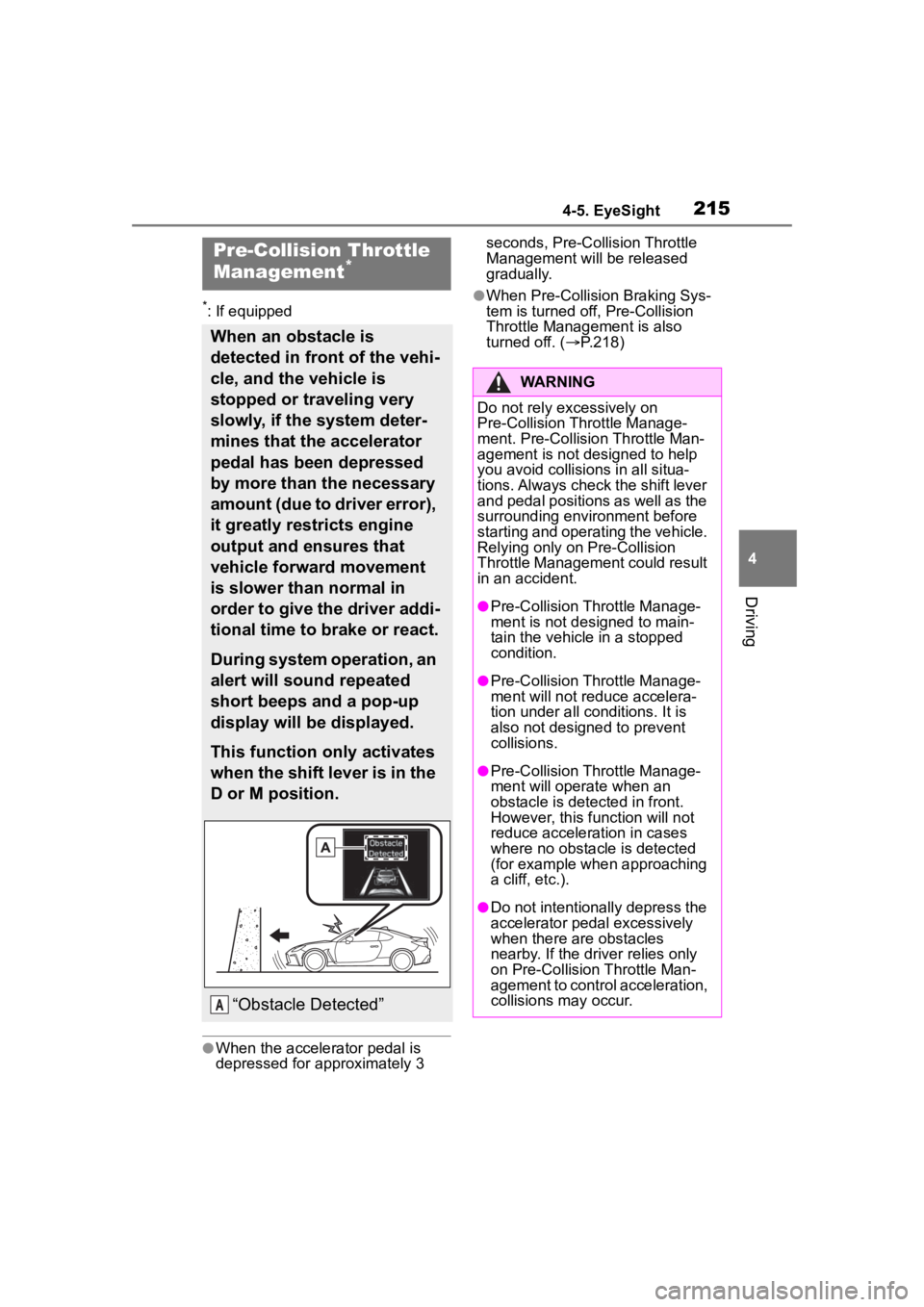
2154-5. EyeSight
4
Driving
*: If equipped
●When the accelerator pedal is
depressed for approximately 3 seconds, Pre-Collision Throttle
Management will be released
gradually.
●When Pre-Collision Braking Sys-
tem is turned off, Pre-Collision
Throttle Management is also
turned off. (
P.218)
Pre-Collision Throttle
Management*
When an obstacle is
detected in front of the vehi-
cle, and the vehicle is
stopped or traveling very
slowly, if the system deter-
mines that the accelerator
pedal has been depressed
by more than the necessary
amount (due to driver error),
it greatly restricts engine
output and ensures that
vehicle forward movement
is slower than normal in
order to give the driver addi-
tional time to brake or react.
During system operation, an
alert will sound repeated
short beeps and a pop-up
display will be displayed.
This function only activates
when the shift lever is in the
D or M position.
“Obstacle Detected”A
WARNING
Do not rely excessively on
Pre-Collision Throttle Manage-
ment. Pre-Collision Throttle Man-
agement is not designed to help
you avoid collisions in all situa-
tions. Always check the shift lever
and pedal positions as well as the
surrounding environment before
starting and operating the vehicle.
Relying only on Pre-Collision
Throttle Management could result
in an accident.
●Pre-Collision Throttle Manage-
ment is not designed to main-
tain the vehicle in a stopped
condition.
●Pre-Collision Throttle Manage-
ment will not re duce accelera-
tion under all conditions. It is
also not designed to prevent
collisions.
●Pre-Collision Throttle Manage-
ment will operate when an
obstacle is detected in front.
However, this function will not
reduce acceleration in cases
where no obstacle is detected
(for example when approaching
a cliff, etc.).
●Do not intentionally depress the
accelerator pedal excessively
when there are obstacles
nearby. If the driver relies only
on Pre-Collision Throttle Man-
agement to contr ol acceleration,
collisions may occur.
Page 216 of 449

2164-5. EyeSight
WARNING
●If your vehicle is trapped on a
railroad crossing and you are
trying to escape by driving
through the crossing gate, the
stereo camera may recognize
the crossing gate as an obstacle
and Pre-Collision Throttle Man-
agement system may activate.
In this case, remain calm and
either continue to depress the
accelerator pedal or turn off the
Pre-Collision Throttle Manage-
ment system. (
P.218)
Pre-Collision Throttle Manage-
ment may not activate depending
on the following conditions:
●The distance between your
vehicle and the obstacle, speed
difference, and horizontal offset
●Recognition status of the stereo
camera
In particular, the function may not
activate in the following cases:
• Bad weather (for example heavy rain, a blizzard or thick
fog)
• Visibility is poor due to sand or smoke in the air.
• Light is poor in the evening, early morning, or at night.
• In a dark area (indoor parking area, etc.)
• There is an obstacle outside the area illuminated by the head-
lights.
• Strong light is coming from the front (for example sunlight at
sunrise or sunset headlight
beams, etc.).
• The windshield has become fogged, scratched or smeared,
or snow, dirt, dust or frost has
adhered to it, or it is otherwise
affected. These will reduce the
stereo camera’s field of view.
Also, light is reflecting off the
dirt, etc.
• Fluid has not been fully wiped off the windshield during or after
use of the window washer.
• Obstacles cannot be correctly recognized due to water drop-
lets from rain or the washer, or
the wiper blades obstructing the
stereo camera’s field of view.
• The stereo came ra’s field of
view is obstructed.
• With low obstacles (low wall, crash barrier, low vehicle, etc.)
• The size and height of an obsta- cle is smaller than the limita-
tions of the stereo camera’s
recognition capability. (Small
animals, children, pedestrians
who are sitting or lying down,
etc.)
• The rear portion nearest your vehicle is too small or too close
(such as a trailer or oncoming
vehicle). The system may not
recognize the part of that vehi-
cle which is closest to you.
• There is a fence or wall, etc., with a uniform pattern (striped
pattern, brick, etc.) or with no
pattern in front.