tow TOYOTA 86 2022 User Guide
[x] Cancel search | Manufacturer: TOYOTA, Model Year: 2022, Model line: 86, Model: TOYOTA 86 2022Pages: 449, PDF Size: 8.5 MB
Page 142 of 449
1424-1. Before driving
WARNING
■Things that must not be car-
ried in the trunk
The following things may cause a
fire if loaded in the trunk:
●Receptacles co ntaining gaso-
line
●Aerosol cans
■Storage precautions
Observe the following precau-
tions.
Failure to do so m ay result in
death or serious injury.
●Stow cargo and luggage in the
trunk whenever possible.
●To prevent cargo and luggage
from sliding forward during
braking, do not stack anything in
the enlarged trunk. Keep cargo
and luggage low, as close to the
floor as possible.
●When you fold down the rear
seats, long items should not be
placed directly behind the front
seats.
●Never allow anyone to ride in
the enlarged trunk. It is not
designed for passengers. They
should ride in their seats with
their seat belts properly fas-
tened. Otherwise, they are
much more likely to suffer death
or serious bodily injury, in the
event of sudden braking, sud-
den swerving or an accident.
●Do not place cargo or luggage
in or on the follo wing locations
as the item may get under the
clutch (manual transmission),
brake or accelerator pedal and
prevent the pedals from being
depressed properly, block the
driver’s vision, or hit the driver
or passengers, causing an acci-
dent:
• At the feet of the driver
• On the front passenger or rear seats (when stacking items)
• On the package tray
• On the instrument panel
• On the dashboard
●Secure all items in the occupant
compartment, as they may shift
and injure someone during sud-
den braking, sudden swerving
or an accident.
■Capacity and distribution
●Do not exceed the maximum
axle weight rating or the total
vehicle weight rating.
●Even if the total load of occu-
pant’s weight and the cargo
load is less than the total load
capacity, do not apply the load
unevenly. Improper loading may
cause deterioration of steering
or braking control which may
cause death or serious injury.
Page 143 of 449
1434-1. Before driving
4
Driving
■Total load capacity and seating
capacity
These details are also described on
the tire and loading information
label. ( P.324)
Vehicle load limits
Vehicle load limits include
total load capacity, seating
capacity, towing capacity
and cargo capacity.
Total load capacity (vehicle
capacity weight): P.380
Total load capacity means the
combined weight of occupants,
cargo and luggage.
Seating capacity: P.380
Seating capacity means the max-
imum number of occupants
whose estimated average weight
is 150 lb. (68 kg) per person.
Towing capacity
Toyota does not recommend tow-
ing a trailer with your vehicle.
Cargo capacity
Cargo capacity may increase or
decrease depending on the
weight and the number of occu-
pants.
WARNING
■Overloading the vehicle
Do not overload the vehicle.
It may not only cause damage to
the tires, but also degrade steer-
ing and braking ability, resulting in
an accident.
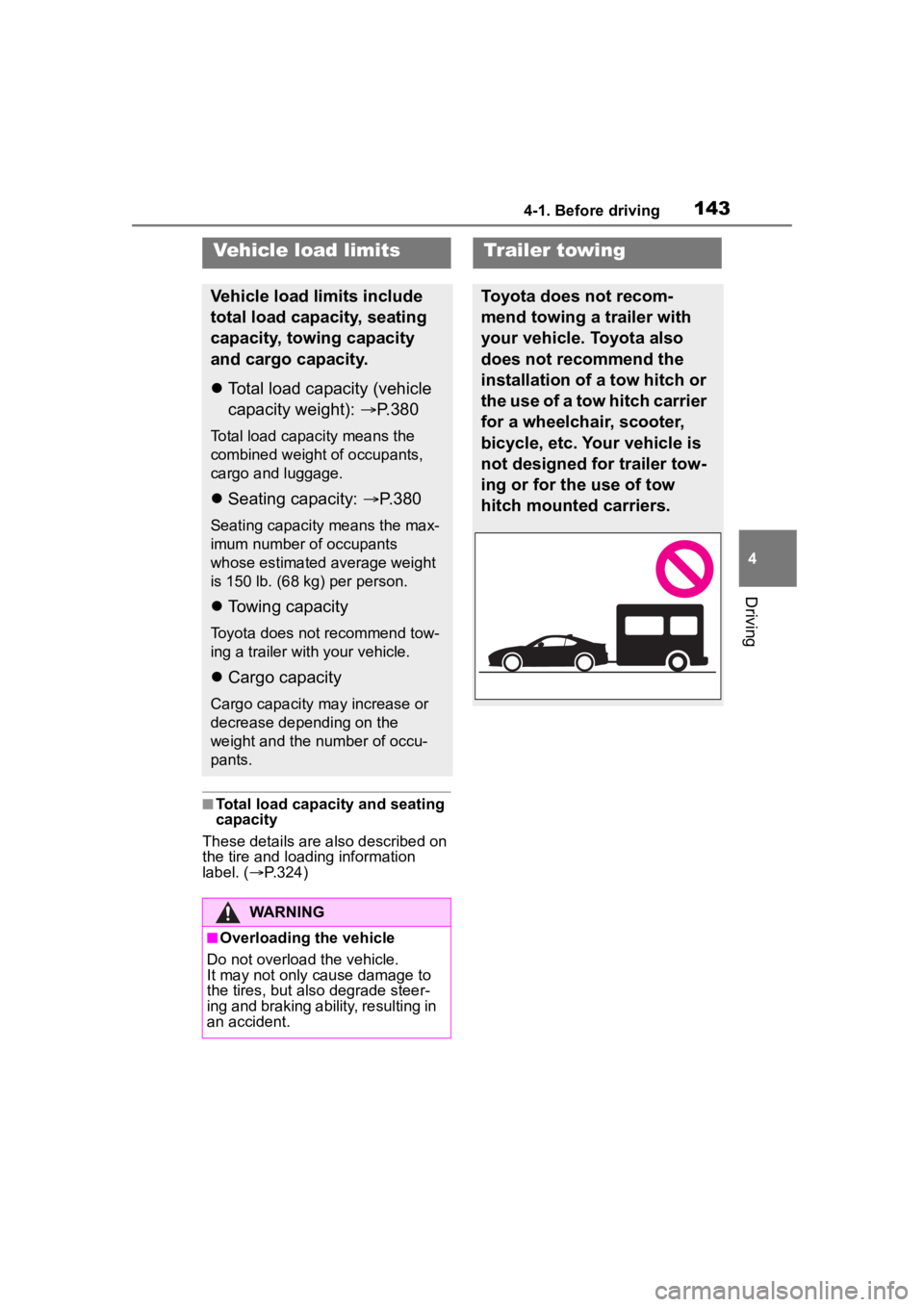
Trailer towing
Toyota does not recom-
mend towing a trailer with
your vehicle. Toyota also
does not recommend the
installation of a tow hitch or
the use of a tow hitch carrier
for a wheelchair, scooter,
bicycle, etc. Your vehicle is
not designed for trailer tow-
ing or for the use of tow
hitch mounted carriers.
Page 144 of 449
1444-1. Before driving
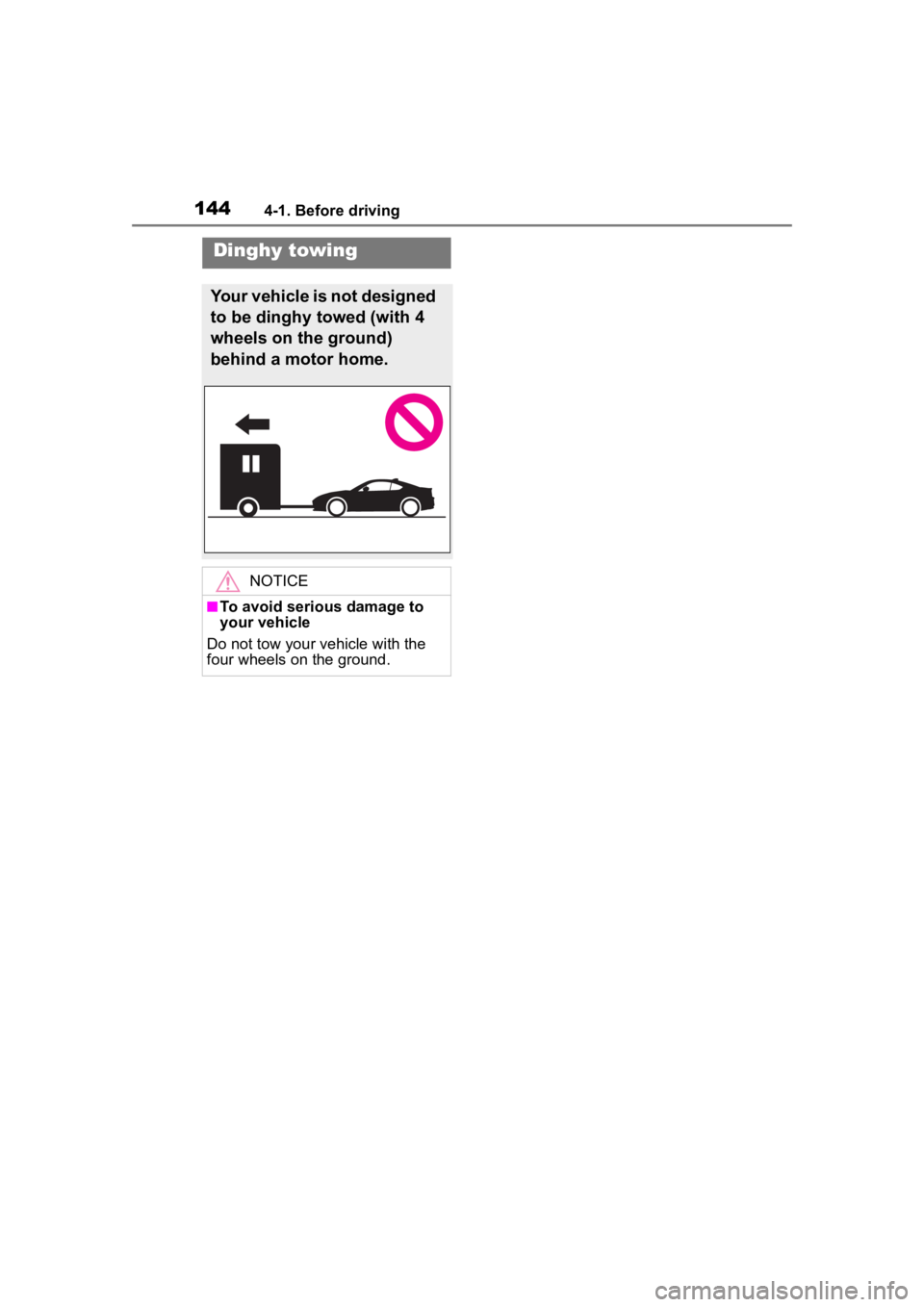
Dinghy towing
Your vehicle is not designed
to be dinghy towed (with 4
wheels on the ground)
behind a motor home.
NOTICE
■To avoid serious damage to
your vehicle
Do not tow your vehicle with the
four wheels on the ground.
Page 163 of 449
1634-3. Operating the lights and wipers
4
Driving
detected due to repeated curves,
road dividers or roadside trees
• When vehicles ahead appear in a
faraway lane on a wide road
• When the lights of vehicles ahead are not on
●The high beams may be turned off
if a vehicle ahead that is using fog
lights without its headlights turned
on is detected.
●House lights, street lights, traffic
signals, and illumi nated billboards
or signs and other reflective
objects may cause the high
beams to change to the low
beams, or the low beams to
remain on.
●The following factors may affect
the amount of time taken for the
high beams to turn on or off:
• The brightness of the headlights,
fog lights, and ta il lights of vehi-
cles ahead
• The movement and direction of
vehicles ahead
• When a vehicle ahead only has operational lights on one side
• When a vehicle ahead is a two-wheeled vehicle
• The condition of the road (gradi-
ent, curve, condi tion of the road
surface, etc.)
• The number of passengers and
amount of luggage in the vehicle
• When there is a lag in response due to the limitat ions of the detec-
tion range of the stereo camera
●The high beams may turn on or off
unexpectedly.
●Bicycles or similar vehicles may
not be detected.
●In the following situations the sys-
tem may not be abl e to correctly
detect the surrounding brightness
level. This may cause the low
beams to remain on or the high
beams to flash or dazzle pedestri-
ans or vehicles ahead. In such a
case, it is necess ary to manually
switch between the high and low
beams.
• When driving in inclement weather (heavy rain, snow, fog, sand-
storms, etc.)
• When the windshi eld is obscured
by fog, mist, ice, dirt, etc.
• When the windshield is cracked or damaged
• When the stereo camera is deformed or dirty
• When the temperature of the ste-
reo camera is extremely high
• When the surrounding brightness level is equal to that of headlights,
tail lights or fog lights
• When headlights or tail lights of vehicles ahead are turned off,
dirty, changing color, or not aimed
properly
• When the vehicle is hit by water,
snow, dust, etc. from a preceding
vehicle
• When driving through an area of
intermittently changing brightness
and darkness
• When frequently and repeatedly
driving ascending/descending
roads, or roads with rough, bumpy
or uneven surfaces (such as
stone-paved roads, gravel roads,
etc.)
• When frequently and repeatedly
taking curves or driving on a wind-
ing road
• When there is a h ighly reflective
object ahead of the vehicle, such
as a sign or mirror
• When the back of a preceding
vehicle is highly reflective, such as
a container on a truck
• When the vehicle’s headlights are
damaged or dirty, or are not aimed
properly
• When the vehicle is listing or titling
due to a flat tire, a trailer being
towed, etc.
• Immediately after the engine is
started
• When the headlights are changed between the high beams and low
beams repeatedly in an abnormal
manner
• When the driver believes that the high beams may be flashing or
dazzling pedestrians or other driv-
ers
Page 172 of 449
1724-5. EyeSight
WARNING
• The lights including headlights and fog lights have been modi-
fied.
• Vehicle operation has become unstable due to an accident or
malfunction.
• The brake system warning light is illuminated in red.
*2
• A heavy cargo is inside the vehicle.
• The maximum number of occu- pants is exceeded.
• The meter is not operating prop- erly; such as when the lights do
not illuminate, the beeps do not
sound, the display is different
from when it is normal, etc.
*3
●The system will not operate cor-
rectly in the following condi-
tions. Do not use Adaptive
Cruise Control or Conventional
Cruise Control.
• The wheels are out of balance (e.g., the balance weight is
removed or misaligned).
*1
• The wheels are out of align-
ment.*1
• A trailer or another vehicle, etc. is being towed.
*1: The wheels and tires have
functions that are critically
important. Be sure to use the
correct ones. (
P.386)
*2: If the brake system warning
light (red) does not turn off,
immediately pull the vehicle
over in a safe place and con-
tact a Toyota dealer to have the
system inspected.
*3: For details about the meter, refer to P.88.
NOTICE
●The characteristics of the stereo
camera are simila r to those of
human eyes. For this reason,
conditions that make it difficult
for the driver to see in the for-
ward direction have the same
effect on the stereo camera.
They also make it difficult for the
system to detect vehicles,
obstacles, and traffic lanes.
●Detection by the EyeSight sys-
tem is limited to objects that are
within the range of the stereo
camera’s field of view. Also,
after an object enters the range
of the camera’s field of view, it
may take some time for the sys-
tem to detect it as a controllable
target and to warn the driver.
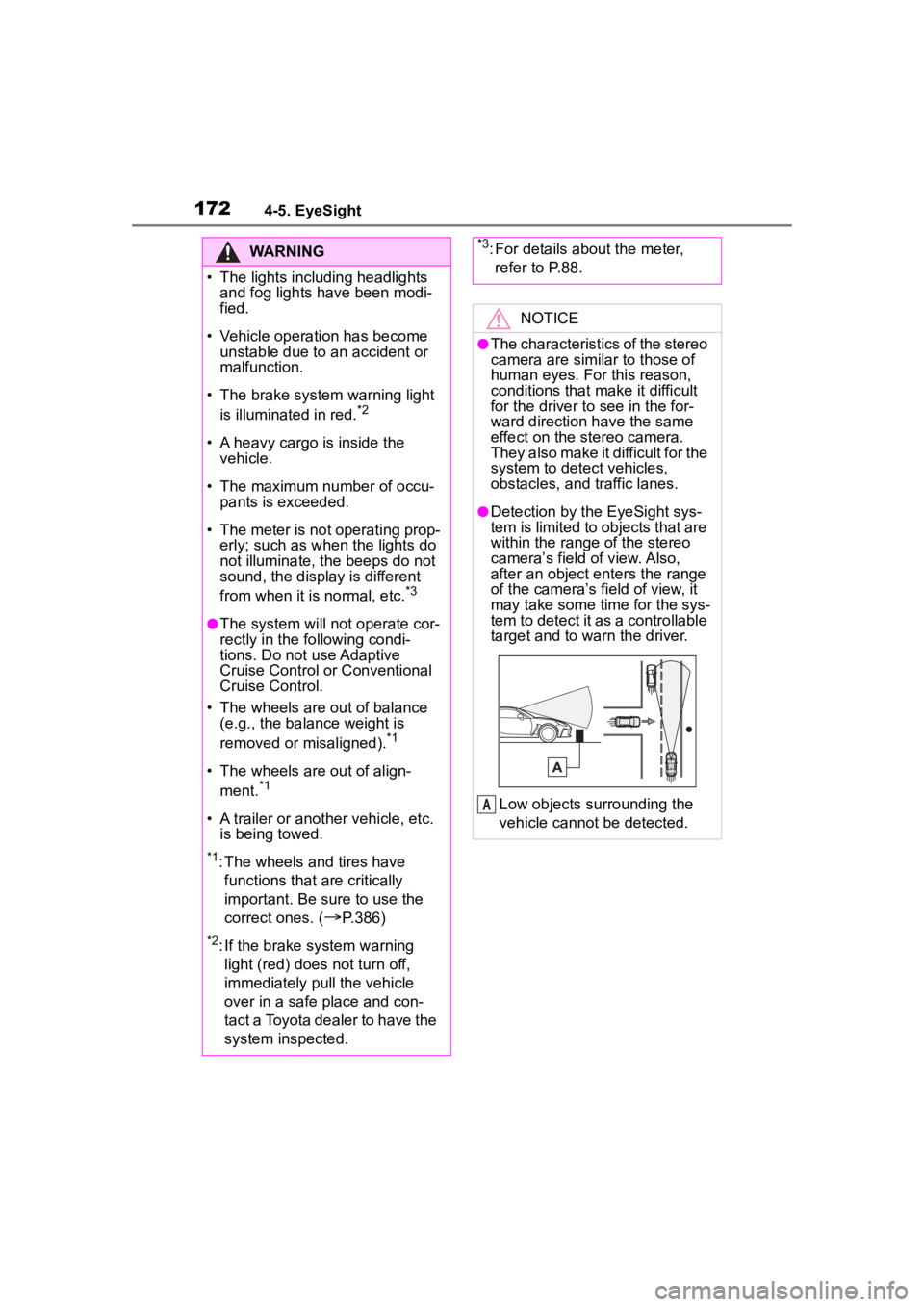
Low objects surrounding the
vehicle cannot be detected.
A
Page 179 of 449
1794-5. EyeSight
4
Driving
“+ RES” (push the cruise con-
trol switch up)
• Push this switch up to set cruise
control
*. ( P.196, 208)
• After cruise control* is canceled, push this switch up to resume the
cruise control function at the vehi-
cle speed that was previously set.
( P.204, 214)
• Push this switch up to increase the set vehicle speed (when
cruise control
* is currently set).
( P.199, 210)
“CANCEL” (pull the cruise
control switch toward you)
Pull this switch to cancel cruise
control
*. ( P.202, 212)
*: Adaptive Cruise Control and Con-
ventional Cruise Control
■ (Following distance set-
ting) switch
• Press this switch to select the set following distance in 4
stages (only when Adaptive
Cruise Control is on).
( P.202)
• When the main cruise control is on, switching between
Adaptive Cruise Control and
Conventional Cruise Control
is possible by pressing the
(Following distance set-
ting)switch
*.
*: To switch to Conventional Cruise Control, press and hold the
switch for appro ximately 2 sec-
onds or longer.
*: If equipped
Some unusual noises may be audi-
ble during automatic braking. This is
caused by the braking control and is
normal.
Pre-Collision Braking
System*
When there is the risk of a
rear-end collision with an
obstacle or pedestrian in
front, the EyeSight system
helps to prevent or minimize
a collision by warning the
driver. If the driver still does
not take evasive action to
avoid a collision, the brakes
can be automatically
applied just before the colli-
sion in order to reduce
impact damage, or if possi-
ble, prevent the collision. If
the driver takes evasive
action to avoid a collision,
Pre-Collision Braking Assist
will operate in order to help
the driver to prevent or min-
imize the collision.
This function can be acti-
vated when the shift lever is
in the D, M or N position.
Page 184 of 449
1844-5. EyeSight
WARNING
*2: If the brake system warning light (red) does not turn off,
immediately pull the vehicle
over in a safe place and con-
tact a Toyota dealer to have the
system inspected.
*3: For details about the meter,
refer to P.88.
NOTICE
In the following situations, turn off
Pre-Collision Braking System.
Otherwise Pre-Collision Braking
System may activate unexpect-
edly.
●The vehicle is being towed.
●The vehicle is being loaded onto
a carrier.
●A chassis dynamometer,
free-rollers or similar equip-
ment is being used.
●A mechanic lifts up the vehicle,
starts the engine and spins the
wheels freely.
●Passing hanging banners, flags
or branches
●Thick/tall vegeta tion is touching
the vehicle.
●Driving on a race track
●In a drive-through car wash
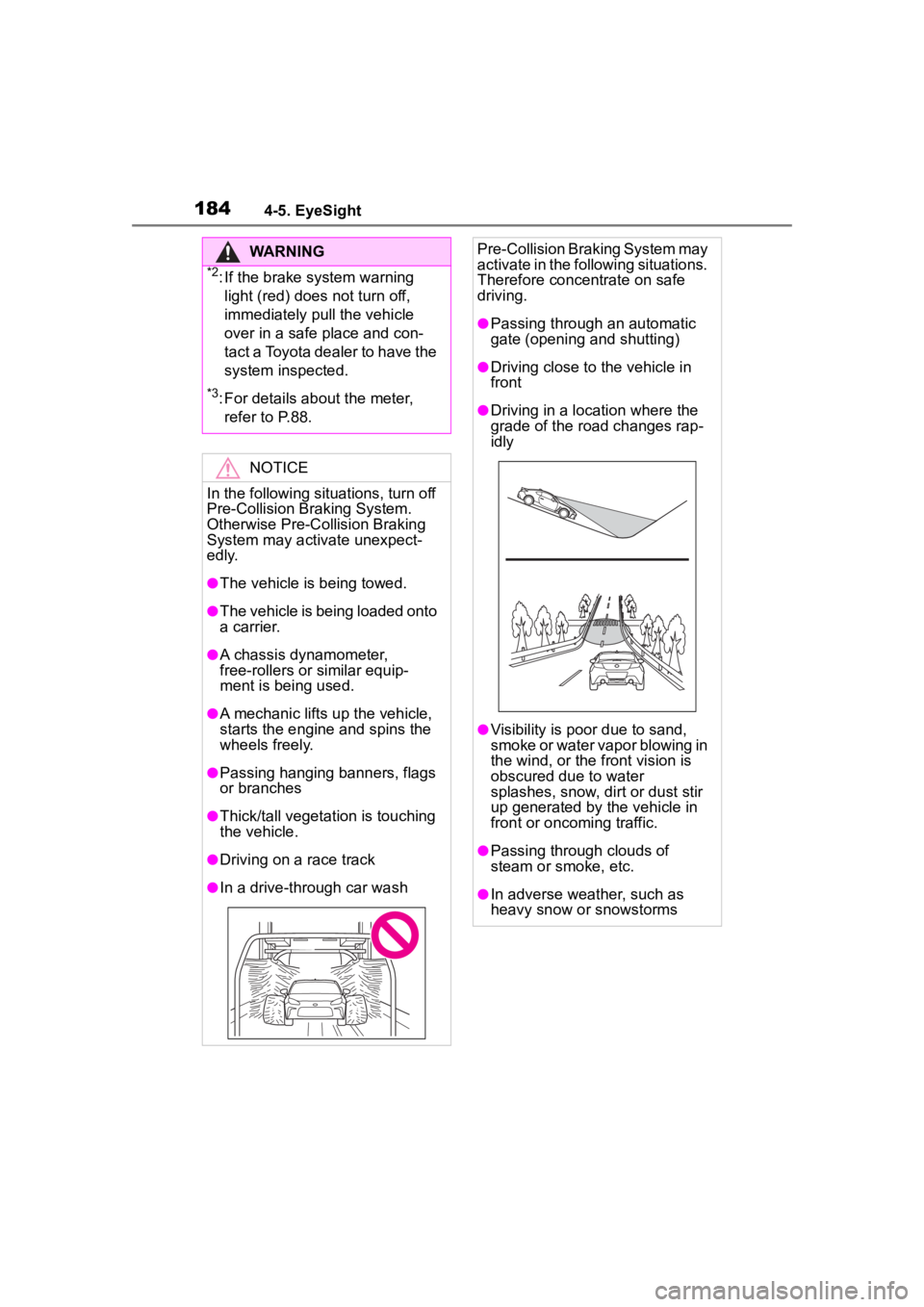
Pre-Collision Braking System may
activate in the following situations.
Therefore concentrate on safe
driving.
●Passing through an automatic
gate (opening and shutting)
●Driving close to the vehicle in
front
●Driving in a loc ation where the
grade of the road changes rap-
idly
●Visibility is poor due to sand,
smoke or water vapor blowing in
the wind, or the front vision is
obscured due to water
splashes, snow, dirt or dust stir
up generated by the vehicle in
front or oncoming traffic.
●Passing through clouds of
steam or smoke, etc.
●In adverse weather, such as
heavy snow or snowstorms
Page 235 of 449
2354-6. Using other driving systems
4
Driving
trying to overtake
●On a road with extremely narrow
lanes, the system may detect
vehicles driving in a lane next to
the neighboring lane.
While the BSD/RCTA is active,
the following item(s) will operate
to alert the driver:
The BSD/RCTA approach
indicator (when there are
vehicles in the neighboring
lanes).
The BSD/RCTA approach
indicator and warning buzzer
(when a vehicle is approach-
ing from the left or right side
while your vehicle is revers-
ing)
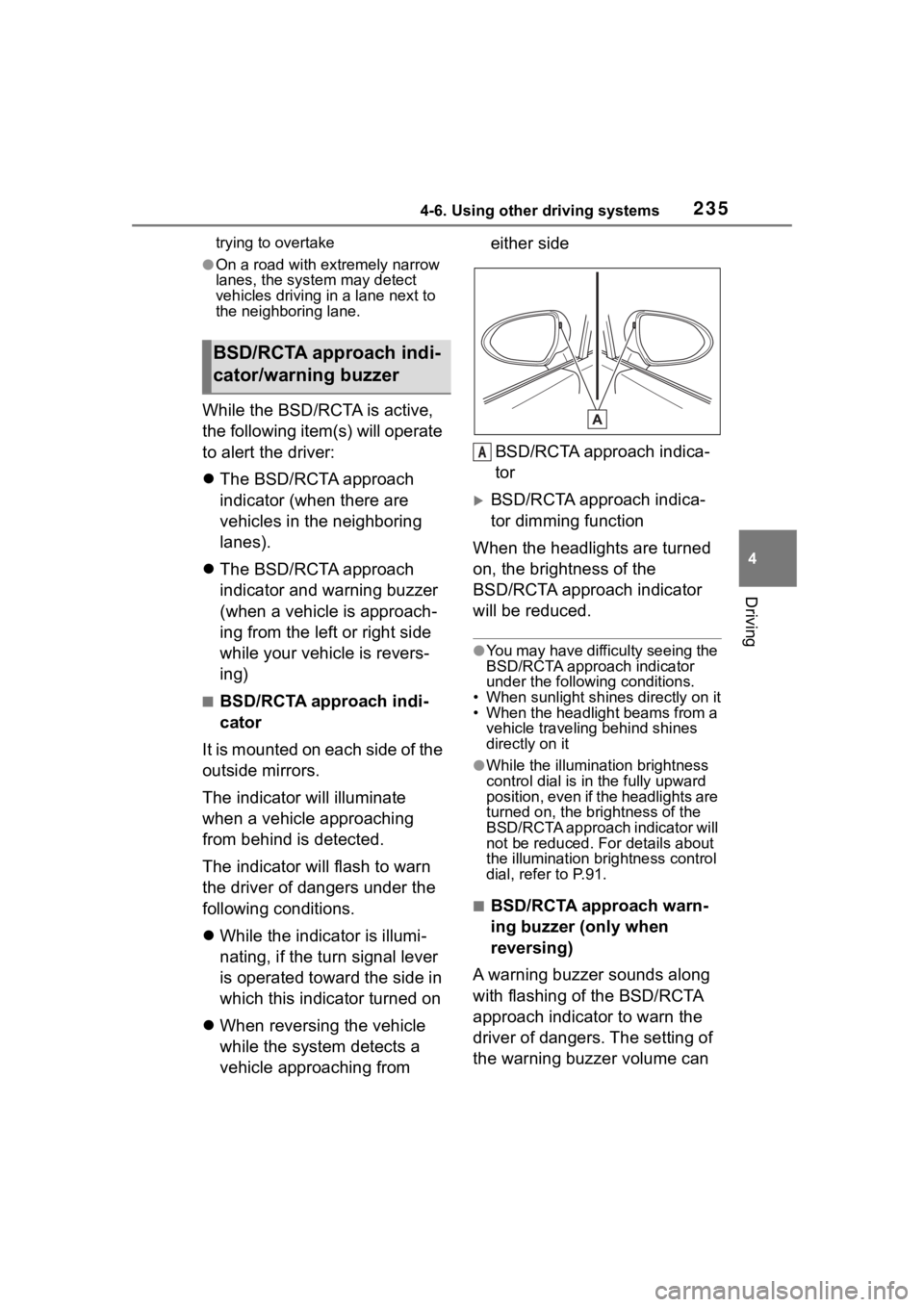
■BSD/RCTA approach indi-
cator
It is mounted on each side of the
outside mirrors.
The indicator will illuminate
when a vehicle approaching
from behind is detected.
The indicator will flash to warn
the driver of dangers under the
following conditions.
While the indicator is illumi-
nating, if the turn signal lever
is operated toward the side in
which this indicator turned on
When reversing the vehicle
while the system detects a
vehicle approaching from either side
BSD/RCTA approach indica-
tor
BSD/RCTA approach indica-
tor dimming function
When the headlights are turned
on, the brightness of the
BSD/RCTA approach indicator
will be reduced.
●You may have difficulty seeing the
BSD/RCTA approach indicator
under the following conditions.
• When sunlight shi nes directly on it
• When the headlight beams from a vehicle traveling behind shines
directly on it
●While the illumination brightness
control dial is in the fully upward
position, even if the headlights are
turned on, the brightness of the
BSD/RCTA approach indicator will
not be reduced. For details about
the illumination bri ghtness control
dial, refer to P.91.
■BSD/RCTA approach warn-
ing buzzer (only when
reversing)
A warning buzzer sounds along
with flashing of the BSD/RCTA
approach indicator to warn the
driver of dangers. The setting of
the warning buzzer volume can
BSD/RCTA approach indi-
cator/warning buzzer
A
Page 238 of 449
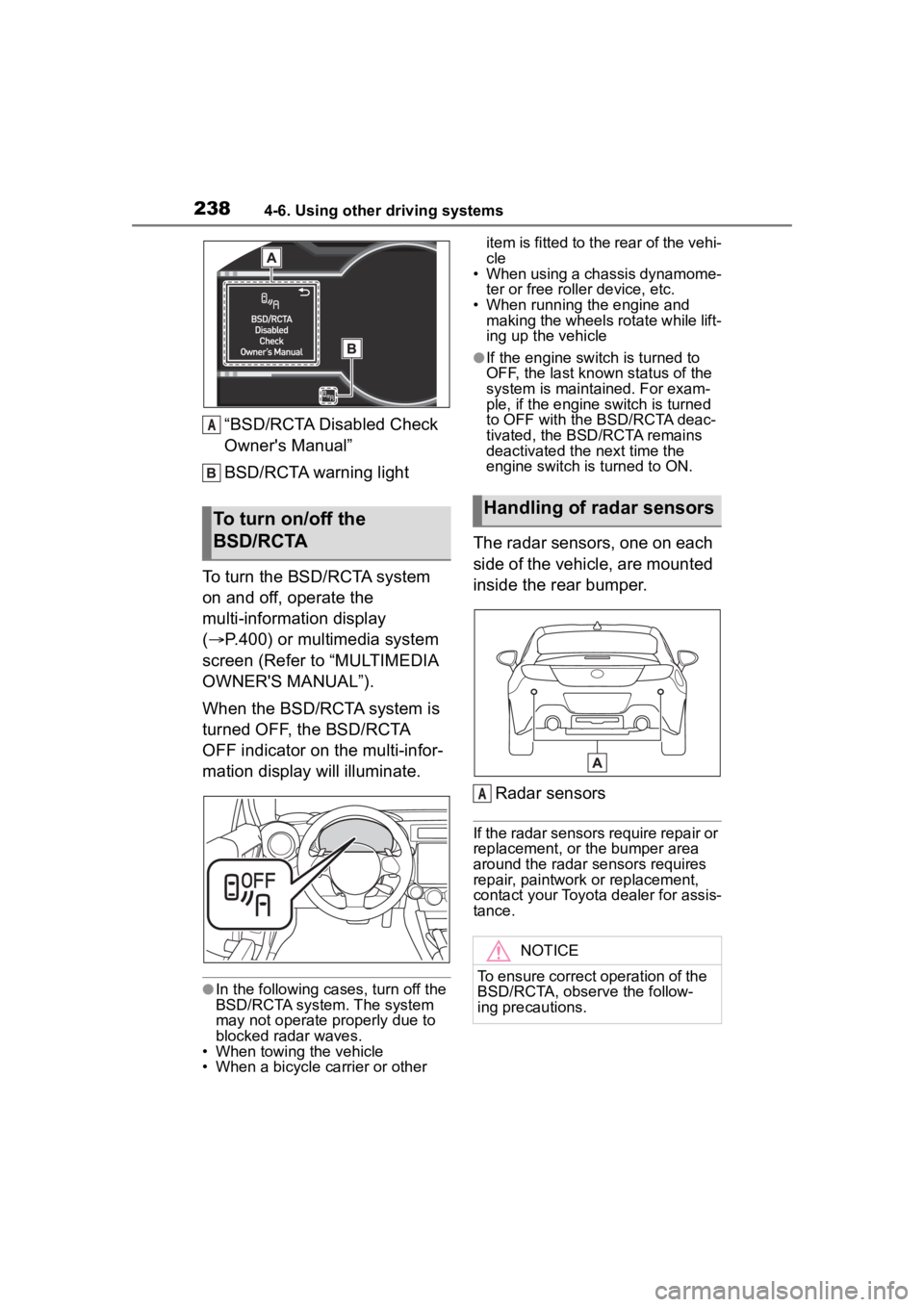
2384-6. Using other driving systems
“BSD/RCTA Disabled Check
Owner's Manual”
BSD/RCTA warning light
To turn the BSD/RCTA system
on and off, operate the
multi-information display
( P.400) or multimedia system
screen (Refer to “MULTIMEDIA
OWNER'S MANUAL”).
When the BSD/RCTA system is
turned OFF, the BSD/RCTA
OFF indicator on the multi-infor-
mation display will illuminate.
●In the following cases, turn off the
BSD/RCTA system. The system
may not operate properly due to
blocked radar waves.
• When towing the vehicle
• When a bicycle carrier or other item is fitted to the rear of the vehi-
cle
• When using a chassis dynamome-
ter or free rolle r device, etc.
• When running the engine and making the wheels rotate while lift-
ing up the vehicle
●If the engine switch is turned to
OFF, the last known status of the
system is maintained. For exam-
ple, if the engine switch is turned
to OFF with the BSD/RCTA deac-
tivated, the BSD/RCTA remains
deactivated the next time the
engine switch is turned to ON.
The radar sensors, one on each
side of the vehicle, are mounted
inside the rear bumper.
Radar sensors
If the radar sensors require repair or
replacement, or the bumper area
around the radar sensors requires
repair, paintwork or replacement,
contact your Toyota dealer for assis-
tance.
To turn on/off the
BSD/RCTA
A
Handling of radar sensors
NOTICE
To ensure correct operation of the
BSD/RCTA, observe the follow-
ing precautions.
A
Page 240 of 449
2404-6. Using other driving systems
on a court order or other legally
enforceable request.
●Data that has been modified so
that the user and vehicle cannot
be identified is provided to a
research institution for statistical
processing or similar purposes.
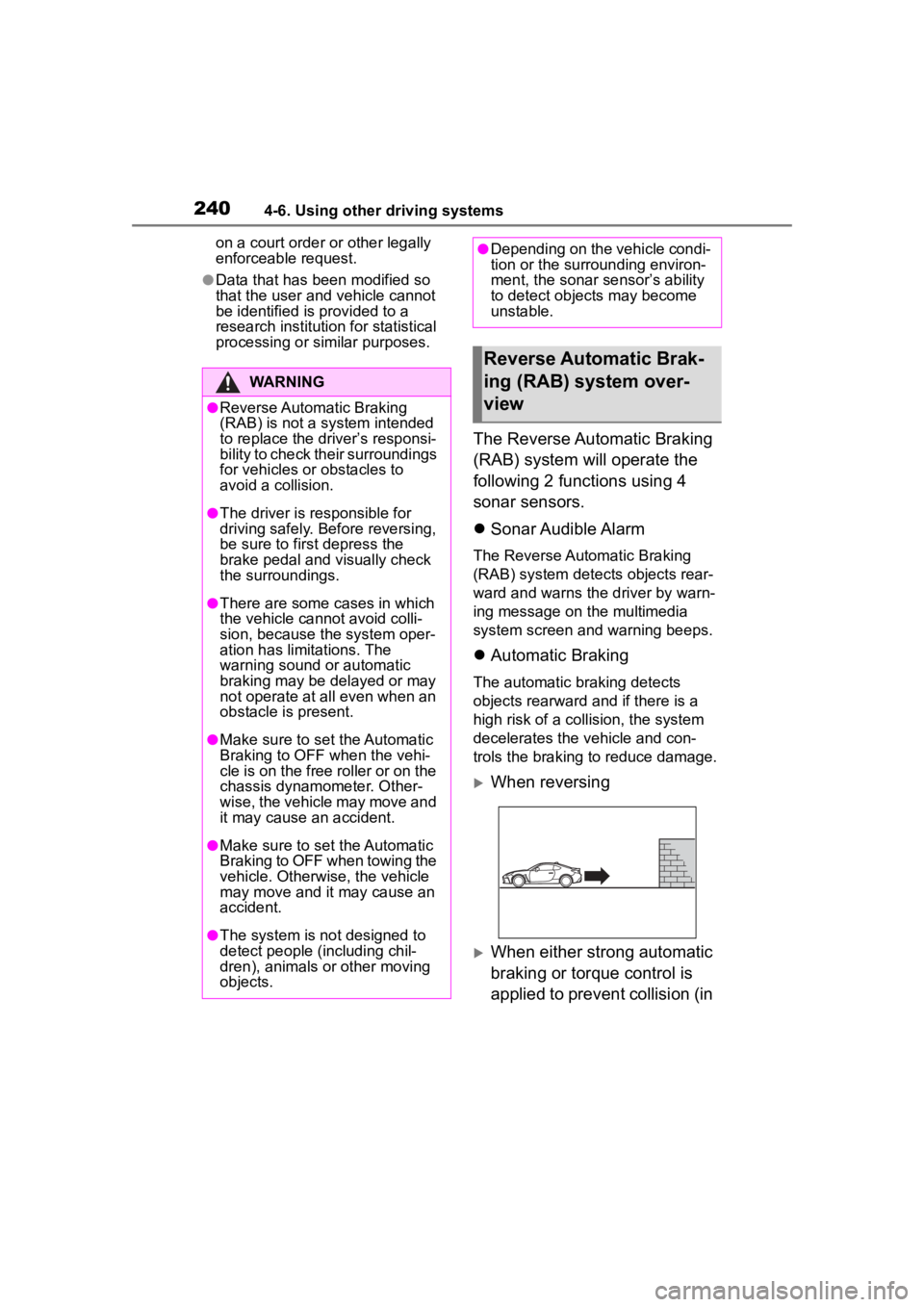
The Reverse Automatic Braking
(RAB) system will operate the
following 2 functions using 4
sonar sensors.
Sonar Audible Alarm
The Reverse Automatic Braking
(RAB) system detects objects rear-
ward and warns the driver by warn-
ing message on the multimedia
system screen an d warning beeps.
Automatic Braking
The automatic braking detects
objects rearward and if there is a
high risk of a co llision, the system
decelerates the vehicle and con-
trols the braking to reduce damage.
When reversing
When either strong automatic
braking or torque control is
applied to prevent collision (in
WARNING
●Reverse Automatic Braking
(RAB) is not a system intended
to replace the driver’s responsi-
bility to check their surroundings
for vehicles or obstacles to
avoid a collision.
●The driver is responsible for
driving safely. Before reversing,
be sure to first depress the
brake pedal and visually check
the surroundings.
●There are some cases in which
the vehicle cannot avoid colli-
sion, because the system oper-
ation has limitations. The
warning sound or automatic
braking may be delayed or may
not operate at all even when an
obstacle is present.
●Make sure to set the Automatic
Braking to OFF when the vehi-
cle is on the free roller or on the
chassis dynamometer. Other-
wise, the vehicle may move and
it may cause an accident.
●Make sure to set the Automatic
Braking to OFF when towing the
vehicle. Otherwise, the vehicle
may move and it may cause an
accident.
●The system is not designed to
detect people (including chil-
dren), animals or other moving
objects.
●Depending on the vehicle condi-
tion or the surrounding environ-
ment, the sonar sensor’s ability
to detect objects may become
unstable.
Reverse Automatic Brak-
ing (RAB) system over-
view