display TOYOTA 86 2022 Workshop Manual
[x] Cancel search | Manufacturer: TOYOTA, Model Year: 2022, Model line: 86, Model: TOYOTA 86 2022Pages: 449, PDF Size: 8.5 MB
Page 208 of 449
2084-5. EyeSight
■Setting Conventional
Cruise Control
1 Setting Adaptive Cruise Con-
trol to standby status.
Press the “ON-OFF” switch. At this
time, (white) a nd the following
distance setting indicator are dis-
played on the meter display.
The set vehicle speed display will
read “- - - MPH (- - - km/h)”.
When the “ON-OFF” switch is
pressed, the initial cruise control
mode is always Adaptive Cruise Control.
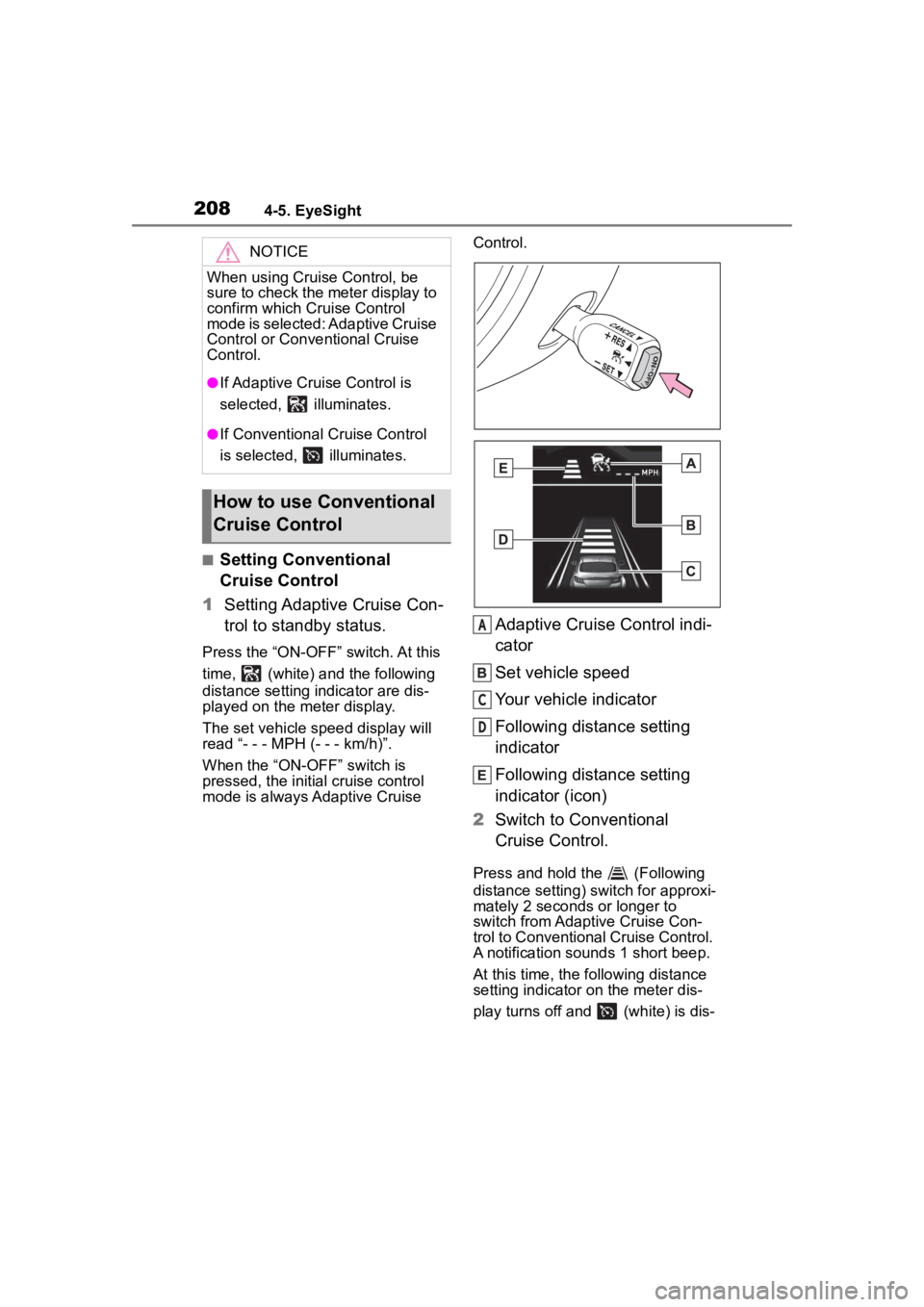
Adaptive Cruise Control indi-
cator
Set vehicle speed
Your vehicle indicator
Following distance setting
indicator
Following distance setting
indicator (icon)
2 Switch to Conventional
Cruise Control.
Press and hold the (Following
distance setting) switch for approxi-
mately 2 seconds or longer to
switch from Adaptive Cruise Con-
trol to Conventional Cruise Control.
A notification sou nds 1 short beep.
At this time, the following distance
setting indicator on the meter dis-
play turns off and (white) is dis-
NOTICE
When using Cruise Control, be
sure to check the meter display to
confirm which Cr uise Control
mode is selected: Adaptive Cruise
Control or Conventional Cruise
Control.
●If Adaptive Cruis e Control is
selected, illuminates.
●If Conventional Cruise Control
is selected, illuminates.
How to use Conventional
Cruise Control
A
C
D
Page 209 of 449
2094-5. EyeSight
4
Driving
played.
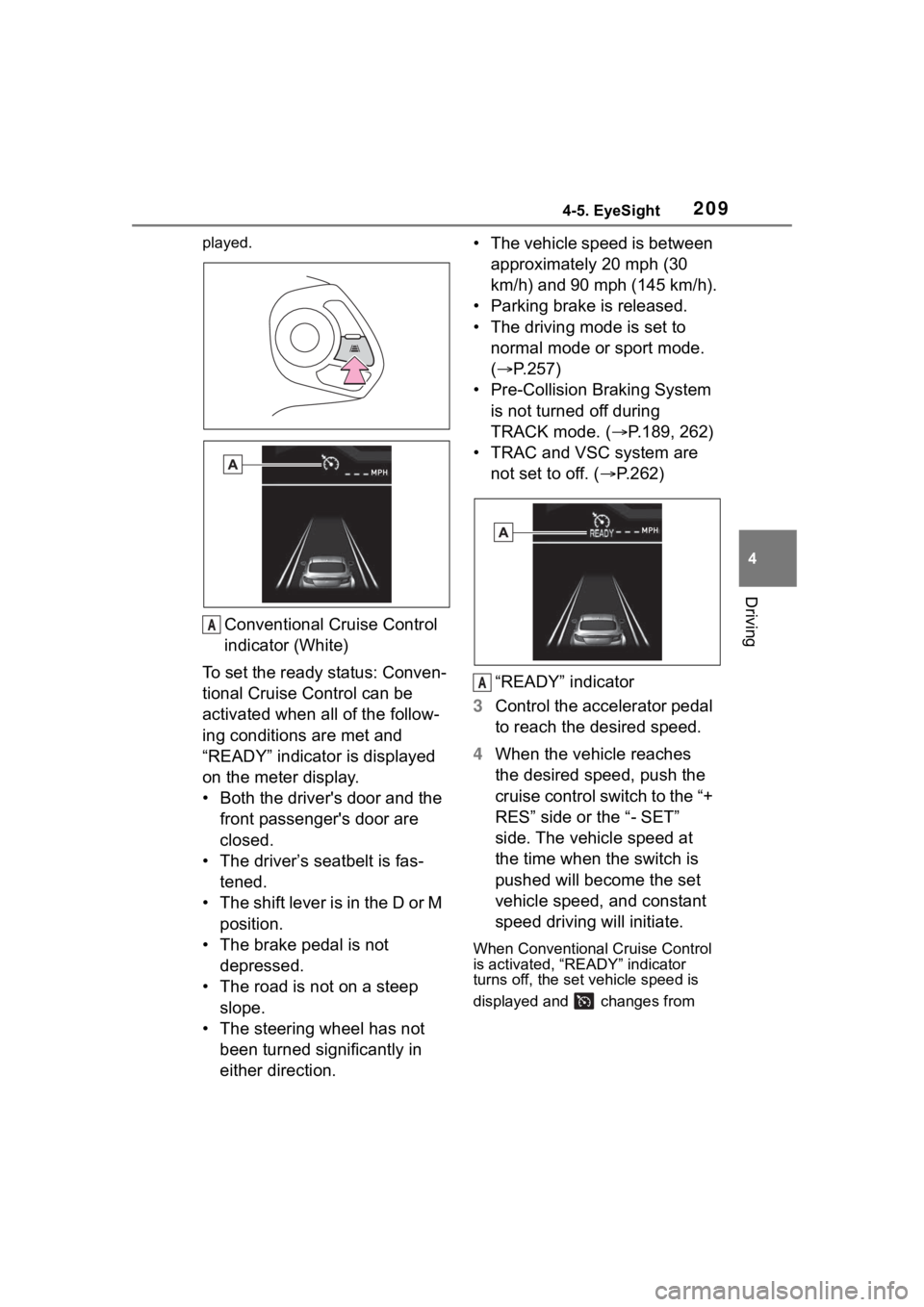
Conventional Cruise Control
indicator (White)
To set the ready status: Conven-
tional Cruise Control can be
activated when all of the follow-
ing conditions are met and
“READY” indicator is displayed
on the meter display.
• Both the driver's door and the front passenger's door are
closed.
• The driver’s seatbelt is fas- tened.
• The shift lever is in the D or M position.
• The brake pedal is not depressed.
• The road is not on a steep slope.
• The steering wheel has not been turned significantly in
either direction. • The vehicle speed is between
approximately 20 mph (30
km/h) and 90 mph (145 km/h).
• Parking brake is released.
• The driving mode is set to normal mode or sport mode.
( P.257)
• Pre-Collision Braking System is not turned off during
TRACK mode. ( P.189, 262)
• TRAC and VSC system are not set to off. ( P.262)
“READY” indicator
3 Control the accelerator pedal
to reach the desired speed.
4 When the vehicle reaches
the desired speed, push the
cruise control switch to the “+
RES” side or the “- SET”
side. The vehicle speed at
the time when the switch is
pushed will become the set
vehicle speed, and constant
speed driving will initiate.
When Conventional Cruise Control
is activated, “READY” indicator
turns off, the set vehicle speed is
displayed and changes from
A
A
Page 210 of 449
2104-5. EyeSight
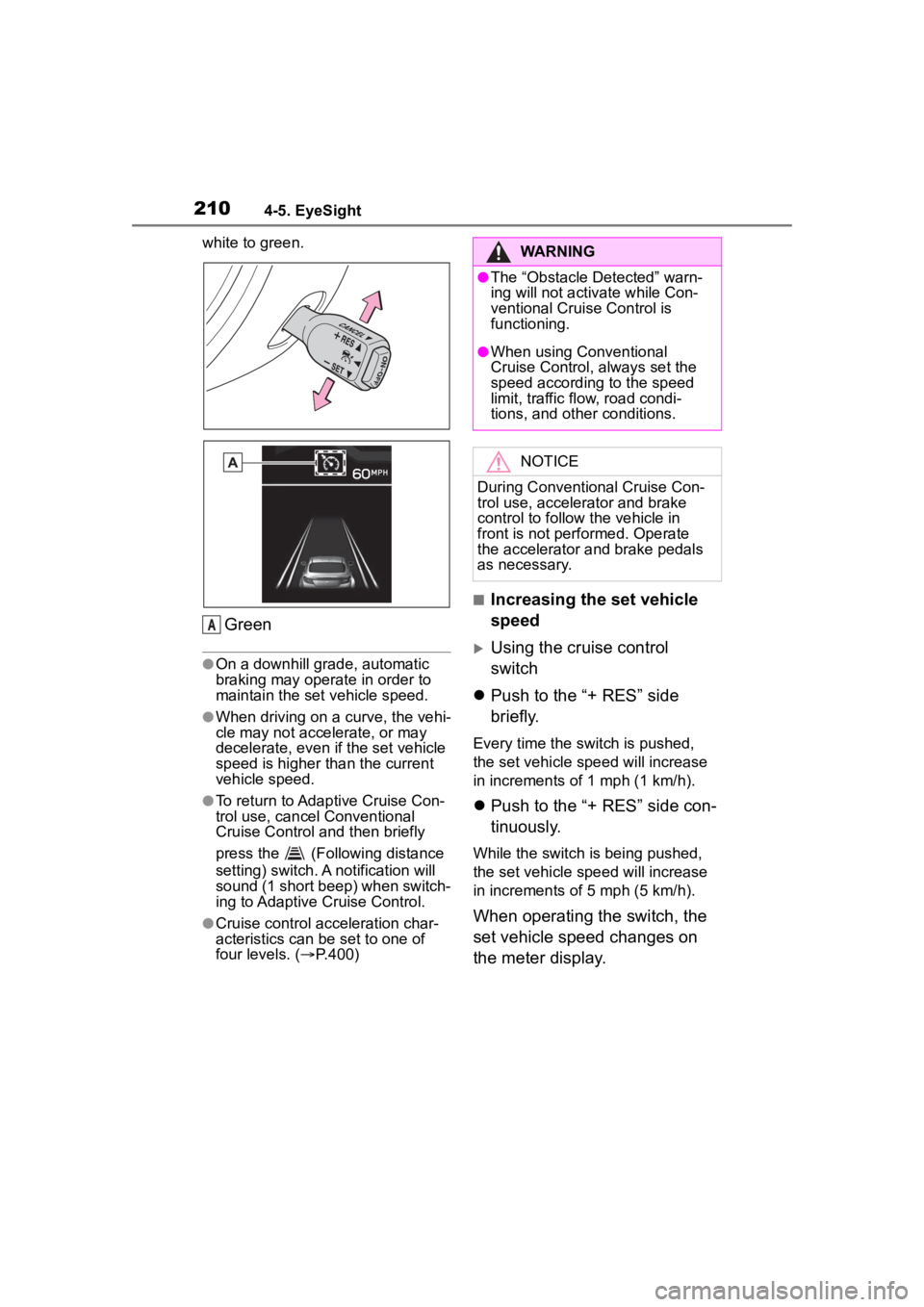
white to green.
Green
●On a downhill grade, automatic
braking may operate in order to
maintain the set vehicle speed.
●When driving on a curve, the vehi-
cle may not accelerate, or may
decelerate, even if the set vehicle
speed is higher than the current
vehicle speed.
●To return to Adaptive Cruise Con-
trol use, cancel Conventional
Cruise Control and then briefly
press the (Following distance
setting) switch. A notification will
sound (1 short beep) when switch-
ing to Adaptive Cruise Control.
●Cruise control acceleration char-
acteristics can be set to one of
four levels. ( P.400)
■Increasing the set vehicle
speed
Using the cruise control
switch
Push to the “+ RES” side
briefly.
Every time the switch is pushed,
the set vehicle speed will increase
in increments o f 1 mph (1 km/h).
Push to the “+ RES” side con-
tinuously.
While the switch is being pushed,
the set vehicle speed will increase
in increments o f 5 mph (5 km/h).
When operating the switch, the
set vehicle speed changes on
the meter display.
A
WARNING
●The “Obstacle Detected” warn-
ing will not activate while Con-
ventional Cruise Control is
functioning.
●When using Conventional
Cruise Control, always set the
speed according to the speed
limit, traffic flow, road condi-
tions, and other conditions.
NOTICE
During Conventional Cruise Con-
trol use, accelerator and brake
control to follow the vehicle in
front is not performed. Operate
the accelerator and brake pedals
as necessary.
Page 211 of 449
2114-5. EyeSight
4
Driving
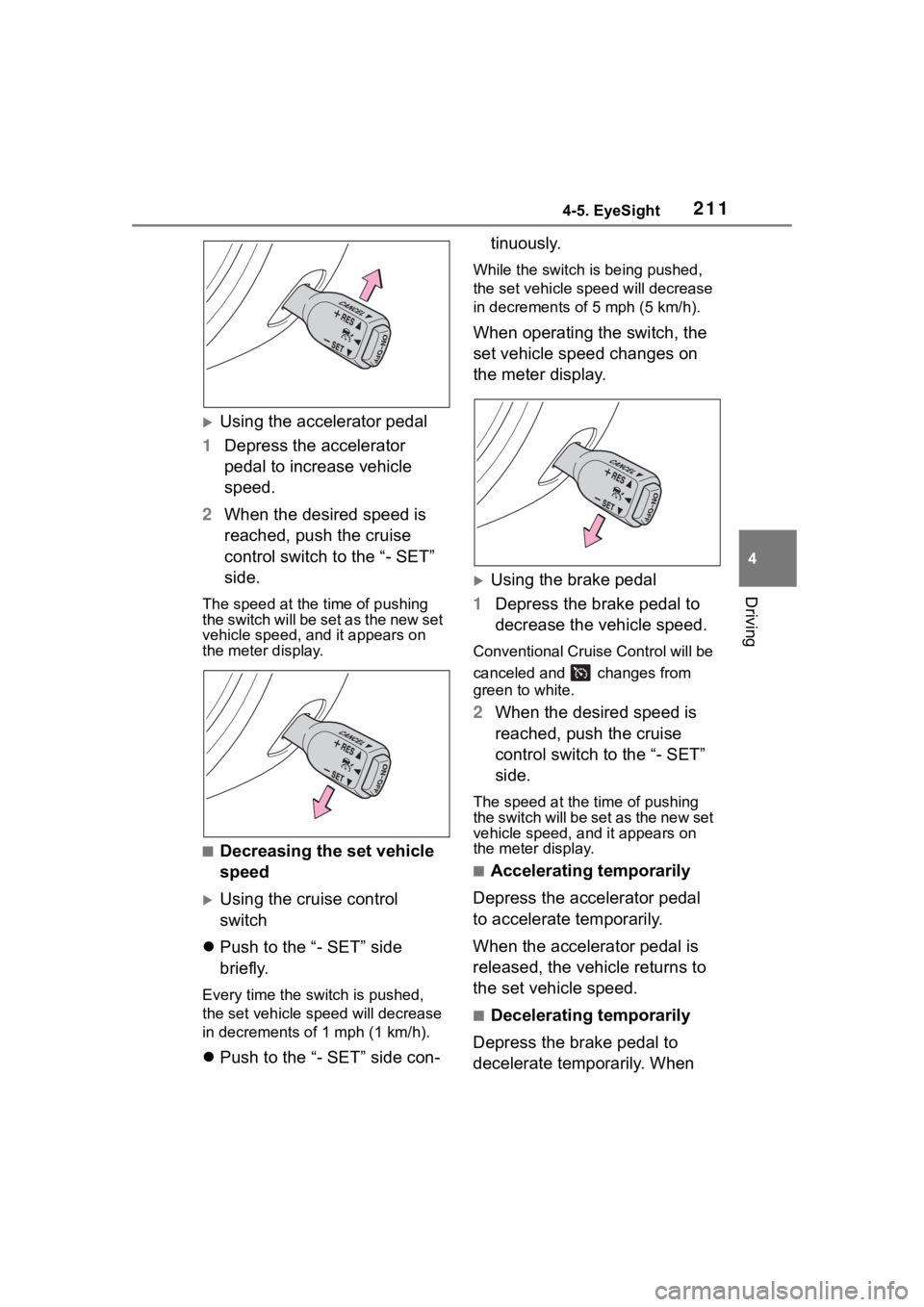
Using the accelerator pedal
1 Depress the accelerator
pedal to increase vehicle
speed.
2 When the desired speed is
reached, push the cruise
control switch to the “- SET”
side.
The speed at the time of pushing
the switch will be set as the new set
vehicle speed, a nd it appears on
the meter display.
■Decreasing the set vehicle
speed
Using the cruise control
switch
Push to the “- SET” side
briefly.
Every time the switch is pushed,
the set vehicle speed will decrease
in decrements o f 1 mph (1 km/h).
Push to the “- SET” side con- tinuously.
While the switch is being pushed,
the set vehicle spee
d will decrease
in decrements of 5 mph (5 km/h).
When operating the switch, the
set vehicle speed changes on
the meter display.
Using the brake pedal
1 Depress the brake pedal to
decrease the vehicle speed.
Conventional Cruise Control will be
canceled and changes from
green to white.
2When the desired speed is
reached, push the cruise
control switch to the “- SET”
side.
The speed at the time of pushing
the switch will be set as the new set
vehicle speed, and it appears on
the meter display.
■Accelerating temporarily
Depress the accelerator pedal
to accelerate temporarily.
When the accelerator pedal is
released, the vehicle returns to
the set vehicle speed.
■Decelerating temporarily
Depress the brake pedal to
decelerate temporarily. When
Page 212 of 449
2124-5. EyeSight
the brake pedal is depressed,
Conventional Cruise Control will
be canceled. While the set vehi-
cle speed remains displayed on
the meter display, changes
from green to white.
Release the brake pedal and
push the cruise control switch to
the “+ RES” side to reset the set
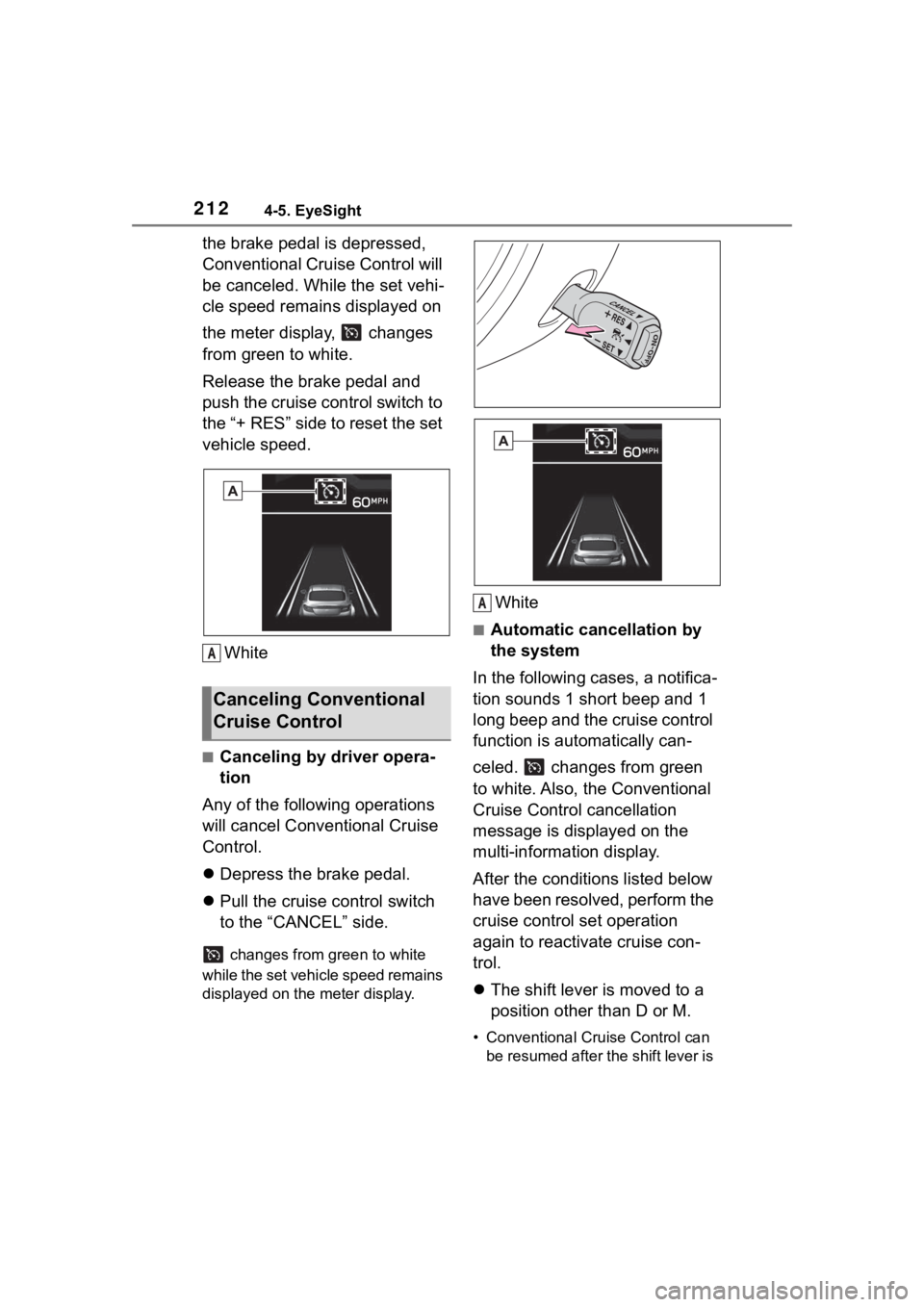
vehicle speed.White
■Canceling by driver opera-
tion
Any of the following operations
will cancel Conv entional Cruise
Control.
Depress the brake pedal.
Pull the cruise control switch
to the “CANCEL” side.
changes from green to white
while the set vehicle speed remains
displayed on the meter display.
White
■Automatic cancellation by
the system
In the following cases, a notifica-
tion sounds 1 short beep and 1
long beep and the cruise control
function is automatically can-
celed. changes from green
to white. Also, the Conventional
Cruise Control cancellation
message is displayed on the
multi-information display.
After the conditions listed below
have been resolved, perform the
cruise control set operation
again to reactivate cruise con-
trol.
The shift lever is moved to a
position other than D or M.
• Conventional Cruise Control can
be resumed after the shift lever is
Canceling Conventional
Cruise Control
A
A
Page 213 of 449
2134-5. EyeSight
4
Driving
returned to the D or M position.
Vehicle speed drops to
approximately 16 mph (25
km/h) or less (due to a steep
uphill grade or some other
reason).
Vehicle speed increases to
approximately 100 mph (160
km/h) or more.
TRAC or VSC is activated.
Either the driver's door or the
front passenger's door is
opened.
The driver’s seatbelt is unfas-
tened.
The EyeSight system has a
malfunction. ( :Yellow)
( P.227)
The steering wheel is turned
significantly in either direction.
The grade of the road is
steep.
The Pre-Collision secondary
braking is activated.
Parking brake is applied.
The engine revolutions
approached the red zone.
The driving mode is set to
snow mode. ( P.257)
Pre-Collision Braking System
is turned off during TRACK
mode. ( P.189, 262)
TRAC and VSC system are
off. ( P.262)
The driving wheels spin on a slippery road.
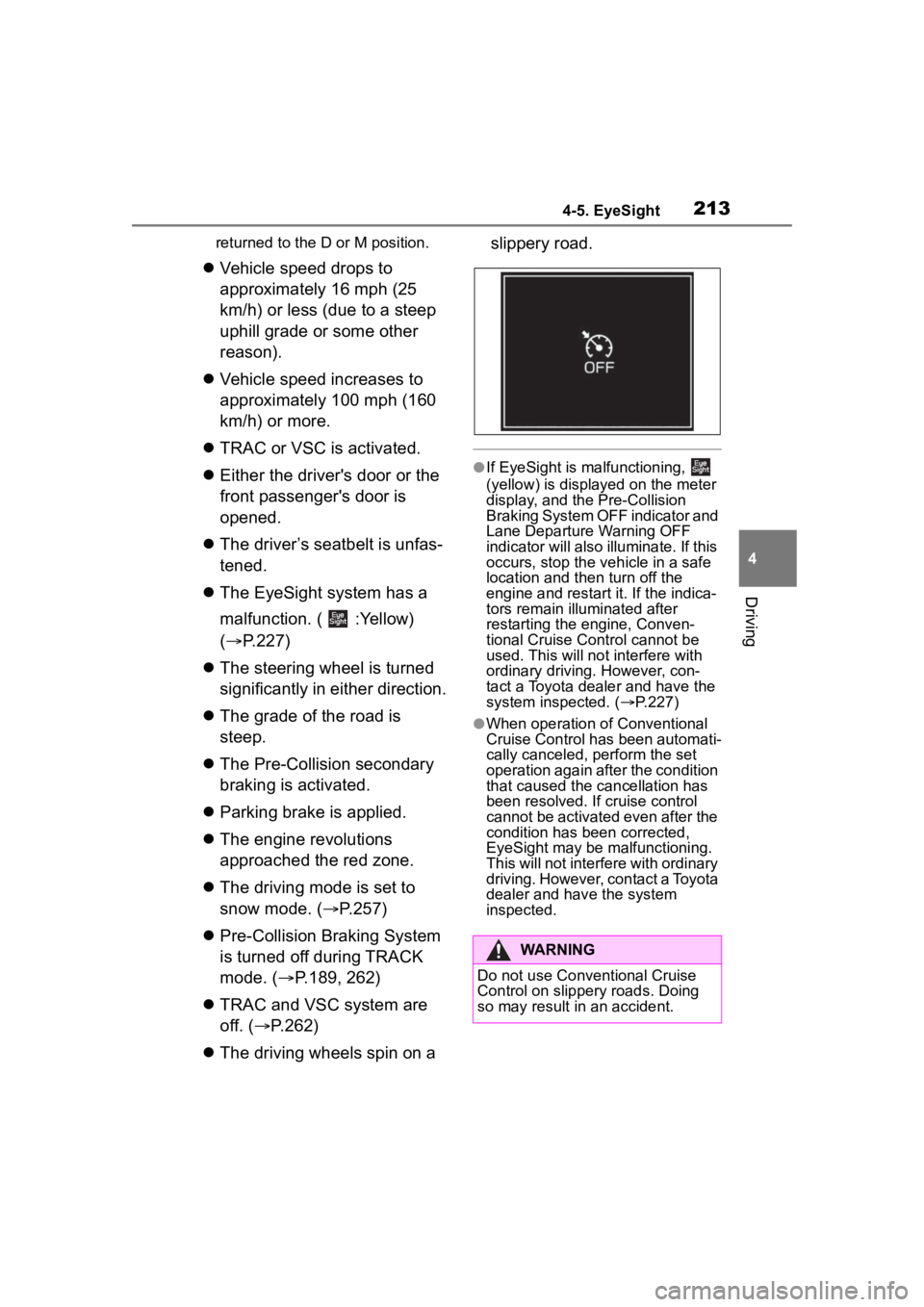
●If EyeSight is malfunctioning,
(yellow) is displayed on the meter
display, and the Pre-Collision
Braking System OFF indicator and
Lane Departure Warning OFF
indicator will also illuminate. If this
occurs, stop the vehicle in a safe
location and th
en turn off the
engine and restart it. If the indica-
tors remain illu minated after
restarting the engine, Conven-
tional Cruise Control cannot be
used. This will not interfere with
ordinary driving. However, con-
tact a Toyota dealer and have the
system inspected. ( P.227)
●When operation of Conventional
Cruise Control has been automati-
cally canceled, perform the set
operation again after the condition
that caused the cancellation has
been resolved. If cruise control
cannot be activated even after the
condition has been corrected,
EyeSight may be malfunctioning.
This will not interf ere with ordinary
driving. However, contact a Toyota
dealer and hav e the system
inspected.
WARNING
Do not use Conventional Cruise
Control on slippery roads. Doing
so may result in an accident.
Page 215 of 449
2154-5. EyeSight
4
Driving
*: If equipped
●When the accelerator pedal is
depressed for approximately 3 seconds, Pre-Collision Throttle
Management will be released
gradually.
●When Pre-Collision Braking Sys-
tem is turned off, Pre-Collision
Throttle Management is also
turned off. (
P.218)
Pre-Collision Throttle
Management*
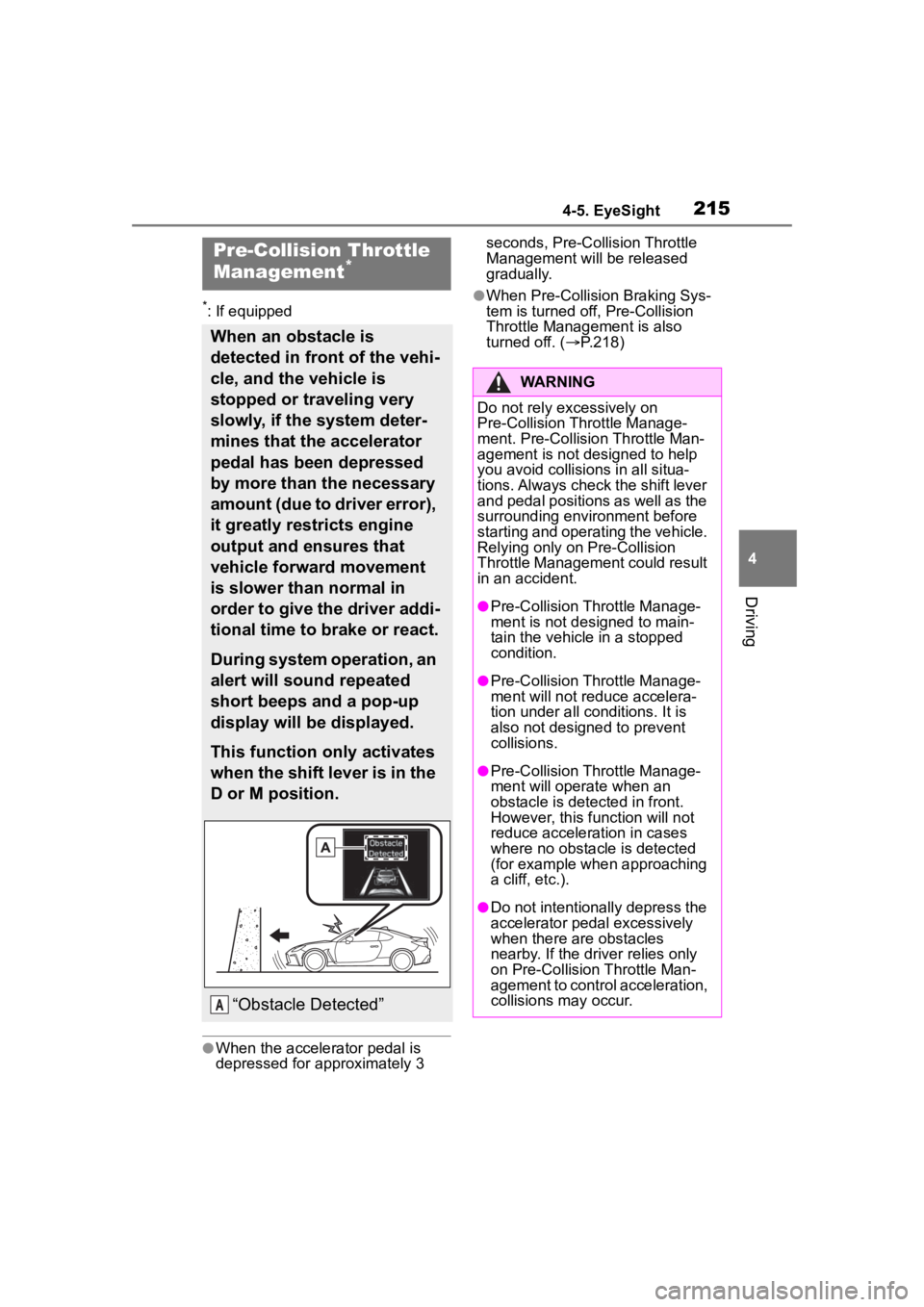
When an obstacle is
detected in front of the vehi-
cle, and the vehicle is
stopped or traveling very
slowly, if the system deter-
mines that the accelerator
pedal has been depressed
by more than the necessary
amount (due to driver error),
it greatly restricts engine
output and ensures that
vehicle forward movement
is slower than normal in
order to give the driver addi-
tional time to brake or react.
During system operation, an
alert will sound repeated
short beeps and a pop-up
display will be displayed.
This function only activates
when the shift lever is in the
D or M position.
“Obstacle Detected”A
WARNING
Do not rely excessively on
Pre-Collision Throttle Manage-
ment. Pre-Collision Throttle Man-
agement is not designed to help
you avoid collisions in all situa-
tions. Always check the shift lever
and pedal positions as well as the
surrounding environment before
starting and operating the vehicle.
Relying only on Pre-Collision
Throttle Management could result
in an accident.
●Pre-Collision Throttle Manage-
ment is not designed to main-
tain the vehicle in a stopped
condition.
●Pre-Collision Throttle Manage-
ment will not re duce accelera-
tion under all conditions. It is
also not designed to prevent
collisions.
●Pre-Collision Throttle Manage-
ment will operate when an
obstacle is detected in front.
However, this function will not
reduce acceleration in cases
where no obstacle is detected
(for example when approaching
a cliff, etc.).
●Do not intentionally depress the
accelerator pedal excessively
when there are obstacles
nearby. If the driver relies only
on Pre-Collision Throttle Man-
agement to contr ol acceleration,
collisions may occur.
Page 218 of 449
2184-5. EyeSight
Multimedia system screen
Operate the multimedia system
screen to turn on/off Pre-Colli-
sion Throttle Management. (
P.400)
Multi-information display
Also you can turn on/off
Pre-Collision Throttle Manage-
ment using the meter operation
switch. ( P.400)
If Pre-Collision Throttle Manage-
ment is turned off, the Pre-Colli-
sion Braking System OFF
indicator illuminates.
●The on/off setting for Pre-Collision
Throttle Management operates in
cooperation with Pre-Collision
Braking System.
●Even when Pre-Co llision Throttle
Management is turned off, if the
engine switch is turned off and
then restarted, Pre-Collision
Throttle Management will be
turned on. The system default set-
ting when the vehicle is restarted
is on.
■Pre-Collision Braking Sys-
tem OFF indicator
This indicator illuminates when
the engine switch is turned to
ON, and remains illuminated for
approximately 7 seconds after
the engine starts. It turns on
when Pre-Collision Braking Sys-
tem and Pre-Collision Throttle
Management are turned off. It
also illuminates under the fol-
lowing conditions.
TRAC and VSC system are
set to off. ( P.262)
The EyeSight system has a
malfunction. ( P.227)
The EyeSight system has
NOTICE
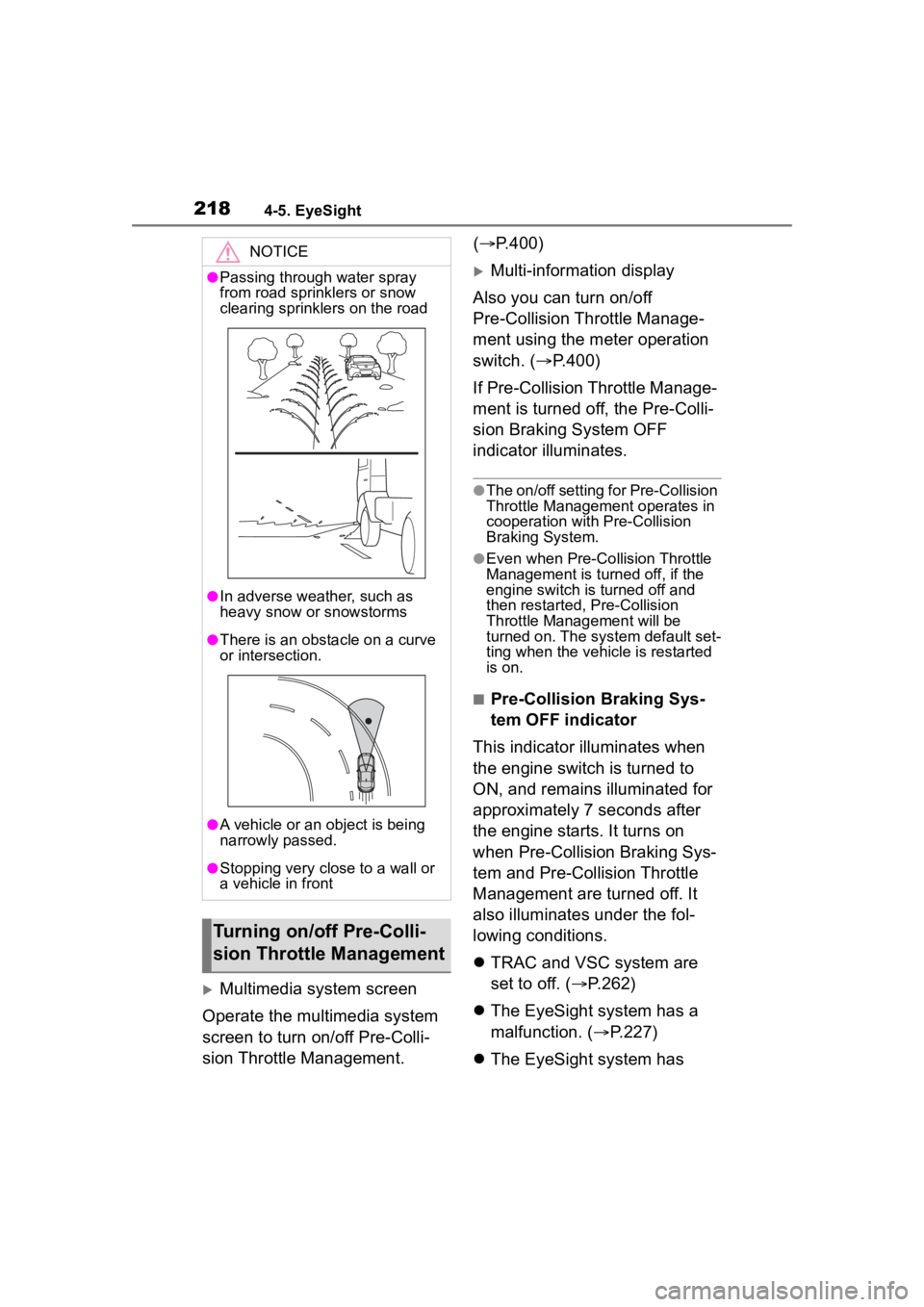
●Passing through water spray
from road sprinklers or snow
clearing sprinklers on the road
●In adverse weather, such as
heavy snow or snowstorms
●There is an obstacle on a curve
or intersection.
●A vehicle or an object is being
narrowly passed.
●Stopping very close to a wall or
a vehicle in front
Turning on/off Pre-Colli-
sion Throttle Management
Page 219 of 449
2194-5. EyeSight
4
Driving
stopped temporarily.
(P.228)
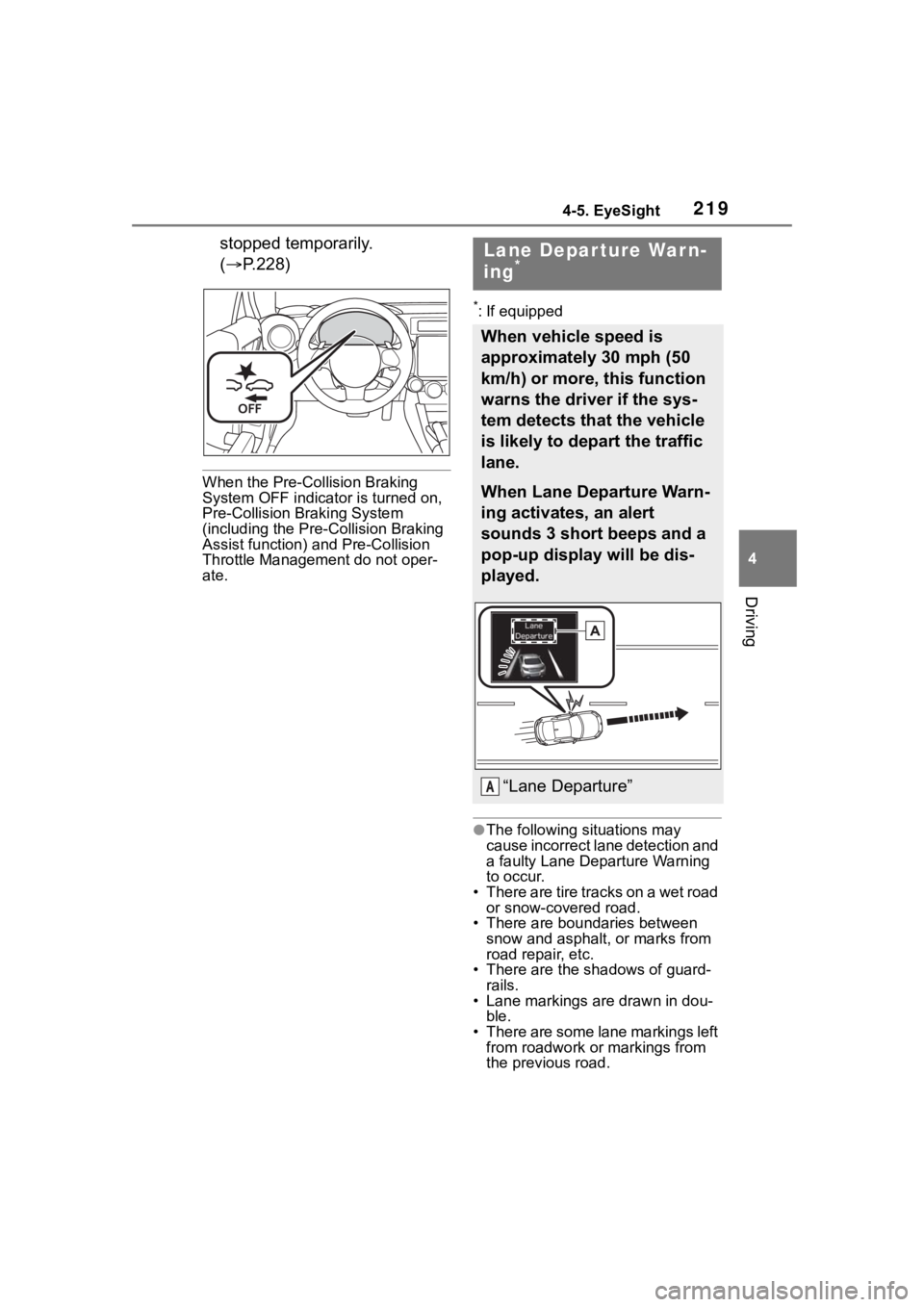
When the Pre-Collision Braking
System OFF indicator is turned on,
Pre-Collision Br aking System
(including the Pre-Collision Braking
Assist function) and Pre-Collision
Throttle Management do not oper-
ate.
*: If equipped
●The following si tuations may
cause incorrect lane detection and
a faulty Lane Departure Warning
to occur.
• There are tire tracks on a wet road or snow-covered road.
• There are boundaries between
snow and asphal t, or marks from
road repair, etc.
• There are the s hadows of guard-
rails.
• Lane markings are drawn in dou- ble.
• There are some lane markings left from roadwork or markings from
the previous road.
Lane Depar ture War n-
ing*
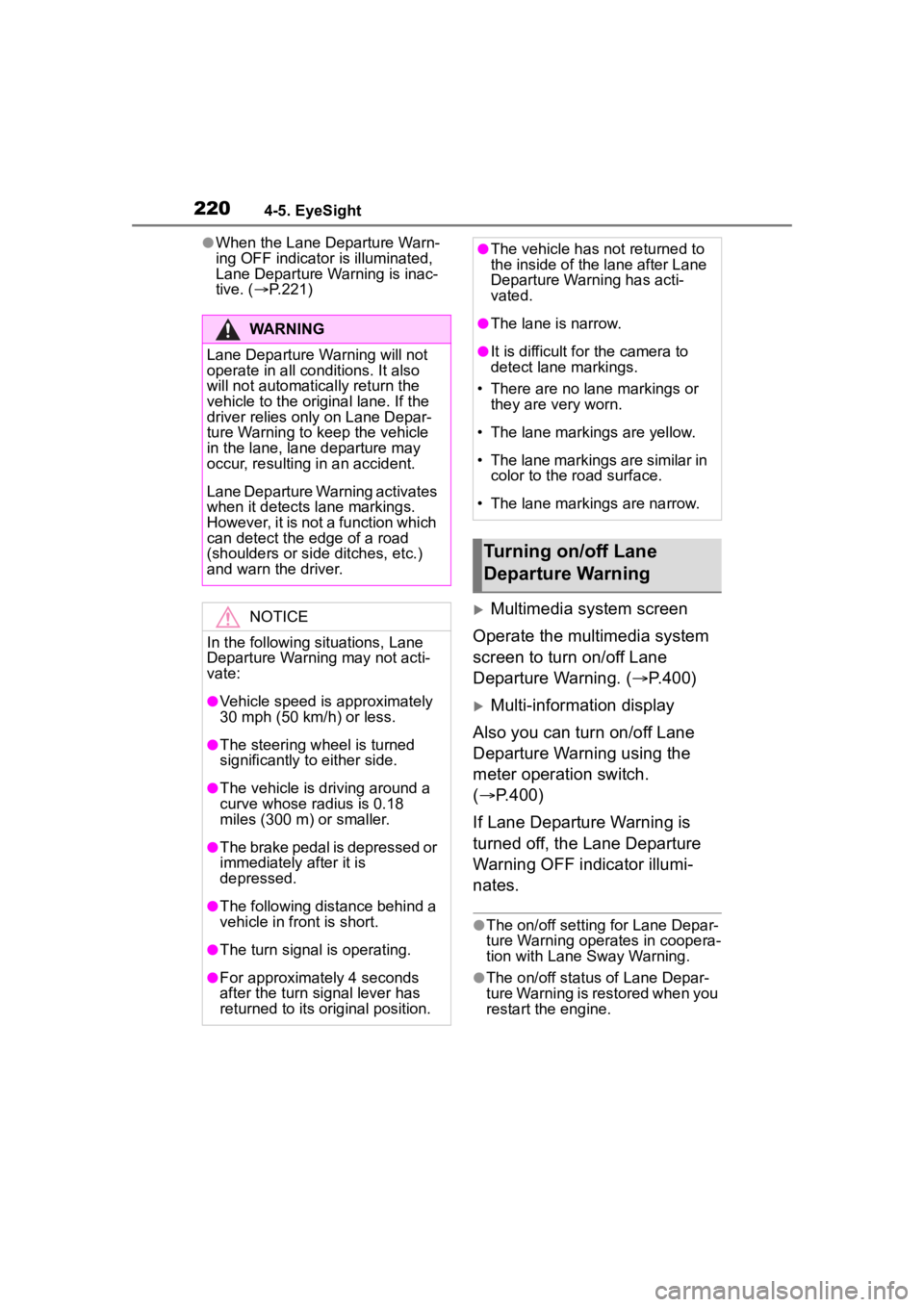
When vehicle speed is
approximately 30 mph (50
km/h) or more, this function
warns the driver if the sys-
tem detects that the vehicle
is likely to depart the traffic
lane.
When Lane Departure Warn-
ing activates, an alert
sounds 3 short beeps and a
pop-up display will be dis-
played.
“Lane Departure”A
Page 220 of 449
2204-5. EyeSight
●When the Lane Departure Warn-
ing OFF indicator is illuminated,
Lane Departure Warning is inac-
tive. ( P.221)
Multimedia system screen
Operate the multimedia system
screen to turn on/off Lane
Departure Warning. ( P.400)
Multi-information display
Also you can turn on/off Lane
Departure Warning using the
meter operation switch.
( P.400)
If Lane Departure Warning is
turned off, the Lane Departure
Warning OFF indicator illumi-
nates.
●The on/off setting for Lane Depar-
ture Warning operates in coopera-
tion with Lane Sway Warning.
●The on/off status of Lane Depar-
ture Warning is restored when you
restart the engine.
WARNING
Lane Departure Warning will not
operate in all conditions. It also
will not automatically return the
vehicle to the original lane. If the
driver relies only on Lane Depar-
ture Warning to keep the vehicle
in the lane, lane departure may
occur, resulting in an accident.
Lane Departure Warning activates
when it detects lane markings.
However, it is not a function which
can detect the edge of a road
(shoulders or side ditches, etc.)
and warn the driver.
NOTICE
In the following situations, Lane
Departure Warning may not acti-
vate:
●Vehicle speed is approximately
30 mph (50 km/h) or less.
●The steering wheel is turned
significantly to either side.
●The vehicle is driving around a
curve whose ra dius is 0.18
miles (300 m) or smaller.
●The brake pedal is depressed or
immediately after it is
depressed.
●The following distance behind a
vehicle in front is short.
●The turn signal is operating.
●For approximately 4 seconds
after the turn signal lever has
returned to its original position.
●The vehicle has not returned to
the inside of the lane after Lane
Departure Warning has acti-
vated.
●The lane is narrow.
●It is difficult for the camera to
detect lane markings.
• There are no lane markings or they are very worn.
• The lane markings are yellow.
• The lane markings are similar in
color to the road surface.
• The lane markings are narrow.
Turning on/off Lane
Departure Warning