lights TOYOTA 86 2023 User Guide
[x] Cancel search | Manufacturer: TOYOTA, Model Year: 2023, Model line: 86, Model: TOYOTA 86 2023Pages: 449, PDF Size: 8.5 MB
Page 78 of 449
781-3. Emergency assistance
connection screen on the multime-
dia system screen to cancel the
connection to a response-center
agent.
■Enhanced Roadside Assis-
tance (“i” button)
Enhanced Roadside Assistance
adds GPS data to the already
included warranty-based Toyota
roadside service.
Subscribers can press the “i”
button on the interior lights to
contact a Roadside Assistance
provider, who can help with a
wide range of needs, such as:
towing, flat tire, fuel delivery, etc.
For a description of the
Enhanced Roadside Assistance
services and their limitations,
please see the Safety Connect
Terms and Conditions, which
are available at Toyota.com in
the United States and Toyota.ca
in Canada.
If the “i” button on the interior
lights is pressed unintentionally,
press and hold the “i” button for
approximately 2 seconds or
more or operate the connection
screen on the multimedia sys-
tem screen to cancel the con-
nection to a roadside assistance
provider.
Important! Read this informa-
tion before using Safety Con- nect.
■Exposure to radio fre-
quency signals
The Safety Connect system
installed in your vehicle is a
low-power radio transmitter and
receiver. It receives and also
sends out radio frequency (RF)
signals.
In August 1996, the Federal
Communications Commission
(FCC) adopted RF exposure
guidelines with safety levels for
mobile wireless phones. Those
guidelines are consistent with
the safety standards previously
set by the following U.S. and
international standards bodies.
ANSI (American National
Standards Institute) C95.1
[1992]
NCRP (National Council on
Radiation Protection and
Measurement) Report 86
[1986]
ICNIRP (International Com-
mission on Non-Ionizing Radi-
ation Protection) [1996]
Those standards were based on
comprehensive and periodic
evaluations of the relevant sci-
entific literature. Over 120 scien-
tists, engineers, and physicians
from universities, and govern-
ment health agencies and
industries reviewed the avail-
able body of research to
develop the ANSI Standard
Safety information for
Safety Connect
Page 83 of 449
83
2
2
Vehicle status information and indicators
Vehicle status informationand indicators
.2-1. Instrument cluster
Warning lights and indica-tors ............................... 84
Gauges and meters ....... 88
Multi-information display ..................................... 93
Page 84 of 449
842-1. Instrument cluster
2-1.Instrument cluster
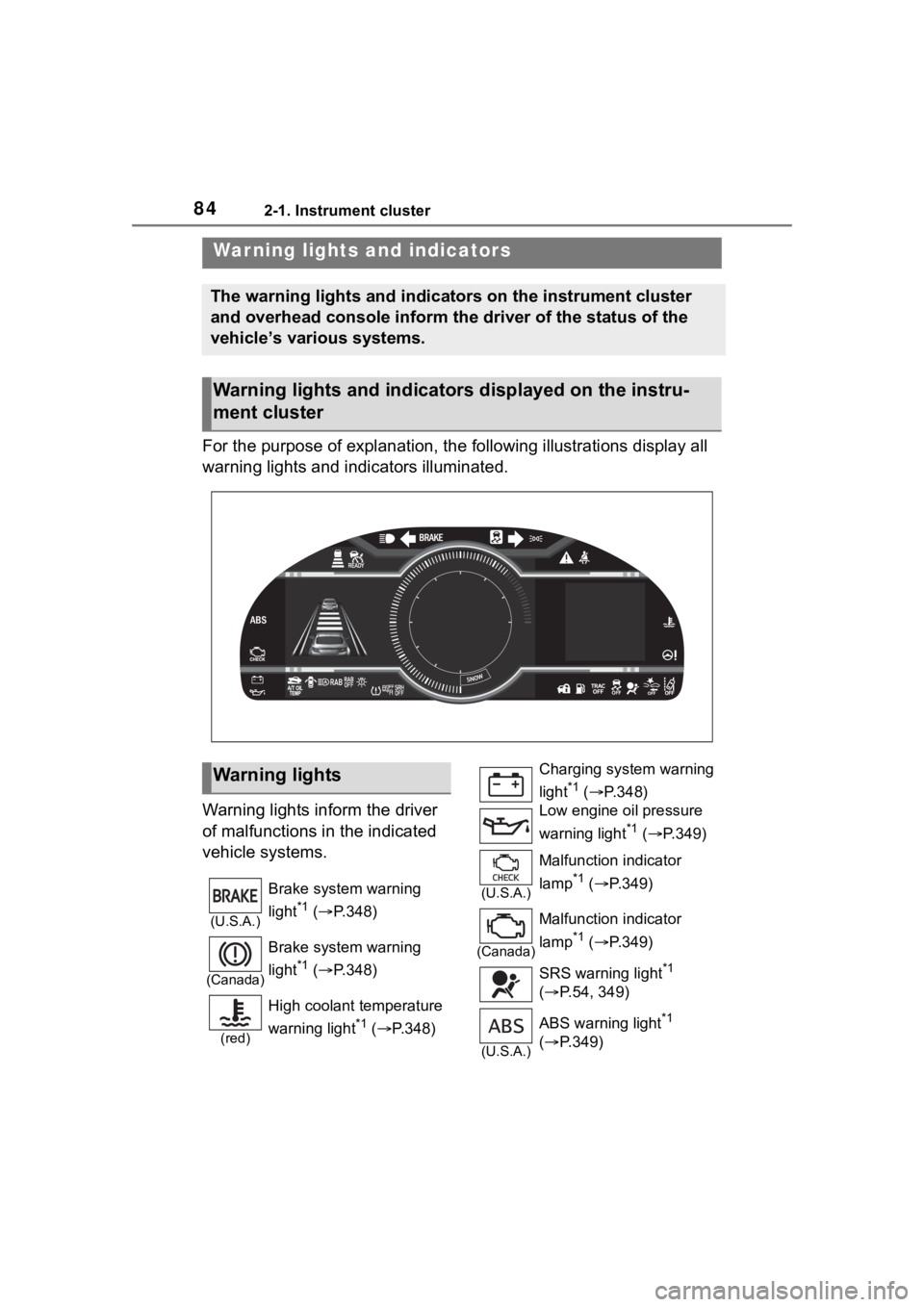
For the purpose of explanation, the following illustrations display all
warning lights and indicators illuminated.
Warning lights inform the driver
of malfunctions in the indicated
vehicle systems.
War ning lights and indicators
The warning lights and indicators on the instrument cluster
and overhead console inform the driver of the status of the
vehicle’s various systems.
Warning lights and indicators displayed on the instru-
ment cluster
Warning lights
(U.S.A.)
Brake system warning
light
*1 ( P.348)
(Canada)
Brake system warning
light
*1 ( P.348)
(red)
High coolant temperature
warning light
*1 ( P.348)
Charging system warning
light
*1 ( P.348)
Low engine oil pressure
warning light
*1 ( P.349)
(U.S.A.)
Malfunction indicator
lamp
*1 ( P.349)
(Canada)
Malfunction indicator
lamp
*1 ( P.349)
SRS warning light
*1
( P.54, 349)
(U.S.A.)
ABS warning light*1
( P.349)
Page 85 of 449
852-1. Instrument cluster
2
Vehicle status information and indicators
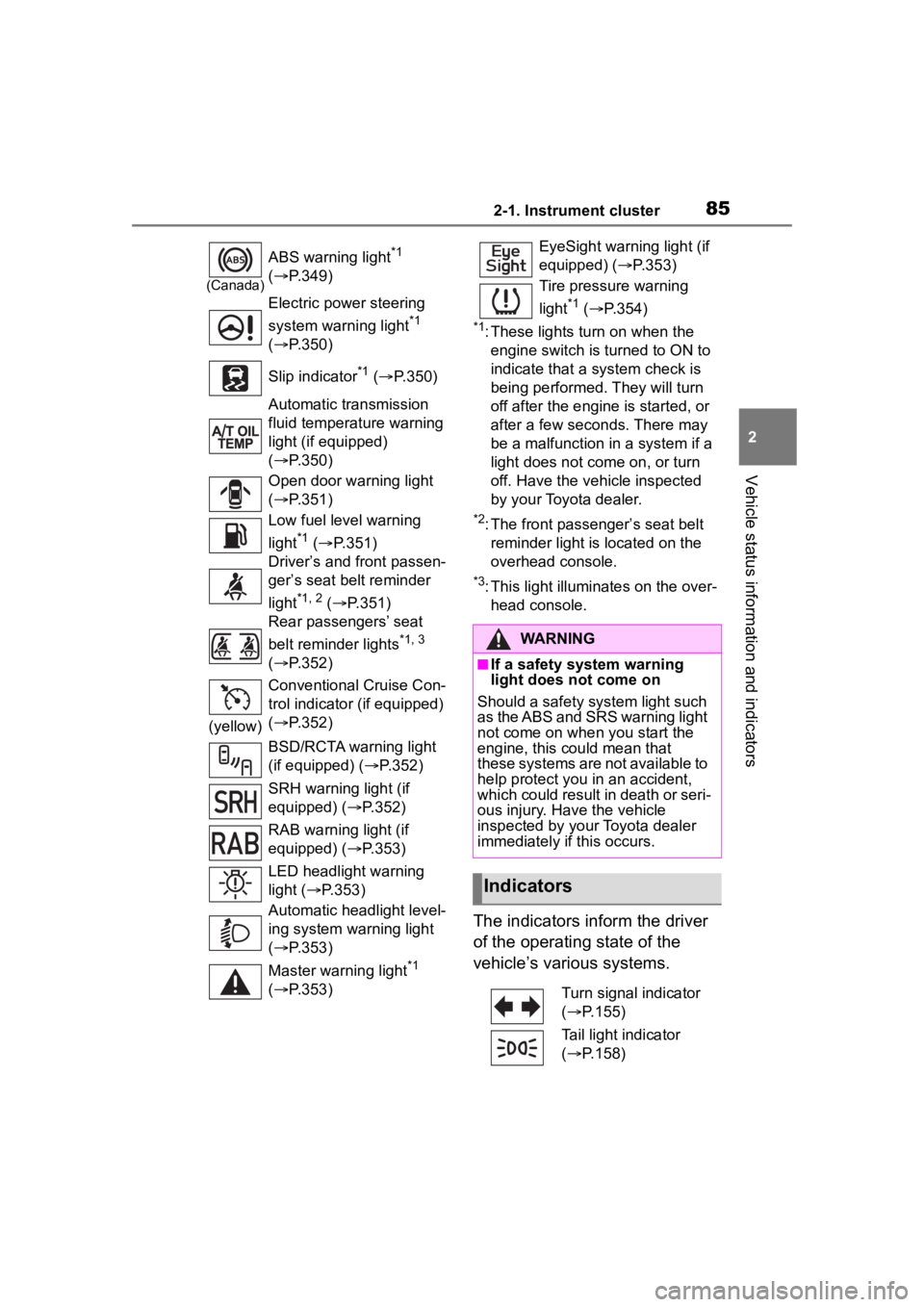
*1: These lights turn on when the
engine switch is turned to ON to
indicate that a system check is
being performed. They will turn
off after the engine is started, or
after a few seconds. There may
be a malfunction in a system if a
light does not come on, or turn
off. Have the vehicle inspected
by your Toyota dealer.
*2: The front passenger’s seat belt reminder light is located on the
overhead console.
*3: This light illuminates on the over-head console.
The indicators inform the driver
of the operating state of the
vehicle’s various systems.
(Canada)
ABS warning light*1
( P.349)
Electric power steering
system warning light
*1
( P.350)
Slip indicator
*1 ( P.350)
Automatic transmission
fluid temperature warning
light (if equipped)
( P.350)
Open door warning light
( P.351)
Low fuel level warning
light
*1 ( P.351)
Driver’s and front passen-
ger’s seat belt reminder
light
*1, 2 ( P.351)
Rear passengers’ seat
belt reminder lights
*1, 3
( P.352)
(yellow) Conventional Cruise Con-
trol indicator (if equipped)
(
P.352)
BSD/RCTA warning light
(if equipped) ( P.352)
SRH warning light (if
equipped) ( P.352)
RAB warning light (if
equipped) ( P.353)
LED headlight warning
light ( P.353)
Automatic headlight level-
ing system warning light
( P.353)
Master warning light
*1
( P.353)
EyeSight warning light (if
equipped) ( P.353)
Tire pressure warning
light
*1 ( P.354)
WARNING
■If a safety system warning
light does not come on
Should a safety system light such
as the ABS and SRS warning light
not come on when you start the
engine, this could mean that
these systems are not available to
help protect you in an accident,
which could result in death or seri-
ous injury. Have the vehicle
inspected by you r Toyota dealer
immediately if this occurs.
Indicators
Turn signal indicator
( P.155)
Tail light indicator
( P.158)
Page 87 of 449
872-1. Instrument cluster
2
Vehicle status information and indicators
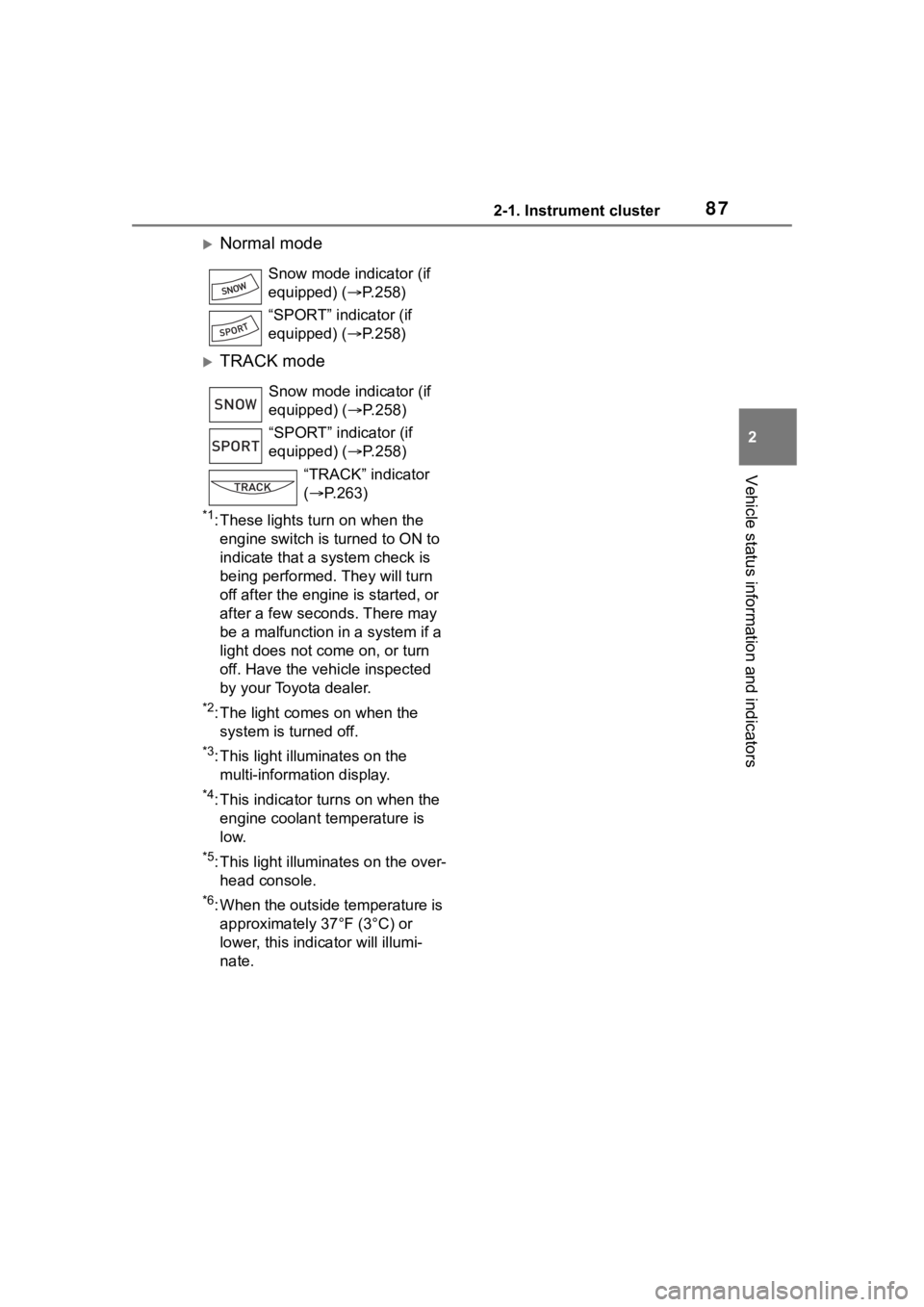
Normal mode
TRACK mode
*1: These lights turn on when the engine switch is turned to ON to
indicate that a system check is
being performed. They will turn
off after the engine is started, or
after a few seconds. There may
be a malfunction in a system if a
light does not co me on, or turn
off. Have the vehicle inspected
by your Toyota dealer.
*2: The light comes on when the system is turned off.
*3: This light illuminates on the multi-information display.
*4: This indicator turns on when the engine coolant temperature is
low.
*5: This light illuminates on the over-head console.
*6: When the outside temperature is approximately 37°F (3°C) or
lower, this indicator will illumi-
nate. Snow mode indicator (if
equipped) (P.258)
“SPORT” indicator (if
equipped) (P.258)
Snow mode indicator (if
equipped) ( P.258)
“SPORT” indicator (if
equipped) ( P.258)
“TRACK” indicator
( P.263)
SNOW
SPORT
Page 91 of 449
912-1. Instrument cluster
2
Vehicle status information and indicators
played.
■Display items
Odometer
Displays the total distance the vehi-
cle has been driven.
Trip meter A/Trip meter B
Displays the distan ce the vehicle
has been driven si nce the meter
was last reset. Trip meters A and B
can be used to record and display
different distances independently.
To reset, display the desired trip
meter and press and hold the dis-
play change button.
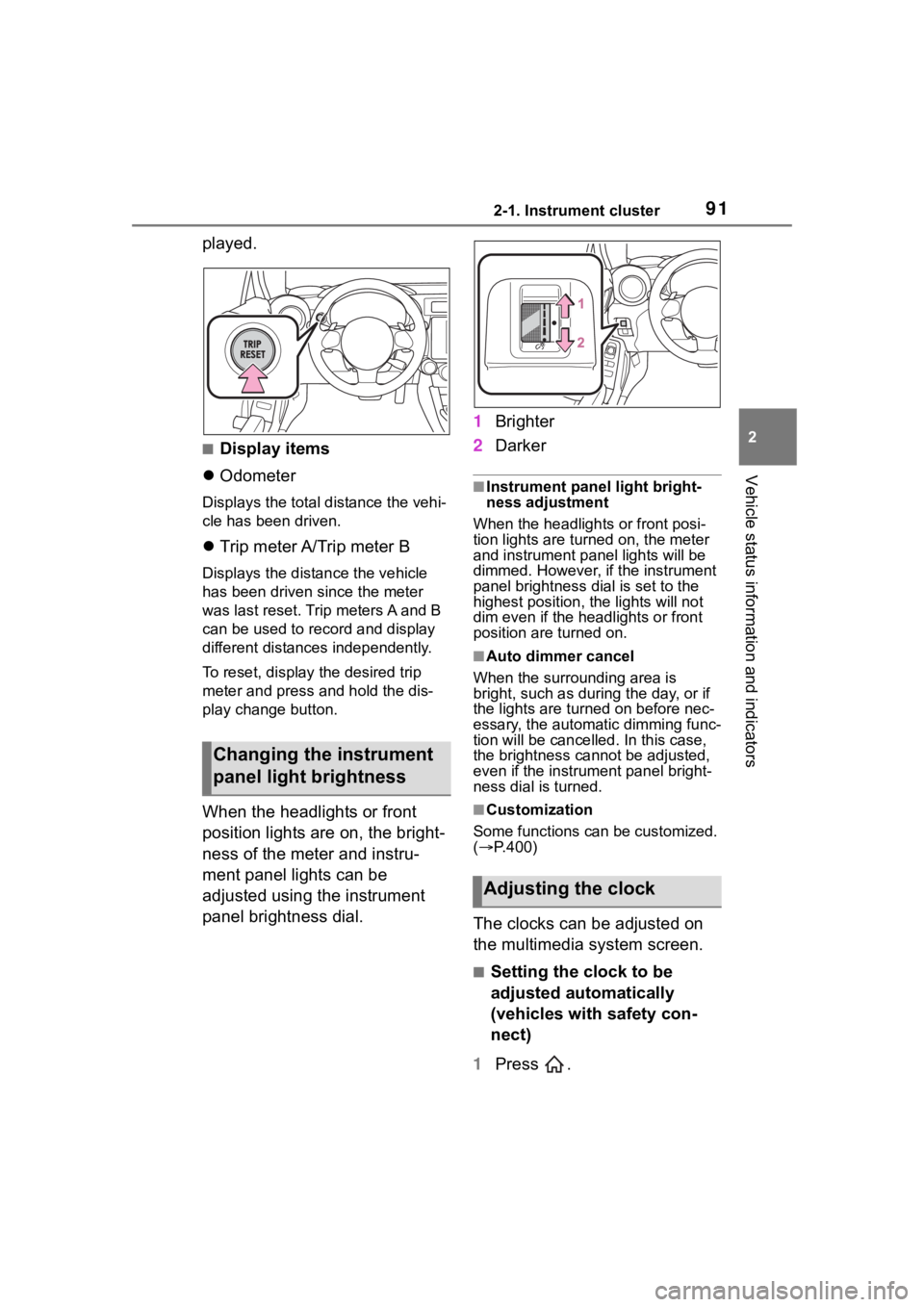
When the headlights or front
position lights are on, the bright-
ness of the meter and instru-
ment panel lights can be
adjusted using the instrument
panel brightness dial. 1
Brighter
2 Darker
■Instrument panel light bright-
ness adjustment
When the headlights or front posi-
tion lights are turned on, the meter
and instrument pa nel lights will be
dimmed. However, if the instrument
panel brightness dial is set to the
highest position, the lights will not
dim even if the headlights or front
position are turned on.
■Auto dimmer cancel
When the surrounding area is
bright, such as during the day, or if
the lights are turned on before nec-
essary, the automatic dimming func-
tion will be cancelled . In this case,
the brightness cannot be adjusted,
even if the instrument panel bright-
ness dial is turned.
■Customization
Some functions can be customized.
( P.400)
The clocks can be adjusted on
the multimedia system screen.
■Setting the clock to be
adjusted automatically
(vehicles with safety con-
nect)
1 Press .
Changing the instrument
panel light brightness
Adjusting the clock
Page 103 of 449
1033-1. Key information
3
Before driving
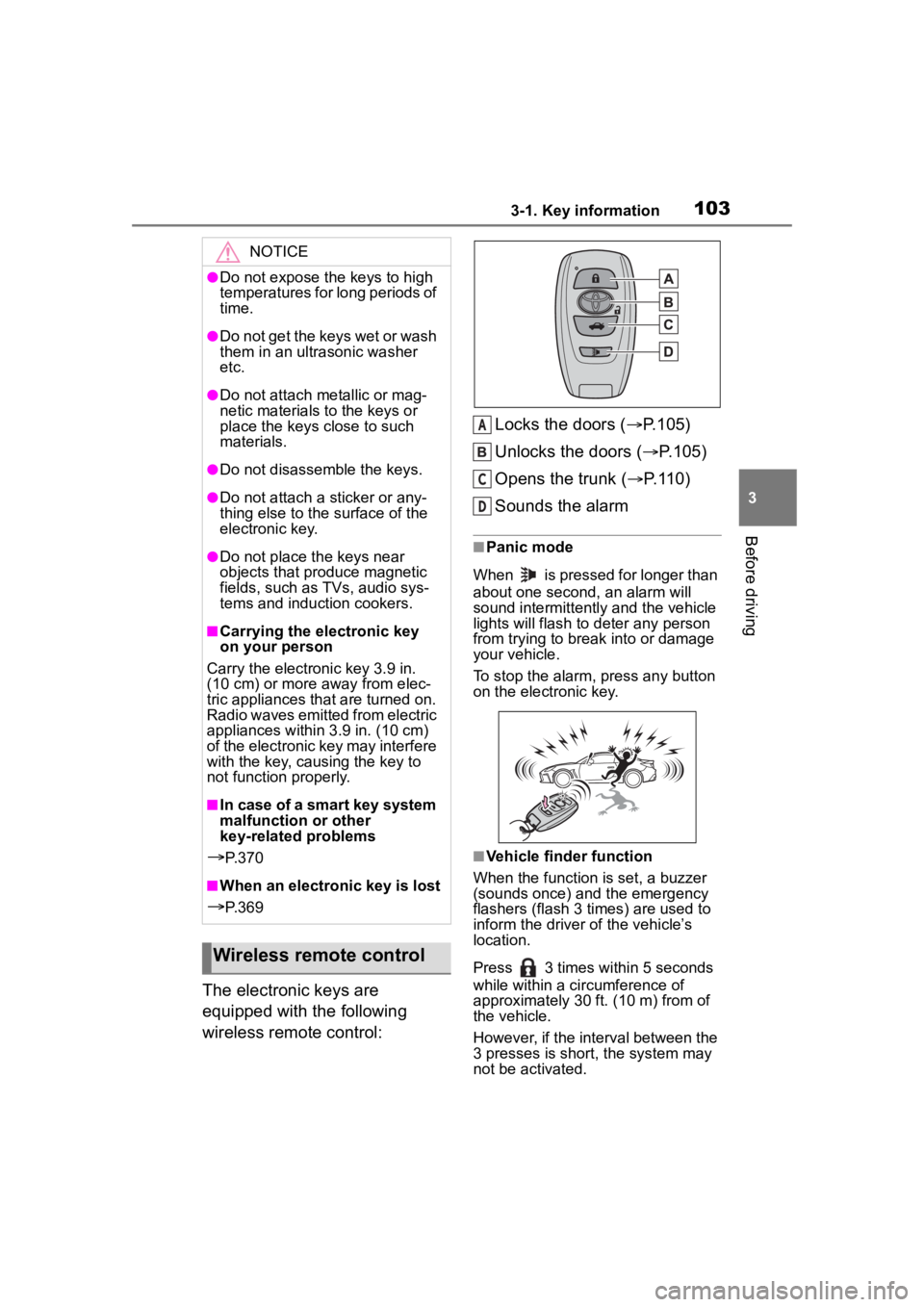
The electronic keys are
equipped with the following
wireless remote control:Locks the doors (
P.105)
Unlocks the doors ( P.105)
Opens the trunk ( P.110)
Sounds the alarm
■Panic mode
When is pressed for longer than
about one second, an alarm will
sound intermittently and the vehicle
lights will flash to deter any person
from trying to break into or damage
your vehicle.
To stop the alarm, press any button
on the electronic key.
■Vehicle finder function
When the function is set, a buzzer
(sounds once) and the emergency
flashers (flash 3 times) are used to
inform the driver of the vehicle’s
location.
Press 3 times within 5 seconds
while within a ci rcumference of
approximately 30 ft. (10 m) from of
the vehicle.
However, if the interval between the
3 presses is short, the system may
not be activated.
NOTICE
●Do not expose the keys to high
temperatures for long periods of
time.
●Do not get the keys wet or wash
them in an ultrasonic washer
etc.
●Do not attach metallic or mag-
netic materials to the keys or
place the keys close to such
materials.
●Do not disassemble the keys.
●Do not attach a sticker or any-
thing else to the surface of the
electronic key.
●Do not place th e keys near
objects that produce magnetic
fields, such as TVs, audio sys-
tems and induction cookers.
■Carrying the electronic key
on your person
Carry the electronic key 3.9 in.
(10 cm) or more away from elec-
tric appliances that are turned on.
Radio waves emitted from electric
appliances within 3.9 in. (10 cm)
of the electronic key may interfere
with the key, causing the key to
not function properly.
■In case of a smart key system
malfunction or other
key-related problems
P. 3 7 0
■When an electronic key is lost
P. 3 6 9
Wireless remote control
A
C
D
Page 126 of 449
1263-4. Adjusting the steering wheel and mirrors
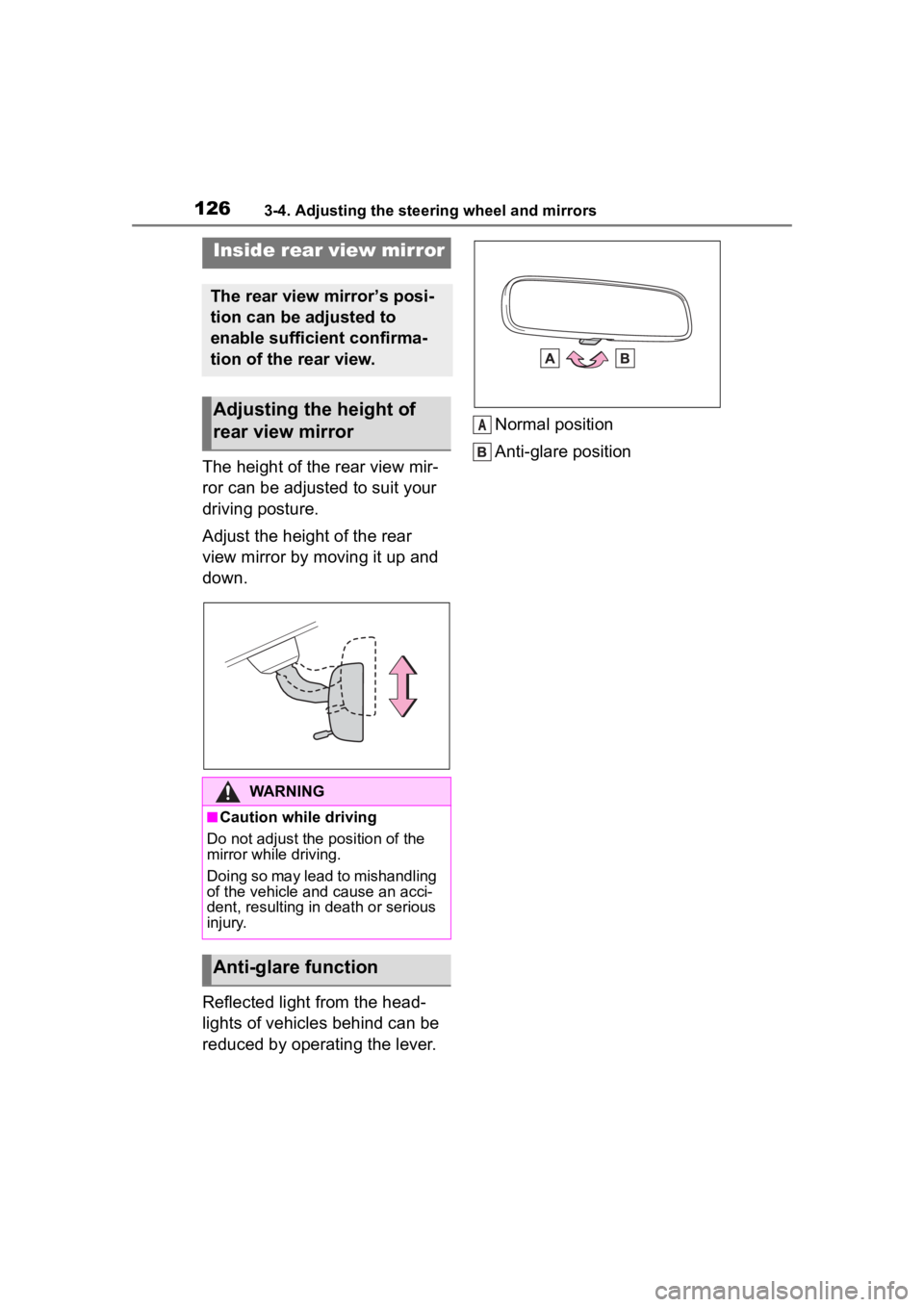
The height of the rear view mir-
ror can be adjusted to suit your
driving posture.
Adjust the height of the rear
view mirror by moving it up and
down.
Reflected light from the head-
lights of vehicles behind can be
reduced by operating the lever.Normal position
Anti-glare position
Inside rear view mirror
The rear view mirror’s posi-
tion can be adjusted to
enable sufficient confirma-
tion of the rear view.
Adjusting the height of
rear view mirror
WARNING
■Caution while driving
Do not adjust the position of the
mirror while driving.
Doing so may lead to mishandling
of the vehicle and cause an acci-
dent, resulting in death or serious
injury.
Anti-glare function
A
Page 131 of 449
131
4
4
Driving
Driving
.4-1. Before drivingDriving the vehicle....... 132
Cargo and luggage ..... 140
Vehicle load limits ....... 143
Trailer towing............... 143
Dinghy towing ............. 144
4-2. Driving procedures Engine (ignition) switch.................................. 145
Automatic transmission .................................. 149
Manual transmission ... 153
Turn signal lever.......... 155
Parking brake .............. 156
ASC (Active Sound Control) .................................. 157
4-3. Operating the lights and wipers
Headlight switch .......... 158
High Beam Assist ........ 162
Windshield wipers and washer....................... 165
4-4. Refueling Opening the fuel tank cap.................................. 167
4-5. EyeSight EyeSight...................... 170
Pre-Collision Braking Sys- tem ............................ 179
Adaptive Cruise Control .................................. 190Conventional Cruise Control
.................................. 207
Pre-Collision Throttle Man- agement .................... 215
Lane Departure Warning .................................. 220
Lane Sway Warning .... 222
Lead Vehicle Start Alert .................................. 224
List of alert/notification sounds ......... ..............226
EyeSight malfunction and temporary stop .......... 228
4-6. Using other driving sys- tems
BSD/RCTA................... 232
Reverse Automatic Braking (RAB) system ............ 240
Rear view camera ....... 250
Conventional Cruise Control .................................. 255
Driving mode select switch .................................. 258
Hill-start assist control . 259
Driving assist systems .................................. 262
4-7. Driving tips Winter driving tips........ 266
Page 155 of 449
1554-2. Driving procedures
4
Driving
■Shift position indicator display
The selected shift position will not
appear in the following situations:
●When the shift lever is in N.
●When the vehicle speed is 6 mph
(10 km/h) or less (except when the
shift lever is in R).
●When the clutch pedal is
depressed.
To help enable fuel-efficient driv-
ing, shift-up indicator illuminate
to indicate upshift timing.
The indicator can be turned on/off.
( P.400)
The lever will return to its origi-
nal position immediately after
operation.
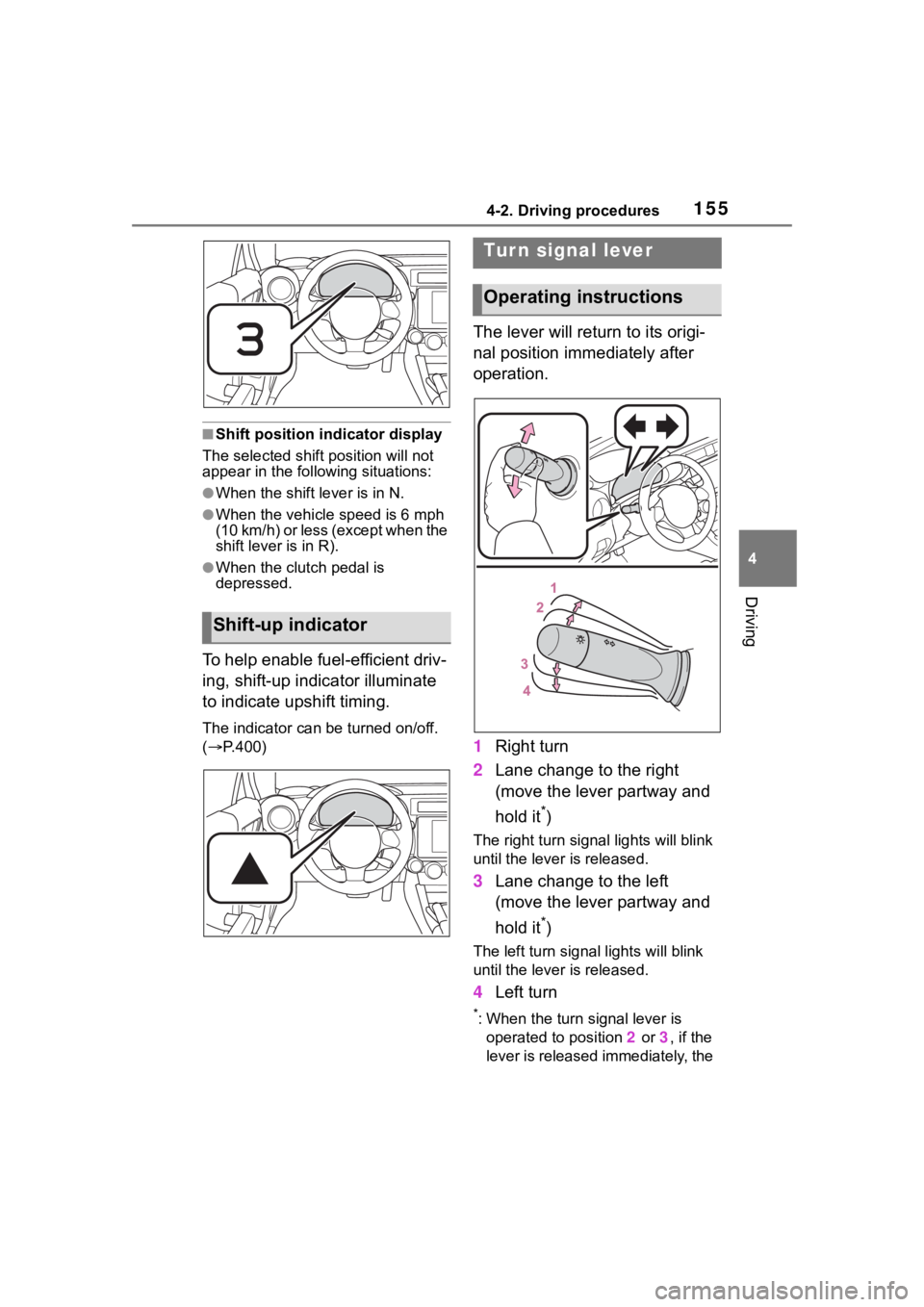
1 Right turn
2 Lane change to the right
(move the lever partway and
hold it
*)
The right turn signal lights will blink
until the lever is released.
3Lane change to the left
(move the lever partway and
hold it
*)
The left turn signal lights will blink
until the lever is released.
4Left turn
*: When the turn signal lever is
operated to position 2 or 3, if the
lever is released immediately, the
Shift-up indicator
Tur n signal lever
Operating instructions