ECO mode TOYOTA 86 2023 Owner's Manual
[x] Cancel search | Manufacturer: TOYOTA, Model Year: 2023, Model line: 86, Model: TOYOTA 86 2023Pages: 449, PDF Size: 8.5 MB
Page 213 of 449
2134-5. EyeSight
4
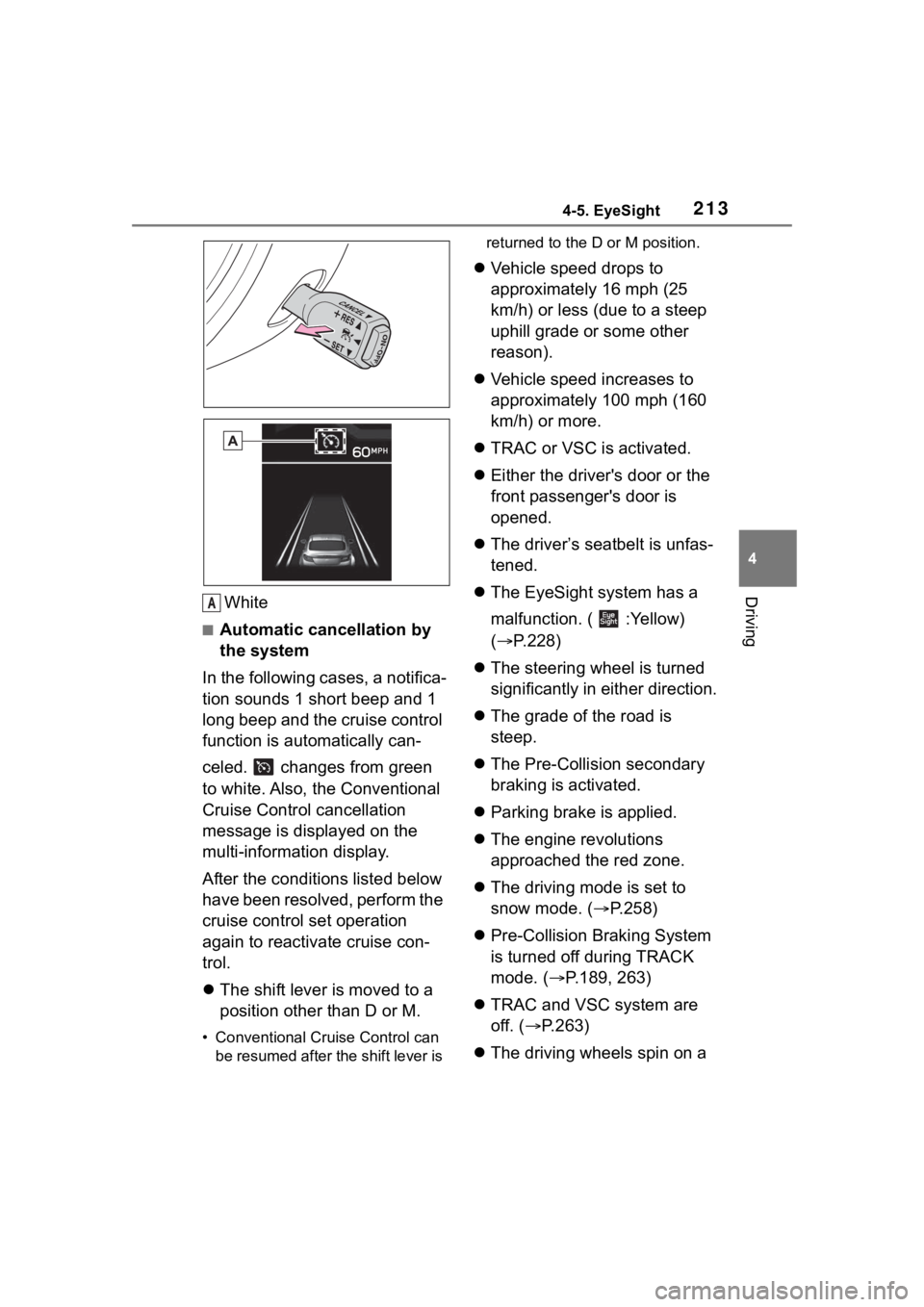
DrivingWhite
■Automatic cancellation by
the system
In the following cases, a notifica-
tion sounds 1 short beep and 1
long beep and the cruise control
function is automatically can-
celed. changes from green
to white. Also, the Conventional
Cruise Control cancellation
message is displayed on the
multi-information display.
After the conditi ons listed below
have been resolved, perform the
cruise control set operation
again to reactivate cruise con-
trol.
The shift lever is moved to a
position other than D or M.
• Conventional Cruise Control can
be resumed after the shift lever is returned to the D or M position.
Vehicle speed drops to
approximately 16 mph (25
km/h) or less (due to a steep
uphill grade or some other
reason).
Vehicle speed increases to
approximately 100 mph (160
km/h) or more.
TRAC or VSC is activated.
Either the driver's door or the
front passenger's door is
opened.
The driver’s seatbelt is unfas-
tened.
The EyeSight system has a
malfunction. ( :Yellow)
( P.228)
The steering wheel is turned
significantly in either direction.
The grade of the road is
steep.
The Pre-Collision secondary
braking is activated.
Parking brake is applied.
The engine revolutions
approached the red zone.
The driving mode is set to
snow mode. ( P.258)
Pre-Collision Braking System
is turned off during TRACK
mode. ( P.189, 263)
TRAC and VSC system are
off. ( P.263)
The driving wheels spin on a
A
Page 221 of 449
2214-5. EyeSight
4
Driving
Multimedia system screen
Operate the multimedia system
screen to turn on/off Lane
Departure Warning. ( P.400)
Multi-information display
Also you can turn on/off Lane
Departure Warning using the
meter operation switch.
( P.400)
If Lane Departure Warning is
turned off, the Lane Departure
Warning OFF indicator illumi-
nates.
●The on/off setting for Lane Depar-
ture Warning operates in coopera-
tion with Lane Sway Warning.
●The on/off status of Lane Depar-
ture Warning is restored when you
restart the engine.
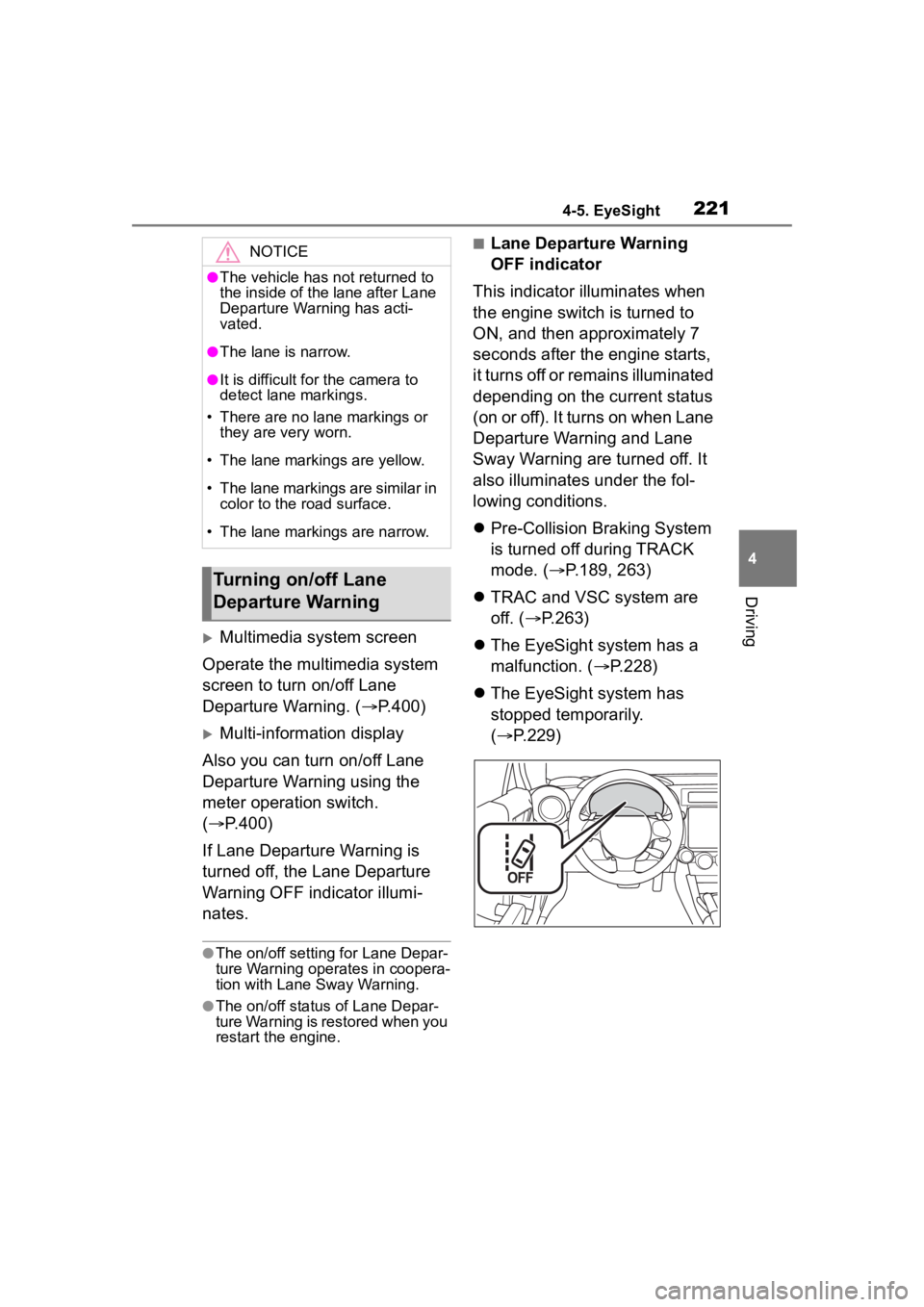
■Lane Departure Warning
OFF indicator
This indicator illuminates when
the engine switch is turned to
ON, and then approximately 7
seconds after the engine starts,
it turns off or remains illuminated
depending on the current status
(on or off). It turns on when Lane
Departure Warning and Lane
Sway Warning are turned off. It
also illuminates under the fol-
lowing conditions.
Pre-Collision Braking System
is turned off during TRACK
mode. ( P.189, 263)
TRAC and VSC system are
off. ( P.263)
The EyeSight system has a
malfunction. ( P.228)
The EyeSight system has
stopped temporarily.
( P.229)NOTICE
●The vehicle has not returned to
the inside of the lane after Lane
Departure Warning has acti-
vated.
●The lane is narrow.
●It is difficult for the camera to
detect lane markings.
• There are no lane markings or they are very worn.
• The lane markings are yellow.
• The lane markings are similar in color to the road surface.
• The lane markings are narrow.
Turning on/off Lane
Departure Warning
Page 223 of 449
2234-5. EyeSight
4
Driving
screen to turn on/off Lane Sway
Warning. (P.400)
Multi-information display
Also you can turn on/off Lane
Sway Warning using the meter
operation switch. ( P.400)
If Lane Sway Warning is turned
off, the Lane Departure Warning
OFF indicator illuminates.
●The on/off setting for Lane Sway
Warning operates in cooperation
with Lane Departure Warning.
●The on/off status of Lane Sway
Warning is restored when you
restart the engine.
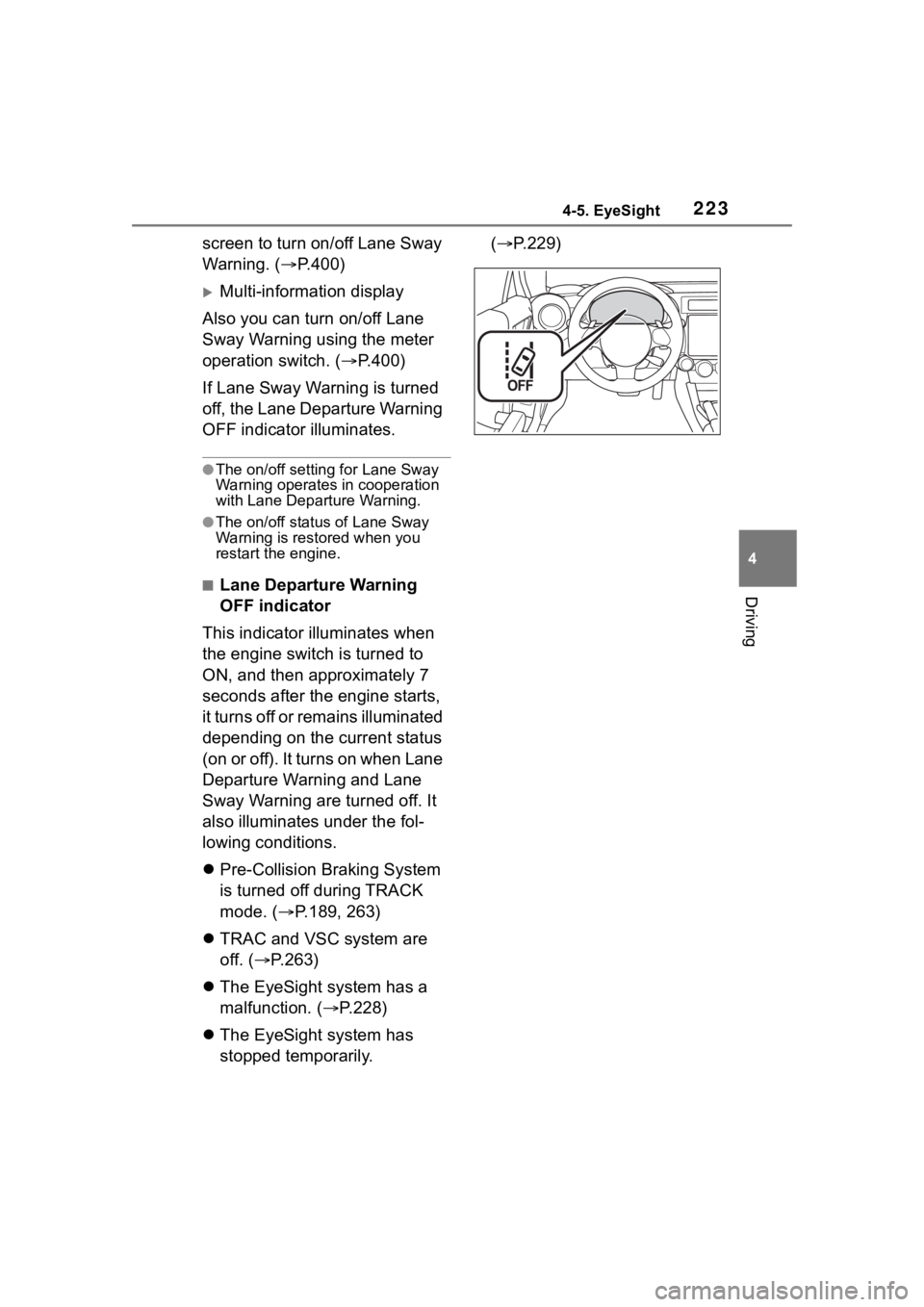
■Lane Departure Warning
OFF indicator
This indicator illuminates when
the engine switch is turned to
ON, and then approximately 7
seconds after the engine starts,
it turns off or remains illuminated
depending on the current status
(on or off). It turns on when Lane
Departure Warning and Lane
Sway Warning are turned off. It
also illuminates under the fol-
lowing conditions.
Pre-Collision Braking System
is turned off during TRACK
mode. ( P.189, 263)
TRAC and VSC system are
off. ( P.263)
The EyeSight system has a
malfunction. ( P.228)
The EyeSight system has
stopped temporarily. (
P.229)
Page 224 of 449
2244-5. EyeSight
*: If equipped
●The Lead Vehicle Start Alert set-
ting can be turned on or off.
( P.400)
●Under the follo wing conditions,
Lead Vehicle Start Alert may acti-
vate even when th e vehicle in
front has not start ed to move, or
may not activate even after the
vehicle in front has started to
move:
• A motorcycle or similar object cuts
in between your vehicle and the
stopped vehicle in front.
• Weather or road conditions may
interfere with the detection of the
vehicle in front.
• The EyeSight stereo camera loses
detection of the v ehicle in front.
●Under the following conditions,
Lead Vehicle Start Alert will not
activate.
• Pre-Collision Braking System is
turned off during TRACK mode.
( P.189, 263)
• TRAC and VSC system are off.
( P.263)
• The EyeSight system has a mal- function. ( P.228)
• The EyeSight system has stopped
temporarily. ( P.229)
Lead Vehicle Star t
Alert*
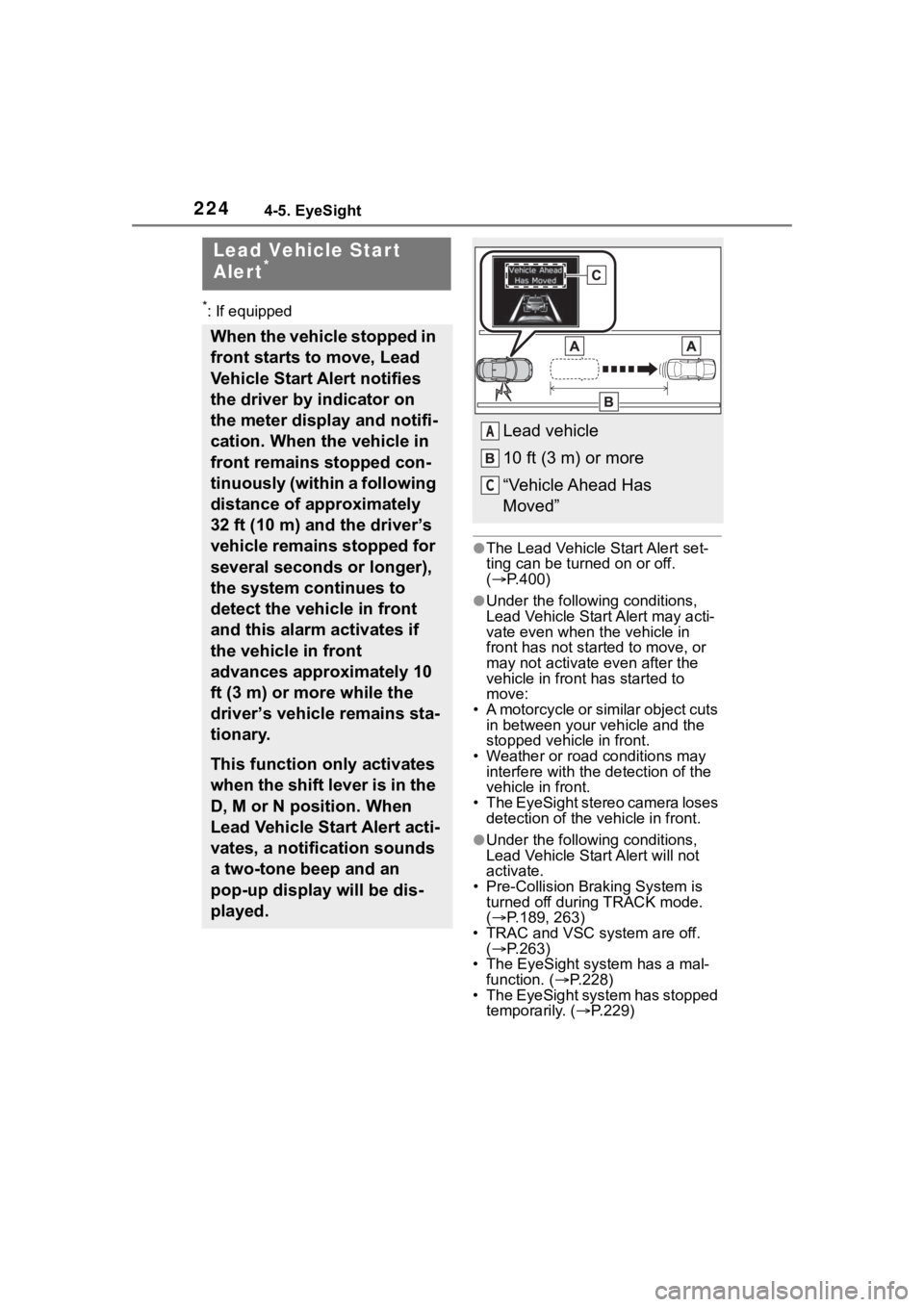
When the vehicle stopped in
front starts to move, Lead
Vehicle Start Alert notifies
the driver by indicator on
the meter display and notifi-
cation. When the vehicle in
front remains stopped con-
tinuously (within a following
distance of approximately
32 ft (10 m) and the driver’s
vehicle remains stopped for
several seconds or longer),
the system continues to
detect the vehicle in front
and this alarm activates if
the vehicle in front
advances approximately 10
ft (3 m) or more while the
driver’s vehicle remains sta-
tionary.
This function only activates
when the shift lever is in the
D, M or N position. When
Lead Vehicle Start Alert acti-
vates, a notification sounds
a two-tone beep and an
pop-up display will be dis-
played.
Lead vehicle
10 ft (3 m) or more
“Vehicle Ahead Has
Moved”A
C
Page 247 of 449
2474-6. Using other driving systems
4
Driving
Make sure to depress the brake
pedal once the vehicle has been
stopped by automatic braking.
Until the brake pedal is
depressed, a message will be
displayed on the multimedia
system screen and the continu-
ous beep will remain sounding.
At this time, a warning message
is also displayed on the
multi-information display.
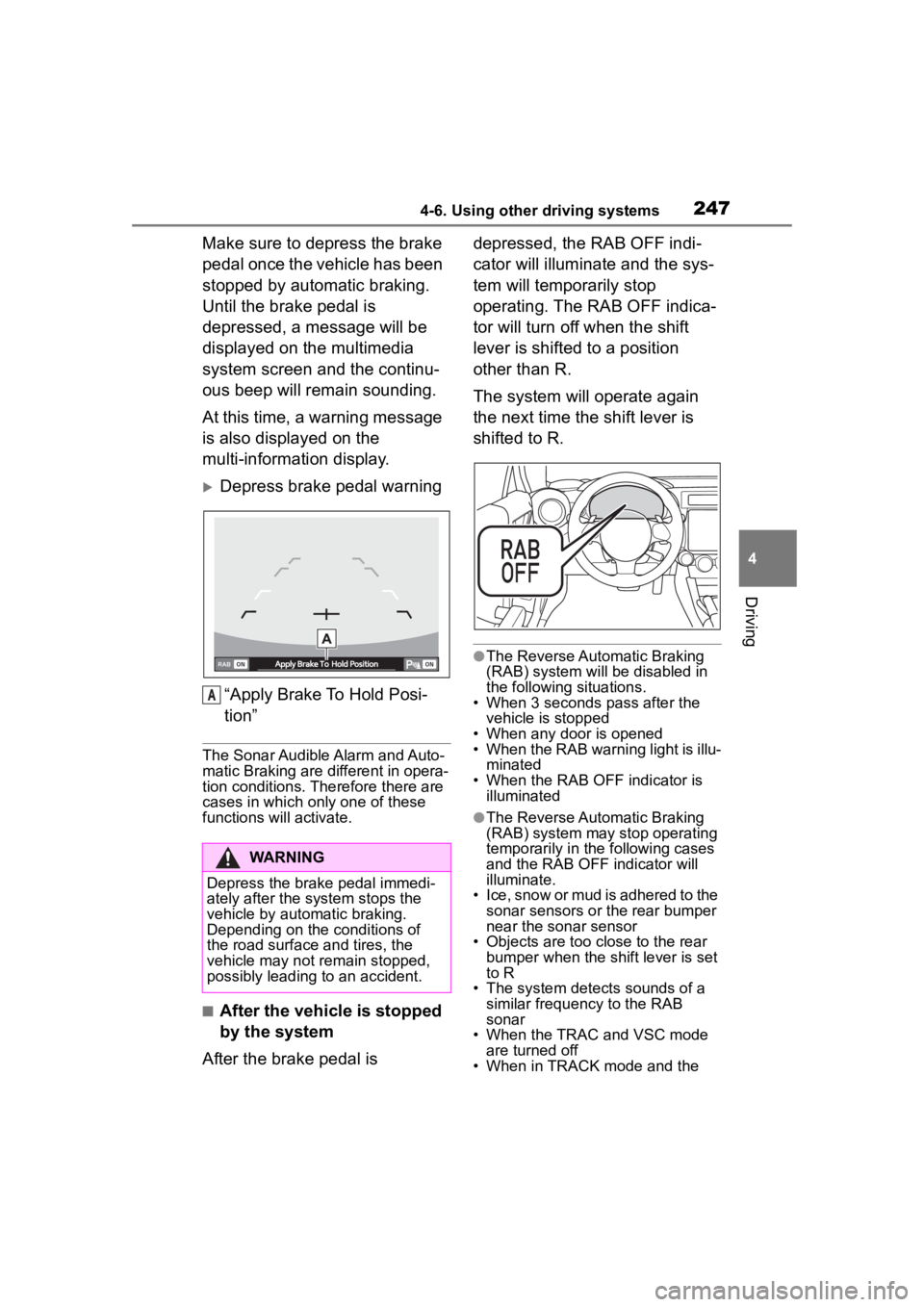
Depress brake pedal warning“Apply Brake To Hold Posi-
tion”
The Sonar Audible Alarm and Auto-
matic Braking are different in opera-
tion conditions. Therefore there are
cases in which only one of these
functions will activate.
■After the vehicle is stopped
by the system
After the brake pedal is depressed, the RAB OFF indi-
cator will illuminate and the sys-
tem will temporarily stop
operating. The RAB OFF indica-
tor will turn off when the shift
lever is shifted to a position
other than R.
The system will operate again
the next time the shift lever is
shifted to R.
●The Reverse Automatic Braking
(RAB) system will be disabled in
the following situations.
• When 3 seconds pass after the vehicle is stopped
• When any door is opened
• When the RAB warning light is illu-
minated
• When the RAB OF F indicator is
illuminated
●The Reverse Automatic Braking
(RAB) system may stop operating
temporarily in the following cases
and the RAB OFF indicator will
illuminate.
• Ice, snow or mud is adhered to the sonar sensors or the rear bumper
near the sonar sensor
• Objects are too close to the rear bumper when the sh ift lever is set
to R
• The system detects sounds of a similar frequency to the RAB
sonar
• When the TRAC and VSC mode are turned off
• When in TRACK mode and the
WARNING
Depress the brake pedal immedi-
ately after the system stops the
vehicle by automatic braking.
Depending on the conditions of
the road surface and tires, the
vehicle may not remain stopped,
possibly leading to an accident.
A
Page 258 of 449
2584-6. Using other driving systems
speed. Then, release the switch.
The vehicle speed at that
moment will be memorized and
treated as the new set speed.
When setting the displayed
unit as “MPH”:
The set speed can be
decreased 1 mph (1.6 km/h)
each time by pushing the cruise
control switch to the “-SET” side.
When setting the displayed
unit as “km/h”:
The set speed can be
decreased 1 km/h (0.6 mph)
each time by pushing the cruise
control switch to the “-SET” side.
■To decrease the speed (by
brake pedal)
1 Depress the brake pedal to
release Conventional Cruise
Control temporarily.
2 When the speed decreases
to the desired speed, push
the cruise control switch to
the “-SET” side once. Now
the desired speed is set and
the vehicle will keep running
at that speed without
depressing the accelerator
pedal.
*: If equipped
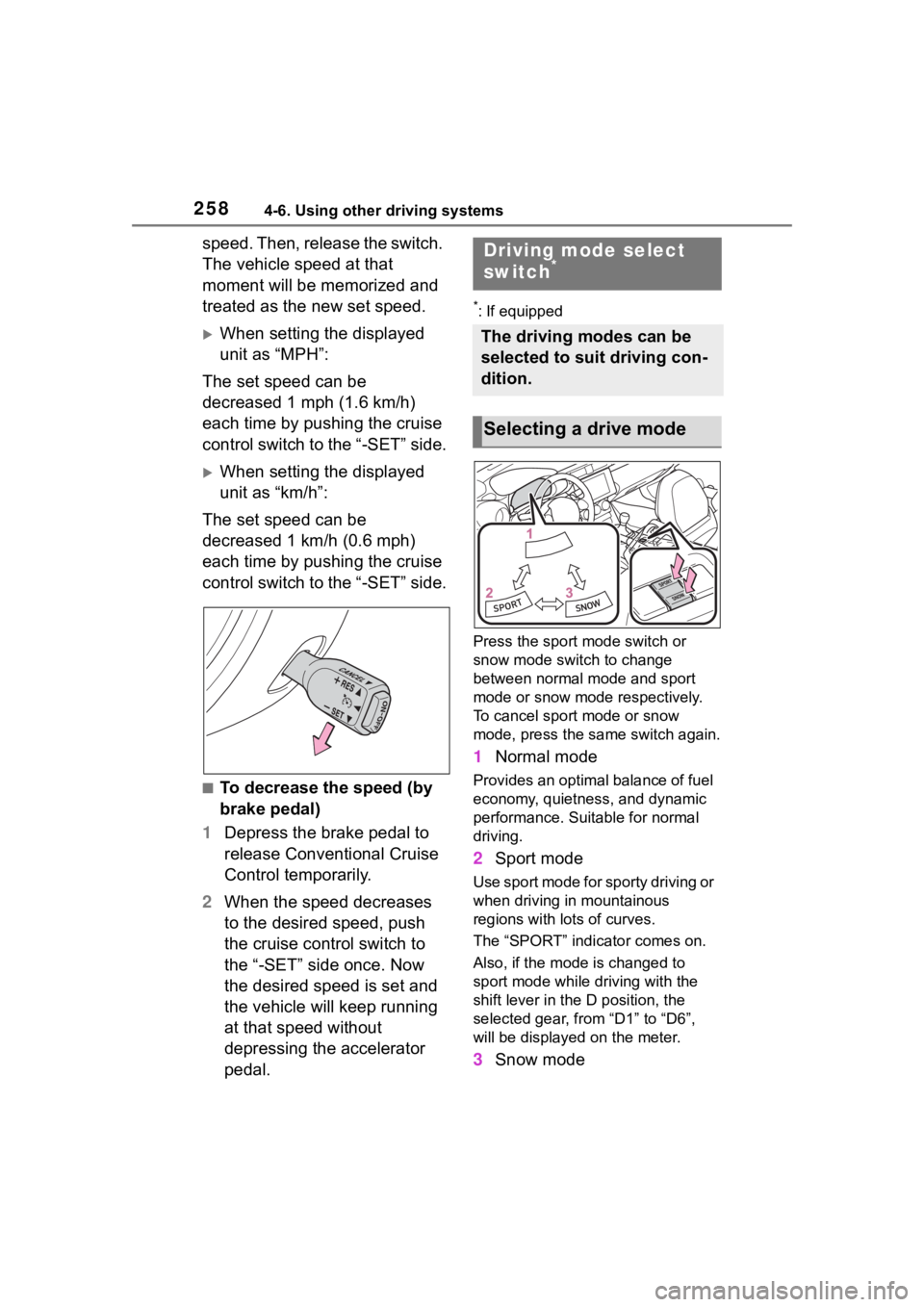
Press the sport mode switch or
snow mode switch to change
between normal mo de and sport
mode or snow mode respectively.
To cancel sport mode or snow
mode, press the sa me switch again.
1Normal mode
Provides an optimal balance of fuel
economy, quietness, and dynamic
performance. Suitable for normal
driving.
2Sport mode
Use sport mode for sporty driving or
when driving in mountainous
regions with lots of curves.
The “SPORT” indicator comes on.
Also, if the mode is changed to
sport mode while driving with the
shift lever in the D position, the
selected gear, from “D1” to “D6”,
will be displayed on the meter.
3Snow mode
Driving mode select
switch*
The driving modes can be
selected to suit driving con-
dition.
Selecting a drive mode
Page 259 of 449
2594-6. Using other driving systems
4
Driving
Use snow mode for accelerating
and driving on slippery road sur-
faces such as snow.
The snow mode indicator comes
on.
■Sport mode
●In sport mode, lower gears are
used and gears change at a
higher engine speed.
●In the following situations, it may
not be possible to change to sport
mode. When the mode cannot be
changed to sport mode, a buzzer
will sound and a message will be
displayed on the multi-information
display.
• When the Adaptive Cruise Control or Conventional Cruise Control is
operating
• When the engine is cold
■Snow mode
To prevent slipping, 1st gear cannot
be selected when in snow mode.
■Automatic deactivation of sport
mode and snow mode
In the following si tuations, the driv-
ing mode is autom atically deacti-
vated:
●When the engine is turned off after
driving in sport mode or snow
mode.
●When the Adaptive Cruise Control
or Conventional Cruise Control is
activated while driving in sport
mode.
●When in sport mode and stop-
ping/starting off is automatically
performed in second gear.
( P.150)
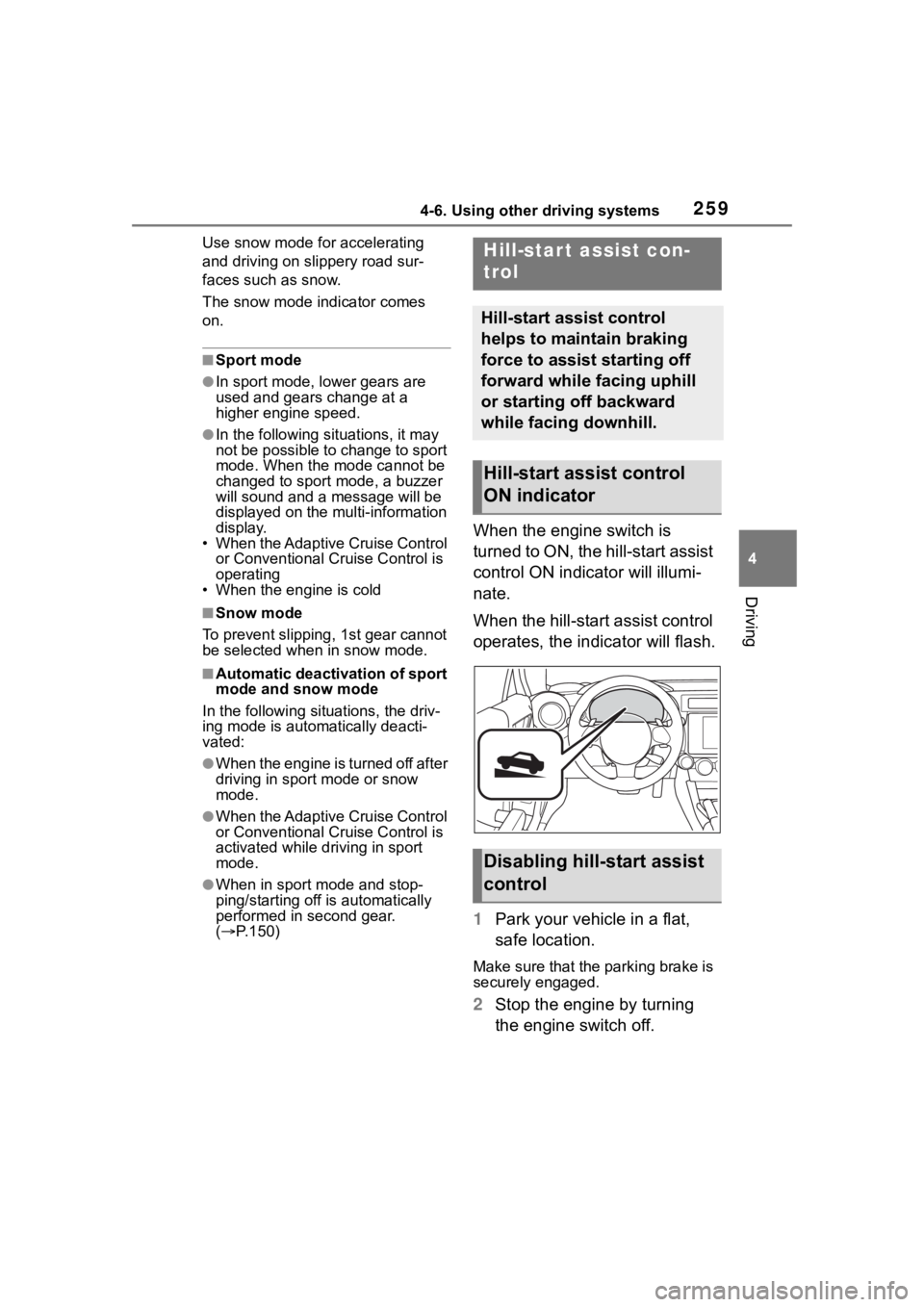
When the engine switch is
turned to ON, the hill-start assist
control ON indicator will illumi-
nate.
When the hill-start assist control
operates, the indicator will flash.
1 Park your vehicle in a flat,
safe location.
Make sure that the parking brake is
securely engaged.
2Stop the engine by turning
the engine switch off.
Hill-star t assist con-
trol
Hill-start assist control
helps to maintain braking
force to assist starting off
forward while facing uphill
or starting off backward
while facing downhill.
Hill-start assist control
ON indicator
Disabling hill-start assist
control
Page 260 of 449
2604-6. Using other driving systems
3Start the engine and check
that the ABS warning light
and slip indicator are off.
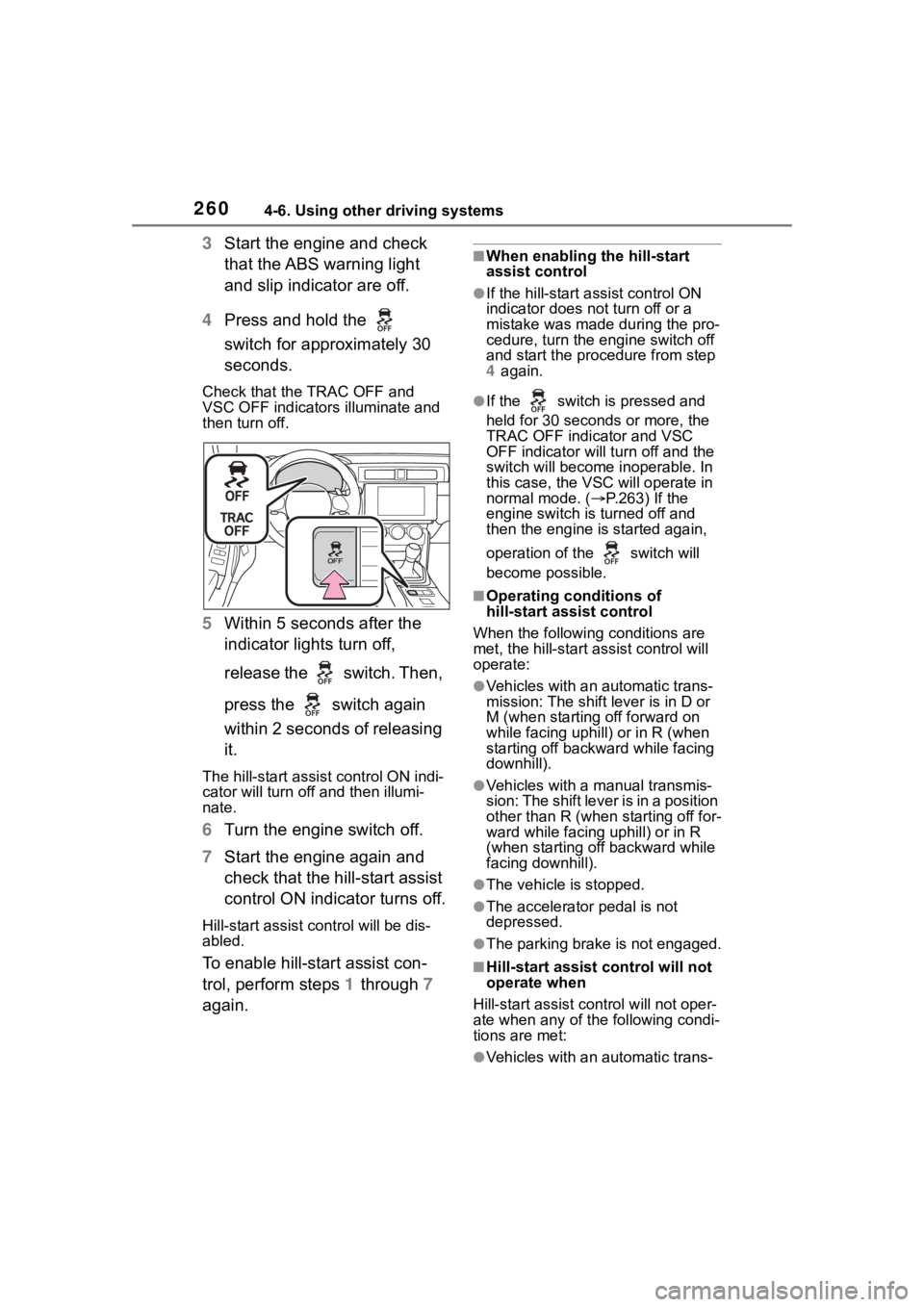
4 Press and hold the
switch for approximately 30
seconds.
Check that the TRAC OFF and
VSC OFF indicators illuminate and
then turn off.
5 Within 5 seconds after the
indicator lights turn off,
release the switch. Then,
press the switch again
within 2 seconds of releasing
it.
The hill-start assis t control ON indi-
cator will turn off and then illumi-
nate.
6 Turn the engine switch off.
7 Start the engine again and
check that the hill-start assist
control ON indicator turns off.
Hill-start assist control will be dis-
abled.
To enable hill-start assist con-
trol, perform steps 1 through 7
again.
■When enabling the hill-start
assist control
●If the hill-start assist control ON
indicator does n ot turn off or a
mistake was made during the pro-
cedure, turn the e ngine switch off
and start the procedure from step
4 again.
●If the switch is pressed and
held for 30 seconds or more, the
TRAC OFF indicator and VSC
OFF indicator will tu rn off and the
switch will become inoperable. In
this case, the VSC will operate in
normal mode. ( P.263) If the
engine switch is turned off and
then the engine is started again,
operation of the switch will
become possible.
■Operating conditions of
hill-start assist control
When the following conditions are
met, the hill-start assist control will
operate:
●Vehicles with an automatic trans-
mission: The shift lever is in D or
M (when starting off forward on
while facing uphill) or in R (when
starting off backward while facing
downhill).
●Vehicles with a manual transmis-
sion: The shift lever is in a position
other than R (when starting off for-
ward while facing uphill) or in R
(when starting off backward while
facing downhill).
●The vehicle is stopped.
●The accelerator pedal is not
depressed.
●The parking brake is not engaged.
■Hill-start assist control will not
operate when
Hill-start assist cont rol will not oper-
ate when any of the following condi-
tions are met:
●Vehicles with an automatic trans-
Page 263 of 449
2634-6. Using other driving systems
4
Driving
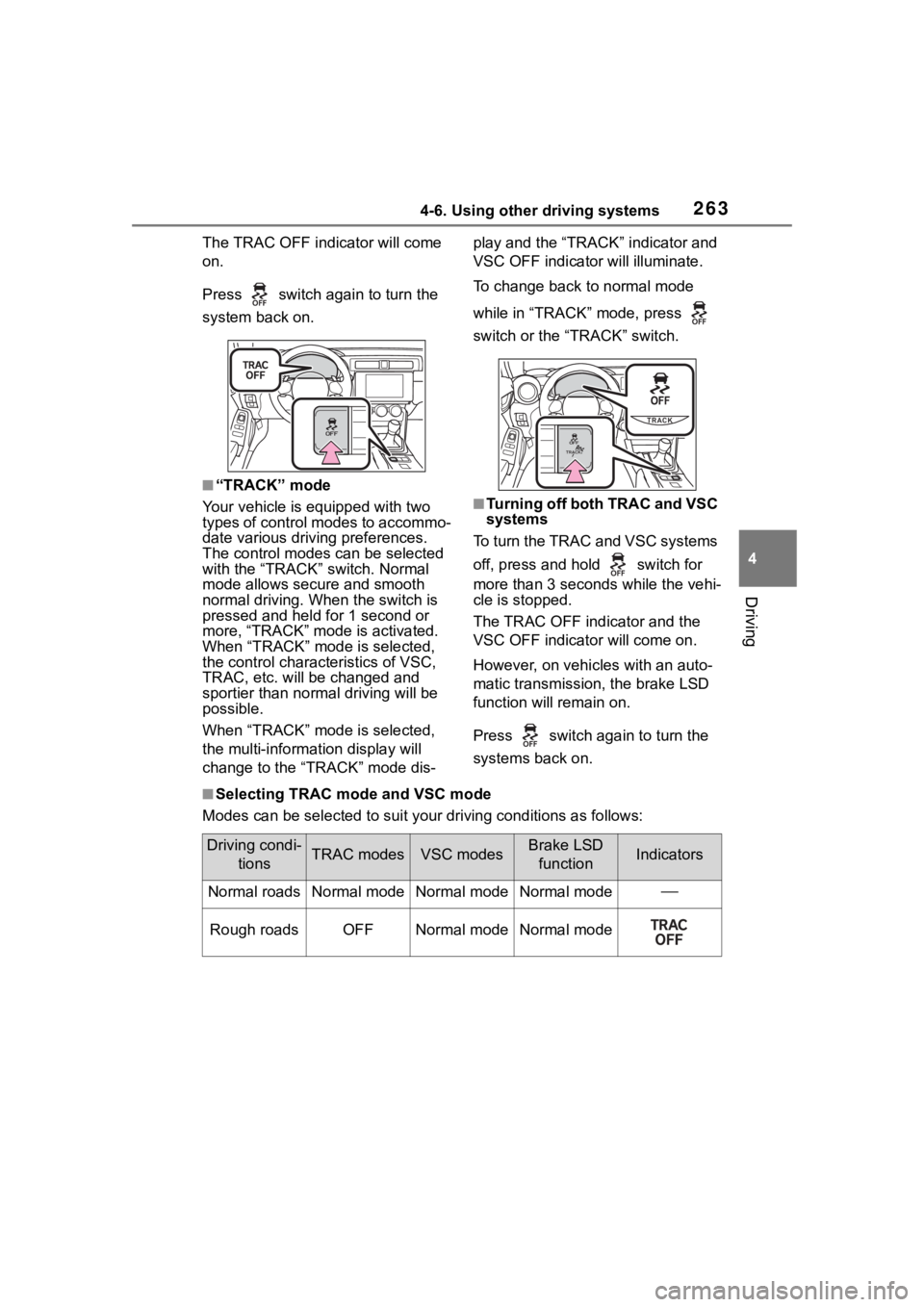
The TRAC OFF indicator will come
on.
Press switch again to turn the
system back on.
■“TRACK” mode
Your vehicle is equipped with two
types of control modes to accommo-
date various drivi ng preferences.
The control modes can be selected
with the “TRACK” switch. Normal
mode allows secure and smooth
normal driving. W hen the switch is
pressed and held for 1 second or
more, “TRACK” mode is activated.
When “TRACK” mode is selected,
the control characteristics of VSC,
TRAC, etc. will be changed and
sportier than normal driving will be
possible.
When “TRACK” mode is selected,
the multi-informat ion display will
change to the “TRACK” mode dis- play and the “TRACK” indicator and
VSC OFF indicato
r will illuminate.
To change back to normal mode
while in “TRACK” mode, press
switch or the “TRACK” switch.
■Turning off both TRAC and VSC
systems
To turn the TRAC and VSC systems
off, press and hold switch for
more than 3 seconds while the vehi-
cle is stopped.
The TRAC OFF ind icator and the
VSC OFF indicator will come on.
However, on vehicles with an auto-
matic transmission, the brake LSD
function will remain on.
Press switch again to turn the
systems back on.
■Selecting TRAC mode and VSC mode
Modes can be selected to suit your driving conditions as follow s:
Driving condi-
tionsTRAC modesVSC modesBrake LSD functionIndicators
Normal roadsNormal modeNormal modeNormal mode
Rough roadsOFFNormal modeNormal mode
Page 273 of 449
2735-1. Using the air conditioning system
5
Interior features
■When driving on dusty roads
Close all windows. If dust thrown up
by the vehicle is still drawn into the
vehicle after closing the windows, it
is recommended that the air intake
mode be set to outside air mode and
the fan speed to any setting except
off.
■Outside/recirculated air mode
●Setting to the r ecirculated air
mode temporarily is recom-
mended in preventing dirty air
from entering the vehicle interior
and helping to c ool the vehicle
when the outside air temperature
is high.
●Outside/recirculated air mode may
automatically switch depending on
the temperature setting or the
inside temperature.
■When the outside temperature
falls to nearly 32°F (0°C)
The dehumidification function may
not operate even when “A/C” switch
is pressed.
■Ventilation and air conditioning
odors
●To let fresh air in, set the air condi-
tioning system to the outside air
mode.
●During use, various odors from
inside and outside the vehicle may
enter into and a ccumulate in the
air conditioning system. This may
then cause odor to be emitted
from the vents.
●To reduce potential odors from
occurring:
• It is recommended that the air conditioning system be set to out-
side air mode prior to turning the
vehicle off.
• The start timing of the blower may
be delayed for a short period of
time immediately after the air con-
ditioning system is started in auto-
matic mode.
●When the engine switch is
changed to the OFF or ACC posi- tion from ON, the air inlet mode
will automatically change to the
outside air mode regardless of
whether it is th
e auto mode or
manual mode.
■Air conditioning filter
P.327
■Air conditioning system refrig-
erant
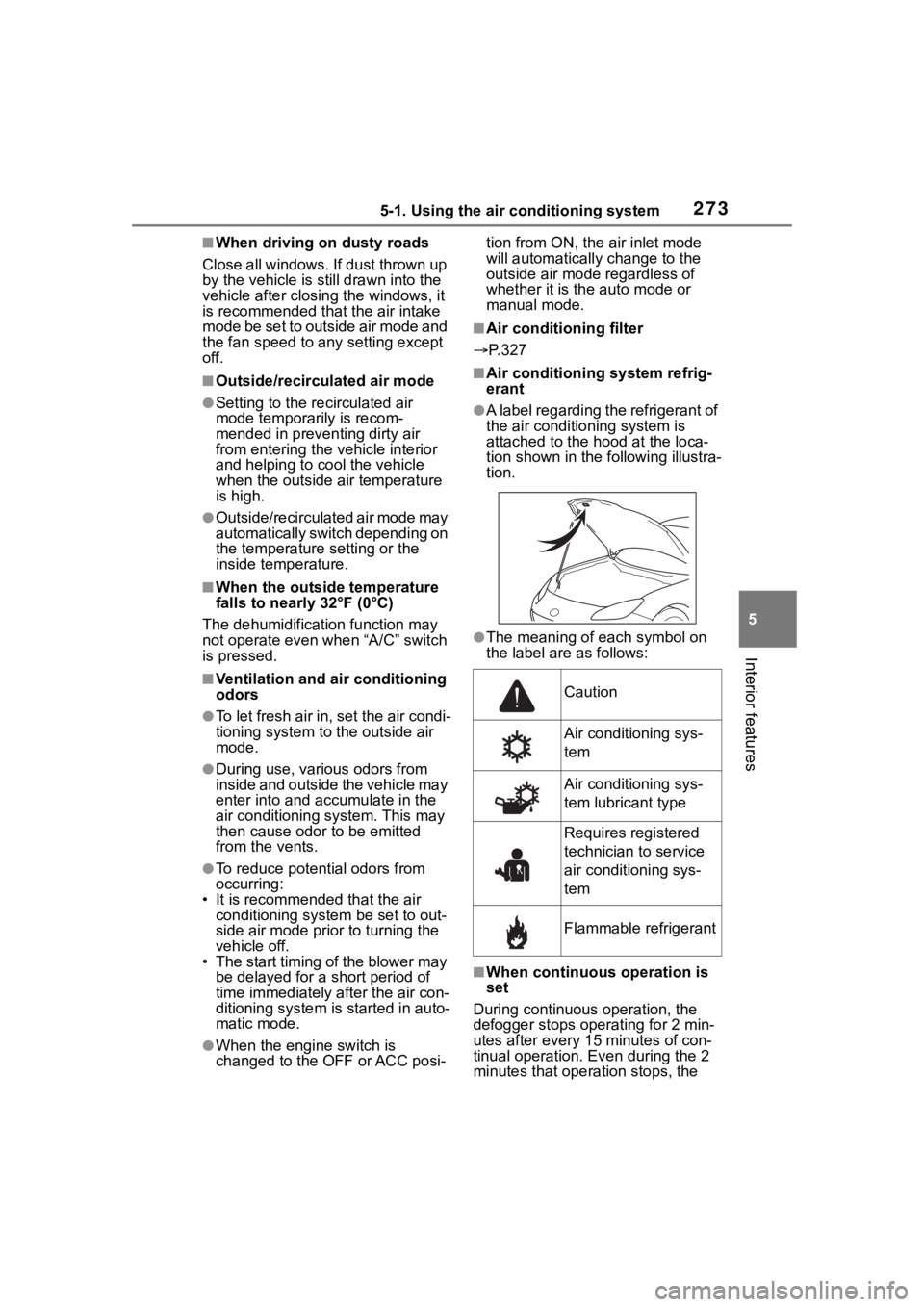
●A label regarding the refrigerant of
the air conditioning system is
attached to the h ood at the loca-
tion shown in the following illustra-
tion.
●The meaning of each symbol on
the label are as follows:
■When continuous operation is
set
During continuous operation, the
defogger stops operating for 2 min-
utes after every 15 minutes of con-
tinual operation. Even during the 2
minutes that operation stops, the
Caution
Air conditioning sys-
tem
Air conditioning sys-
tem lubricant type
Requires registered
technician to service
air conditioning sys-
tem
Flammable refrigerant