change time TOYOTA 86 2023 Owner's Manual
[x] Cancel search | Manufacturer: TOYOTA, Model Year: 2023, Model line: 86, Model: TOYOTA 86 2023Pages: 449, PDF Size: 8.5 MB
Page 200 of 449
2004-5. EyeSight
approximately 37 mph (60 km/h),
the system starts acceleration to
the set vehicle speed more quickly
because it is linked with the turn
signal.
• If the setting of driving lane is dif-
ferent from the actual driving
direction, the vehicle may start to
accelerate faster than usual when
the driver signals a lane change to
move from the passing lane to the
driving lane. ( P.400)
●Cruise control acceleration char-
acteristics can be set to one of
four levels. ( P.400)
■Increasing the set vehicle
speed
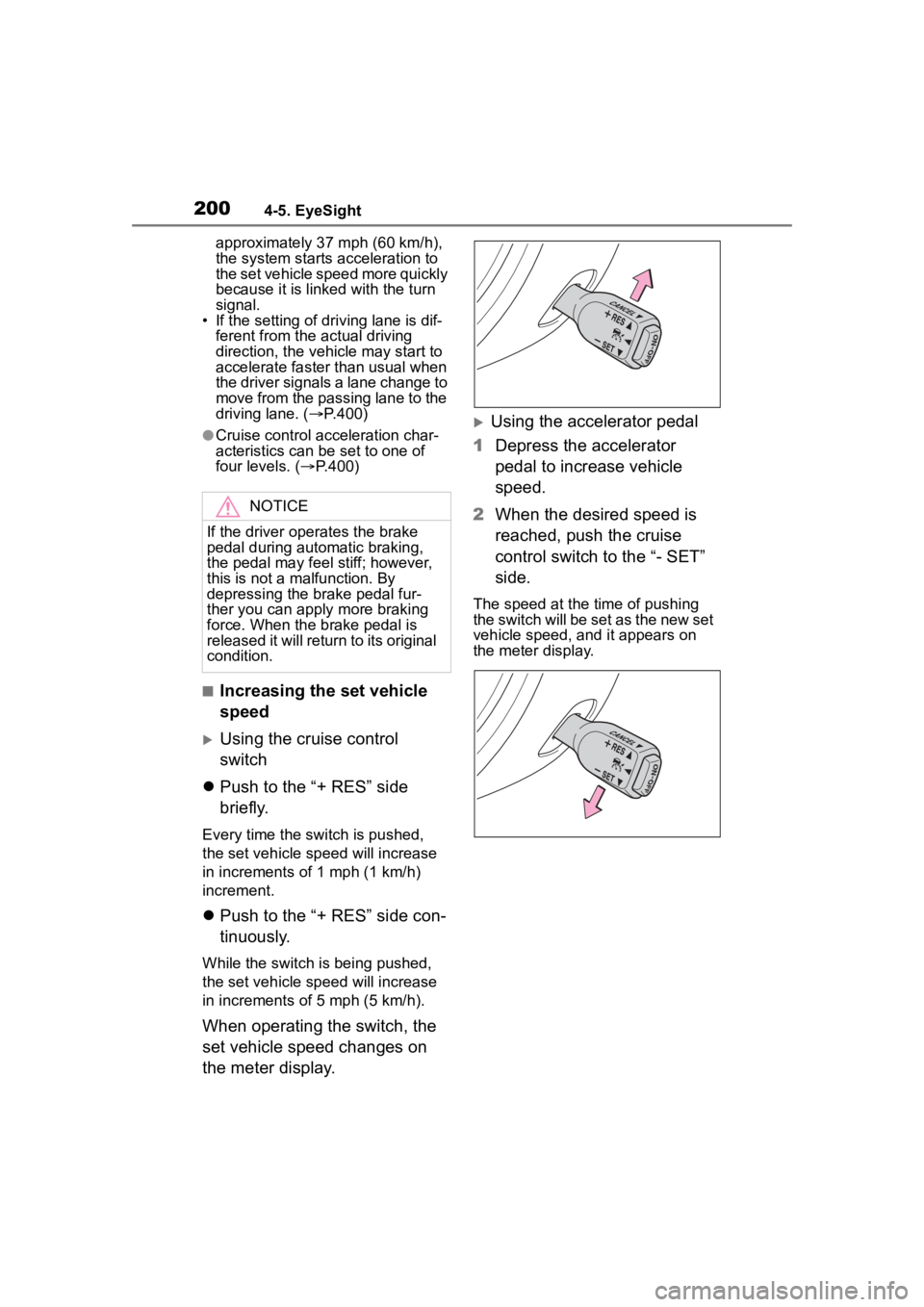
Using the cruise control
switch
Push to the “+ RES” side
briefly.
Every time the switch is pushed,
the set vehicle sp eed will increase
in increments of 1 mph (1 km/h)
increment.
Push to the “+ RES” side con-
tinuously.
While the switch is being pushed,
the set vehicle sp eed will increase
in increments of 5 mph (5 km/h).
When operating the switch, the
set vehicle speed changes on
the meter display.
Using the accelerator pedal
1 Depress the accelerator
pedal to increase vehicle
speed.
2 When the desired speed is
reached, push the cruise
control switch to the “- SET”
side.
The speed at the time of pushing
the switch will be set as the new set
vehicle speed, and it appears on
the meter display.
NOTICE
If the driver operates the brake
pedal during automatic braking,
the pedal may feel stiff; however,
this is not a malfunction. By
depressing the brake pedal fur-
ther you can apply more braking
force. When the brake pedal is
released it will return to its original
condition.
Page 201 of 449
2014-5. EyeSight
4
Driving
■Decreasing the set vehicle
speed
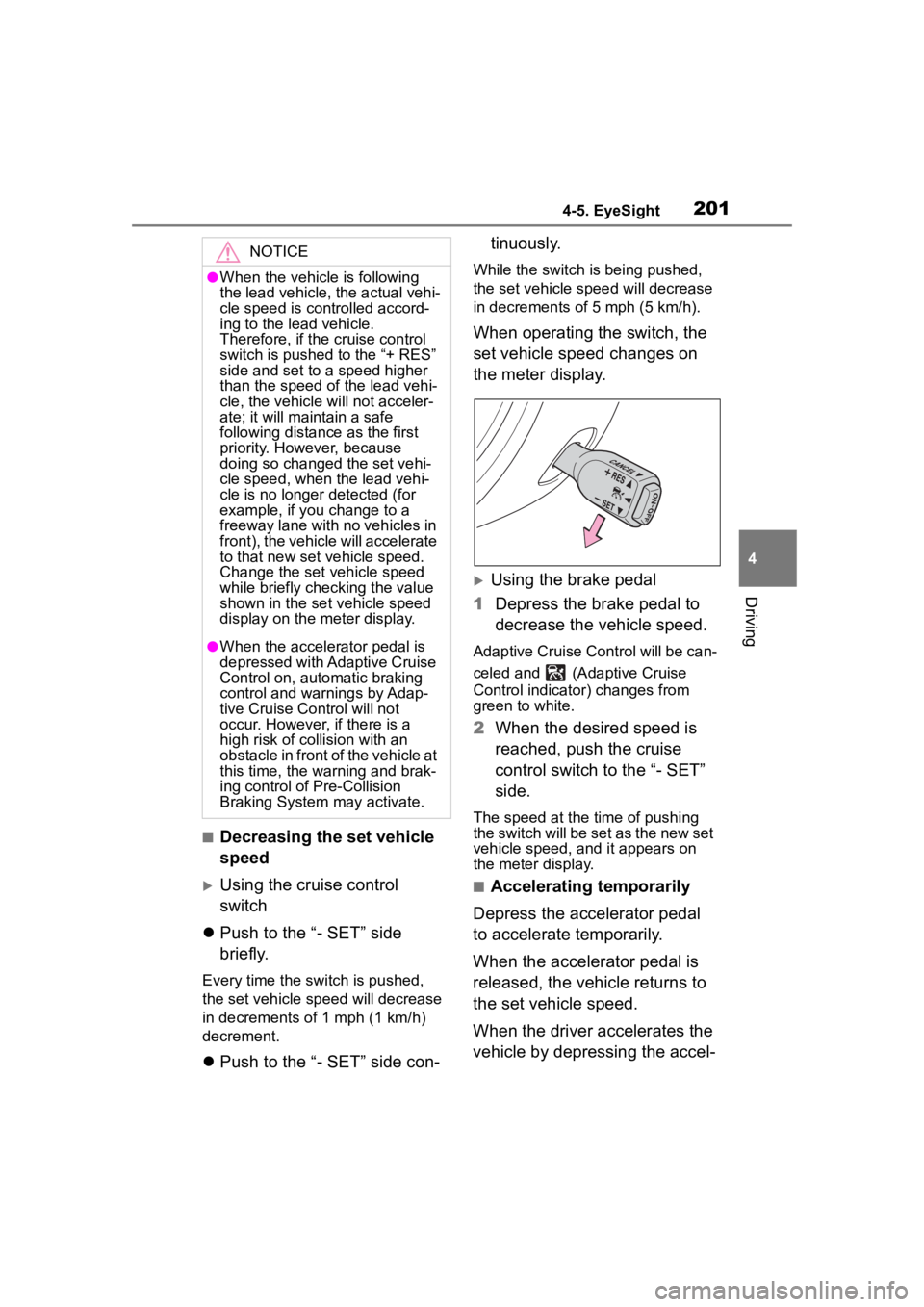
Using the cruise control
switch
Push to the “- SET” side
briefly.
Every time the switch is pushed,
the set vehicle speed will decrease
in decrements o f 1 mph (1 km/h)
decrement.
Push to the “- SET” side con- tinuously.
While the switch is being pushed,
the set vehicle spee
d will decrease
in decrements of 5 mph (5 km/h).
When operating the switch, the
set vehicle speed changes on
the meter display.
Using the brake pedal
1 Depress the brake pedal to
decrease the vehicle speed.
Adaptive Cruise Control will be can-
celed and (Adaptive Cruise
Control indicator) changes from
green to white.
2When the desired speed is
reached, push the cruise
control switch to the “- SET”
side.
The speed at the time of pushing
the switch will be set as the new set
vehicle speed, and it appears on
the meter display.
■Accelerating temporarily
Depress the accelerator pedal
to accelerate temporarily.
When the accelerator pedal is
released, the vehicle returns to
the set vehicle speed.
When the driver accelerates the
vehicle by depressing the accel-
NOTICE
●When the vehicle is following
the lead vehicle, the actual vehi-
cle speed is controlled accord-
ing to the lead vehicle.
Therefore, if the cruise control
switch is pushed to the “+ RES”
side and set to a speed higher
than the speed of the lead vehi-
cle, the vehicle will not acceler-
ate; it will maintain a safe
following distance as the first
priority. However, because
doing so changed the set vehi-
cle speed, when the lead vehi-
cle is no longer detected (for
example, if you change to a
freeway lane with no vehicles in
front), the vehicle will accelerate
to that new set vehicle speed.
Change the set vehicle speed
while briefly checking the value
shown in the set vehicle speed
display on the meter display.
●When the accelerator pedal is
depressed with Adaptive Cruise
Control on, automatic braking
control and warnings by Adap-
tive Cruise Control will not
occur. However, if there is a
high risk of collision with an
obstacle in front of the vehicle at
this time, the warning and brak-
ing control o f Pre-Collision
Braking System may activate.
Page 202 of 449
2024-5. EyeSight
erator pedal while Adaptive
Cruise Control is operating,
turns white. When the accelera-
tion is completed, returns to
green.
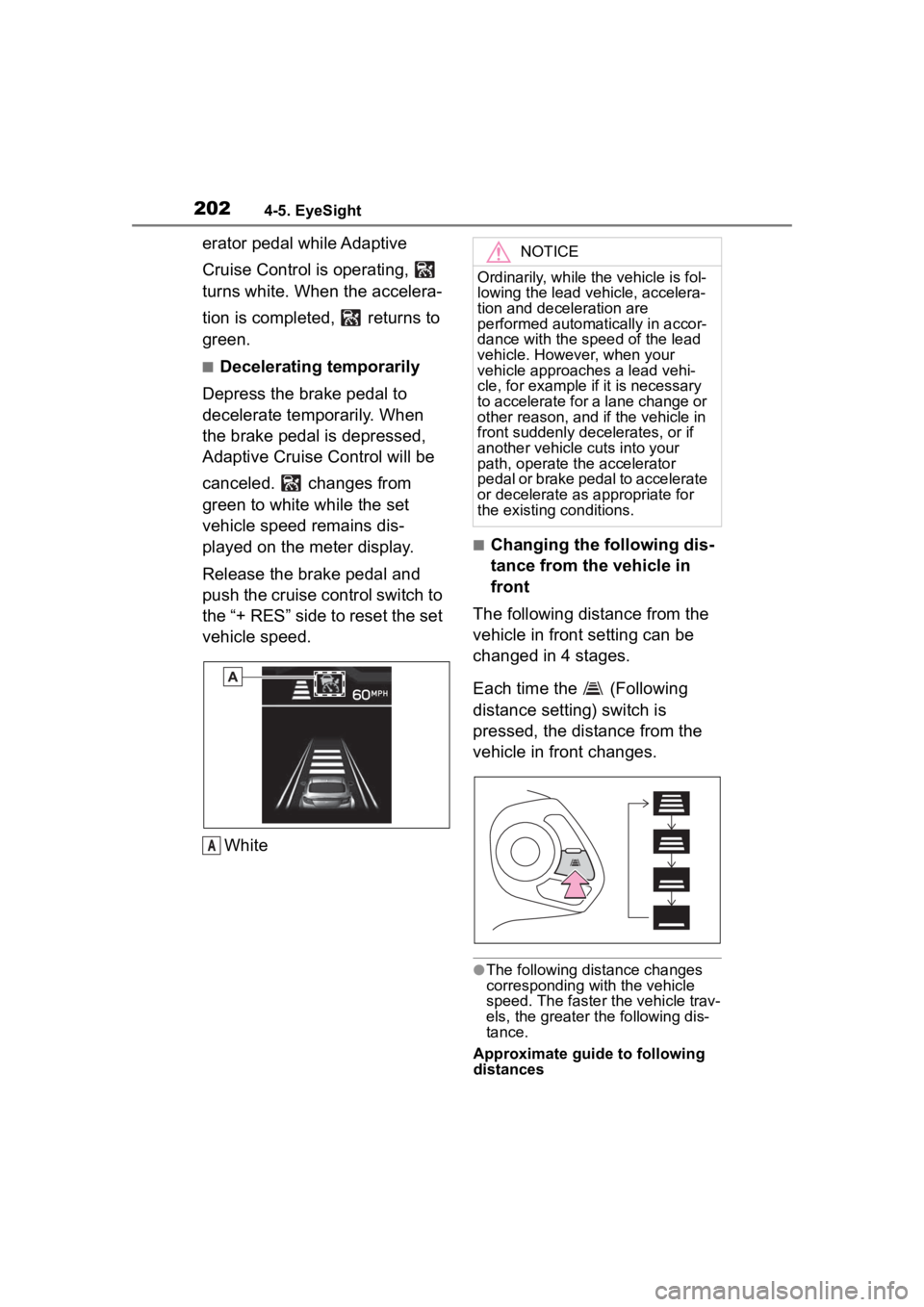
■Decelerating temporarily
Depress the brake pedal to
decelerate temporarily. When
the brake pedal is depressed,
Adaptive Cruise Control will be
canceled. changes from
green to white while the set
vehicle speed remains dis-
played on the meter display.
Release the brake pedal and
push the cruise control switch to
the “+ RES” side to reset the set
vehicle speed.
White
■Changing the following dis-
tance from the vehicle in
front
The following distance from the
vehicle in front setting can be
changed in 4 stages.
Each time the (Following
distance setting) switch is
pressed, the distance from the
vehicle in front changes.
●The following distance changes
corresponding with the vehicle
speed. The faster the vehicle trav-
els, the greater the following dis-
tance.
Approximate guide to following
distances
A
NOTICE
Ordinarily, while the vehicle is fol-
lowing the lead veh icle, accelera-
tion and deceleration are
performed automatically in accor-
dance with the speed of the lead
vehicle. However, when your
vehicle approaches a lead vehi-
cle, for example if it is necessary
to accelerate for a lane change or
other reason, and if the vehicle in
front suddenly decelerates, or if
another vehicle cuts into your
path, operate the accelerator
pedal or brake pedal to accelerate
or decelerate as appropriate for
the existing conditions.
Page 210 of 449
2104-5. EyeSight
• The vehicle speed is between approximately 20 mph (30
km/h) and 90 mph (145 km/h).
• Parking brake is released.
• The driving mode is set to normal mode or sport mode.
( P.258)
• Pre-Collision Braking System is not turned off during
TRACK mode. ( P.189, 263)
• TRAC and VSC system are not set to off. ( P.263)
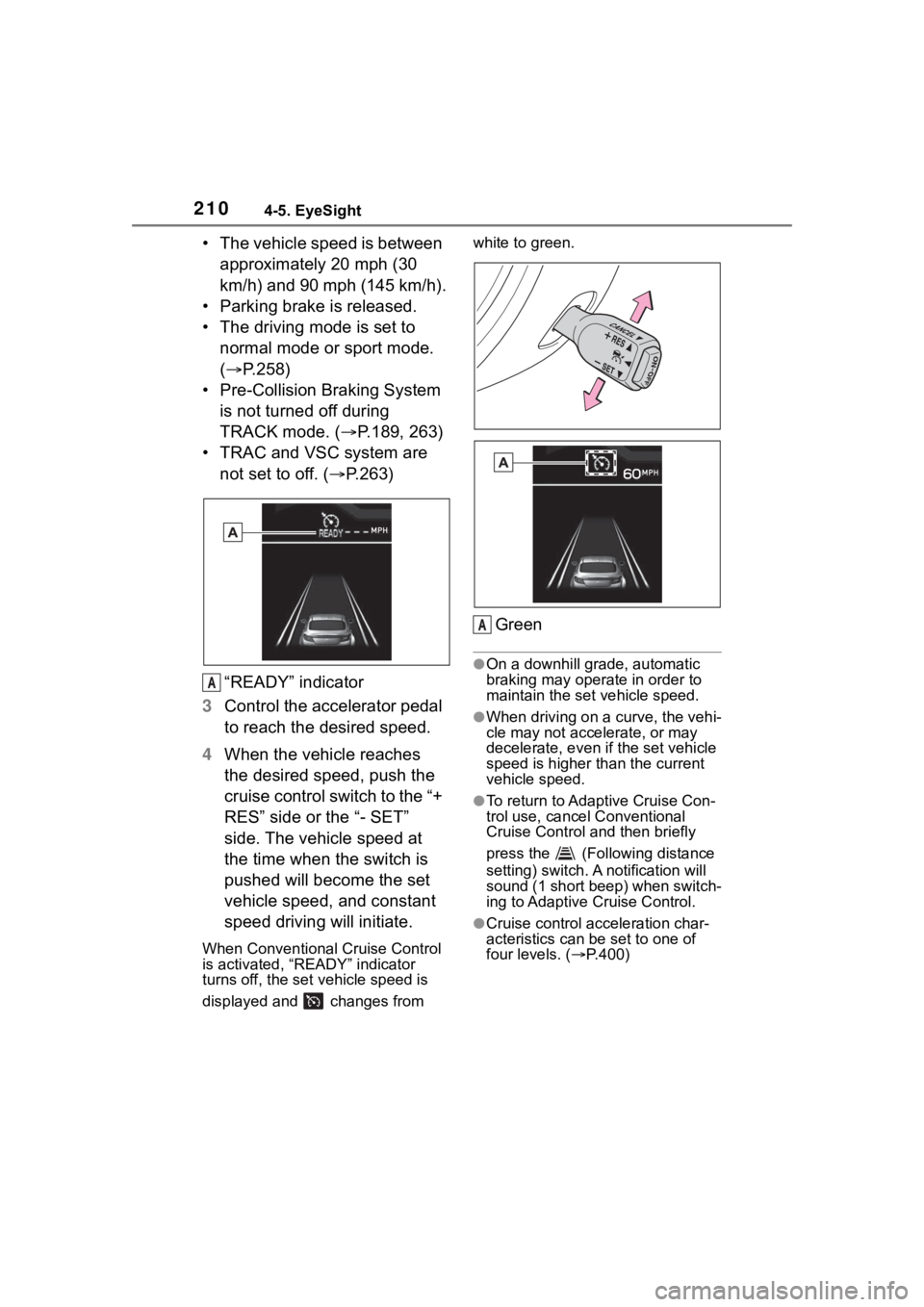
“READY” indicator
3 Control the accelerator pedal
to reach the desired speed.
4 When the vehicle reaches
the desired speed, push the
cruise control switch to the “+
RES” side or the “- SET”
side. The vehicle speed at
the time when the switch is
pushed will become the set
vehicle speed, and constant
speed driving will initiate.
When Conventional Cruise Control
is activated, “READY” indicator
turns off, the set vehicle speed is
displayed and changes from white to green.
Green
●On a downhill grade, automatic
braking may operate in order to
maintain the set vehicle speed.
●When driving on a curve, the vehi-
cle may not accelerate, or may
decelerate, e
ven if the set vehicle
speed is higher than the current
vehicle speed.
●To return to Adaptive Cruise Con-
trol use, cancel Conventional
Cruise Control and then briefly
press the (Following distance
setting) switch. A notification will
sound (1 short beep) when switch-
ing to Adaptive Cruise Control.
●Cruise control acceleration char-
acteristics can be set to one of
four levels. ( P.400)
A
A
Page 211 of 449
2114-5. EyeSight
4
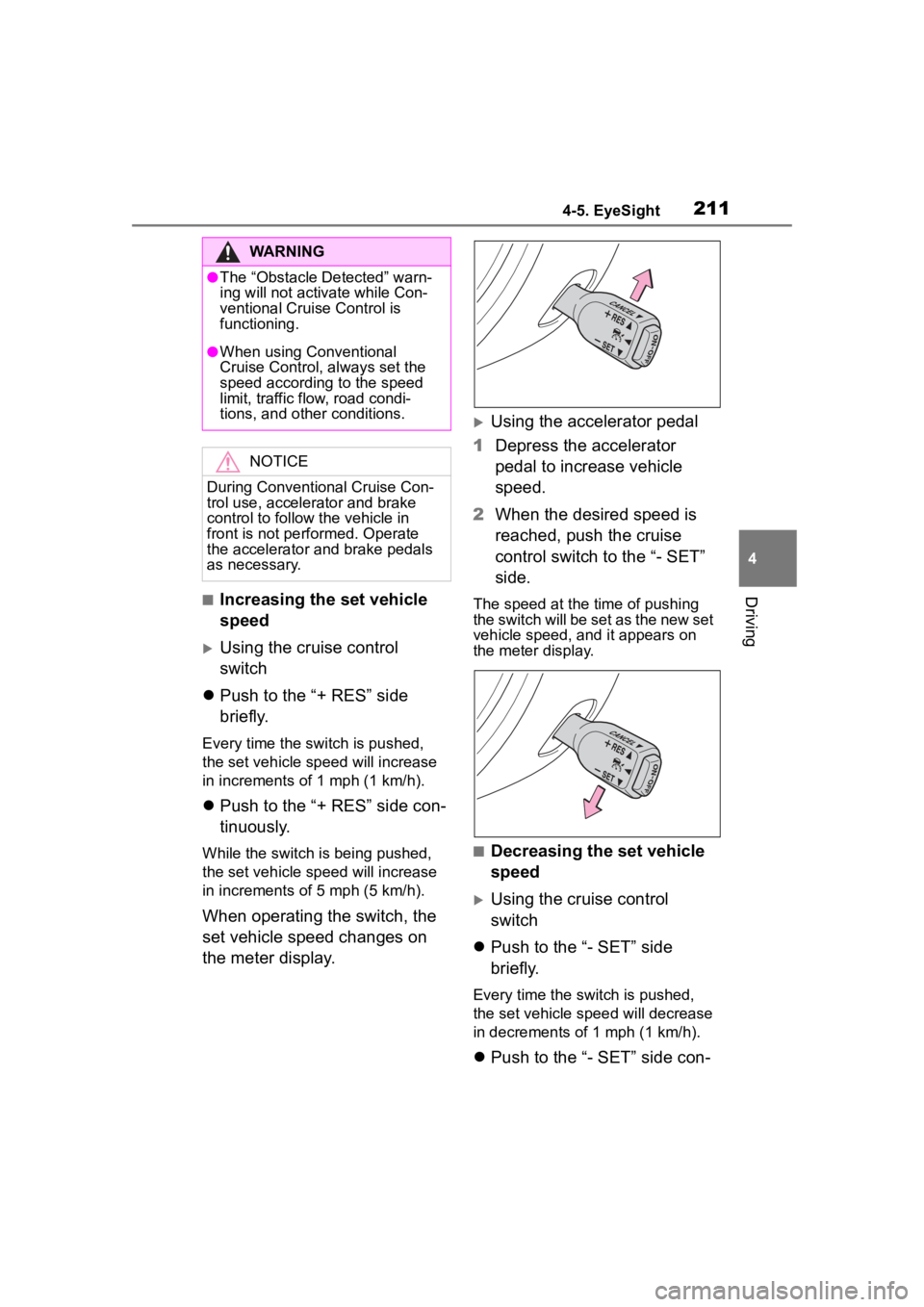
Driving■Increasing the set vehicle
speed
Using the cruise control
switch
Push to the “+ RES” side
briefly.
Every time the switch is pushed,
the set vehicle sp eed will increase
in increments of 1 mph (1 km/h).
Push to the “+ RES” side con-
tinuously.
While the switch is being pushed,
the set vehicle sp eed will increase
in increments of 5 mph (5 km/h).
When operating the switch, the
set vehicle speed changes on
the meter display.
Using the accelerator pedal
1 Depress the accelerator
pedal to increase vehicle
speed.
2 When the desired speed is
reached, push the cruise
control switch to the “- SET”
side.
The speed at the time of pushing
the switch will be set as the new set
vehicle speed, and it appears on
the meter display.
■Decreasing the set vehicle
speed
Using the cruise control
switch
Push to the “- SET” side
briefly.
Every time the switch is pushed,
the set vehicle spee d will decrease
in decrements of 1 mph (1 km/h).
Push to the “- SET” side con-
WARNING
●The “Obstacle Detected” warn-
ing will not activ ate while Con-
ventional Cruise Control is
functioning.
●When using Conventional
Cruise Control, always set the
speed according to the speed
limit, traffic flow, road condi-
tions, and other conditions.
NOTICE
During Conventional Cruise Con-
trol use, accelerator and brake
control to follow the vehicle in
front is not performed. Operate
the accelerator and brake pedals
as necessary.
Page 212 of 449
2124-5. EyeSight
tinuously.
While the switch is being pushed,
the set vehicle speed will decrease
in decrements o f 5 mph (5 km/h).
When operating the switch, the
set vehicle speed changes on
the meter display.
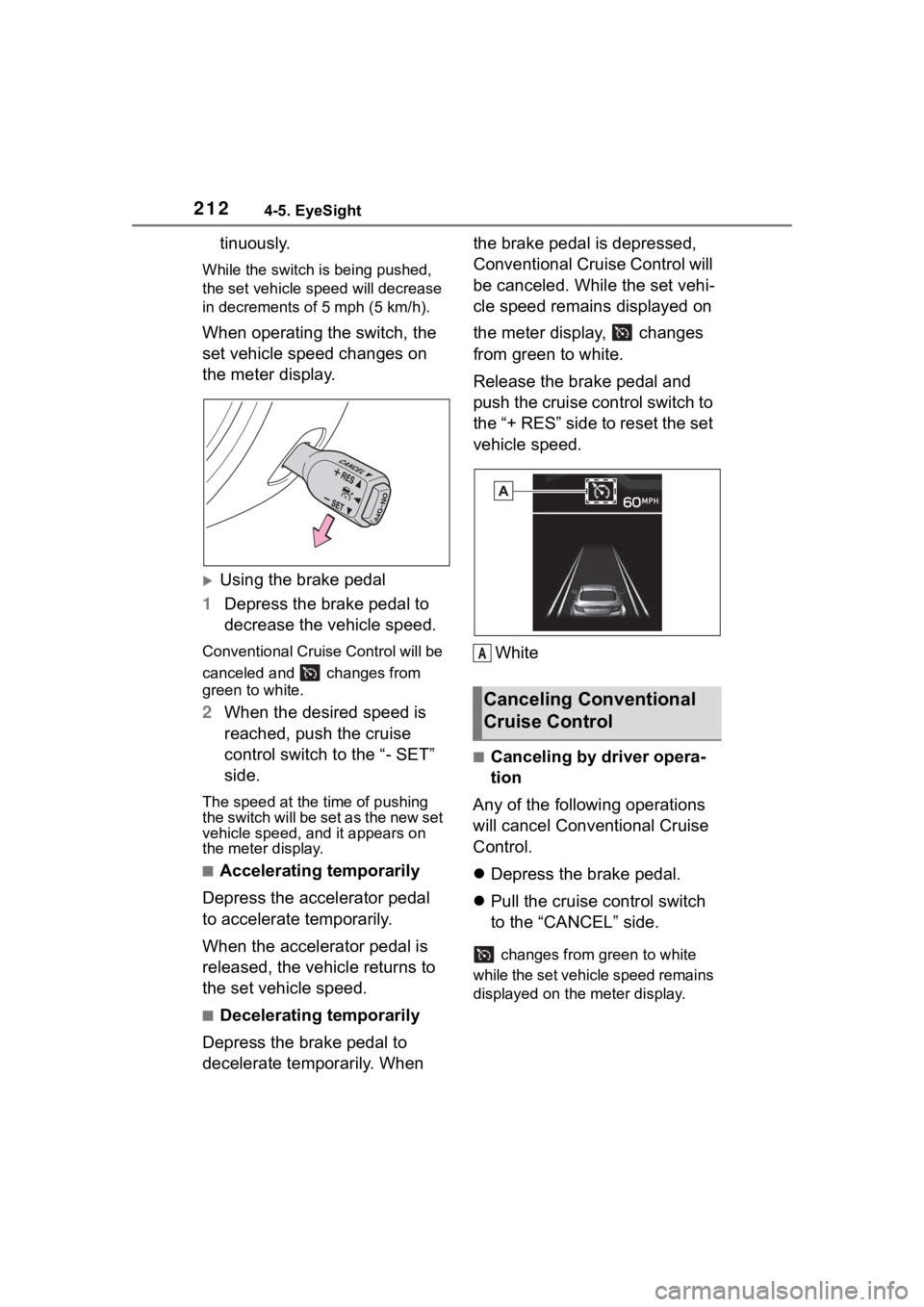
Using the brake pedal
1 Depress the brake pedal to
decrease the vehicle speed.
Conventional Cruise Control will be
canceled and changes from
green to white.
2When the desired speed is
reached, push the cruise
control switch to the “- SET”
side.
The speed at the time of pushing
the switch will be set as the new set
vehicle speed, a nd it appears on
the meter display.
■Accelerating temporarily
Depress the accelerator pedal
to accelerate temporarily.
When the accelerator pedal is
released, the vehicle returns to
the set vehicle speed.
■Decelerating temporarily
Depress the brake pedal to
decelerate temporarily. When the brake pedal is depressed,
Conventional Cruise Control will
be canceled. While the set vehi-
cle speed remains displayed on
the meter display, changes
from green to white.
Release the brake pedal and
push the cruise control switch to
the “+ RES” side to reset the set
vehicle speed.
White
■Canceling by driver opera-
tion
Any of the following operations
will cancel Conventional Cruise
Control.
Depress the brake pedal.
Pull the cruise control switch
to the “CANCEL” side.
changes from green to white
while the set vehicle speed remains
displayed on the meter display.
Canceling Conventional
Cruise Control
A
Page 222 of 449
2224-5. EyeSight
*: If equipped
●Swaying detection is based on
several minutes of prior driving
data. Swaying will not be detected
immediately after the vehicle
starts to sway. In addition, the
warning may continue for some
time even after swaying stops.
●Lane Sway Warning is just a func-
tion that warns the driver. When the driver is tired, not concentrat-
ing on the road or not paying ade-
quate attention to driving, be sure
to take rest breaks as often as
needed.
●When the Lane Departure Warn-
ing OFF indicator is illuminated,
Lane Sway Warning will not oper-
ate. (
P.223)
Multimedia system screen
Operate the multimedia system
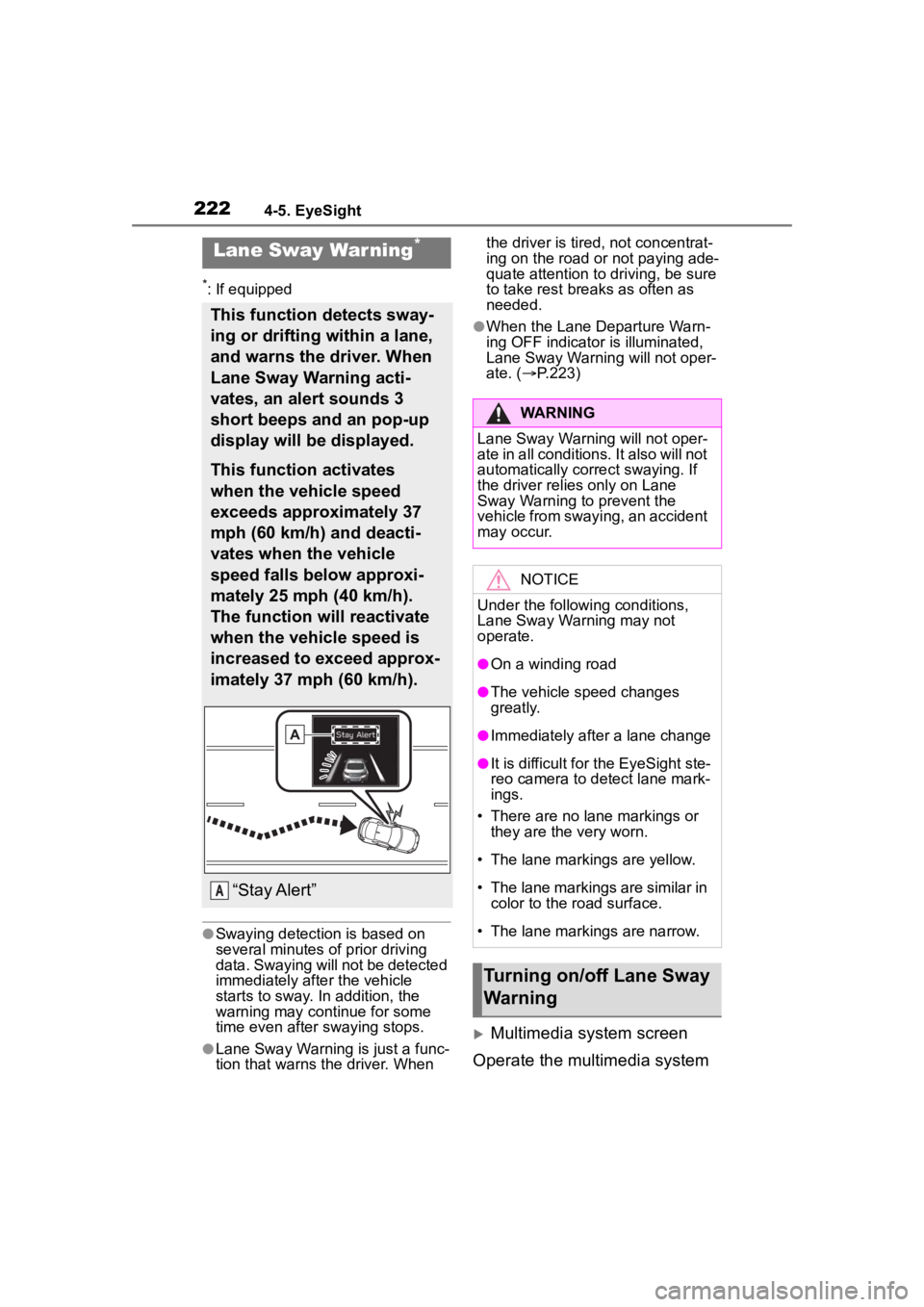
Lane Sway War ning*
This function detects sway-
ing or drifting within a lane,
and warns the driver. When
Lane Sway Warning acti-
vates, an alert sounds 3
short beeps and an pop-up
display will be displayed.
This function activates
when the vehicle speed
exceeds approximately 37
mph (60 km/h) and deacti-
vates when the vehicle
speed falls below approxi-
mately 25 mph (40 km/h).
The function will reactivate
when the vehicle speed is
increased to exceed approx-
imately 37 mph (60 km/h).
“Stay Alert”A
WARNING
Lane Sway Warning will not oper-
ate in all conditions. It also will not
automatically correct swaying. If
the driver relies only on Lane
Sway Warning to prevent the
vehicle from swaying, an accident
may occur.
NOTICE
Under the following conditions,
Lane Sway Warning may not
operate.
●On a winding road
●The vehicle s peed changes
greatly.
●Immediately after a lane change
●It is difficult for the EyeSight ste-
reo camera to detect lane mark-
ings.
• There are no lane markings or they are the very worn.
• The lane markings are yellow.
• The lane markings are similar in
color to the road surface.
• The lane markings are narrow.
Turning on/off Lane Sway
Warning
Page 237 of 449
2374-6. Using other driving systems
4
Driving
be changed by operating the
multimedia system screen.
(P.400)
■Safety tips regarding the
BSD/RCTA approach indi-
cator/warning buzzer
In the following cases, opera-
tion of the BSD/RCTA
approach indicator and the
warning buzzer may be
delayed or the system may
fail to issue these warnings.
• When a vehicle moves to the
neighboring lane from a lane next
to the neighboring lane
• When driving on a steep incline or on repeated sharp uphill and
downhill grades
• When going beyond a pass
• When both your vehicle and a vehicle driving on a neighboring
lane are driving o n the far side of
each lane.
• When several narrowly-spaced vehicles are approaching in a row
• In low radius bends (tight bends or when making turns at an inter-
section)
• When there is a difference in height between your lane and the
neighboring lane
• Immediately after the BSD/RCTA is activated by touching
“BSD/RCTA”
• Immediately after the shift lever is shifted to R
• When extremely heavy cargo is loaded in the trunk
During reversing, operation of the BSD/RCTA approach indi-
cator and the warning buzzer
may be delayed or the system
may fail to issue these warn-
ings under the following con-
ditions.
• When backing out of an angled
parking space
• When a large-sized vehicle is parked next to your vehicle (That
vehicle prevents the propagation
of radar waves.)
• When reversing on sloped roads
• When reversing at a high speed
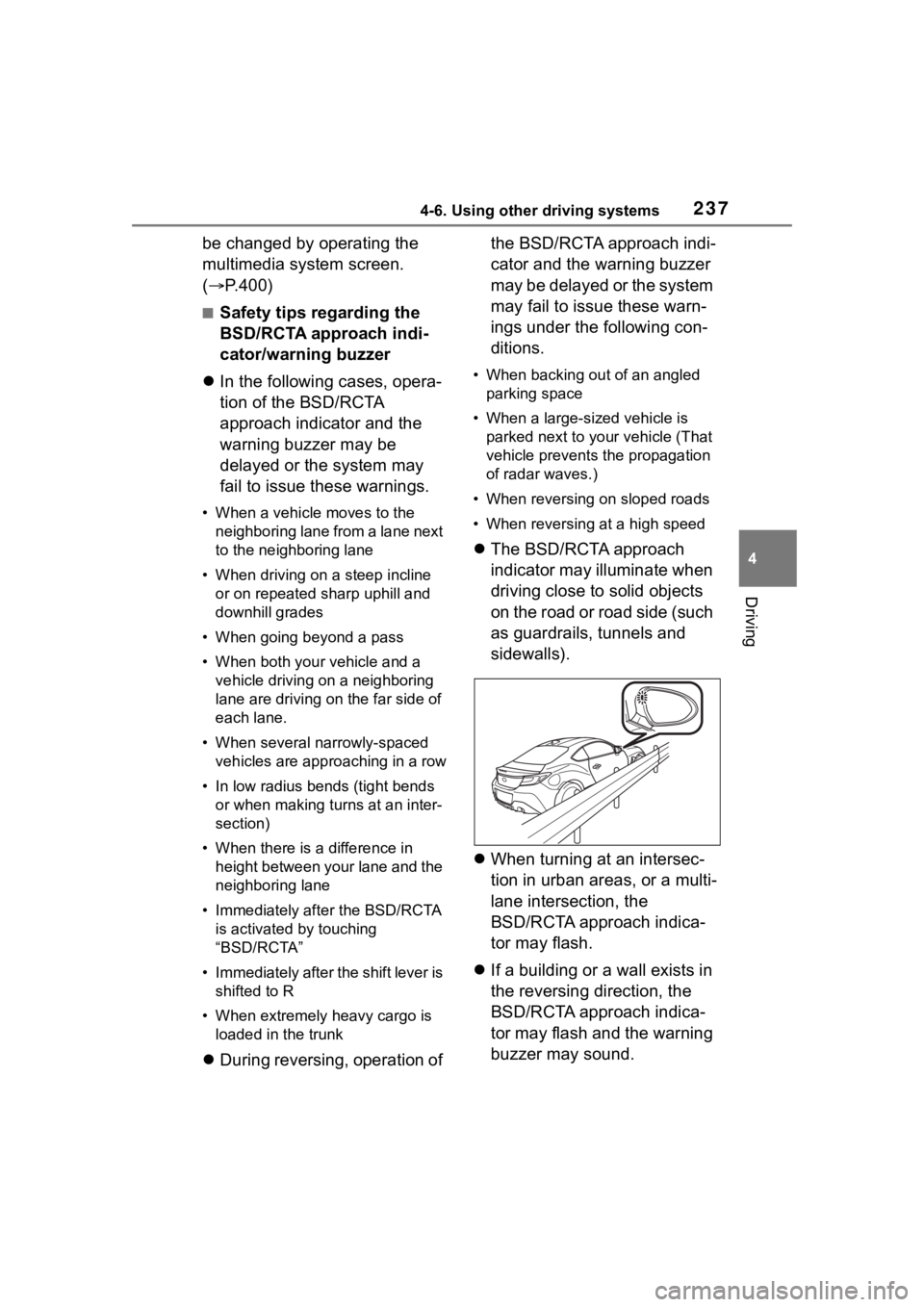
The BSD/RCTA approach
indicator may illuminate when
driving close to solid objects
on the road or road side (such
as guardrails, tunnels and
sidewalls).
When turning at an intersec-
tion in urban areas, or a multi-
lane intersection, the
BSD/RCTA approach indica-
tor may flash.
If a building or a wall exists in
the reversing direction, the
BSD/RCTA approach indica-
tor may flash and the warning
buzzer may sound.
Page 249 of 449
2494-6. Using other driving systems
4
Driving
When the settings cannot be
changed, the ON/OFF setting key
will be grayed out.
Also, the following settings can be
changed by operating the multime-
dia system screen. (P.400)
●Warning Volume
●Sonar Audible Alarm
●Automatic Braking
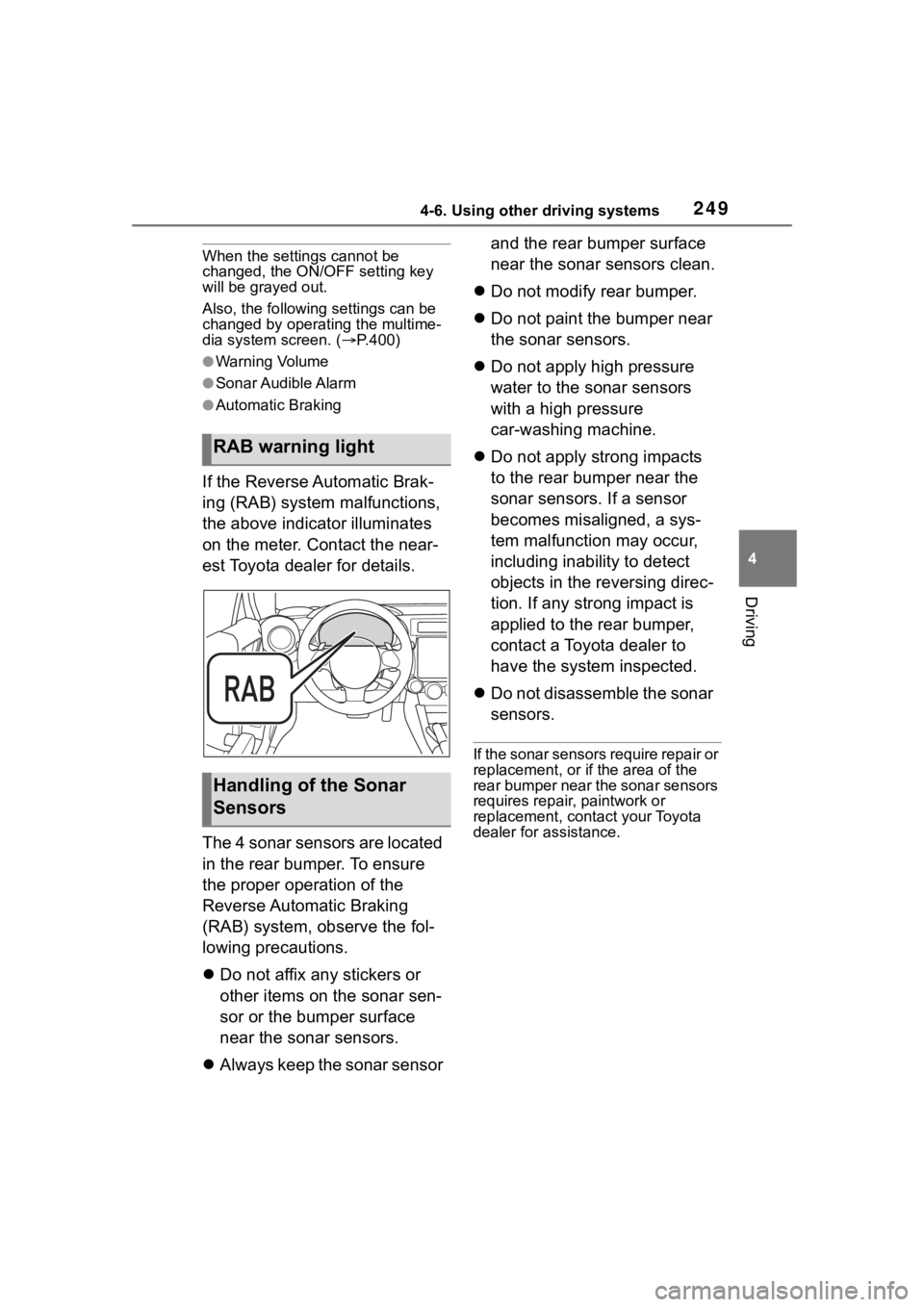
If the Reverse Automatic Brak-
ing (RAB) system malfunctions,
the above indicator illuminates
on the meter. Contact the near-
est Toyota dealer for details.
The 4 sonar sensors are located
in the rear bumper. To ensure
the proper operation of the
Reverse Automatic Braking
(RAB) system, observe the fol-
lowing precautions.
Do not affix any stickers or
other items on the sonar sen-
sor or the bumper surface
near the sonar sensors.
Always keep the sonar sensor and the rear bumper surface
near the sonar sensors clean.
Do not modify rear bumper.
Do not paint the bumper near
the sonar sensors.
Do not apply high pressure
water to the sonar sensors
with a high pressure
car-washing machine.
Do not apply strong impacts
to the rear bumper near the
sonar sensors. If a sensor
becomes misaligned, a sys-
tem malfunction may occur,
including inability to detect
objects in the reversing direc-
tion. If any strong impact is
applied to the rear bumper,
contact a Toyota dealer to
have the system inspected.
Do not disassemble the sonar
sensors.
If the sonar sensors require repair or
replacement, or if the area of the
rear bumper near the sonar sensors
requires repair, paintwork or
replacement, contact your Toyota
dealer for assistance.
RAB warning light
Handling of the Sonar
Sensors
Page 256 of 449
2564-6. Using other driving systems
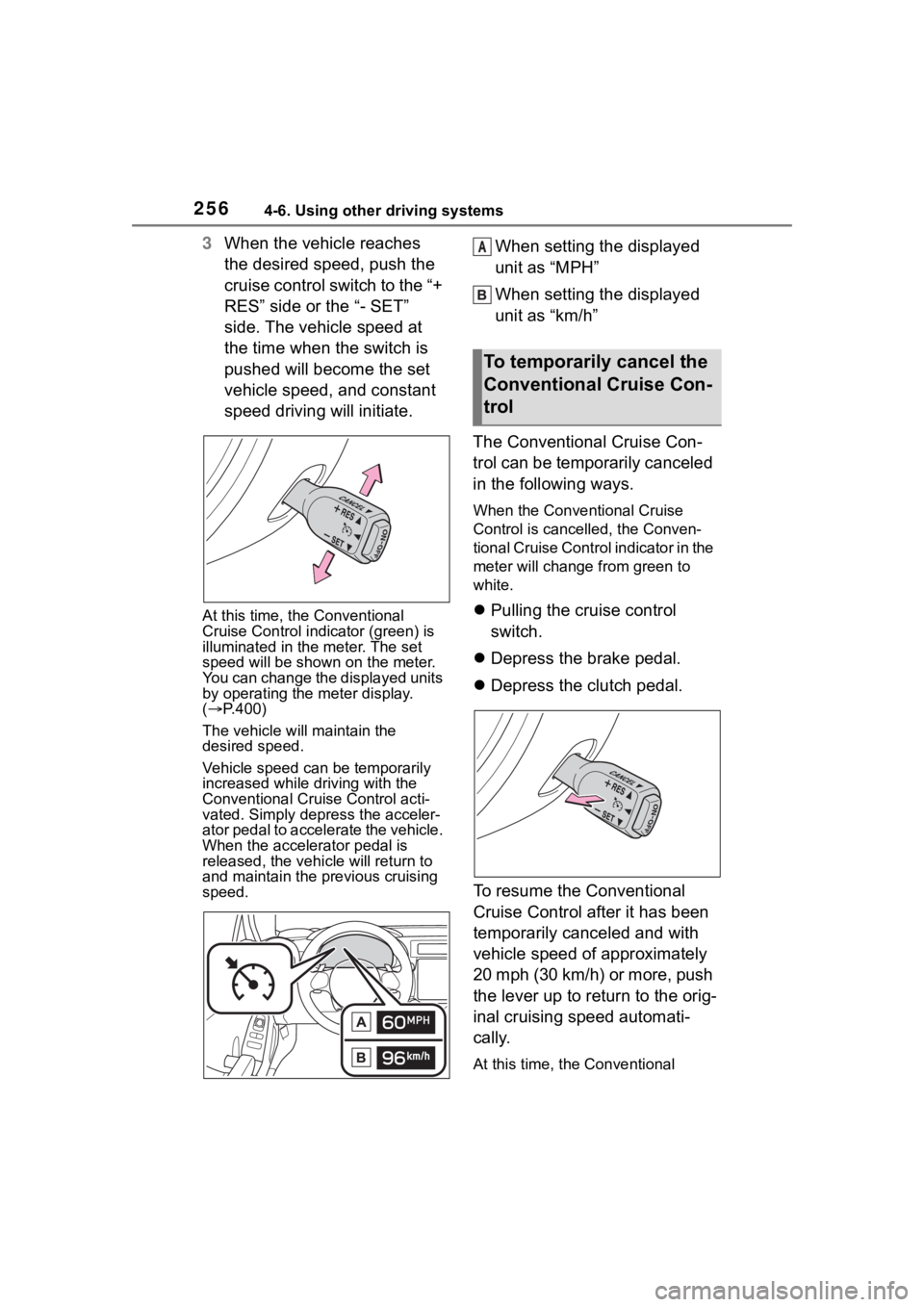
3When the vehicle reaches
the desired speed, push the
cruise control switch to the “+
RES” side or the “- SET”
side. The vehicle speed at
the time when the switch is
pushed will become the set
vehicle speed, and constant
speed driving will initiate.
At this time, the Conventional
Cruise Control indicator (green) is
illuminated in the meter. The set
speed will be shown on the meter.
You can change the displayed units
by operating the meter display.
( P.400)
The vehicle w ill maintain the
desired speed.
Vehicle speed can be temporarily
increased while d riving with the
Conventional Cruise Control acti-
vated. Simply depress the acceler-
ator pedal to accelerate the vehicle.
When the accelerator pedal is
released, the vehi cle will return to
and maintain the pr evious cruising
speed.
When setting the displayed
unit as “MPH”
When setting the displayed
unit as “km/h”
The Conventional Cruise Con-
trol can be temporarily canceled
in the following ways.
When the Conventional Cruise
Control is cancelled, the Conven-
tional Cruise Control indicator in the
meter will change f rom green to
white.
Pulling the cruise control
switch.
Depress the brake pedal.
Depress the clutch pedal.
To resume the Conventional
Cruise Control after it has been
temporarily canceled and with
vehicle speed of approximately
20 mph (30 km/h) or more, push
the lever up to return to the orig-
inal cruising speed automati-
cally.
At this time, the Conventional
To temporarily cancel the
Conventional Cruise Con-
trol
A