mirror TOYOTA AURIS 2011 (in English) Owner's Guide
[x] Cancel search | Manufacturer: TOYOTA, Model Year: 2011, Model line: AURIS, Model: TOYOTA AURIS 2011Pages: 524, PDF Size: 25.6 MB
Page 226 of 524
226
2-4. Using other driving systems
UK_AURIS_HV_EE
Rear view monitor system
: If equipped
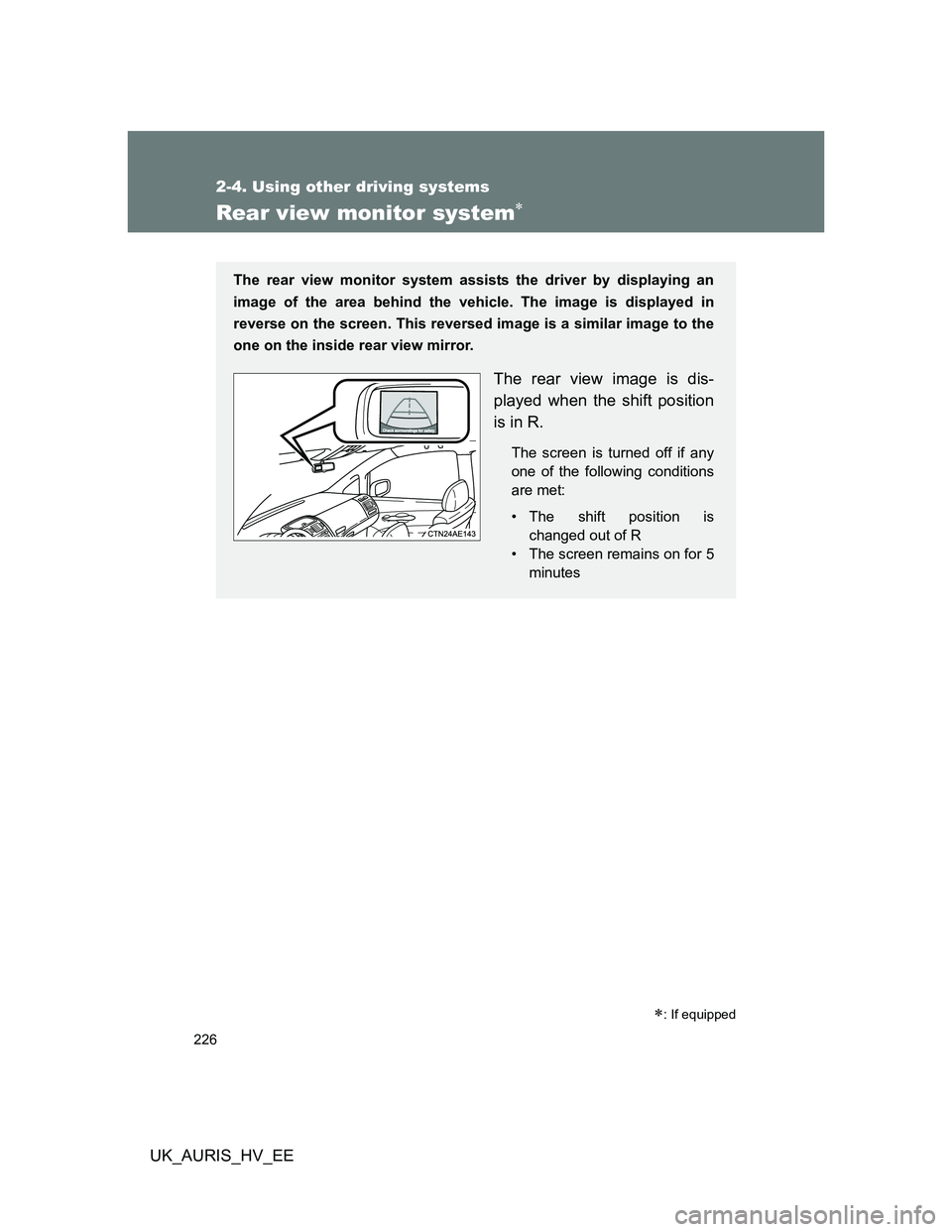
The rear view monitor system assists the driver by displaying an
image of the area behind the vehicle. The image is displayed in
reverse on the screen. This reversed image is a similar image to the
one on the inside rear view mirror.
The rear view image is dis-
played when the shift position
is in R.
The screen is turned off if any
one of the following conditions
are met:
• The shift position is
changed out of R
• The screen remains on for 5
minutes
Page 228 of 524
228 2-4. Using other driving systems
UK_AURIS_HV_EE
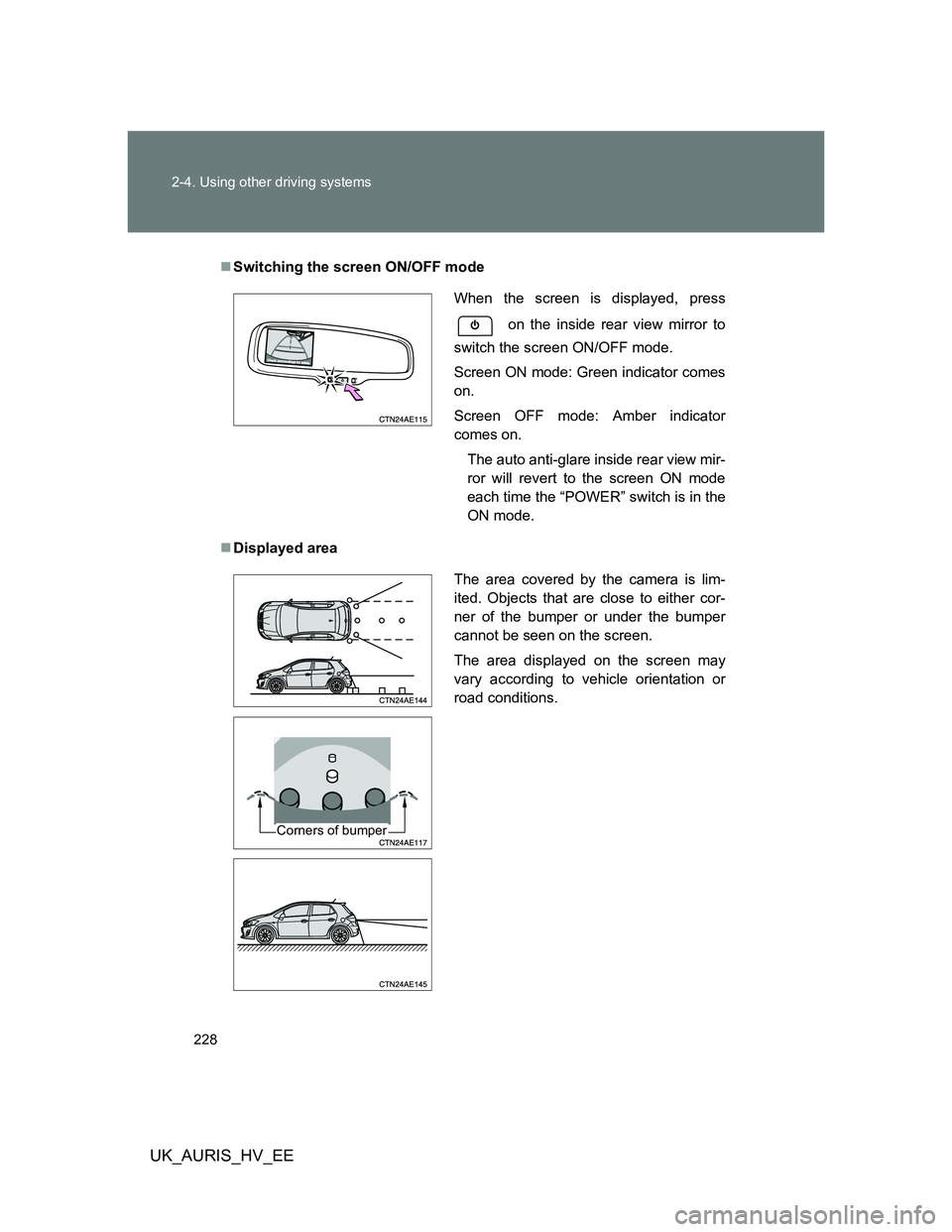
Switching the screen ON/OFF mode
Displayed area
When the screen is displayed, press
on the inside rear view mirror to
switch the screen ON/OFF mode.
Screen ON mode: Green indicator comes
on.
Screen OFF mode: Amber indicator
comes on.
The auto anti-glare inside rear view mir-
ror will revert to the screen ON mode
each time the “POWER” switch is in the
ON mode.
The area covered by the camera is lim-
ited. Objects that are close to either cor-
ner of the bumper or under the bumper
cannot be seen on the screen.
The area displayed on the screen may
vary according to vehicle orientation or
road conditions.
Corners of bumper
Page 229 of 524
229 2-4. Using other driving systems
2
When driving
UK_AURIS_HV_EE
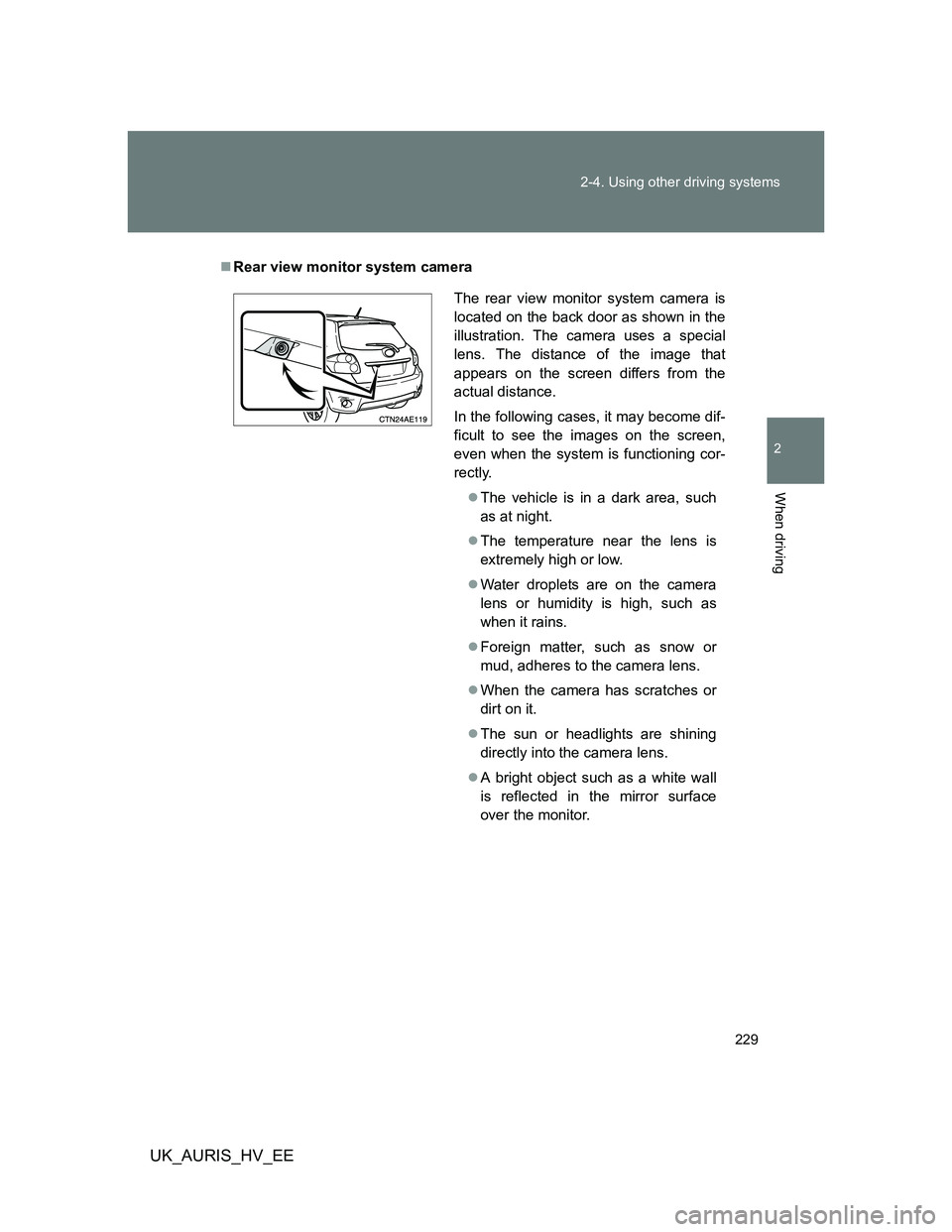
Rear view monitor system camera
The rear view monitor system camera is
located on the back door as shown in the
illustration. The camera uses a special
lens. The distance of the image that
appears on the screen differs from the
actual distance.
In the following cases, it may become dif-
ficult to see the images on the screen,
even when the system is functioning cor-
rectly.
The vehicle is in a dark area, such
as at night.
The temperature near the lens is
extremely high or low.
Water droplets are on the camera
lens or humidity is high, such as
when it rains.
Foreign matter, such as snow or
mud, adheres to the camera lens.
When the camera has scratches or
dirt on it.
The sun or headlights are shining
directly into the camera lens.
A bright object such as a white wall
is reflected in the mirror surface
over the monitor.
Page 231 of 524
231 2-4. Using other driving systems
2
When driving
UK_AURIS_HV_EE
CAUTION
When using the rear view monitor system, observe the following pre-
cautions to avoid an accident that could result in death or serious inju-
ries.
Never depend solely on the monitor system when reversing.
Always check visually and with the mirrors to confirm your intended path is
clear.
Use your own eyes to confirm the vehicle’s surroundings, as the displayed
image may become faint or dark, and moving images will be distorted, or
not entirely visible when the outside temperature is low. When backing up,
be sure to check behind and all around the vehicle visually and with the
mirrors before proceeding.
Always check the vehicle surrounding area, because the guide lines are
ancillary lines.
The guide lines are ancillary lines and do not change even if the steering
wheel is turned.
Depicted distances between objects and flat surfaces differ from actual
distances.
Do not use the system if the back door open.
Conditions which may affect the rear view monitor system
If the back of the vehicle has been hit, the camera’s position and mounting
angle may have changed. Have the vehicle inspected by any authorized
Toyota dealer or repairer, or another duly qualified and equipped profes-
sional.
Rapid temperature changes, such as when hot water is poured on the
vehicle in cold weather, may cause the system to function abnormally.
If the camera lens is dirty, it cannot transmit a clear image. Rinse with
water and wipe with a soft cloth. If extremely dirty, wash with a mild
cleanser and rinse.
The displayed image may be darker and moving images may be slightly
distorted when the system is cold.
Caution while driving in reverse
Do not change modes while the vehicle is moving.
Page 241 of 524
241
2-5. Driving information
2
When driving
UK_AURIS_HV_EE
Winter driving tips
Carry out the necessary preparations and inspections before driving
the vehicle in winter. Always drive the vehicle in a manner appropri-
ate to the prevailing weather conditions.
Pre-winter preparations
Use fluids that are appropriate to the prevailing outside tem-
peratures.
• Engine oil
• Engine/power control unit coolant
• Washer fluid
Have a service technician inspect the level and specific grav-
ity of 12-volt battery electrolyte.
Ensure that all tires are the same size and brand, and that chains
match the size of the tires.
Before driving the vehicle
Perform the following according to the driving conditions.
Do not try to forcibly open a window, scrape an outside rear
view mirror surface or move a wiper or outside rear view mir-
ror that is frozen. Pour warm water over the frozen area to
melt the ice. Wipe away the water immediately to prevent it
from freezing.
To ensure proper operation of the climate control system fan,
remove any snow that has accumulated on the air inlet vents
in front of the windshield.
Remove any ice that has accumulated on the vehicle chassis.
Periodically check for and remove any excess ice or snow
that may have accumulated in the wheel well or on the
brakes.
Page 246 of 524
246
UK_AURIS_HV_EE
3-1. Using the air conditioning
system and defogger
Air conditioning system ..... 248
Rear window and outside
rear view mirror
defoggers........................ 254
3-2. Using the audio system
Audio system types........... 255
Using the radio.................. 257
Using the CD player.......... 262
Playing back MP3 and
WMA discs...................... 267
Operating an iPod ............. 273
Operating a USB
memory........................... 280
Optimal use of the
audio system .................. 288
Using the AUX port ........... 291
Using the steering wheel
audio switches ................ 292
Page 247 of 524
3Interior features
247
UK_AURIS_HV_EE
3-3. Using the Bluetooth®
audio system
Bluetooth
® audio
system ............................ 295
Using the Bluetooth
®
audio system .................. 299
Operating a Bluetooth
®
enabled portable
player .............................. 302
Setting up a Bluetooth
®
enabled portable
player .............................. 304
Bluetooth
® audio system
setup ............................... 308
3-4. Using the hands-free
phone system
(for cellular phone)
Hands-free phone system
(for cellular phone)
features .......................... 309
Using the hands-free
phone system
(for cellular phone).......... 314
Making a phone call.......... 320
Setting a cellular phone .... 323
Security and system
setup ............................... 327
Using the phone book....... 3313-5. Using the interior lights
Interior lights list ................ 336
• Interior light ..................... 337
• Personal lights ................ 338
3-6. Using the storage features
List of storage features ..... 339
• Glove box ....................... 340
• Console box.................... 340
• Cup holders .................... 341
• Auxiliary boxes ............... 342
3-7. Other interior features
Sun visors ......................... 343
Vanity mirrors.................... 344
Clock ................................. 345
Portable ashtray................ 346
Cigarette lighter ................ 347
Power outlet ...................... 349
Seat heaters ..................... 350
Floor mat........................... 352
Luggage compartment
features........................... 353
Page 254 of 524
254
3-1. Using the air conditioning system and defogger
UK_AURIS_HV_EE
Rear window and outside rear view mirror defoggers
Outside rear view mirror defoggers (if equipped)
Turning the rear window defogger on will turn the outside rear view mirror
defoggers on.
CAUTION
Outside rear view mirror defoggers
The surfaces of the outside rear view mirrors may become hot. To prevent
burns do not touch the mirrors.
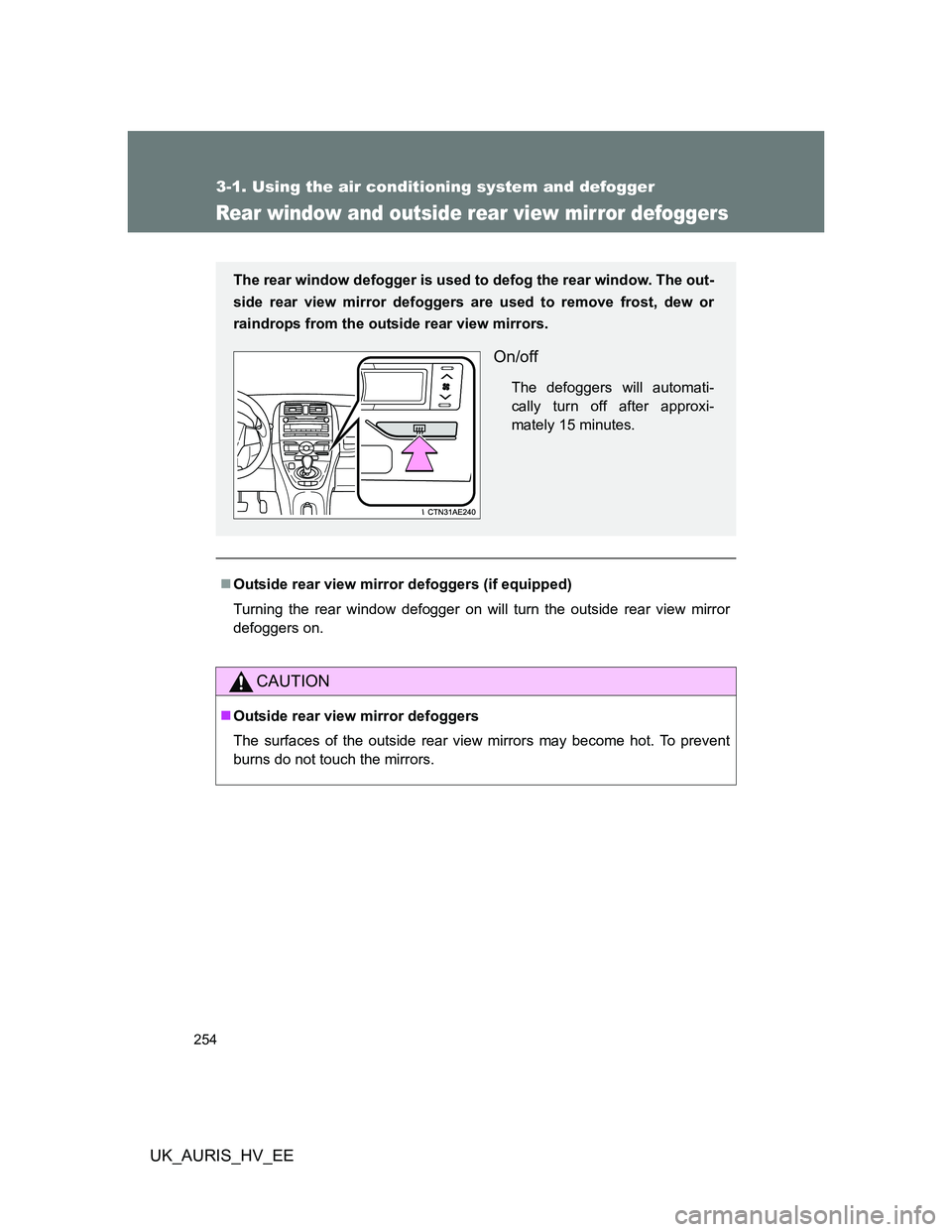
The rear window defogger is used to defog the rear window. The out-
side rear view mirror defoggers are used to remove frost, dew or
raindrops from the outside rear view mirrors.
On/off
The defoggers will automati-
cally turn off after approxi-
mately 15 minutes.
Page 344 of 524
344
3-7. Other interior features
UK_AURIS_HV_EE
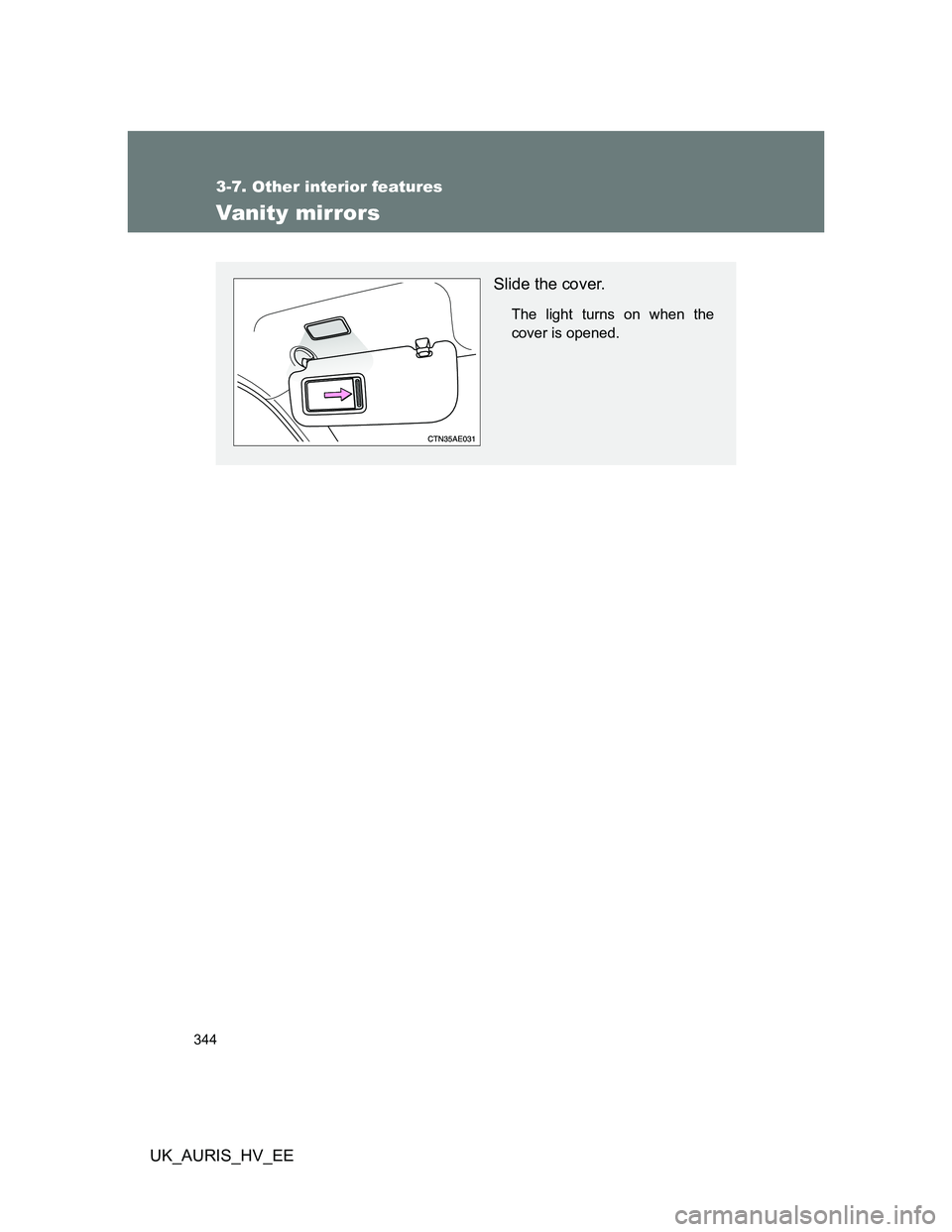
Vanity mirrors
Slide the cover.
The light turns on when the
cover is opened.
Page 356 of 524
356
UK_AURIS_HV_EE
4-1. Maintenance and care
Cleaning and protecting the vehicle exterior
Automatic car washes
Before washing the vehicle, do the following:
• Fold the mirrors back.
• Remove the antenna.
Brushes used in automatic car washes may scratch the vehicle surface
and harm your vehicle’s paint.
High pressure car washes
Do not allow the nozzles of the car wash to come within close proximity
of the windows.
Before car wash, check that the fuel filler door on your vehicle is closed
properly.
Perform the following to protect the vehicle and maintain it in prime
condition:
Working from top to bottom, liberally apply water to the vehicle
body, wheel wells and underside of the vehicle to remove any
dirt and dust.
Wash the vehicle body using a sponge or soft cloth, such as a
chamois.
For hard-to-remove marks, use car wash soap and rinse thor-
oughly with water.
Wipe away any water.
Wax the vehicle when the waterproof coating deteriorates.
If water does not bead on a clean surface, apply wax when the vehi-
cle body is cool.