steering TOYOTA AURIS 2012 (in English) Owner's Guide
[x] Cancel search | Manufacturer: TOYOTA, Model Year: 2012, Model line: AURIS, Model: TOYOTA AURIS 2012Pages: 750, PDF Size: 20.05 MB
Page 245 of 750
2434-1. Before driving
UK_AURIS/AURIS_HV_EE (OM12E33E)
4
Driving
Cargo and luggage
Take notice of the following information about storage precau-
tions, cargo capacity and load:
CAUTION
Things that must not be carried in the luggage compartment
The following things may cause a fire if loaded in the luggage compartment:
Receptacles containing gasoline
Aerosol cans
Storage precautions
Observe the following precautions.
Failure to do so may prevent the pedals from being depressed properly,
may block the driver’s vision, or may result in items hitting the driver or pas-
sengers, possibly causing an accident.
Stow cargo and luggage in the luggage compartment whenever possible.
Do not stack cargo and luggage in the luggage compartment higher than
the seatbacks.
Do not place cargo or luggage in or on the following locations.
• At the feet of the driver
• On the front passenger or rear seats (when stacking items)
• On the package tray
• On the instrument panel
• On the dashboard
Secure all items in the occupant compartment.
When you fold down the rear seats, long items should not be placed
directly behind the front seats.
Never allow anyone to ride in the luggage compartment. It is not designed
for passengers. They should ride in their seats with their seat belts prop-
erly fastened.
Load and distribution
Do not overload your vehicle.
Do not apply loads unevenly.
Improper loading may cause deterioration of steering or braking control
which may cause death or serious injury.
Page 252 of 750
2504-1. Before driving
UK_AURIS/AURIS_HV_EE (OM12E33E)
Your vehicle will handle differently when towing a trailer. In order to
avoid accident, death or serious injury, keep the following in mind
when towing:
Checking connections between trailer and lights
Stop the vehicle and check the operation of the connection between
the trailer and lights after driving for a brief period as well as before
starting off.
Practicing driving with a coupled trailer
Get the feel for turning, stopping and reversing with the trailer
coupled by practicing in an area with no or light traffic.
When reversing with a coupled trailer, hold the section of the
steering wheel nearest to you and rotate clockwise to turn the
trailer left or counterclockwise to turn it right. Always rotate a little
at a time to prevent steering error. Have someone guide you
when reversing to lessen the risk of an accident.
Increasing vehicle-to-vehicle distance
At a speed of 10 km/h (6 mph), the distance to the vehicle running
ahead of you should be equivalent to or greater than the combined
length of your vehicle and trailer. Avoid sudden braking that may
cause skidding. Otherwise, the vehicle may spin out of control. This
is especially true when driving on wet or slippery road surfaces.
Sudden acceleration/steering input/cornering
Executing sharp turns when towing may result in the trailer colliding
with your vehicle. Decelerate well in advance when approaching
turns and take them slowly and carefully to avoid sudden braking.
Important points regarding turning
The wheels of the trailer will travel closer to the inside of the curve
than the wheels of the vehicle. To make allowance for this, take the
turns wider than you would normally do.
Guidance
Page 257 of 750
2554-2. Driving procedures
UK_AURIS/AURIS_HV_EE (OM12E33E)
4
Driving
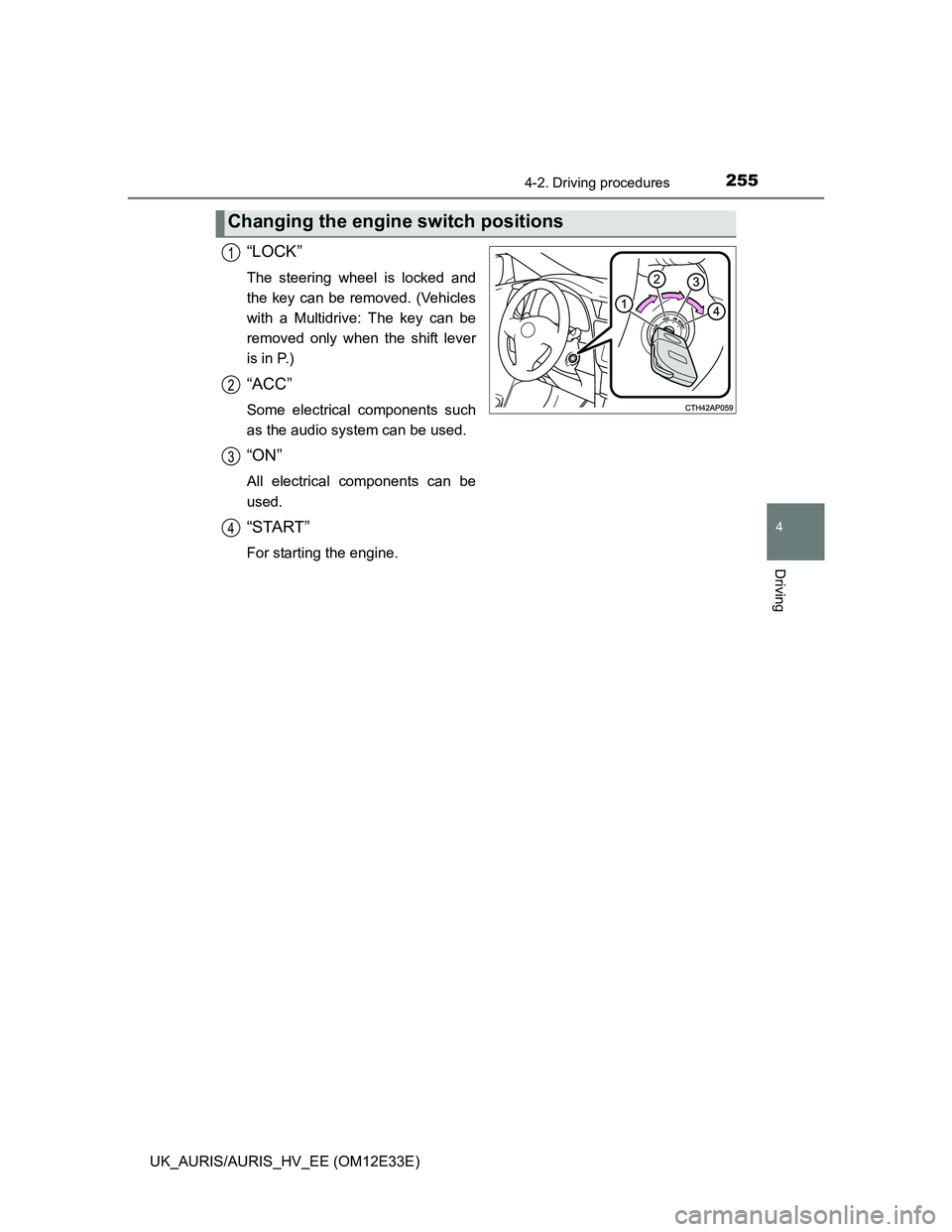
“LOCK”
The steering wheel is locked and
the key can be removed. (Vehicles
with a Multidrive: The key can be
removed only when the shift lever
is in P.)
“ACC”
Some electrical components such
as the audio system can be used.
“ON”
All electrical components can be
used.
“START”
For starting the engine.
Changing the engine switch positions
1
2
3
4
Page 258 of 750
2564-2. Driving procedures
UK_AURIS/AURIS_HV_EE (OM12E33E)
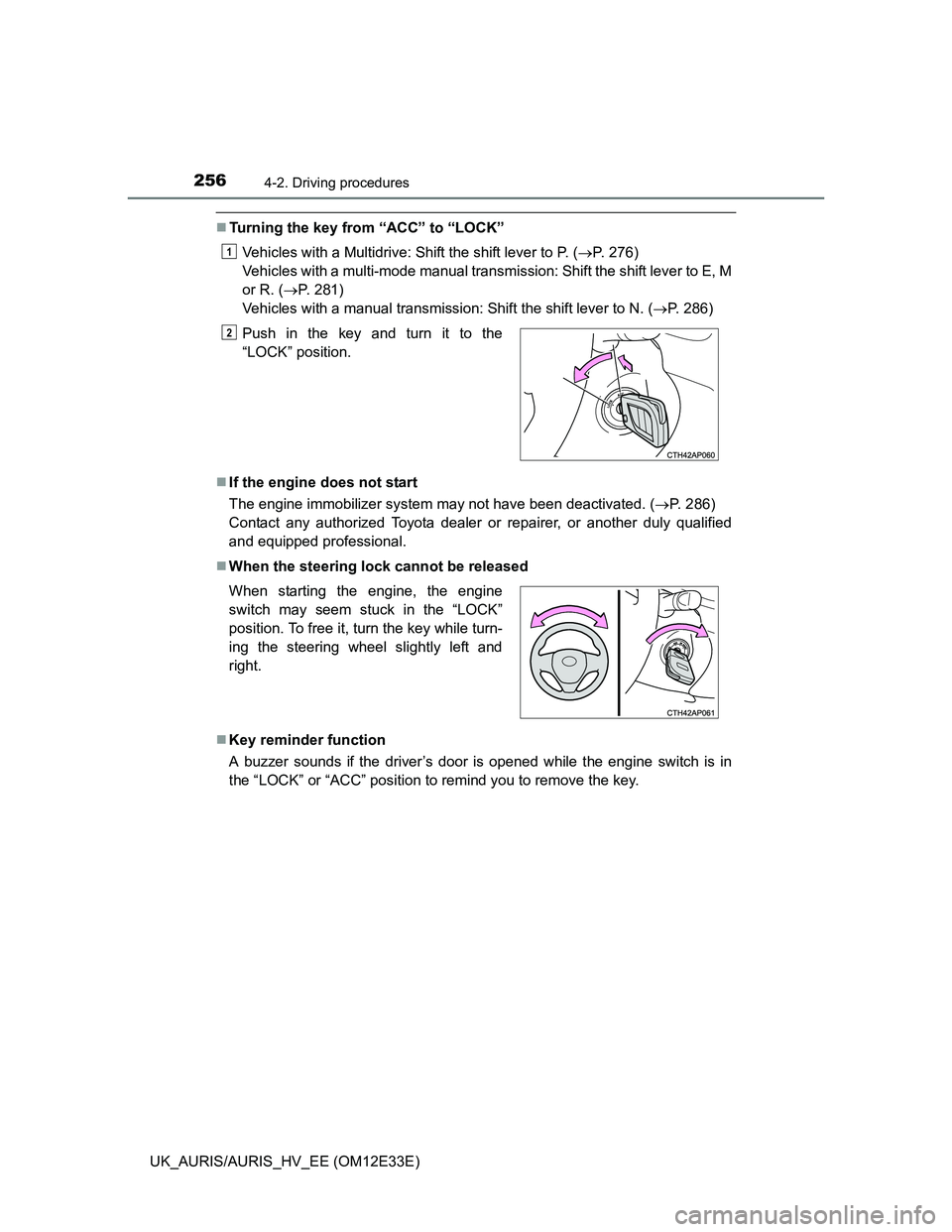
Turning the key from “ACC” to “LOCK”
Vehicles with a Multidrive: Shift the shift lever to P. (P. 276)
Vehicles with a multi-mode manual transmission: Shift the shift lever to E, M
or R. (P. 281)
Vehicles with a manual transmission: Shift the shift lever to N. (P. 286)
If the engine does not start
The engine immobilizer system may not have been deactivated. (P. 286)
Contact any authorized Toyota dealer or repairer, or another duly qualified
and equipped professional.
When the steering lock cannot be released
Key reminder function
A buzzer sounds if the driver’s door is opened while the engine switch is in
the “LOCK” or “ACC” position to remind you to remove the key.Push in the key and turn it to the
“LOCK” position.
When starting the engine, the engine
switch may seem stuck in the “LOCK”
position. To free it, turn the key while turn-
ing the steering wheel slightly left and
right.
1
2
Page 266 of 750
2644-2. Driving procedures
UK_AURIS/AURIS_HV_EE (OM12E33E)
Auto power off function
Vehicles with a Multidrive
If the vehicle is left in ACCESSORY mode or IGNITION ON mode (the engine
is not running) for more than an hour with the shift lever in P, the engine
switch will automatically turn off.
Vehicles with a manual transmission
If the vehicle is left in ACCESSORY mode or IGNITION ON mode (the engine
is not running) for more than an hour, the engine switch will automatically turn
off.
However, this function cannot entirely prevent 12-volt battery discharge. Do
not leave the vehicle with the engine switch in ACCESSORY or IGNITION
ON mode for long periods of time when the engine is not running.
Electronic key battery depletion
P. 162
Conditions affecting operation
P. 158
Notes for the entry function
P. 159
If the engine does not start
The engine immobilizer system may not have been deactivated. (P. 91)
Contact any authorized Toyota dealer or repairer, or another duly qualified
and equipped professional.
Vehicles with a Multidrive: Check that the shift lever is securely set in P. The
engine may not start if the shift lever is displaced out of P.
Vehicles without a multi-information display
The smart entry & start system indicator light (green) will flash quickly.
Vehicles with a multi-information display
“Shift to P position to Start” will be displayed on the multi-information dis-
play.
Steering lock
After turning the engine switch off and opening and closing the doors, the
steering wheel will be locked due to the steering lock function. Operating the
engine switch again automatically cancels the steering lock.
Page 267 of 750
2654-2. Driving procedures
UK_AURIS/AURIS_HV_EE (OM12E33E)
4
Driving
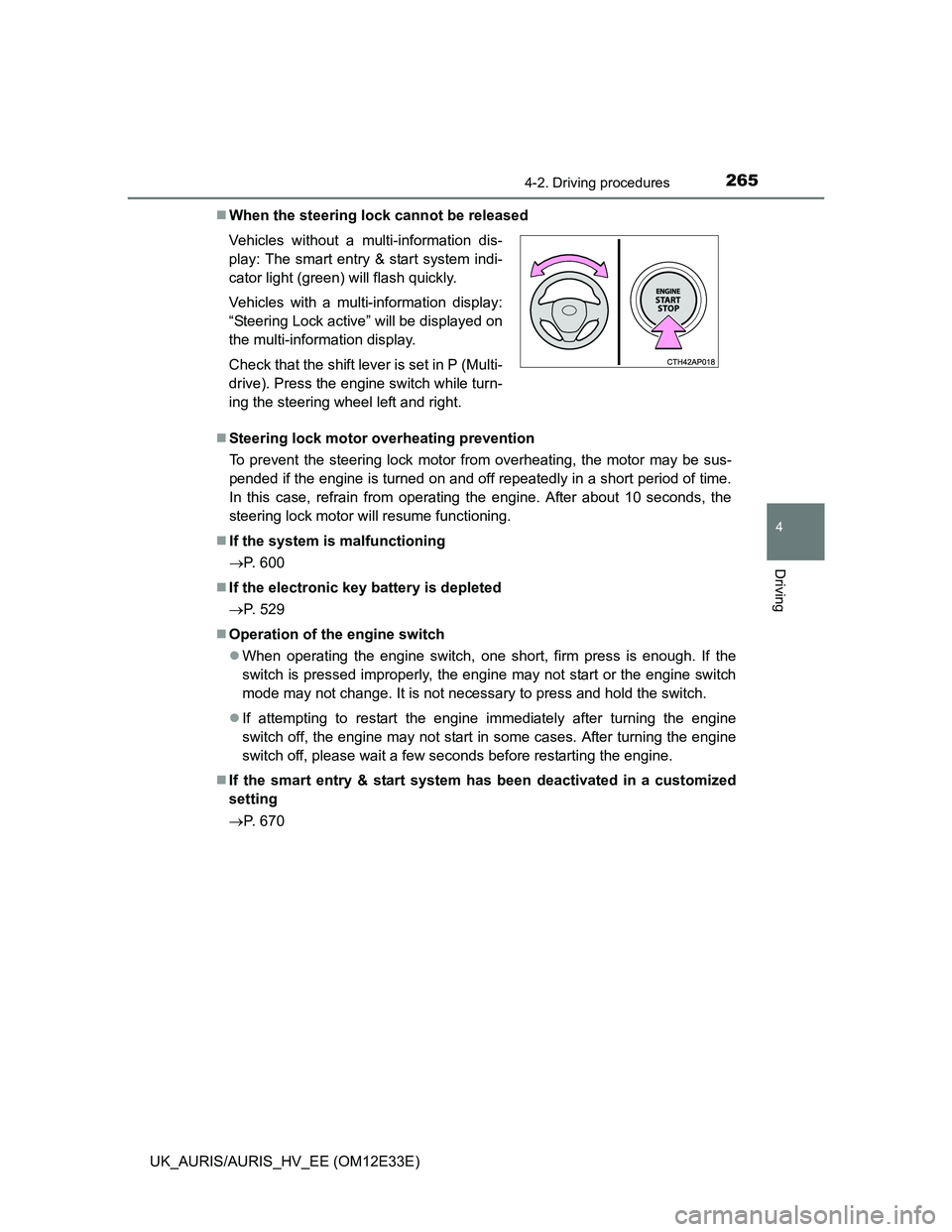
When the steering lock cannot be released
Steering lock motor overheating prevention
To prevent the steering lock motor from overheating, the motor may be sus-
pended if the engine is turned on and off repeatedly in a short period of time.
In this case, refrain from operating the engine. After about 10 seconds, the
steering lock motor will resume functioning.
If the system is malfunctioning
P. 600
If the electronic key battery is depleted
P. 529
Operation of the engine switch
When operating the engine switch, one short, firm press is enough. If the
switch is pressed improperly, the engine may not start or the engine switch
mode may not change. It is not necessary to press and hold the switch.
If attempting to restart the engine immediately after turning the engine
switch off, the engine may not start in some cases. After turning the engine
switch off, please wait a few seconds before restarting the engine.
If the smart entry & start system has been deactivated in a customized
setting
P. 670 Vehicles without a multi-information dis-
play: The smart entry & start system indi-
cator light (green) will flash quickly.
Vehicles with a multi-information display:
“Steering Lock active” will be displayed on
the multi-information display.
Check that the shift lever is set in P (Multi-
drive). Press the engine switch while turn-
ing the steering wheel left and right.
Page 268 of 750
2664-2. Driving procedures
UK_AURIS/AURIS_HV_EE (OM12E33E)
CAUTION
When starting the engine
Always start the engine while sitting in the driver’s seat. Do not depress the
accelerator pedal while starting the engine under any circumstances.
Doing so may cause an accident resulting in death or serious injury.
Caution while driving
If engine failure occurs while the vehicle is moving, do not lock or open the
doors until the vehicle reaches a safe and complete stop. Activation of the
steering lock in this circumstance may lead to an accident, resulting in
death or serious injury.
Stopping the engine in an emergency
If you want to stop the engine in an emergency while driving the vehicle,
press and hold the engine switch for more than 2 seconds, or press it briefly
3 times or more in succession. (P. 573)
However, do not touch the engine switch while driving except in an emer-
gency. Turning the engine off while driving will not cause loss of steering or
braking control, but the power assist to these systems will be lost. This will
make it more difficult to steer and brake, so you should pull over and stop
the vehicle as soon as it is safe to do so.
Page 275 of 750
2734-2. Driving procedures
UK_AURIS/AURIS_HV_EE (OM12E33E)
4
Driving
CAUTION
When starting the hybrid system
Always start the hybrid system while sitting in the driver’s seat. Do not
depress the accelerator pedal while starting the hybrid system under any
circumstances.
Doing so may cause an accident resulting in death or serious injury.
Stopping the hybrid system in an emergency
If you want to stop the hybrid system in an emergency while driving the
vehicle, press and hold the power switch for more than 2 seconds, or press
it briefly 3 times or more in succession. (P. 573)
However, do not touch the power switch while driving except in an emer-
gency. Turning the hybrid system off while driving will not cause loss of
steering or braking control, but the power assist to these systems will be
lost. This will make it more difficult to steer and brake, so you should pull
over and stop the vehicle as soon as it is safe to do so.
NOTICE
To prevent 12-volt battery discharge
Do not leave the power switch in ACCESSORY or ON mode for long peri-
ods if the hybrid system is not operating.
If the hybrid system is off, but the indicator on the power switch is illumi-
nated, this indicates that the power switch is still turned on. When exiting
the vehicle, always check that the power switch is off.
Symptoms indicating a malfunction with the power switch
If the power switch seems to be operating somewhat differently than usual,
such as the switch sticking slightly, there may be a malfunction. Contact any
authorized Toyota dealer or repairer, or another duly qualified and equipped
professional immediately.
Page 301 of 750
2994-2. Driving procedures
UK_AURIS/AURIS_HV_EE (OM12E33E)
4
Driving
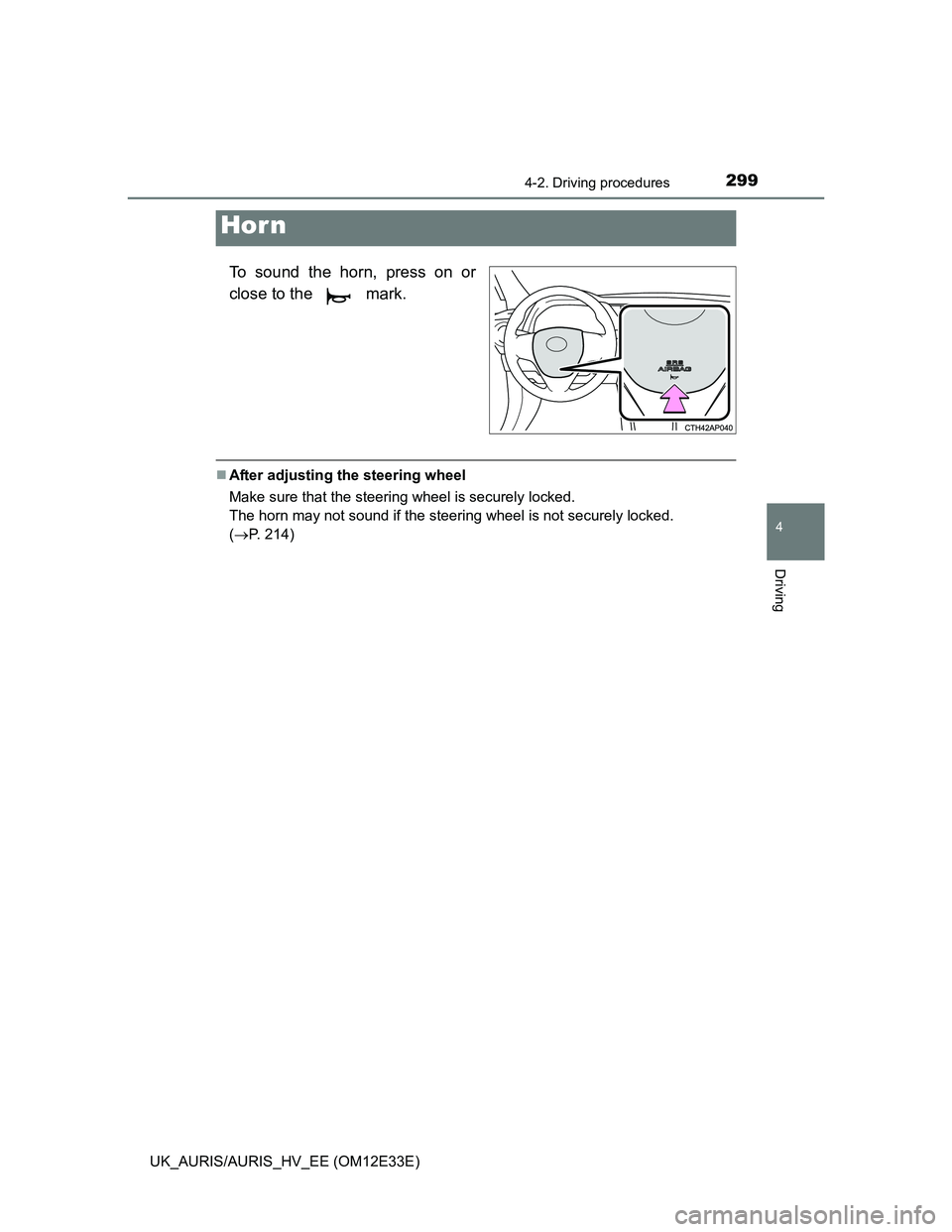
To sound the horn, press on or
close to the mark.
After adjusting the steering wheel
Make sure that the steering wheel is securely locked.
The horn may not sound if the steering wheel is not securely locked.
(P. 214)
Hor n
Page 305 of 750
3034-3. Operating the lights and wipers
UK_AURIS/AURIS_HV_EE (OM12E33E)
4
Driving
Guide to dial settings
AFS (Adaptive Front-lighting System) secures excellent visibility at
intersections and on curves by automatically adjusting the direction of
the light axis of the headlights according to vehicle speed and the
degree of the tire’s angle as controlled by steering input.
AFS operates at speeds of 10 km/h (6 mph) or higher.
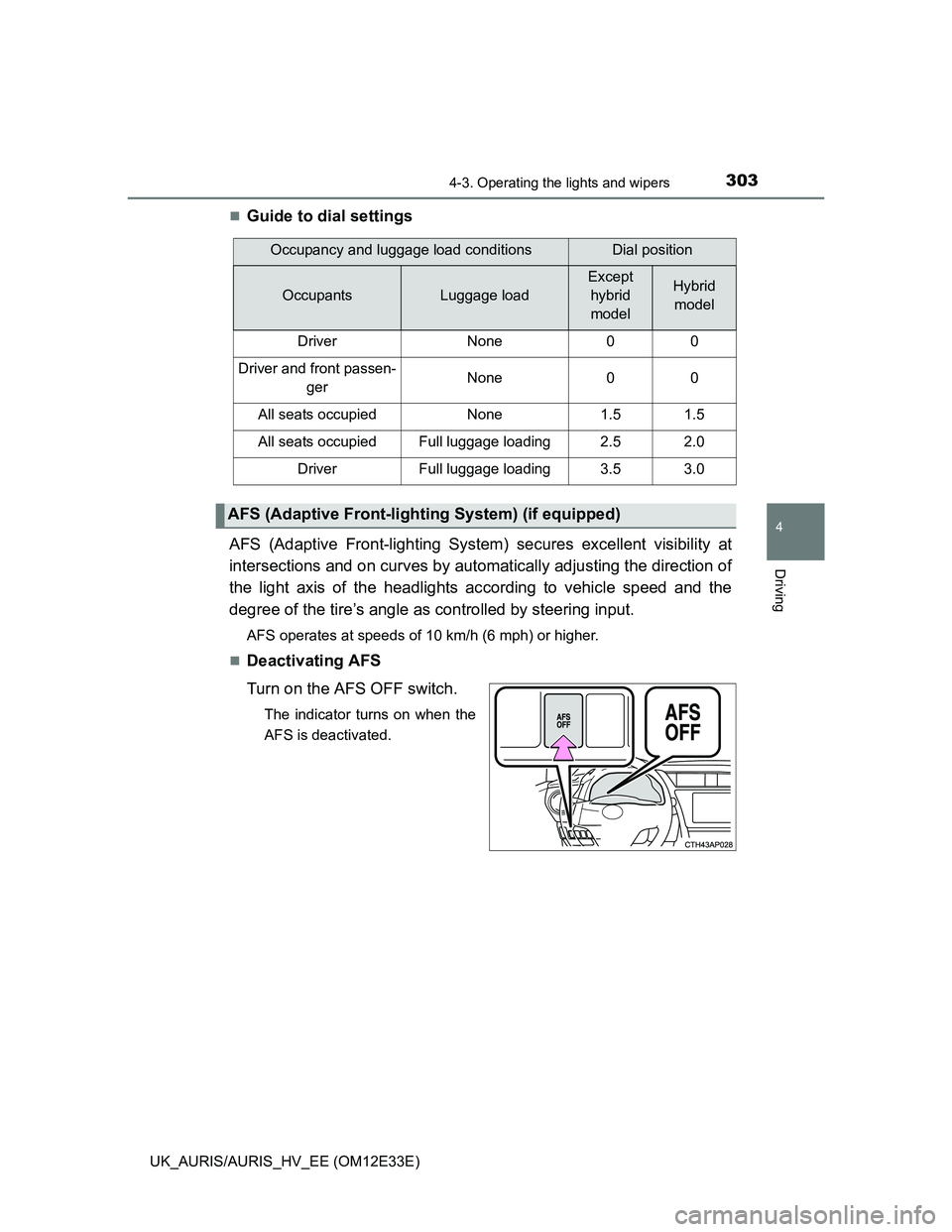
Deactivating AFS
Turn on the AFS OFF switch.
The indicator turns on when the
AFS is deactivated.
Occupancy and luggage load conditionsDial position
OccupantsLuggage load
Except
hybrid
modelHybrid
model
DriverNone00
Driver and front passen-
gerNone00
All seats occupiedNone1.51.5
All seats occupiedFull luggage loading2.52.0
DriverFull luggage loading3.53.0
AFS (Adaptive Front-lighting System) (if equipped)