open TOYOTA AURIS 2013 Owners Manual (in English)
[x] Cancel search | Manufacturer: TOYOTA, Model Year: 2013, Model line: AURIS, Model: TOYOTA AURIS 2013Pages: 768, PDF Size: 21.22 MB
Page 422 of 768
4225-2. Using the audio system
UK_AURIS/AURIS_HV_EE (OM12F76E)
Display
Up to 24 characters can be displayed at a time.
Depending on the contents recorded, the characters may not be displayed
properly or may not be displayed at all.
Error messages
“ERROR”: This indicates a problem either in the CD or inside the player.
“CD CHECK”: The CD may be dirty, damaged or inserted up-side down.
“WAIT”: Operation has stopped due to a high temperature inside the
player. Wait for a while and then press . If the CD still
cannot be played back, contact any authorized Toyota dealer
or repairer, or another duly qualified and equipped profes-
sional.
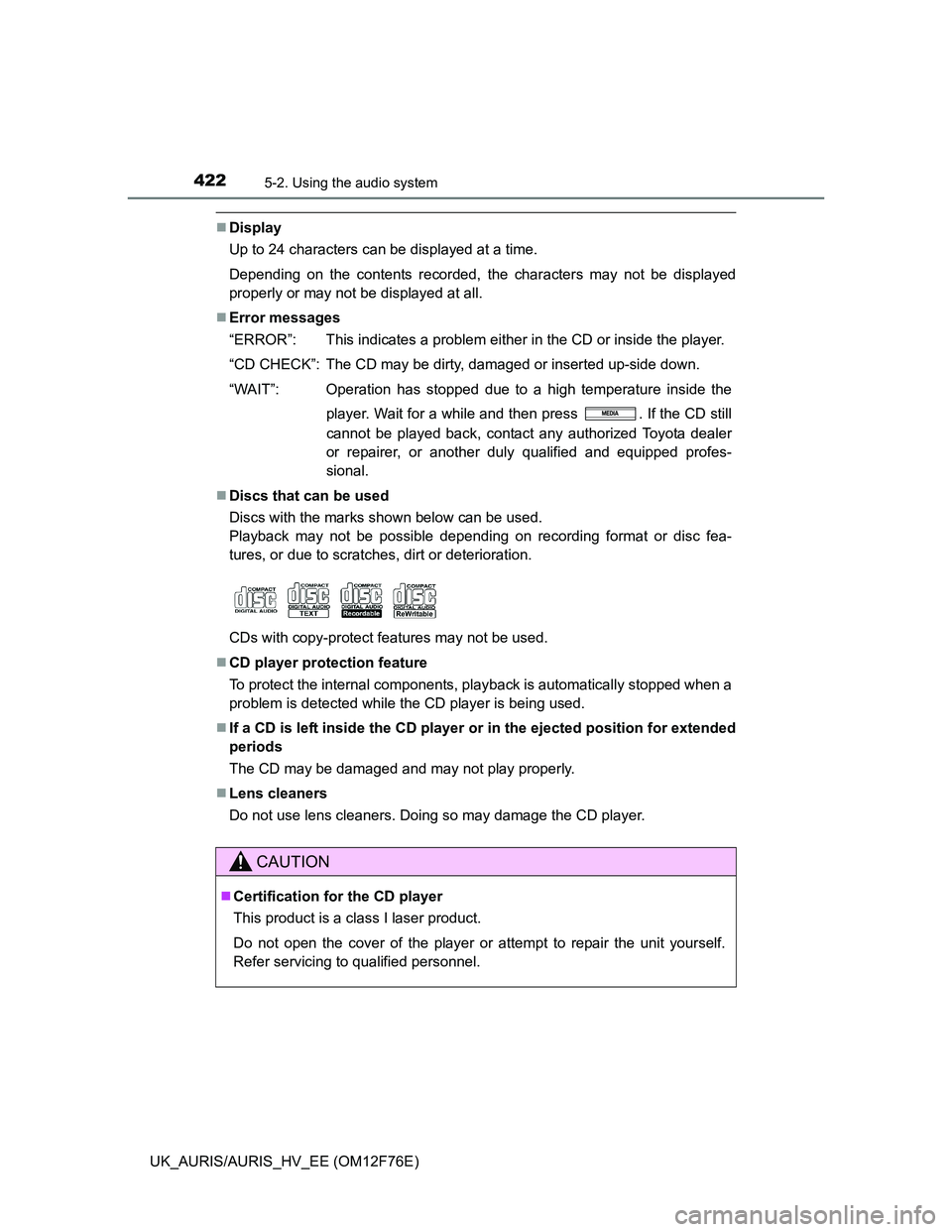
Discs that can be used
Discs with the marks shown below can be used.
Playback may not be possible depending on recording format or disc fea-
tures, or due to scratches, dirt or deterioration.
CDs with copy-protect features may not be used.
CD player protection feature
To protect the internal components, playback is automatically stopped when a
problem is detected while the CD player is being used.
If a CD is left inside the CD player or in the ejected position for extended
periods
The CD may be damaged and may not play properly.
Lens cleaners
Do not use lens cleaners. Doing so may damage the CD player.
CAUTION
Certification for the CD player
This product is a class I laser product.
Do not open the cover of the player or attempt to repair the unit yourself.
Refer servicing to qualified personnel.
Page 431 of 768
4315-2. Using the audio system
UK_AURIS/AURIS_HV_EE (OM12F76E)
5
Interior features
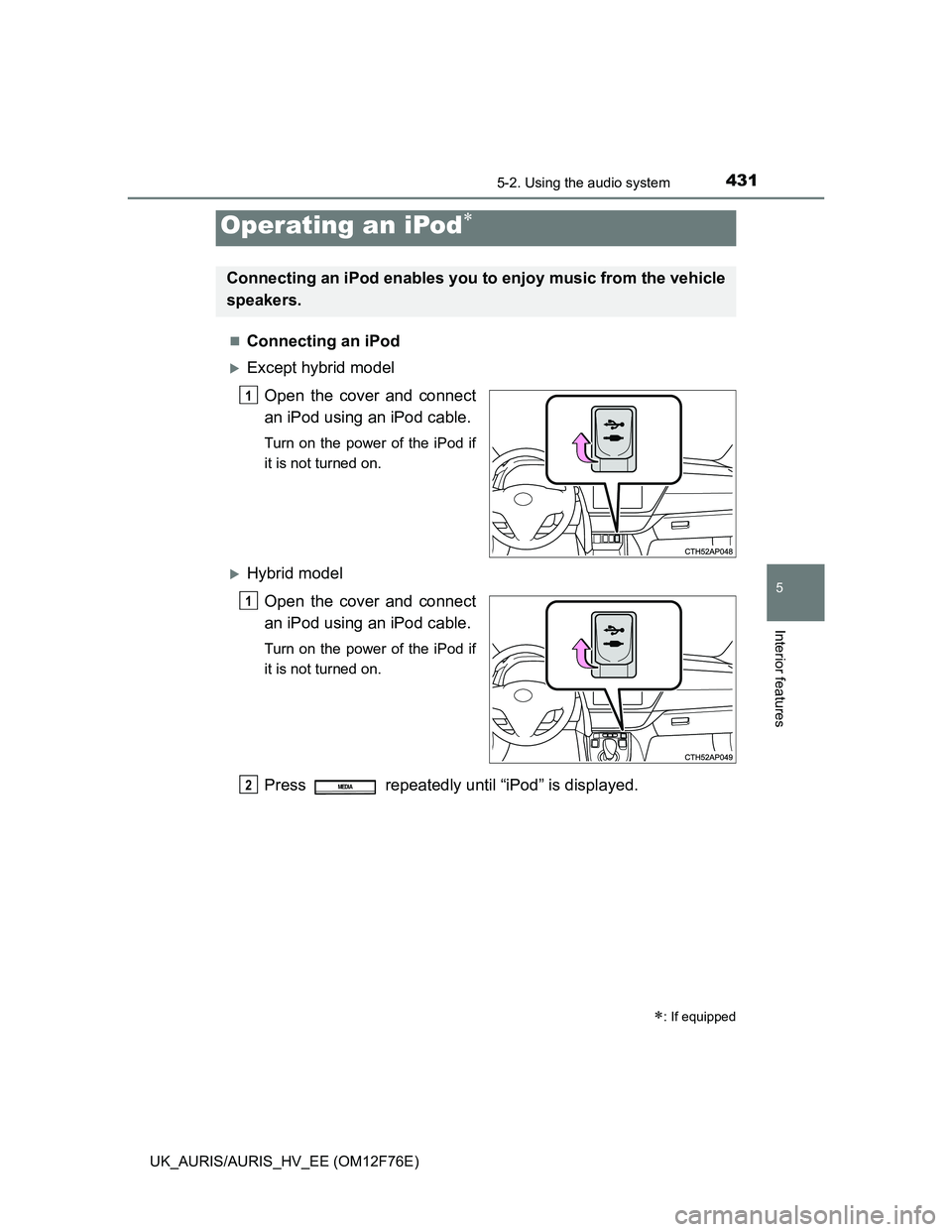
Connecting an iPod
Except hybrid model
Open the cover and connect
an iPod using an iPod cable.
Turn on the power of the iPod if
it is not turned on.
Hybrid model
Open the cover and connect
an iPod using an iPod cable.
Turn on the power of the iPod if
it is not turned on.
Press repeatedly until “iPod” is displayed.
Operating an iPod
: If equipped
Connecting an iPod enables you to enjoy music from the vehicle
speakers.
1
1
2MEDIA
Page 440 of 768
4405-2. Using the audio system
UK_AURIS/AURIS_HV_EE (OM12F76E)
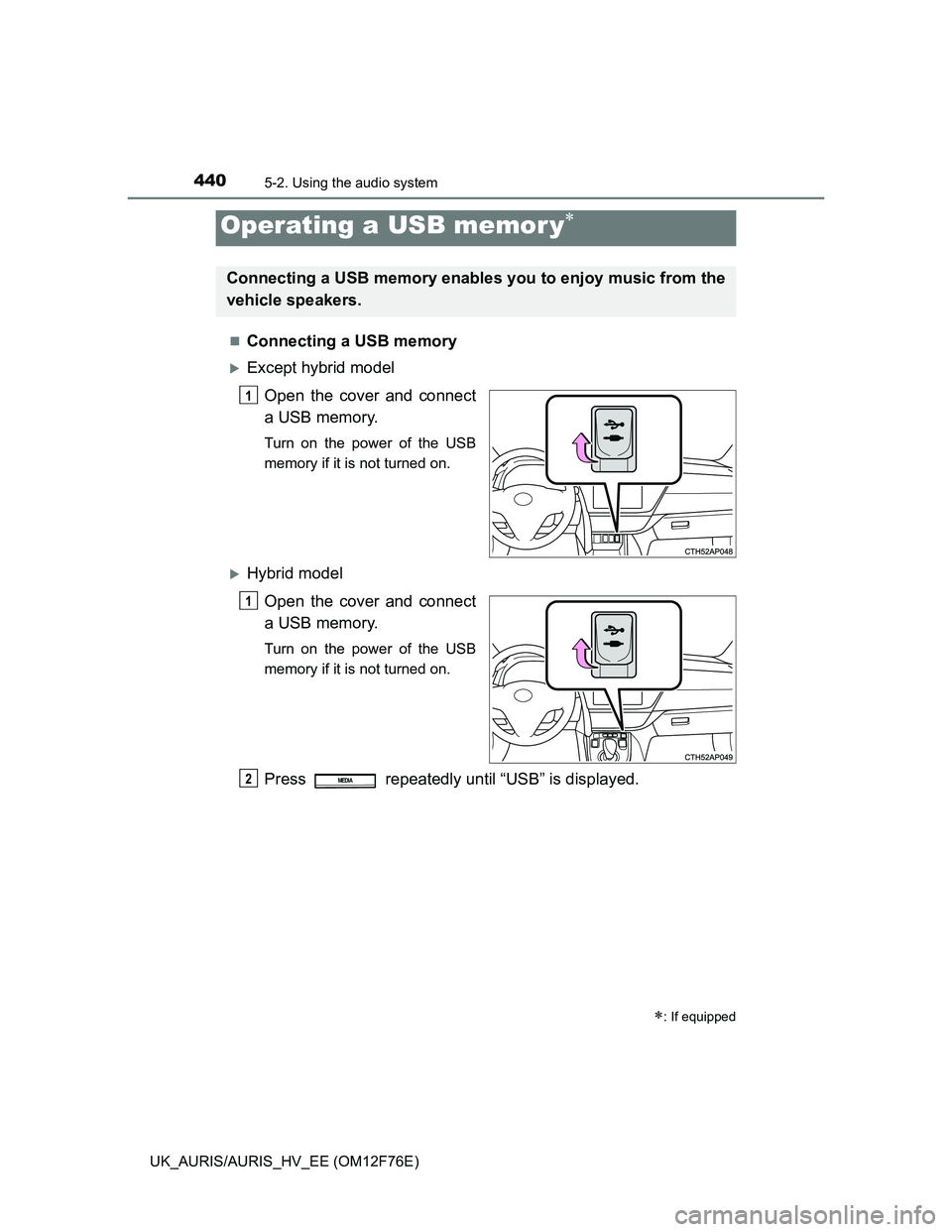
Connecting a USB memory
Except hybrid model
Open the cover and connect
a USB memory.
Turn on the power of the USB
memory if it is not turned on.
Hybrid model
Open the cover and connect
a USB memory.
Turn on the power of the USB
memory if it is not turned on.
Press repeatedly until “USB” is displayed.
Operating a USB memor y
: If equipped
Connecting a USB memory enables you to enjoy music from the
vehicle speakers.
1
1
2MEDIA
Page 449 of 768
4495-2. Using the audio system
UK_AURIS/AURIS_HV_EE (OM12F76E)
5
Interior features
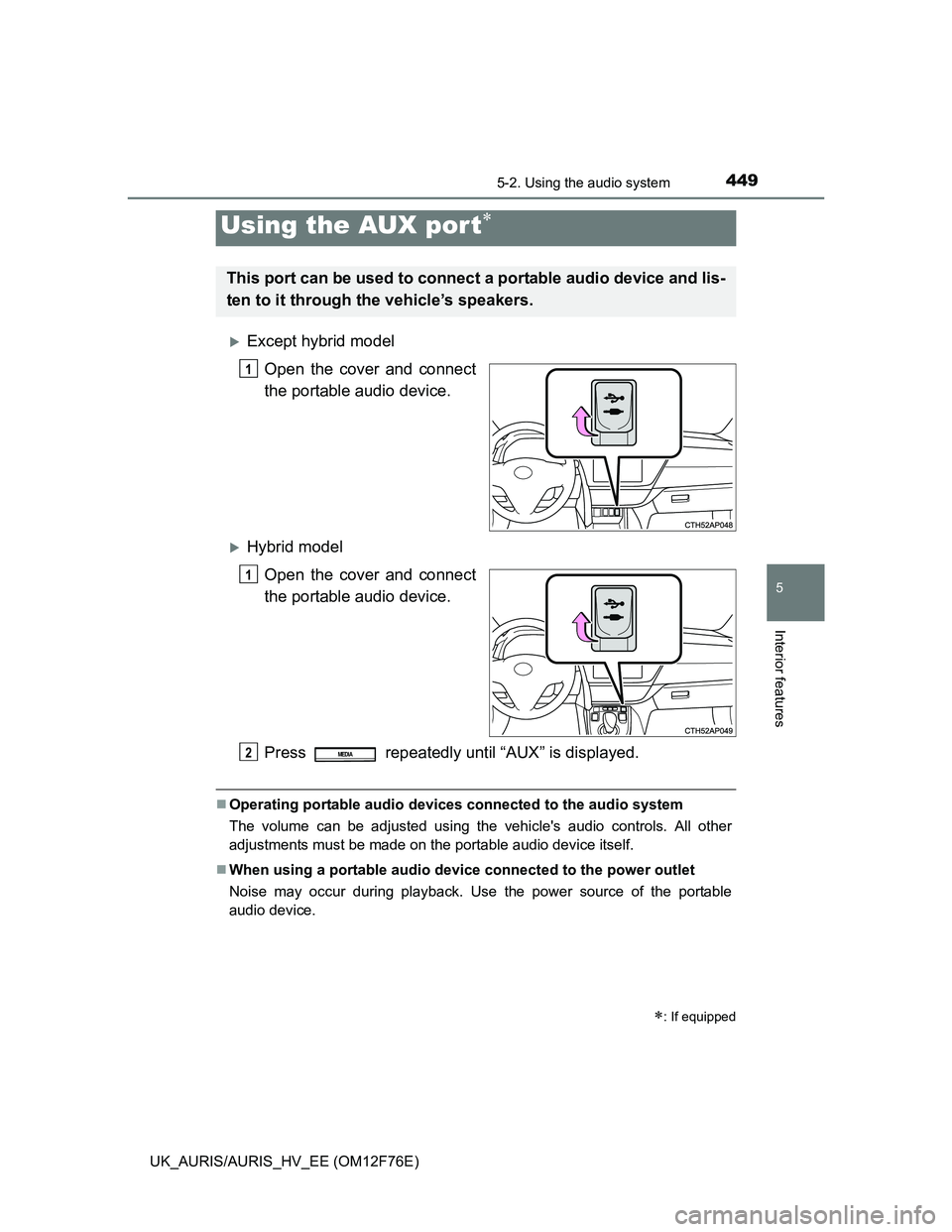
Except hybrid model
Open the cover and connect
the portable audio device.
Hybrid model
Open the cover and connect
the portable audio device.
Press repeatedly until “AUX” is displayed.
Operating portable audio devices connected to the audio system
The volume can be adjusted using the vehicle's audio controls. All other
adjustments must be made on the portable audio device itself.
When using a portable audio device connected to the power outlet
Noise may occur during playback. Use the power source of the portable
audio device.
Using the AUX por t
: If equipped
This port can be used to connect a portable audio device and lis-
ten to it through the vehicle’s speakers.
1
1
2MEDIA
Page 456 of 768
4565-3. Using the interior lights
UK_AURIS/AURIS_HV_EE (OM12F76E)
Illuminated entry system
Vehicles without a smart entry & start system (except hybrid model)
When the interior light switch is in the “DOOR” position, the interior light auto-
matically turns on/off according to the engine switch position, whether the
doors are locked/unlocked and whether the doors are open/closed.
Vehicles with a smart entry & start system (except hybrid model)
When the interior light switch is in the “DOOR” position, the interior light and
engine switch light automatically turn on/off according to engine switch mode,
the presence of the electronic key, whether the doors are locked/unlocked
and whether the doors are open/closed.
Hybrid model
When the interior light switch is in the “DOOR” position, the interior light and
power switch light automatically turn on/off according to power switch mode,
the presence of the electronic key, whether the doors are locked/unlocked
and whether the doors are open/closed.
To prevent 12-volt battery discharge (except hybrid model)
The following lights will go off automatically after 20 minutes:
Personal/interior lights
Luggage compartment light
Vanity lights (if equipped)
To prevent 12-volt battery discharge (hybrid model)
The following lights will go off automatically after 20 minutes:
Personal/interior lights
Luggage compartment light
Vanity lights
Customization that can be configured at any authorized Toyota dealer or
repairer, or another duly qualified and equipped professional
Setting (e.g. the time elapsed before lights turn off) can be changed.
(Customizable features: P. 737)
Page 457 of 768
457
UK_AURIS/AURIS_HV_EE (OM12F76E)
5
Interior features
5-4. Using the storage features
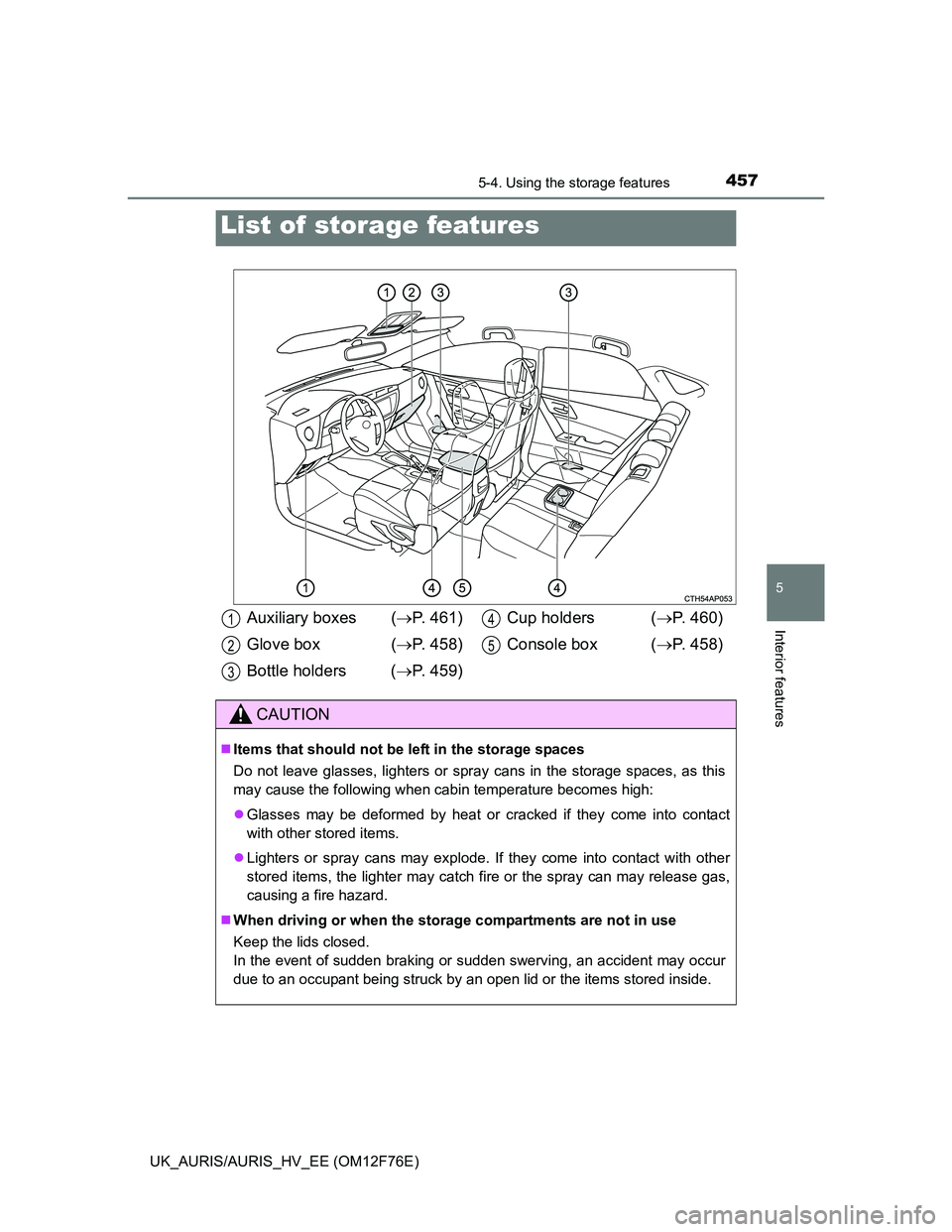
List of storage features
Auxiliary boxes (P. 461)
Glove box (P. 458)
Bottle holders (P. 459)Cup holders (P. 460)
Console box (P. 458)
CAUTION
Items that should not be left in the storage spaces
Do not leave glasses, lighters or spray cans in the storage spaces, as this
may cause the following when cabin temperature becomes high:
Glasses may be deformed by heat or cracked if they come into contact
with other stored items.
Lighters or spray cans may explode. If they come into contact with other
stored items, the lighter may catch fire or the spray can may release gas,
causing a fire hazard.
When driving or when the storage compartments are not in use
Keep the lids closed.
In the event of sudden braking or sudden swerving, an accident may occur
due to an occupant being struck by an open lid or the items stored inside.
1
2
3
4
5
Page 458 of 768
4585-4. Using the storage features
UK_AURIS/AURIS_HV_EE (OM12F76E)
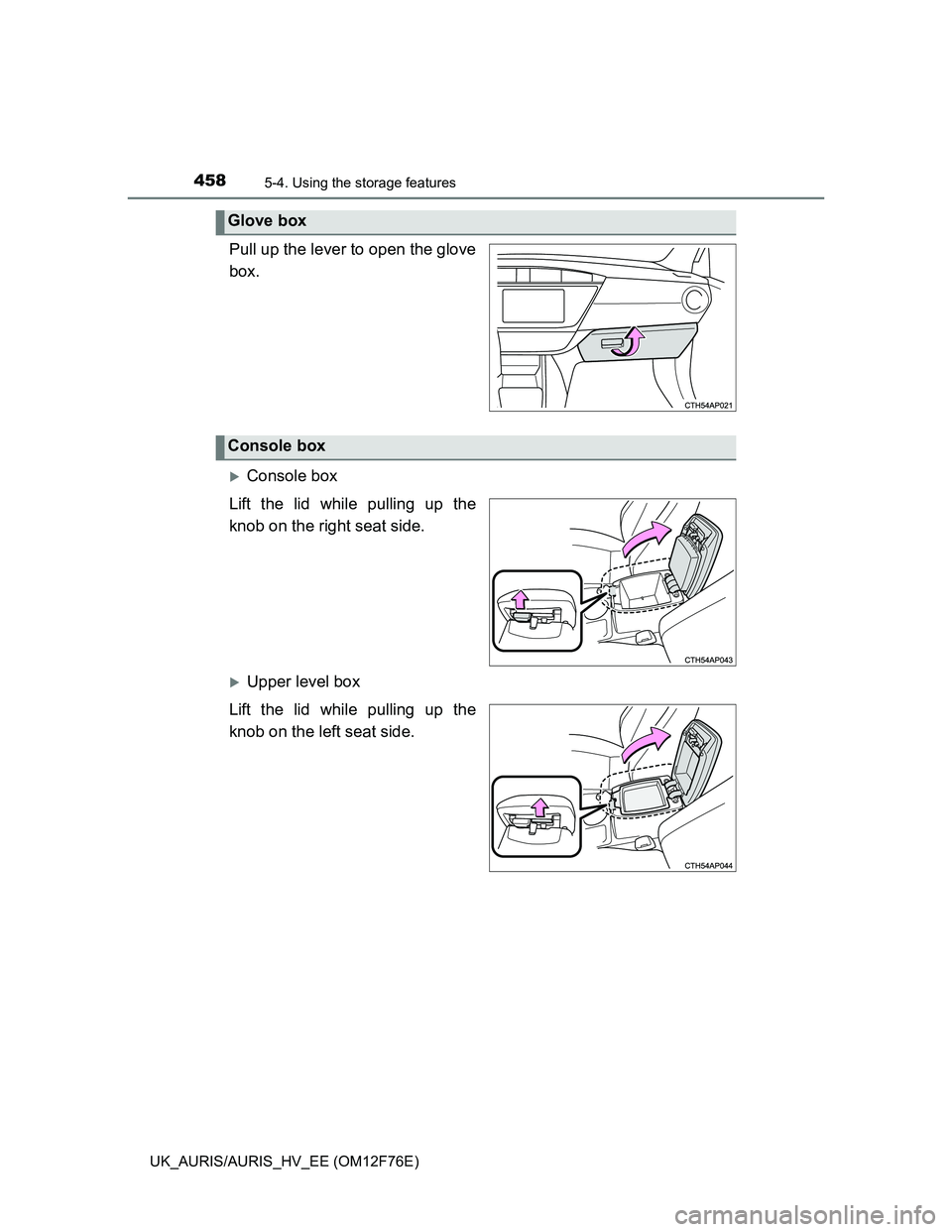
Pull up the lever to open the glove
box.
Console box
Lift the lid while pulling up the
knob on the right seat side.
Upper level box
Lift the lid while pulling up the
knob on the left seat side.
Glove box
Console box
Page 461 of 768
4615-4. Using the storage features
UK_AURIS/AURIS_HV_EE (OM12F76E)
5
Interior features
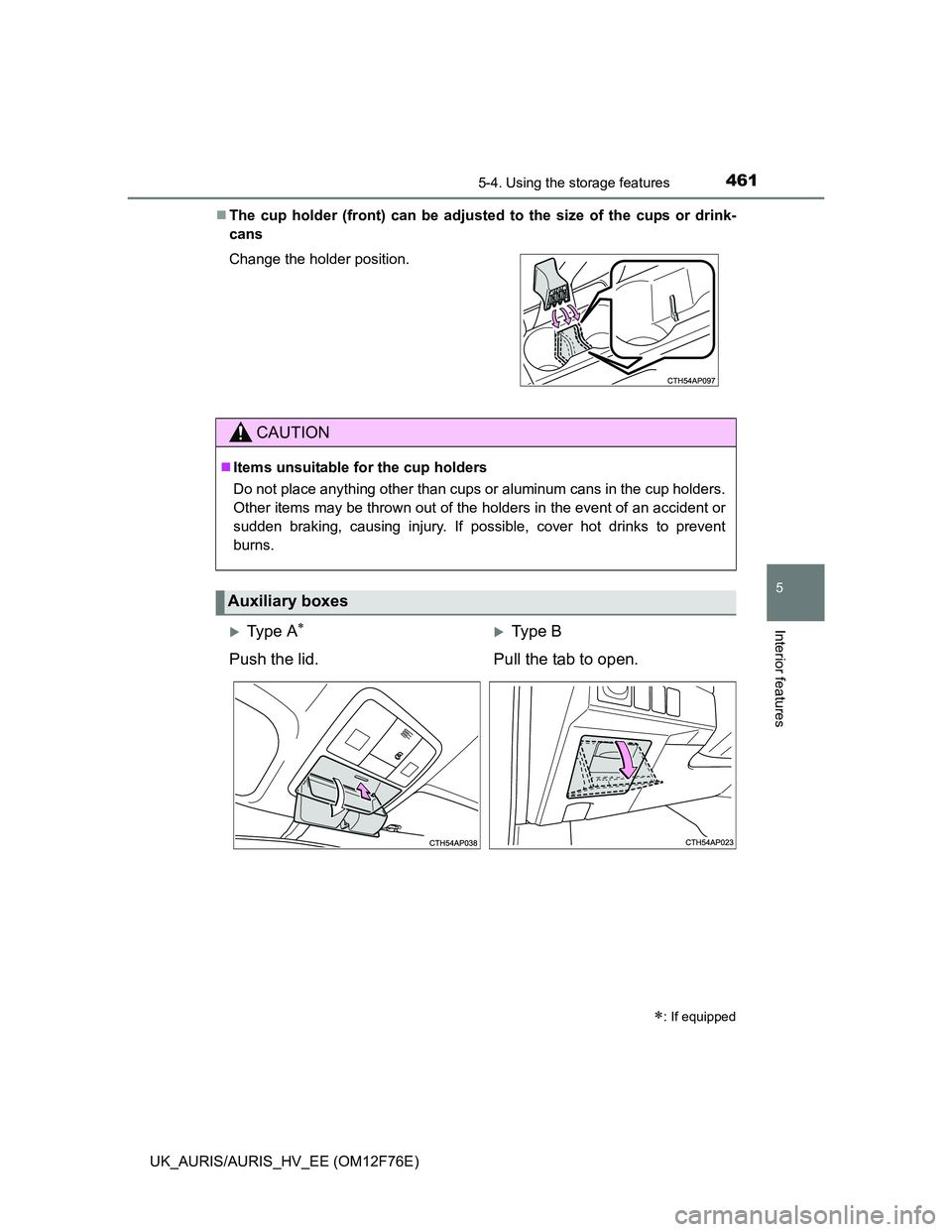
The cup holder (front) can be adjusted to the size of the cups or drink-
cans
Change the holder position.
CAUTION
Items unsuitable for the cup holders
Do not place anything other than cups or aluminum cans in the cup holders.
Other items may be thrown out of the holders in the event of an accident or
sudden braking, causing injury. If possible, cover hot drinks to prevent
burns.
Auxiliary boxes
: If equipped
Ty p e AType B
Push the lid. Pull the tab to open.
Page 462 of 768
4625-4. Using the storage features
UK_AURIS/AURIS_HV_EE (OM12F76E)
CAUTION
Caution while driving
Keep the auxiliary boxes closed. In the event of sudden braking, an acci-
dent may occur due to an occupant being struck by an open auxiliary box or
the items stored inside.
Items unsuitable for storing (Type A)
Do not store items heavier than 0.2 kg (0.4 lb.).
Doing so may cause the auxiliary box to open and the items inside may fall
out, resulting in an accident.
Page 470 of 768
470
UK_AURIS/AURIS_HV_EE (OM12F76E)
5-5. Other interior features
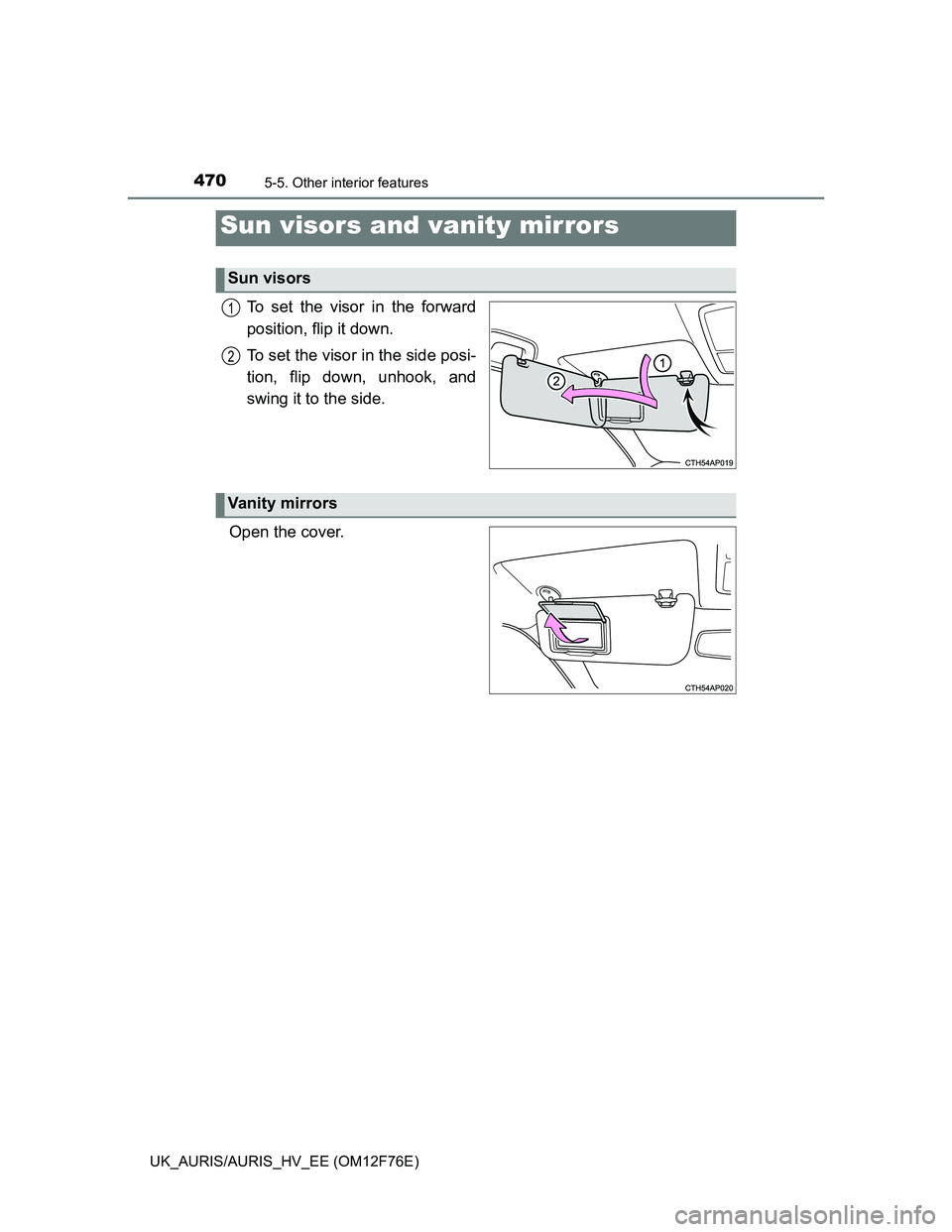
To set the visor in the forward
position, flip it down.
To set the visor in the side posi-
tion, flip down, unhook, and
swing it to the side.
Open the cover.
Sun visors and vanity mirrors
Sun visors
1
2
Vanity mirrors