change time TOYOTA AURIS 2013 (in English) User Guide
[x] Cancel search | Manufacturer: TOYOTA, Model Year: 2013, Model line: AURIS, Model: TOYOTA AURIS 2013Pages: 768, PDF Size: 21.22 MB
Page 334 of 768
3344-5. Using the driving support systems
UK_AURIS/AURIS_HV_EE (OM12F76E)
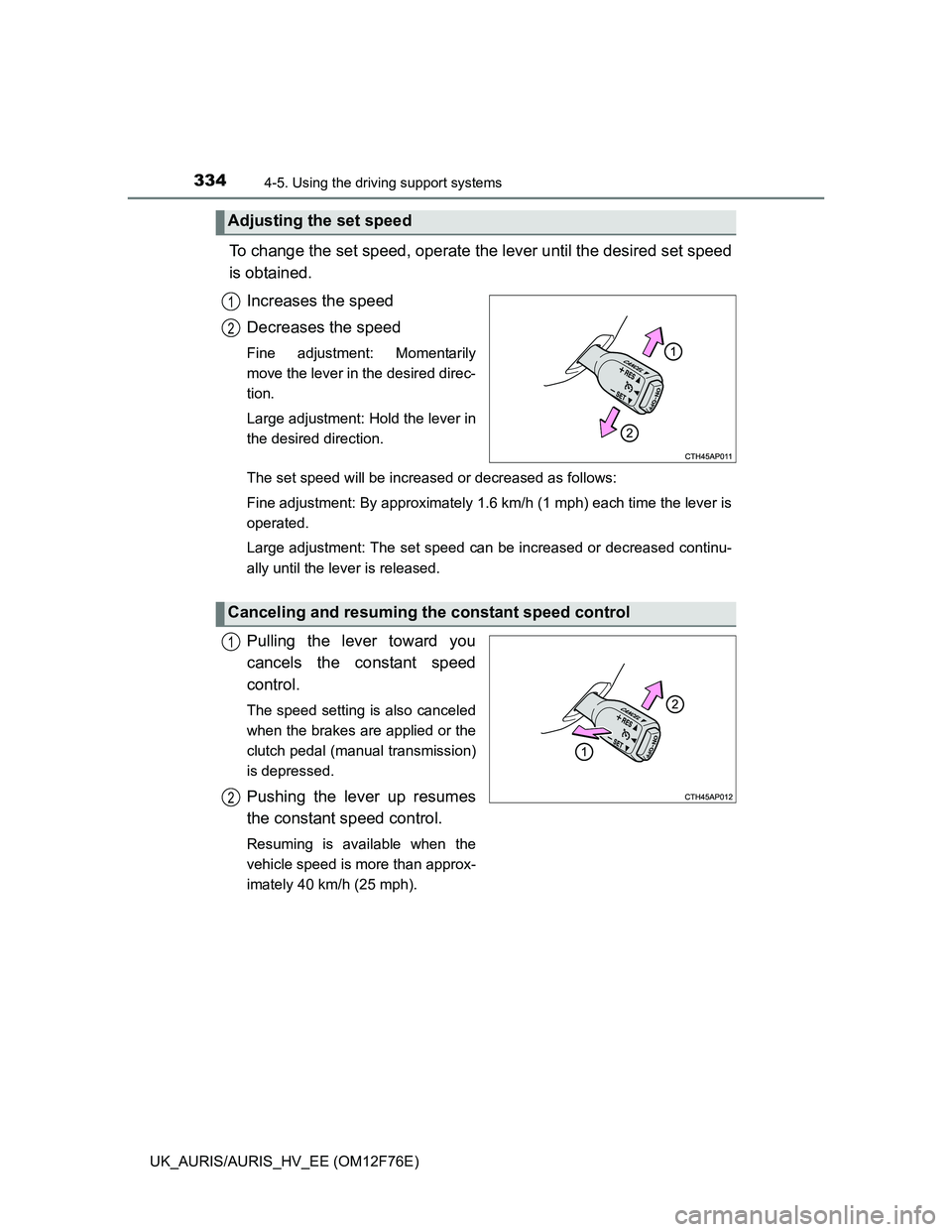
To change the set speed, operate the lever until the desired set speed
is obtained.
Increases the speed
Decreases the speed
Fine adjustment: Momentarily
move the lever in the desired direc-
tion.
Large adjustment: Hold the lever in
the desired direction.
The set speed will be increased or decreased as follows:
Fine adjustment: By approximately 1.6 km/h (1 mph) each time the lever is
operated.
Large adjustment: The set speed can be increased or decreased continu-
ally until the lever is released.
Pulling the lever toward you
cancels the constant speed
control.
The speed setting is also canceled
when the brakes are applied or the
clutch pedal (manual transmission)
is depressed.
Pushing the lever up resumes
the constant speed control.
Resuming is available when the
vehicle speed is more than approx-
imately 40 km/h (25 mph).
Adjusting the set speed
1
2
Canceling and resuming the constant speed control
1
2
Page 387 of 768
3875-1. Using the air conditioning system and defogger
UK_AURIS/AURIS_HV_EE (OM12F76E)
5
Interior features
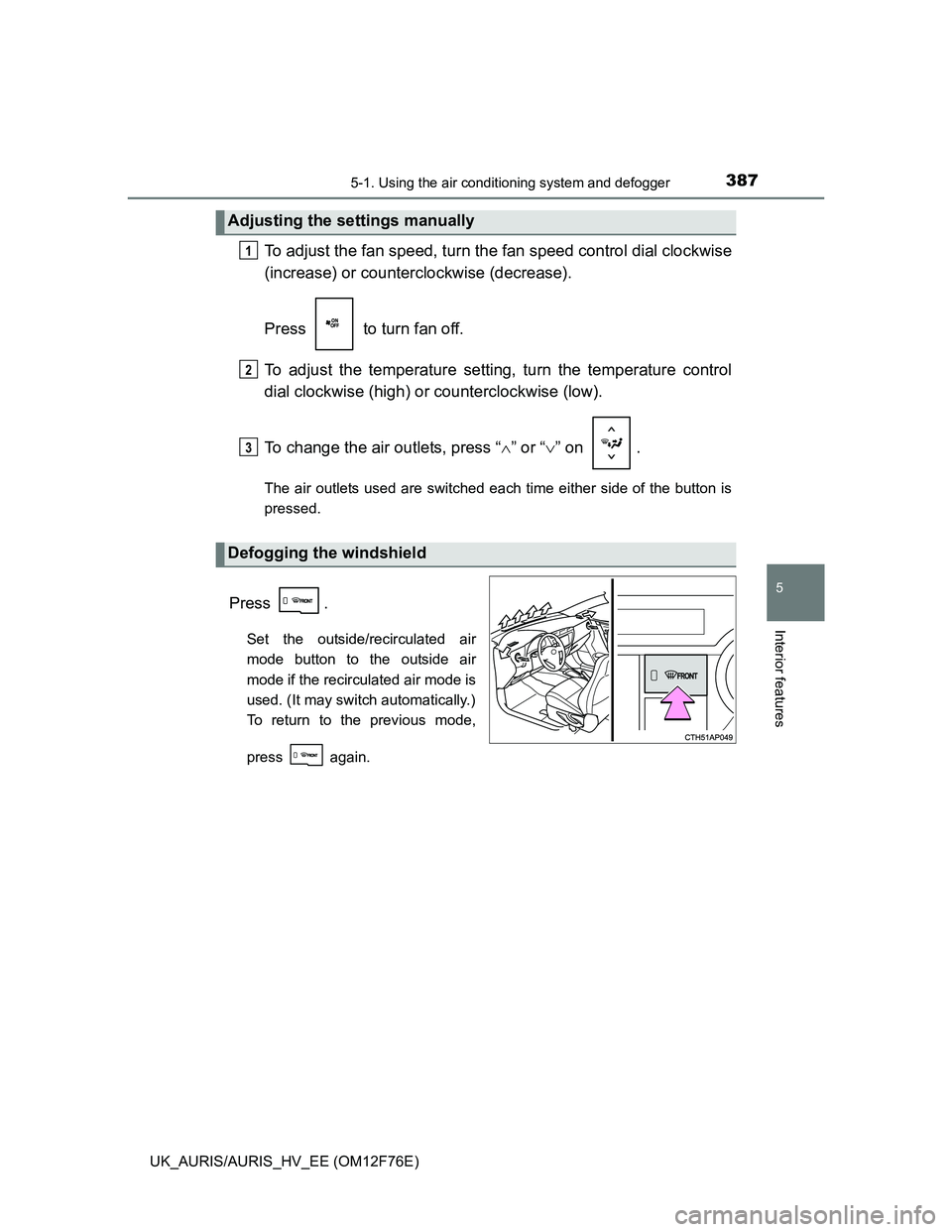
To adjust the fan speed, turn the fan speed control dial clockwise
(increase) or counterclockwise (decrease).
Press to turn fan off.
To adjust the temperature setting, turn the temperature control
dial clockwise (high) or counterclockwise (low).
To change the air outlets, press “” or “” on .
The air outlets used are switched each time either side of the button is
pressed.
Press .
Set the outside/recirculated air
mode button to the outside air
mode if the recirculated air mode is
used. (It may switch automatically.)
To return to the previous mode,
press again.
Adjusting the settings manually
Defogging the windshield
1
2
3
Page 392 of 768
3925-1. Using the air conditioning system and defogger
UK_AURIS/AURIS_HV_EE (OM12F76E)
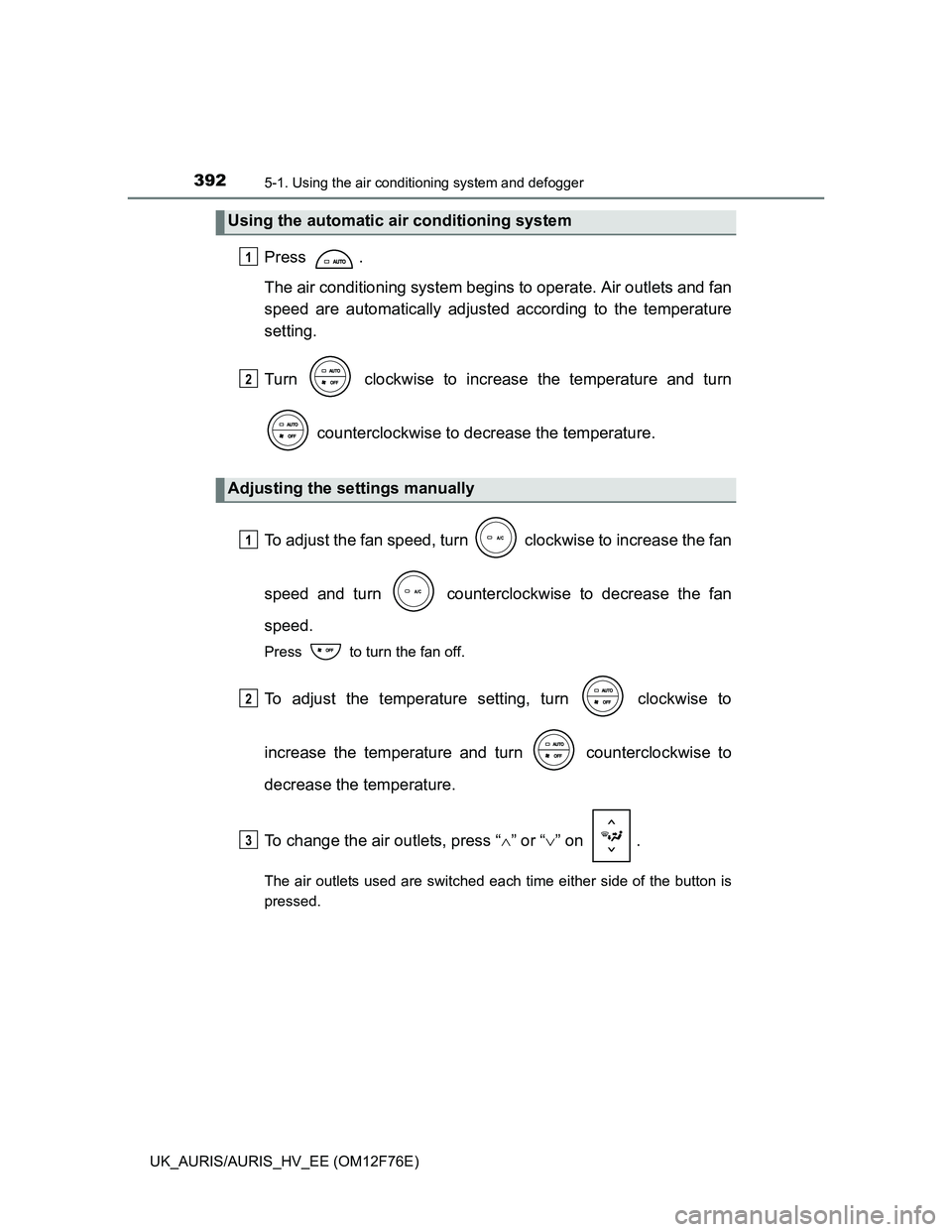
Press .
The air conditioning system begins to operate. Air outlets and fan
speed are automatically adjusted according to the temperature
setting.
Turn clockwise to increase the temperature and turn
counterclockwise to decrease the temperature.
To adjust the fan speed, turn clockwise to increase the fan
speed and turn counterclockwise to decrease the fan
speed.
Press to turn the fan off.
To adjust the temperature setting, turn clockwise to
increase the temperature and turn counterclockwise to
decrease the temperature.
To change the air outlets, press “” or “” on .
The air outlets used are switched each time either side of the button is
pressed.
Using the automatic air conditioning system
Adjusting the settings manually
1
2
1
2
3
Page 395 of 768
3955-1. Using the air conditioning system and defogger
UK_AURIS/AURIS_HV_EE (OM12F76E)
5
Interior features
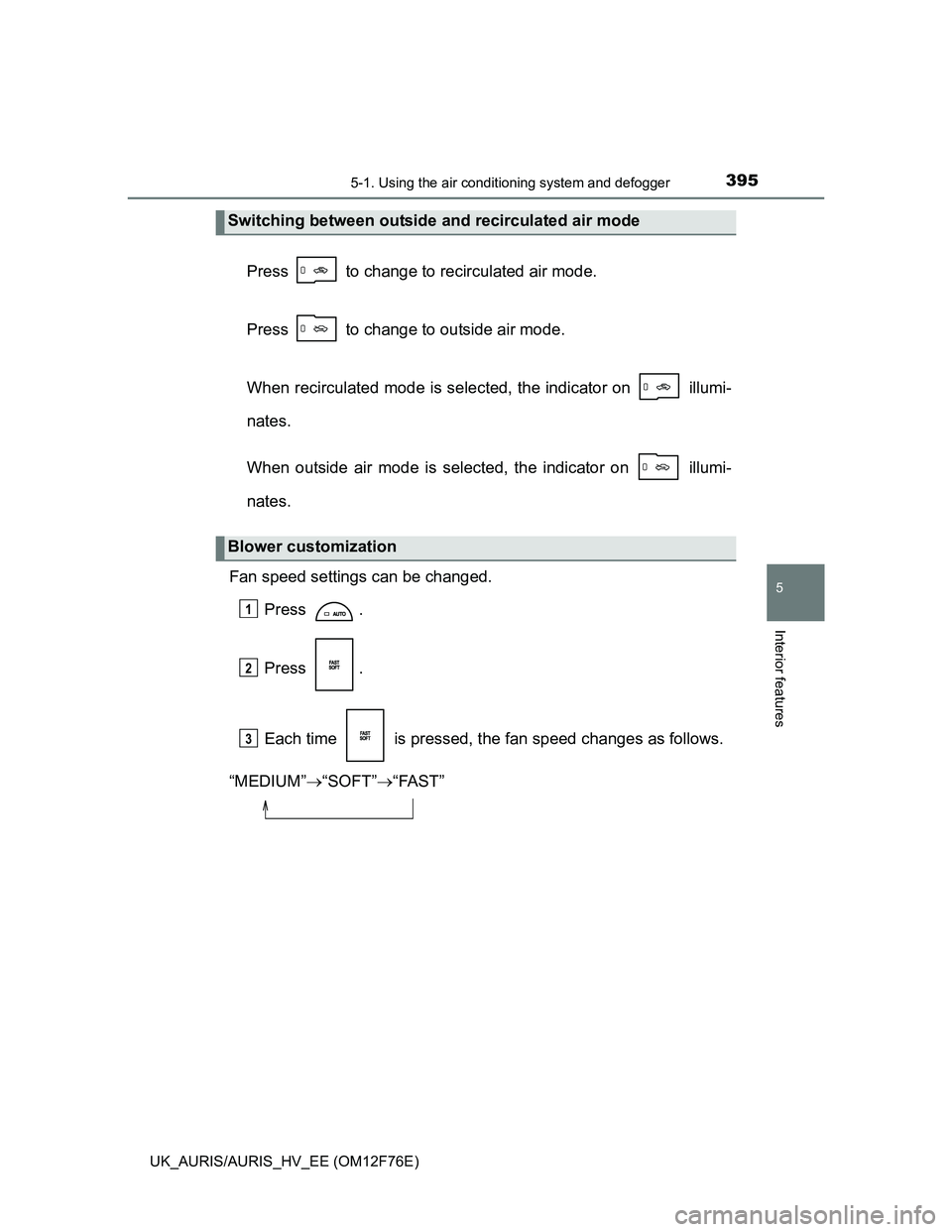
Press to change to recirculated air mode.
Press to change to outside air mode.
When recirculated mode is selected, the indicator on illumi-
nates.
When outside air mode is selected, the indicator on illumi-
nates.
Fan speed settings can be changed.
Press .
Press .
Each time is pressed, the fan speed changes as follows.
“MEDIUM”“SOFT”“FAST”
Switching between outside and recirculated air mode
Blower customization
1
2
3
Page 401 of 768
4015-1. Using the air conditioning system and defogger
UK_AURIS/AURIS_HV_EE (OM12F76E)
5
Interior features
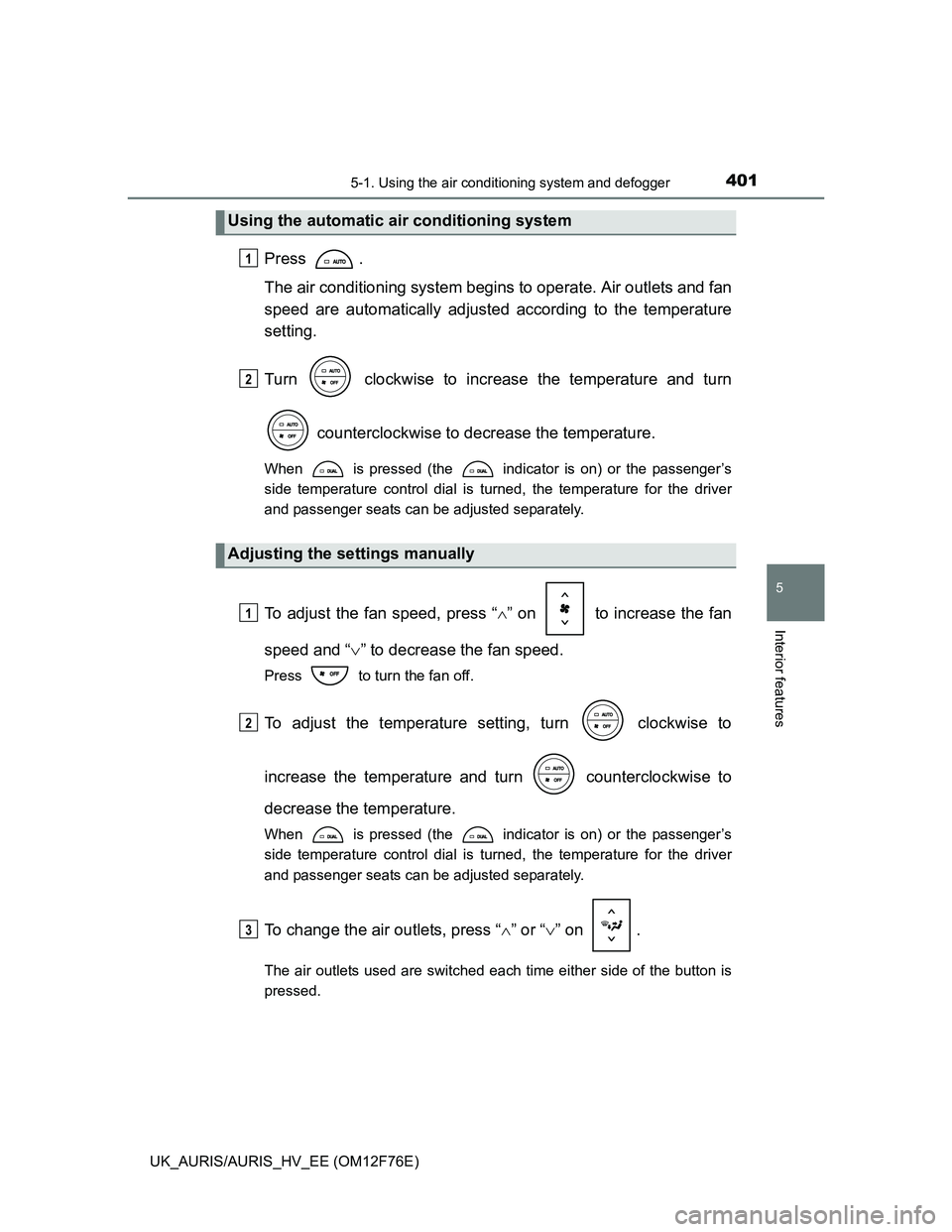
Press .
The air conditioning system begins to operate. Air outlets and fan
speed are automatically adjusted according to the temperature
setting.
Turn clockwise to increase the temperature and turn
counterclockwise to decrease the temperature.
When is pressed (the indicator is on) or the passenger’s
side temperature control dial is turned, the temperature for the driver
and passenger seats can be adjusted separately.
To adjust the fan speed, press “” on to increase the fan
speed and “” to decrease the fan speed.
Press to turn the fan off.
To adjust the temperature setting, turn clockwise to
increase the temperature and turn counterclockwise to
decrease the temperature.
When is pressed (the indicator is on) or the passenger’s
side temperature control dial is turned, the temperature for the driver
and passenger seats can be adjusted separately.
To change the air outlets, press “” or “” on .
The air outlets used are switched each time either side of the button is
pressed.
Using the automatic air conditioning system
Adjusting the settings manually
1
2
1
2
3
Page 404 of 768
4045-1. Using the air conditioning system and defogger
UK_AURIS/AURIS_HV_EE (OM12F76E)
Fan speed settings can be changed.
Press .
Press .
Each time is pressed, the fan speed changes as follows.
“MEDIUM”“SOFT”“FAST”
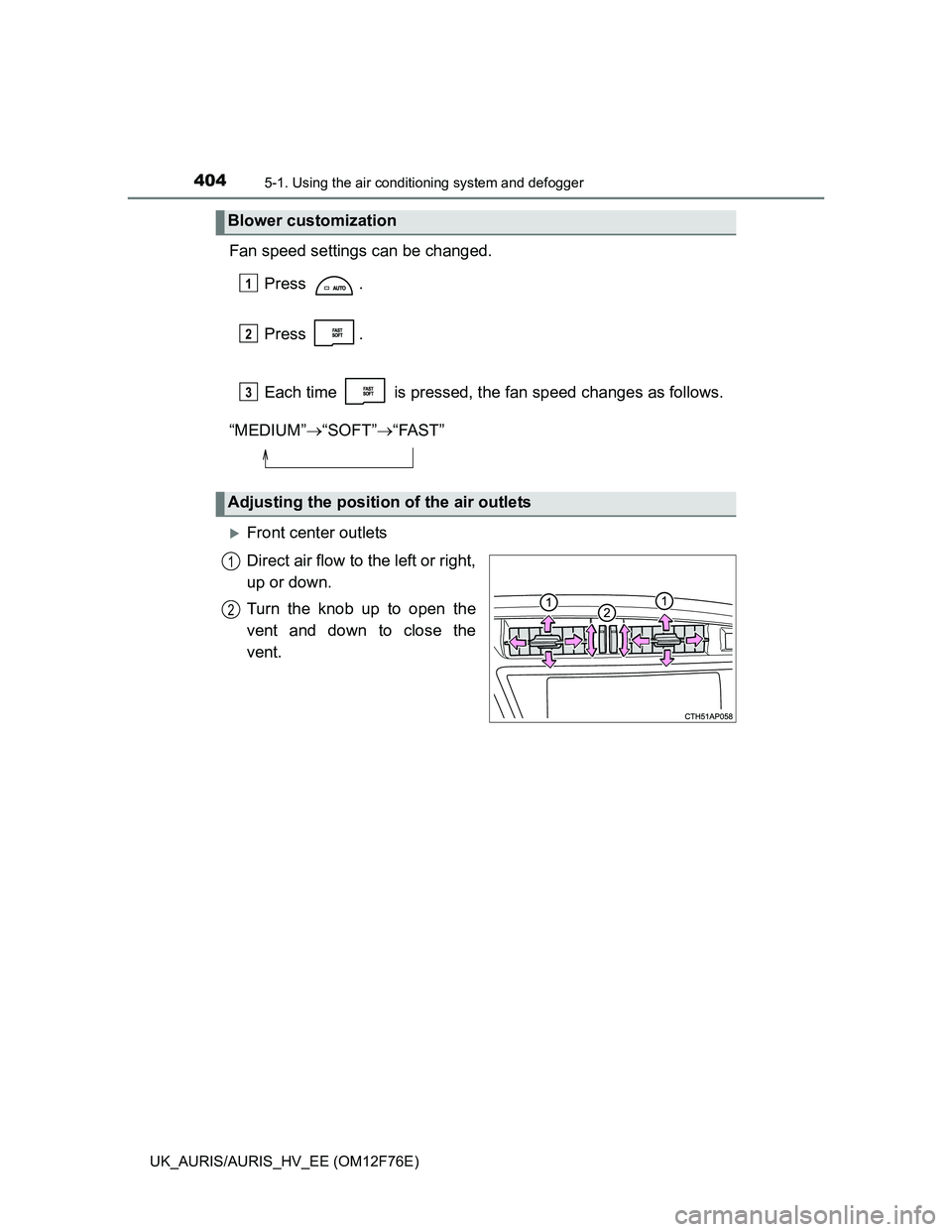
Front center outlets
Direct air flow to the left or right,
up or down.
Turn the knob up to open the
vent and down to close the
vent.
Blower customization
Adjusting the position of the air outlets
1
2
3
1
2
Page 442 of 768
4425-2. Using the audio system
UK_AURIS/AURIS_HV_EE (OM12F76E)
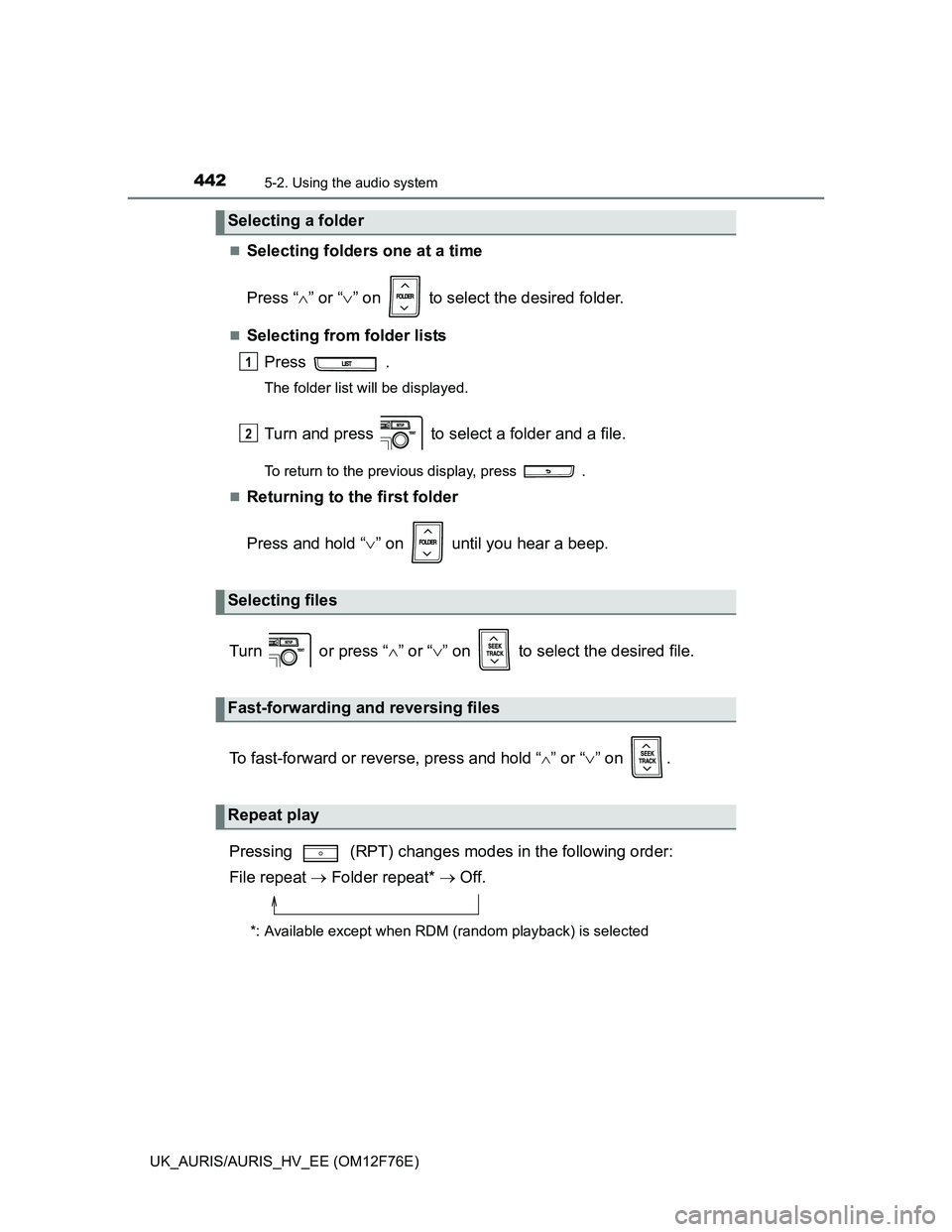
Selecting folders one at a time
Press “” or “” on to select the desired folder.
Selecting from folder lists
Press .
The folder list will be displayed.
Turn and press to select a folder and a file.
To return to the previous display, press .
Returning to the first folder
Press and hold “” on until you hear a beep.
Turn or press “” or “” on to select the desired file.
To fast-forward or reverse, press and hold “
” or “” on .
Pressing (RPT) changes modes in the following order:
File repeat Folder repeat* Off.
*: Available except when RDM (random playback) is selected
Selecting a folder
Selecting files
Fast-forwarding and reversing files
Repeat play
1
2
Page 450 of 768
4505-2. Using the audio system
UK_AURIS/AURIS_HV_EE (OM12F76E)
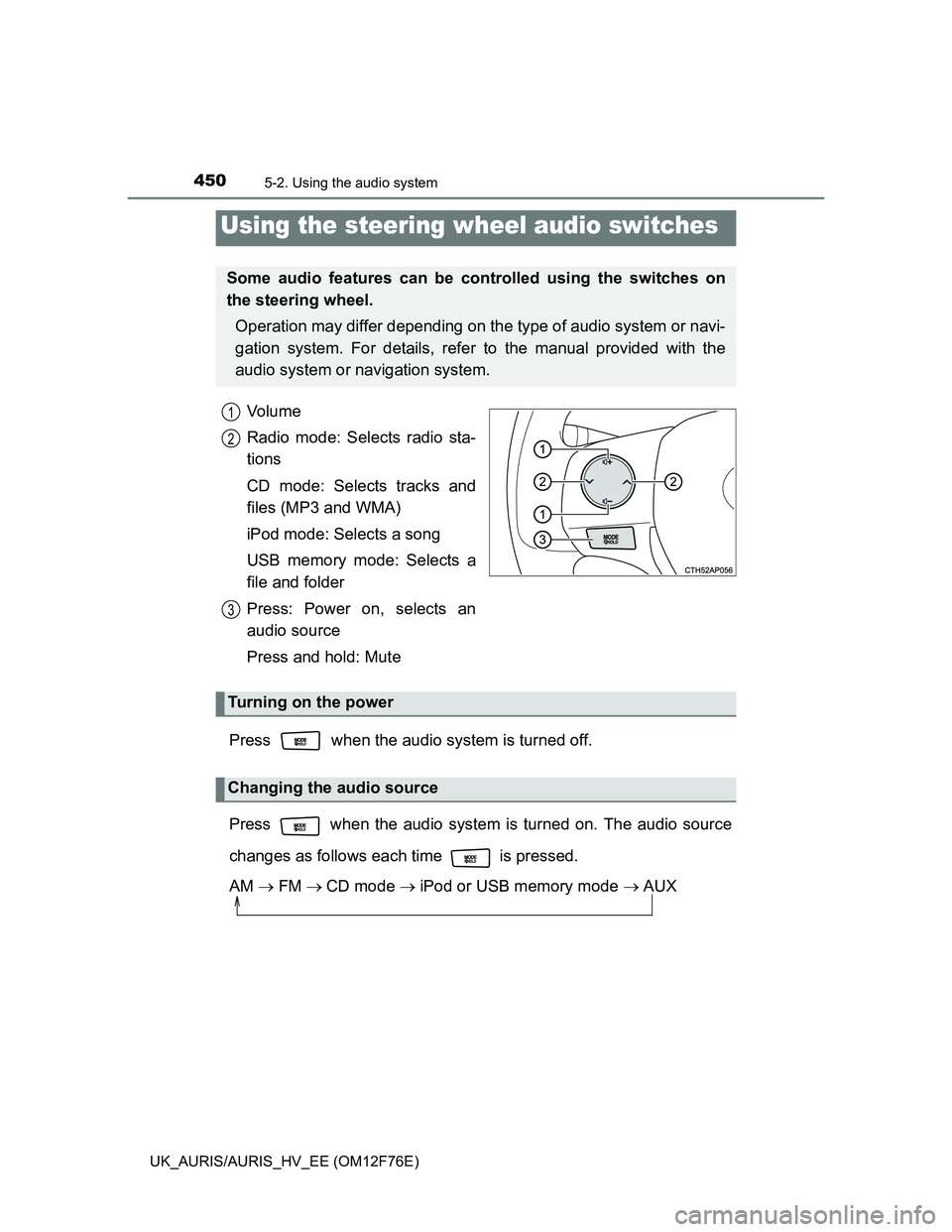
Vo l u m e
Radio mode: Selects radio sta-
tions
CD mode: Selects tracks and
files (MP3 and WMA)
iPod mode: Selects a song
USB memory mode: Selects a
file and folder
Press: Power on, selects an
audio source
Press and hold: Mute
Press when the audio system is turned off.
Press when the audio system is turned on. The audio source
changes as follows each time is pressed.
AM FMCD mode iPod or USB memory mode AUX
Using the steering wheel audio switches
Some audio features can be controlled using the switches on
the steering wheel.
Operation may differ depending on the type of audio system or navi-
gation system. For details, refer to the manual provided with the
audio system or navigation system.
1
2
3
Turning on the power
Changing the audio source
Page 456 of 768
4565-3. Using the interior lights
UK_AURIS/AURIS_HV_EE (OM12F76E)
Illuminated entry system
Vehicles without a smart entry & start system (except hybrid model)
When the interior light switch is in the “DOOR” position, the interior light auto-
matically turns on/off according to the engine switch position, whether the
doors are locked/unlocked and whether the doors are open/closed.
Vehicles with a smart entry & start system (except hybrid model)
When the interior light switch is in the “DOOR” position, the interior light and
engine switch light automatically turn on/off according to engine switch mode,
the presence of the electronic key, whether the doors are locked/unlocked
and whether the doors are open/closed.
Hybrid model
When the interior light switch is in the “DOOR” position, the interior light and
power switch light automatically turn on/off according to power switch mode,
the presence of the electronic key, whether the doors are locked/unlocked
and whether the doors are open/closed.
To prevent 12-volt battery discharge (except hybrid model)
The following lights will go off automatically after 20 minutes:
Personal/interior lights
Luggage compartment light
Vanity lights (if equipped)
To prevent 12-volt battery discharge (hybrid model)
The following lights will go off automatically after 20 minutes:
Personal/interior lights
Luggage compartment light
Vanity lights
Customization that can be configured at any authorized Toyota dealer or
repairer, or another duly qualified and equipped professional
Setting (e.g. the time elapsed before lights turn off) can be changed.
(Customizable features: P. 737)
Page 473 of 768
4735-5. Other interior features
UK_AURIS/AURIS_HV_EE (OM12F76E)
5
Interior features
The outside temperature is displayed when
Vehicles without smart entry & start system (except hybrid model)
The engine switch is in the “ON” position.
Vehicles with smart entry & start system (except hybrid model)
The engine switch is in IGNITION ON mode.
Hybrid model
The power switch is in ON mode.
Display
In the following situations, the correct outside temperature may not be dis-
played, or the display may take longer than normal to change.
When the vehicle is stopped, or moving at low speeds (less than 15 km/h [9
mph]).
When the outside temperature has changed suddenly (at the entrance/exit
of a garage, tunnel, etc.)
Vehicles with multi-information display: If the outside temperature is 3°C
(37.4F) or less, the ice warning indicator flashes 10 times, and then
illuminates.
When “--C” is displayed
The system may be malfunctioning. Take your vehicle to any authorized
Toyota dealer or repairer, or another duly qualified and equipped professional.