ignition TOYOTA AURIS 2013 (in English) User Guide
[x] Cancel search | Manufacturer: TOYOTA, Model Year: 2013, Model line: AURIS, Model: TOYOTA AURIS 2013Pages: 768, PDF Size: 21.22 MB
Page 223 of 768
223
4Driving
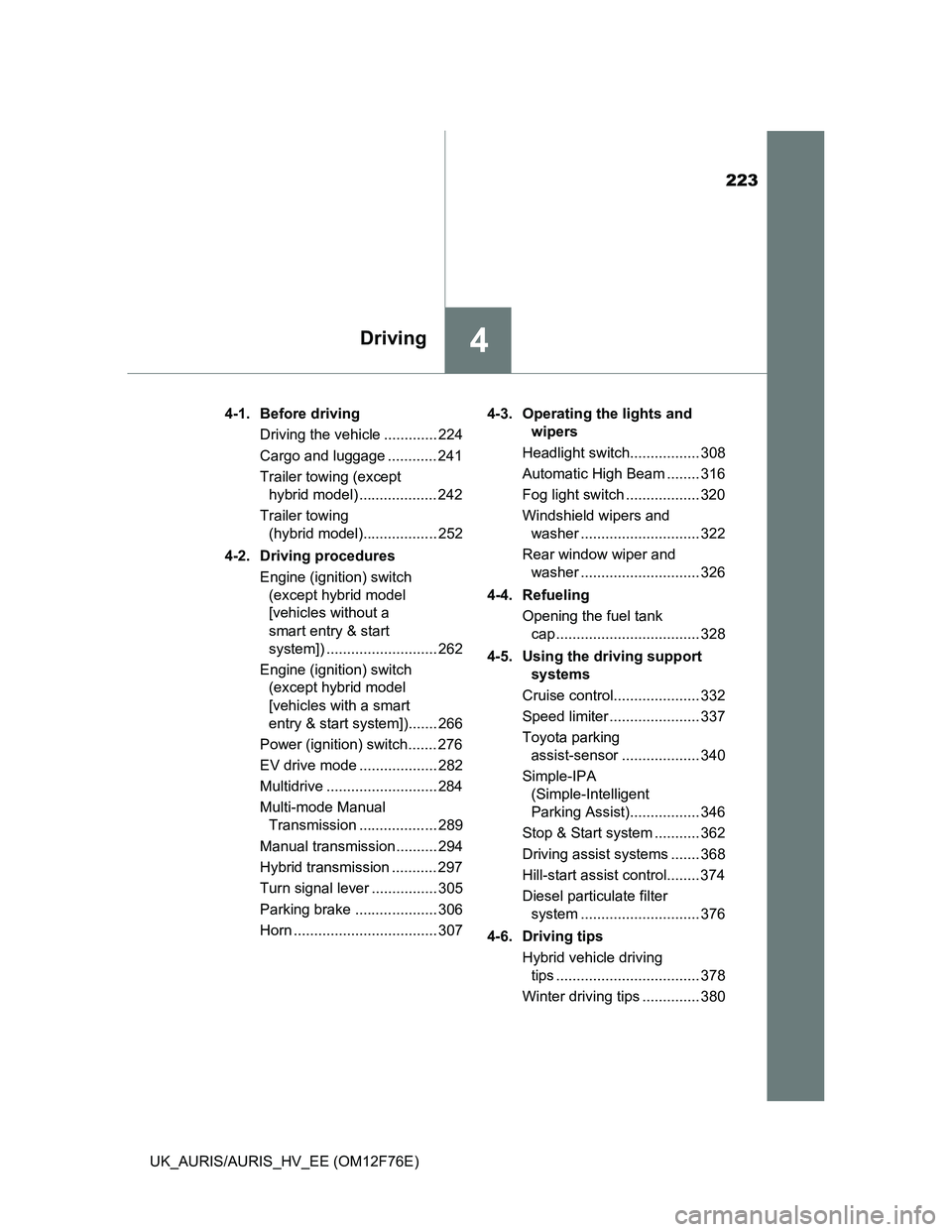
UK_AURIS/AURIS_HV_EE (OM12F76E)4-1. Before driving
Driving the vehicle ............. 224
Cargo and luggage ............ 241
Trailer towing (except
hybrid model) ................... 242
Trailer towing
(hybrid model).................. 252
4-2. Driving procedures
Engine (ignition) switch
(except hybrid model
[vehicles without a
smart entry & start
system]) ........................... 262
Engine (ignition) switch
(except hybrid model
[vehicles with a smart
entry & start system])....... 266
Power (ignition) switch....... 276
EV drive mode ................... 282
Multidrive ........................... 284
Multi-mode Manual
Transmission ................... 289
Manual transmission.......... 294
Hybrid transmission ........... 297
Turn signal lever ................ 305
Parking brake .................... 306
Horn ................................... 3074-3. Operating the lights and
wipers
Headlight switch................. 308
Automatic High Beam ........ 316
Fog light switch .................. 320
Windshield wipers and
washer ............................. 322
Rear window wiper and
washer ............................. 326
4-4. Refueling
Opening the fuel tank
cap ................................... 328
4-5. Using the driving support
systems
Cruise control..................... 332
Speed limiter ...................... 337
Toyota parking
assist-sensor ................... 340
Simple-IPA
(Simple-Intelligent
Parking Assist)................. 346
Stop & Start system ........... 362
Driving assist systems ....... 368
Hill-start assist control........ 374
Diesel particulate filter
system ............................. 376
4-6. Driving tips
Hybrid vehicle driving
tips ................................... 378
Winter driving tips .............. 380
Page 262 of 768
262
UK_AURIS/AURIS_HV_EE (OM12F76E)
4-2. Driving procedures
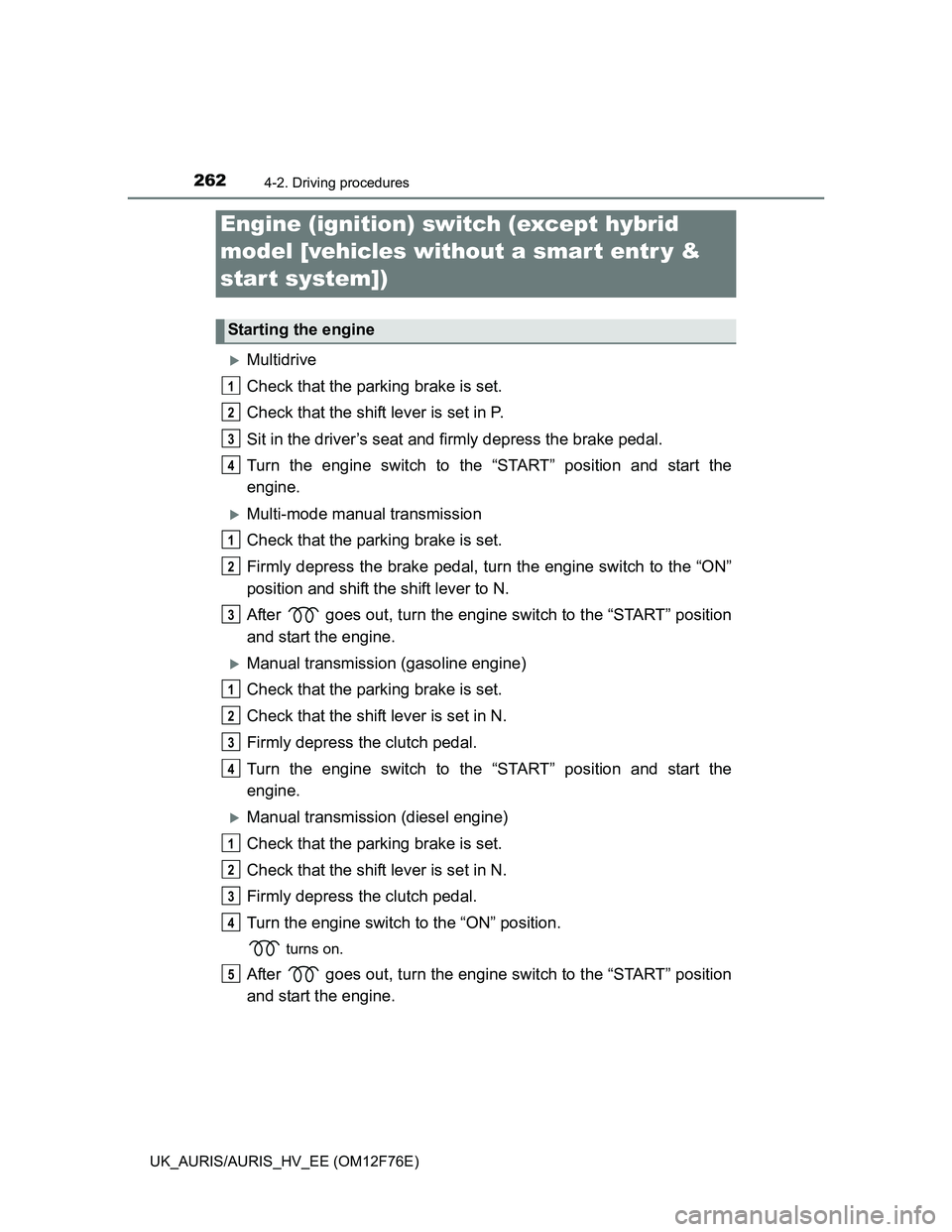
Multidrive
Check that the parking brake is set.
Check that the shift lever is set in P.
Sit in the driver’s seat and firmly depress the brake pedal.
Turn the engine switch to the “START” position and start the
engine.
Multi-mode manual transmission
Check that the parking brake is set.
Firmly depress the brake pedal, turn the engine switch to the “ON”
position and shift the shift lever to N.
After goes out, turn the engine switch to the “START” position
and start the engine.
Manual transmission (gasoline engine)
Check that the parking brake is set.
Check that the shift lever is set in N.
Firmly depress the clutch pedal.
Turn the engine switch to the “START” position and start the
engine.
Manual transmission (diesel engine)
Check that the parking brake is set.
Check that the shift lever is set in N.
Firmly depress the clutch pedal.
Turn the engine switch to the “ON” position.
turns on.
After goes out, turn the engine switch to the “START” position
and start the engine.
Engine (ignition) switch (except hybrid
model [vehicles without a smar t entr y &
start system])
Starting the engine
1
2
3
4
1
2
3
1
2
3
4
1
2
3
4
5
Page 266 of 768
2664-2. Driving procedures
UK_AURIS/AURIS_HV_EE (OM12F76E)
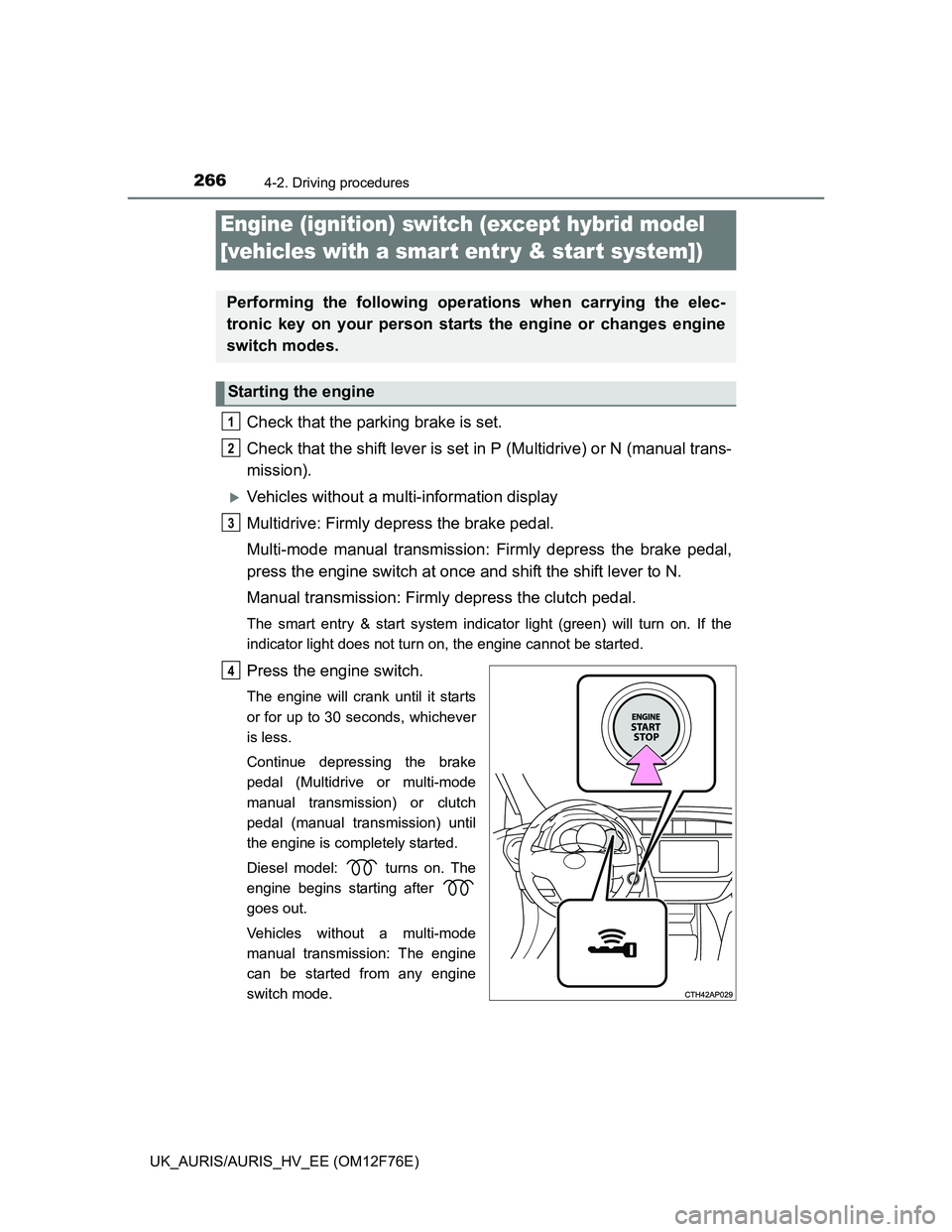
Check that the parking brake is set.
Check that the shift lever is set in P (Multidrive) or N (manual trans-
mission).
Vehicles without a multi-information display
Multidrive: Firmly depress the brake pedal.
Multi-mode manual transmission: Firmly depress the brake pedal,
press the engine switch at once and shift the shift lever to N.
Manual transmission: Firmly depress the clutch pedal.
The smart entry & start system indicator light (green) will turn on. If the
indicator light does not turn on, the engine cannot be started.
Press the engine switch.
The engine will crank until it starts
or for up to 30 seconds, whichever
is less.
Continue depressing the brake
pedal (Multidrive or multi-mode
manual transmission) or clutch
pedal (manual transmission) until
the engine is completely started.
Diesel model: turns on. The
engine begins starting after
goes out.
Vehicles without a multi-mode
manual transmission: The engine
can be started from any engine
switch mode.
Engine (ignition) switch (except hybrid model
[vehicles with a smar t entr y & start system])
Performing the following operations when carrying the elec-
tronic key on your person starts the engine or changes engine
switch modes.
Starting the engine
1
2
3
4
Page 269 of 768
2694-2. Driving procedures
UK_AURIS/AURIS_HV_EE (OM12F76E)
4
Driving
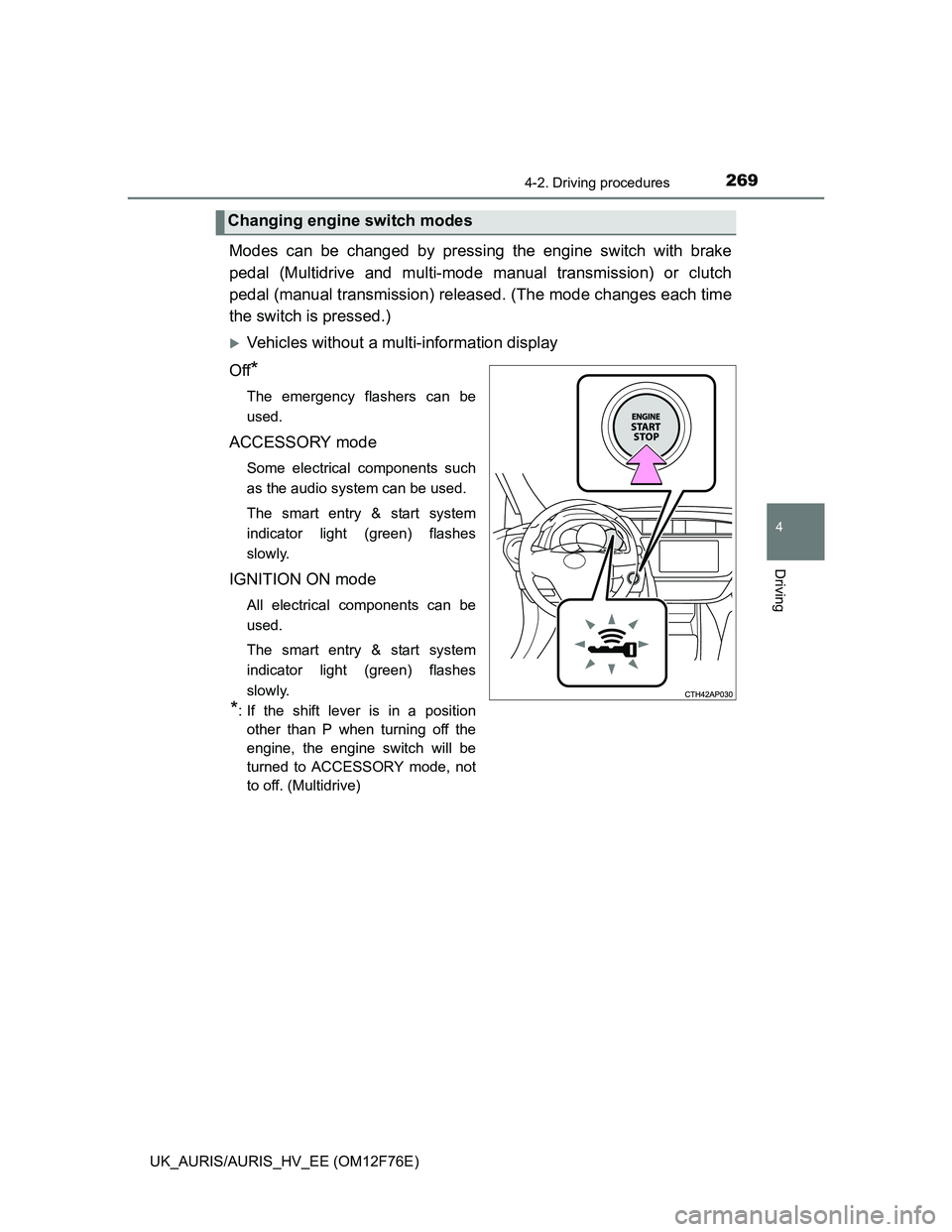
Modes can be changed by pressing the engine switch with brake
pedal (Multidrive and multi-mode manual transmission) or clutch
pedal (manual transmission) released. (The mode changes each time
the switch is pressed.)
Vehicles without a multi-information display
Off
*
The emergency flashers can be
used.
ACCESSORY mode
Some electrical components such
as the audio system can be used.
The smart entry & start system
indicator light (green) flashes
slowly.
IGNITION ON mode
All electrical components can be
used.
The smart entry & start system
indicator light (green) flashes
slowly.
*: If the shift lever is in a position
other than P when turning off the
engine, the engine switch will be
turned to ACCESSORY mode, not
to off. (Multidrive)
Changing engine switch modes
Page 270 of 768
2704-2. Driving procedures
UK_AURIS/AURIS_HV_EE (OM12F76E)
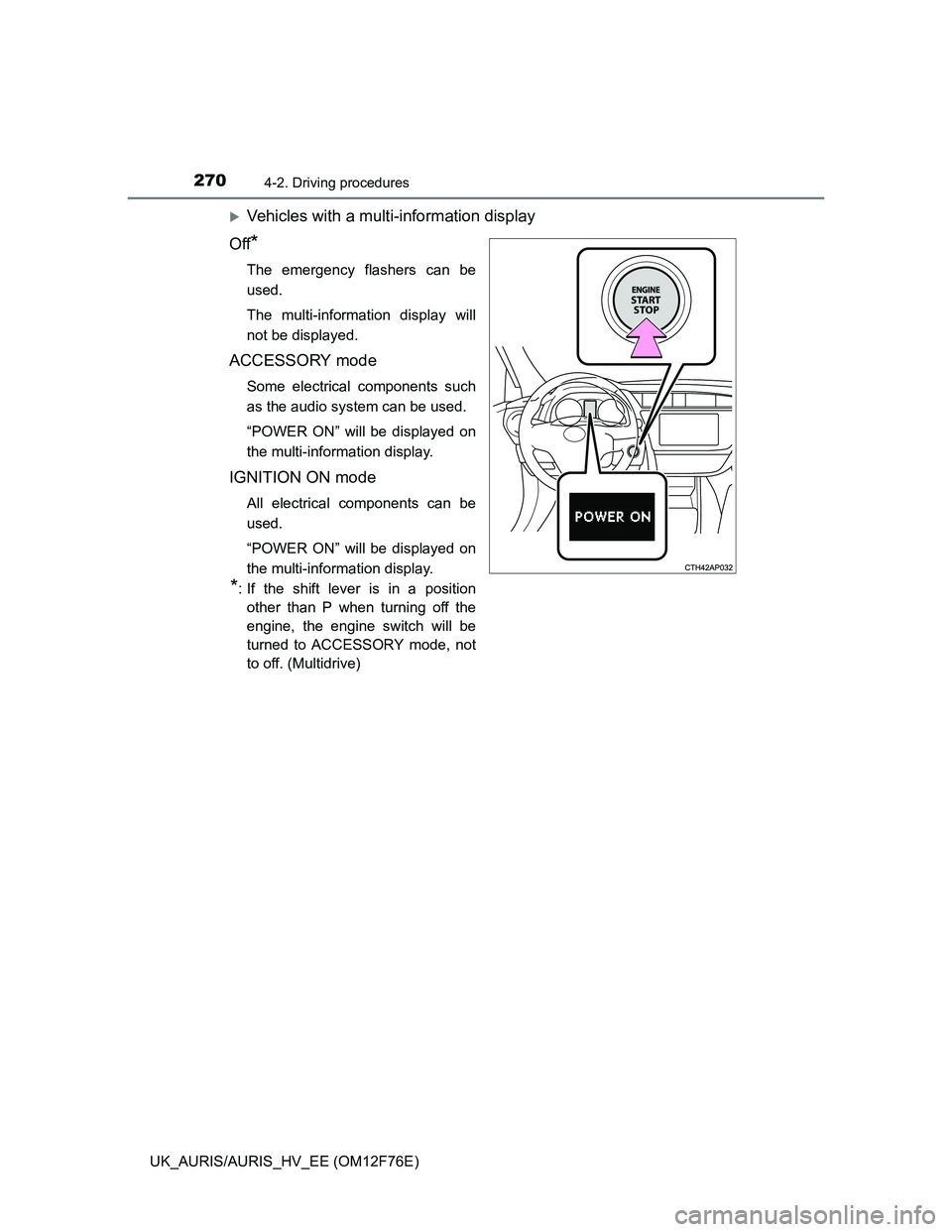
Vehicles with a multi-information display
Off
*
The emergency flashers can be
used.
The multi-information display will
not be displayed.
ACCESSORY mode
Some electrical components such
as the audio system can be used.
“POWER ON” will be displayed on
the multi-information display.
IGNITION ON mode
All electrical components can be
used.
“POWER ON” will be displayed on
the multi-information display.
*: If the shift lever is in a position
other than P when turning off the
engine, the engine switch will be
turned to ACCESSORY mode, not
to off. (Multidrive)
Page 272 of 768
2724-2. Driving procedures
UK_AURIS/AURIS_HV_EE (OM12F76E)
Auto power off function
Vehicles with a Multidrive
If the vehicle is left in ACCESSORY mode for more than 20 minutes or IGNI-
TION ON mode (the engine is not running) for more than an hour with the
shift lever in P, the engine switch will automatically turn off.
Vehicles with a multi-mode manual transmission or manual transmission
If the vehicle is left in ACCESSORY mode for more than 20 minutes or IGNI-
TION ON mode (the engine is not running) for more than an hour, the engine
switch will automatically turn off.
However, this function cannot entirely prevent 12-volt battery discharge. Do
not leave the vehicle with the engine switch in ACCESSORY or IGNITION
ON mode for long periods of time when the engine is not running.
Electronic key battery depletion
P. 160
Conditions affecting operation
P. 156
Notes for the entry function
P. 157
If the engine does not start
The engine immobilizer system may not have been deactivated. (P. 91)
Contact any authorized Toyota dealer or repairer, or another duly qualified
and equipped professional.
Vehicles with a Multidrive: Check that the shift lever is securely set in P. The
engine may not start if the shift lever is displaced out of P.
Vehicles without a multi-information display
The smart entry & start system indicator light (green) will flash quickly.
Vehicles with a multi-information display
“SHIFT TO P POSITION TO START” will be displayed on the multi-infor-
mation display.
Steering lock
After turning the engine switch off and opening and closing the doors, the
steering wheel will be locked due to the steering lock function. Operating the
engine switch again automatically cancels the steering lock.
Page 275 of 768
2754-2. Driving procedures
UK_AURIS/AURIS_HV_EE (OM12F76E)
4
Driving
NOTICE
To prevent 12-volt battery discharge
Do not leave the engine switch in ACCESSORY or IGNITION ON mode
for long periods of time without the engine running.
Vehicles without a multi-information display:
If the smart entry & start system indicator light (green) is illuminated, the
engine switch is not off. When exiting the vehicle, always check that the
engine switch is off.
Vehicles with multi-information display:
If “POWER ON” is displayed on the multi-information display, the engine
switch is not off. When exiting the vehicle, always check that the engine
switch is off.
Vehicles with a Multidrive:
Do not stop the engine when the shift lever is in a position other than P. If
the engine is stopped in another shift lever position, the engine switch will
not be turned off but instead be turned to ACCESSORY mode. If the vehi-
cle is left in ACCESSORY mode, 12-volt battery discharge may occur.
When starting the engine
Do not race a cold engine.
If the engine becomes difficult to start or stalls frequently, have your vehi-
cle checked by any authorized Toyota dealer or repairer, or another duly
qualified and equipped professional immediately.
Symptoms indicating a malfunction with the engine switch
If the engine switch seems to be operating somewhat differently than usual,
such as the switch sticking slightly, there may be a malfunction. Contact any
authorized Toyota dealer or repairer, or another duly qualified and equipped
professional immediately.
Page 276 of 768
2764-2. Driving procedures
UK_AURIS/AURIS_HV_EE (OM12F76E)
Check that the parking brake is set.
Firmly depress the brake pedal.
will be displayed on the multi-information display.
If it is not displayed, the hybrid system cannot be started.
When shift position N is selected, the hybrid system cannot start. Select
the P position when starting the hybrid system. (P. 297)
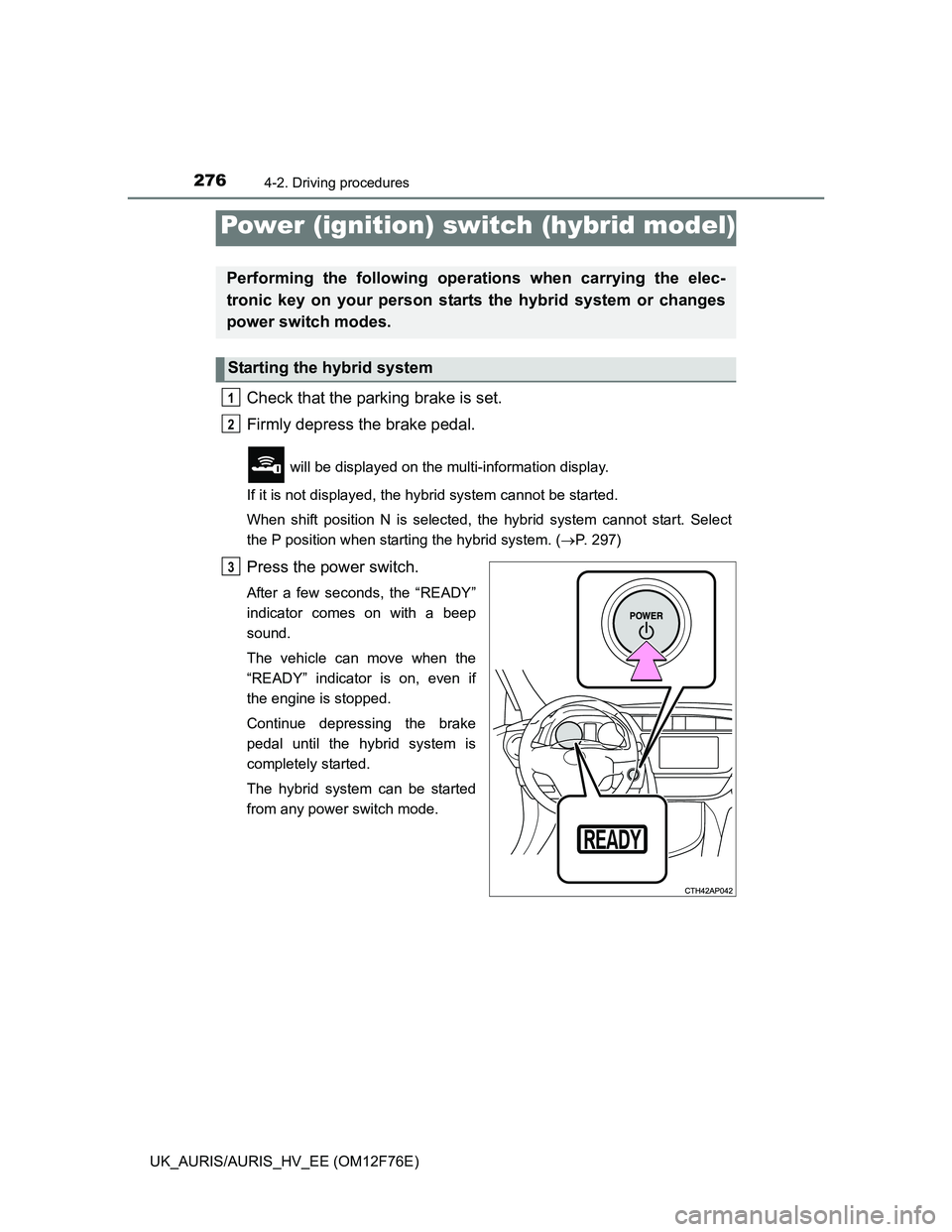
Press the power switch.
After a few seconds, the “READY”
indicator comes on with a beep
sound.
The vehicle can move when the
“READY” indicator is on, even if
the engine is stopped.
Continue depressing the brake
pedal until the hybrid system is
completely started.
The hybrid system can be started
from any power switch mode.
Power (ignition) switch (hybrid model)
Performing the following operations when carrying the elec-
tronic key on your person starts the hybrid system or changes
power switch modes.
Starting the hybrid system
1
2
3
Page 284 of 768
2844-2. Driving procedures
UK_AURIS/AURIS_HV_EE (OM12F76E)
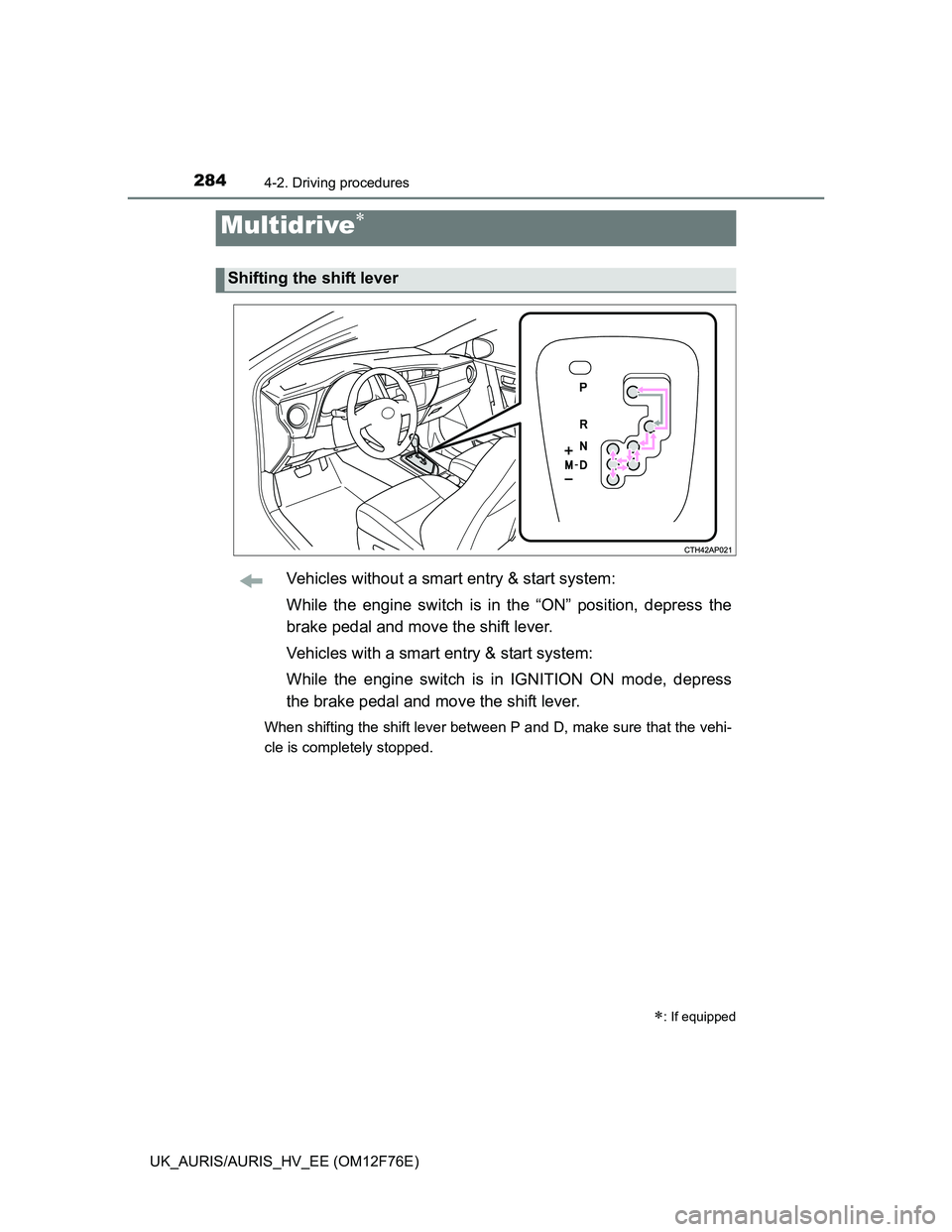
Vehicles without a smart entry & start system:
While the engine switch is in the “ON” position, depress the
brake pedal and move the shift lever.
Vehicles with a smart entry & start system:
While the engine switch is in IGNITION ON mode, depress
the brake pedal and move the shift lever.
When shifting the shift lever between P and D, make sure that the vehi-
cle is completely stopped.
Multidrive
: If equipped
Shifting the shift lever
Page 293 of 768
2934-2. Driving procedures
UK_AURIS/AURIS_HV_EE (OM12F76E)
4
Driving
If the parking brake is set when the shift lever is in a position other than
N with engine running
When the driver’s door is opened
A buzzer will sound and the gear position will automatically change to N in
10 seconds.
When the driver’s door is closed
A buzzer will sound and the gear position will automatically change to N in
90 seconds.
If the M indicator does not come on even after shifting the shift lever to M
This may indicate a malfunction in the multi-mode manual transmission sys-
tem. Have the vehicle inspected by any authorized Toyota dealer or repairer,
or another duly qualified and equipped professional immediately.
(In this situation, the vehicle will operate as if the shift lever is in E.)
If the N indicator is flashing
When shifting the shift lever:
Shift the shift lever to N. Wait a few seconds and shift the shift lever to the
desired position.
When the engine is turned off:
Vehicles without a smart entry & start system:
Turn the engine switch to the “ON” position and shift the shift lever to N, and
then to the desired position.
Vehicles with a smart entry & start system:
Turn the engine switch to IGNITION ON mode and shift the shift lever to N,
and then to the desired position.
If the indicator still blinks after the above operations, shift the shift lever to N
and start the engine. Then, shift the shift lever to the desired position.
If the N indicator is flashing and the warning buzzer is beeping
Shift the shift lever to N, and then to E, M or R.
CAUTION
Gear Shift Indicator display
For safety, the driver should not look only at the display. Refer to the display
when it is safe to do so while considering actual traffic and road conditions.
Failure to do so may lead to an accident.