ignition TOYOTA AURIS 2015 (in English) User Guide
[x] Cancel search | Manufacturer: TOYOTA, Model Year: 2015, Model line: AURIS, Model: TOYOTA AURIS 2015Pages: 632, PDF Size: 17.65 MB
Page 165 of 632
1653-4. Adjusting the steering wheel and mirrors
Auris Touring Sports_EE (OM12G98E)
3
Operation of each component
Mirror angle can be adjusted when
Vehicles without a smart entry & start system
The engine switch is in the “ACC” or “ON” position.
Vehicles with a smart entry & start system
The engine switch is in ACCESSORY or IGNITION ON mode.
When the mirrors are fogged up
The outside rear view mirrors can be cleared using the mirror defoggers. Turn
on the rear window defogger to turn on the outside rear view mirror defog-
gers. (P. 314)
Using automatic mode in cold weather (if equipped)
When automatic mode is used in cold weather, the door mirror could freeze
up and automatic stowing and return may not be possible. In this event,
remove any ice and snow from the door mirror, then either operate the mirror
using manual mode or move the mirror by hand.
CAUTION
Important points while driving
Observe the following precautions while driving.
Failure to do so may result in loss of control of the vehicle and cause an
accident, resulting in death or serious injury.
Do not adjust the mirrors while driving.
Do not drive with the mirrors folded.
Both the driver and passenger side mirrors must be extended and properly
adjusted before driving.
When a mirror is moving
To avoid personal injury and mirror malfunction, be careful not to get your
hand caught by the moving mirror.
When the mirror defoggers are operating
Do not touch the rear view mirror surfaces, as they can become very hot
and burn you.
Page 167 of 632
1673-5. Opening and closing the windows
Auris Touring Sports_EE (OM12G98E)
3
Operation of each component
The power windows can be operated when
Vehicles without a smart entry & start system
The engine switch is in the “ON” position.
Vehicles with a smart entry & start system
The engine switch is in IGNITION ON mode.
Operating the power windows after turning the engine off
Vehicles without a smart entry & start system
The power windows can be operated for approximately 45 seconds even
after the engine switch is turned to the “ACC” or “LOCK” position. They can-
not, however, be operated once either front door is opened.
Vehicles with a smart entry & start system
The power windows can be operated for approximately 45 seconds even
after the engine switch is turned to ACCESSORY mode or turned off. They
cannot, however, be operated once either front door is opened.
Jam protection function (windows with one-touch closing function only)
If an object becomes caught between the window and the window frame, win-
dow travel is stopped and the window is opened slightly.
Page 168 of 632
1683-5. Opening and closing the windows
Auris Touring Sports_EE (OM12G98E)When the power window does not close normally (windows with one-
touch closing function only)
If the jam protection function is operating abnormally and a window cannot be
closed, perform the following operations using the power window switch on
the relevant door.
Vehicles without a smart entry & start system: After stopping the vehicle, the
window can be closed by holding the power window switch in the one-touch
closing position while the engine switch is turned to the “ON” position.
Vehicles with a smart entry & start system: After stopping the vehicle, the
window can be closed by holding the power window switch in the one-touch
closing position while the engine switch is turned to IGNITION ON mode.
If the window still cannot be closed even by carrying out the operation as
explained above, initialize the function by performing the following proce-
dure.
Hold the power window switch in the one-touch closing position. Continue
holding the switch for a further 6 seconds after the window has closed.
Hold the power window switch in the one-touch opening position. Con-
tinue holding the switch for a further 2 seconds after the window has
opened completely.
Hold the power window switch in the one-touch closing position once
again. Continue holding the switch for a further 2 seconds after the win-
dow has closed.
If you release the switch while the window is moving, start again from the
beginning.
If the window continues to close but then re-open slightly even after perform-
ing the above procedure correctly, have the vehicle inspected by any autho-
rized Toyota dealer or repairer, or another duly qualified and equipped
professional.
1
2
3
Page 171 of 632
171
4Driving
Auris Touring Sports_EE (OM12G98E)4-1. Before driving
Driving the vehicle ............. 172
Cargo and luggage ............ 183
Trailer towing ..................... 186
4-2. Driving procedures
Engine (ignition) switch
(vehicles without a
smart entry & start
system) ............................ 195
Engine (ignition) switch
(vehicles with a smart
entry & start system)........ 199
Multidrive ........................... 209
Manual transmission.......... 214
Turn signal lever ................ 217
Parking brake .................... 218
Horn ................................... 219
4-3. Operating the lights
and wipers
Headlight switch ................ 220
Automatic High Beam ........ 226
Fog light switch .................. 230
Windshield wipers and
washer ............................. 232
Rear window wiper and
washer ............................. 2364-4. Refueling
Opening the fuel tank
cap ................................... 238
4-5. Using the driving
support systems
Cruise control..................... 242
Speed limiter ...................... 247
Toyota parking
assist-sensor ................... 250
Simple-IPA
(Simple-Intelligent
Parking Assist)................. 256
Stop & Start system ........... 270
Driving assist systems ....... 276
Hill-start assist control........ 281
Diesel particulate filter
system ............................. 283
4-6. Driving tips
Winter driving tips .............. 285
Page 195 of 632
195
Auris Touring Sports_EE (OM12G98E)
4
Driving
4-2. Driving procedures
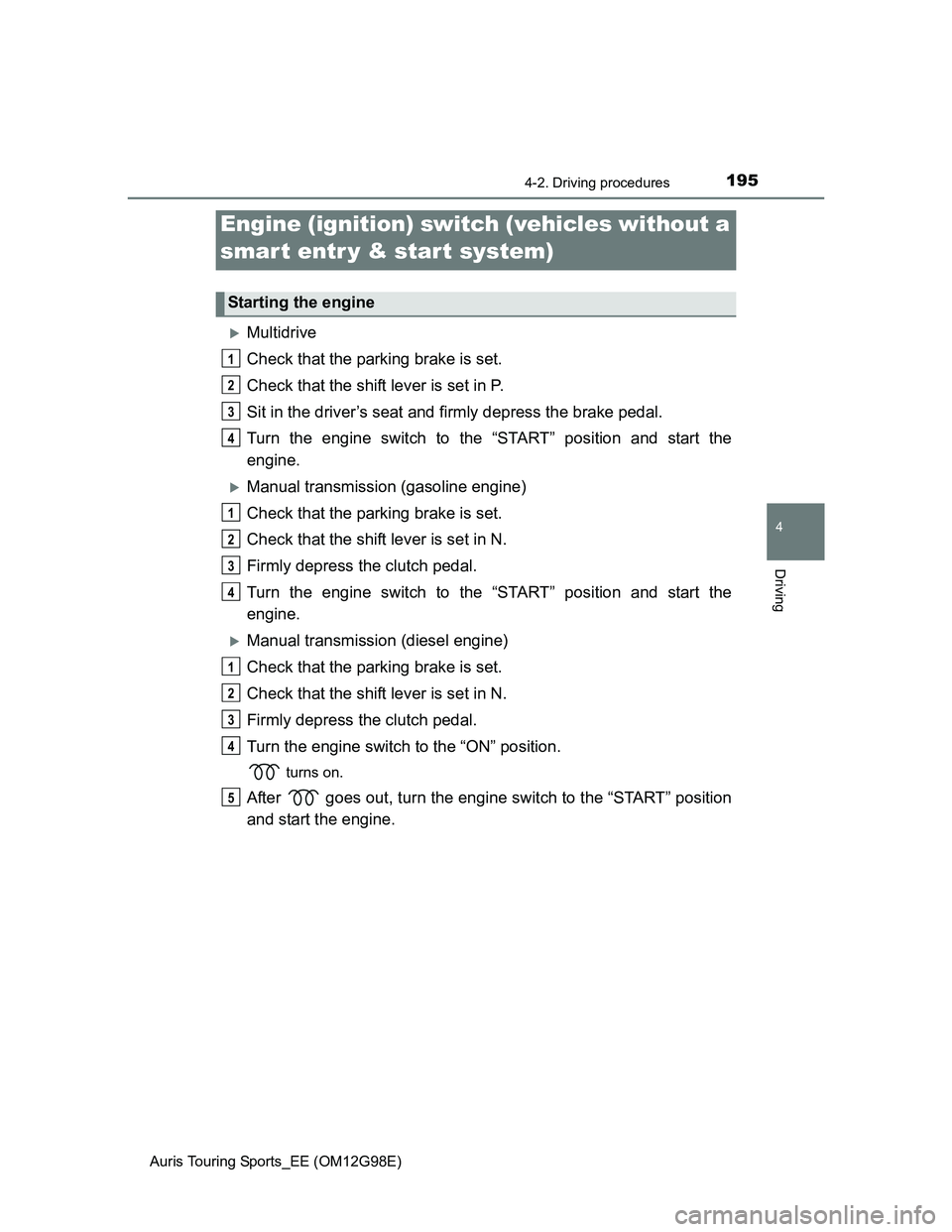
Multidrive
Check that the parking brake is set.
Check that the shift lever is set in P.
Sit in the driver’s seat and firmly depress the brake pedal.
Turn the engine switch to the “START” position and start the
engine.
Manual transmission (gasoline engine)
Check that the parking brake is set.
Check that the shift lever is set in N.
Firmly depress the clutch pedal.
Turn the engine switch to the “START” position and start the
engine.
Manual transmission (diesel engine)
Check that the parking brake is set.
Check that the shift lever is set in N.
Firmly depress the clutch pedal.
Turn the engine switch to the “ON” position.
turns on.
After goes out, turn the engine switch to the “START” position
and start the engine.
Engine (ignition) switch (vehicles without a
smart entr y & start system)
Starting the engine
1
2
3
4
1
2
3
4
1
2
3
4
5
Page 199 of 632
1994-2. Driving procedures
Auris Touring Sports_EE (OM12G98E)
4
Driving
Check that the parking brake is set.
Check that the shift lever is set in P (Multidrive) or N (manual trans-
mission).
Vehicles without a multi-information display
Multidrive: Firmly depress the brake pedal.
Manual transmission: Firmly depress the clutch pedal.
The smart entry & start system indicator light (green) will turn on. If the
indicator light does not turn on, the engine cannot be started.
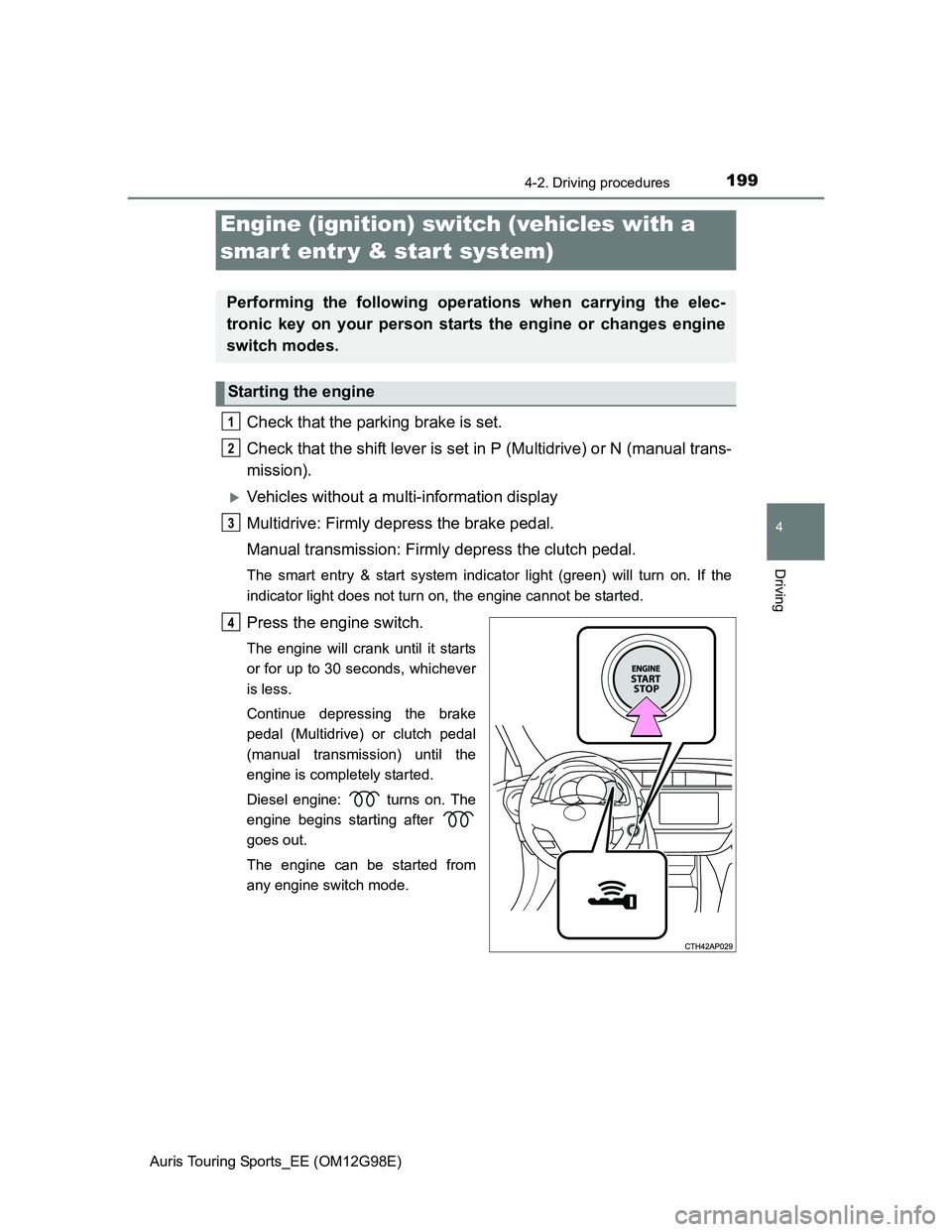
Press the engine switch.
The engine will crank until it starts
or for up to 30 seconds, whichever
is less.
Continue depressing the brake
pedal (Multidrive) or clutch pedal
(manual transmission) until the
engine is completely started.
Diesel engine: turns on. The
engine begins starting after
goes out.
The engine can be started from
any engine switch mode.
Engine (ignition) switch (vehicles with a
smart entr y & start system)
Performing the following operations when carrying the elec-
tronic key on your person starts the engine or changes engine
switch modes.
Starting the engine
1
2
3
4
Page 202 of 632
2024-2. Driving procedures
Auris Touring Sports_EE (OM12G98E)
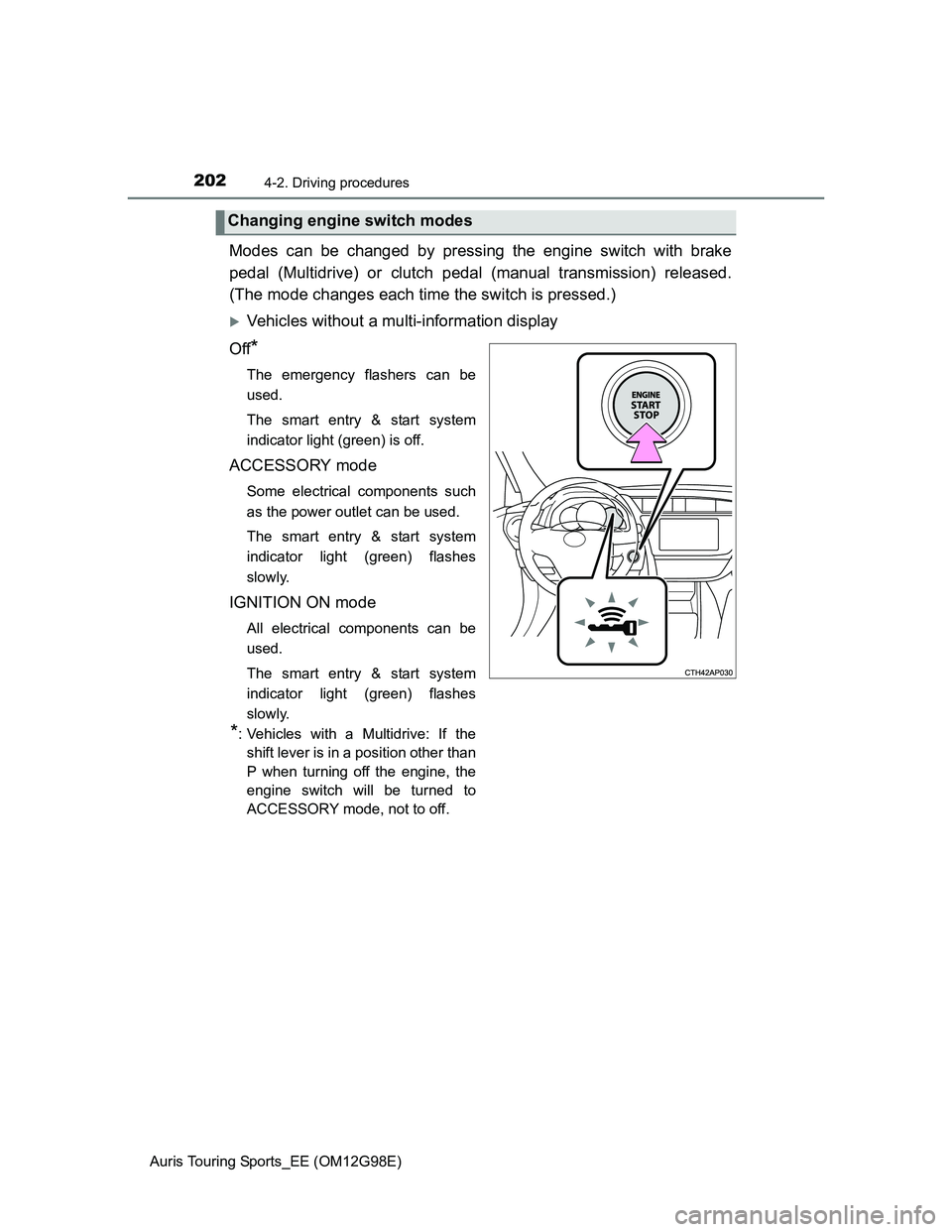
Modes can be changed by pressing the engine switch with brake
pedal (Multidrive) or clutch pedal (manual transmission) released.
(The mode changes each time the switch is pressed.)
Vehicles without a multi-information display
Off
*
The emergency flashers can be
used.
The smart entry & start system
indicator light (green) is off.
ACCESSORY mode
Some electrical components such
as the power outlet can be used.
The smart entry & start system
indicator light (green) flashes
slowly.
IGNITION ON mode
All electrical components can be
used.
The smart entry & start system
indicator light (green) flashes
slowly.
*: Vehicles with a Multidrive: If the
shift lever is in a position other than
P when turning off the engine, the
engine switch will be turned to
ACCESSORY mode, not to off.
Changing engine switch modes
Page 203 of 632
2034-2. Driving procedures
Auris Touring Sports_EE (OM12G98E)
4
Driving
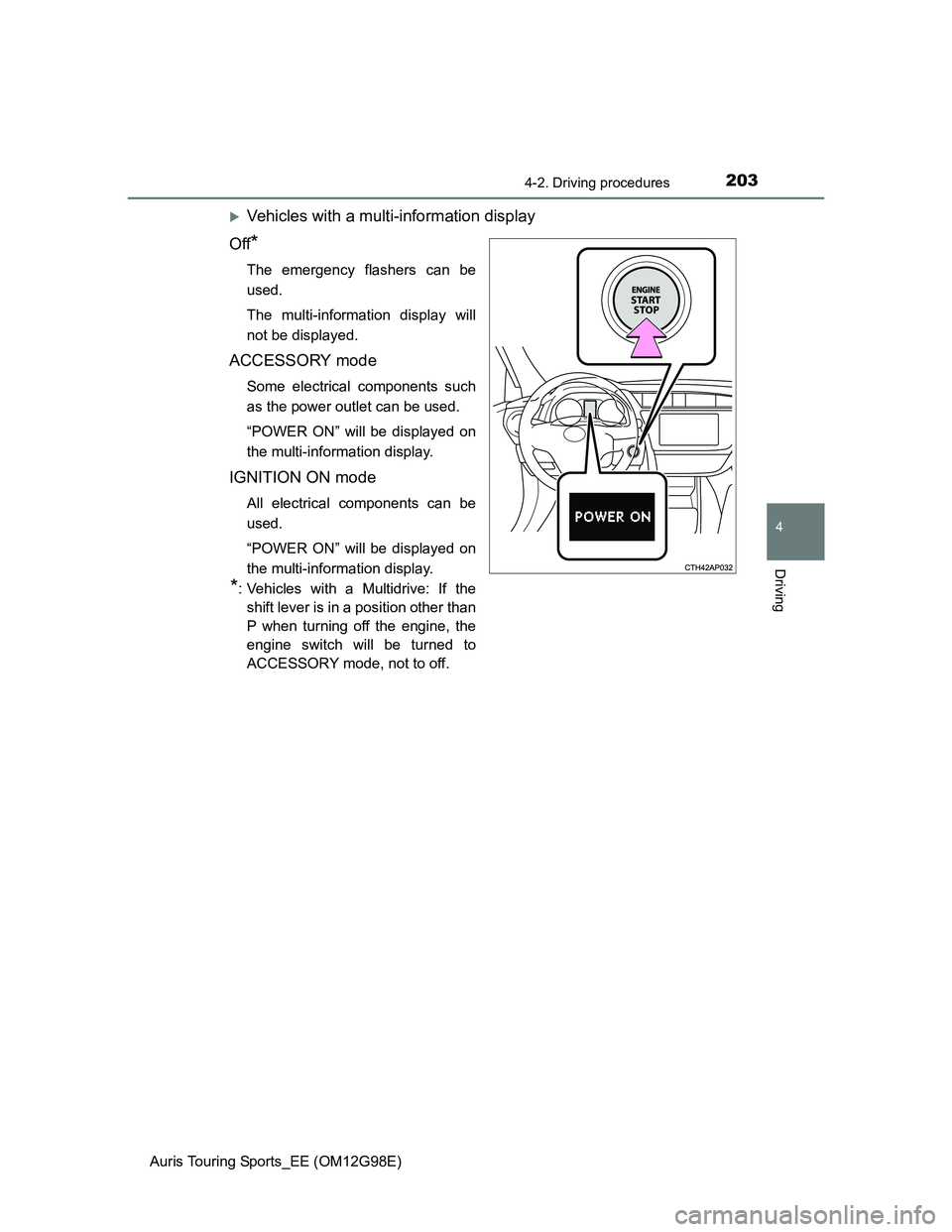
Vehicles with a multi-information display
Off
*
The emergency flashers can be
used.
The multi-information display will
not be displayed.
ACCESSORY mode
Some electrical components such
as the power outlet can be used.
“POWER ON” will be displayed on
the multi-information display.
IGNITION ON mode
All electrical components can be
used.
“POWER ON” will be displayed on
the multi-information display.
*: Vehicles with a Multidrive: If the
shift lever is in a position other than
P when turning off the engine, the
engine switch will be turned to
ACCESSORY mode, not to off.
Page 205 of 632
2054-2. Driving procedures
Auris Touring Sports_EE (OM12G98E)
4
Driving
Auto power off function
Vehicles with a Multidrive
If the vehicle is left in ACCESSORY mode for more than 20 minutes or IGNI-
TION ON mode (the engine is not running) for more than an hour with the
shift lever in P, the engine switch will automatically turn off.
Vehicles with a manual transmission
If the vehicle is left in ACCESSORY mode for more than 20 minutes or IGNI-
TION ON mode (the engine is not running) for more than an hour, the engine
switch will automatically turn off.
However, this function cannot entirely prevent battery discharge. Do not leave
the vehicle with the engine switch in ACCESSORY or IGNITION ON mode for
long periods of time when the engine is not running.
Electronic key battery depletion
P. 127
Conditions affecting operation
P. 123
Notes for the entry function
P. 124
If the engine does not start
The engine immobilizer system may not have been deactivated. (P. 71)
Contact any authorized Toyota dealer or repairer, or another duly qualified
and equipped professional.
Vehicles with a Multidrive: Check that the shift lever is securely set in P. The
engine may not start if the shift lever is displaced out of P.
Vehicles without a multi-information display
The smart entry & start system indicator light (green) will flash quickly.
Vehicles with a multi-information display
“SHIFT TO P POSITION TO START” will be displayed on the multi-infor-
mation display.
Steering lock
After turning the engine switch off and opening and closing the doors, the
steering wheel will be locked due to the steering lock function. Operating the
engine switch again automatically cancels the steering lock.
Page 208 of 632
2084-2. Driving procedures
Auris Touring Sports_EE (OM12G98E)
NOTICE
To prevent battery discharge
Do not leave the engine switch in ACCESSORY or IGNITION ON mode
for long periods of time without the engine running.
Vehicles without a multi-information display:
If the smart entry & start system indicator light (green) is illuminated, the
engine switch is not off. When exiting the vehicle, always check that the
engine switch is off.
Vehicles with a multi-information display:
If “POWER ON” is displayed on the multi-information display, the engine
switch is not off. When exiting the vehicle, always check that the engine
switch is off.
Vehicles with a Multidrive:
Do not stop the engine when the shift lever is in a position other than P. If
the engine is stopped in another shift lever position, the engine switch will
not be turned off but instead be turned to ACCESSORY mode. If the vehi-
cle is left in ACCESSORY mode, battery discharge may occur.
When starting the engine
Do not race a cold engine.
If the engine becomes difficult to start or stalls frequently, have your vehi-
cle checked by any authorized Toyota dealer or repairer, or another duly
qualified and equipped professional immediately.
Symptoms indicating a malfunction with the engine switch
If the engine switch seems to be operating somewhat differently than usual,
such as the switch sticking slightly, there may be a malfunction. Contact any
authorized Toyota dealer or repairer, or another duly qualified and equipped
professional immediately.