brake TOYOTA AURIS 2015 (in English) Owner's Manual
[x] Cancel search | Manufacturer: TOYOTA, Model Year: 2015, Model line: AURIS, Model: TOYOTA AURIS 2015Pages: 632, PDF Size: 17.65 MB
Page 195 of 632
195
Auris Touring Sports_EE (OM12G98E)
4
Driving
4-2. Driving procedures
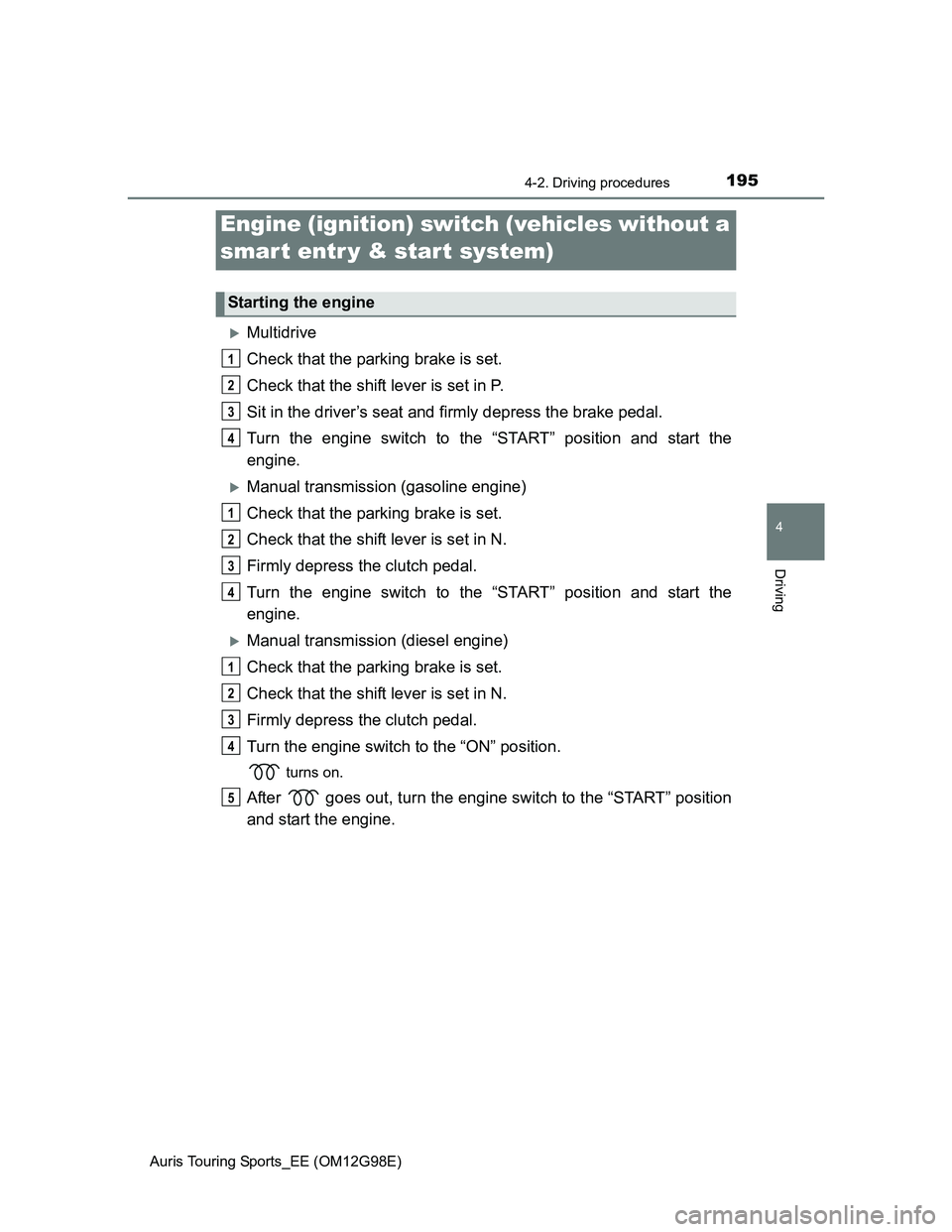
Multidrive
Check that the parking brake is set.
Check that the shift lever is set in P.
Sit in the driver’s seat and firmly depress the brake pedal.
Turn the engine switch to the “START” position and start the
engine.
Manual transmission (gasoline engine)
Check that the parking brake is set.
Check that the shift lever is set in N.
Firmly depress the clutch pedal.
Turn the engine switch to the “START” position and start the
engine.
Manual transmission (diesel engine)
Check that the parking brake is set.
Check that the shift lever is set in N.
Firmly depress the clutch pedal.
Turn the engine switch to the “ON” position.
turns on.
After goes out, turn the engine switch to the “START” position
and start the engine.
Engine (ignition) switch (vehicles without a
smart entr y & start system)
Starting the engine
1
2
3
4
1
2
3
4
1
2
3
4
5
Page 199 of 632
1994-2. Driving procedures
Auris Touring Sports_EE (OM12G98E)
4
Driving
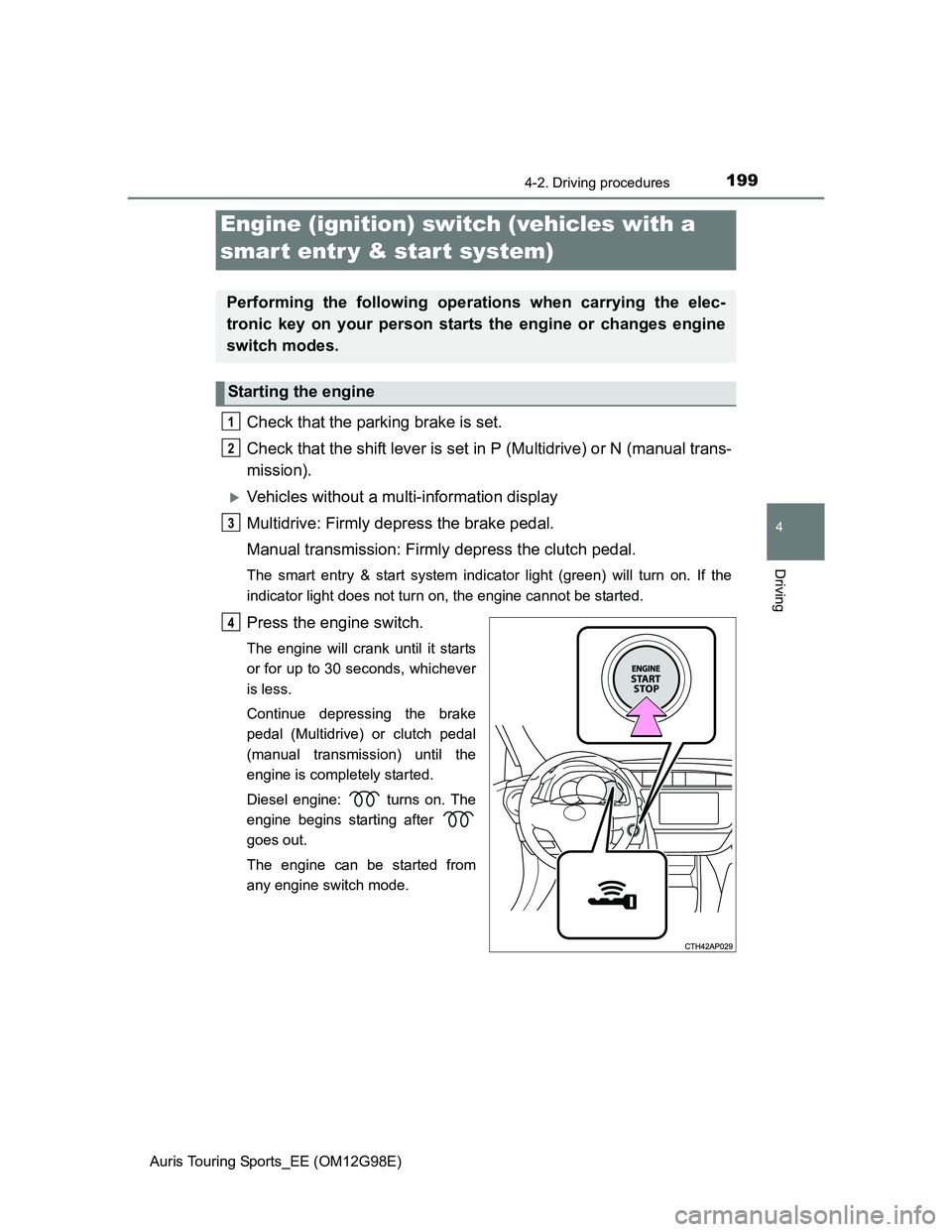
Check that the parking brake is set.
Check that the shift lever is set in P (Multidrive) or N (manual trans-
mission).
Vehicles without a multi-information display
Multidrive: Firmly depress the brake pedal.
Manual transmission: Firmly depress the clutch pedal.
The smart entry & start system indicator light (green) will turn on. If the
indicator light does not turn on, the engine cannot be started.
Press the engine switch.
The engine will crank until it starts
or for up to 30 seconds, whichever
is less.
Continue depressing the brake
pedal (Multidrive) or clutch pedal
(manual transmission) until the
engine is completely started.
Diesel engine: turns on. The
engine begins starting after
goes out.
The engine can be started from
any engine switch mode.
Engine (ignition) switch (vehicles with a
smart entr y & start system)
Performing the following operations when carrying the elec-
tronic key on your person starts the engine or changes engine
switch modes.
Starting the engine
1
2
3
4
Page 200 of 632
2004-2. Driving procedures
Auris Touring Sports_EE (OM12G98E)
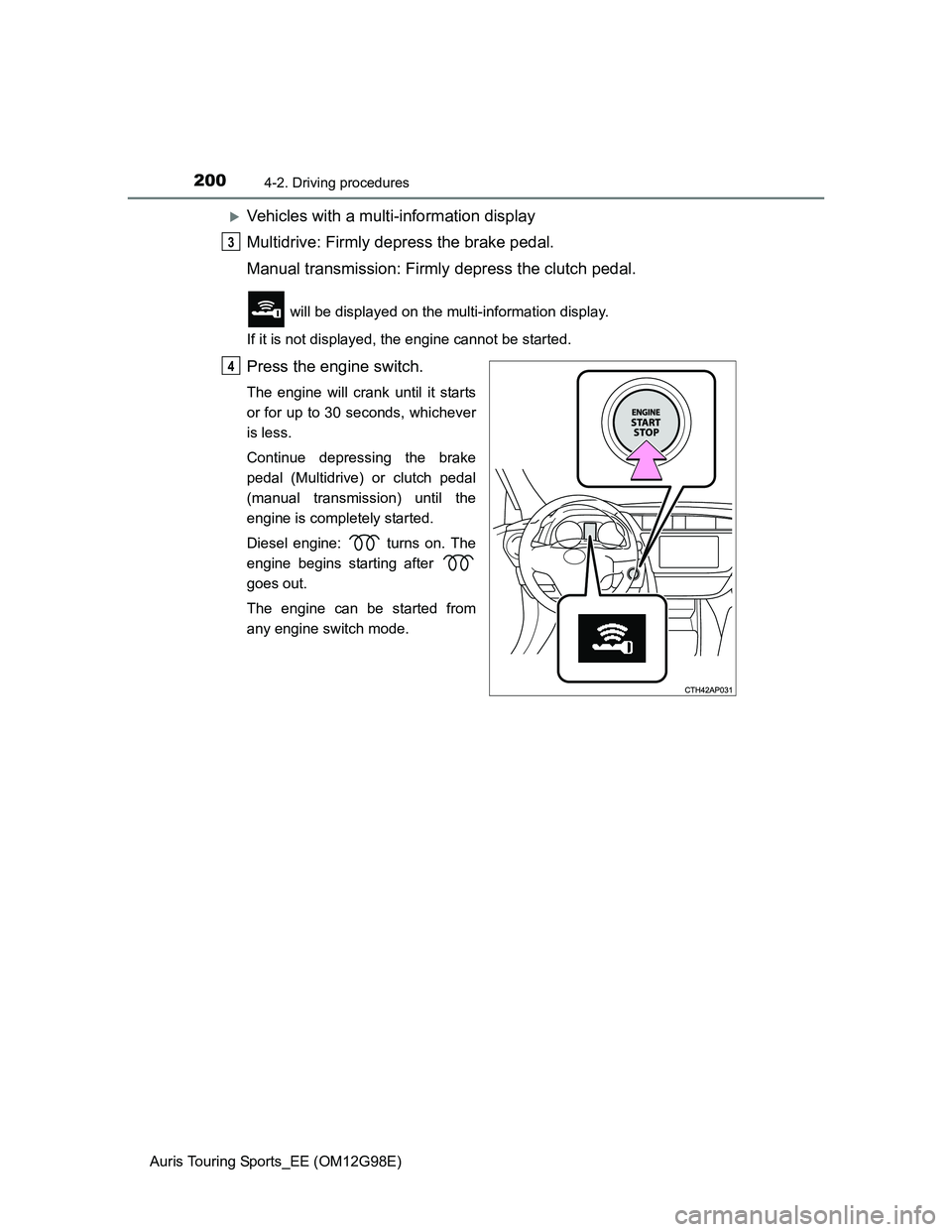
Vehicles with a multi-information display
Multidrive: Firmly depress the brake pedal.
Manual transmission: Firmly depress the clutch pedal.
will be displayed on the multi-information display.
If it is not displayed, the engine cannot be started.
Press the engine switch.
The engine will crank until it starts
or for up to 30 seconds, whichever
is less.
Continue depressing the brake
pedal (Multidrive) or clutch pedal
(manual transmission) until the
engine is completely started.
Diesel engine: turns on. The
engine begins starting after
goes out.
The engine can be started from
any engine switch mode.
3
4
Page 201 of 632
2014-2. Driving procedures
Auris Touring Sports_EE (OM12G98E)
4
Driving
Multidrive: Stop the vehicle.
Manual transmission: While depressing the clutch pedal, stop the
vehicle.
Multidrive: Shift the shift lever to P.
Manual transmission: Shift the shift lever to N.
Set the parking brake. (P. 218)
Press the engine switch.
Vehicles without a multi-information display: Release the brake
pedal (Multidrive) or clutch pedal (manual transmission) and check
that the smart entry & start system indicator light (green) is off.
Vehicles with a multi-information display: Release the brake pedal
(Multidrive) or clutch pedal (manual transmission) and check that
“POWER ON” on the multi-information display is off.
Stopping the engine
1
2
3
4
5
Page 202 of 632
2024-2. Driving procedures
Auris Touring Sports_EE (OM12G98E)
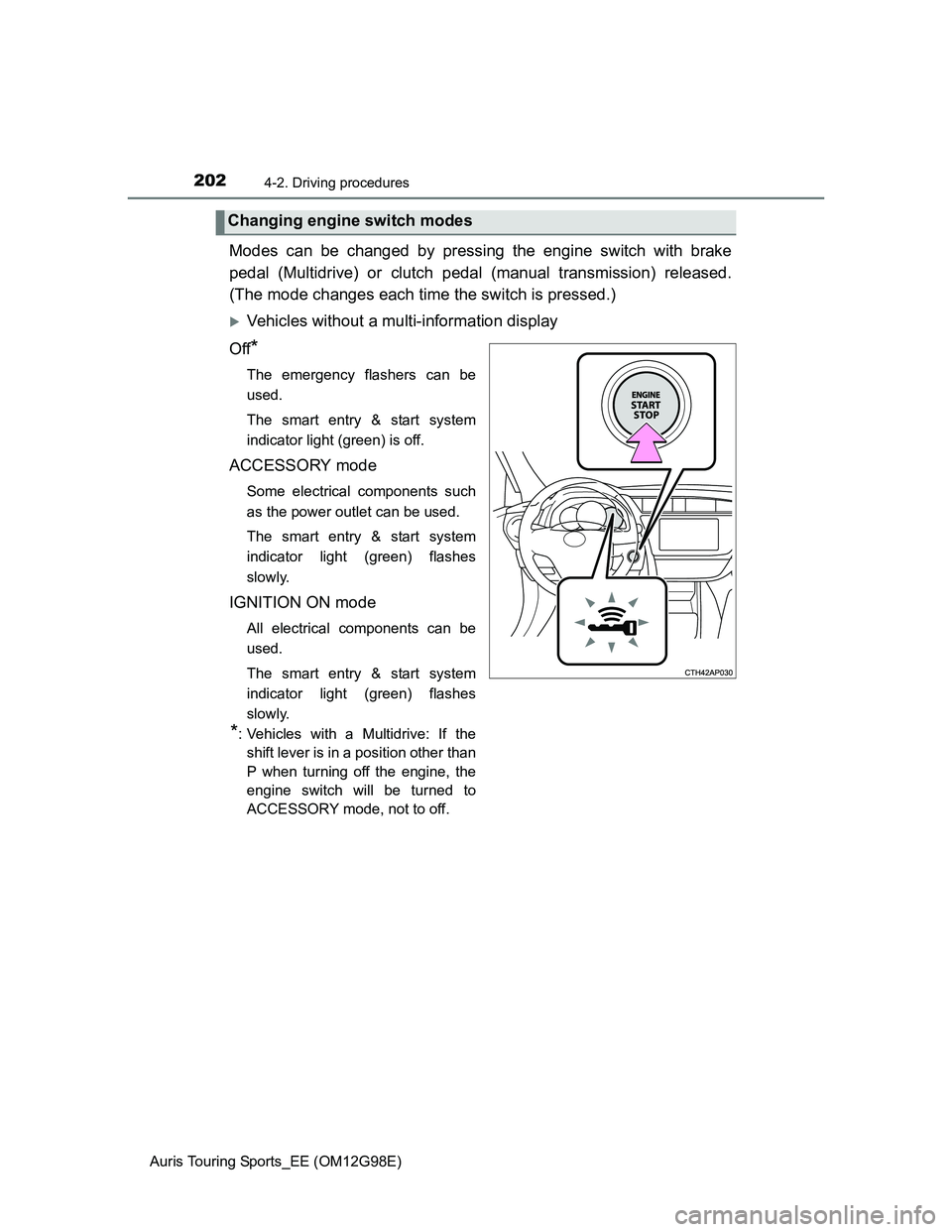
Modes can be changed by pressing the engine switch with brake
pedal (Multidrive) or clutch pedal (manual transmission) released.
(The mode changes each time the switch is pressed.)
Vehicles without a multi-information display
Off
*
The emergency flashers can be
used.
The smart entry & start system
indicator light (green) is off.
ACCESSORY mode
Some electrical components such
as the power outlet can be used.
The smart entry & start system
indicator light (green) flashes
slowly.
IGNITION ON mode
All electrical components can be
used.
The smart entry & start system
indicator light (green) flashes
slowly.
*: Vehicles with a Multidrive: If the
shift lever is in a position other than
P when turning off the engine, the
engine switch will be turned to
ACCESSORY mode, not to off.
Changing engine switch modes
Page 204 of 632
2044-2. Driving procedures
Auris Touring Sports_EE (OM12G98E)
If the engine is stopped with the shift lever in a position other than P,
the engine switch will not be turned off but instead be turned to
ACCESSORY mode. Perform the following procedure to turn the
switch off:
Check that the parking brake is set.
Shift the shift lever to P.
Vehicles without a multi-information display
Check that the smart entry & start system indicator light (green)
flashes slowly and then press the engine switch once.
Check that the smart entry & start system indicator light (green) is
off.
Vehicles with a multi-information display
Check that “POWER ON” and “TURN POWER OFF” are displayed
alternately on the multi-information display and then press the
engine switch once.
Check that “POWER ON” and “TURN POWER OFF” on the multi-
information display are off.
When stopping the engine with the shift lever in a position other
than P (vehicles with a Multidrive)
1
2
3
4
3
4
Page 207 of 632
2074-2. Driving procedures
Auris Touring Sports_EE (OM12G98E)
4
Driving
CAUTION
When starting the engine
Always start the engine while sitting in the driver’s seat. Do not depress the
accelerator pedal while starting the engine under any circumstances.
Doing so may cause an accident resulting in death or serious injury.
Caution while driving
If engine failure occurs while the vehicle is moving, do not lock or open the
doors until the vehicle reaches a safe and complete stop. Activation of the
steering lock in this circumstance may lead to an accident, resulting in
death or serious injury.
Stopping the engine in an emergency
If you want to stop the engine in an emergency while driving the vehicle,
press and hold the engine switch for more than 2 seconds, or press it briefly
3 times or more in succession. (P. 481)
However, do not touch the engine switch while driving except in an emer-
gency. Turning the engine off while driving will not cause loss of steering or
braking control, but the power assist to these systems will be lost. This will
make it more difficult to steer and brake, so you should pull over and stop
the vehicle as soon as it is safe to do so.
Page 209 of 632
2094-2. Driving procedures
Auris Touring Sports_EE (OM12G98E)
4
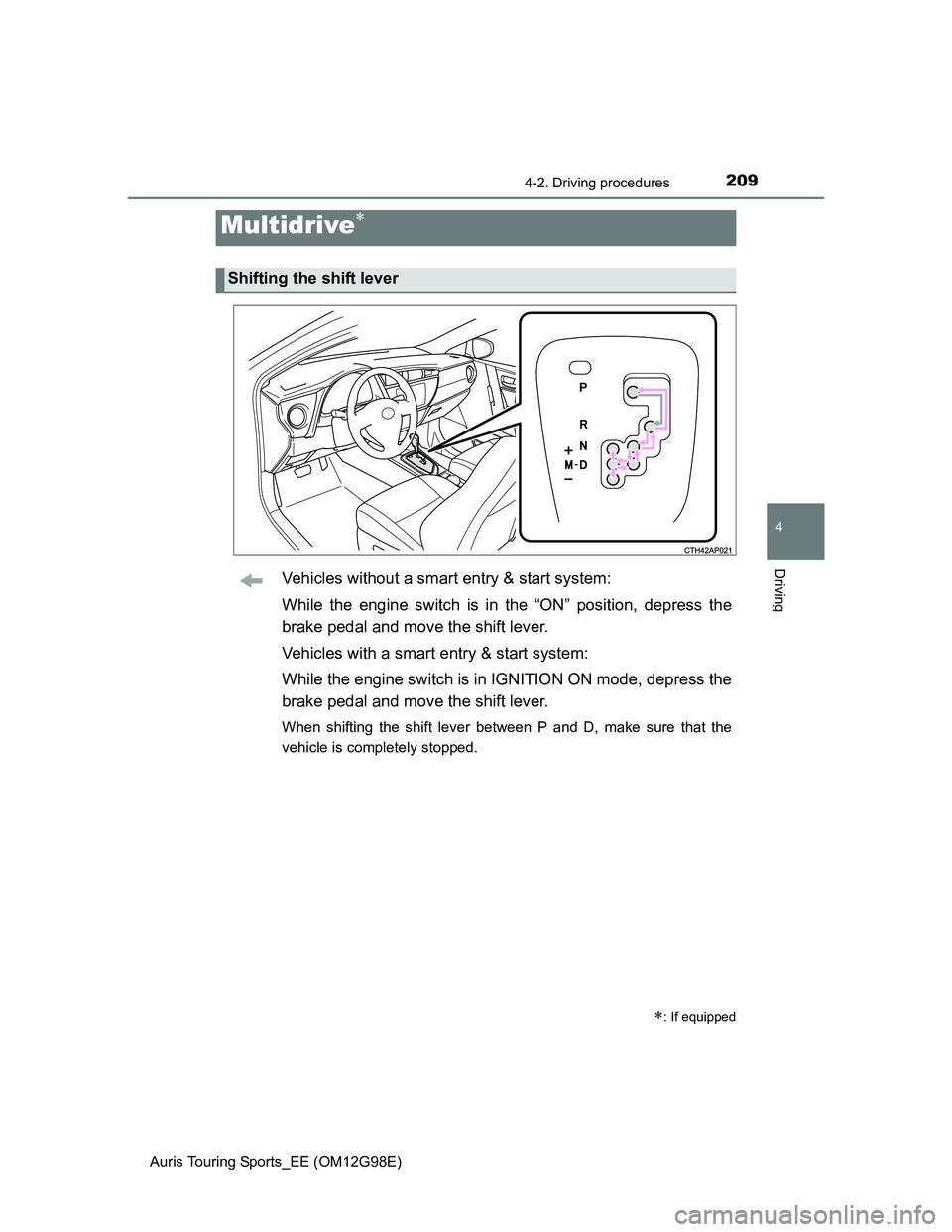
DrivingVehicles without a smart entry & start system:
While the engine switch is in the “ON” position, depress the
brake pedal and move the shift lever.
Vehicles with a smart entry & start system:
While the engine switch is in IGNITION ON mode, depress the
brake pedal and move the shift lever.
When shifting the shift lever between P and D, make sure that the
vehicle is completely stopped.
Multidrive
: If equipped
Shifting the shift lever
Page 218 of 632
2184-2. Driving procedures
Auris Touring Sports_EE (OM12G98E)
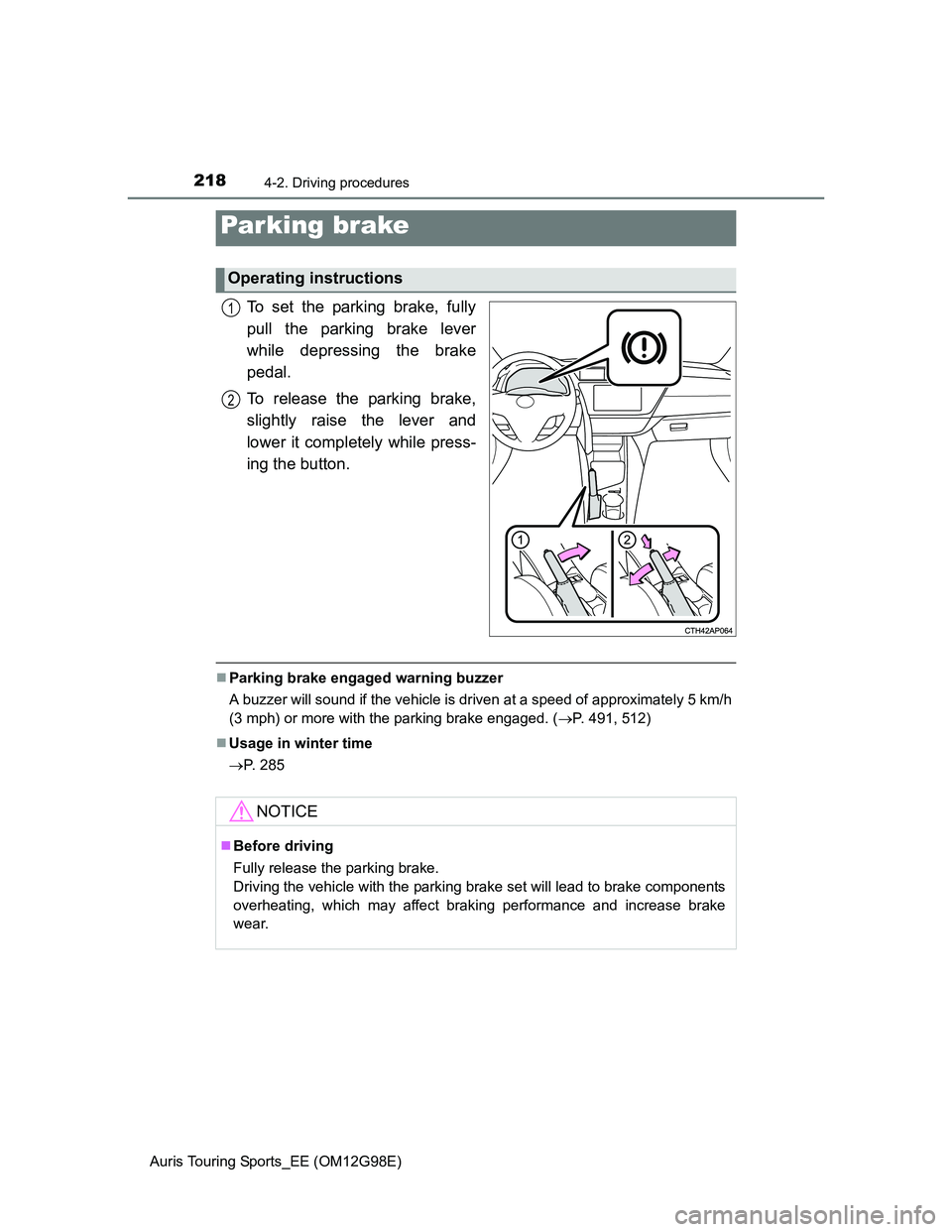
To set the parking brake, fully
pull the parking brake lever
while depressing the brake
pedal.
To release the parking brake,
slightly raise the lever and
lower it completely while press-
ing the button.
Parking brake engaged warning buzzer
A buzzer will sound if the vehicle is driven at a speed of approximately 5 km/h
(3 mph) or more with the parking brake engaged. (P. 491, 512)
Usage in winter time
P. 285
Parking brake
Operating instructions
1
2
NOTICE
Before driving
Fully release the parking brake.
Driving the vehicle with the parking brake set will lead to brake components
overheating, which may affect braking performance and increase brake
wear.
Page 224 of 632
2244-3. Operating the lights and wipers
Auris Touring Sports_EE (OM12G98E)
Daytime running light system
To make your vehicle more visible to other drivers, the front position lights
turn on automatically whenever the engine is started and the parking brake is
released. Daytime running lights are not designed for use at night.
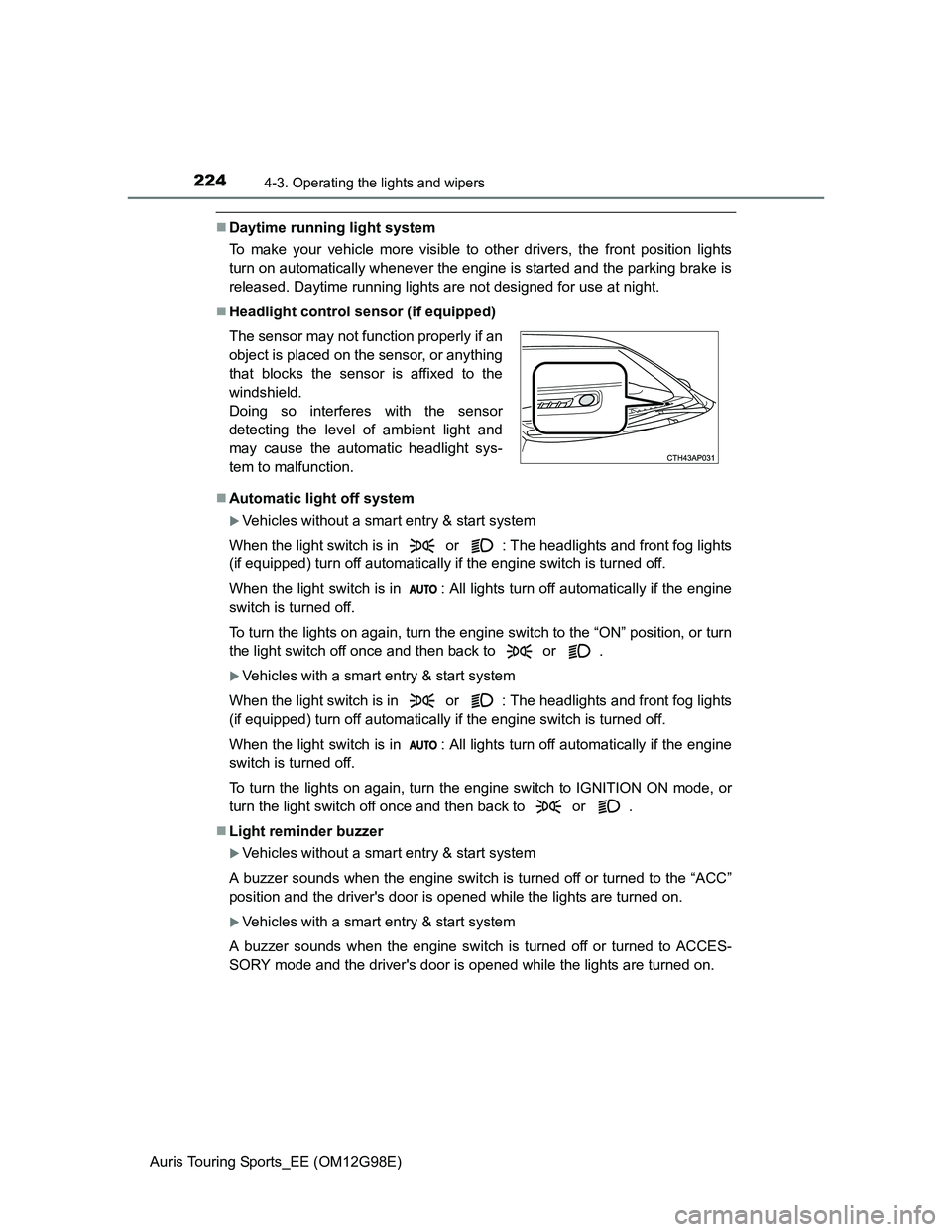
Headlight control sensor (if equipped)
Automatic light off system
Vehicles without a smart entry & start system
When the light switch is in or : The headlights and front fog lights
(if equipped) turn off automatically if the engine switch is turned off.
When the light switch is in : All lights turn off automatically if the engine
switch is turned off.
To turn the lights on again, turn the engine switch to the “ON” position, or turn
the light switch off once and then back to or .
Vehicles with a smart entry & start system
When the light switch is in or : The headlights and front fog lights
(if equipped) turn off automatically if the engine switch is turned off.
When the light switch is in : All lights turn off automatically if the engine
switch is turned off.
To turn the lights on again, turn the engine switch to IGNITION ON mode, or
turn the light switch off once and then back to or .
Light reminder buzzer
Vehicles without a smart entry & start system
A buzzer sounds when the engine switch is turned off or turned to the “ACC”
position and the driver's door is opened while the lights are turned on.
Vehicles with a smart entry & start system
A buzzer sounds when the engine switch is turned off or turned to ACCES-
SORY mode and the driver's door is opened while the lights are turned on. The sensor may not function properly if an
object is placed on the sensor, or anything
that blocks the sensor is affixed to the
windshield.
Doing so interferes with the sensor
detecting the level of ambient light and
may cause the automatic headlight sys-
tem to malfunction.