maintenance TOYOTA AURIS HYBRID 2012 Owners Manual
[x] Cancel search | Manufacturer: TOYOTA, Model Year: 2012, Model line: AURIS HYBRID, Model: TOYOTA AURIS HYBRID 2012Pages: 524, PDF Size: 26.34 MB
Page 1 of 524
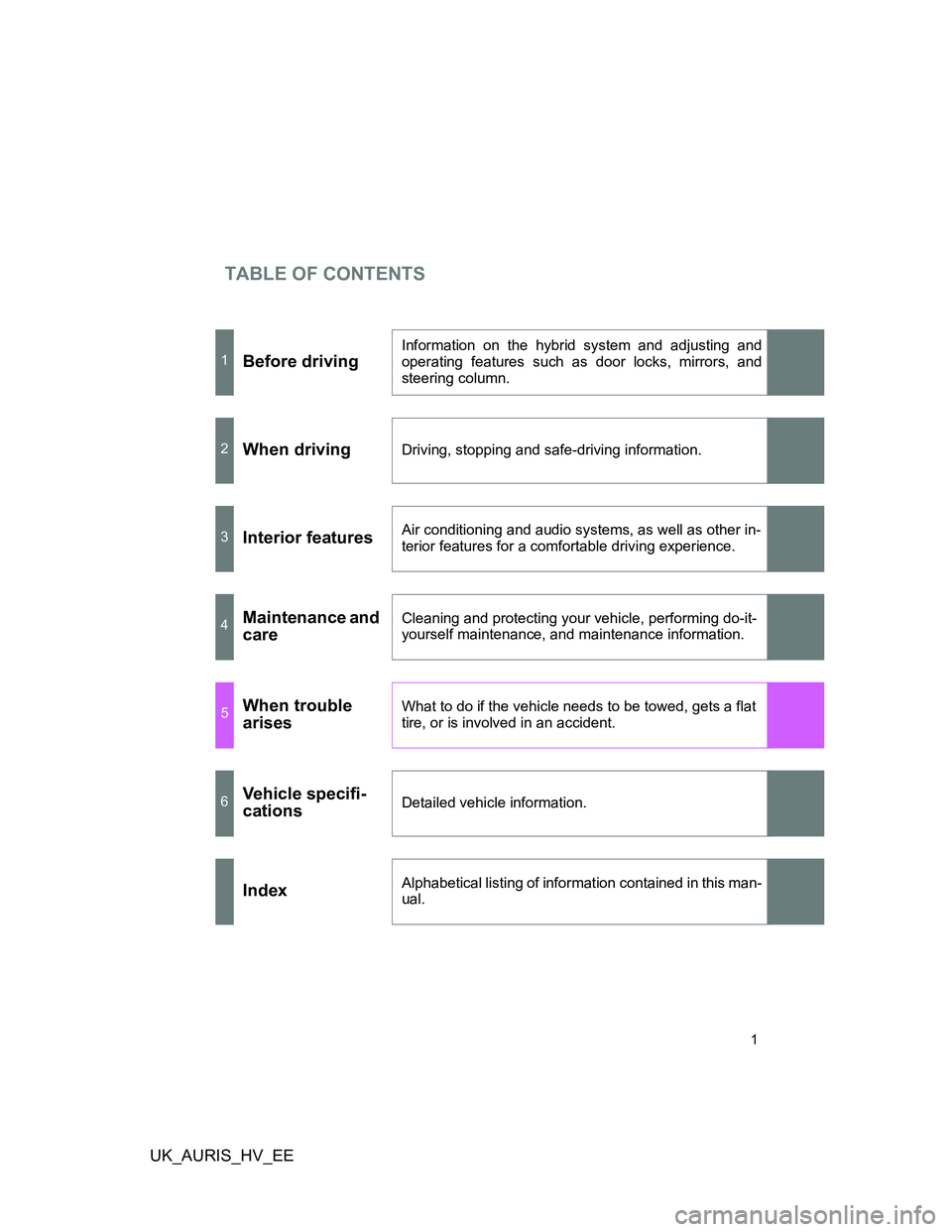
TABLE OF CONTENTS
UK_AURIS_HV_EE
1
1Before driving
Information on the hybrid system and adjusting and
operating features such as door locks, mirrors, and
steering column.
2When drivingDriving, stopping and safe-driving information.
3Interior featuresAir conditioning and audio systems, as well as other in-
terior features for a comfortable driving experience.
4Maintenance and
careCleaning and protecting your vehicle, performing do-it-
yourself maintenance, and maintenance information.
5When trouble
arisesWhat to do if the vehicle needs to be towed, gets a flat
tire, or is involved in an accident.
6Vehicle specifi-
cationsDetailed vehicle information.
IndexAlphabetical listing of information contained in this man-
ual.
Page 4 of 524
TABLE OF CONTENTSIndex
UK_AURIS_HV_EE
4
3-4. Using the hands-free
phone system
(for cellular phone)
Hands-free phone system
(for cellular phone)
features............................. 309
Using the hands-free
phone system
(for cellular phone)............ 314
Making a phone call ............ 320
Setting a cellular phone ...... 323
Security and system
setup ................................. 327
Using the phone book ......... 331
3-5. Using the interior lights
Interior lights list .................. 336
• Interior light ....................... 337
• Personal lights .................. 338
3-6. Using the storage features
List of storage features ....... 339
• Glove box ......................... 340
• Console box...................... 340
• Cup holders ...................... 341
• Auxiliary boxes ................. 342
3-7. Other interior features
Sun visors ........................... 343
Vanity mirrors...................... 344
Clock ................................... 345
Portable ashtray.................. 346
Cigarette lighter .................. 347
Power outlet ........................ 349
Seat heaters ....................... 350Floor mat ............................ 352
Luggage compartment
features ............................ 353
4-1. Maintenance and care
Cleaning and protecting
the vehicle exterior ........... 356
Cleaning and protecting
the vehicle interior ............ 360
4-2. Maintenance
Maintenance
requirements .................... 363
4-3. Do-it-yourself maintenance
Do-it-yourself service
precautions ...................... 366
Hood................................... 369
Positioning a floor jack ....... 371
Engine compartment .......... 373
12-volt battery .................... 381
Tires ................................... 387
Tire inflation pressure......... 390
Wheels ............................... 392
Air conditioning filter ........... 394
Key battery ......................... 397
Checking and replacing
fuses ................................ 400
Light bulbs .......................... 411
4Maintenance and care
Page 5 of 524
1
2
3
4
5
6
UK_AURIS_HV_EE
5
5-1. Essential information
Emergency flashers ............ 422
If your vehicle needs to
be towed ........................... 423
If you think something
is wrong ............................ 429
5-2. Steps to take in an
emergency
If a warning light turns
on or a warning buzzer
sounds... .......................... 430
If a warning message is
displayed .......................... 436
If you have a flat tire
(vehicles with a
spare tire) ......................... 447
If you have a flat tire
(vehicles with an
emergency tire
puncture repair kit)............ 459
If the hybrid system will
not start............................. 471
If you lose your keys ........... 473
If the electronic key does
not operate properly ......... 474
If the 12-volt battery is
discharged ........................ 476
If your vehicle overheats ..... 481
If the vehicle becomes
stuck ................................. 486
If your vehicle has to
be stopped in an
emergency ........................ 4886-1. Specifications
Maintenance data
(fuel, oil level, etc.) ........... 492
Fuel information ................. 504
6-2. Customization
Customizable features ....... 506
Abbreviation list........................ 510
Alphabetical index .................... 511
What to do if... .......................... 521
5When trouble arises6Vehicle specifications
Index
Page 33 of 524
33 1-1. Hybrid system
1
Before driving
UK_AURIS_HV_EE
Sounds and vibrations specific to a hybrid vehicle
There may be no engine sounds or vibration even though the vehicle is able
to move. Always push the P position switch and set the parking brake when
parked.
The following sounds or vibrations may occur when the hybrid system is
operating, and are not a malfunction.
Motor sounds may be heard from the engine compartment.
Sounds may be heard from the hybrid battery (traction battery) behind
the rear seat when the hybrid system starts or stops.
Sounds from the hybrid system may be heard when the back door is
open.
Sounds may be heard from the transmission when the gasoline engine
starts or stops, when driving at low speeds, or during idling.
Engine sounds may be heard when accelerating sharply.
Sounds may be heard due to regenerative brake when you press the
brake pedal or release the accelerator pedal.
Other sounds, such as motors and mechanical noises, may be heard
from the brake system when the brake pedal is depressed.
Vibration may be felt when the gasoline engine starts or stops.
You may hear cooling fan sounds coming from the air intake vents behind
the rear seat.
Maintenance, repair, recycling, and disposal
Contact any authorized Toyota dealer or repairer, or another duly qualified
and equipped professional regarding maintenance, repair, recycling and dis-
posal. Do not dispose of the vehicle yourself.
Page 107 of 524
107
1
Before driving
UK_AURIS_HV_EE
1-7. Theft deterrent system
Immobilizer system
System maintenance
The vehicle has a maintenance-free type immobilizer system.
Conditions that may cause the system to malfunction
If the key is in contact with a metallic object
If the key is in close proximity to or touching a key to the security system
(key with a built-in transponder chip) of another vehicle
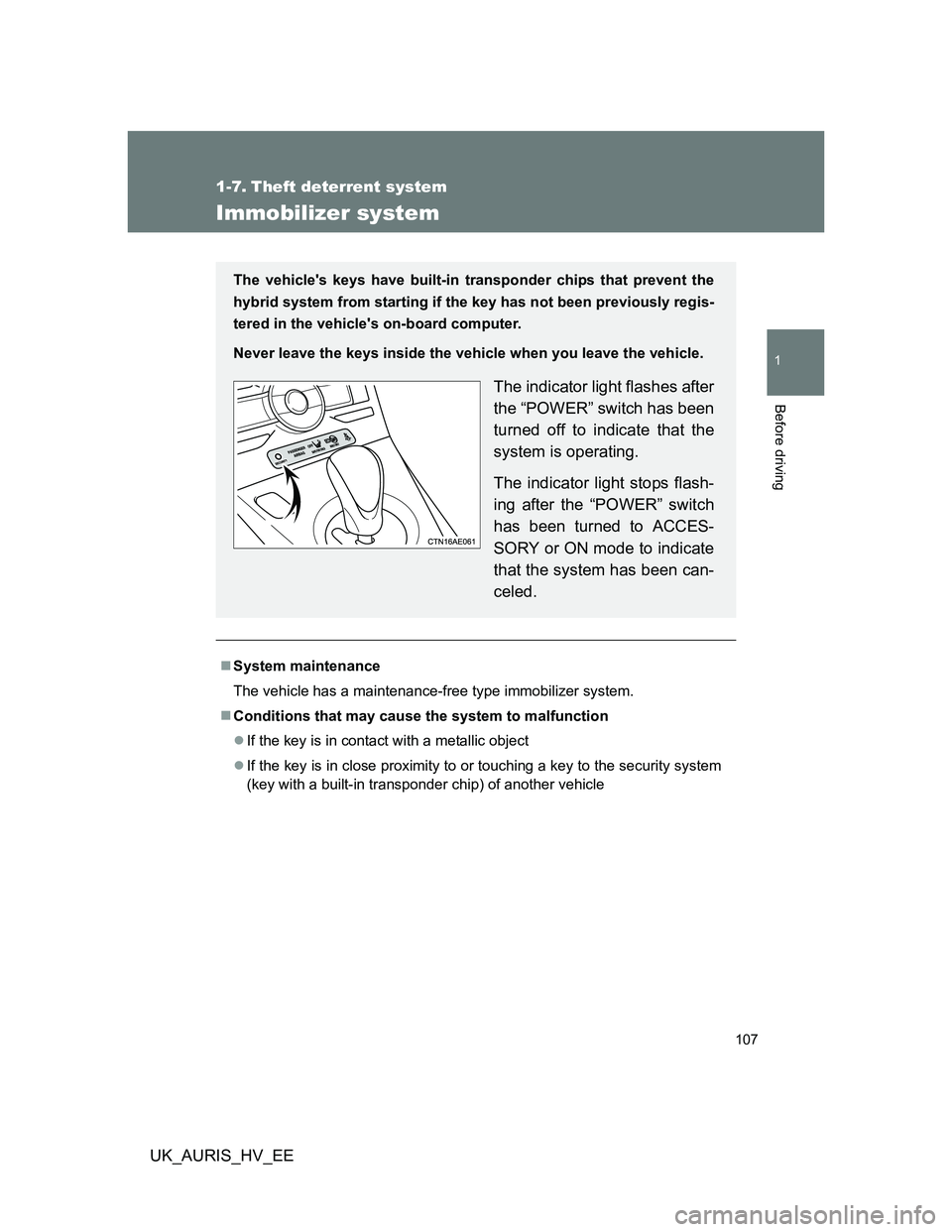
The vehicle's keys have built-in transponder chips that prevent the
hybrid system from starting if the key has not been previously regis-
tered in the vehicle's on-board computer.
Never leave the keys inside the vehicle when you leave the vehicle.
The indicator light flashes after
the “POWER” switch has been
turned off to indicate that the
system is operating.
The indicator light stops flash-
ing after the “POWER” switch
has been turned to ACCES-
SORY or ON mode to indicate
that the system has been can-
celed.
Page 117 of 524
117 1-7. Theft deterrent system
1
Before driving
UK_AURIS_HV_EE
System maintenance
The vehicle has a maintenance-free type alarm system.
Items to check before locking the vehicle
To prevent unexpected triggering of the alarm and vehicle theft, make sure
of the following.
Nobody is in the vehicle.
The windows and moon roof (if equipped) are closed before the alarm is
set.
No valuables or other personal items are left in the vehicle.
Triggering of the alarm
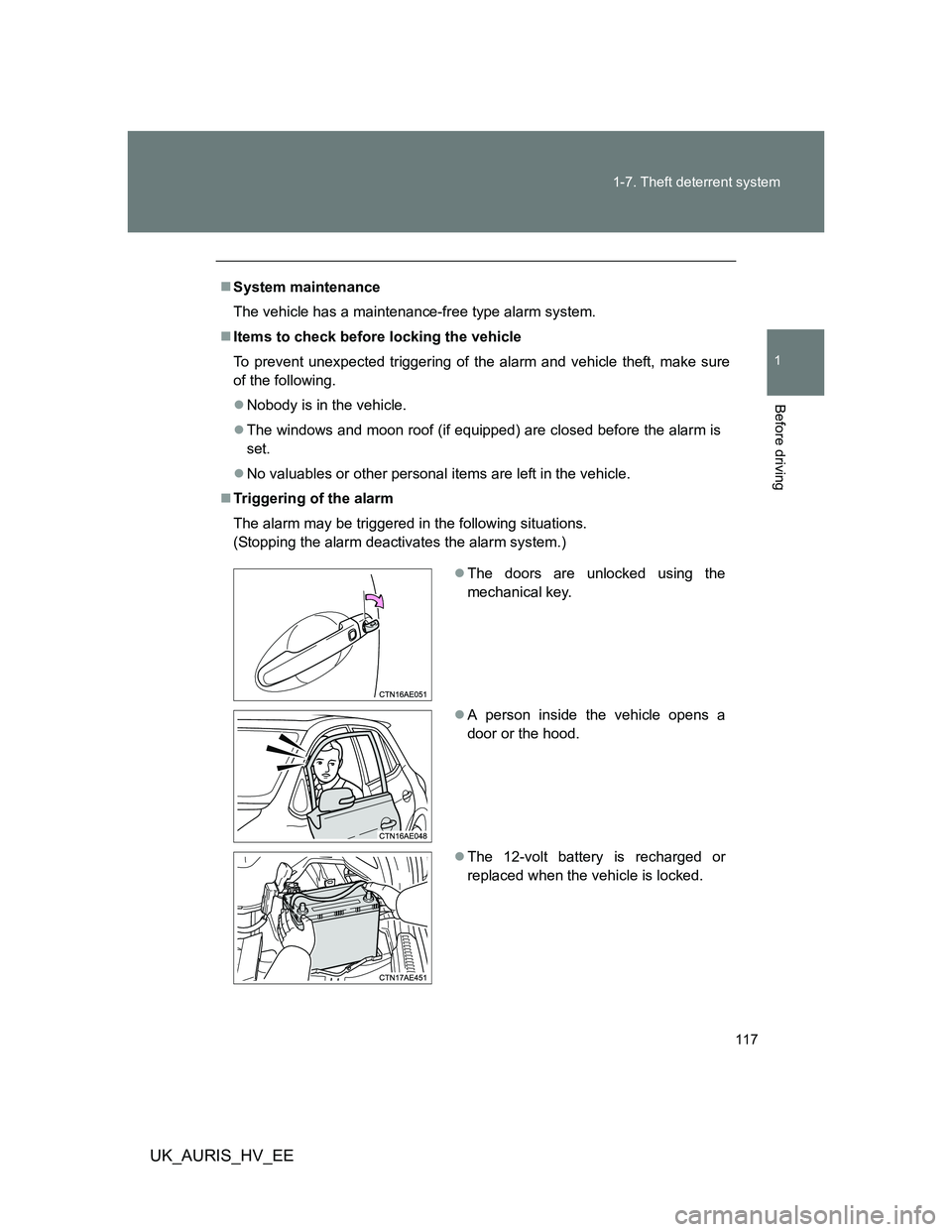
The alarm may be triggered in the following situations.
(Stopping the alarm deactivates the alarm system.)
The doors are unlocked using the
mechanical key.
A person inside the vehicle opens a
door or the hood.
The 12-volt battery is recharged or
replaced when the vehicle is locked.
Page 355 of 524
4Maintenance and care
355
UK_AURIS_HV_EE
4-1. Maintenance and care
Cleaning and protecting
the vehicle exterior ......... 356
Cleaning and protecting
the vehicle interior .......... 360
4-2. Maintenance
Maintenance
requirements................... 363
4-3. Do-it-yourself
maintenance
Do-it-yourself service
precautions ..................... 366
Hood ................................. 369
Positioning a floor jack ...... 371
Engine compartment......... 373
12-volt battery ................... 381
Tires .................................. 387
Tire inflation pressure ....... 390
Wheels .............................. 392
Air conditioning filter ......... 394
Key battery........................ 397
Checking and replacing
fuses ............................... 400
Light bulbs ........................ 411
Page 356 of 524
356
UK_AURIS_HV_EE
4-1. Maintenance and care
Cleaning and protecting the vehicle exterior
Automatic car washes
Before washing the vehicle, do the following:
• Fold the mirrors back.
• Remove the antenna.
Brushes used in automatic car washes may scratch the vehicle surface
and harm your vehicle’s paint.
High pressure car washes
Do not allow the nozzles of the car wash to come within close proximity
of the windows.
Before car wash, check that the fuel filler door on your vehicle is closed
properly.
Perform the following to protect the vehicle and maintain it in prime
condition:
Working from top to bottom, liberally apply water to the vehicle
body, wheel wells and underside of the vehicle to remove any
dirt and dust.
Wash the vehicle body using a sponge or soft cloth, such as a
chamois.
For hard-to-remove marks, use car wash soap and rinse thor-
oughly with water.
Wipe away any water.
Wax the vehicle when the waterproof coating deteriorates.
If water does not bead on a clean surface, apply wax when the vehi-
cle body is cool.
Page 357 of 524
357 4-1. Maintenance and care
4
Maintenance and care
UK_AURIS_HV_EE
Aluminum wheels
Remove any dirt immediately by using a neutral detergent. Do not use
hard brushes or abrasive cleaners. Do not use strong or harsh chemical
cleaners.
Use the same mild detergent and wax as used on the paint.
Do not use detergent on the wheels when they are hot, for example after
driving for long distance in the hot weather.
Wash detergent from the wheels immediately after use.
Bumpers
Do not scrub with abrasive cleaners.
CAUTION
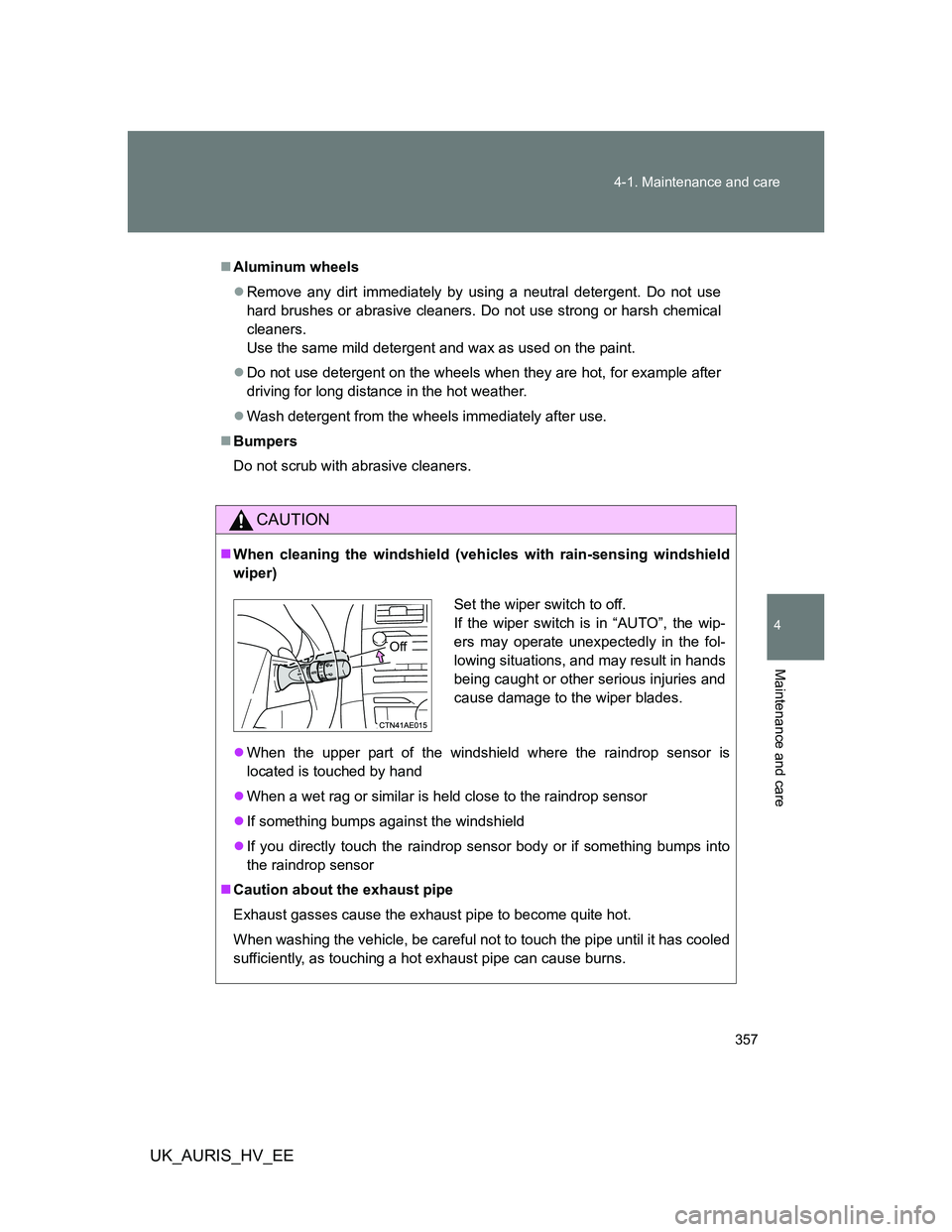
When cleaning the windshield (vehicles with rain-sensing windshield
wiper)
When the upper part of the windshield where the raindrop sensor is
located is touched by hand
When a wet rag or similar is held close to the raindrop sensor
If something bumps against the windshield
If you directly touch the raindrop sensor body or if something bumps into
the raindrop sensor
Caution about the exhaust pipe
Exhaust gasses cause the exhaust pipe to become quite hot.
When washing the vehicle, be careful not to touch the pipe until it has cooled
sufficiently, as touching a hot exhaust pipe can cause burns.
Set the wiper switch to off.
If the wiper switch is in “AUTO”, the wip-
ers may operate unexpectedly in the fol-
lowing situations, and may result in hands
being caught or other serious injuries and
cause damage to the wiper blades.
Off
Page 358 of 524
358 4-1. Maintenance and care
UK_AURIS_HV_EE
NOTICE
To prevent paint deterioration and corrosion on the body and compo-
nents (aluminum wheels etc.)
Wash the vehicle immediately in the following cases:
• After driving near the sea coast
• After driving on salted roads
• If you see coal tar or tree sap on the paint surface
• If you see dead insects, insect droppings or bird droppings on the paint
• After driving in an area contaminated with soot, oily smoke, mine dust,
iron powder or chemical substances
• If the vehicle becomes heavily soiled in dust or mud
• If liquids such as benzene and gasoline are spilled on the paint surface
If the paint is chipped or scratched, have it repaired immediately.
To prevent the wheels from corroding, remove any dirt and store in a place
with low humidity when storing the wheels.
Cleaning the exterior lights
Wash carefully. Do not use organic substances or scrub with a hard brush.
This may damage the surfaces of the lights.
Do not apply wax to the surfaces of the lights.
Wax may cause damage to the lenses.
Antenna installation and removal precautions
Before driving, ensure that the antenna is installed.
When the antenna is removed, such as before entering an automatic car
wash, make sure to store it in a suitable place so as not to lose it. Also,
before driving, make sure to reinstall the antenna in its original position.