Hold TOYOTA AURIS HYBRID 2016 Owner's Guide
[x] Cancel search | Manufacturer: TOYOTA, Model Year: 2016, Model line: AURIS HYBRID, Model: TOYOTA AURIS HYBRID 2016Pages: 592, PDF Size: 16.67 MB
Page 281 of 592
2814-6. Using the driving support systems
UK AURIS_HV_HB_EE (OM12K47E)
4
Driving
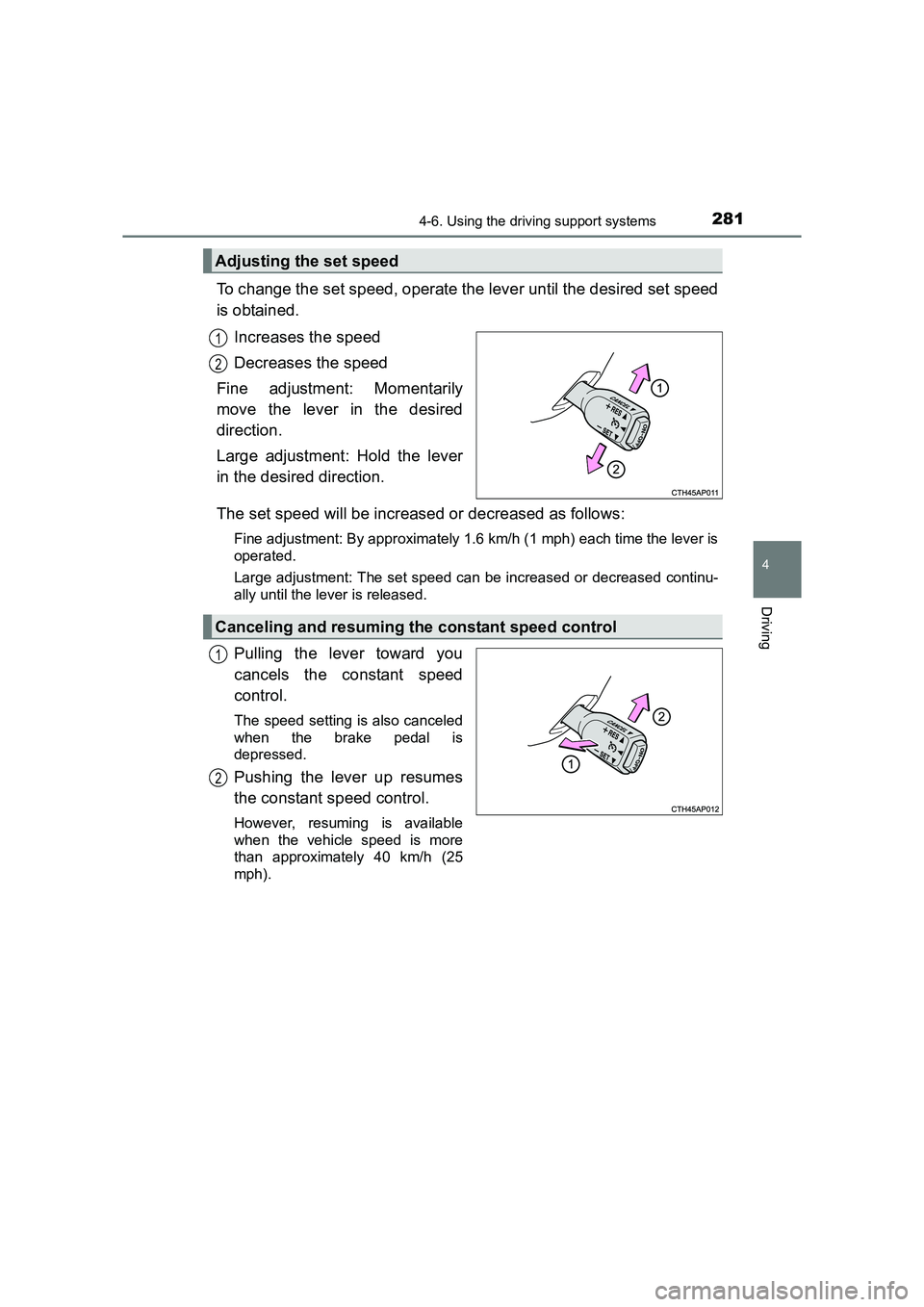
To change the set speed, operate the lever until the desired set speed
is obtained.Increases the speed
Decreases the speed
Fine adjustment: Momentarily
move the lever in the desired
direction.
Large adjustment: Hold the lever
in the desired direction.
The set speed will be increased or decreased as follows:
Fine adjustment: By approximately 1.6 km/h (1 mph) each time the lever is
operated.
Large adjustment: The set speed can be increased or decreased continu-
ally until the lever is released.
Pulling the lever toward you
cancels the constant speed
control.
The speed setting is also canceled
when the brake pedal is
depressed.
Pushing the lever up resumes
the constant speed control.
However, resuming is available
when the vehicle speed is more
than approximately 40 km/h (25
mph).
Adjusting the set speed
1
2
Canceling and resuming the constant speed control
1
2
Page 307 of 592
3074-6. Using the driving support systems
UK AURIS_HV_HB_EE (OM12K47E)
4
Driving
■Turning off both TRC and VSC systems
To turn the TRC and VSC systems off, press and hold for more than 3
seconds while the vehicle is stopped.
The VSC OFF indicator light will come on and the “TRC OFF” will be shown
on the multi-information display
*.
Press again to turn the systems back on.
*: On vehicles with a PCS (Pre-Crash Safety system), the pre-crash brake assist and pre-crash braking functions will also be disabled. ( →P. 263)
■ When the message is displayed on th e multi-information display show-
ing that TRC has been disable d even if has not been pressed
TRC and hill-start assist control cannot be operated. Contact any authorized
Toyota dealer or repairer, or another duly qualified and equipped professional.
■ Sounds and vibrations caused by the ABS, brake assist, TRC and VSC
systems
Any of the following conditions may occur when the above systems are oper-
ating. None of these indicates that a malfunction has occurred.
●Vibrations may be felt through the vehicle body and steering.
● A motor sound may be heard after the vehicle comes to a stop.
● The brake pedal may pulsate slightly after the ABS is activated.
● The brake pedal may move down slightly after the ABS is activated.
■ ECB operating sound
ECB operating sound may be heard in the following cases, but it does not
indicate that a malfunction has occurred.
●Operating sound heard from the engine compartment when the brake pedal
is operated.
● Motor sound of the brake system heard from the front part of the vehicle
when the driver’s door is opened.
● Operating sound heard from the engine compartment when one or two min-
utes passed after the stop of the hybrid system.
■ EPS operation sound
When the steering wheel is operated, a motor sound (whirring sound) may be
heard. This does not indicate a malfunction.
Page 309 of 592
3094-6. Using the driving support systems
UK AURIS_HV_HB_EE (OM12K47E)
4
Driving
WARNING
■ The ABS does not operate effectively when
●The limits of tire gripping performance have been exceeded (such as
excessively worn tires on a snow covered road).
● The vehicle hydroplanes while driving at high speed on wet or slick roads.
■ Stopping distance when the ABS is operating may exceed that of nor-
mal conditions
The ABS is not designed to shorten t he vehicle’s stopping distance. Always
maintain a safe distance from the vehicle in front of you, especially in the
following situations:
● When driving on dirt, gravel or snow-covered roads
● When driving with tire chains
● When driving over bumps in the road
● When driving over roads with potholes or uneven surfaces
■ TRC may not operate effectively when
Directional control and power may not be achievable while driving on slip-
pery road surfaces, even if the TRC system is operating.
Drive the vehicle carefully in conditions where stability and power may be
lost.
■ Hill- start assist control does not operate effectively when
●Do not overly rely on hill-start assist control. Hill-start assist control may
not operate effectively on steep inclines and roads covered with ice.
● Unlike the parking brake, hill-start assist control is not intended to hold the
vehicle stationary for an extended period of time. Do not attempt to use
hill-start assist control to hold the vehicle on an incline, as doing so may
lead to an accident.
■ When the VSC is activated
The slip indicator light flashes. Always drive carefully. Reckless driving may
cause an accident. Exercise particular care when the indicator light flashes.
■ When the TRC/VSC systems are turned off
Be especially careful and drive at a speed appropriate to the road condi-
tions. As these are the systems to help ensure vehicle stability and driving
force, do not turn the TRC/VSC systems off unless necessary.
Page 319 of 592
3195-1. Basic Operations
UK AURIS_HV_HB_EE (OM12K47E)
5
Audio system
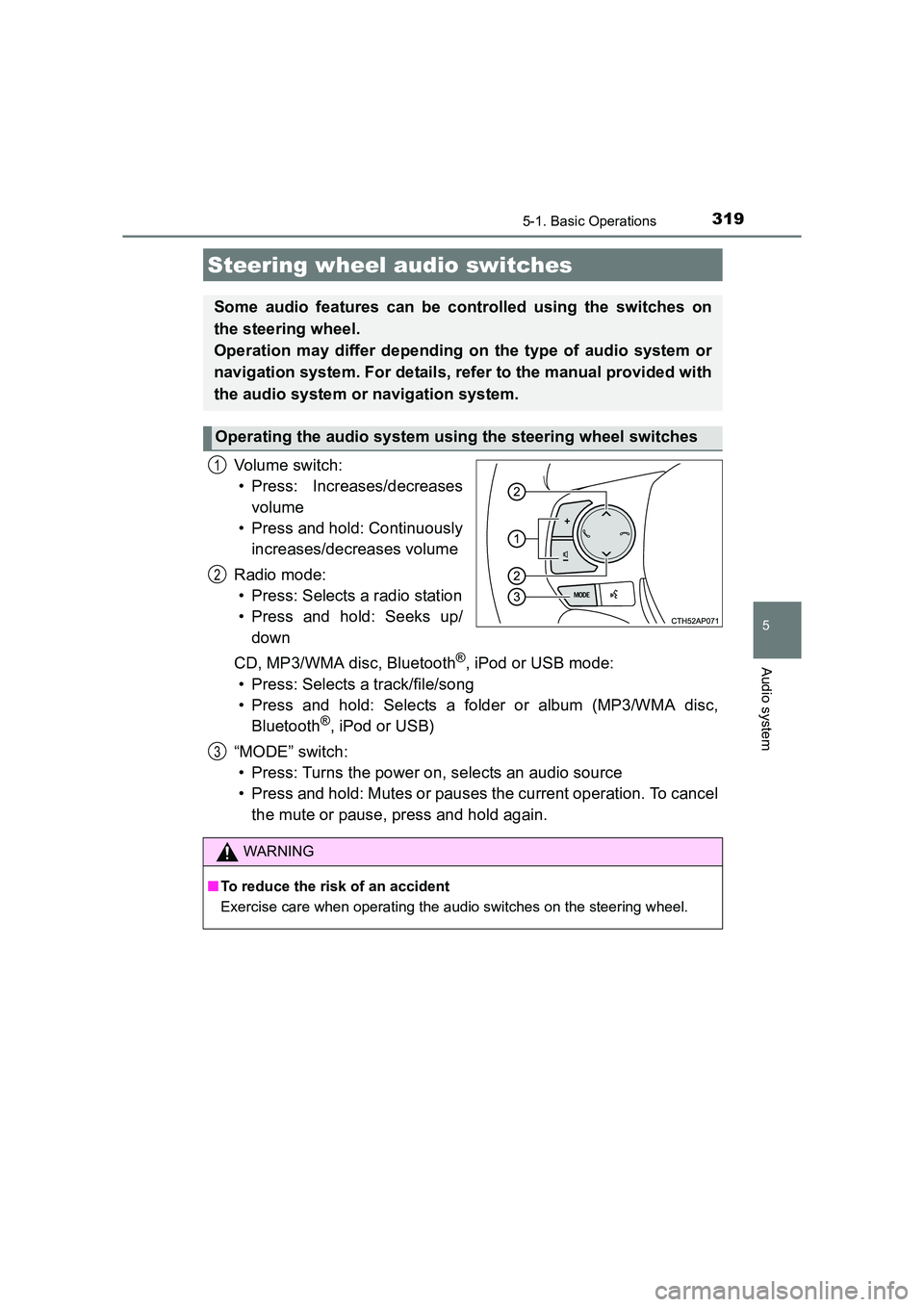
Vo lu m e swi tc h :• Press: Increases/decreases
volume
• Press and hold: Continuously
increases/decreases volume
Radio mode: • Press: Selects a radio station
• Press and hold: Seeks up/ down
CD, MP3/WMA disc, Bluetooth
®, iPod or USB mode:
• Press: Selects a track/file/song
• Press and hold: Selects a folder or album (MP3/WMA disc, Bluetooth
®, iPod or USB)
“MODE” switch: • Press: Turns the power on, selects an audio source
• Press and hold: Mutes or pauses the current operation. To cancel the mute or pause, press and hold again.
Steering wheel audio switches
Some audio features can be controlled using the switches on
the steering wheel.
Operation may differ depending on the type of audio system or
navigation system. For details, refer to the manual provided with
the audio system or navigation system.
Operating the audio system using the steering wheel switches
1
2
3
WARNING
■ To reduce the risk of an accident
Exercise care when operating the audio switches on the steering wheel.
Page 323 of 592
323
UK AURIS_HV_HB_EE (OM12K47E)
5
Audio system
5-3. Using the radio
Search for a desired station by pressing the “
Press and hold a desired station selector button until you hear a
beep.
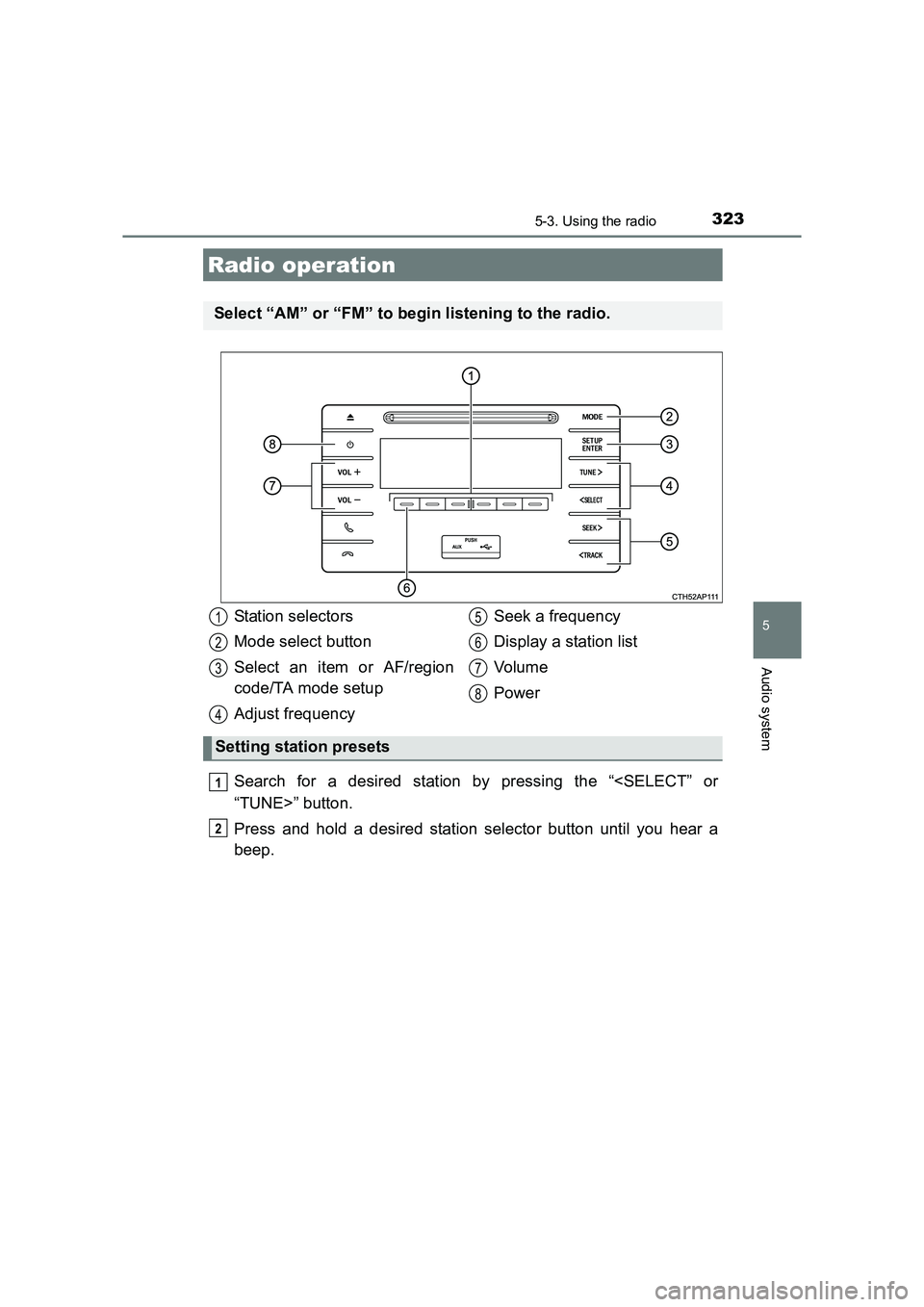
Radio operation
Select “AM” or “FM” to begin listening to the radio.
Station selectors
Mode select button
Select an item or AF/region
code/TA mode setup
Adjust frequencySeek a frequency
Display a station list
Vol um e
Power
Setting station presets
1
2
3
4
5
6
7
8
1
2
Page 327 of 592
3275-4. Playing audio CDs and MP3/WMA discs
UK AURIS_HV_HB_EE (OM12K47E)
5
Audio system
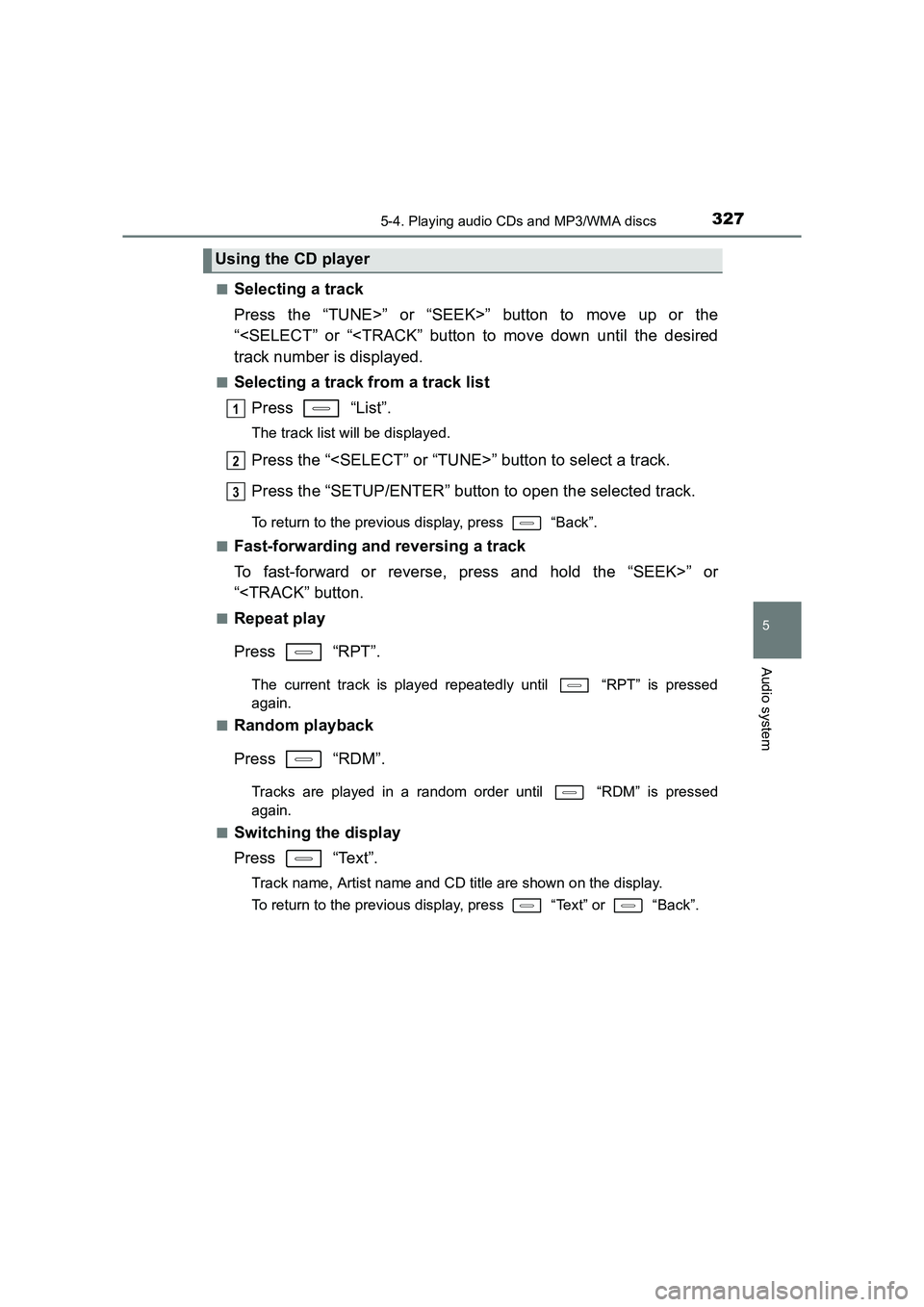
■Selecting a track
Press the “TUNE>” or “SEEK>” button to move up or the
“
■Selecting a track from a track listPress “List”.
The track list will be displayed.
Press the “
Press the “SETUP/ENTER” button to open the selected track.
To return to the previous display, press “Back”.
■
Fast-forwarding and reversing a track
To fast-forward or reverse, press and hold the “SEEK>” or
“
Press “RPT”.
The current track is played repeat edly until “RPT” is pressed
again.
■
Random playback
Press “RDM”.
Tracks are played in a random order until “RDM” is pressed
again.
■
Switching the display
Press “Text”.
Track name, Artist name and CD title are shown on the display.
To return to the previous display, press “Text” or “Back”.
Using the CD player
1
2
3
Page 328 of 592
3285-4. Playing audio CDs and MP3/WMA discs
UK AURIS_HV_HB_EE (OM12K47E)■
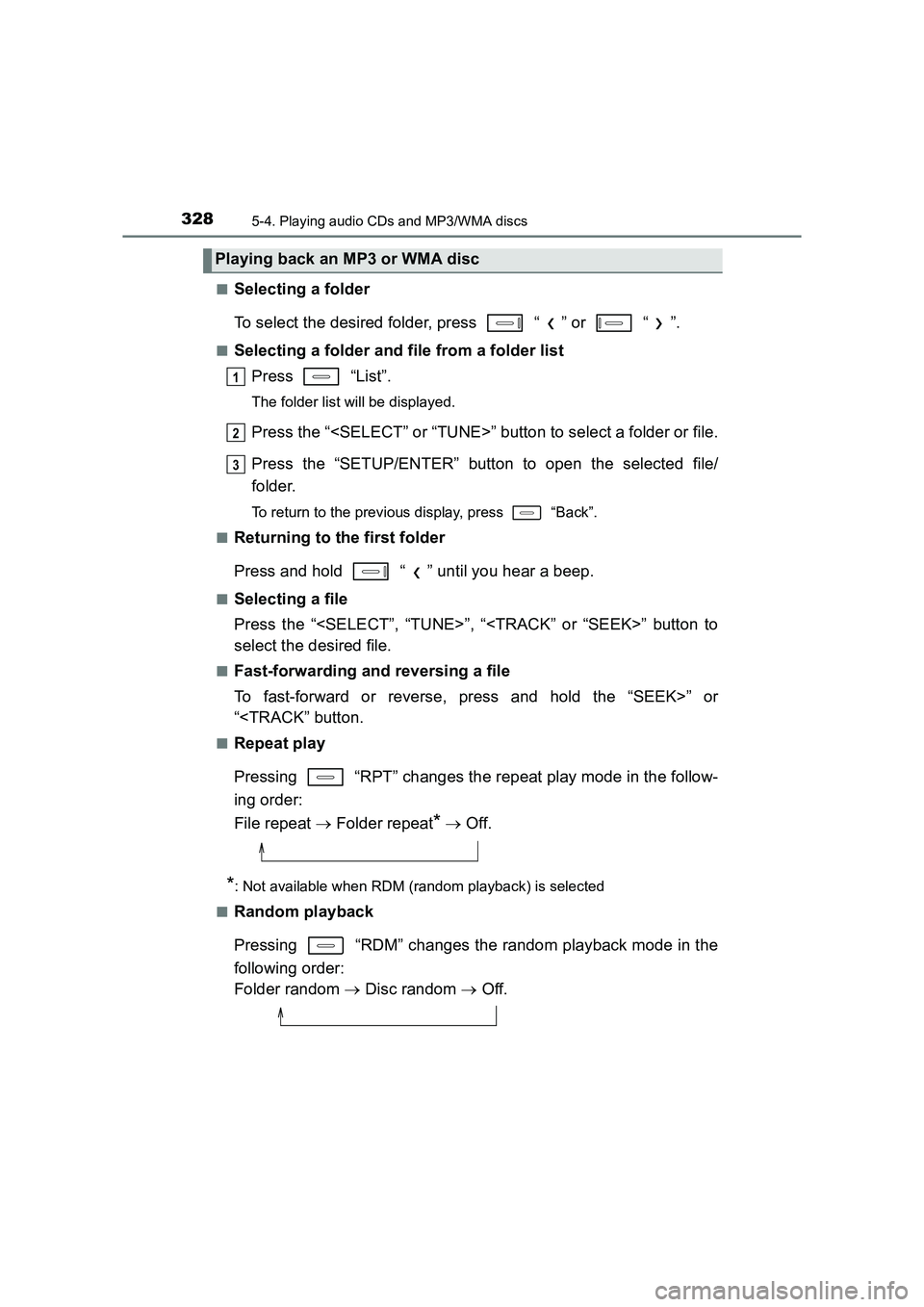
Selecting a folder
To select the desired folder, press “ ” or “ ”.
■Selecting a folder and file from a folder list
Press “List”.
The folder list will be displayed.
Press the “
Press the “SETUP/ENTER” button to open the selected file/
folder.
To return to the previous display, press “Back”.
■
Returning to the first folder
Press and hold “ ” until you hear a beep.
■Selecting a file
Press the “
select the desired file.
■Fast-forwarding and reversing a file
To fast-forward or reverse, press and hold the “SEEK>” or
“
Pressing “RPT” changes the repeat play mode in the follow-
ing order:
File repeat → Folder repeat
* → Off.
*: Not available when RDM (random playback) is selected
■
Random playback
Pressing “RDM” changes the random playback mode in the
following order:
Folder random → Disc random → Off.
Playing back an MP3 or WMA disc
1
2
3
Page 337 of 592
3375-5. Using an external device
UK AURIS_HV_HB_EE (OM12K47E)
5
Audio system
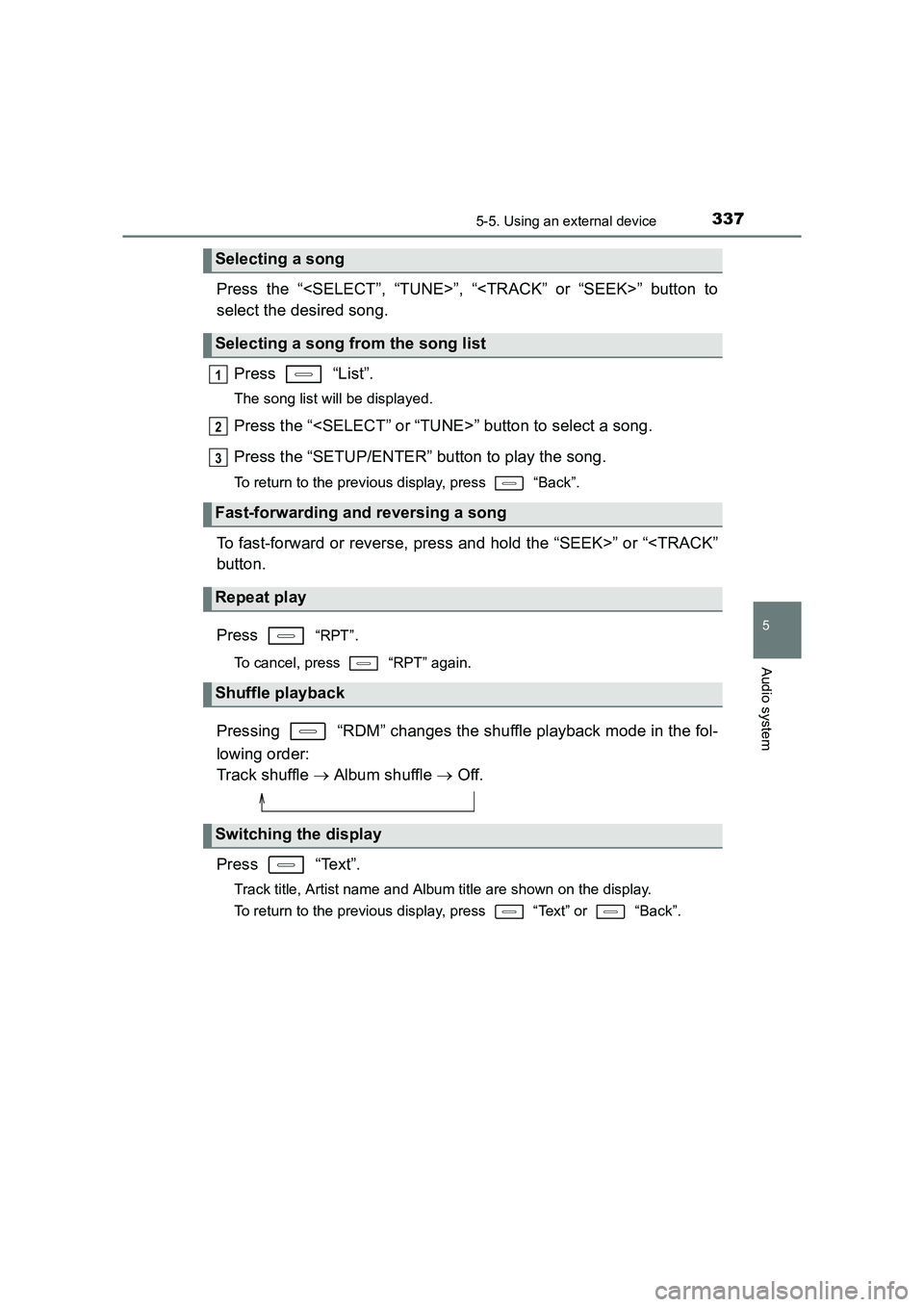
Press the “
select the desired song.Press “List”.
The song list will be displayed.
Press the “
Press the “SETUP/ENTER” button to play the song.
To return to the previous display, press “Back”.
To fast-forward or reverse, press and hold the “SEEK>” or “
Press
“RPT”.
To cancel, press “RPT” again.
Pressing “RDM” changes the shuffle playback mode in the fol-
lowing order:
Track shuffle → Album shuffle → Off.
Press “Text”.
Track title, Artist name and Albu m title are shown on the display.
To return to the previous display, press “Text” or “Back”.
Selecting a song
Selecting a song from the song list
Fast-forwarding and reversing a song
Repeat play
Shuffle playback
Switching the display
1
2
3
Page 343 of 592
3435-5. Using an external device
UK AURIS_HV_HB_EE (OM12K47E)
5
Audio system
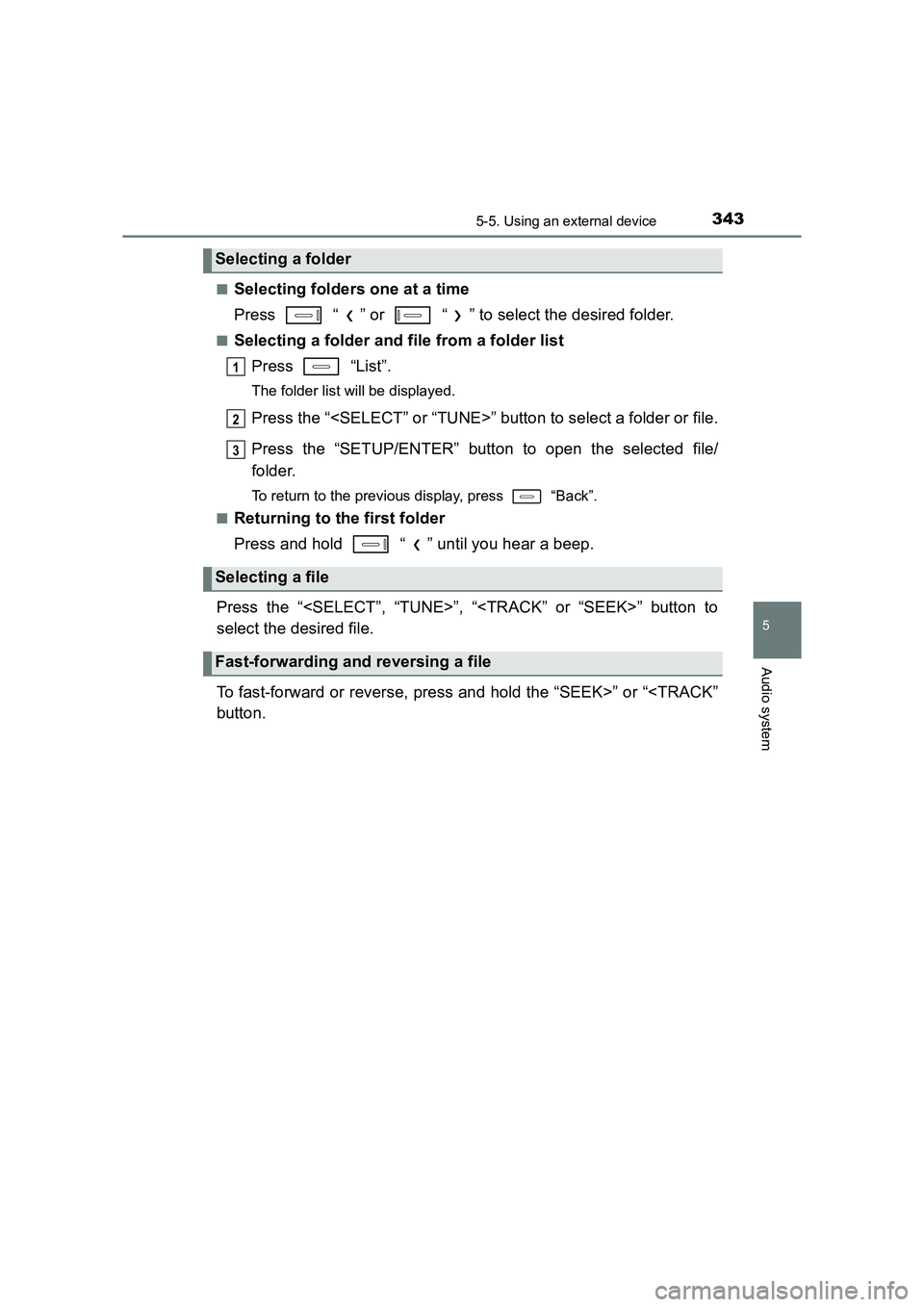
■Selecting folders one at a time
Press “ ” or “ ” to select the desired folder.
■Selecting a folder and file from a folder listPress “List”.
The folder list will be displayed.
Press the “
Press the “SETUP/ENTER” button to open the selected file/
folder.
To return to the previous display, press “Back”.
■
Returning to the first folder
Press and hold “ ” until you hear a beep.
Press the “
select the desired file.
To fast-forward or reverse, press and hold the “SEEK>” or “
Selecting a folder
Selecting a file
Fast-forwarding and reversing a file
1
2
3
Page 352 of 592
3525-6. Using Bluetooth® devices
UK AURIS_HV_HB_EE (OM12K47E)
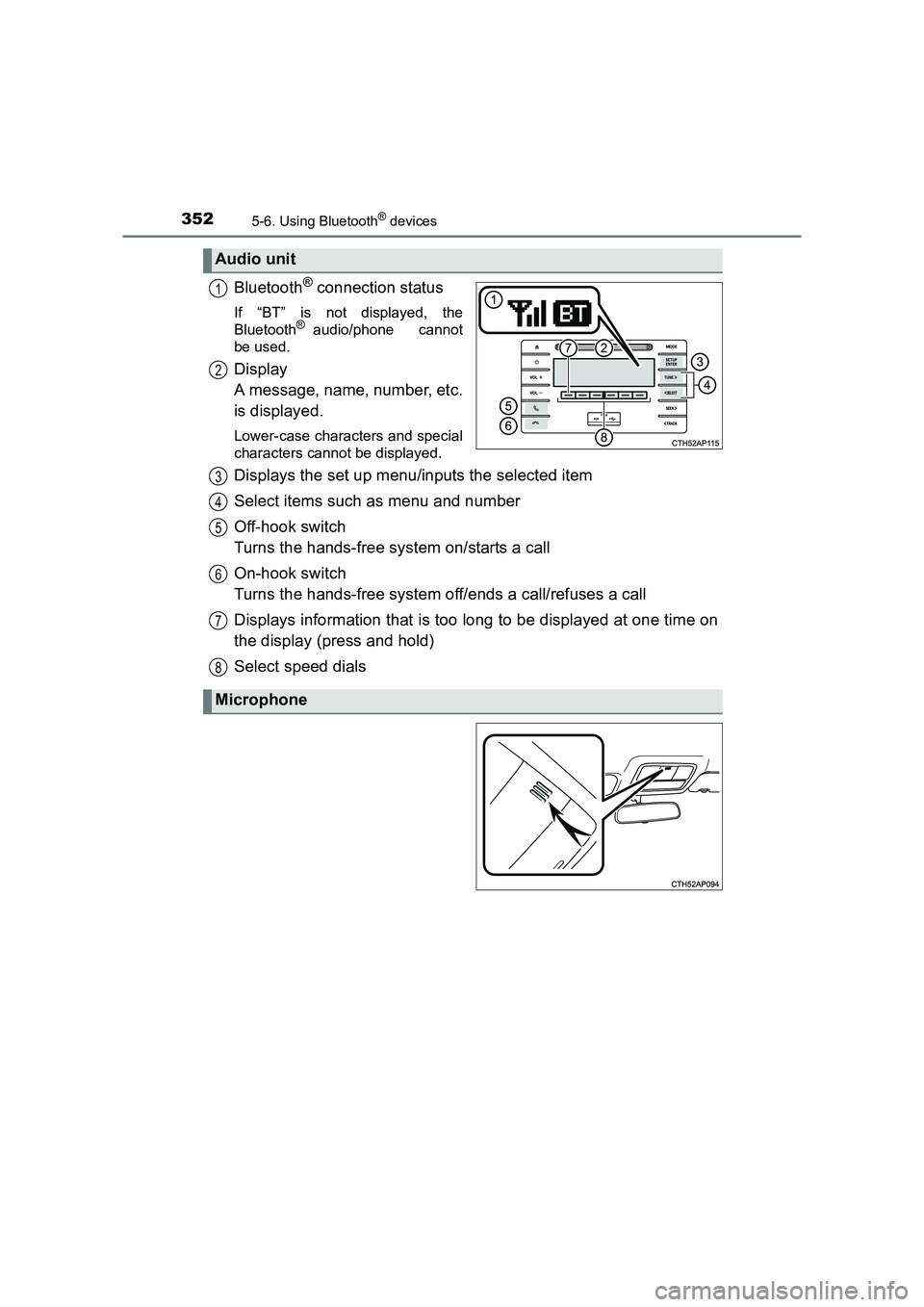
Bluetooth® connection status
If “BT” is not displayed, the
Bluetooth® audio/phone cannot
be used.
Display
A message, name, number, etc.
is displayed.
Lower-case characters and special
characters cannot be displayed.
Displays the set up menu/inputs the selected item
Select items such as menu and number
Off-hook switch
Turns the hands-free system on/starts a call
On-hook switch
Turns the hands-free system off/ends a call/refuses a call
Displays information that is too long to be displayed at one time on
the display (press and hold)
Select speed dials
Audio unit
1
2
Microphone
3
4
5
6
7
8